Have you ever seen a random friend post something on TikTok & it goes viral, ending up with millions of views? This can happen overnight too.
 Create the Roadster Ramp Trend 🏎️
Upload your image and create a thrilling backward car jump off a ramp.
Create the Roadster Ramp Trend 🏎️
Upload your image and create a thrilling backward car jump off a ramp.
Yes, you heard it right. Sometimes success can happen overnight when it comes to the virality of reels. But this is not just an accident. TikTok first builds content with small audiences and sees whether people respond. If people respond, it expands to most of the people. The platform rewards what you post more than who you are.
Many creators make common mistakes that stop their videos from going viral. So, what are these mistakes, how to create viral TikTok trend videos, and what tips can help you get more views and reach a wider audience? This blog covers everything you need to know about TikTok. Let’s dive in!
Popular AI TikTok Trends You Can Recreate Right Now
Here are the top trending ideas you can follow to become a viral sensation. Pick the one you like, check the blog for its detailed prompts, and make your own video in minutes.
Upload two photos, and AI puts you both in the famous orange studio booth, trading verses over the Migos “Hotel Lobby” track. It works great with friends, siblings, or a pet and its owner.
Turn your photos into a golden-hour dance video at a gas station, with a forecourt dance, a selfie close-up, and a car step-out. No camera crew or dance skills needed.
You sit calmly on a chair in the desert while a huge SUV soars over your head in slow motion. All you need is one clear photo and a prompt.
One person stands still in the middle while a whole crowd moves in perfect sync around them. The trend comes from Yung Lean’s “STORM” music video, and it works with just one photo.
Your character bursts through a car window, grabs something, and runs from the police in a movie-style action clip. You can also use it to show off a product or brand.
A person trips on the street, and time freezes while their coffee, phone, and sunglasses hang in mid-air as the camera circles around. It’s a popular way for brands to show off products.
You lie on the floor looking up at a spinning fan, and your outfit changes every time a blade passes over you. It’s great for fashion looks, festive themes, and showing a whole collection in one clip.
You become the loudest guest at a chandelier-lit party, holding a cup, pointing at the crowd, and waving at the camera. It’s based on Drake’s song “Burning Bridges” and works for men, women, kids, and pets.
Upload two photos and get a clip set to Stromae’s slowed “Alors on Danse.” One of you plays the keyboard with a calm face while the other goes wild with reactions and laughter.
Walk through a luxury mansion like a global star, holding a champagne bottle with a bodyguard close behind. It makes your selfie look like a high-budget music video.
Put yourself in the viral street freestyle outside a red-lit restaurant, bouncing your shoulders to a dembow beat while a crowd films. The trend started on October 2, 2026, with Dominican artist Bulin 47.
You run down a highway while a wild blue frog on an invisible motorcycle chases you, set to the “Axel F” theme. It’s a funny, nostalgic clip that works best as a short 5- to 7-second loop.
Two people (or two pets) stare at the camera and scream, then suddenly swap places and break into a synced dance to the Bronski Beat classic. It’s a funny, nostalgic clip, and the two-cats-dancing version is the most popular.
What Makes a TikTok Trend Go Viral?
Going viral is not just luck. Here are the simple steps that help a trend video get more views, shares, and followers.
Step 1: Understand How the Algorithm Treats Trend Videos
TikTok doesn’t judge your videos in one go. It first releases your video to a small group of viewers; if users react, then it widens the audience in rounds if the reaction is strong.
Most creators realize that in 2026, they have to use different tactics & methods to go viral.
What matters most in 2026 is the shares & saves. It carries more weight than your likes. Completion rate and meaningful comments also count. Metadata such as captions and on-screen text helps with search, but it is weaker than watch behavior when a video is first being tested.
The most practical lesson is that trend videos succeed when people watch it to the end, replay it, sent it to a friend, or save them for later. A video that gets very few likes & then gets forgotten does very little.
One caution: you will see precise claims online, such as the exact completion rate needed to go viral, and some of these come from single vendor blogs with no official backing. Treat them as directional, not as rules.
Step 2: Find Trends Before They Peak
When you join a trend, it matters more than almost anything else. Most trends only last around a week. The best time to jump in is within the first three to five days, while the sound or format is still rising. If you show up on day ten, you’re one of thousands making the same video.
Your For You Page is the easiest place to spot trends, but it’s worth doing some extra digging. TikTok’s Creative Center is free, and you can filter it by country to see which sounds, hashtags, and formats are going up. It does have one weakness. By the time a sound shows up there, it has often already peaked, so use it to check a trend, not to find one first.
To spot trends earlier, look at how fast a sound is growing instead of how many videos use it. If a sound starts popping up on lots of different accounts within a day or two, that’s a good sign it’s still early. Following a few creators in your niche who usually find trends first also helps. And keep a small list of formats you like, so when one fits your content, you can make your video the same day.
Step 3:Choose Trends That Fit Your Niche and Audience
You don’t need to do every trend. If a trend has nothing to do with your audience, you’ll get a few polite views and move on. At worst, it confuses the people who follow you for something else. Before you jump in, ask yourself three quick things. Would my audience enjoy this? Can I connect it to what I post about? Can I actually make it well?
Skipping a trend is perfectly fine. If your whole page is made of borrowed ideas, it starts to feel like everyone else’s. Mixing trend videos with your own original ones helps people recognize your style, and that’s what makes them hit follow.
Step 4: Add Your Own Twist
One thing you always need to remember is that you do not need to copy the brand exactly as it is. You have to add certain twists in the videos, like changing the ending, starting differently, mould the video according to your niche, or you can also make your own trend. You can mix two trends into one video. Or you can use the trend to share something useful, like a quick tip or a before and after, which people tend to save and share.
According to the interviews & News Reports, some say that original audio helps to get more reach, while on other days, they attract views from trending audio. Not everything works for everyone, so better to try it all.
Step 5: Hook Viewers in the First Three Seconds
The start of your video decides whether anyone sees the rest. People scroll fast, and you have about three seconds to make them stop.
There are very simple ways to do it. You need to show the result first so the wants to know how you got there. Ask a Bold question that the video answers. You can also make your video start with such an amazing fact or hint about what’s going to happen next. In the trendy videos, the trend itself is often the hook because people recognize the sound instantly. Still, put your most interesting moment at the very start, add a short line of text on screen that explains what the video is about, and cut any slow intro.
Step 6: Structure the Video for Retention and Rewatches
A good hook gets people through the first few seconds. What comes next keeps them there. Keep things moving, with something new to look at every couple of seconds. Put the main message in on-screen text, since a lot of people watch with the sound off. Build up to a payoff, and don’t make people wait too long for it.
Rewatches help a lot, so plan for them. If the end of your video flows right into the start, people often watch it twice without realizing. A quick reveal that’s easy to miss the first time works too. As for length, there’s no perfect number. Some people say longer videos can do well if they hold attention, so what matters most is whether people keep watching. Make the video as long as the idea needs. For trend videos, that’s often somewhere between 7 and 30 seconds. Tutorials and stories can run longer.
For editing, LightX is a popular choice because it’s quick and made for TikTok. If you want a more polished look, Adobe tools will do the job.
Step 7: Optimize for TikTok Search
More people are using TikTok like a search engine now. This simply means a trend video can keep getting views even after the trend is over, as long as it also answers something people are searching for.
Start by typing your topic into TikTok’s search bar and see what it suggests. These are real things people are looking for. Use those words in your caption, on the screen, and in what you say out loud. Put your main keywords in your bio too. For hashtags, don’t go overboard. Two to five is plenty, and a good mix is one broad tag with a couple of specific ones.
Step 8: Post at the Right Time and Stay Consistent
You’ll find lots of “best time to post” lists online. They’re averages across millions of people, and your audience may not follow them. Your own data is more useful. If you have a Business or Creator account, open the follower activity section in TikTok Analytics and post when your followers are most active.
With trends, though, speed matters more than perfect timing. A good video posted on day two will usually beat a perfect one posted on day eight. As for how often to post, one to three videos a week is a fair place to start. Pick a pace you can actually keep up, because every new video is another chance to take off and another lesson about what your audience likes.
Step 9: Engage After You Post
The first few hours after you post are important, so don’t just post and leave. Reply to comments quickly, and ask a question in your caption or video to get people talking. If a comment is interesting, answer it with a video. That also gives you ideas for your next post. Pinning a comment to start a conversation can help too.
You can also nudge people toward the actions TikTok likes. Something as simple as “send this to someone who needs it” gets more shares, and a useful tip gets more saves. Stitches and Duets are a good way to team up with other creators, even if you don’t have many followers yet. It works best with creators in a similar niche.
Step 10: Cross-Promote and Repurpose
A good video doesn’t have to live on one app. Keep a clean copy without the TikTok watermark, and post it on Instagram Reels and YouTube Shorts too. It gives your work a longer life and sends people back to your profile. Each platform is a little different, so tweak the caption and keep your on-screen text away from the edges.
Step 11: Measure, Learn and Repeat
Going viral gets easier when you learn from your last video. After you post, look at how long people watched, how many finished the video, how many shared and saved it, and where they dropped off. If they leave in the first three seconds, your hook needs work. If they leave halfway, the pacing or ending is weak. If lots of people watched but few shared, the video was fun but not something worth sending to a friend.
After a few weeks, you’ll start to see a pattern. You’ll know which kinds of trends your audience likes, which openings work, and how long your best videos run. Keep doing more of what works and drop the rest.
How to Generate TikTok Trend Videos with LightX
Step 1: Go to the Reference to Video Tool.
Step 2: Define your character. Upload one clear photo of the person (or pet) you want in the video.
Step 3: If you own a driving video (the original trend clip you want to recreate), add it as the video reference and write a prompt to replace the person in it. Example: “Replace the main dancer in the yellow hoodie and sunglasses with the person from the reference image. Keep the same dance moves, hand gestures, background, lighting, and camera movement.”
Step 4: If you don’t have a driving video, create the whole effect with a prompt. Be clear about the person and the scene. In your prompt, you can mention:
- Character: image, outfit, makeup, and style
- Scene: background (a neon-lit street at night), lighting, camera angle, and more
- Action: how the character is moving, such as a high-energy dance with sharp beat drops, playful hand gestures, and a big smile on the final beat
AI Prompt Tips for Better Trend Videos
Writing a good prompt on an AI reel maker is easier than it sounds. You don’t need fancy words, just be clear about what you want to see.
1. Start with you
Say “keep my face exactly the same as the photo.” Add “same hair and same outfit,” so you look like you from start to finish.
2. Paint the scene
Tell the AI where you are, what time it is, and how the light looks. For example, “a red-lit street outside a restaurant at night” works better than just “outside.”
3. Say what you’re doing
Be specific about the action. “Bouncing my shoulders, pointing at the crowd, and waving at the camera” beats “dancing” every time.
4. Think like a camera person
Mention the shot you want, like a slow zoom in, a shaky phone-style video, or a fixed camera. It makes the video feel really filmed.
5. Keep it simple
One person, one place, and one main action is plenty. Too many details can confuse the AI and make the video look messy.
6. Number your steps
If your video has parts, like outfit changes, write “outfit 1, then outfit 2, then outfit 3.” This keeps everything in the right order.
7. Describe objects properly
Say “a full-size black SUV” instead of just “a car.” It stops things from looking small or fake.
8. Set the size and length
Choose 9:16 so it fits TikTok and Reels. Keep your video short, usually between 7 and 20 seconds.
9. Test and tweak
If something looks off, change just one line and generate again. You can also try a different AI model, since each one handles movement a little differently.
Conclusion
Going viral doesn’t need a big team or expensive equipment anymore. All you need is one clear photo, a good prompt, and the right trend at the right time. Every idea on this list comes with a detailed blog, so you can copy the prompts and make your own video in just a few minutes.
Pick the trend that fits your style, add your own little twist, and post it while it’s still hot. Try more than one, see what your audience loves, and keep creating. The next viral video could be yours.
FAQs
What size should a TikTok video be?
The best size is 1080 x 1920 pixels, in a vertical 9:16 ratio. This fills the whole phone screen, so nothing gets cropped or shown with black bars. Most AI video tools let you pick 9:16 before you generate.
What frame rate is best for TikTok trend videos?
30 frames per second is a safe choice for most trend videos. It looks smooth and keeps the file size small. If your video has fast action, like dancing or chase scenes, 60 frames per second can look even smoother.
How long should a TikTok trend video be?
Short is usually better for trends. Most trend videos work best between 7 and 30 seconds, and some, like the Crazy Frog chase, do well as short 5 to 7 second loops. Make the video as long as the idea needs, because people watching to the end matters more than length.
What kind of photo gives the best AI video results?
Use a clear, well-lit photo where your face is fully visible and looking straight at the camera. Avoid sunglasses, hats, masks, heavy filters, and group photos, because they can confuse the AI. For dance or full-body trends, a head-to-toe photo works best.
Is it safe to upload my photos to an AI video generator?
Yes, with LightX, your photos are safe. LightX does not store your photos, so they are only used to create your video. As a good habit, use only photos of yourself or people who are okay with it, and label your video as AI-generated when you post it.
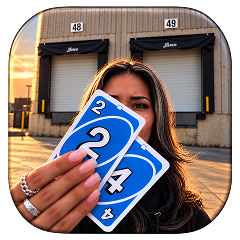 Create the Unforgettable UNO Trend
Upload your image and turn an UNO move into a viral transition.
Create the Unforgettable UNO Trend
Upload your image and turn an UNO move into a viral transition.