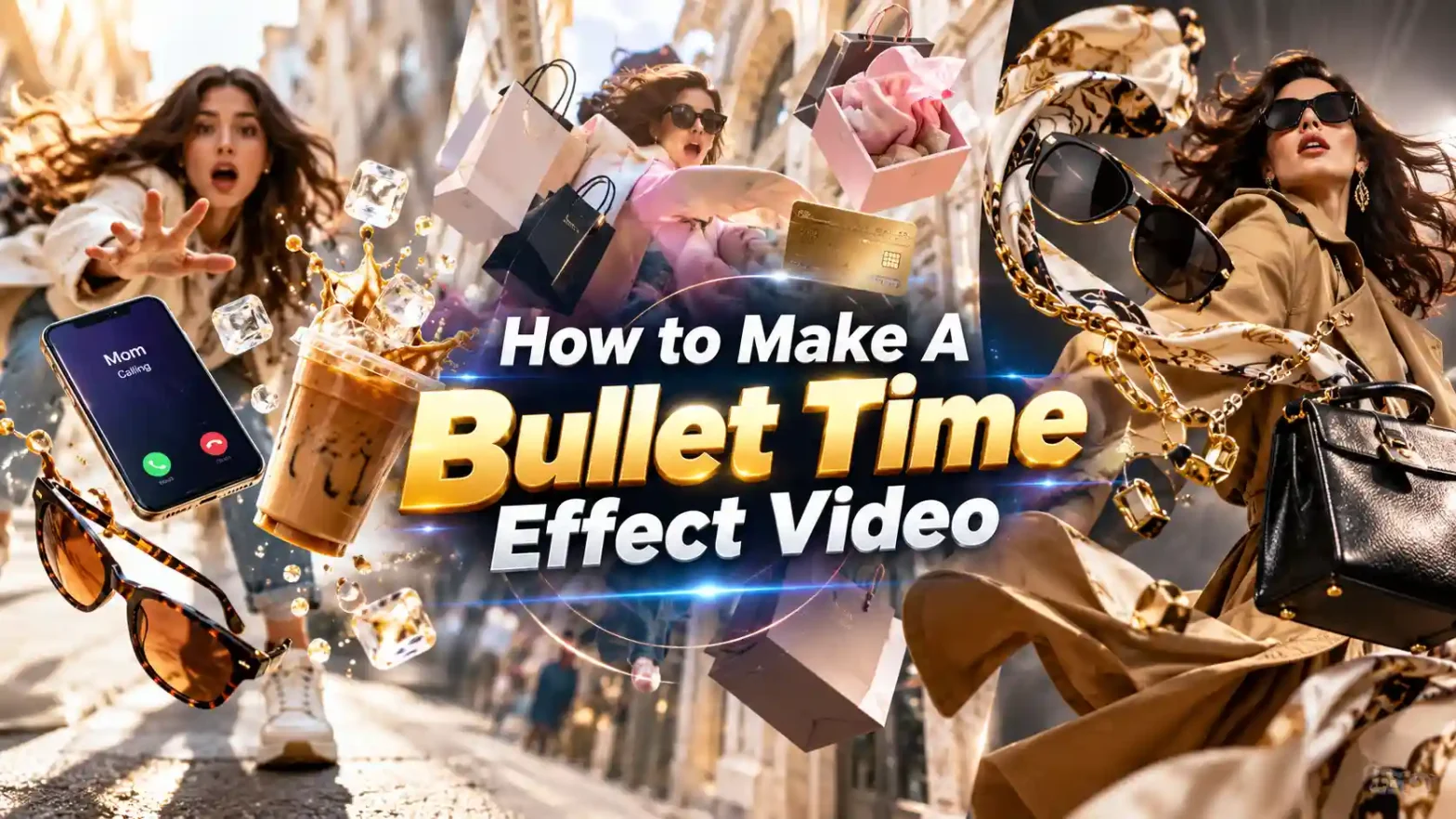
The famous Floating Fall or Bullet Time trend is a viral AI-generated video effect on Instagram, Facebook, and Reels where a person trips, slips, or gets bumped on a street, causing everyday objects (like a coffee cup, phone or sunglasses) to fly into the air as time freezes in extreme slow motion. This trend became famous in late September 2026. And has since been very popular among creators in order to promote brand deals and collaborations. Here’s how to make the floating fall video and why is it going viral?
 Create the Unforgettable UNO Trend 🃏
Upload your image and turn an UNO move into a viral transition.
Create the Unforgettable UNO Trend 🃏
Upload your image and turn an UNO move into a viral transition.
What Is The Bullet Time Effect?
In this video a person is seen walking down a street while on a call with someone. Suddenly they trip and fall in slow motion. During this slow motion, the camera pans in on the products like coffee brand, sunglasses brand and other things the person was holding.
Here’s what happens throughout the video. A person walks down the street. They are holding a phone, drinking coffee or wearing sunglasses. They then experience a sudden trip, fall, or shoulder bump. The action slows down roughly. The person is caught mid-fall while items like a phone, coffee cup, sunglasses, or papers hang suspended in mid-air.
The virtual camera performs a dramatic 360-degree or circles the orbit around the frozen scene. This highlights the floating props and detailed outfit consistency. Then Time continues at a normal speed and the person and objects drop to the ground in the background.
You can create your own bullet time effect video in just a few steps.
What to Prepare Before You Start
Before you start making the AI video make sure you have a clear photo (and product images) ready. Good lighting and well lit photos are needed. Natural light or soft indoor light works best for this. Also Avoid heavy shadows or harsh flash. Higher resolution is better. Go for something clean and sharp and not just a tiny cropped screenshot. A simple head-and-shoulders or full-body shot against a plain background usually gives the best results in making an AI video.
How to Make Floating Fall Video with LightX
Step 1: Choose the template which you find appropriate to showcase your product or idea
Step 2: Upload a character image who is walking.
Step 3: Select a product image which you want to fall.
Step 4: You can add other wearable items like glasses as well.
Step 5: Define your background setting or if you are promoting for a store you can provide a background store image.
Step 6: You can also define the caller’s name to appear on a template which will add a fun vibe to your generation.
Step 5: Download and Get ready to share it on Reels or Shorts.
Related blog: How To Make a Storm Dance Video
Prompt ideas for generating using reference to video tool
1. Coffee and Phone (Classic)
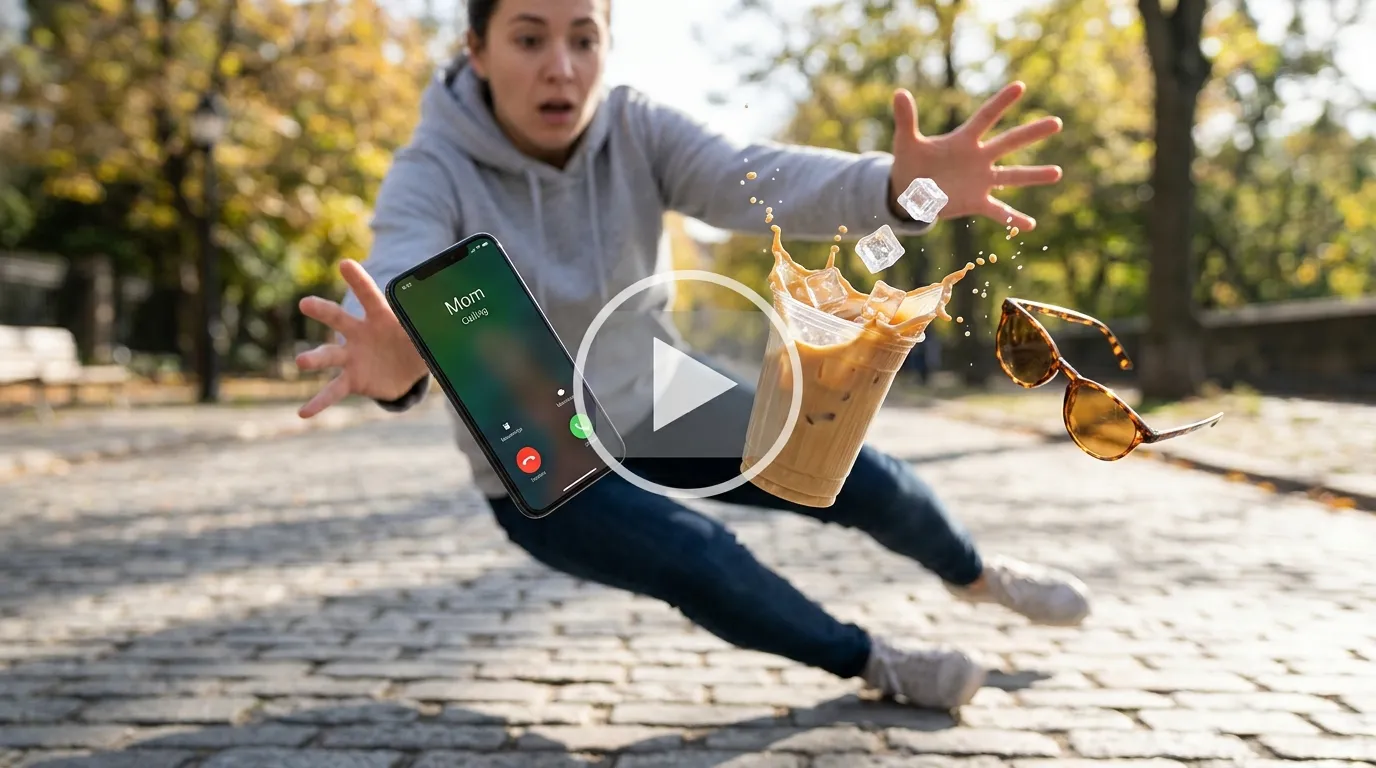
Prompt:
A hyper-realistic, cinematic 8k video in dramatic slow-motion capturing a person accidentally slipping and dropping their morning essentials in a mid-air freeze frame during a Bullet Time effect. The camera executes an ultra-smooth, dynamic 360-degree orbit around the suspended items hovering in space. Mid-flight, a modern smartphone displays an illuminated, vibrant OLED lock screen with a clear incoming call notification reading “Mom Calling”.
Floating right beside it is an iced latte in a clear eco-friendly cup, captured at the exact split-second of impact where delicate droplets of coffee and crystal-clear ice cubes are frozen mid-splash, suspended like liquid sculpture. A pair of designer sunglasses flips nearby, with amber-tinted polarized lenses catching the bright morning sunlight. High-key natural lighting streams through the background, creating golden lens flares and soft bokeh across an urban city pavement. Cinematic depth of field, hyper-detailed material textures, ultra-crisp focus on floating products, studio-quality commercial production.
2. Shopping bags
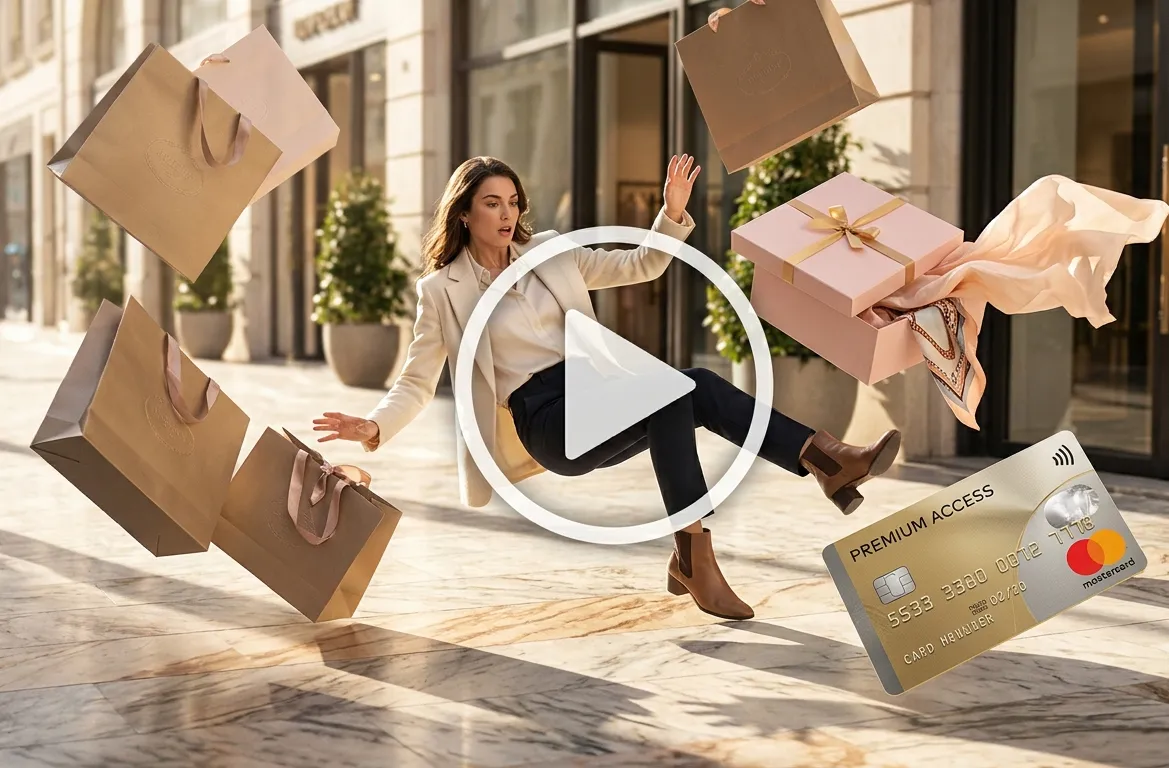
Prompt:
An ultra-detailed commercial-grade video shot in breathtaking 360-degree bullet-time, freezing a vibrant shopping moment in mid-air. A stylish shopper stumbles on a sunlit marble marketplace boulevard, casting a frozen shadow as time halts completely. Suspended mid-flight around them are multiple luxurious matte paper shopping bags with woven ribbon handles and embossed foil brand logos.
One soft-pastel clothing gift box floats open at a dynamic angle, revealing silky tissue paper and fine apparel spilling out in stationary waves. A glossy metallic credit card floats horizontally in front of the lens, reflecting the surrounding architecture with hyper-crisp detail. The camera swoops rapidly and smoothly through the floating items, emphasizing rich fabric weaves, paper textures, and glossy finishes. Bright afternoon daylight, ultra-sharp focus on products, dramatic motion blur on the background crowd, cinematic shallow depth of field, photorealistic 8k resolution.
3. Fashion Ad Style
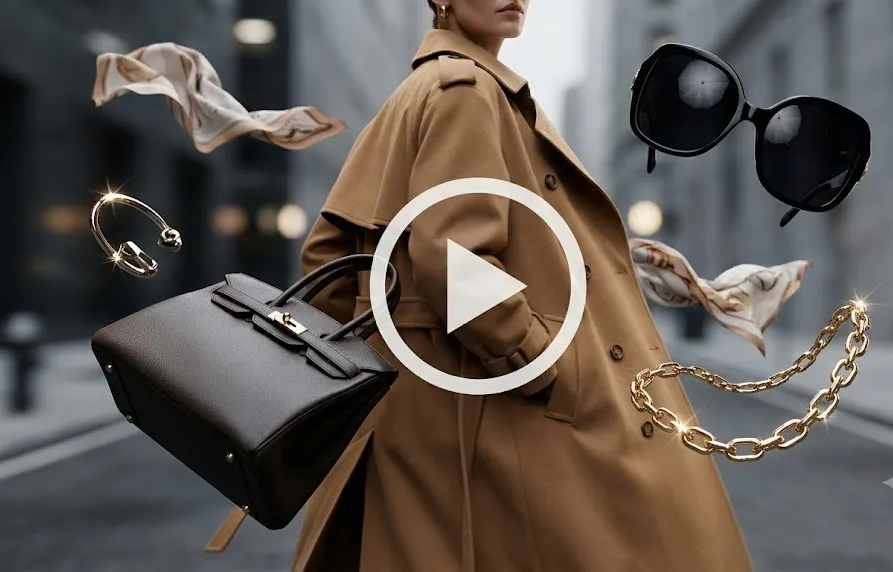
Prompt:
A high-fashion editorial campaign video styled in full cinematic time-freeze bullet-time precision. A high-fashion model wearing an oversized, structured camel trench coat is captured mid-spin as time completely stops.
Hovering gracefully around the model in zero gravity are high-end luxury accessories: statement oversized sunglasses with deep black lenses reflecting soft studio umbrella lights, floating polished 18k gold chain jewelry catching sparkling light highlights, a structured dark leather designer handbag tilted mid-air, and lightweight silk scarves caught in mid-billow.
The camera glides seamlessly on a circular trajectory around the subject, sweeping extremely close to the leather grain and polished metal hardware. High-contrast studio lighting, moody shadows, 35mm film grain aesthetic, magazine cover composition, 8k photorealistic detail.
4. Food Delivery
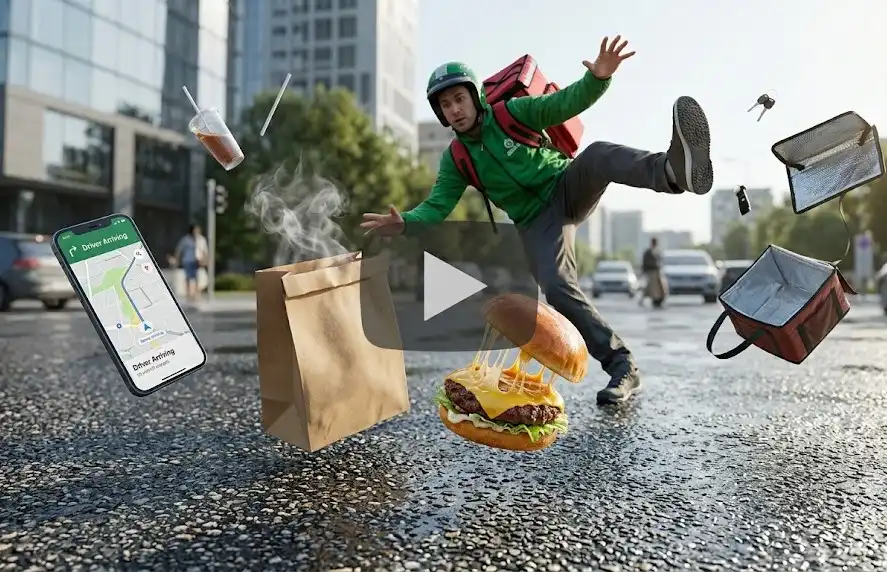
Prompt:
An action-packed, fast-paced commercial freeze-frame shot captured in 360-degree bullet-time precision. A food delivery courier in a branded jacket slips on wet city asphalt, creating a dramatic mid-air freeze moment. Floating motionless in space is a rustic brown craft paper delivery bag with visible heat steam frozen in delicate swirls. Beside it, a gourmet artisan burger floats mid-air with melting cheddar cheese pulls, crisp lettuce leaves, juicy tomato slices, and sesame seeds frozen in space around a toasted brioche bun.
A smartphone hovers near the driver’s hand, its bright screen clearly showing a live GPS tracking app with a prominent notification banner stating “Driver Arriving with Order”. Vibrant, saturated commercial color grading, sharp focus on food textures and liquid droplets, cinematic warm evening lighting, 4k ultra-detailed presentation.
5. Office Morning
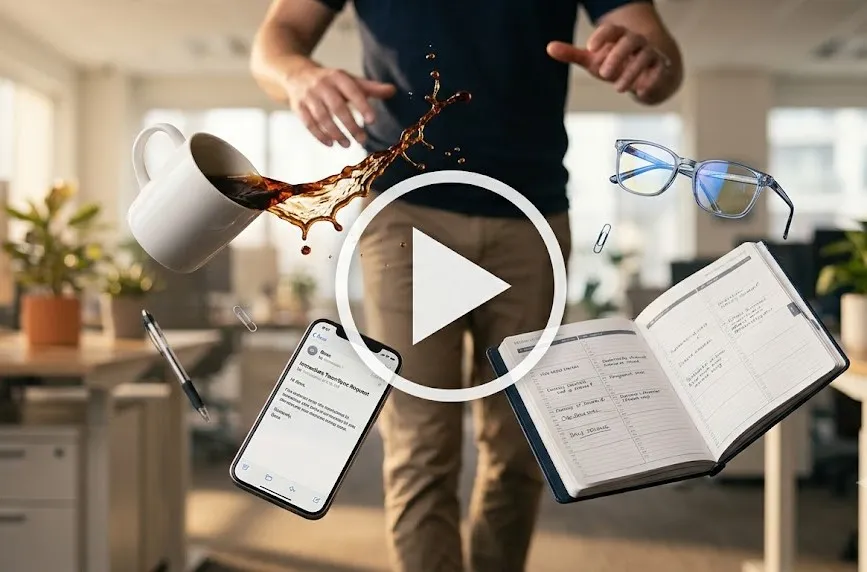
Prompt:
A relatable, comedic office-themed commercial video shot in high-definition bullet-time time-freeze. An office worker trips near their sleek standing desk, sending their morning desk items flying in mid-air freeze frame.
The camera performs a smooth, cinematic 360-degree orbit around the suspended items: a classic ceramic coffee mug spilling rich dark coffee droplets that hang like floating beads of glass, a modern smartphone displaying a high-priority email notification on the lock screen from “Boss”, a premium leather organizer planner with loose white pages fanning out like a deck of cards, and a pair of blue-light blocking glasses suspended mid-rotation.
Soft, warm indoor morning office lighting pours through large floor-to-ceiling windows, casting soft shadows across the office carpet. Photorealistic 8k render, hyper-detailed wood and paper textures, commercial aesthetic.
Customize The Bullet Time AI Video
The AI-driven Bullet time or time freeze trend where everything pauses while the camera dynamically orbits or pushes past floating mid air objects relies on modular reference inputs and prompts. Using modern AI models you can customize the video.
- Product Swaps: You can replace the floating objects like coffee cups and books with custom products of your choice. Upload an image of the product you want in the video such as a luxury purse, perfume or more. You can upload more than 1 product at a time.
- Accessories (Glasses & Eyewear): Customize floating accessories such as sunglasses or spectacles. You can tell the prompt to specify lens colors or direct the camera through the lens for a dramatic color shift transition and then reveal the main product for promotion.
- Mobile Phones & On-Screen Customization: Swap generic smartphones with specific devices. Prompt the screen content to show details such as a name or a call from a person. A personalized lock screen wallpaper, a custom app or a branded social notification.
- Character & Apparel Swap: Keep the facial identity consistent by using a selfie reference while customizing the subject’s clothing, pose or background scene.
Also read: Desert car jump video prompts
How To Use Bullet Time Video Trend For Promotion
The bullet time effect bridges cinematic action with a high-converting product. This allows high-converting products to showcase on a media platform. Users stop scrolling on platforms like TikTok, Instagram and YouTube Shorts.
- High Impact eCommerce Products: products like sneakers, tech gadgets, beverages.
- The Social Campaigns: The brands can even insert promo codes, discount codes and product packaging.
- Fashion & Lifestyle Apparel: Instead of standard runway walk, fashion labels can use this reel to promote their clothing.
Conclusion
Making a floating fall AI video from a single photo is one of the easiest ways to jump on a big trend right now. All you need is a clear photo of yourself and a reference image to generate the best video from scratch. Whether you want a video for fun or for a brand promotion, LightX will generate the desired video in no time.
FAQs
1. What aspect ratio should a floating fall video be?
The aspect ratio for this video will be 9:16 or in portrait reel format.
2. What is the best video length for a floating fall video?
You can generate a video for up to 10 – 15 seconds.
3. Can I use a group photo or a photo of multiple people?
No, this trend does not feature more than one person in the video.
4. Should I write the prompt in beats or as one paragraph?
You can simply copy paste the given prompts in the prompt box and upload images to get the best results.
 Create the Rain Dance Trend ♫
Upload your image and create rain dance music video
Create the Rain Dance Trend ♫
Upload your image and create rain dance music video