
AI Music Video Generator: Turn ideas into Music Videos

How to Make a Music Video with AI
Upload Images
Add up to 5 photos of people, outfits, products, or places.
Write a Prompt
Describe the scene, action, lyrics, or music vibe. Paste a few lines of lyrics or mention the song's mood.
Pick a Model
Choose the AI model that fits the look you want.
Set Your Options
Select ratio, length, resolution, and audio.
Click Generate
Get your music video in moments.
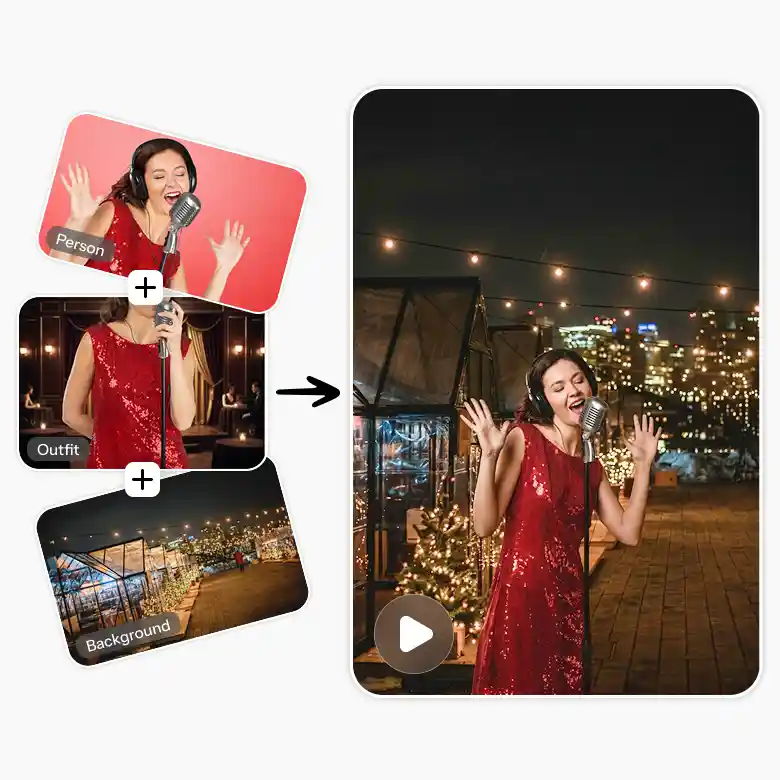
How to Define Characters, Outfits and Background for Your AI Music Video
Your characters, outfits, and setting decide how your video looks and feels. A few clear choices here save you retries later.
• Lead characters: Upload a clear reference image of your singer, dancer, or actor so their look stays consistent.
• More than one person: Add a separate image for each character.
• Background: Upload a reference photo, or describe it, like "a rooftop at night."
• Outfits: Show exact looks in the reference image, or describe them if variations are fine.
• Lighting and camera: Define both in the prompt, like "soft golden light, slow push-in," to avoid unwanted effects.
Note: If you don’t need characters, skip that step and define only the background.
How to Add Lyrics and Audio to an AI Music Video
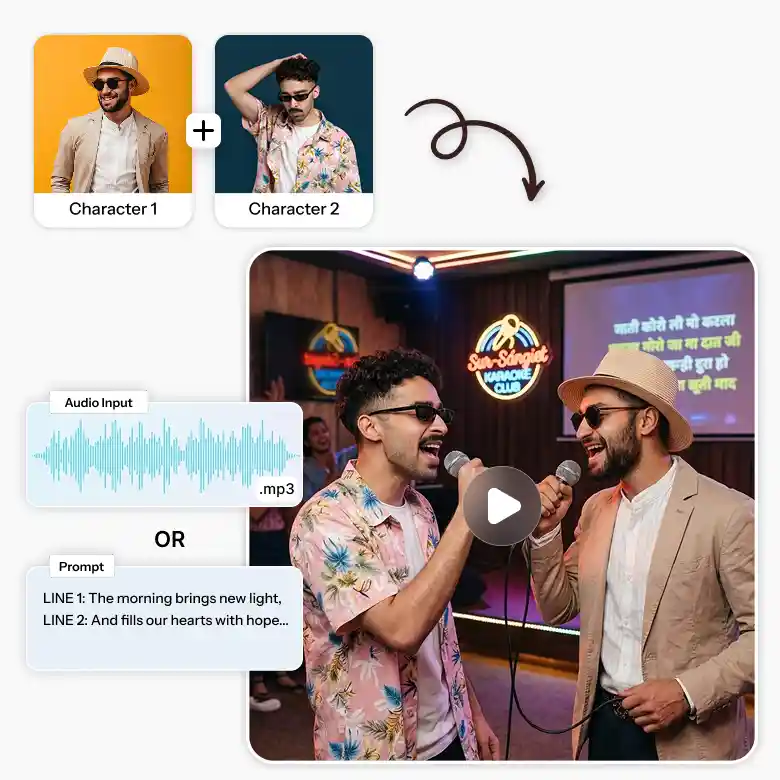
Your song gives the video its rhythm and story. You can bring in a finished track or simply type the words.
• Already have a song: Add the audio file as a reference. The AI builds the scenes around it, following the prompt from the earlier step.
• No audio file: Paste your lyrics into the prompt instead.
• Who sings what: Say which character sings which line, like "Character 1 sings the verse, Character 2 joins the chorus."
• Keep it short: Short, clear lines help the lip sync look natural.
How to Define Music Style and BPM in Your Prompt
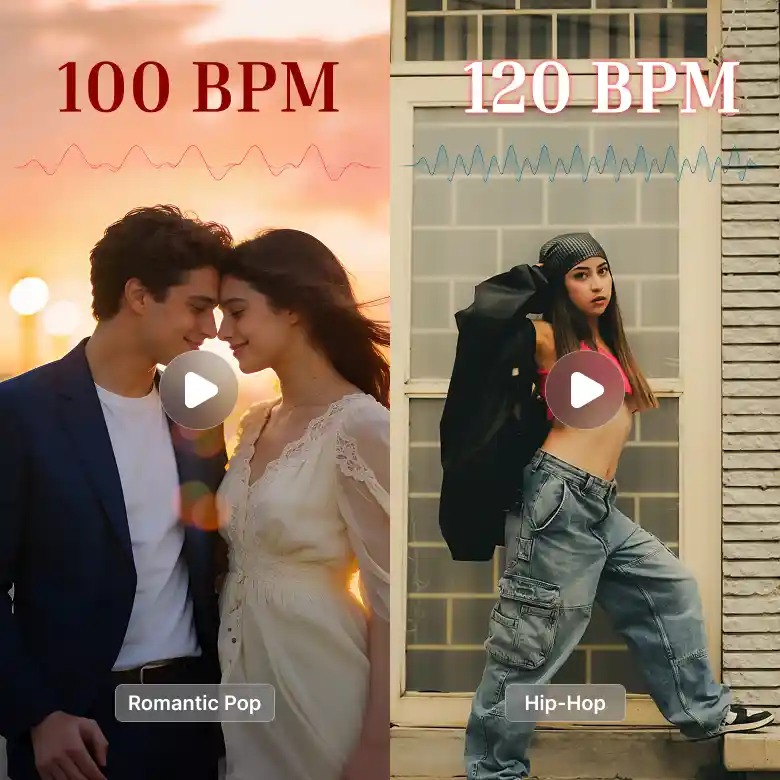
Music style tells the AI how fast to move, how often to cut, and what kind of energy to bring. Genre and BPM are the two details that matter most.
• BPM: A mid-tempo 100 BPM is a good starting point for romantic songs and rap. Slow ballads sit around 70–80 BPM, and dance tracks around 120–128 BPM.
• Genre: Name it clearly, such as romantic pop, hip-hop, indie, or EDM.
• Vibe: Add two or three words for the feel, like soft, confident, or high-energy.
Example (romantic): "Romantic pop ballad, 100 BPM, soft vocals, slow camera movement, cuts on the beat."
Example (rap): "Hip-hop, 95 BPM, confident delivery, quick cuts on the beat, handheld camera."
How to Plan Scenes for Short and Long Music Videos
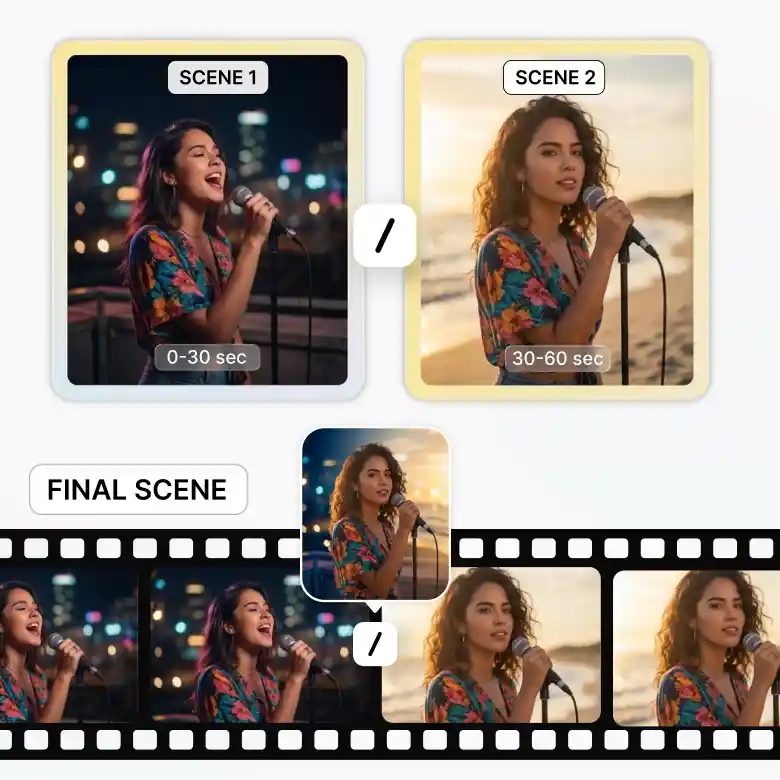
Plan your scenes based on the length of your song.
• Under 30 seconds: One generation is enough, since Seedance and Wan 3.0 support up to 30 seconds.
• Over 30 seconds: Split the video into two or more rounds and generate each one separately.
• Same characters: Reuse your reference images.
• New look: Add separate images for a new background or outfit.
• Consistency: Keep the lighting and camera angle the same.
• Final edit: Stitch the clips together in a video editor and add transitions.
Perfect Prompt Formula for an AI Music Video
- A good prompt covers the style, the character, the setting, the camera, and the lyrics. Here's an example : Romantic pop, 100 BPM. Image 1 is the lead singer in a cream sweater and jeans on a rooftop at golden hour. Lighting: warm sunset glow. Camera: slow push-in, smooth orbit at the chorus. Lyrics: Image 1 sings "Stay a little longer, the night is young" with lip-sync. Mood: dreamy, cinematic, cuts on the beat.
Best Use Cases for an AI Music Video Generator
- An AI music video generator helps anyone turn a song or idea into a video without a camera or a crew. Here's where it works best. • Independent artists: Make a video for every new single. • Social creators: Create clips for Instagram Reels, YouTube Shorts, and TikTok in minutes. • Spotify Canvas: Build short looping visuals for your tracks. • Brands: Bring a product to life with a catchy, music-led video. • Travel and events: Show off a place or an event in a fresh way. • Personal moments: Birthday tributes, anniversary songs, and wedding surprises. • Filmmakers: Test the look of a song before a real shoot.
Which AI Model Should You Choose?
- • Seedance 2.5 → Best overall quality. Highest fidelity, native audio, precise camera control. Ideal for final, realistic music videos (especially faces & products). • Wan 3.0 → Strong natural motion + consistency. Best everyday choice for music videos, dance clips, and lifestyle tracks. Great balance of quality and speed. • Wan 3.0 Prime → Cinematic motion with richer details. Pick this for a more film-like, polished music video look. • Seedance 2 fast → Faster and cheaper. Perfect for quick tests, drafts, or high-volume work. • Seedance 2 → Solid cinematic option with native audio and dynamic shots. Reliable middle ground. Quick tip: Start with Wan 3.0 or Seedance 2 fast for experiments. Switch to Seedance 2.5 or Wan 3.0 Prime for the final version.
Frequently Asked Questions


