Looking for the Car Stunt AI Video Transformation prompt? Well, it’s your lucky day.
 Create the Storm Dance Trend 🌪️🕺
Upload your image and bring the viral storm dance to life.
Create the Storm Dance Trend 🌪️🕺
Upload your image and bring the viral storm dance to life.
The AI video editing trend is not something you’d generally skip, especially not if it’s a car-based cinematic that has drawn the attention of millions of viewers in a blink of an eye. More recently, the car flying shot transformation is one such trend that’s being talked about the most. And to your surprise, we already have the best car jump ai video prompts just ready for you to choose from.
What‘s more interesting is that in the SUV car jumping AI trend of 2026, all you need is a clear photo of you. That’s all. Just select a photo of yourself, describe the ideal setting for your photo, such as in a desert, or on snow covered alps, a beach, describe the camera movements, the timing, choreography and the other distinctive details. Voila! you’re good to go.
What Is The Car Jump AI Trend?
But first, let’s investigate what this so-called AI trend is and why is it spreading like wildfire? The car jump AI video trend is a fascinating trendsetter video. This AI video features a person sitting on a chair with his back towards a scene, and then a car is seen jumping over them in a smooth yet rigorous pan motion shot. This the the standard edit of the videos being scrolled online but there are different variations to each one of them. First off, you can edit this video to your liking, the mood, the scenic background and even the car. It can be in any colour you want, your clothes and style is also entirely editable. And yes, it’s really that simple.
Now let’s move on to how to use our prompts to get the desired video.
Simply Paste These Car Jump AI Video Prompts
Get your favourite car AI video transition done in minutes with these prompts. So just copy paste them, customize them according to your needs and use them with your photo:
Classic desert jump:
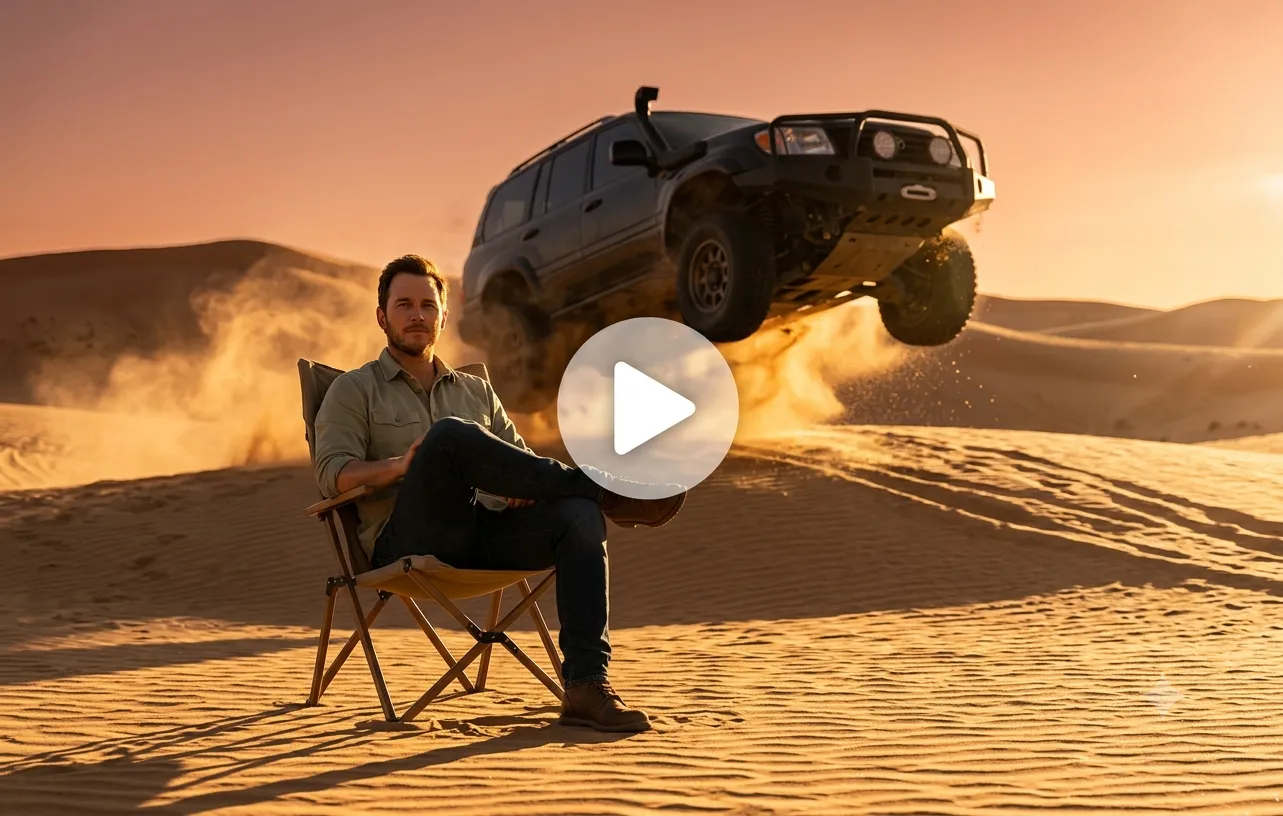
Use the uploaded photo as the reference and keep my face exactly the same. I sit relaxed on a folding chair in a vast desert. With a low angle warm light casting long shadows across the sand dunes. A medium shot with shallow depth of field so that I remain sharp in focus while the flying SUV and sand in focus while flying SUV and sand spray create a dramatic, soft-blur background. I remain seated and look calm. Cinematic slow motion, golden light falling on me that gives off a perfect sunny look. The car looks frozen in mid-air or dust particles suspended in sunlight to make the sand particles glisten.
Overhead flyby:
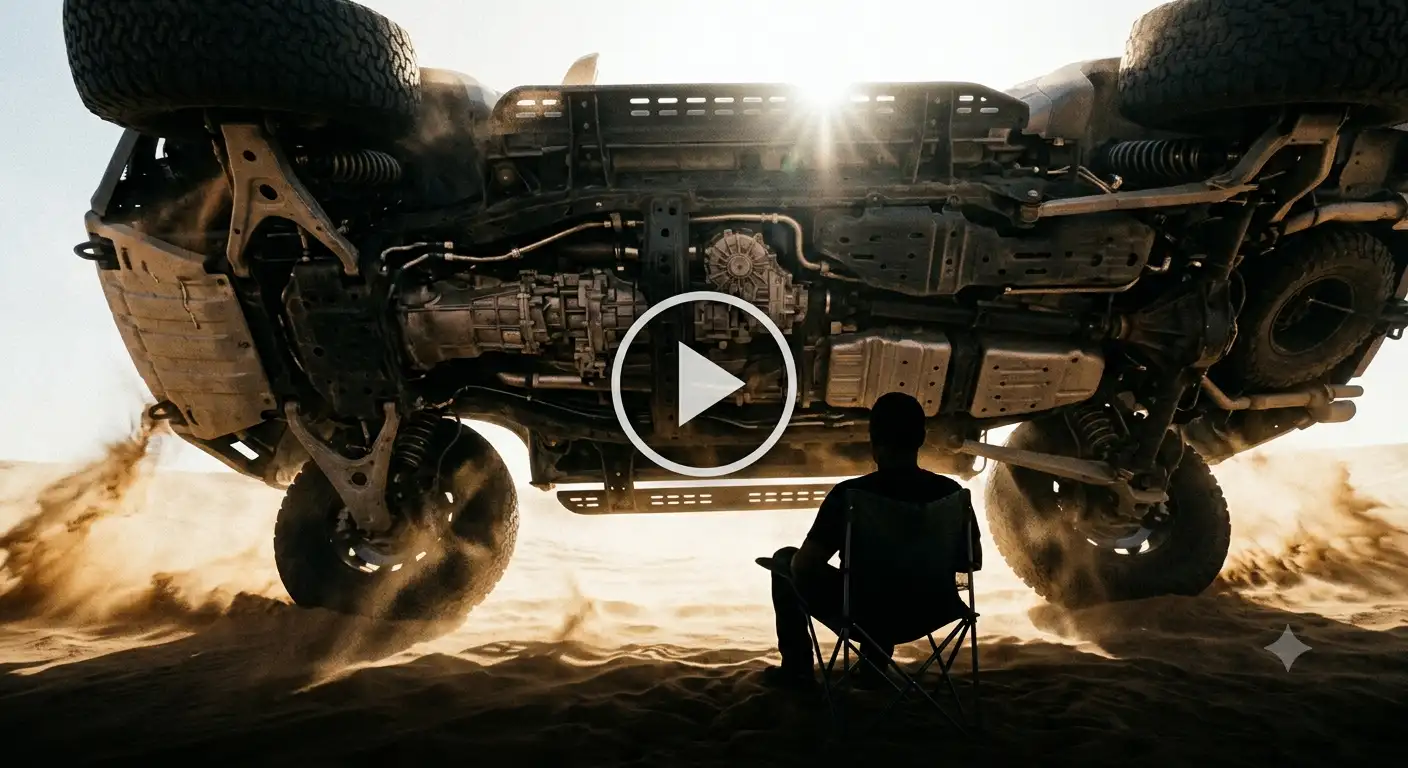
Keep my face and outfit unchanged from the uploaded photo. I’m sitting still on a chair in the dunes as a large SUV soars directly over my head in slow motion. Low-angle wide shot, sand swirling, dramatic high-contrast lighting. An extreme ultra-wide angle (14mm lens) looking up from the ground level. Use a high contrast side lighting or a strong backlight to create a strong silhouette of the bottom chassis of the SUV as it blocks the sun. clearly show the undercarriage of the SUV that shows exposed suspension, tires, plates and occupies the top half of the frame completely.
Freeze-frame moment:
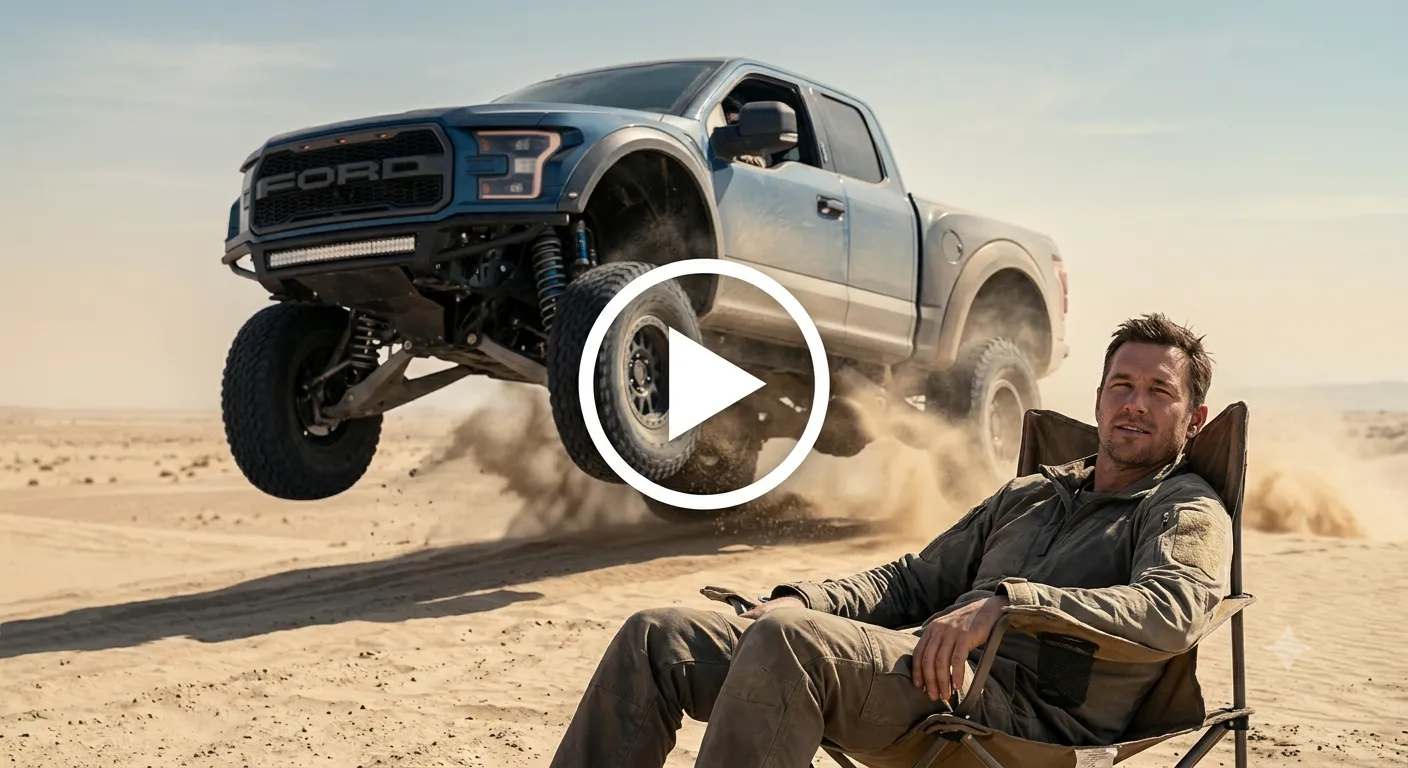
Ultra-realistic freeze-frame. Preserve my face from the uploaded image. I lounge on a camping chair while a heavy off-road truck hangs in mid-air behind me, suspension stretched, sand spraying off the tires. Hazy desert sky. Add a high shutter speed photography 1/8000s shutter to capture zero motion blur on the truck and lock every sand grain in place. Also combine the hazy desert sky with warm, de-saturated desert tones like beige, dry blue and more for a commercial on-point look. Make sure my photo is not blur and the vehicle suspension for an ultra-detailed and realistic freeze frame.
Calm reaction:
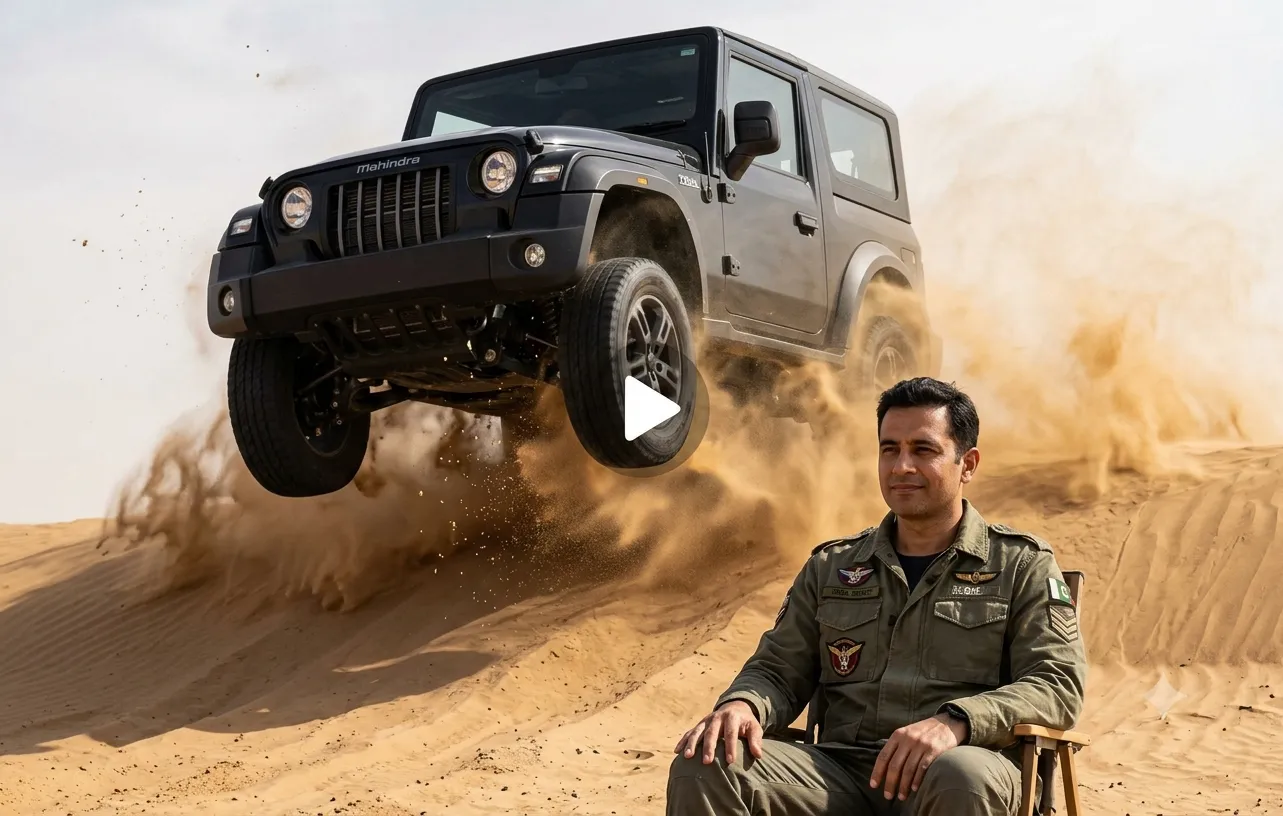
Use the uploaded photo as the starting frame. I slowly lower my raised hand and relax as a black Mahindra Thar-style jeep leaps from behind the ridge. Smooth, natural movement only. The car lands solidly behind me with dust settling. The vehicle lowers right hand and lands with visible suspension compression. Make sure the heavy suspension compression upon impact and expand plume of dust and sand rolling outwards.
Golden hour drive-by jump:
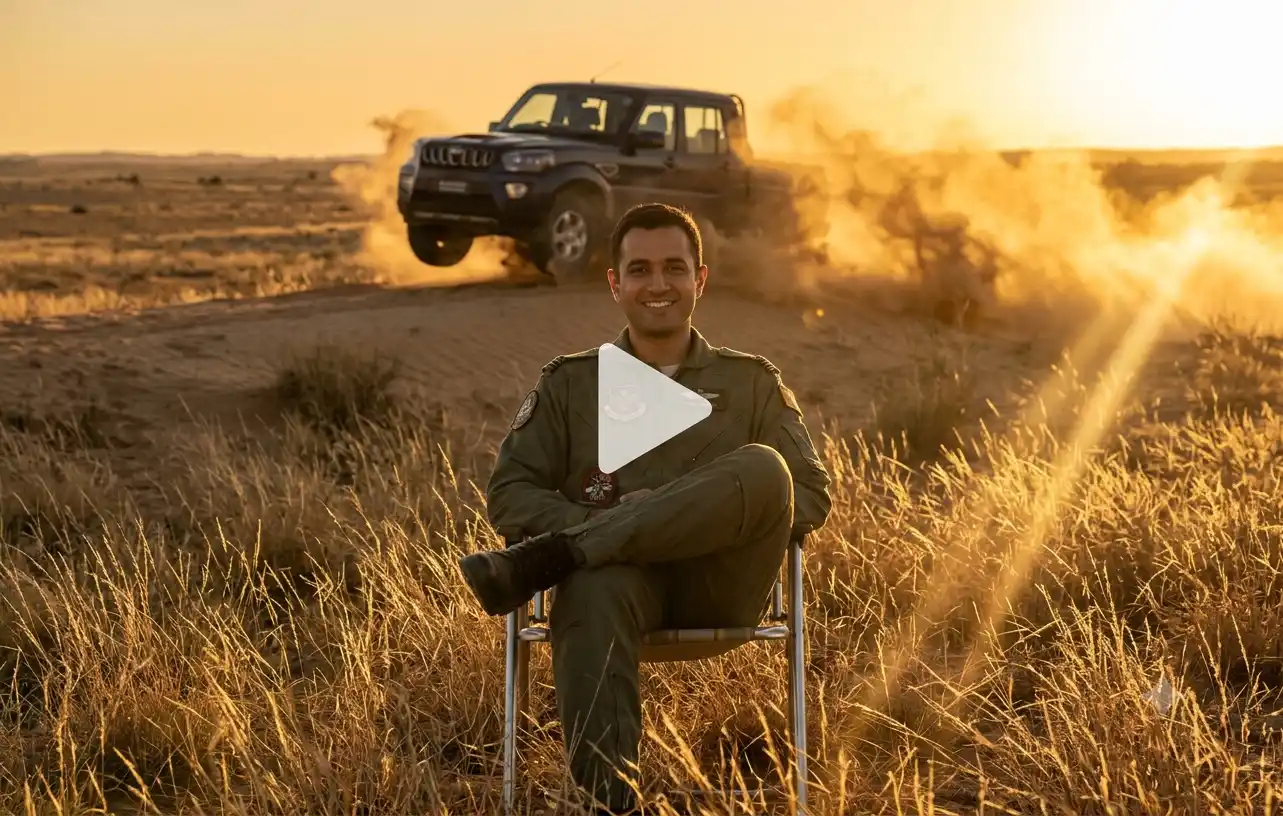
Keep my identity the same as the uploaded photo. I sit crossed-legged on a folding chair in dry desert grass at golden hour. A dark pickup truck rockets over a small rise behind me and lands with a big dust cloud. Slow camera push-in, warm cinematic look. Keep the camera movement slow dolly zoom or push-in centered on face to keep the subject locked while the background action unfolds dynamically. Add lens flare from backlighting sun to create a rich, cinematic warm glare through the dust clouds. Put an emphasis on individual dry grass blades catching lighting to bring out the photorealistic background.
How to Make a Car Jump AI Video from Your Photo?
The viral car entry AI video trend is simple and fun to try. After giving AI a few details about yourself or the personality traits you want to reflect in this video, make sure you have a clear photo of yourself ready to be uploaded. Then do as follows:
Step 1: Open the Image to Video tool on LightX.
Step 2: Upload a clear photo and enter your favorite viral car AI video prompt. Describe the ideal setting, movement, dusty path, lighting, camera movement, and overall vibe.
Step 3: Choose your preferred AI video model, such as Kling 3.0, Seedance, Veo 3.1, Veo 3.1 Fast, or Wan 2.7.
Step 4: Click Generate and let AI turn your photo into a trendy car jumping AI video with natural movement, speed motions, and an adventurous feel.
Step 5: Download your car jumping AI video and share it as an Instagram Reel, TikTok video, YouTube Short, or other fall social media content.
Must Read Tips for a Realistic Car AI Jump Video
To achieve an ultra-realistic result in your car flying stunt AI video, the most important thing is to maintain a consistent visual tone along with keeping a close adherence to the laws of physics.
1. Make sure your face remains completely unchanged throughout the video to preserve identity and eliminate any distortion.
2. Specify a full-sized, realistic vehicle in your prompt so that the video appears natural and not forced.
3. In order to justify a high speed motion, make sure you include details like dust, debris, smoke and more.
4. To keep the scene more believable, avoid moving your posture or your body in the video as it may create unwanted animations.
5. The last thing to check is to have a clean camera movement such as push-in or slow pan so that you can create a smooth transition.
Conclusion
The Toyota Car jump video trend is a venturous way of letting the world know you’re in on the trend. And with the right prompt, you can create something extraordinary in just a few steps. Just add your perfect photo, customize the prompt according to your preferences and let the magic happen.
FAQs
1. Do I need a car photo? (No, only your photo.)
No, you only need to upload a clear picture of yourself. The AI tools will fetch the photo of the car model that you will mention in the prompt.
2. Why does my car look small or fake?
If the AI generates a vehicle that looks small or toy-like, it can be due to the missing size. In order to fix this, ask the AI to explicitly keep the car at a full size ratio, 1:1 scale and make it look realistic.
3. Why did my face change?
Facial distortion can be caused because the camera lightning and action doesn’t match the facial structure. To prevent this, include strict identity-preservation keywords in your prompts.
4. What aspect ratio is best for Reels?
The most recently used optimal aspect ratio for Instagram reels and YouTube shorts is 9:16.
 Create Your Rap Videos 🤘🎤
Upload an image, customize your vibe, and make it rap.
Create Your Rap Videos 🤘🎤
Upload an image, customize your vibe, and make it rap.