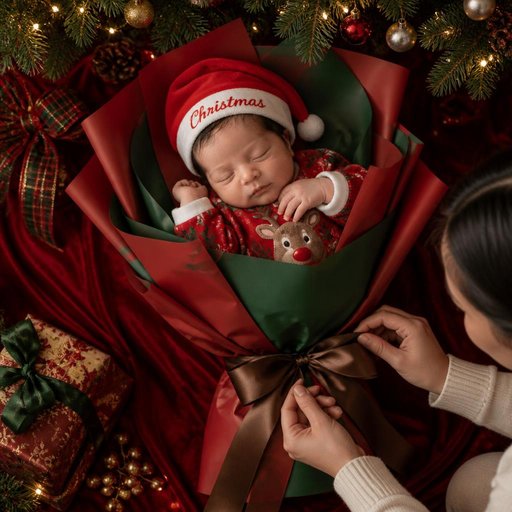
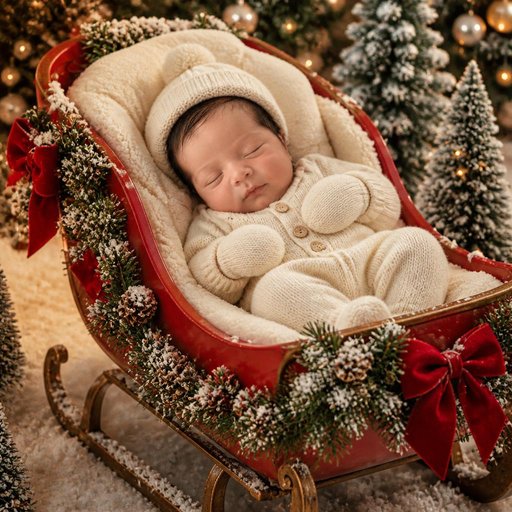
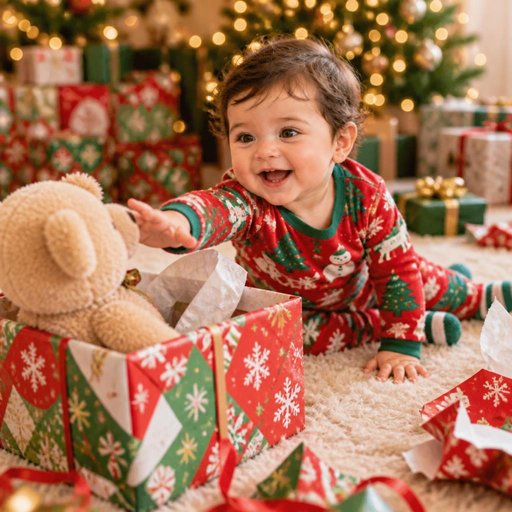
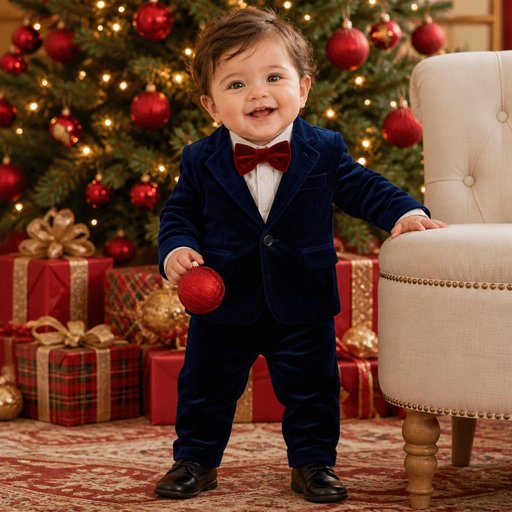
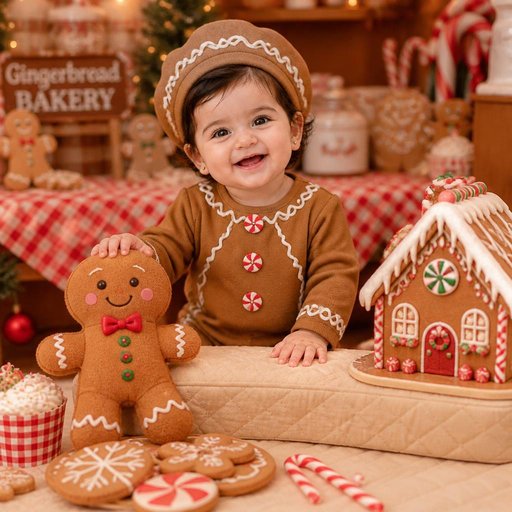
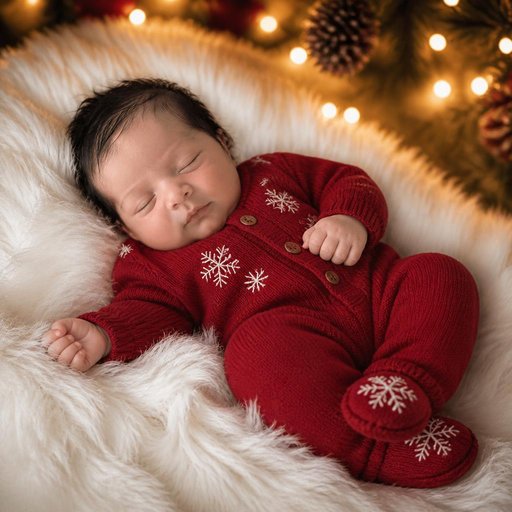
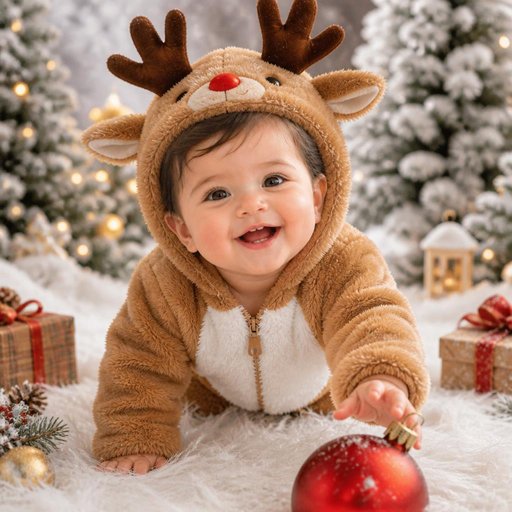
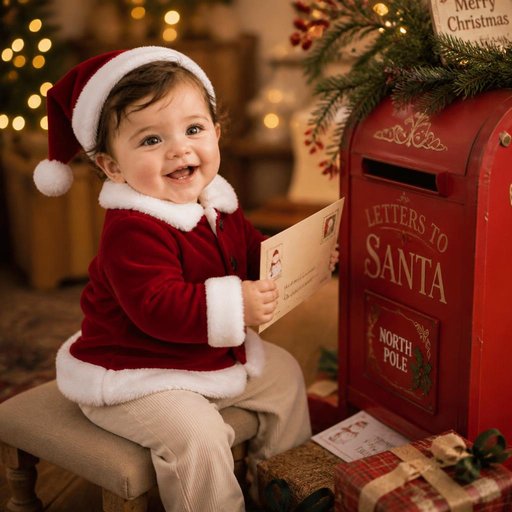
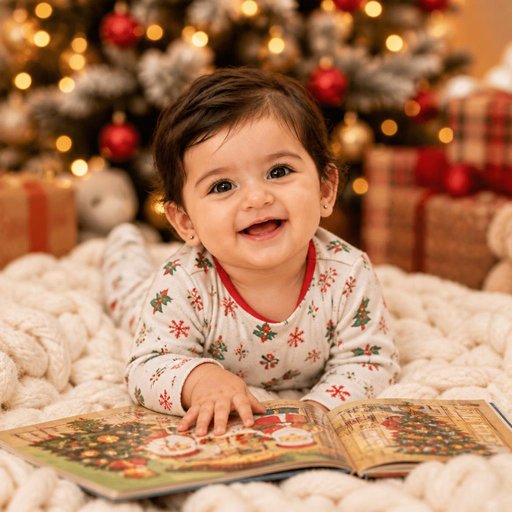
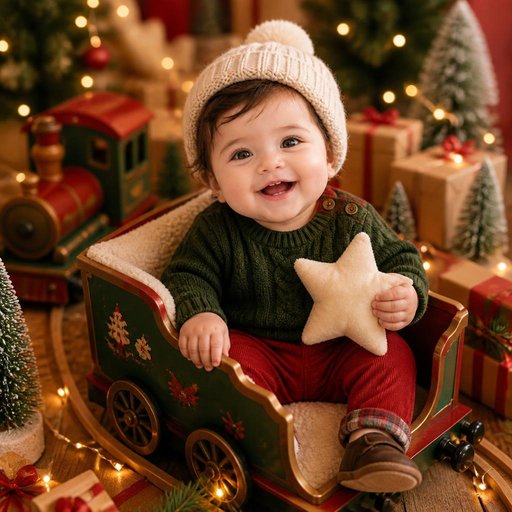
Your baby’s first Christmas, tiny Santa outfits, little reindeer ears, and those adorable festive smiles deserve to be captured beautifully. But arranging a baby Christmas photoshoot can mean finding a studio, choosing outfits, managing schedules, and keeping your little one comfortable throughout the session.
 Follow Us for Daily Trends
Get new prompts and creative ideas every day.
What if you could create those lovely Christmas memories without leaving home?
With a Christmas AI prompt for baby, you can turn an ordinary baby picture into a festive Christmas photoshoot. Simply upload your baby’s photo, describe the Christmas look you want, and let AI transform it into a beautiful holiday portrait. From a tiny Santa surrounded by gifts to a little elf sitting beside a Christmas tree, you can create plenty of adorable looks with just a few words.
Let’s explore some creative prompts, photo ideas, and tips to make your baby’s Christmas pictures look special and realistic.
What Is a Christmas AI Prompt for Baby Photos?
A Christmas AI prompt for baby photos is a short text instruction that tells an AI image editor how to transform a baby’s picture into a Christmas-themed portrait.
Think of it as giving your own creative direction to a photographer. You describe the outfit, background, props, lighting, and overall mood, and AI uses those details to create the desired look.
There are two ways to create these festive pictures:
- Edit an uploaded photo: Upload your baby’s existing picture and use a prompt to add Christmas outfits, decorations, festive backgrounds, and seasonal props while keeping the baby’s appearance recognizable.
- Generate a new baby portrait: Create a completely new Christmas-themed baby portrait from a text description without uploading an existing photo.
For a personalized Christmas memory, uploading your baby’s actual picture is a great option. It lets you experiment with different festive themes while keeping the photo familiar.
What You Need Before You Start
You don’t need a professional camera, expensive outfits, or a decorated room. A few simple things are all you need to get started.
Here’s what to prepare:
- A clear baby photo: Choose a well-lit picture where your baby’s face is clearly visible. A front-facing photo works especially well.
- An AI photo editor: Use an image-to-image AI tool that allows you to upload a picture and apply text prompts.
- A creative Christmas prompt: Decide whether you want a Santa look, an elf costume, a cozy winter scene, or a traditional Christmas portrait.
- A preferred photo style: Think about whether you want a realistic photoshoot, a cute Christmas card, or a dreamy festive portrait.
- The right aspect ratio: A 4:5 portrait works well for Christmas cards, social media posts, and framed pictures.
How to Use a Christmas AI Prompt for Baby (Step by Step)
Step 1: Upload your baby’s photo
Choose a clear, well-lit photo with your baby’s face clearly visible and upload it to the Image to Image tool.
Step 2: Add your Christmas prompt
Describe the Christmas look you want. You can ask for a baby Santa outfit, Santa hat, elf costume, reindeer onesie, Christmas pajamas, knit sweater, Christmas tree backdrop, fireplace scene, snowy window, gingerbread props, Christmas stocking, or a cozy baby’s first Christmas setting.
Step 3: Choose an AI model
Choose from Wan, Flux, GPT Image, Nano Banana, or Seedream based on the style you want.
Step 4: Generate your photo
Click on Generate. LightX will create your personalized Christmas baby photo while retaining the aspect ratio of your uploaded photo. Its image-to-image tool lets you upload a JPEG or PNG, add a detailed prompt, adjust image strength, and download the result.
Step 5: Download and share
Try another prompt or AI model if needed. Download your favorite result and use it as a Christmas baby announcement, WhatsApp status, Instagram post, story, family holiday card, or festive profile picture.
Tip: Use Change with AI to refine details such as your baby’s Santa outfit, elf costume, reindeer onesie, pose, colours, Christmas tree backdrop, fireplace lighting, or garba-free festive background with a follow-up prompt without regenerating the entire image.
You can also try our other tools for Christmas, like the photo editor to get festive photos in seconds.
Best Christmas AI Prompts for Baby (Copy and Paste)
Here, you will get the top 20 viral copy-paste prompts. You just need to copy it & paste them into any AI tool like LightX, ChatGPT, or Gemini.
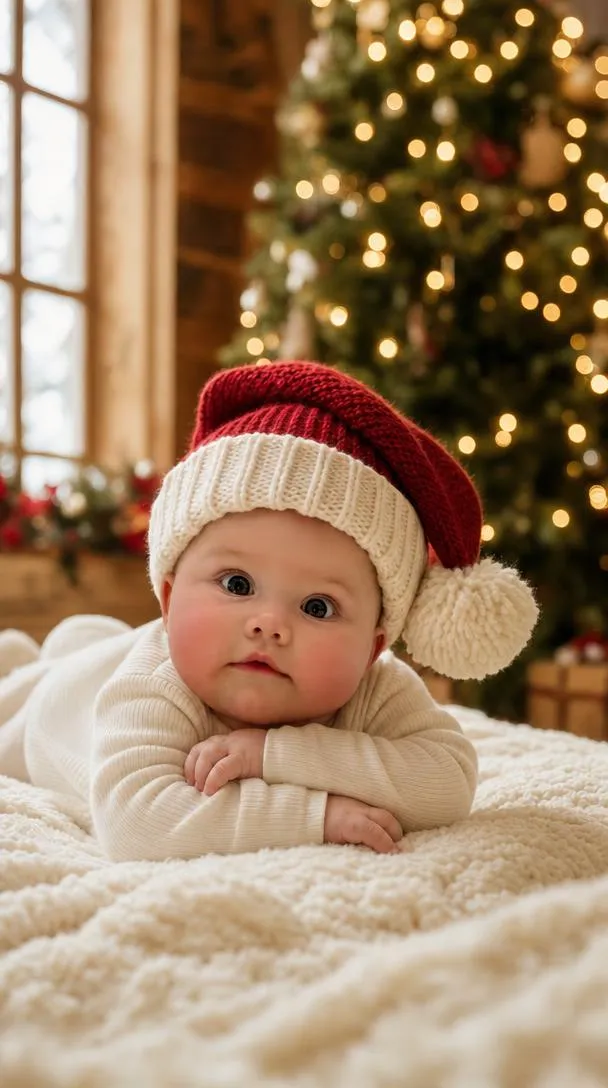
1. Baby’s First Christmas – Cozy Santa Portrait
Prompt:
Create an ultra-realistic, heartwarming Christmas baby portrait using the uploaded baby photo as the sole identity reference.
STRICT FACE LOCK: Preserve the baby’s exact facial identity, face shape, eye color, eye shape, nose, lips, cheeks, skin tone, natural facial features, age, and body proportions from the uploaded image. Do not alter, beautify, morph, or replace the baby’s face. Maintain realistic infant anatomy and natural skin texture.
Dress the baby in a cozy ivory-white, long-sleeved ribbed cotton onesie with soft fabric folds. Add an oversized knitted Christmas Santa hat featuring a deep festive red crown, a thick cream-white ribbed folded brim, and a large fluffy ivory yarn pom-pom leaning toward one side.
Position the baby lying comfortably on their tummy on a thick, luxurious cream-white plush blanket, with both forearms gently overlapping beneath the chin, tiny hands naturally visible, head slightly raised, and eyes looking directly into the camera with an innocent, curious expression and slightly parted lips.
Create a cozy Christmas living room with a large, lush evergreen Christmas tree filling the right background, decorated with numerous warm golden fairy lights. Place a tall wooden-framed window on the left, allowing soft natural winter daylight to illuminate the baby’s face. Keep the background beautifully blurred with dreamy golden bokeh.
Capture from a low, straight-on, baby-eye-level camera angle, placing the baby slightly left of center in the lower half of the composition. Use warm ivory, muted forest green, deep red, and golden tones. Soft diffused lighting, gentle shadows, realistic knitted textures, shallow depth of field, cinematic warmth, nostalgic Christmas atmosphere, premium professional baby photography, photorealistic details.
Vertical 9:16 composition. No text, watermarks, logos, social media icons, artificial facial features, or distorted limbs.
2. Baby’s First Christmas – Cozy Santa Portrait
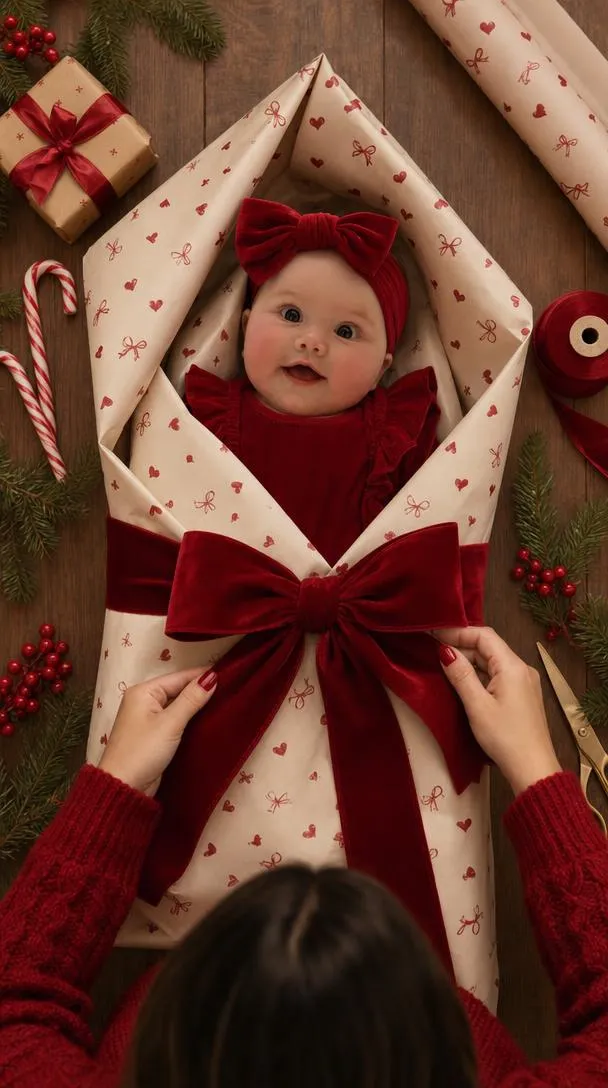
Prompt:
Create a photorealistic Christmas milestone baby portrait using the uploaded baby photo as the sole identity reference.
STRICT FACE LOCK: Preserve the baby’s exact facial identity, face shape, eyes, nose, lips, cheeks, skin tone, hairstyle, age, and natural body proportions. Do not alter, beautify, or replace the baby’s face. Maintain natural skin texture and realistic infant anatomy.
Dress the baby in a simple white short-sleeved cotton onesie, a soft red velvet Santa hat with fluffy white trim and pom-pom, and matching red Santa booties with white fur cuffs. Embroider “My First Christmas” in small red lettering across the hat’s white brim.
Position the baby lying on their tummy on a clean white bed, resting on both forearms, head gently raised, knees bent, and feet lifted behind. The baby looks directly toward the camera with an adorable, innocent, curious expression.
Decorate the background with oversized metallic foil Christmas balloons: a shiny red number 5 balloon in the upper right, a cheerful Santa Claus balloon holding a golden star in the center, a snowman balloon with a black top hat and red-green scarf on the left, and a tall red-and-white striped candy cane balloon.
Add floor-length ivory curtains, neutral cream walls, and a textured white cushion on the right. Place a miniature chocolate Christmas cake decorated with festive figurines and tiny evergreen trees in the foreground, safely out of reach. Scatter decorative peppermint lollipop props with red ribbons around the bed.
Capture from a slightly elevated front-facing camera angle with a wide composition. Soft indoor lighting, gentle shadows, glossy balloon reflections, rich Christmas reds, clean whites, cozy neutral tones, realistic textures, charming festive atmosphere, professional lifestyle baby photography. Vertical 9:16 composition. No watermarks, social media interface, or additional text.
3. Baby’s First Christmas Photoshoot with Santa Balloons – AI Photo Prompt
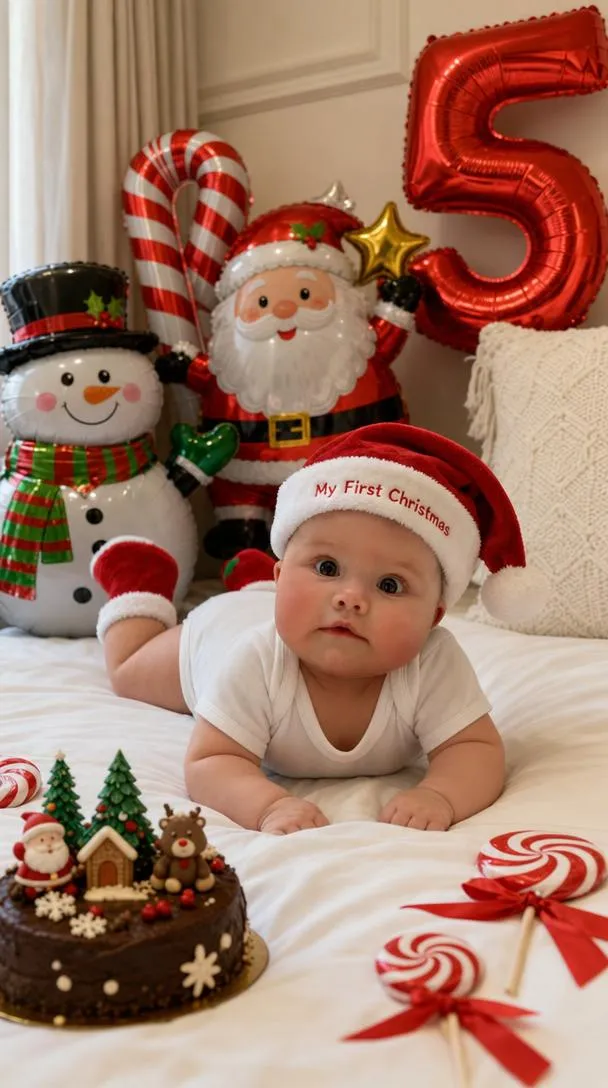
Prompt:
Create a photorealistic Christmas milestone baby portrait using the uploaded baby photo as the sole identity reference.
STRICT FACE LOCK: Preserve the baby’s exact facial identity, face shape, eyes, nose, lips, cheeks, skin tone, hairstyle, age, and natural body proportions. Do not alter, beautify, or replace the baby’s face. Maintain natural skin texture and realistic infant anatomy.
Dress the baby in a simple white short-sleeved cotton onesie, a soft red velvet Santa hat with fluffy white trim and pom-pom, and matching red Santa booties with white fur cuffs. Embroider “My First Christmas” in small red lettering across the hat’s white brim.
Position the baby lying on their tummy on a clean white bed, resting on both forearms, head gently raised, knees bent, and feet lifted behind. The baby looks directly toward the camera with an adorable, innocent, curious expression.
Decorate the background with oversized metallic foil Christmas balloons: a shiny red number 5 balloon in the upper right, a cheerful Santa Claus balloon holding a golden star in the center, a snowman balloon with a black top hat and red-green scarf on the left, and a tall red-and-white striped candy cane balloon.
Add floor-length ivory curtains, neutral cream walls, and a textured white cushion on the right. Place a miniature chocolate Christmas cake decorated with festive figurines and tiny evergreen trees in the foreground, safely out of reach. Scatter decorative peppermint lollipop props with red ribbons around the bed.
Capture from a slightly elevated front-facing camera angle with a wide composition. Soft indoor lighting, gentle shadows, glossy balloon reflections, rich Christmas reds, clean whites, cozy neutral tones, realistic textures, charming festive atmosphere, professional lifestyle baby photography. Vertical 9:16 composition. No watermarks, social media interface, or additional text.
4. Baby in a Christmas Gift Box Photoshoot – AI Photo Prompt
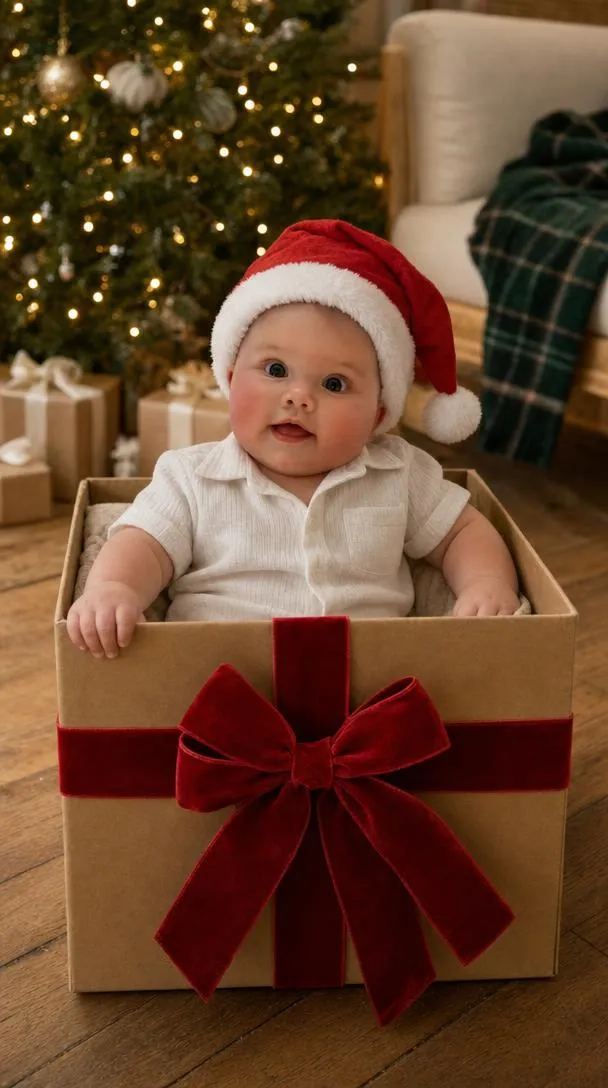
Prompt:
Create an ultra-realistic Christmas baby portrait using the uploaded baby photo as the sole identity reference.
STRICT FACE LOCK: Preserve the baby’s exact facial identity, face shape, eyes, nose, lips, cheeks, skin tone, hairstyle, age, and natural body proportions. Do not alter, beautify, reshape, or replace the baby’s face. Maintain natural skin texture and realistic infant anatomy.
Dress the baby in a lightweight ivory-white, short-sleeved collared shirt and a classic bright red Santa hat with soft white trim and a fluffy white pom-pom hanging to one side.
Position the baby sitting comfortably inside a large, open-top square kraft cardboard gift box with concealed soft cushioning. Decorate the box with wide crimson velvet ribbons crossing vertically and horizontally, finished with a large elegant red bow centered on the front. The baby’s upper body remains visible above the box, with tiny hands naturally resting on its edge. The body faces slightly sideways while the head turns toward the camera with a joyful open-mouth smile and curious eyes.
Place the gift box on a warm, natural wooden floor. Create a cozy Christmas living room with a lush green Christmas tree on the left, illuminated by numerous warm golden fairy lights. Arrange neutral kraft-paper presents with ivory ribbons beneath the tree. Add a cream upholstered sofa with a wooden base and a dark green plaid blanket on the right.
Capture from a slightly elevated front-facing three-quarter camera angle, keeping the entire gift box visible. Use soft natural daylight, warm golden bokeh, shallow depth of field, gentle shadows, rich festive reds, earthy beige tones, realistic fabric and cardboard textures, and premium professional baby photography. Keep the baby’s face sharply focused against the softly blurred background. Vertical 4:5 composition. No text, logos, watermarks, or social media interface.[/lx_prompt]
5. Newborn Santa Baby Christmas Basket Photoshoot – AI Photo Prompt
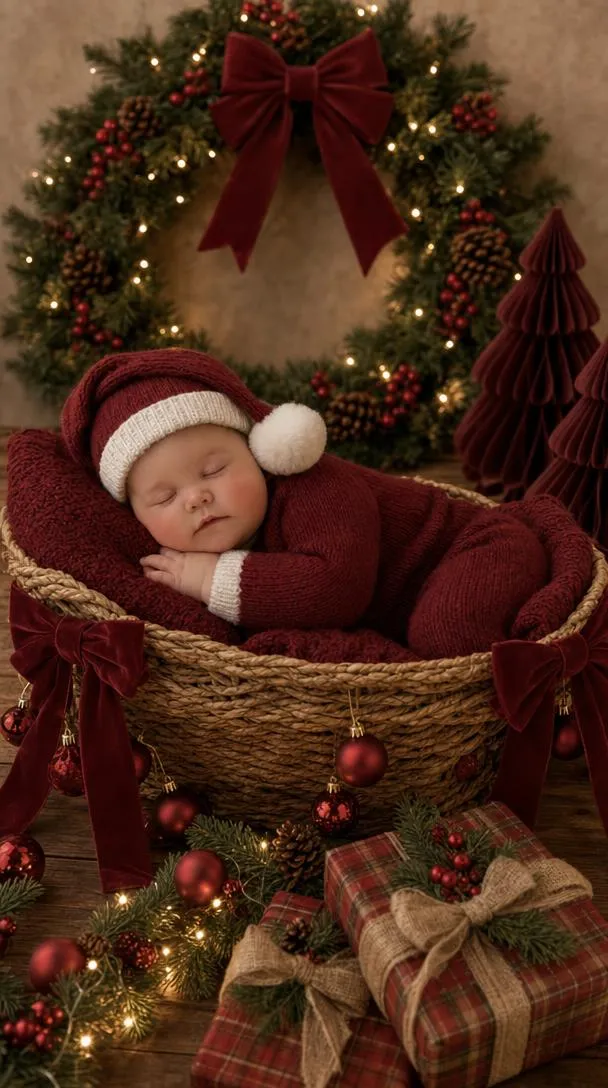
Prompt:
Create an ultra-realistic newborn Christmas portrait using the uploaded baby photo as the sole identity reference.
STRICT FACE LOCK: Preserve the baby’s exact facial identity, facial structure, nose, lips, cheeks, skin tone, hairstyle, age, and natural body proportions. Do not alter, beautify, reshape, or replace the baby’s face. Maintain natural skin texture and realistic infant anatomy.
Dress the baby in a deep burgundy-red knitted Santa romper with ivory-white cuffs and a matching pointed knitted Santa hat featuring a white ribbed brim and an oversized fluffy white pom-pom.
Position the baby peacefully sleeping on their side inside a rustic woven straw cradle basket lined with soft burgundy knitted blankets and a matching cushion. Keep the baby’s head gently resting on their hands, eyes naturally closed, and expression calm. Decorate the basket with luxurious crimson velvet bows and hanging red ornaments.
Create a vintage Christmas studio setting with a textured warm beige backdrop and rustic wooden plank flooring. Place a large circular evergreen wreath behind the basket, decorated with red berries, pinecones, golden fairy lights, and an oversized red velvet bow.
Arrange two burgundy honeycomb paper Christmas trees on the right. Place red-and-cream tartan wrapped presents with burlap ribbons, evergreen sprigs, berries, and pinecones in the foreground. Surround the basket with lush festive garlands, red baubles, and glowing warm-white fairy lights, keeping decorations away from the baby’s face.
Capture from a slightly elevated front-facing camera angle. Use soft diffused studio lighting, warm golden foreground bokeh, gentle shadows, rich burgundy reds, forest greens, earthy beige tones, detailed knitted textures, and luxurious vintage Christmas aesthetics. Sharp facial details, professional newborn photography, vertical 4:5 composition. No text, logos, watermarks, or social media icons.
6. Sleeping Newborn Santa Christmas Photoshoot – AI Photo Prompt
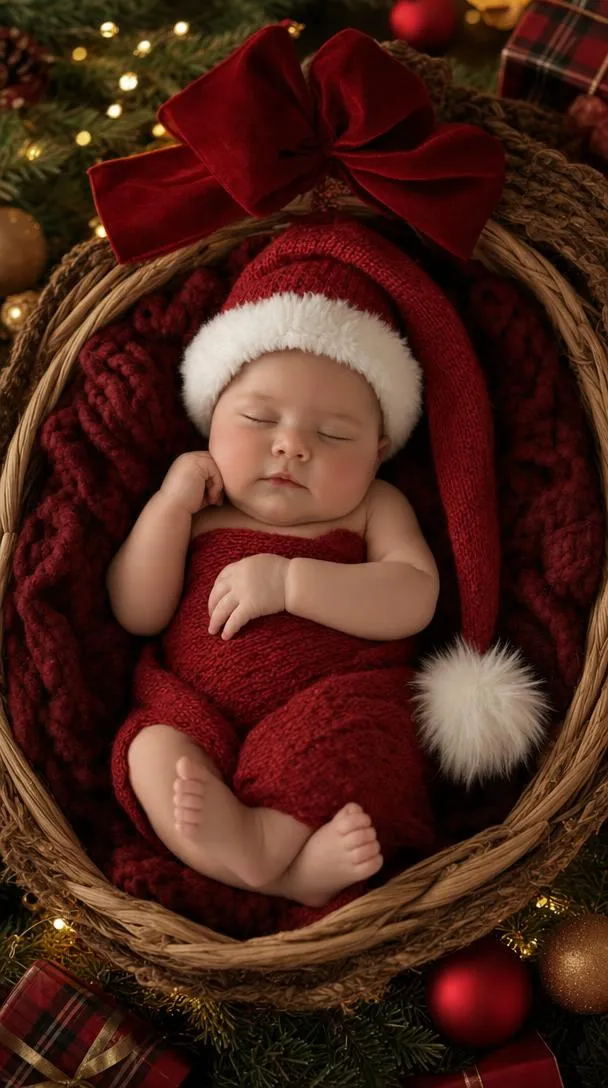
Prompt:
Create an ultra-realistic sleeping newborn Christmas portrait using the uploaded baby photo as the sole identity reference.
STRICT FACE LOCK: Preserve the baby’s exact facial identity, facial structure, nose, lips, cheeks, skin tone, hairstyle, natural age, and body proportions. Do not alter, beautify, reshape, or replace the baby’s face. Retain natural skin texture and realistic infant anatomy.
Dress the baby in a soft crimson-red knitted swaddle covering the torso and lower body, with tiny hands and feet naturally visible. Add a long, pointed red knitted Santa hat featuring a thick, fluffy white brim and an oversized white faux-fur pom-pom resting beside the baby.
Position the baby peacefully sleeping on their back inside a rustic, natural straw woven basket lined with thick burgundy knitted blankets. Arrange the baby in a relaxed, gently curled position with one hand beside the cheek, the other arm resting across the body, and tiny feet naturally overlapping. Keep the eyes gently closed, lips relaxed, and expression peaceful.
Decorate the upper edge of the basket with an oversized luxurious deep-red velvet bow. Surround the basket with softly blurred evergreen branches, red and golden Christmas ornaments, tartan-wrapped presents, and glowing warm golden fairy lights.
Capture an intimate close-up portrait from a slightly diagonal overhead camera angle, with the baby’s face as the primary focal point. Use soft diffused studio lighting, delicate facial shadows, creamy golden bokeh, shallow depth of field, rich crimson tones, detailed wool fibers, realistic woven textures, and a luxurious vintage Christmas atmosphere. Premium professional newborn photography, photorealistic details, vertical 4:5 composition. No text, logos, watermarks, social media icons, or distorted anatomy.
7. Sleeping Santa Baby with Christmas Cookies – AI Photo Prompt

Prompt:
Create a photorealistic, heartwarming Christmas baby portrait using the uploaded baby photo as the sole identity reference.
STRICT FACE LOCK: Preserve the baby’s exact facial identity, facial structure, nose, lips, cheeks, skin tone, hairstyle, age, and natural body proportions. Do not alter, beautify, reshape, or replace the baby’s face. Maintain realistic infant anatomy and natural skin texture.
Dress the baby in a luxurious bright-red velvet Santa outfit with long sleeves and soft white cuffs. Add an oversized red Santa hat with thick white plush trim and a large fluffy white pom-pom hanging toward the left.
Position the baby peacefully sleeping with their cheek gently resting on a thick ivory knitted cushion featuring delicate decorative stitching. Keep the eyes naturally closed, lips relaxed, and one arm extended beside the cushion, with a tiny hand resting near a decorative chocolate chip cookie prop.
Place the baby on a luxurious white plush blanket. In the foreground, arrange a vintage ceramic Santa Claus mug with a sculpted white beard, cheerful expression, and red rim. Beside it, place a cream ceramic plate decorated with red snowflakes and a thin red border, filled with chocolate chip cookies.
Create a cozy Christmas living room with a lush evergreen tree in the background, decorated with warm golden fairy lights, elegant white ribbon bows, pearl garlands, and fluffy white ornaments. Add softly blurred wrapped presents beneath the tree and sheer ivory curtains on the left.
Capture from a low, slightly elevated three-quarter camera angle. Soft natural window lighting, delicate shadows, dreamy golden bokeh, rich festive reds, creamy whites, realistic velvet and knitted textures, shallow depth of field, and premium Christmas baby photography. Vertical 3:4 composition. No text, logos, watermarks, or social media icons.
8. Baby’s First Christmas Santa Basket Photoshoot – AI Photo Prompt
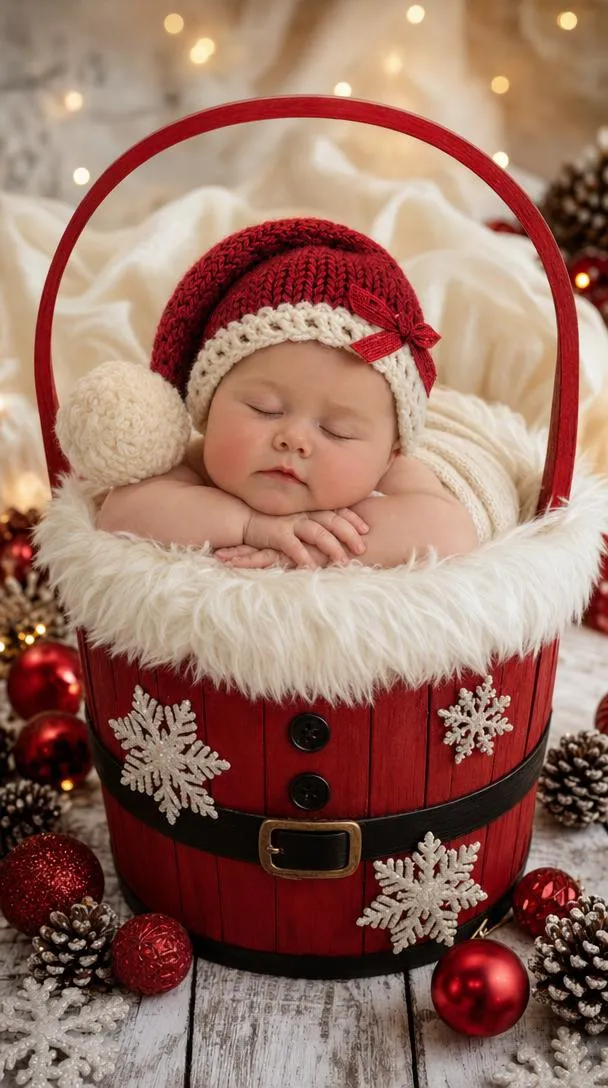
Prompt:
Create a photorealistic, enchanting Christmas newborn portrait using the uploaded baby photo as the sole identity reference.
STRICT FACE LOCK: Preserve the baby’s exact facial identity, face shape, nose, lips, cheeks, skin tone, hairstyle, age, and natural body proportions. Do not modify, beautify, reshape, or replace the baby’s face. Maintain natural skin texture and realistic infant anatomy.
Dress the baby in a soft cream-colored wrap and a handmade red knitted Santa hat with subtle dark yarn flecks, a thick ivory crocheted brim, a miniature red ribbon bow, and a large fluffy ivory yarn pom-pom hanging to the left.
Position the baby peacefully sleeping inside a round, deep-red wooden basket lined with thick, luxurious white faux fur. The baby’s head rests gently on folded forearms, tilted slightly sideways, with naturally closed eyes, relaxed lips, and a serene expression.
Style the basket like Santa’s traditional costume, featuring vertical red wooden panels, two black buttons, a black belt with a rectangular antique metallic buckle, and a curved red handle. Attach delicate white glitter snowflake decorations to the exterior.
Place the basket on rustic whitewashed wooden flooring surrounded by glossy red Christmas baubles, textured crimson ornaments, large white decorative snowflakes, and snow-dusted brown pinecones. Add softly draped cream fabric and scattered warm golden fairy lights in the background.
Capture a close-up portrait from a slightly elevated front-facing angle, keeping the baby’s face sharply focused. Soft diffused studio lighting, delicate shadows, dreamy golden bokeh, rich crimson and ivory color palette, realistic wool and wood textures, shallow depth of field, luxurious Christmas aesthetics, professional newborn photography. Vertical 4:5 composition. No text, logos, watermarks, or social media icons.
9. Cute Baby Santa with Gift Sack Christmas Photoshoot – AI Photo Prompt
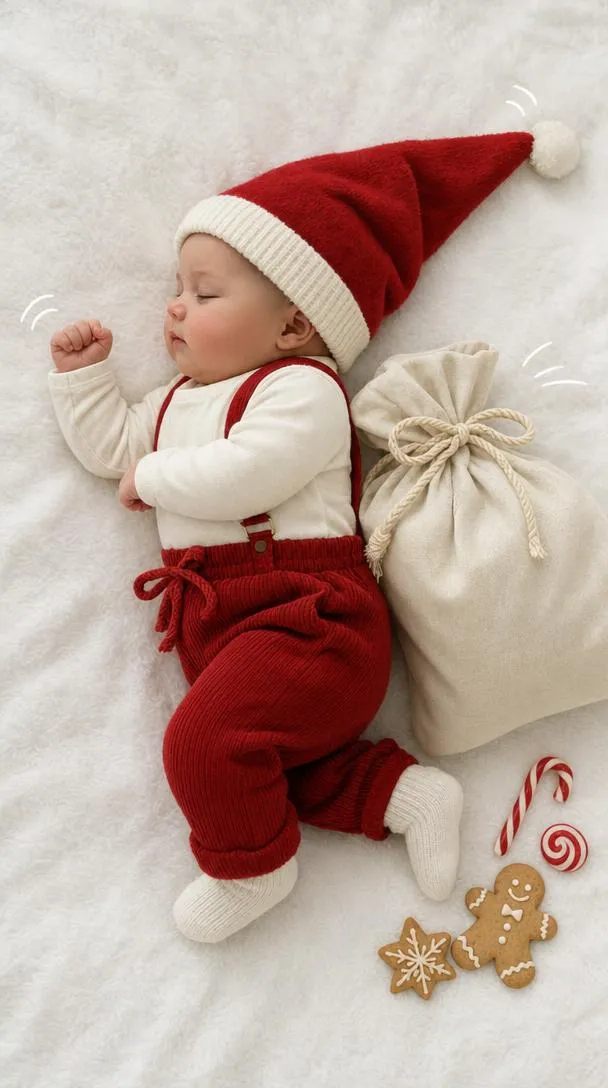
Prompt:
Create an ultra-realistic, playful Christmas baby portrait using the uploaded baby photo as the sole identity reference.
STRICT FACE LOCK: Preserve the baby’s exact facial identity, face shape, eyes, nose, lips, cheeks, skin tone, hairstyle, age, and natural body proportions. Do not alter, beautify, reshape, or replace the baby’s face. Maintain realistic infant anatomy and natural skin texture.
Dress the baby in an ivory-white long-sleeved cotton shirt, festive red ribbed corduroy trousers with matching suspenders, a decorative red waist drawstring, and soft white knitted socks. Add an oversized, pointed crimson Santa hat with a thick ivory ribbed brim and a small white pom-pom extending toward the right.
Position the baby comfortably lying sideways on a soft white plush blanket, creating the playful illusion of a tiny Santa running to deliver Christmas presents. Keep the face turned toward the left in profile, eyes peacefully closed, one arm bent forward with a gently closed hand, the other resting across the chest, and both legs naturally bent in a running-like pose.
Place a large, loosely filled ivory linen gift sack beside the baby’s back, tied with a cream twisted rope bow. Arrange the rope decoratively on the sack and beside the shoulder, away from the baby’s neck. Add miniature festive candy and cookie props near the lower-right corner. Include subtle white hand-drawn motion marks beside the hat, raised hand, and gift sack.
Capture a full-body portrait from a directly overhead camera angle. Use soft natural daylight, delicate shadows, a minimalist white background, vibrant Christmas reds, warm ivory tones, realistic fabric textures, and clean Japanese-inspired photography aesthetics. Charming, whimsical festive atmosphere, vertical 3:4 composition. No text, logos, watermarks, or social media icons.
10. Baby’s First Christmas with Santa Claus – AI Photo Prompt
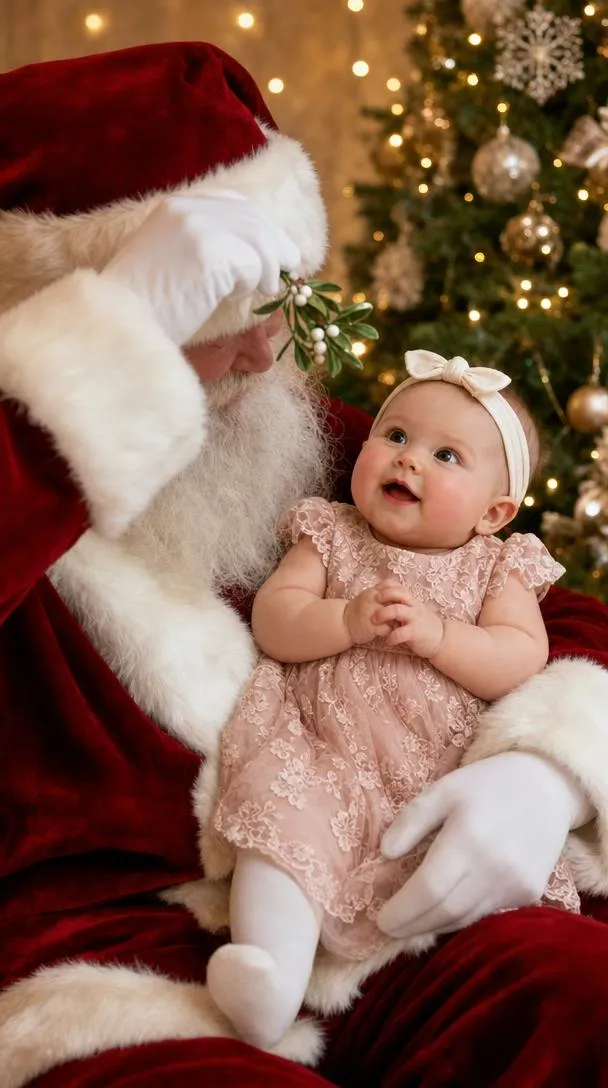
Prompt:
Create an ultra-realistic, heartwarming Christmas portrait using the uploaded baby photo as the sole identity reference.
STRICT FACE LOCK: Preserve the baby’s exact facial identity, face shape, eyes, nose, lips, cheeks, skin tone, hairstyle, age, and natural body proportions. Do not alter, beautify, reshape, or replace the baby’s face. Maintain realistic infant anatomy and natural skin texture.
Dress the baby in an elegant blush-pink floral lace dress with delicate short sleeves, a softly gathered skirt, white cotton tights, and a thin cream headband featuring a small ivory fabric bow.
Position the baby comfortably sitting on Santa Claus’s lap, with tiny hands gently clasped together, head tilted slightly upward, and a joyful open-mouth smile. The baby looks curiously toward the festive greenery held above their head.
Dress Santa in a luxurious deep-red velvet Christmas costume with thick white faux-fur trim, white gloves, a traditional Santa hat, and a long fluffy white beard. Santa supports the baby securely with one arm while holding a small decorative green mistletoe sprig overhead with the other hand. Keep Santa’s face partially obscured by his raised glove and hat.
Create an elegant Christmas studio setting with a warm beige backdrop, scattered golden fairy lights, and a lush evergreen Christmas tree on the right, decorated with champagne-gold baubles, white snowflakes, and warm twinkling lights.
Capture a close, front-facing three-quarter portrait, positioning Santa on the left and the baby prominently on the right. Use soft diffused studio lighting, warm golden bokeh, gentle shadows, rich velvet textures, delicate pink lace details, and shallow depth of field. Luxurious festive atmosphere, timeless Christmas card aesthetics, premium professional baby photography. Square 1:1 composition. No text, logos, or watermarks.
11. Baby in a Christmas Stocking by the Fireplace – AI Photo Prompt
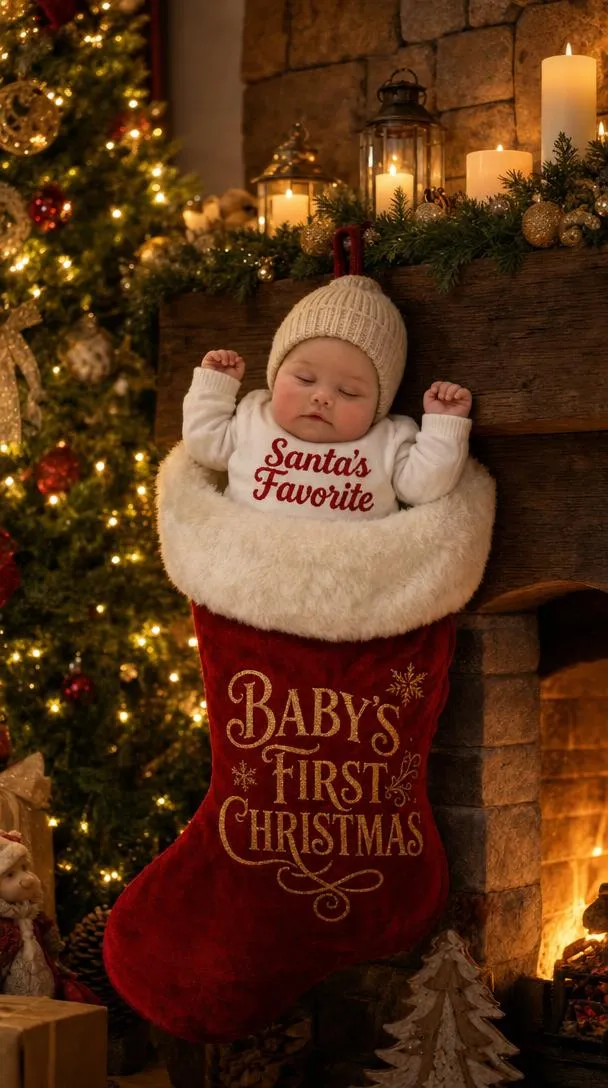
Prompt:
Create a realistic and heartwarming Christmas portrait using the uploaded baby photo as the main reference. FACE LOCK: Keep the baby’s face exactly the same as in the uploaded photo. Match the facial features, eyes, nose, cheeks, skin tone, hair, age, and overall natural appearance. Keep the baby looking authentic and consistent. Dress the baby in a cozy white long-sleeved outfit featuring “Santa’s Favorite” in red lettering across the front. Add a soft beige knitted hat with beautiful ribbed detailing. Create a magical Christmas card composition featuring the baby’s portrait digitally combined with an oversized red velvet Christmas stocking. Show the baby peacefully resting with eyes gently closed, head slightly tilted, and little hands raised beside the shoulders. Design the stocking with rich red velvet fabric, a thick fluffy white border, and elegant golden lettering reading “BABY’S FIRST CHRISTMAS”. Display the stocking against a rustic wooden Christmas mantel as a festive digital arrangement. Create a beautiful holiday living room with a textured brown stone wall, a natural wooden mantel, lush green pine garlands, champagne-gold ornaments, and softly glowing decorative LED candles. Add a beautifully decorated Christmas tree on the left with golden fairy lights, red ornaments, and cream decorations. Include a simulated golden glow in the decorative fireplace background. Capture from a slightly angled front-facing perspective, keeping the baby and stocking as the main focus. Use soft cinematic lighting, dreamy golden bokeh, gentle shadows, realistic fabric textures, warm earthy colors, and rich festive reds. Cozy Christmas card aesthetics, premium professional photography, square 1:1 composition. No extra text, logos, or watermarks.
Related blog: How to Make Christmas Dance AI Video
12. Magical Baby’s First Christmas Snow Globe – AI Photo Prompt
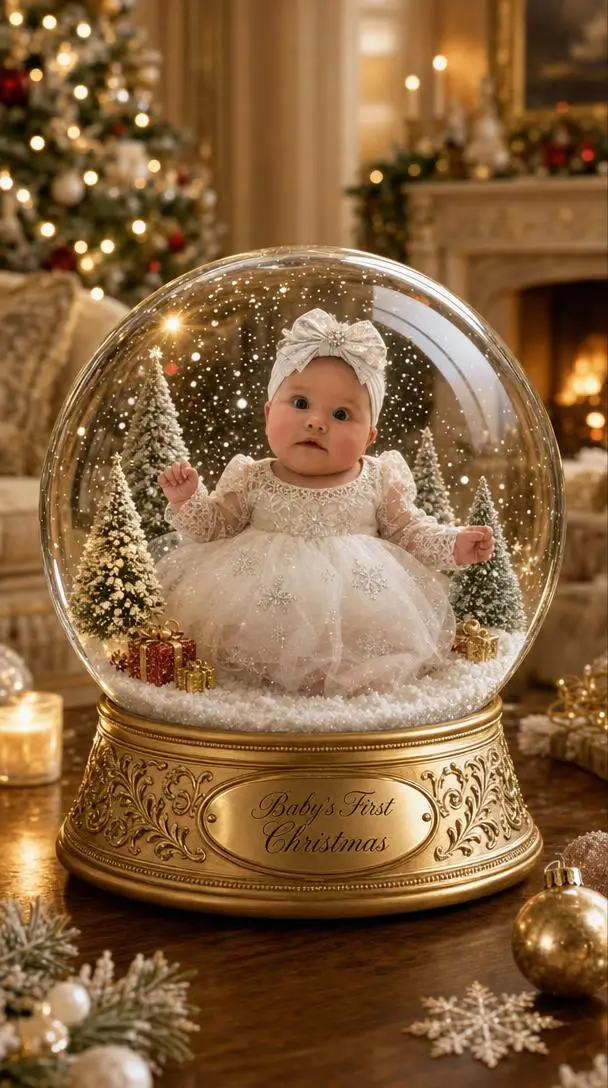
Prompt:
Create a realistic and magical Christmas portrait using the uploaded baby photo as the main reference.
FACE LOCK: Keep the baby’s face exactly the same as in the uploaded photo. Match the facial features, eyes, nose, cheeks, skin tone, hair, age, and overall natural appearance. Keep the baby looking authentic and consistent.
Dress the baby in an elegant white princess outfit with delicate lace sleeves, a layered tulle skirt decorated with silver snowflakes, and a beautiful silver-white bow headband.
Create a fairytale Christmas snow globe scene featuring the baby’s portrait digitally placed at the center. Show the baby in a comfortable seated pose with hands gently raised and a sweet, curious expression. Add miniature snow-covered Christmas trees, small red-and-gold presents, sparkling decorative snow, and softly floating snowflakes.
Design a beautiful crystal-clear rounded glass globe with natural light reflections and an antique-gold circular base featuring elegant embossed floral patterns. Display “Baby’s First Christmas” in beautiful cursive lettering across the golden base.
Place the snow globe on a polished wooden table. Create a cozy Christmas living room in the background with a beautifully decorated Christmas tree on the left, cream-colored furniture, a decorative fireplace with a warm golden glow, and festive evergreen arrangements.
Capture from a slightly elevated front-facing camera angle, keeping the entire snow globe centered and clearly visible. Use soft cinematic lighting, dreamy golden bokeh, delicate shadows, sparkling snow details, realistic glass reflections, elegant ivory and gold colors, and a softly blurred background. Magical Christmas fairytale atmosphere, premium professional photography, square 1:1 composition. No extra text, logos, or watermarks.
13. Vintage Christmas Baby on a Wooden Rocking Horse – AI Photo Prompt
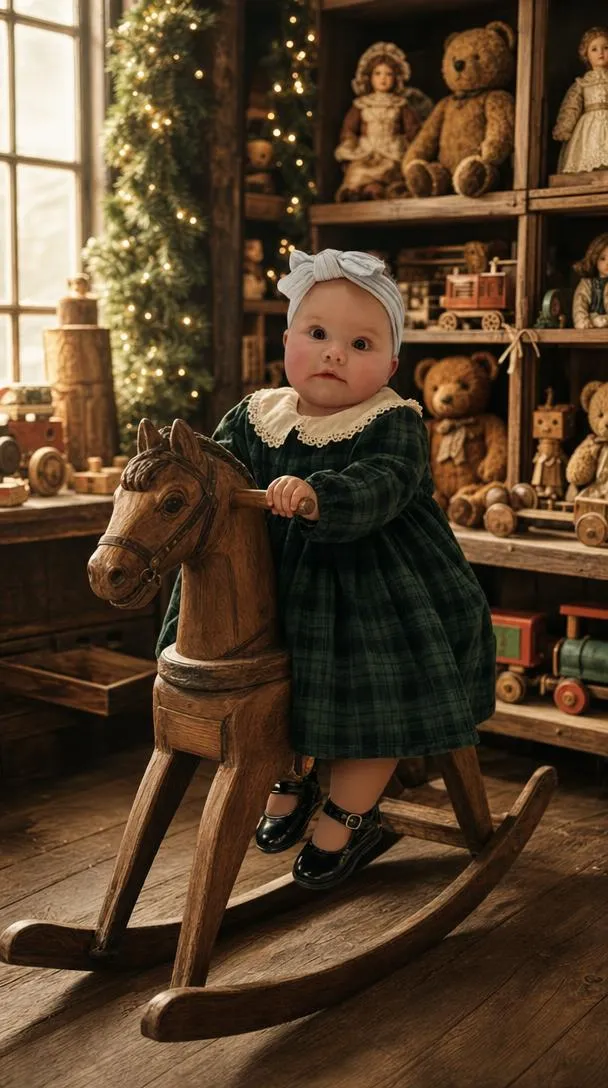
Prompt:
Create a realistic, nostalgic Christmas portrait using the uploaded baby photo as the main reference. FACE LOCK: Keep the baby’s face exactly the same as in the uploaded photo. Match the facial features, eyes, nose, cheeks, skin tone, hair, age, and overall natural appearance. Keep the baby looking authentic and consistent. Dress the baby in an elegant dark forest-green tartan dress with subtle black plaid patterns, long sleeves, a gathered skirt, and a delicate white scalloped lace collar. Complete the outfit with classic black Mary Jane shoes. Show the baby comfortably seated on a vintage wooden rocking horse, with both hands gently holding the wooden handles. Position the baby slightly sideways, looking directly toward the camera with a sweet, calm expression. The rocking horse features natural brown wood, a beautifully carved horse head, rustic grain details, and curved wooden runners. Create a charming old-fashioned wooden toy shop setting with dark rustic shelves filled with vintage teddy bears, handmade wooden trains, classic dolls in lace outfits, miniature wooden vehicles, and nostalgic childhood toys. Place a large vintage window on the left, allowing soft golden daylight to illuminate the baby’s face. Decorate the wooden shelves and window frame with delicate warm-white Christmas fairy lights. Add rustic wooden plank flooring and antique decorative details. Capture a full-length portrait from a slightly angled front-facing perspective, keeping the baby and rocking horse clearly visible. Use warm cinematic lighting, soft golden highlights, gentle shadows, earthy brown tones, deep forest greens, subtle vintage color grading, realistic wooden textures, and softly blurred background details. Timeless Victorian Christmas atmosphere, premium professional photography, square 1:1 composition. No text, logos, or watermarks.
14. Cozy Newborn Santa in a Rustic Wooden Crate – Christmas AI Photo Prompt
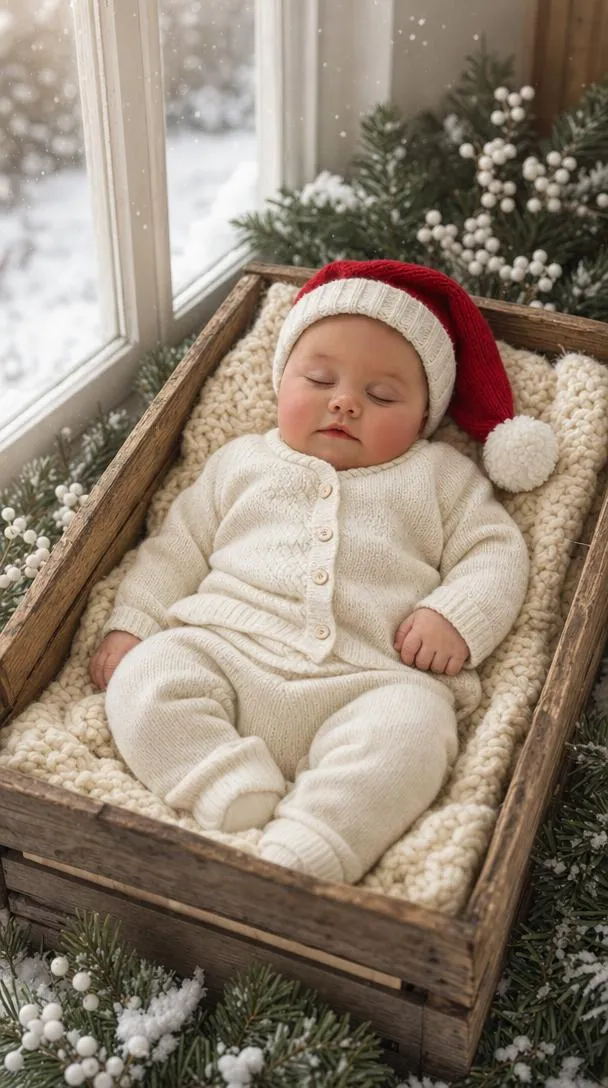
Prompt:
Create a realistic and heartwarming winter Christmas portrait using the uploaded baby photo as the main reference. FACE LOCK: Keep the baby’s face exactly the same as in the uploaded photo. Match the facial features, eyes, nose, cheeks, skin tone, hair, age, and overall natural appearance. Keep the baby looking authentic and consistent. Dress the baby in a cozy ivory-white knitted outfit with long sleeves, matching knitted trousers, delicate ribbed cuffs, and small cream buttons down the front. Add a classic red Santa hat with a thick white knitted border and a soft white pom-pom resting beside the head. Show the baby peacefully resting inside a rustic rectangular wooden crate lined with a thick, chunky cream knitted blanket. Keep the head comfortably supported, eyes gently closed, hands resting naturally near the waist, and legs softly bent. Design the crate with natural weathered brown wooden panels, visible wood grain, horizontal slats, and beautiful handcrafted details. Surround the crate with lush evergreen pine branches, clusters of decorative white winter berries, and soft artificial snow. Create a bright winter setting beside a large white-framed window overlooking a softly blurred snowy landscape. Add delicate falling snowflakes outside the window and gentle natural daylight entering from the left. Capture from a slightly elevated three-quarter camera angle, keeping the entire wooden crate centered and clearly visible. Use soft diffused daylight, delicate shadows, creamy ivory tones, natural forest greens, festive red accents, detailed knitted textures, and a dreamy winter background. Cozy Scandinavian Christmas aesthetics, premium professional baby photography, square 1:1 composition. No text, logos, or watermarks.
15. Cute Baby Reindeer with Christmas Sleigh – AI Photo Prompt
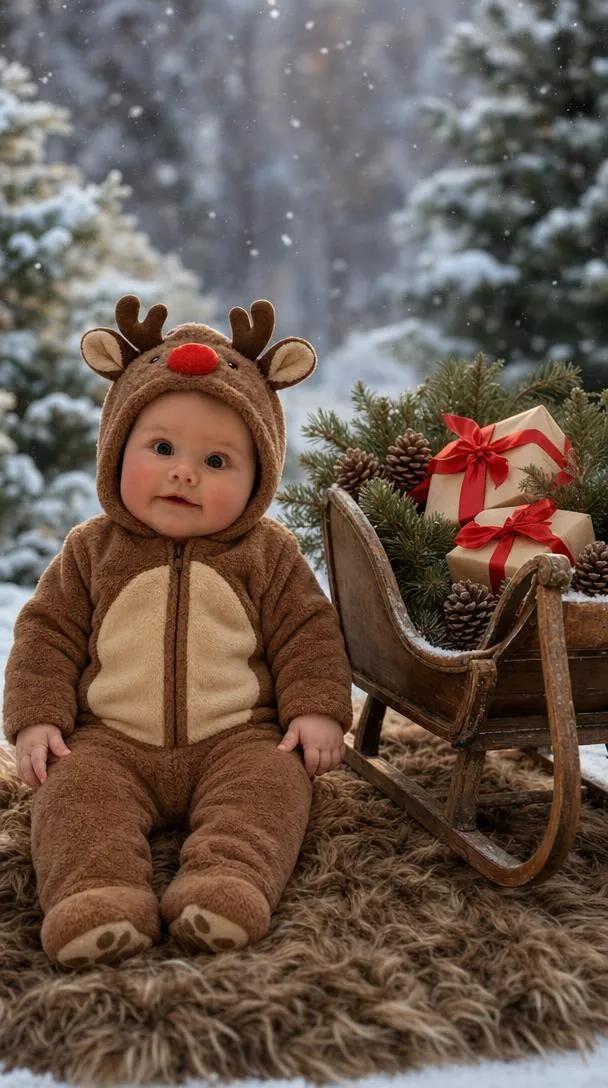
Prompt:
Create a realistic and magical winter Christmas portrait using the uploaded baby photo as the main reference. FACE LOCK: Keep the baby’s face exactly the same as in the uploaded photo. Match the facial features, eyes, nose, cheeks, skin tone, hair, age, and overall natural appearance. Keep the baby looking authentic and consistent. Dress the baby in an adorable full-length brown plush reindeer outfit with a soft beige oval front panel, matching brown foot coverings, and a front zipper. Design the hood with small rounded reindeer ears, soft brown antlers, and a bright red decorative nose above the forehead, keeping the baby’s face clearly visible. Position the baby comfortably seated on a thick, rustic brown faux-fur blanket, with legs gently extended forward and hands resting naturally near the knees. Show a cheerful smile while looking directly toward the camera. Place a vintage wooden Christmas sleigh beside the baby on the right, featuring weathered brown wood, curved wooden runners, and natural handcrafted details. Fill the sleigh with kraft-paper gift boxes tied with bright red satin ribbons, lush evergreen branches, and decorative pinecones. Create an enchanting winter woodland backdrop with softly blurred snow-covered evergreen trees, delicate floating snowflakes, and cool blue-grey winter tones. Capture a full-length portrait from a straight-on, eye-level camera angle, placing the baby on the left and the wooden sleigh on the right. Use soft diffused lighting, gentle shadows, realistic plush textures, warm earthy browns, vibrant red accents, and dreamy winter depth of field. Charming Christmas fairytale atmosphere, premium professional baby photography, landscape 3:2 composition. No text, logos, or watermarks.
16. Sleeping Baby Santa’s Little Elf Photoshoot – Christmas AI Photo Prompt
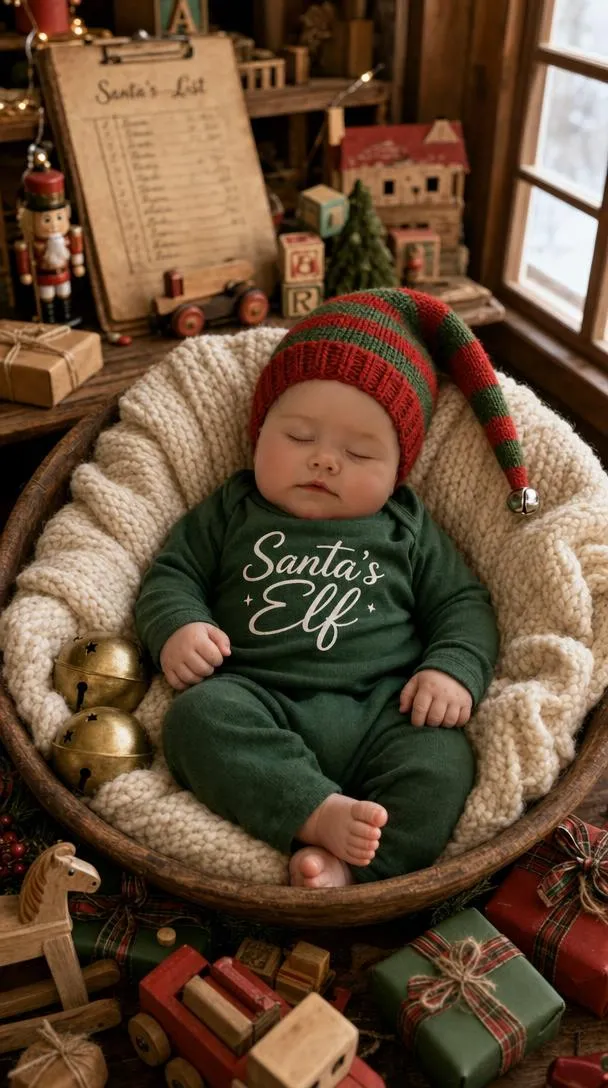
Prompt:
Create a realistic and heartwarming Christmas portrait using the uploaded baby photo as the main reference. FACE LOCK: Keep the baby’s face exactly the same as in the uploaded photo. Match the facial features, eyes, nose, cheeks, skin tone, hair, age, and overall natural appearance. Keep the baby looking authentic and consistent. Dress the baby in a cozy forest-green long-sleeved festive outfit with “Santa’s Elf” printed in elegant white lettering across the front. Add a long, pointed knitted elf hat featuring alternating red and green stripes, a thick red ribbed border, and a small decorative silver bell at the tip. Show the baby peacefully resting in a large, round rustic wooden bowl lined with a thick, fluffy ivory blanket. Keep the eyes gently closed, hands naturally resting near the waist, and legs comfortably bent with little feet visible. Place two oversized decorative golden jingle bells beside the baby as part of the digital composition. Create a charming vintage Santa’s workshop setting with dark wooden shelves, colorful alphabet blocks, traditional wooden toys, and miniature handcrafted decorations. Place an antique clipboard featuring “Santa’s List” in the softly blurred background. Arrange small Christmas presents wrapped in kraft paper, forest-green paper, and festive red paper with traditional plaid ribbon bows around the wooden bowl. Add a large wooden-framed window on the right, allowing soft natural daylight to illuminate the scene. Capture from a slightly elevated three-quarter camera angle. Use warm cinematic lighting, gentle shadows, rich festive reds, forest greens, earthy brown tones, realistic knitted textures, and a softly blurred background. Nostalgic Christmas workshop atmosphere, premium professional baby photography, landscape 3:2 composition. No extra text, logos, or watermarks.
17. Baby with Magical Christmas Fairy Lights – AI Photo Prompt
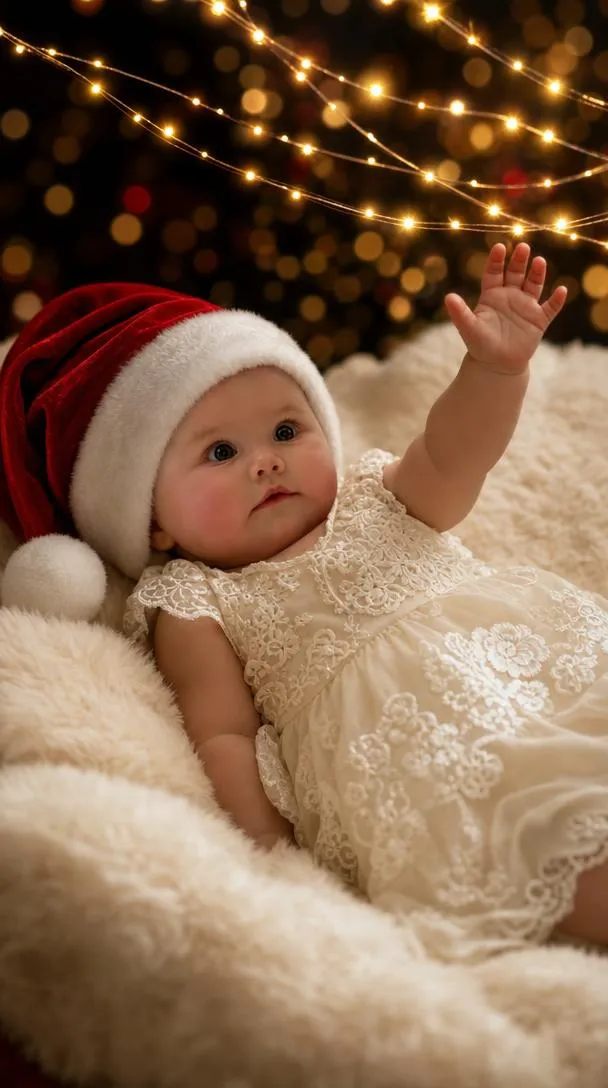
Prompt:
Create a realistic and enchanting Christmas portrait using the uploaded baby photo as the main reference. FACE LOCK: Keep the baby’s face exactly the same as in the uploaded photo. Match the facial features, eyes, nose, cheeks, skin tone, hair, age, and overall natural appearance. Keep the baby looking authentic and consistent. Dress the baby in an elegant ivory-white floral lace outfit with delicate embroidered patterns and soft cotton lining. Add a classic deep-red velvet Santa hat with a thick, fluffy white border and a soft white pom-pom resting to the left. Position the baby comfortably resting on a thick, luxurious cream-white plush blanket, with the head toward the left and one hand gently reaching upward. Show a sweet, curious expression with bright eyes looking toward the glowing Christmas decorations above. Create a magical arrangement of warm golden fairy lights across the upper portion of the image, using digital effects to make the lights appear just above the baby’s raised hand. Arrange several gently curved strands of sparkling lights against a deep, dark background filled with beautiful circular golden bokeh. Capture from a low, side-facing camera angle, highlighting the baby’s curious expression and raised hand. Place the baby across the lower half of the composition, with the glowing decorations filling the upper half. Use warm cinematic lighting, delicate golden highlights, soft facial shadows, detailed lace and velvet textures, rich festive reds, creamy ivory tones, and shallow depth of field. Create a dreamy, intimate Christmas atmosphere with beautiful light reflections and premium professional photography. Square 1:1 composition. No text, logos, or watermarks.
18. Baby’s Winter Wonderland Snow Photoshoot – Christmas AI Photo Prompt
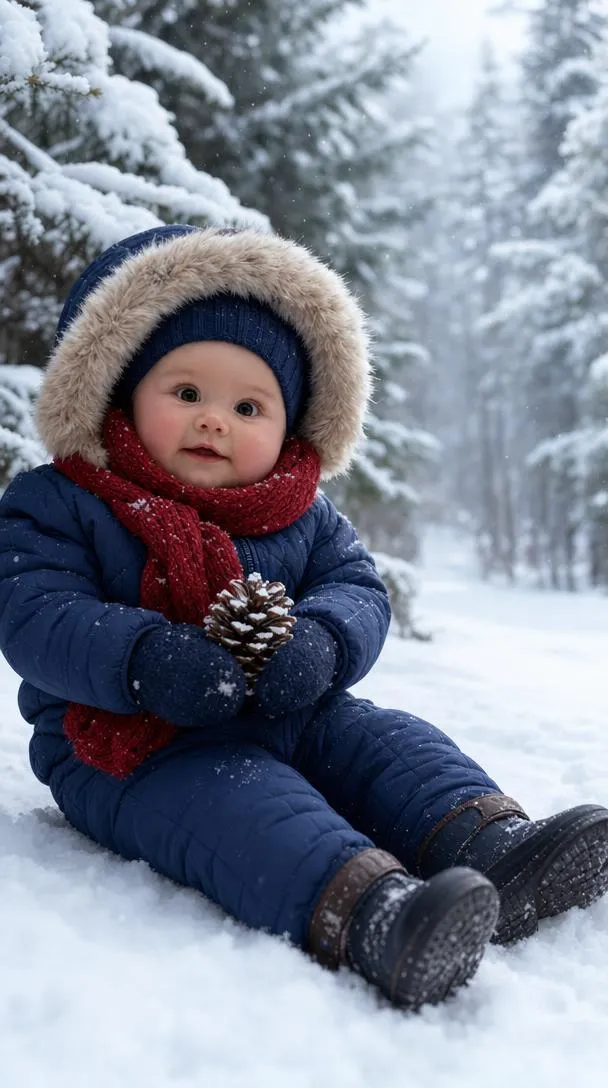
Prompt:
Create a realistic and enchanting winter portrait using the uploaded baby photo as the main reference. FACE LOCK: Keep the baby’s face exactly the same as in the uploaded photo. Match the facial features, eyes, nose, cheeks, skin tone, hair, age, and overall natural appearance. Keep the baby looking authentic and consistent. Dress the baby in a cozy navy-blue quilted winter snowsuit with padded sleeves, matching winter trousers, and a large hood featuring thick beige faux-fur trim. Add a chunky deep-red knitted scarf, navy-blue winter mittens, and comfortable dark winter boots. Show the baby comfortably seated in a beautiful snowy landscape, with legs gently extended forward and both mitten-covered hands holding a decorative snow-dusted pinecone. Capture a cheerful natural smile, bright expressive eyes, and a gentle rosy glow on the cheeks. Create a magical winter woodland setting surrounded by tall evergreen pine trees covered with thick layers of white snow. Add a peaceful snow-covered forest pathway extending into the background, softly floating snowflakes, and delicate snow details on the winter outfit. Position the baby slightly left of center, with beautiful open snowy scenery on the right. Capture from a low, front-facing camera angle at the baby’s eye level. Use soft diffused winter daylight, gentle shadows, cool blue-grey tones, crisp whites, deep navy colors, and rich festive red accents. Emphasize realistic knitted fabric, fluffy hood textures, detailed snowflakes, and a softly blurred woodland background. Dreamy winter wonderland atmosphere, premium professional photography, landscape 3:2 composition. No text, logos, or watermarks.
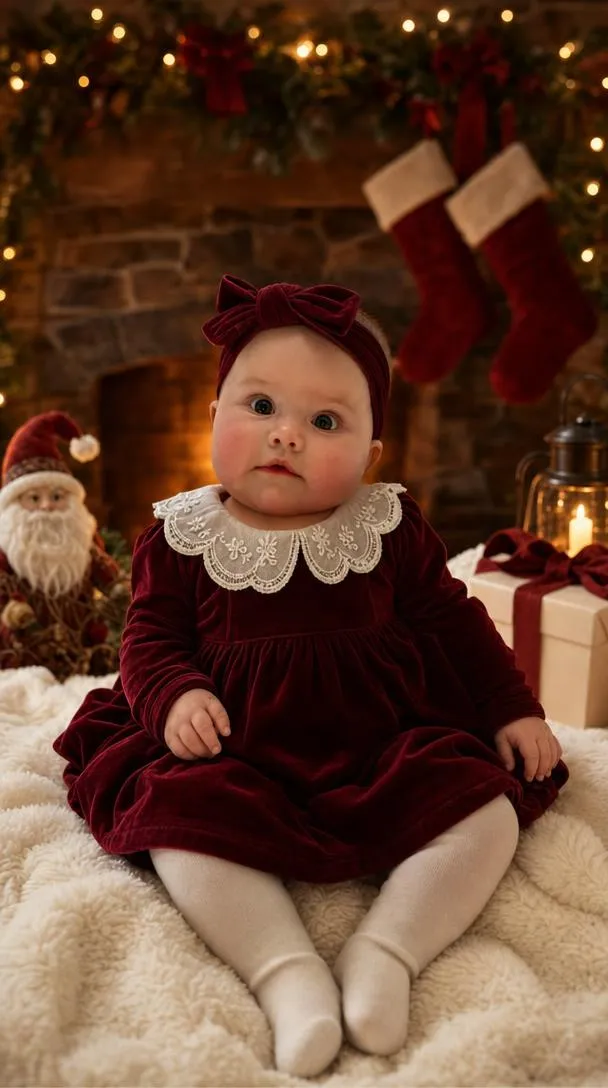
19. Baby’s Christmas Fireplace Portrait in Red Velvet Dress – AI Photo Prompt
Prompt:
Create a realistic and elegant Christmas portrait using the uploaded baby photo as the main reference. FACE LOCK: Keep the baby’s face exactly the same as in the uploaded photo. Match the facial features, eyes, nose, cheeks, skin tone, hair, age, and overall natural appearance. Keep the baby looking authentic and consistent. Dress the baby in a luxurious burgundy-red velvet dress with long sleeves, a beautifully gathered skirt, and an elegant white scalloped lace collar featuring delicate embroidered details. Complete the outfit with a matching burgundy velvet bow headband and soft ivory-white cotton tights. Position the baby comfortably seated on a thick cream-white plush blanket, with legs gently folded forward, one hand resting naturally near the knee, and the other slightly raised. Show a sweet, curious expression with bright eyes looking directly toward the camera. Create a cozy Christmas living room featuring a rustic brown stone fireplace with a digitally simulated golden glow. Decorate the mantel with lush evergreen garlands, red ribbon bows, warm fairy lights, and two traditional red Christmas stockings with cream borders. Place a small decorative Santa figurine on the left, a cream-wrapped Christmas present tied with a large red ribbon on the right, and a vintage lantern with a glowing LED candle. Capture from a low, front-facing camera angle at the baby’s eye level, keeping the baby centered and sharply focused. Use warm cinematic lighting, soft golden highlights, gentle shadows, rich burgundy tones, creamy whites, realistic velvet textures, and a softly blurred festive background. Luxurious traditional Christmas card aesthetics, premium professional baby photography, landscape 16:9 composition. No text, logos, or watermarks.
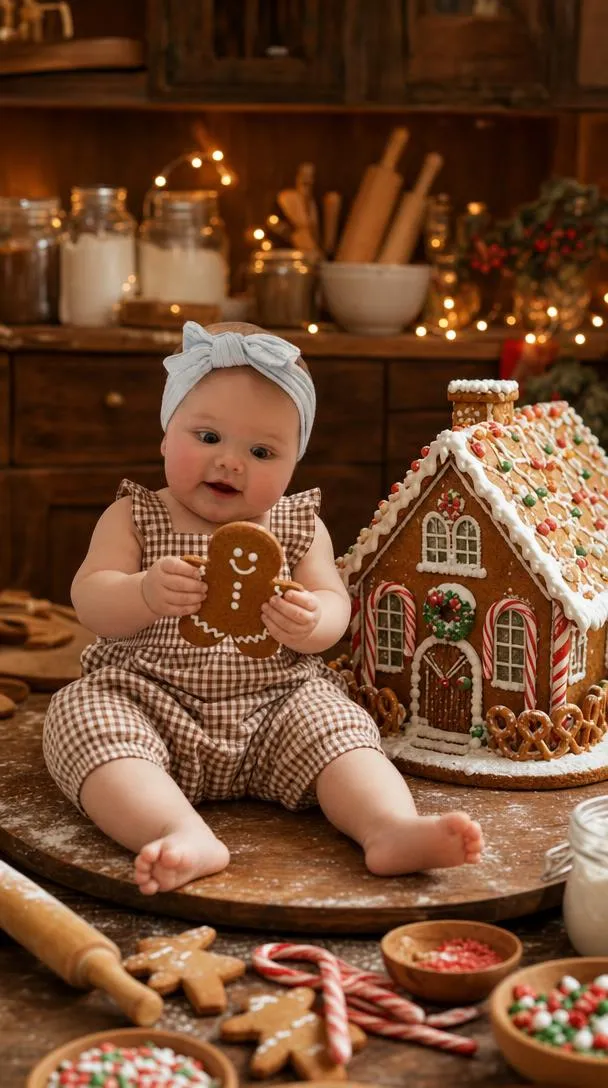
20. Baby’s Christmas Gingerbread House Baking Photoshoot – AI Photo Prompt
Prompt:
Create a realistic and heartwarming Christmas baking portrait using the uploaded baby photo as the main reference. FACE LOCK: Keep the baby’s face exactly the same as in the uploaded photo. Match the facial features, eyes, nose, cheeks, skin tone, hair, age, and overall natural appearance. Keep the baby looking authentic and consistent. Dress the baby in a charming brown-and-cream gingham romper with shoulder straps, soft cotton fabric, and a vintage country-style design. Show the baby comfortably seated on a large rustic wooden baking board in a digitally styled kitchen scene, with legs gently extended forward and both hands holding a gingerbread cookie prop. Capture a joyful smile while looking curiously at the cookie. Place an elaborate gingerbread house beside the baby on the right, featuring golden-brown biscuit walls, white icing along the roof edges, colorful candy decorations, icing-covered windows, a festive doorway, a miniature chimney, and a decorative pretzel fence. Create a cozy vintage Christmas kitchen with dark wooden cabinets, ceramic mixing bowls, glass ingredient jars, wooden rolling pins, and traditional baking utensils. Decorate the countertop with a light dusting of flour, gingerbread cookies, red-and-white candy canes, and colorful festive sprinkles. Add glowing golden fairy lights across the background. Capture from a slightly elevated front-facing camera angle, placing the baby on the left and the gingerbread house on the right. Use warm cinematic lighting, soft golden bokeh, gentle shadows, earthy caramel tones, realistic cookie textures, and a softly blurred background. Nostalgic Christmas baking atmosphere, premium professional baby photography, landscape 3:2 composition. No text, logos, or watermarks.
Related blog: How to Make a Trending Christmas Video with AI
Build Your Own Baby Christmas Prompt (Template)
Not sure how to write a good prompt? Start with a simple structure and customize each detail according to your preferred Christmas theme.
A well-written baby Christmas photoshoot AI prompt should include these seven elements:
1. Baby Description: Describe the baby’s age, appearance, pose, and expression.
2. Outfit: Mention a Santa suit, red knit sweater, elf costume, reindeer onesie, or Christmas pajamas.
3. Christmas Backdrop: Choose a decorated Christmas tree, cozy fireplace, snowy window, or festive indoor setting.
4. Props: Add Christmas stockings, wrapped presents, gingerbread cookies, candy canes, or tiny decorative ornaments.
5. Lighting and Mood: Describe warm golden lighting, soft twinkle lights, dreamy bokeh, or a cozy winter atmosphere.
6. Camera and Photo Style: Mention realistic photography, professional baby portrait, natural skin texture, soft focus, or cinematic lighting.
7. Aspect Ratio: Choose a 4:5 portrait for a vertical Christmas card or social media post.
Tips for Cute, Realistic Baby Christmas Photos
Follow these simple tips to create natural-looking Christmas baby portraits:
- Use clear photos: Upload a sharp, well-lit picture for better results.
- Preserve facial features: Ask AI to keep the baby’s original face and expression.
- Choose simple outfits: Try Santa suits, elf costumes, or cozy Christmas pajamas.
- Keep backgrounds simple: Use a Christmas tree, gifts, and subtle festive decorations.
- Add soft lighting: Use warm lights and gentle bokeh for a cozy Christmas feel.
- Maintain natural proportions: Avoid unrealistic poses, hands, or facial features.
- Experiment with expressions: Try smiling, curious, or sleeping baby portraits.
Common Mistakes to Avoid
Avoid these common mistakes when creating AI baby Christmas photos:
- Blurry photos: Use clear, well-lit reference images.
- Vague prompts: Clearly describe the outfit, background, and lighting.
- Too many details: Avoid adding too many props or decorations.
- Changing facial features: Ask AI to preserve the baby’s original appearance.
- Unnatural poses: Choose simple, age-appropriate baby poses.
- Wrong aspect ratio: Select the right size for your Christmas card or social media post.
Keep your prompts simple and specific for more natural-looking results.
Related blog: How to Make a Christmas Transition Video
Privacy and Safety Tips for Baby Photos
When using AI to edit your baby’s pictures, privacy should always come first. Here are a few things parents should keep in mind:
- Use a trusted AI photo editing platform and review its privacy policy before uploading pictures.
- Check whether uploaded photos are stored, shared, or used for AI training.
- Avoid including personal details such as your baby’s full name, home address, school, or location in prompts.
- Don’t share sensitive or private baby pictures publicly.
- Review the final image before sharing it with family or posting it online.
- Use age-appropriate outfits and natural, safe-looking poses in your prompts.
A beautiful Christmas picture should also be a safe and comfortable way to preserve your family’s memories.
Conclusion
Christmas memories don’t always need a professional studio or an elaborate photoshoot. Sometimes, a simple picture of your little one is all you need to create something special.
With the right Christmas AI prompt for baby, you can experiment with adorable Santa outfits, tiny elf costumes, cozy Christmas settings, and beautiful festive portraits. Just upload your baby’s photo, describe the look you have in mind, and create a personalized Christmas memory worth keeping.
Make this holiday season a little more special with creative AI baby Christmas photos!
FAQs
1. How do I keep my child’s face the same in the AI photo?
Upload a clear photo and ask AI to preserve the baby’s original facial features, skin tone, and expression.
2. How long should a Christmas AI prompt for kids be?
A few clear sentences describing the outfit, background, props, and lighting are enough.
3. Will the AI photo have a watermark?
No, it will not have any watermark.
4. Can I turn the photo into a talking Santa video?
Yes! Use an AI image-to-video tool to animate the photo with Santa greetings, festive movements, and Christmas music.
 Create the Car Jump Trend 🚗💨
Upload your image and turn it into an epic car jump.