How to Use Wan Image Generator on LightX
Select “Wan” from AI Models.
Choose text to Image or Image to Image, then open the AI Model dropdown and choose Wan 2.7.
Write your prompt
Describe your image in detail. Name the lighting, the subject and any text you want rendered.
Generate and review.
Hit generate. Check the result, then adjust your prompt and try again if needed.
Tongyi Wanxiang: Wan 2.7 now on LightX
Alibaba's Tongyi Lab released Wan 2.7 in April 2026, and it's now part of the LightX toolkit. Ready to use for both text-to-image and image-to-image transformation models for high-resolution AI images. This tool is specifically designed for creating commercial images like product packaging, graphics with text, social media branding images, and anything that requires specific colors and proper typography.
Built-In "Thinking Mode" for Fewer Mistakes
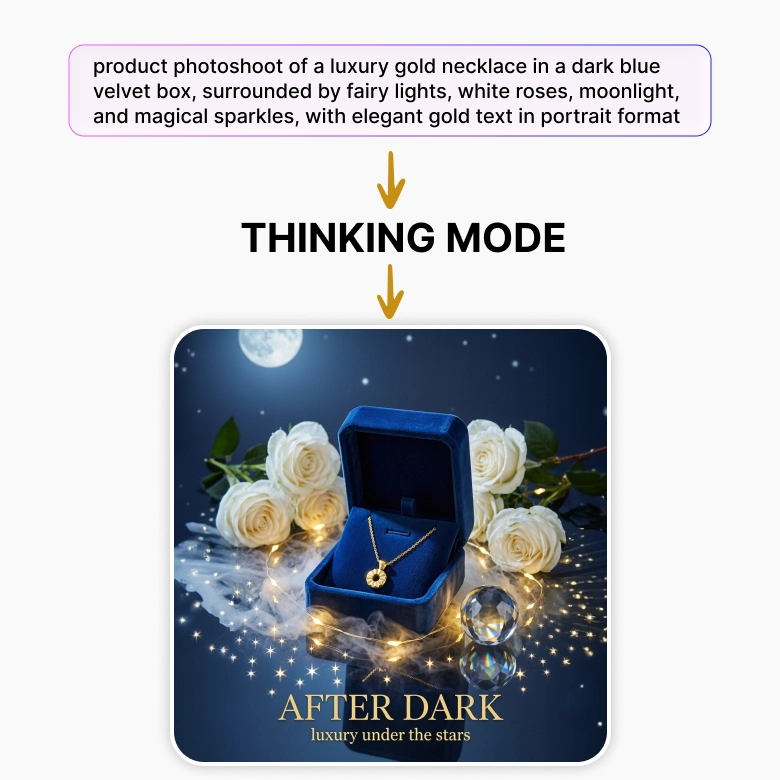
When your prompt has a lot going on at once, the model keeps track of all the details.
The built-in "Thinking Mode" reads your prompt, figures out what should go where, and then builds the image. This extra planning step means:
- Fewer mistakes
- Fewer duplicated objects
- Fewer stray body parts
- Better overall results
Print-Level, Accurate Typography
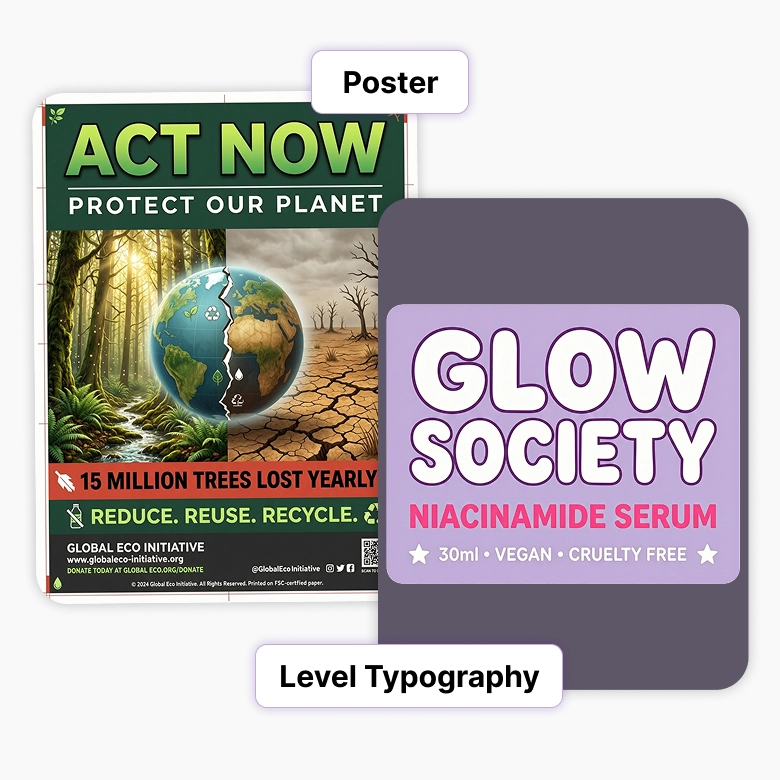
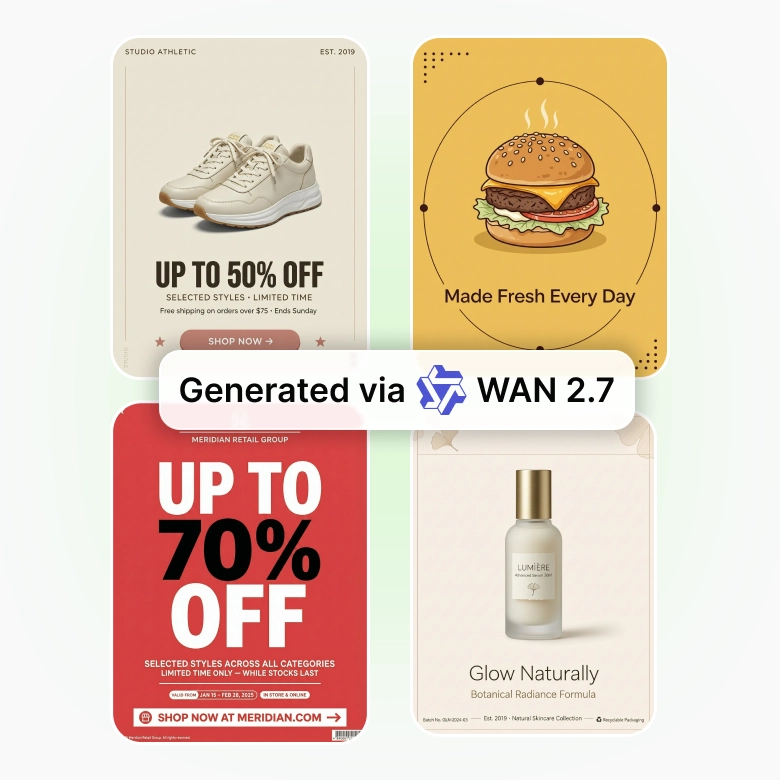
Wan 2.7 is genuinely good at putting readable text inside images.
✔ Renders text, tables, and even formulas
✔ Supports 12 languages
✔ Works well for signs, posters, labels, and packaging
Match Your Brand Colors Exactly with HEX Codes
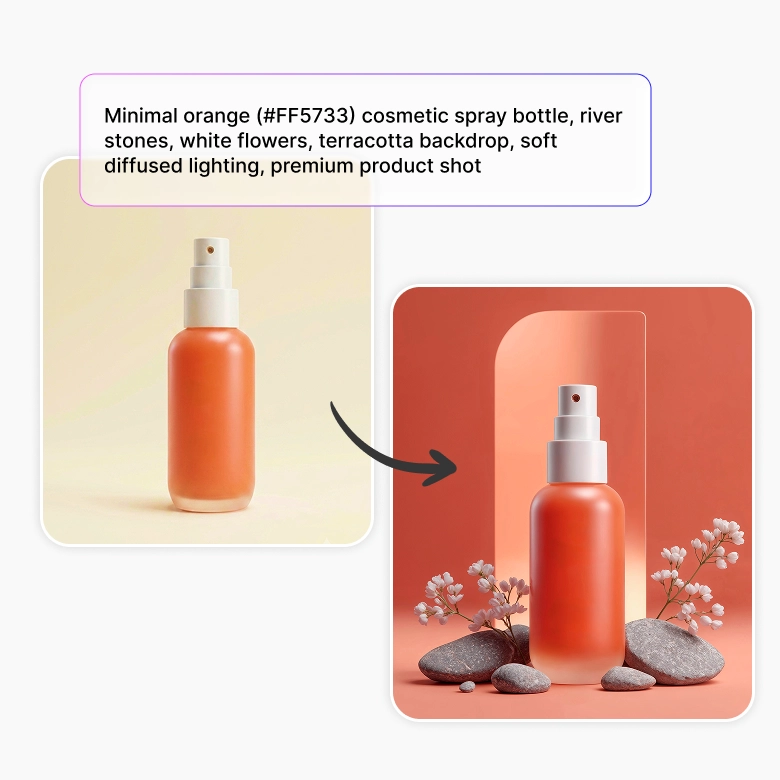
You can give Wan 2.7 an exact HEX code, like #FF5733, and it will try to match that color precisely. This is useful when a color has to be exact, like a product shot that needs to match a specific packaging shade.
Thousand-Face Realism
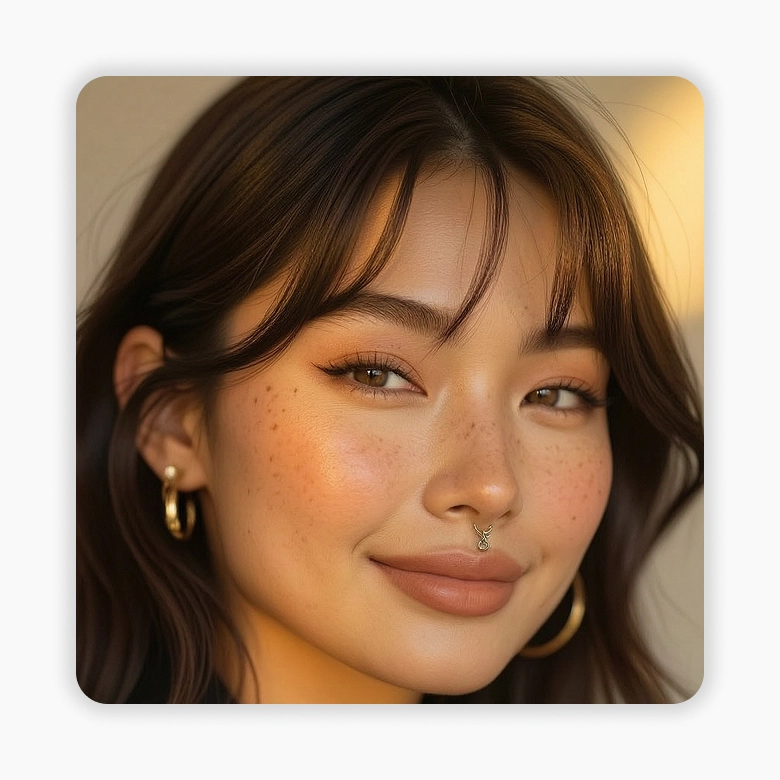
Wan is known for its photorealistic faces. It gives you more control over face shape, eyes, skin tones and skin texture, so generated people look like real, different individuals instead of copies of each other.
Describe each person's features distinctly, including their name, age, ethnicity, and skin texture.
For multiple people, describe each person’s characteristics clearly.
How to Prompt Wan 2.7
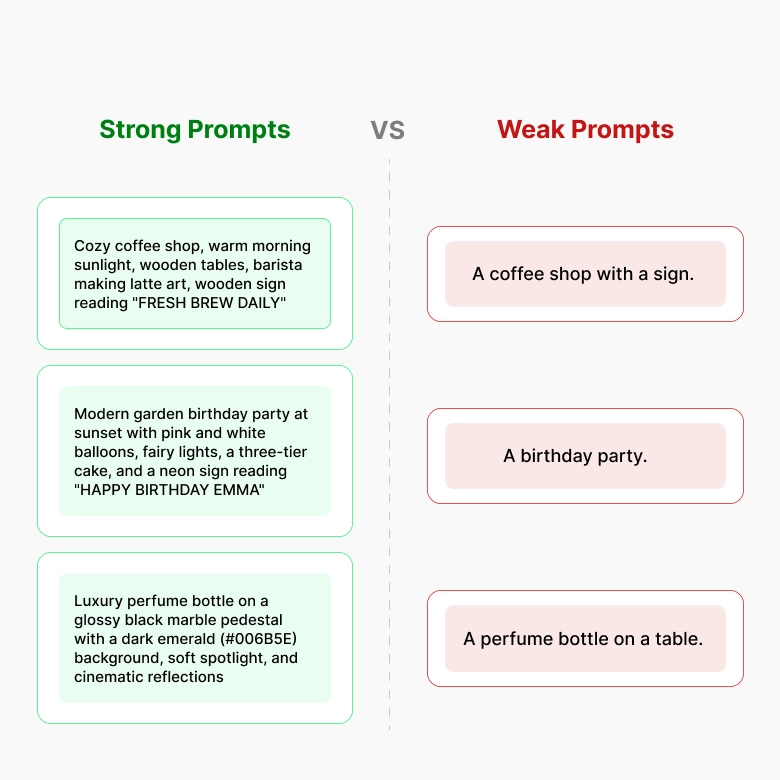
Wan image generator takes your words literally.
A vague prompt = a vague result, so being specific pays off directly.
❌ Weak prompt: "A coffee shop with a sign."
✔ Strong prompt: "A cozy coffee shop interior in the morning. Soft sunlight coming through large windows. Wooden tables and a barista making latte art. A wooden sign above the counter reads “FRESH BREW DAILY” in bold black letters."
Tips:
- Name the lighting.
- Describe where things are to be placed.
- Put exact text in quotation marks.
- Use HEX codes when a color has to be exact.
- Keep prompts under 2000 characters.
Is Wan 2.7 right for you?
This tool is a good fit if you:
✔ Design marketing content with text (posters, banners, social graphics)
✔ Need to match a specific brand color exactly
✔ Create character or portrait content and want each face to look distinct
✔ Work on scenes with several elements that need to make logical sense together
This tool may not be the best fit if you:
❌ Need to keep multiple characters' faces consistent across different images
❌ Need fast, high-volume image generation
More AI Models at your Fingertips
Wan 2.7 isn't the only option in your toolkit. Switch between models right from the same screen depending on what you need:
Wan → accurate in-image text
Seedream → Artistic, cinematic photos
Flux 2 Pro → Sharp detail and exact HEX color matching
Nano Banana Pro → Fast, everyday generation
Pick the model that fits the task, without leaving the page.