How To Use GPT Image 2 Online?
Select GPT Image 2
Choose Text-to-Image or Image-to-Image. Open the AI Model dropdown, select GPT Image, and then choose GPT Image 2 Low, Medium, or High based on the quality you need.
Enter your prompt
Describe the image you want to create. For image editing, upload a photo and explain the changes you want.
Generate and download
Click Generate. Review your image and download it to your device.
GPT Image 2 AI Model, Now on LightX
ChatGPT Images joins the LightX AI model family with GPT Image 2, bringing smarter and more powerful image creation to your creative workflow. It is launched by OpenAI with better prompt understanding, realistic image quality, clear text rendering & precise image editing.
Now available on LightX, you can use GPT Image 2 online to create product photos, posters, ads, social media graphics and other creative visuals from simple prompts.
Choose The Right GPT Image 2 Quality
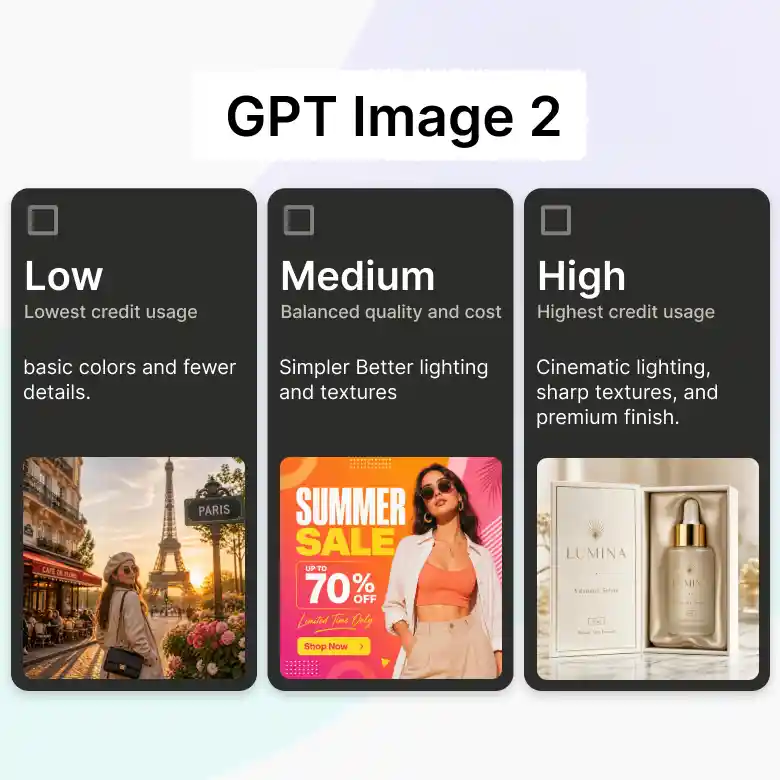
GPT Image 2 offers three quality options on LightX:
• GPT Image 2 Low
Create quality images quickly with better prompt understanding.
Best for testing prompts, quick ideas, simple edits, and low credit usage.
• GPT Image 2 Medium
Create better-quality images with accurate text and improved details.
Best for marketing images, posters, product visuals, social media, and brand content.
• GPT Image 2 High
Create sharp, detailed images with accurate text, 4K output, and high-quality editing.
Best for professional ads, product packaging, detailed designs, and high-quality projects.
Accurate Details With Studio-Grade Photorealism
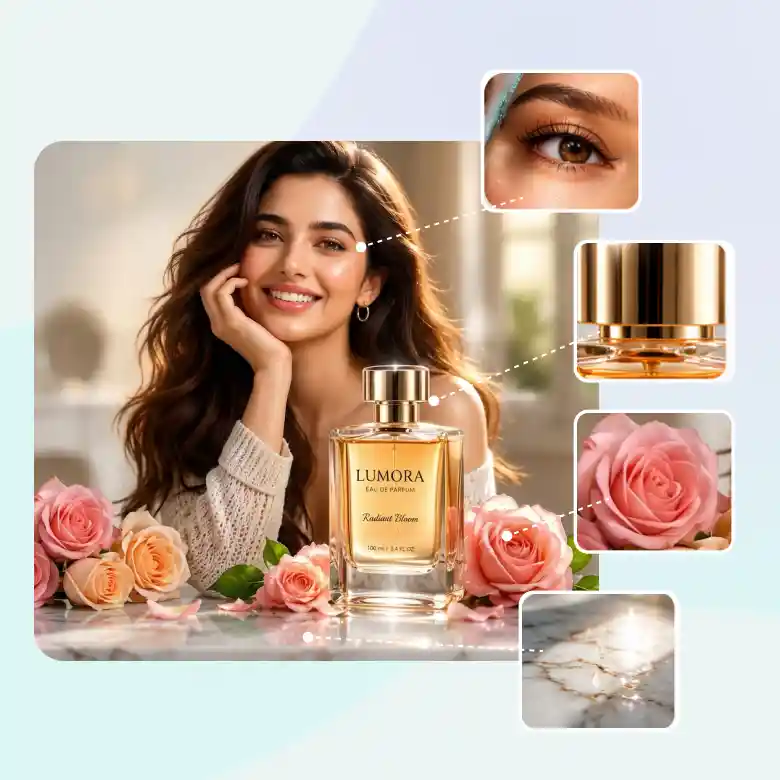
The latest AI model creates ultra-realistic images that feel natural & well balanced even in the most complex scenes. It can easily handle the human features, product shapes, materials & reflections with better accuracy.
With this, you also get natural professionalism; it simply provides you with natural, real-life textures, true-to-life colors, realistic lighting, soft shadows & depth that make your image
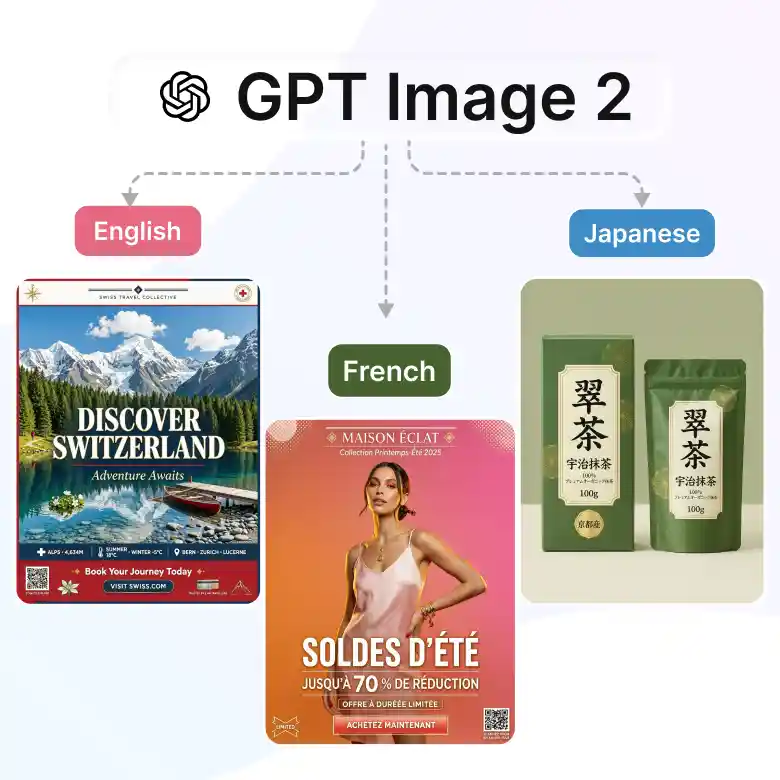
Create Clear And Readable Text In Any Language
GPT Image 2 creates clear text with 99% text accuracy that fits naturally into the image. It handles titles, labels, brand names, and longer text with better spelling and layout. It also supports different languages, making it useful for global marketing and design projects.
• Print-ready visuals
Create detailed visuals with native 4K output, ready for print without extra editing.
• Multilingual designs
Add text in different languages for global ads, social posts, and campaigns.
• Ready for real projects
Create posters, product packaging, banners, UI designs, and infographics with clear text.
Generate Quality Images In Less Time
GPT Image 2 creates sharp 2K images quickly, with optional 4K upscaling for high-quality results. It’s known to generate visuals faster and also enables refining them without starting again.
• Fast results
Generate images in under 10 seconds and test ideas faster.
• Sharp details
Get clean, detailed visuals for campaigns, products, and print projects.
• Simple control
Write prompts and image edits in everyday language without complex instructions.
Maintain Character Identity Across Different Visuals
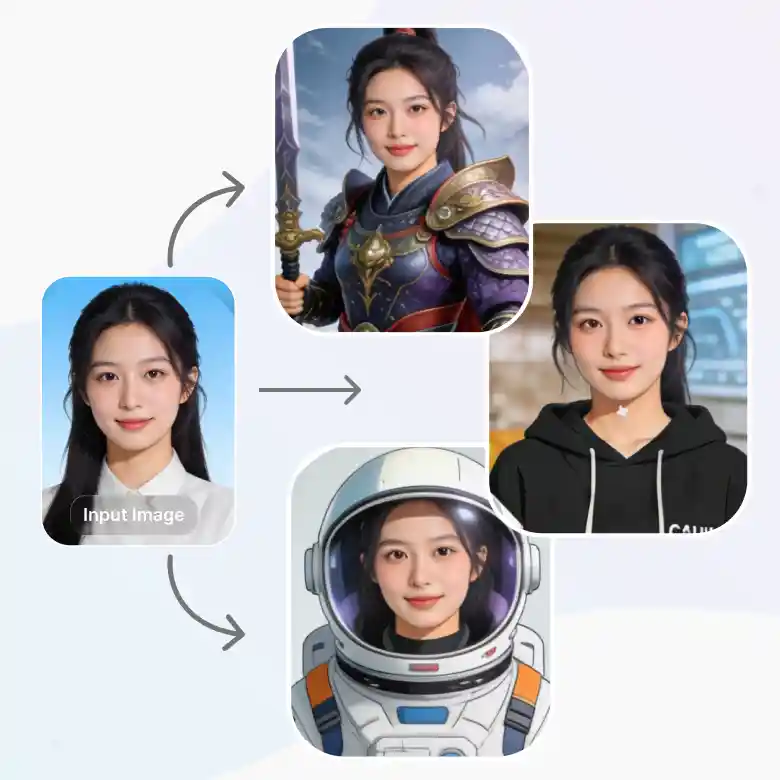
GPT image 2 makes the characters consistent across all images while keeping the face lock, maintaining the style & key features. You can easily show your character in any poses, backgrounds, outfits, and hairstyles without losing their identity.
It also offers real-world intelligence with great precision control. It is the most advanced & up-to-date model, and you can control its layout, lighting, colours, and camera angle easily with just simple prompts. You can create many visuals that make it useful for any stories, branding & campaigns.
One AI Model For Every Creative Need
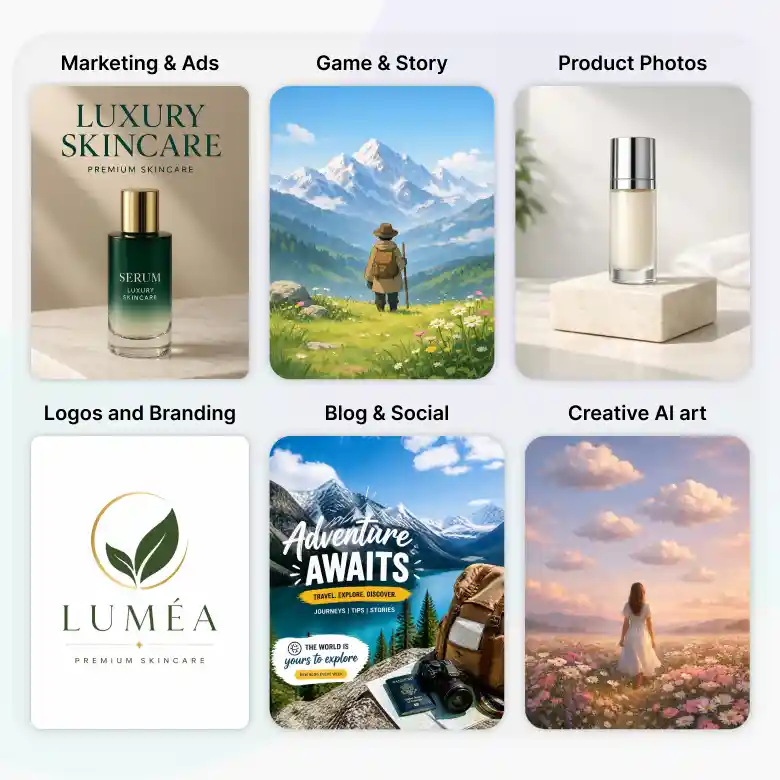
• Marketing and ads: Design ads, campaigns, and social posts.
• Product photos: Show products in lifestyle scenes and mockups.
• Game and story ideas: Bring characters and scenes to life.
• Logos and branding: Design logos, mascots, and brand visuals.
• Blog and social content: Make blog images, thumbnails, and graphics.
• Creative AI art:Turn ideas into art in different styles.
How To Write Better Prompts For The GPT Image 2 Model
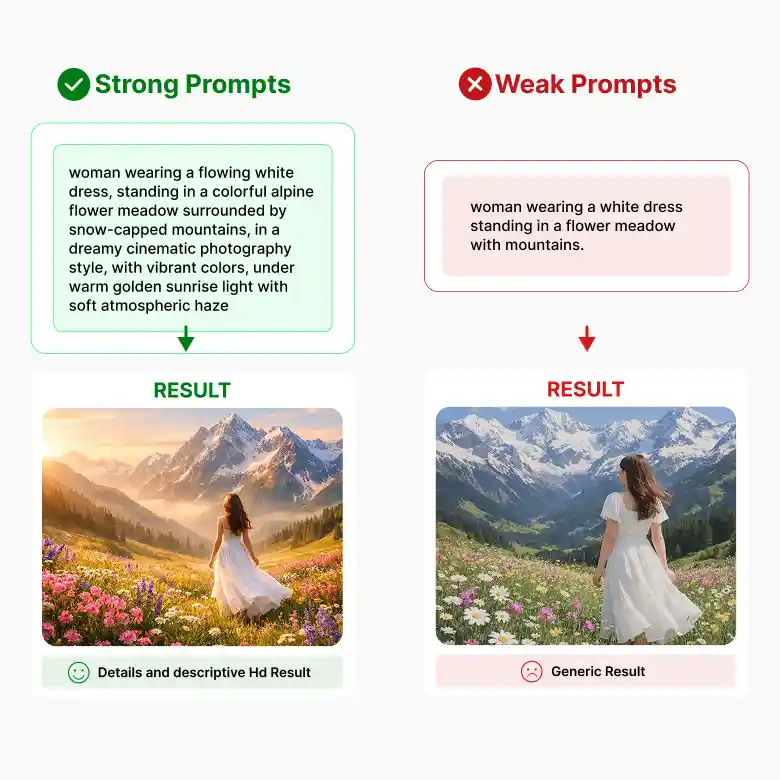
Write what you want in the image. Add details about the background, style, colors, lighting, and camera view. Clear details help GPT Image 2 understand your idea and give better results.
• Basic prompt: “A perfume bottle.”
• Better prompt: “A purple glass perfume bottle on a white marble table, with lavender flowers in the background, soft lighting, clear reflections, and a close-up view.”
Tips:
✔ Describe the main subject.
✔ Add a background.
✔ Mention the style and colors.
✔ Describe the lighting.
✔ Add a camera view if needed.
✔ Put any required text in quotation marks.
Is GPT Image 2 Right For You?
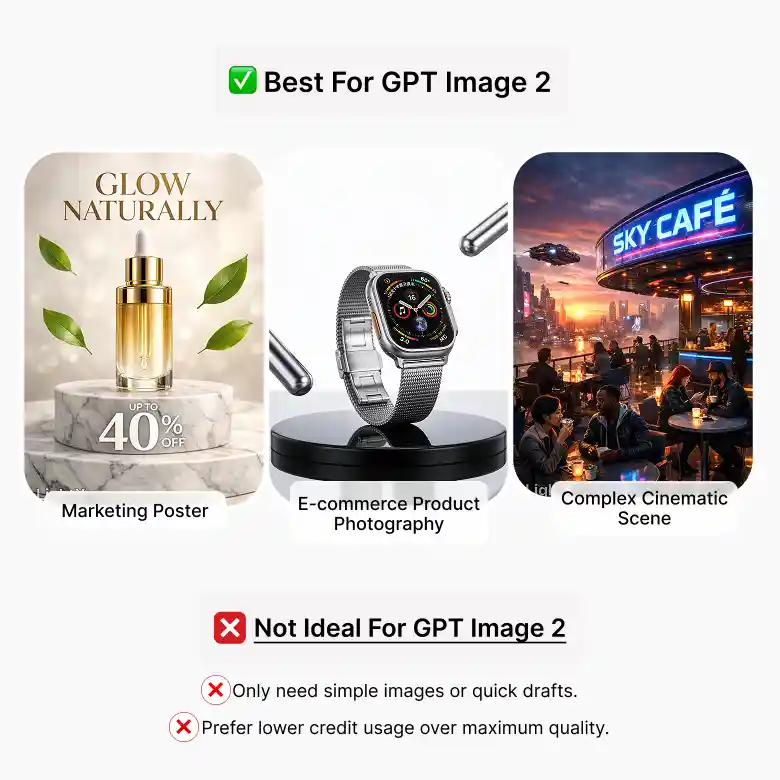
GPT Image 2 is a good choice for detailed image generation and editing. It can help you create realistic visuals, clear text, complex scenes, and professional creative content.
This model is ideal if you:
✔ Need high-quality AI images.
✔ Create marketing or ecommerce visuals.
✔ Need clear text inside images.
✔ Want detailed image edits.
✔ Work with long or complex prompts.
This model may not be ideal if you:
❌ Only need simple images or quick drafts.
❌ Prefer lower credit usage over maximum quality.
Why Use GPT Image 2 On Lightx?
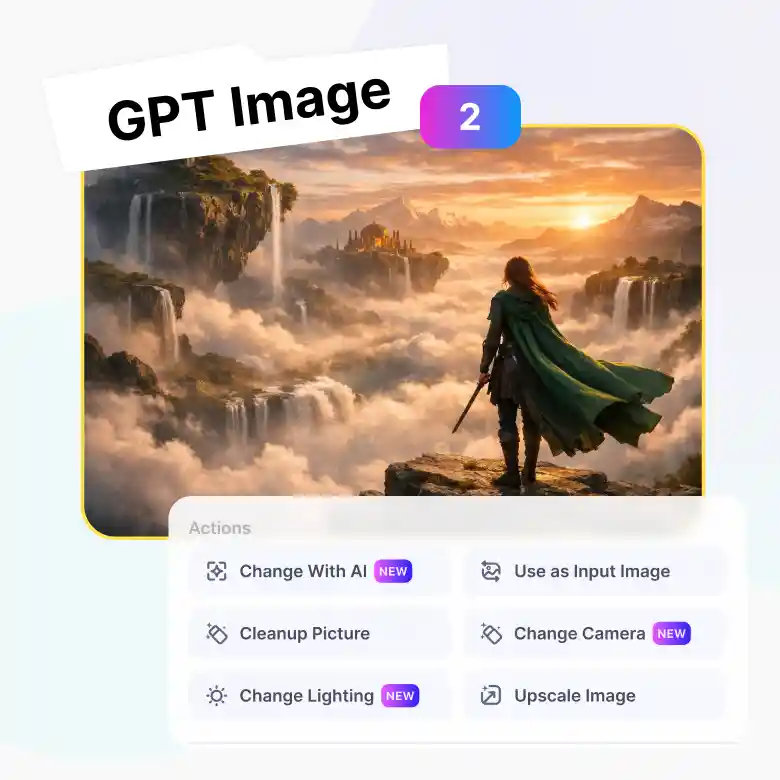
GPT Image 2's output is even more useful when paired with LightX's online editing tools built right around it. Generate once, then refine without starting over.
✔ Use your output as new input
✔ Change with AI — follow-up prompts for specific edits
✔ Negative prompts to skip unwanted elements
✔ Change lighting after generationn
✔ Change camera angle without regenerating
Find Your Ideal GPT Image Model
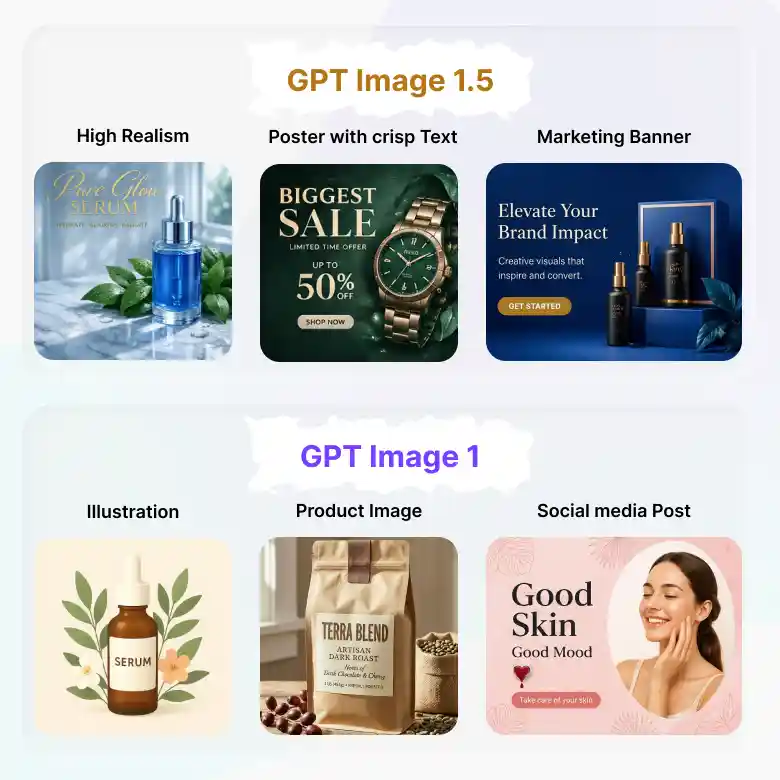
• GPT Image 1.5 AI Image Generator
Get realistic images with better text rendering, strong prompt understanding, and detailed image editing. It is ideal for product photos, posters, ads, and marketing visuals.
• GPT Image 1 AI Image Generator
Turn text prompts into detailed visuals or edit photos with simple instructions. It works well for illustrations, product images, social media posts, and everyday projects.
Your Favorite AI Models, All In One Place
GPT Image 2 isn't the only option in your toolkit. Switch between models right from the same screen depending on what you need:
Wan → accurate in-image text
Seedream → Artistic, cinematic photos
Flux 2 Pro → Sharp detail and exact HEX color matching
Nano Banana Pro → Fast, everyday generation
Pick the model that fits the task, without leaving the page.