How to use the Nano Banana 2 AI Image model on LightX?
Select "Nano Banana 2" from AI Models
Open the AI Image Generator on LightX. Choose Text to Image or Image to Image, then open the AI Model dropdown and select Nano Banana 2.
Write your prompt
Describe the image you want to create in the prompt box. Include details such as the subject, setting, lighting, style, colors, camera angle, or any text you want to appear in the image.
Generate and download
Click Generate to create your image. Review the output, adjust your prompt or make further edits with Change with AI if needed, then download your final image.
Google's Nano Banana 2 Now On LightX
Nano Banana 2 is Google's advanced AI image model, powered by Gemini 3.1 Flash Image.
It helps you to create realistic images from simple text prompts, or you can also edit your photos in just seconds. This model also clearly understands your ideas in a better way, creates sharper visuals & produces clear text within the pictures.
Now, you can easily make social media posts, product pictures, or any creative work, all with high-quality results and a simple workflow on LightX.
High-Fidelity Image Generation with Nano Banana 2
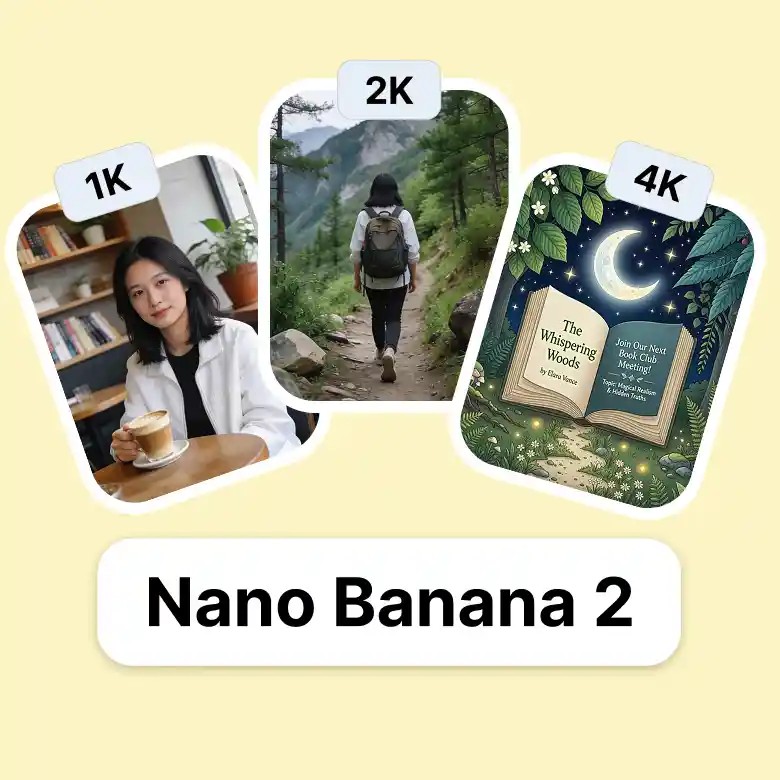
Nano Banana 2 comes with sharper details, richer textures & more refined lighting while maintaining its flash-level speed. It supports output sizes from 512px and 1K to 2K and full 4K resolution while giving you flexibility to choose between rapid drafts and production-ready visuals.
It also helps you to create realistic scenes with stylized compositions, better image quality, and a visual quality benchmark with latency performance.
Native Multilingual Rendering For Better Designs
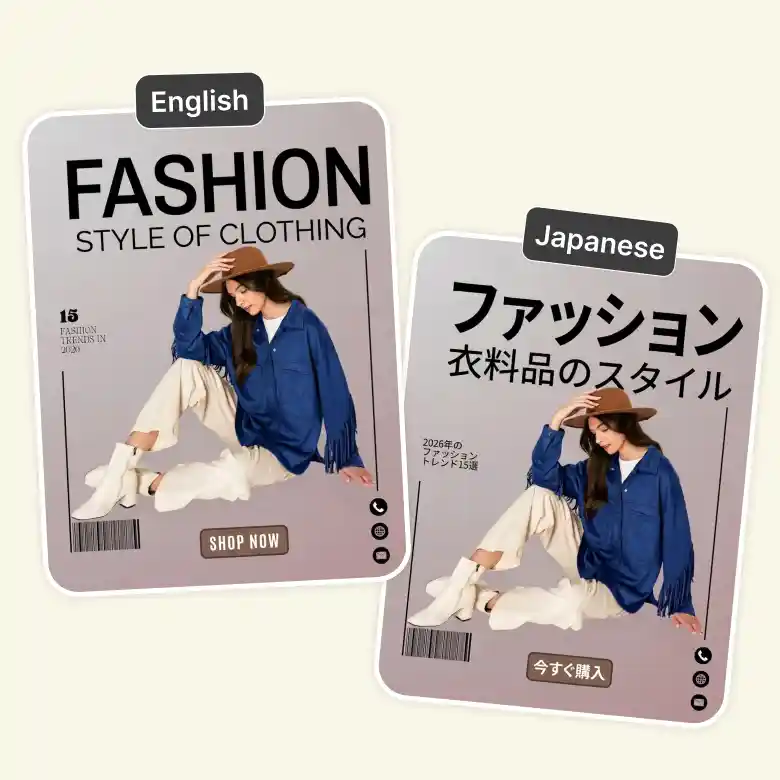
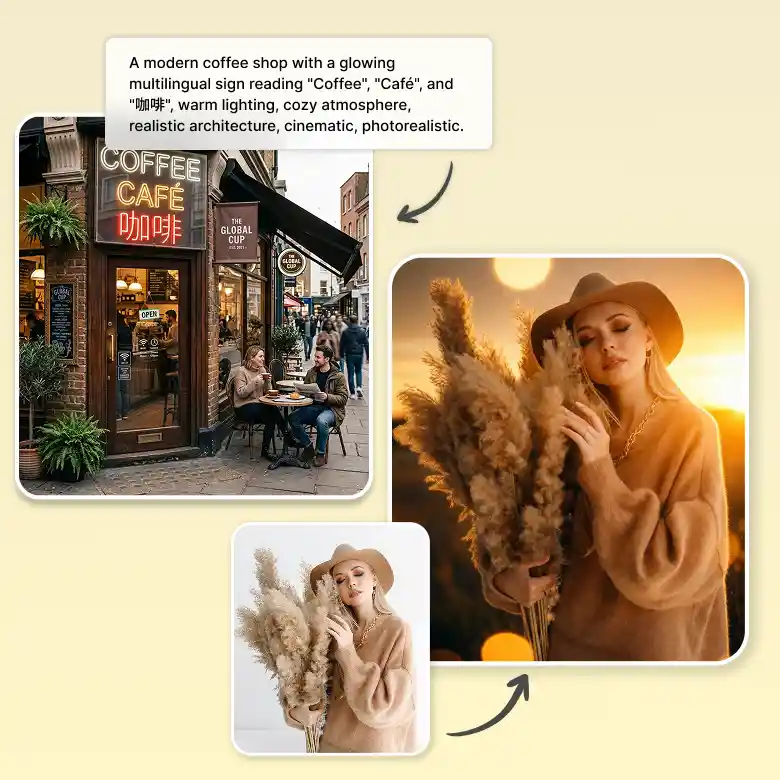
Nano Banana 2 AI image model improves the way text looks inside AI-generated images, making it clear, readable, and natural. It naturally blends with the overall design in images.
This model also supports multiple languages, making it easy to translate and replace text directly inside your images. You can use the same design for different regions without creating it again. It's a great choice for posters, marketing graphics, ads, and branded content.
Detail Preservation Edits Across Multiple Images
Nano Banana 2 helps keep people, characters, products, and objects looking consistent across multiple images. It can preserve the appearance of up to five characters and maintain the details of up to fourteen objects in a single workflow. Even after making changes, your characters and objects still look the same.
This is especially useful for story illustrations, brand campaigns, product catalogs, and other creative projects where visual consistency is important.
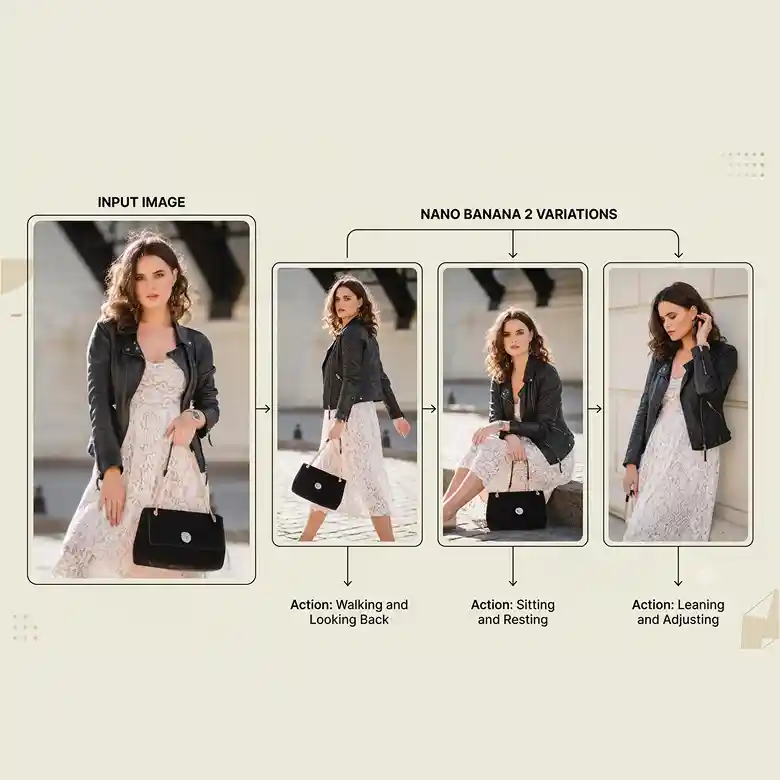
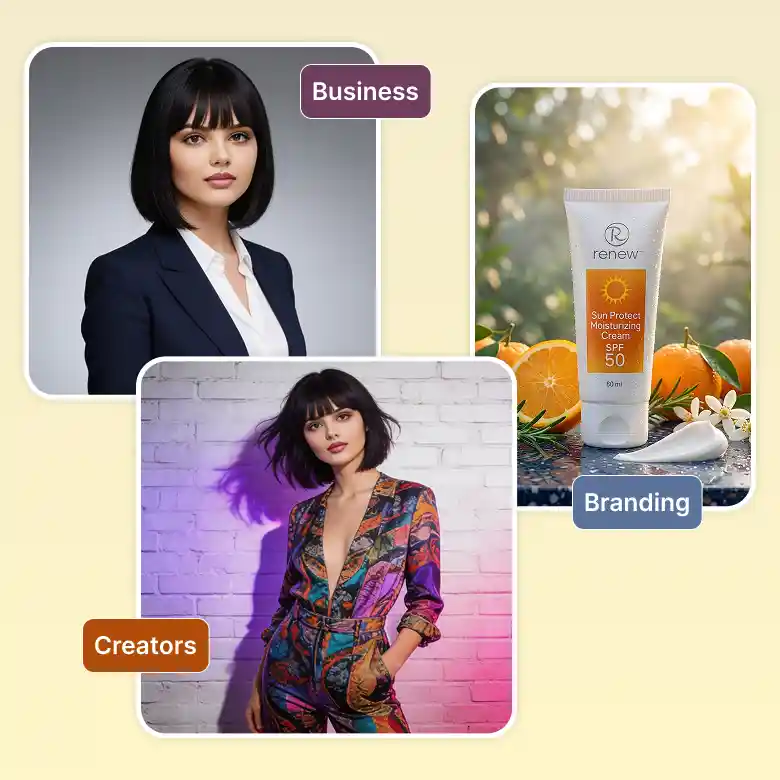
Best for Creators, Brands, and Businesses
Nano Banana 2 is built for anyone who wants fast, high-quality AI images with consistent results. It's ideal for creating everything from social media content to professional branding assets. You can easily :
✔ Create headshots professional headshots & profile pictures
✔ Easily swap outfits, hairstyles, and background
✔ Design logos, ads, product mockups, and branded content
✔ Keep your people, products, and brand visuals looking consistent
Two Ways To Create With The Nano Banana 2 Image Editing Tool
• Text to Image
Describe your idea, and create a detailed image in seconds. Enjoy faster generation, pro-quality visuals, and support for multilingual text inside your designs.
• Image to Image
Upload an image and edit it with simple prompts. Create polished results quickly while preserving important details and adding multilingual text when needed.
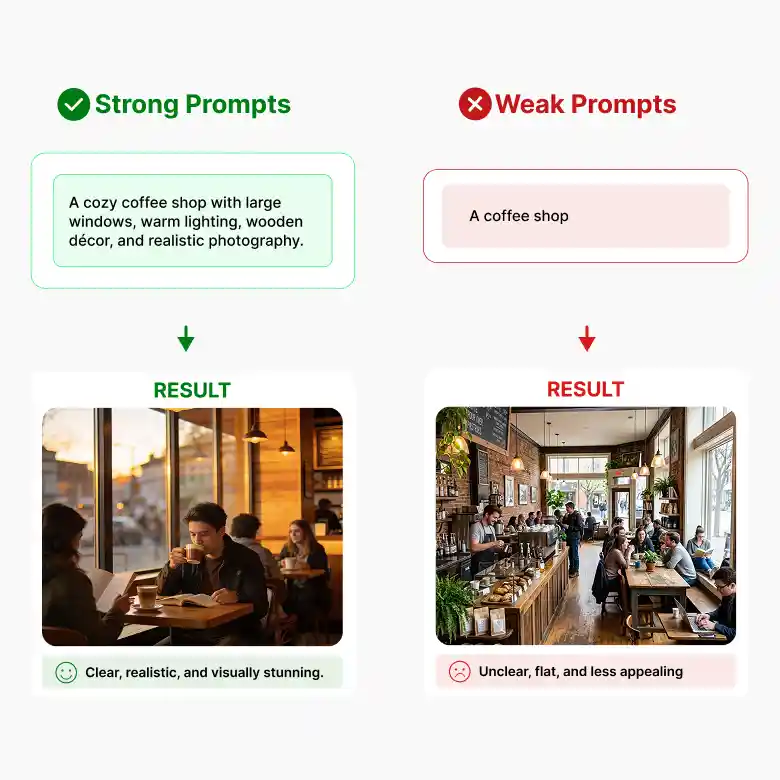
How To Write Better Prompts For Nano Banana 2
Nano Banana 2 understands detailed prompts better, so adding more context helps you get images that match your idea more closely.
❌ Basic Prompt
"A coffee shop."
✔ Better Prompt
"A cozy coffee shop with large glass windows, warm wooden interiors, customers enjoying coffee, golden evening light, realistic photography, shallow depth of field."
Tips
• Describe your subject clearly.
• Mention the setting, lighting, and style.
• Add camera angles or image quality if needed.
• Put any text you want in quotation marks.
• Keep your prompt simple, clear, and specific.
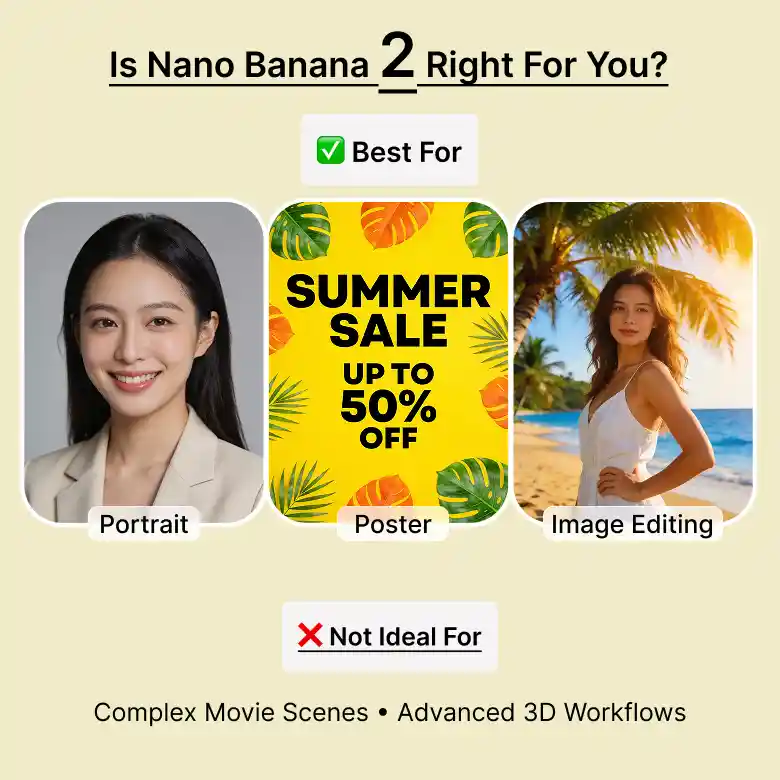
Is Nano Banana 2 Right For You?
Nano Banana 2 is a great choice if you:
• Want fast image generation with pro-quality results.
• Create posters, ads, and graphics with clear in-image text.
• Need to generate or edit images using AI.
• Want consistent characters and product visuals.
• Create content in multiple languages for different audiences.
This model may not be the best fit if you:
• Need advanced reasoning for highly complex image generation.
• Want specialized controls for professional design or 3D workflows.
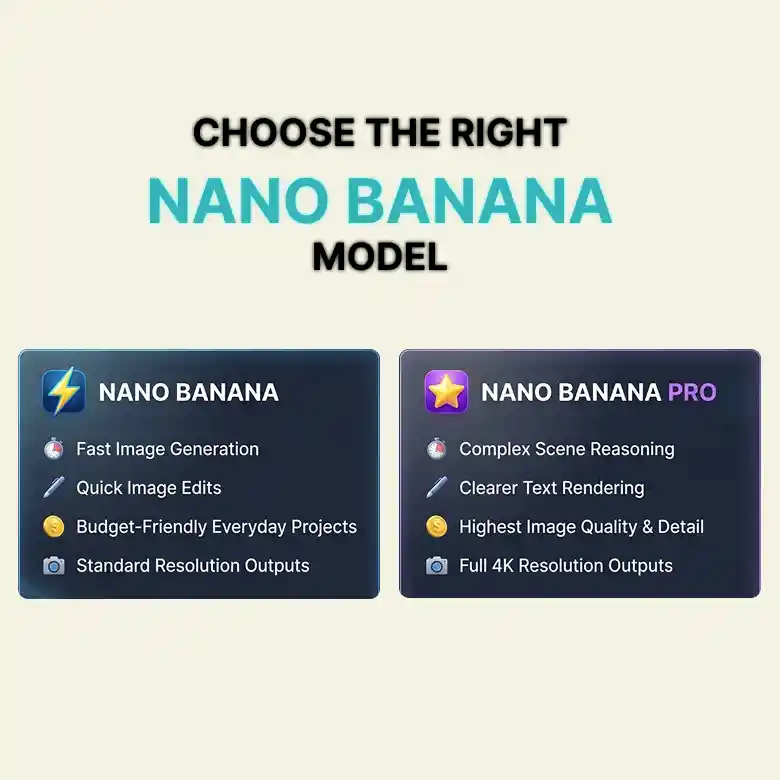
Choose the Right Nano Banana Model
Explore other Gemini models based on what you want to create.
• Nano Banana AI Image Generator: For fast image generation, quick edits, and budget-friendly for everyday projects.
• Nano Banana Pro AI Image Generator: Better for complex scenes, advanced reasoning, clearer text rendering, and higher image quality.
One Workspace, Multiple AI Models
Nano Banana 2 is just one of the AI models available in LightX. Switch between models right from the same screen depending on what you need:
Wan → accurate in-image text
Seedream → Artistic, cinematic photos
Flux 2 Pro → Sharp detail and exact HEX color matching
Nano Banana Pro → Fast, everyday generation
Pick the model that fits the task, without leaving the page.