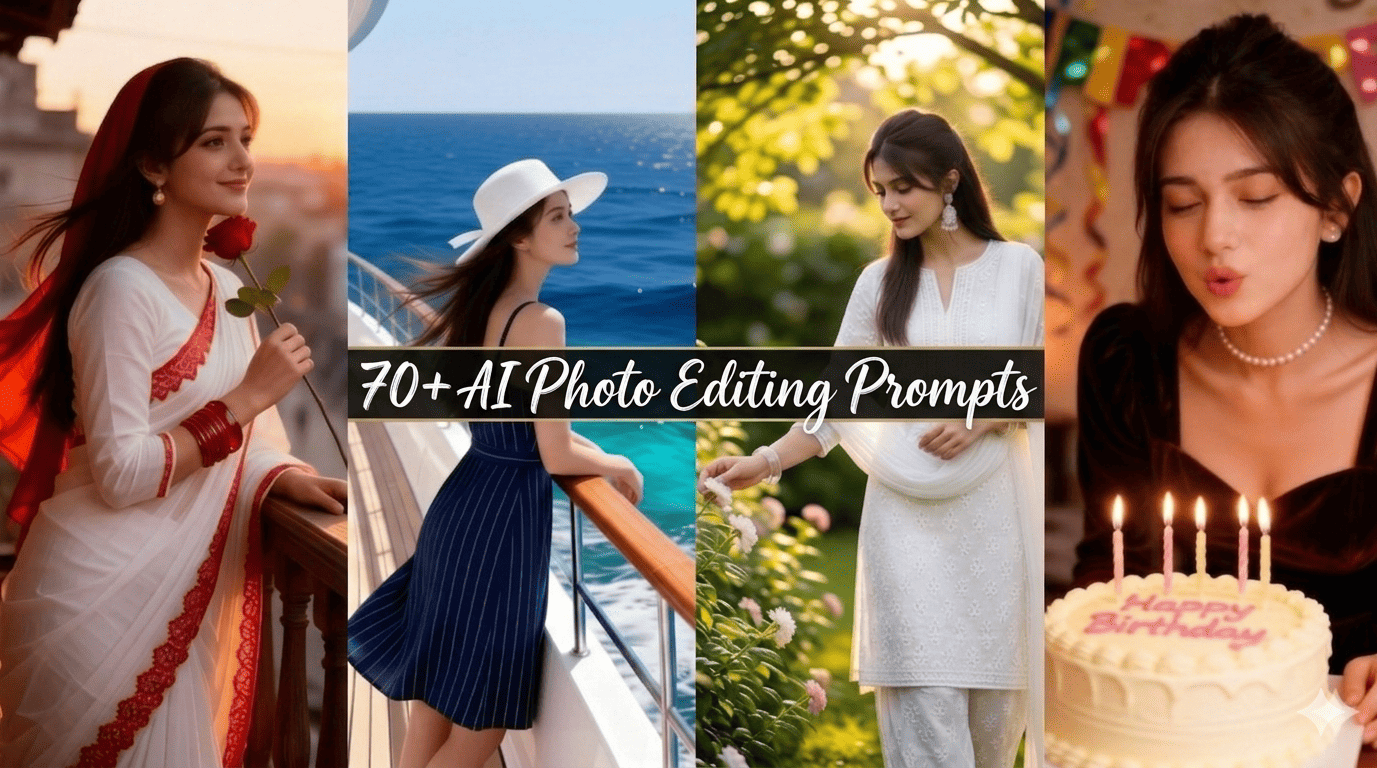
Your feed is full of them and yet you don’t realize. A quick snap, a spritz or just a spin, and then suddenly a cozy loungewear look turns into a full Christmas glam moment. If you want to learn how to make a Christmas transition video, you only need a phone, a simple idea and about 15 minutes. This guide shows you exactly how to make a Christmas transition video with ready-to-use prompts and an easier process.
 Follow Us for Daily Trends
Get new prompts and creative ideas every day.
Here you’ll get stepwise generation process, trending ideas and prompts in detail.
What Is The Christmas Transition Trend?
Nowadays we can see creators and influencers making swift transition reels online. These reels have a high engagement rate and are very popular. The basic format for these reels is, a person casually walks into the frame with a prop (usually a shoe or a makeup brush), then the frame switches to something entirely new.
It is a short video that jumps from a “before” to a festive “after” using a snap, spin, spray, cover-up or AI effect. Typical length is 5-10 seconds and format is taken from social media reels or shorts. Common versions in one short list: outfit change, spray reveal, decor reveal, Mrs. Claus look, cinematic VFX.
Must Read: Gobble Gobble AI Video Trend
How to Make a Christmas Transition Video: Step by Step
Depending on the platform or the look that you want to get; you can build your clip using our presets and templates or can customize the prompts. Here is the complete breakdown of this:
Using Pre-defined Template
Step 1. Choose the person in the video. Put an image of each of the people who you want in the video. Select your persona and upload clear front-facing portraits.
Step 2. Background, outfit and prompt. Select the background you want. Get a background setting and where you are seen shooting this video. Apply stylistic things to align your outfit with the theme. Then generate.
Step 3. Choose appropriate resolution and aspect before downloading. Select the layout that suits your mission. Choose the proper aspect ratio for proper optimization.
Using Reference to Video (with driving video)
- Go To Reference to Video. Navigate to LightX’s video platform’s reference or motion-transfer tool.
- Step 1. Define your Character: Establish a clear visual profile of the person in the video.
- Step 2. Use Video Reference and Replace Faces: If you own or have a source driving video (such as the Christmas spray transition). Configure that as your video reference. Write a precise prompt to replace the faces and models. For example, replace person 1 who is handing the keys with reference image 1. Copy the same action and hand movements as shown in the video.
Using Reference to Video without driving video
- Step 1. Define your Character. Establish a clear visual profile for your video character.
- Step 2. Generate using prompts if there is no driving video. If you don’t have a reference video, generate the whole effect using a detailed prompt. Clearly specify your parameters.
1. Define character image outfits, makeup & style
Detail the specific wardrobe pieces such as Santa Claus cloak, red dress, Christmas themed top, sweater or jackets with statement jewellery, makeup and hair styling.
2. Define scene background, lighting, camera, mood
Specify the shot uses a ultra wide angle camera motion with bright light and natural ambience with perfect motions attached to it.
3. Define how the character is interacting or acting (along with motion)
Explicitly outline the talking, expressing along with the steps and actions such as spraying, shaking, or any other motion during a specific time or moment.
Why Is the Christmas Transition Going Viral Now?
Get more Christmas reel ideas from here. Make the trending festive videos and pick the best time to post these reels from late November through December. There is a built-in satisfaction of a before-and-after payoff, which boosts watch time and replays. There is a low barrier to entry because you do not need any editing skills either.
This is highly shareable and easy for brands, creators and families to join in. Our viral Christmas transition generator now lets anyone create a viral Christmas video from a photo without a camera setup. Adding trending audio makes the format easy to discover.
Christmas Transition Ideas to Try
Amongst the varied trends to follow, especially around Christmas, it can get overwhelming to do it all alone. Here are some ideas that will definitely drag new viewers on your reels.
Outfit Transition: Loungewear to a Festive or Party Look
Start in pajamas or loungewear, finish in a sparkly party look, red dress, sweater set or Mrs. Claus costume. This video films the “before,” pause, change, then film the “after” in the same spot. Use a snap, spin or hand-over-camera cut. The prompt can match pose and framing exactly, and add a glitter or sparkle overlay on the reveal. Even couples can match pajamas to a dressy date night, kids’ PJs to a family card outfit.
Spray Transition: End on a Spritz and Cut on the Mist
In this Christmas spray transition, we see a spray bottle being used toward the camera, spritz and cut on the mist. The “after” shot starts already in the new look or scene. You can also add a sound effect on the spritz for impact using prompts.
Decor or Room Reveal: A Plain Room Becomes a Decorated One
Learn how to make a Christmas decor transition reel. People are making reels around Christmas decor transitions (also Christmas tree reveal transitions). This video uses a bare corner, then reveals the tree, lights, garland and stockings. Make great videos for home, real estate, interior and small business content.
Cinematic or VFX Transition: A Props-and-Effects Style Reveal
This viral Christmas video from a photo idea also adds snowfall, glowing lights, magic dust or a Santa sleigh sweep. It can be done with editing templates or generated from one photo with AI. This one is best for creators and brands who want a “wow” opener.
Also read: Bakery window cake cutting video
Prompts For Every Idea
Outfit Transition (Loungewear to Christmas Party Look)
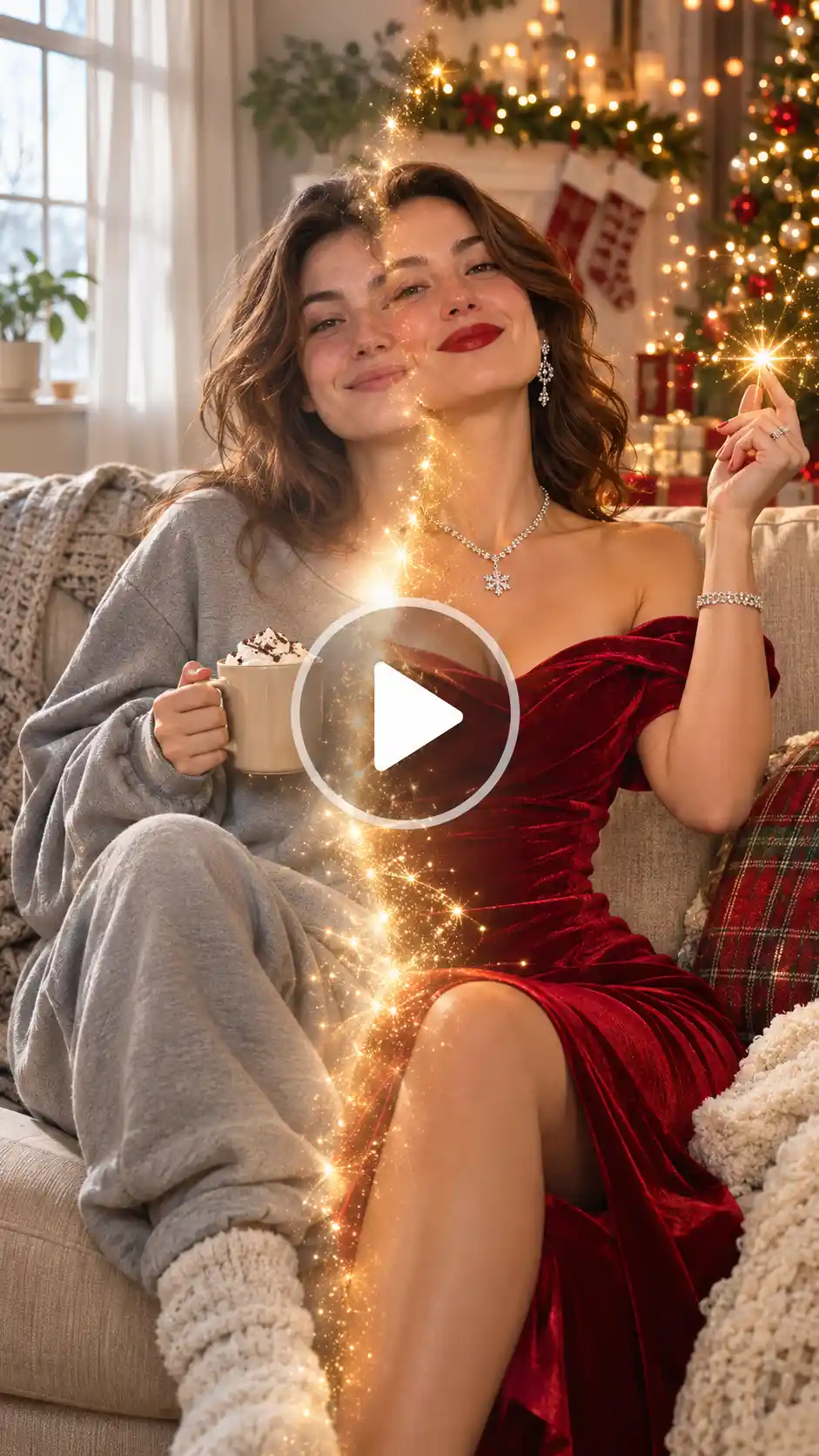
Prompt 1:
Shot 1 (Before): A [woman/man/child] in their early [20s/30s] with [hair color and style] sits on a beige sofa in a cozy living room, wearing oversized gray pajamas and fuzzy socks, holding a mug of cocoa. Soft morning window light, relaxed expression, looking straight into the camera. Medium shot, locked-off camera at chest height.
Transition (Trigger): They smile and snap their fingers. A quick burst of golden sparkles and a soft light flash wipes across the frame.
Shot 2 (After): The same person, same pose and same sofa position, now wearing a glamorous red velvet Christmas party outfit with sparkling jewelry, styled hair and red lipstick. The living room is now decorated with a lit Christmas tree, string lights and garland, with warm glowing bokeh in the background. Confident, joyful expression.
Style: Smooth cinematic transition, realistic motion, natural skin texture, consistent face and body proportions, warm festive color grade, shallow depth of field. Vertical 9:16, 5 to 8 seconds, festive and bright.
Spray Transition (Mist Reveal to Mrs. Claus Look)
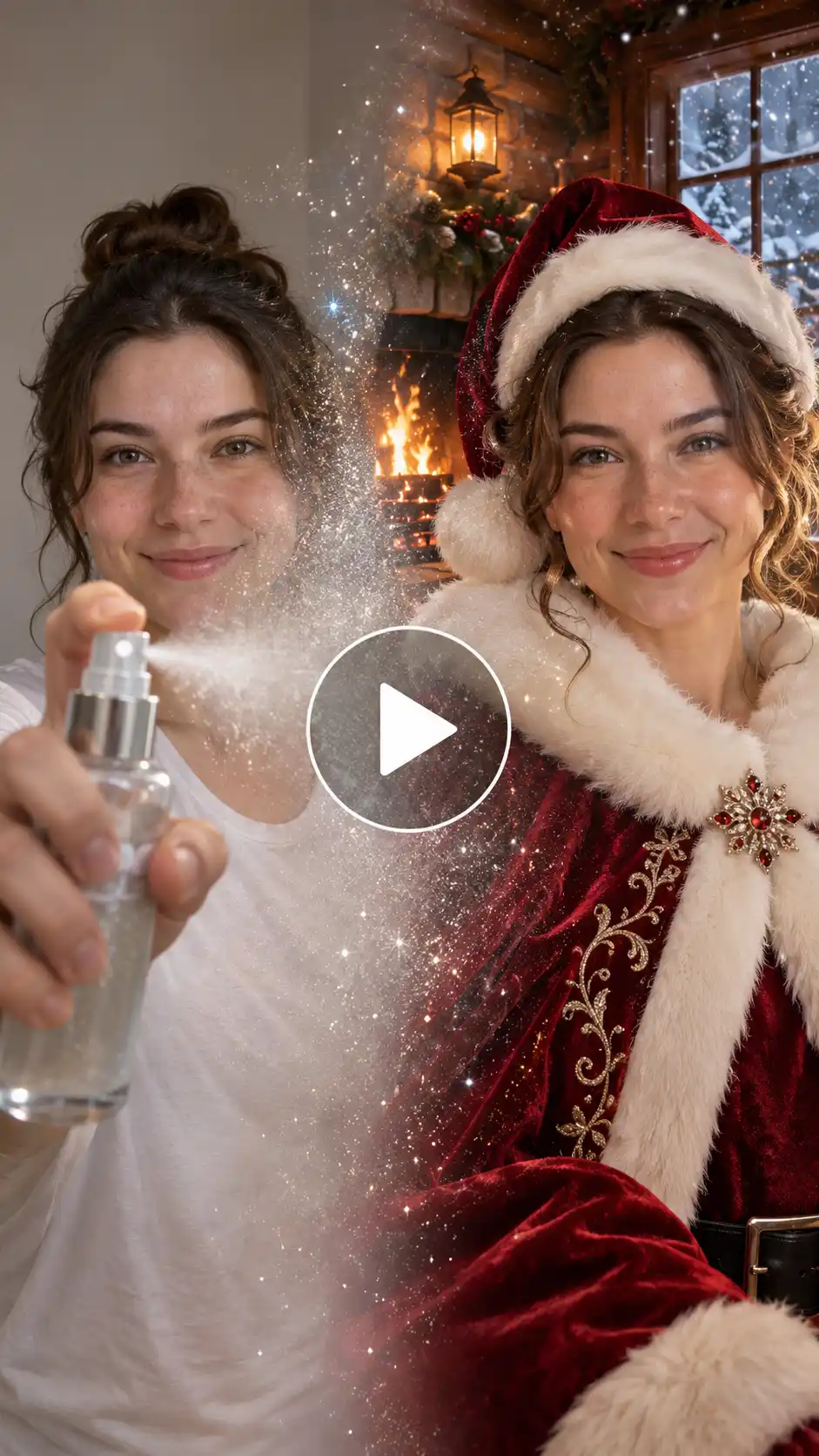
Prompt 2:
Shot 1 (Before): Close-up of a hand holding a small spray bottle toward the camera, with the person’s face softly visible behind it. They wear a plain white t-shirt and have natural, no-makeup styling. Neutral indoor background, soft diffused lighting. Camera locked, slight handheld feel. Transition (Trigger): The hand sprays a fine, glittering mist directly at the camera. The mist fills the frame, turns white and silver, and then clears. Shot 2 (After): The same person, same framing and face position, now dressed as an elegant Mrs. Claus in a red velvet coat with white fur trim, a matching hat and soft curled hair, standing in a snowy log cabin. A crackling fireplace, pine garland and warm lantern light glow behind them. Gentle snowflakes drift outside the window. They smile warmly at the camera. Style: Realistic motion, detailed mist particles, magical soft glow, cinematic lighting, warm gold and deep red palette, consistent identity between both shots. Vertical 9:16, 6 to 8 seconds.Decor Reveal (Plain Room to Decorated Christmas Scene)
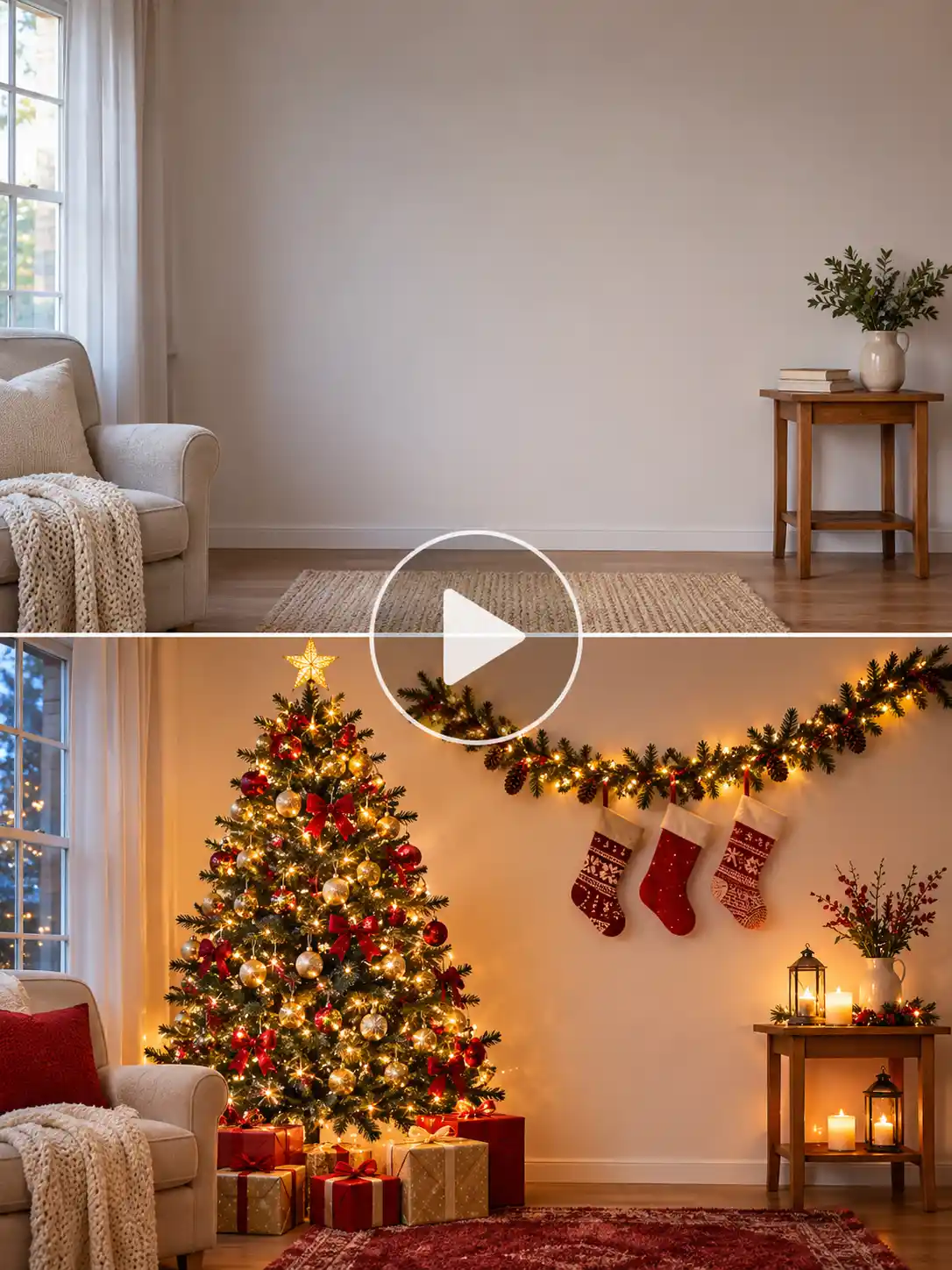
Prompt 3:
Shot 1 (Before): A plain, undecorated living room corner with a white wall, a small wooden side table, a neutral rug and an empty space where a tree could go. Flat, cool daylight, a quiet and slightly empty mood. Static camera on a tripod, eye level, wide shot. Transition (Trigger): The room lights dim for a moment, then decorations appear in sequence in smooth time-lapse style: a full Christmas tree rises into place, garland drapes across the wall, stockings hang, and string lights switch on one by one. Shot 2 (After): The exact same corner, same angle and framing, now fully decorated. A tall tree with warm white lights and red and gold ornaments, gifts piled underneath, a garland with pinecones, hanging stockings, flickering candles on the side table and a soft red rug. Cozy evening light and a warm glow throughout. Style: Smooth time-lapse transition, realistic lighting, sharp detail, no camera movement, warm and inviting. Landscape 9:16, 6 to 10 seconds.Tips To Write The Best Prompts
Use this simple formula for any Christmas transition prompt:
[Before] + [Trigger] + [After] + [Camera style] + [Mood and lighting] + [Aspect ratio and length]
1. Clearly describe the first part of the transition. Indicate who appears in the video, what they are wearing, the environment and the appearance.
2. Name the transition. The transition may imply a sound effect, twist, splash, a closing door, brushing by hand, a burst of brightness, etc.
3. Describe the final part of the transition. Indicate the clothes worn by the character, their color, decoration of the place and disposition.
4. Maintain the composition of the original shot. Use phrases such as the same position/angle/pose if you manage to set another angle.
5. Ensure that the face stays the same. Make sure to specify that the image remains unchanged, no confusion is with the face.
6. Note the type of camera used. Specify whether it’s a stationary camera, a camera locked in one position, a camera plus a motion sensor.
7. Explain the personality traits as well. Use phrases like lovely, lighthearted, etc.
Conclusion
Try out LightX using our Christmas transition video prompt, Christmas outfit transition and tips for making a trending video this festive season. Best for creators, social media agencies and businesses that follow trends closely. Try out now!
FAQs
- What kind of photo works best?
The photos should be well lit and clear for best AI mapping.
- What aspect ratio should I use?
Use a 9:16 aspect ratio as it is best for social media content.
- What resolution and file format should I export?
Export videos in MP4 and select from 480p, 720p and 1080p resolutions.
- Can I add music, voiceover and captions?
Yes, you can add audio, lyrics with the help of prompts.
 Gas Up the Trend ⛽🔥
Create your own gas station trend in seconds.