Is your wedding just around the corner? Exciting, isn’t it? But along with all the excitement comes a never-ending to-do list. From choosing the venue and finalizing outfits to coordinating with vendors, there’s already so much on your plate. And somewhere in between, you suddenly remember, you still need to send out your save-the-date cards!
 Get on WhatsApp
New image & Video workflow everyday
Get on WhatsApp
New image & Video workflow everyday
The problem? You don’t want to spend extra money hiring a designer, and designing one yourself sounds like another task you don’t have time for.
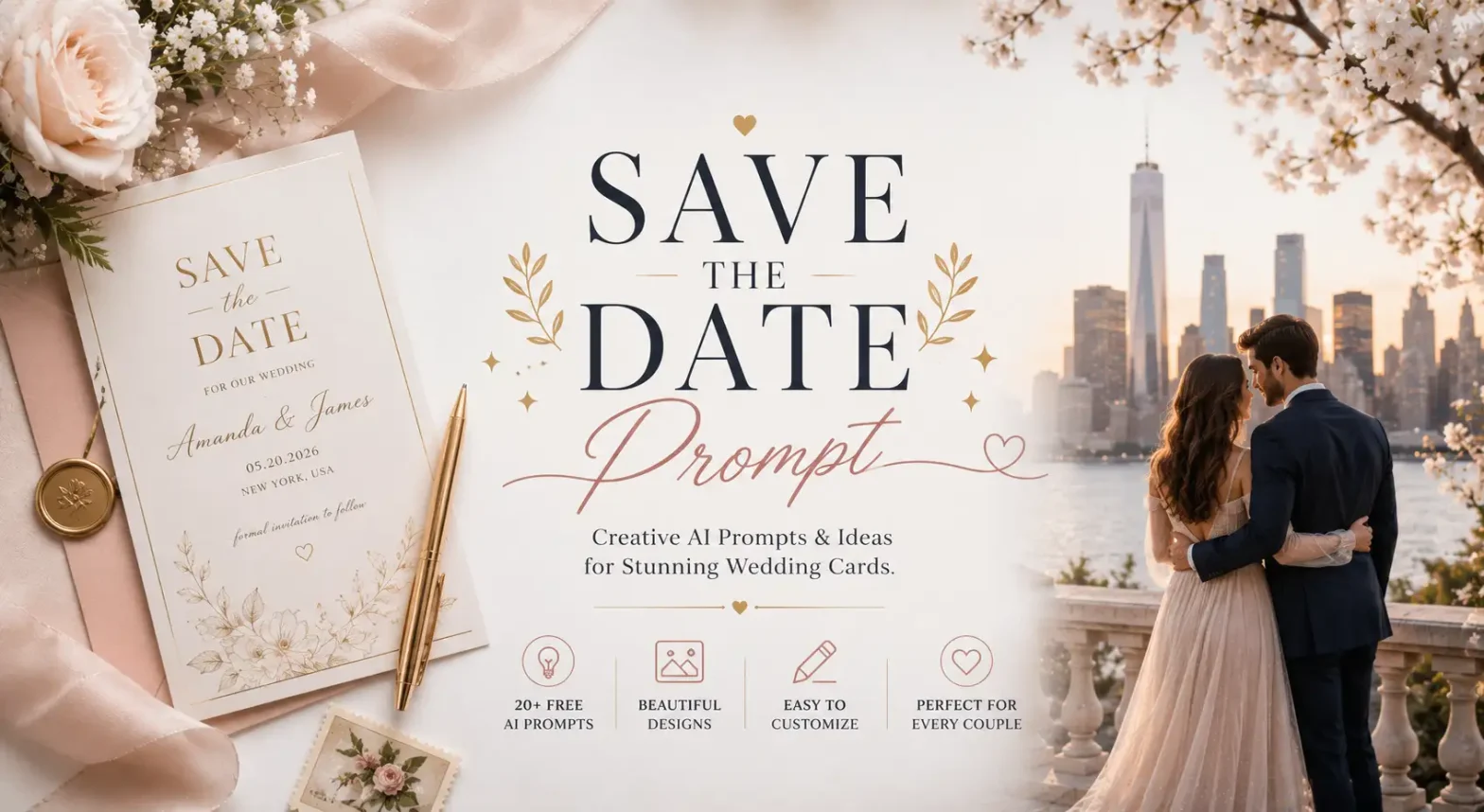
That’s exactly where AI can help. Simply copy one of the save-the-date prompts from this blog, replace the details with your own, and paste it into an AI tool like ChatGPT, Gemini, or LightX. Within seconds, you’ll have a beautiful card that you can customize to match your wedding style.
We’ve also included simple tips to help you write better prompts, so creating a personalized save-the-date card becomes quick, easy, and actually fun.
So, what are you waiting for? Pick your favorite prompt, create your card, and send it to your family and friends. They’ll have plenty of time to save the date, and you’ll have one less thing to worry about.
What is a save the date ai prompt?
It is a text instruction that tells an AI image generator how to create a wedding announcement card. Instead of designing everything manually, you simply describe your vision in words, and the AI transforms your description into a beautifully designed card.
A prompt can include details like:
- The wedding theme
- Colors and mood
- Background elements
- Typography style
- Decorative illustrations
- Couple’s names and wedding date
- Overall design aesthetic
For example, instead of saying:
“Create a wedding card.”
A better prompt would be:
“Elegant watercolor save-the-date wedding card with blush pink flowers, gold foil border, soft cream background, modern calligraphy, romantic aesthetic, space for couple names and wedding date, square Instagram format.”
How to Write the Perfect Save the Date Prompt
A good prompt tells the AI exactly what you want. Keep it clear and include these five things:
1. Mention the Card
Tell the AI what to create, like a save-the-date card or wedding invitation.
2. Pick a Style
Choose a theme such as floral, minimalist, vintage, boho, or modern.
3. Add Your Details
Include the couple’s names, wedding date, and a “Save the Date” message.
4. Choose Colors & Mood
Mention colors and the overall feel, like blush pink, white and gold, romantic, or elegant.
5. Select the Size
Specify the format, such as 1:1 for social media or A5 for printing.
Quick Tip: The more specific your prompt, the better your AI-generated save-the-date card will look.
20+ Best Save-the-Date AI Prompts
Here are some save-the-date card prompts that let you use your own photo for a more personal touch.
Prompt 1 :
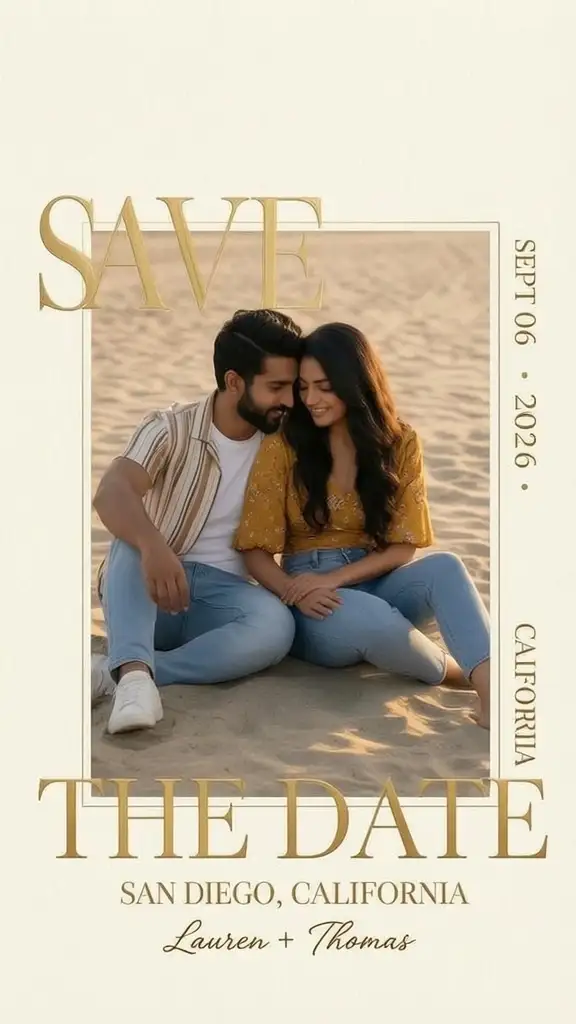
Create a luxury vertical Save the Date wedding invitation with a modern editorial layout. Upload the given image and naturally position the couple sitting closely together on soft beach sand. The groom sits slightly behind with one arm supporting him, leaning gently toward the bride. The bride sits between his legs, leaning against him with one hand resting on his leg while both smile and look at each other romantically. Preserve their faces, outfits, and identity while matching the pose naturally. Place the photo inside a centered portrait frame on an elegant off-white textured paper background. Add oversized metallic gold serif text SAVE at the top left and THE DATE across the bottom, partially overlapping the photo. Add SEPT • 06 • 2026, SAN DIEGO, CALIFORNIA vertically, and Lauren + Thomas in elegant handwritten script. Warm golden-hour lighting, premium editorial style, ultra-realistic, HDR, luxury print quality, 8K resolution.
Prompt 2:
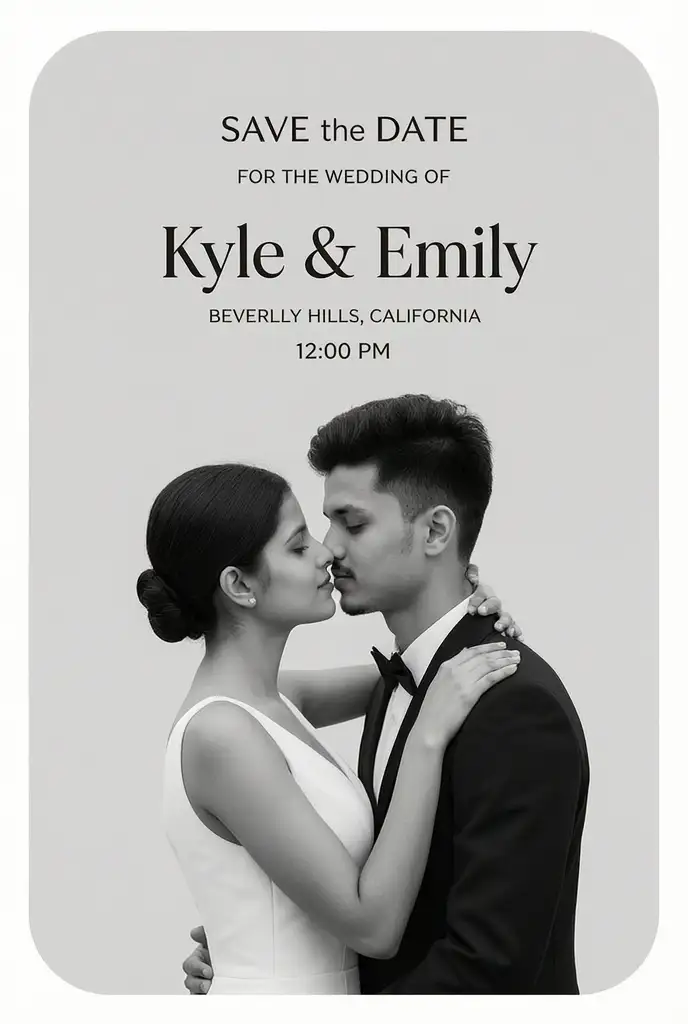
Create a luxury vertical Save the Date wedding invitation. Upload the given image and replace only the couple’s faces with those from the uploaded image while keeping the exact pose, body position, clothing, hairstyle, accessories, expressions, background, lighting, black-and-white color grading, camera angle, composition, crop, proportions, shadows, typography placement, and overall editorial design unchanged. The groom should wear a black suit and bow tie, leaning forward with his nose touching the bride’s. The bride should wear a sleeveless white wedding dress with her hair in a low bun, wrapping one arm around the groom’s neck while gently touching his beard with her other hand. Use a light gray rounded-corner background. Add SAVE the DATE, FOR THE WEDDING OF, Kyle & Emily, NOVEMBER 20, 20XX, BEVERLY HILLS, CALIFORNIA, and 12:00 PM in the same elegant typography. Ultra-realistic, premium print quality, HDR, 8K resolution.
Prompt 3 :
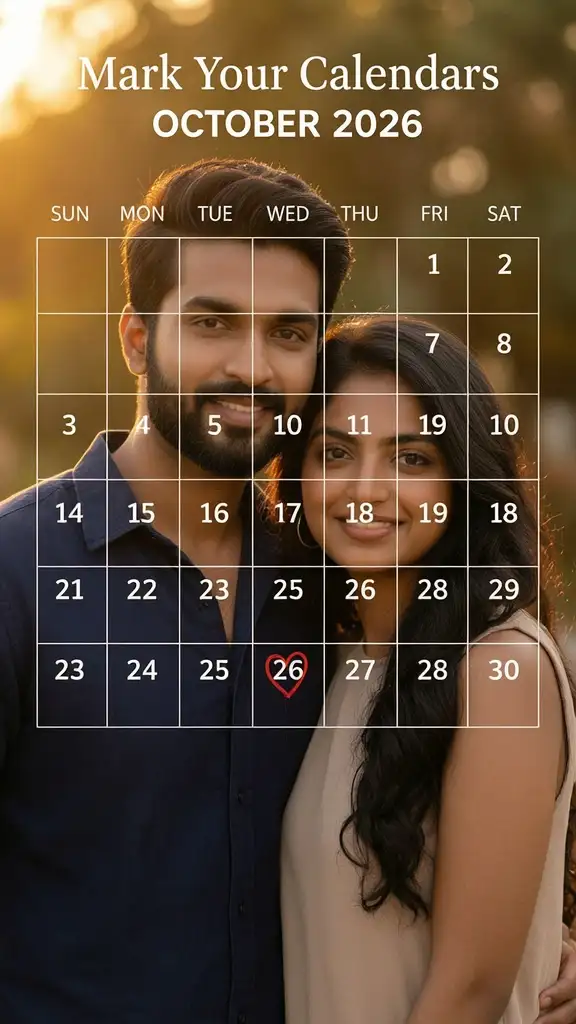
Create a premium Mark Your Calendars wedding announcement. Upload the given image and use only the facial details of the couple, recreating them with the same identity while generating a new image. Place the couple in a close-up romantic pose, smiling naturally with the groom standing slightly behind the bride, both looking at the camera. Dress the groom in a navy casual shirt and the bride in a sleeveless beige top. Use a warm golden-hour background with soft bokeh and cinematic lighting. Overlay a transparent white calendar covering most of the image with thin white grid lines. Add Mark Your Calendars at the top, OCTOBER 2026 below it, weekday headers, and calendar dates. Highlight 24 with a hand-drawn red heart. Modern white typography, luxury editorial style, realistic skin tones, HDR, premium print quality, ultra-detailed, 8K resolution.
Prompt 4 :
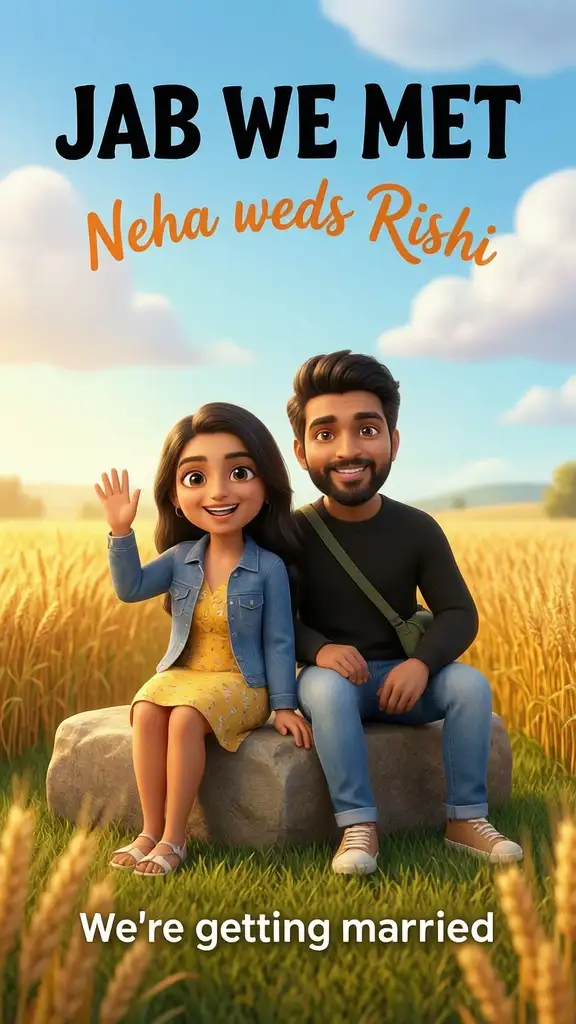
Create a colorful animated Save the Date wedding poster in a cute 3D cartoon style. Upload the given image and use only the facial features of the couple, recreating them as adorable animated characters while generating new bodies. Show the bride sitting on a stone block wearing a yellow floral dress with a blue denim jacket, waving happily with a bright smile. Show the groom sitting beside her wearing a black sweater, blue jeans, and a green crossbody bag, smiling confidently. Use a vibrant countryside background with golden wheat fields, a bright blue sky, fluffy white clouds, and soft sunshine. Add the title JAB WE MET in bold black at the top, Neha weds Rishi in curved orange script below it, and We’re getting married at the bottom. Pixar-style 3D animation, expressive faces, cinematic lighting, vibrant colors, ultra-detailed, premium quality, 8K resolution.
Prompt 5 :
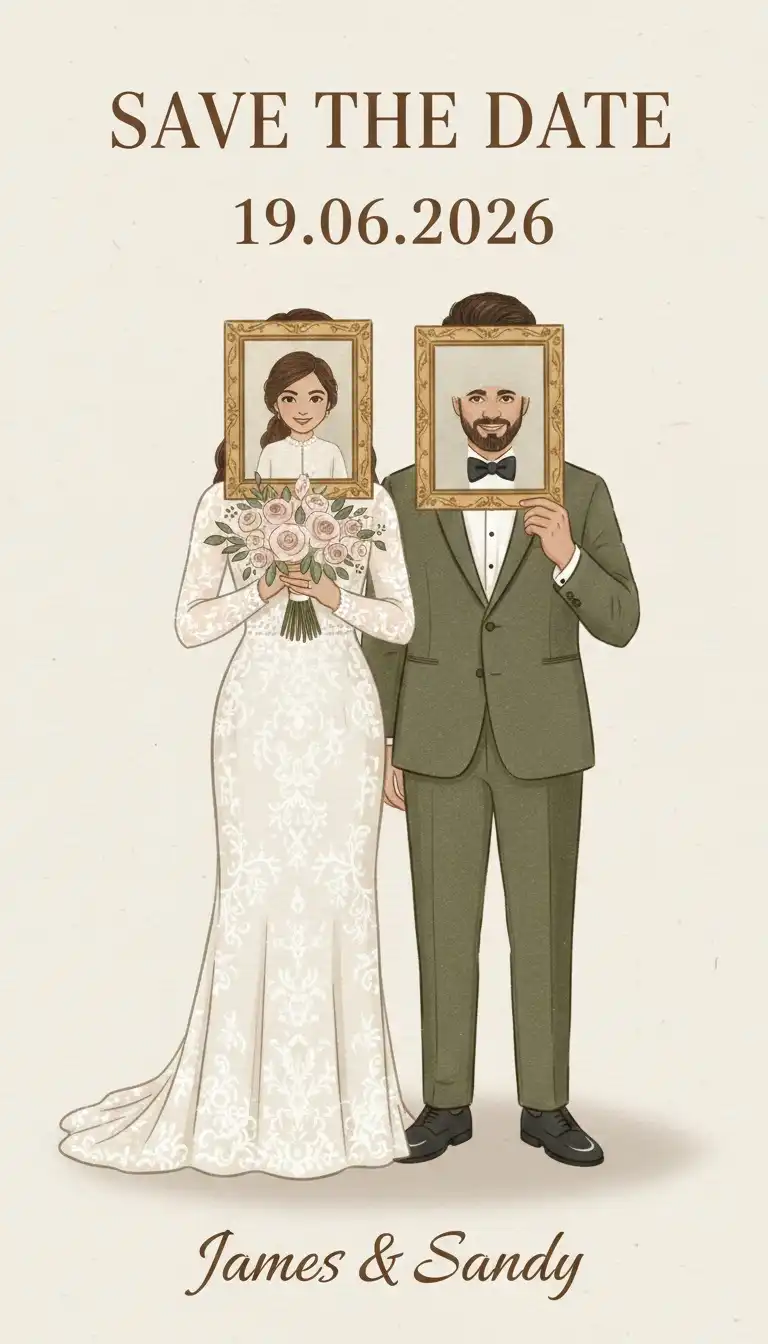
Create a premium vintage Save the Date wedding invitation with a soft beige paper background and elegant brown typography. Upload the given image and use only the facial features of the couple, recreating them as illustrated characters while generating new bodies. Show the bride in a vintage white lace wedding dress holding a framed childhood portrait in front of her face, decorated with a bouquet at the bottom of the frame. Show the groom in an olive green tuxedo with a white shirt and black bow tie, holding a framed childhood portrait in front of his face. Place both characters side by side with a subtle shadow behind them. Add SAVE THE DATE at the top, 19.06.2026 in the center, and Archita & Aayush in elegant serif script at the bottom. Soft watercolor illustration, minimal design, warm neutral colors, luxury wedding stationery, ultra-detailed, premium print quality, 8K resolution.
Prompt 6:
Luxury editorial Save the Date
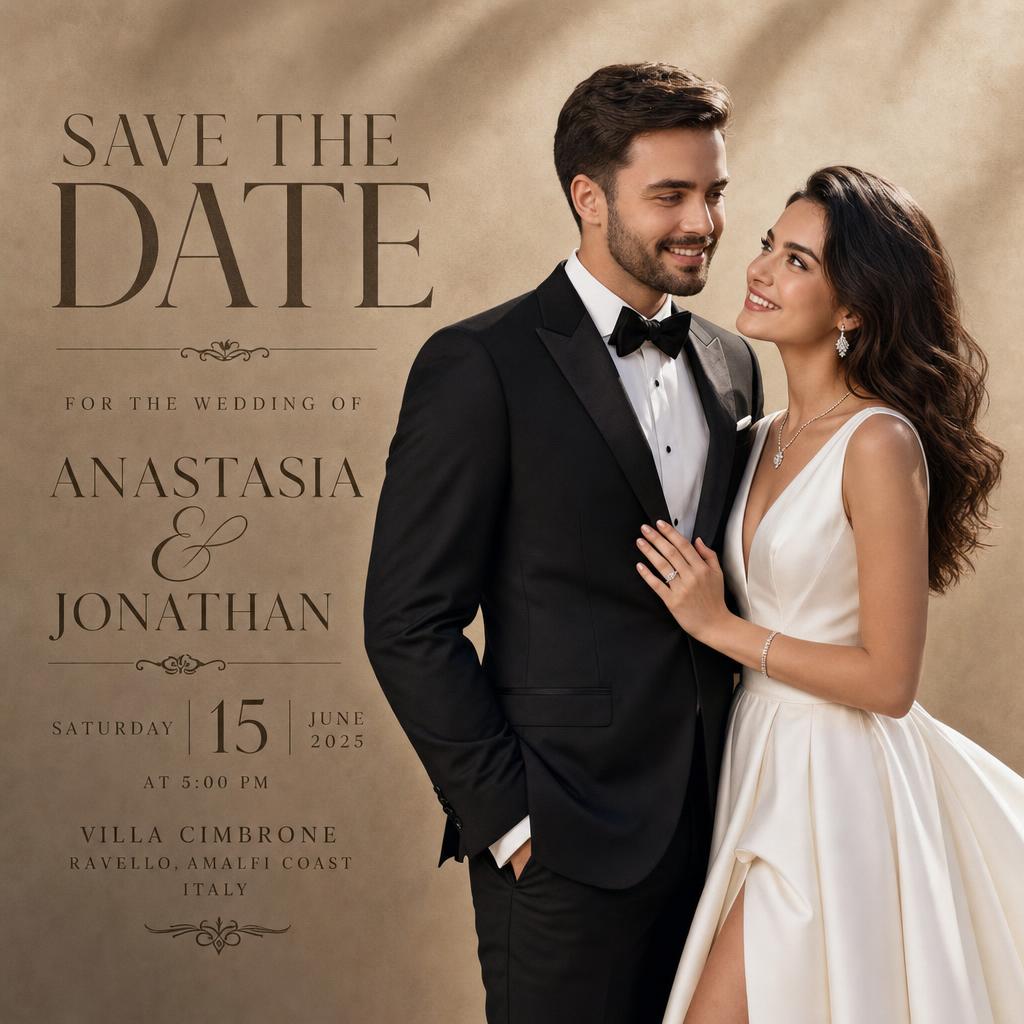
Upload the given image and use only the couple’s facial features to recreate them naturally while generating completely new bodies. Preserve their identity, facial expressions, skin tone, hairstyle, and facial details with high accuracy. Dress the bride in a luxurious white satin wedding gown with elegant jewelry, and the groom in a tailored black tuxedo with a bow tie. Position them standing close together, smiling softly while looking at each other in a modern editorial pose. Use a warm beige textured studio background with soft natural shadows and premium lighting. Add large elegant serif typography reading SAVE THE DATE at the top, followed by For the Wedding of, (Bride Name) & (Groom Name), (Wedding Date), (Time), (Venue), and (City). Use a luxury magazine-inspired layout with clean spacing, premium typography, realistic skin texture, cinematic lighting, HDR, ultra-detailed, photorealistic, premium print quality, 8K resolution.
Prompt 7 :
Royal palace wedding
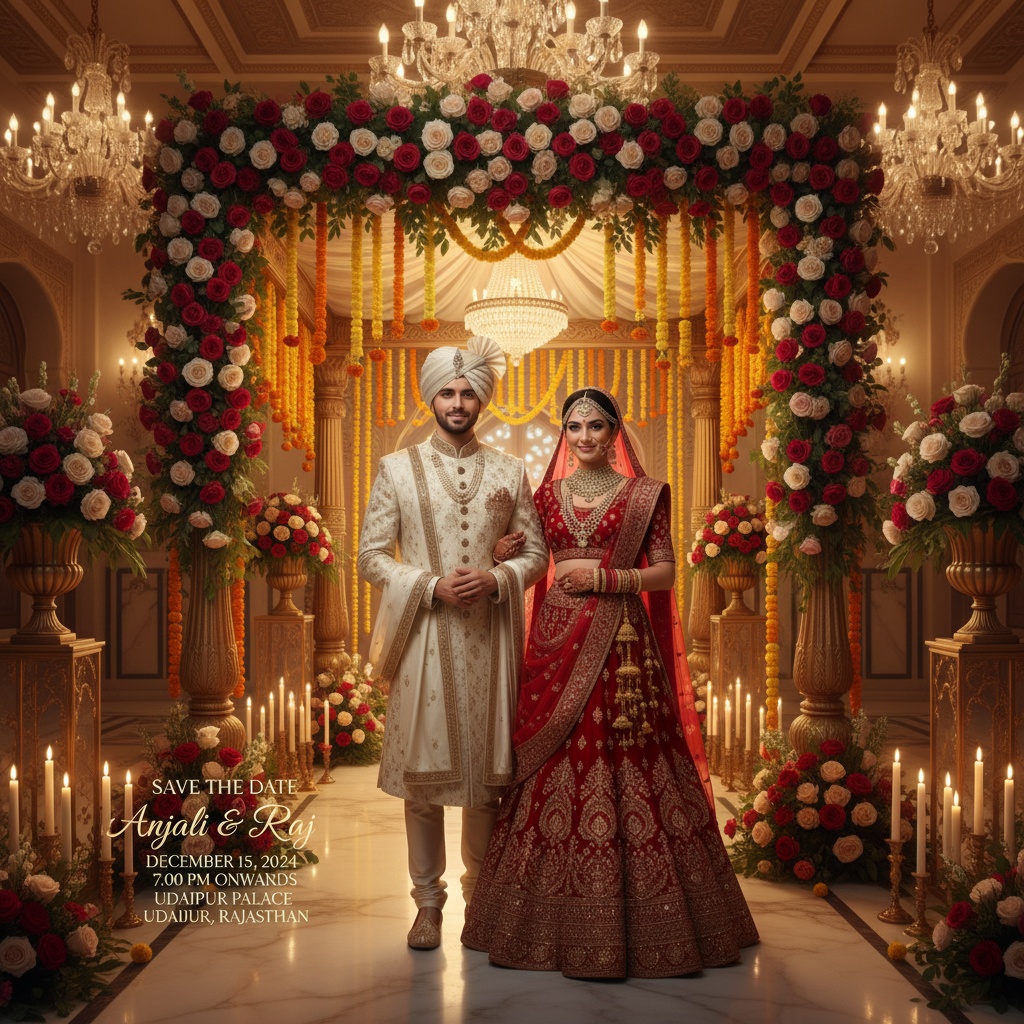
Upload the given image and use only the couple’s facial features to recreate them naturally while generating completely new bodies. Preserve their identity, facial expressions, skin tone, hairstyle, and facial details with high accuracy. Dress the bride in a heavily embroidered red bridal lehenga with traditional jewelry, a dupatta, and a bridal veil. Dress the groom in an ivory embroidered sherwani with a matching stole and turban. Place them standing beneath a grand floral mandap inside a magnificent royal palace decorated with chandeliers, marble floors, candles, fresh roses, marigolds, and luxurious floral arrangements. Add elegant typography displaying SAVE THE DATE, (Bride Name) & (Groom Name), (Wedding Date), (Time), (Venue), and (City). Warm golden lighting, cinematic atmosphere, realistic textures, luxury Indian wedding invitation, HDR, ultra-detailed, premium print quality, 8K.
Prompt 8 :
Beach sunset wedding
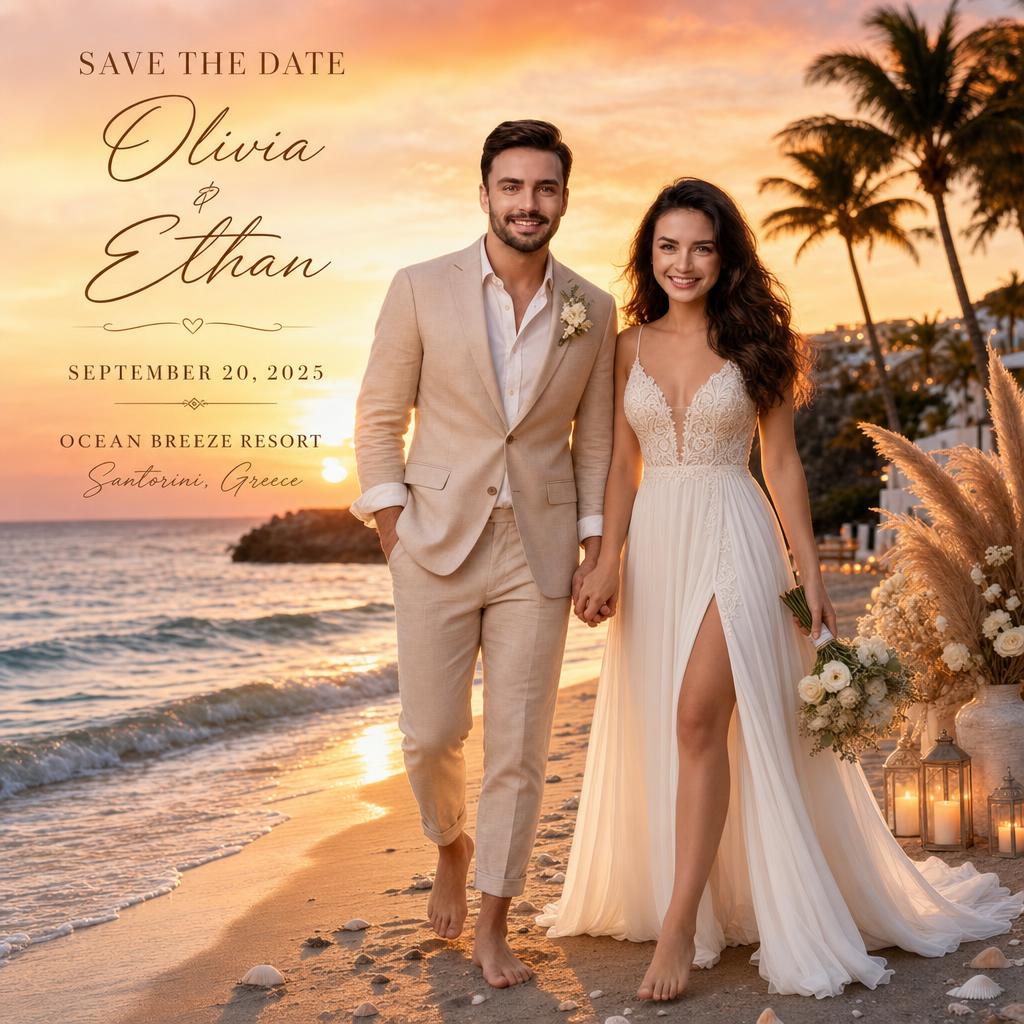
Upload the given image and use only the couple’s facial features to recreate them naturally while generating completely new bodies. Preserve their identity, facial expressions, skin tone, hairstyle, and facial details with high accuracy. Dress the bride in a flowing white beach wedding gown and the groom in a beige linen suit. Show them walking barefoot hand in hand along the shoreline with gentle ocean waves, palm trees, candles, pampas grass, seashells, and white floral decorations surrounding them. The sky should feature a breathtaking orange and pink sunset with cinematic golden-hour lighting. Add elegant typography with SAVE THE DATE, (Bride Name) & (Groom Name), (Wedding Date), (Beach Venue), and (Location). Luxury destination wedding style, photorealistic, HDR, ultra-detailed, premium invitation design, 8K.\
Prompt 9 :
Mountain destination wedding
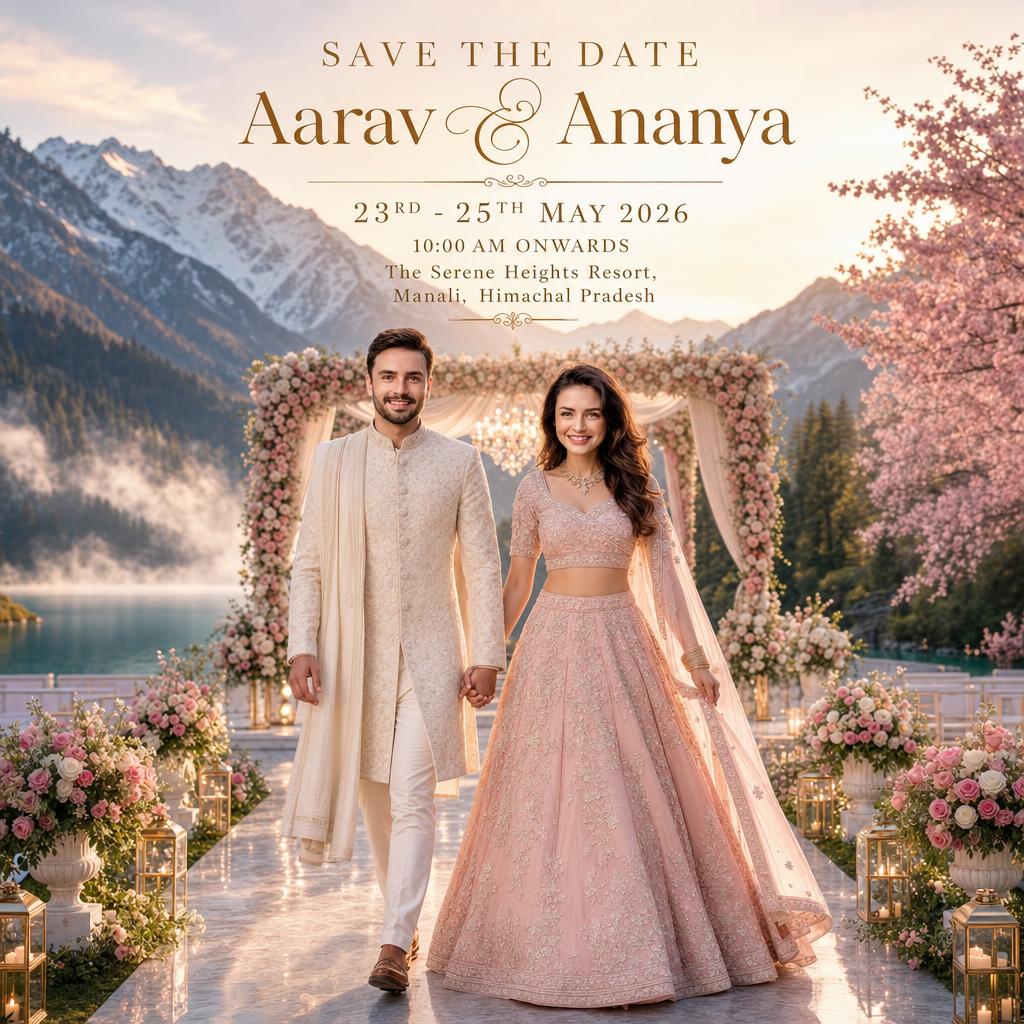
Upload the given image and use only the couple’s facial features to recreate them naturally while generating completely new bodies. Preserve their identity, facial expressions, skin tone, hairstyle, and facial details with high accuracy. Dress the bride in a pastel pink embroidered lehenga and the groom in an ivory sherwani. Show them walking hand in hand toward a beautifully decorated floral mandap beside a crystal-clear lake surrounded by snow-covered Himalayan mountains, lush pine forests, blooming cherry blossom trees, and soft morning mist. Use warm sunrise lighting with a dreamy cinematic atmosphere. Add SAVE THE DATE, (Bride Name) & (Groom Name), (Wedding Date), (Time), and (Venue) using elegant serif typography. Luxury destination wedding invitation, ultra-realistic, HDR, premium print quality, 8K.
Prompt 10 :
Double exposure wedding poster
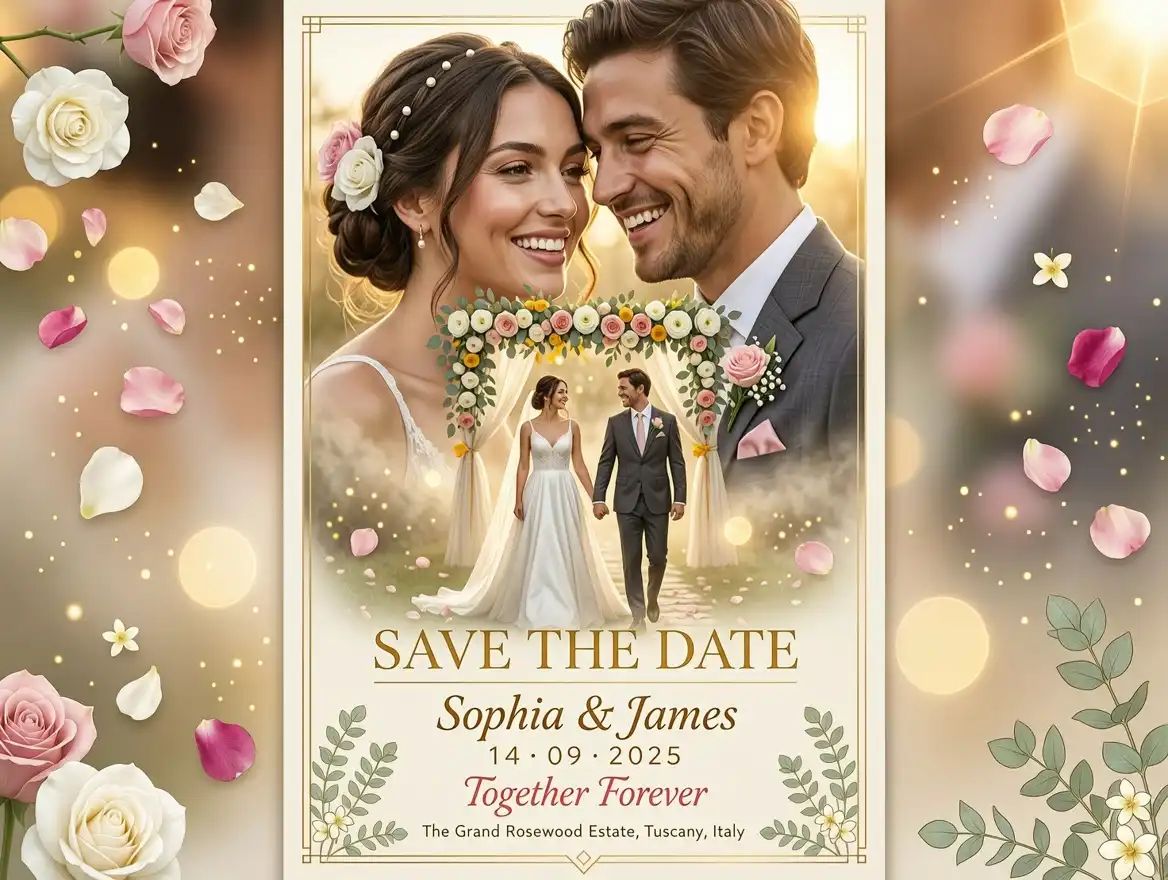
Upload the given image and use only the couple’s facial features to recreate them naturally while generating completely new bodies. Preserve their identity, facial expressions, skin tone, hairstyle, and facial details with high accuracy. Create a stunning double-exposure composition featuring a large romantic portrait of the couple smiling at each other while a smaller full-body version walks hand in hand through glowing mist toward a floral wedding mandap. Add floating flower petals, warm golden light, soft bokeh, and dreamy lens flare. Include elegant typography displaying SAVE THE DATE, (Bride Name) & (Groom Name), (Wedding Date), Together Forever, and (Venue). Luxury cinematic wedding poster, photorealistic, HDR, premium editorial style, 8K.
Prompt 11 :
Cute Pixar-style 3D wedding
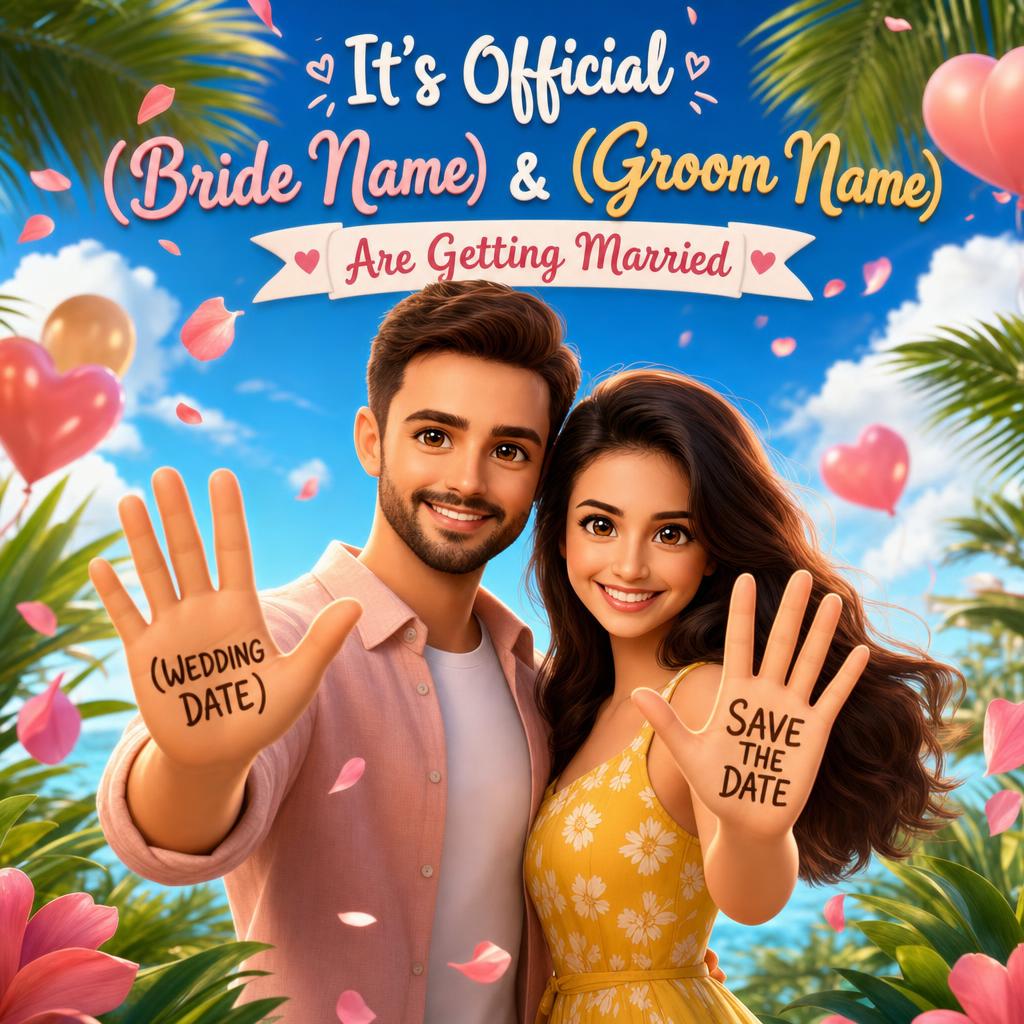
Upload the given image and use only the couple’s facial features to recreate them as adorable Pixar-style 3D animated characters while generating new cartoon bodies. Preserve their identity with expressive smiles and natural facial proportions. Dress them in colorful casual outfits and show them standing side by side with both palms raised toward the camera. Write SAVE THE DATE on the bride’s palm and (Wedding Date) on the groom’s palm. Add tropical leaves, floating flower petals, balloons, soft clouds, and a bright blue sky background. Include It’s Official, (Bride Name) & (Groom Name) Are Getting Married in playful typography. Vibrant colors, cinematic lighting, premium 3D animation, ultra-detailed, 8K.
Prompt 12 :
Floral frame invitation
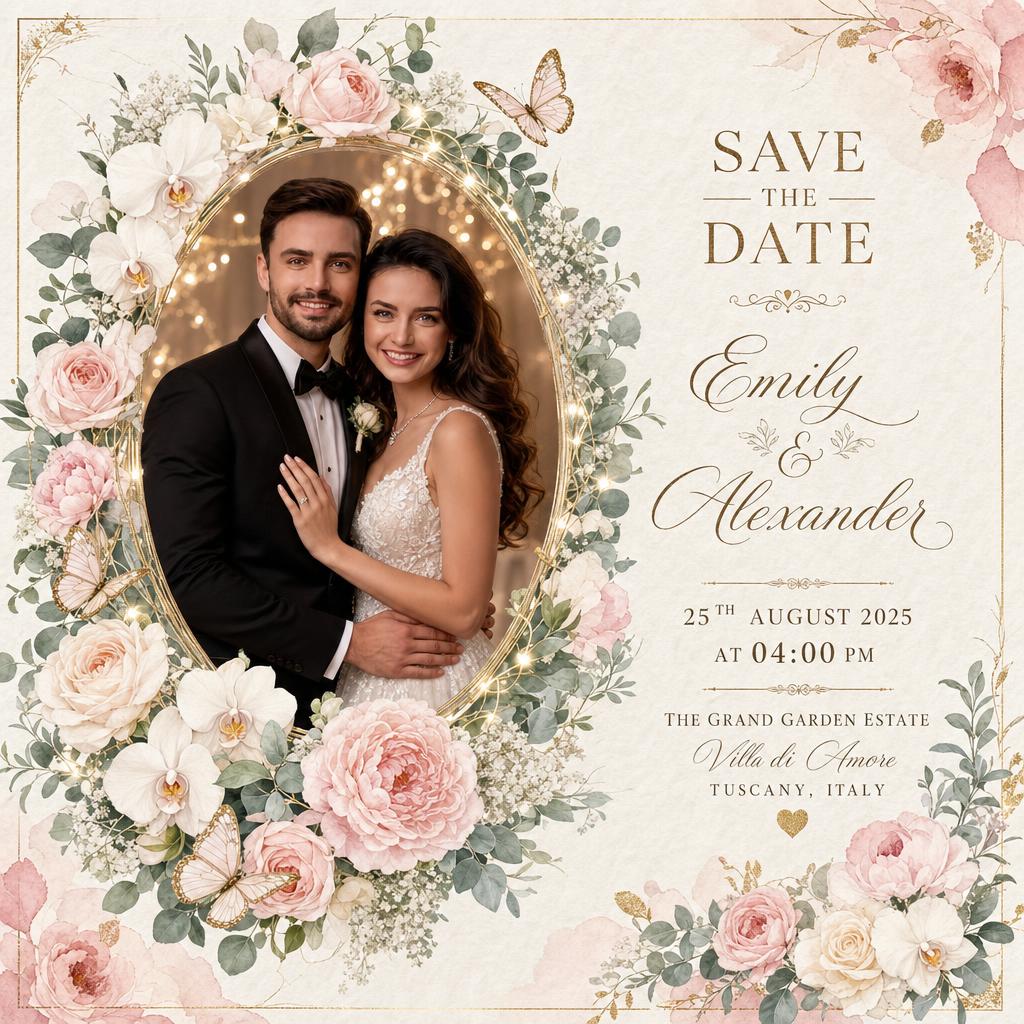
Upload the given image and use only the couple’s facial features to recreate them naturally while generating completely new bodies. Preserve their identity, facial expressions, skin tone, hairstyle, and facial details with high accuracy. Dress them in elegant wedding attire and place them inside a luxurious oval floral frame decorated with roses, peonies, orchids, eucalyptus leaves, baby’s breath, butterflies, and fairy lights. Use an ivory handmade paper background with subtle gold foil borders and watercolor floral accents. Add elegant typography displaying SAVE THE DATE, (Bride Name) & (Groom Name), (Wedding Date), (Time), (Venue), and (City). Soft pastel colors, luxury floral invitation, photorealistic, HDR, premium print quality, 8K.
Prompt 13 :
Calendar wedding announcement
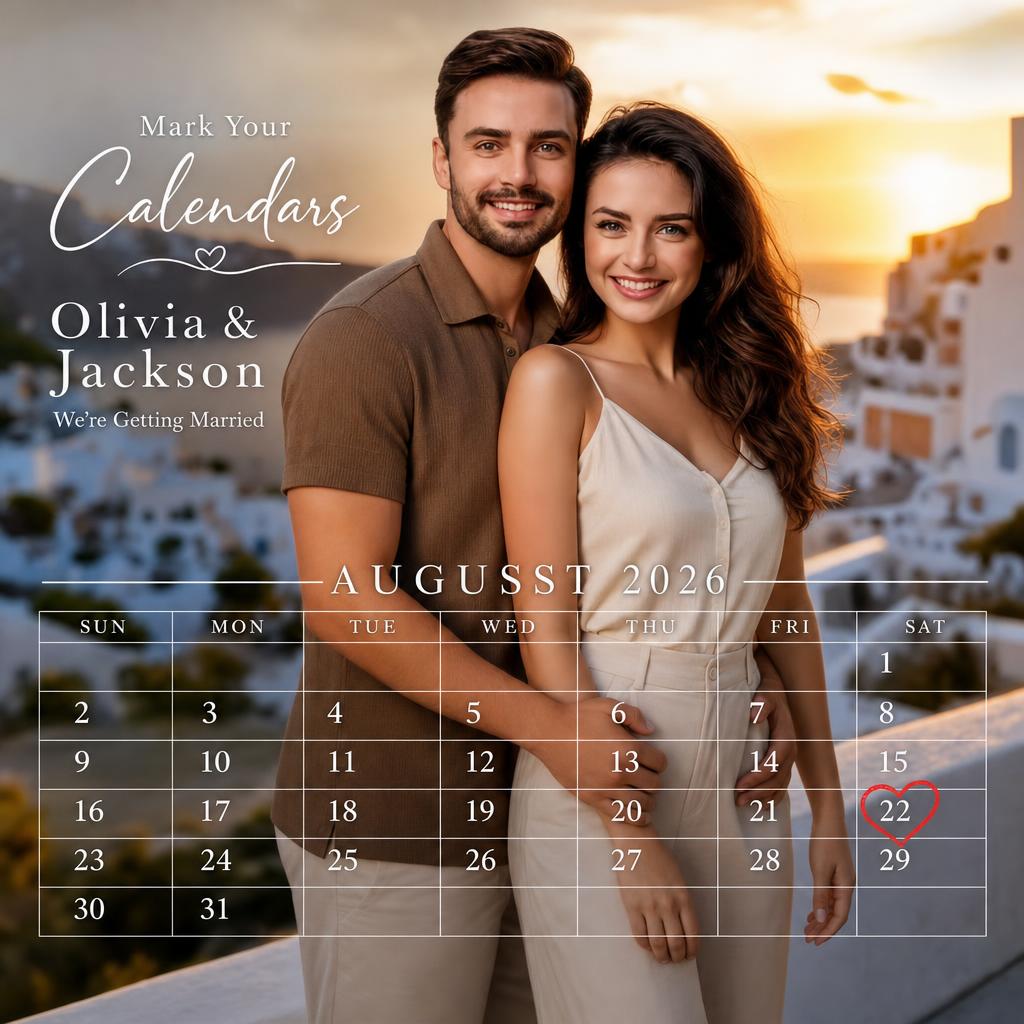
Upload the given image and use only the couple’s facial features to recreate them naturally while generating completely new bodies. Preserve their identity, facial expressions, skin tone, hairstyle, and facial details with high accuracy. Dress them in stylish casual outfits and position them smiling closely together with the groom standing slightly behind the bride. Overlay a transparent monthly calendar covering the image, displaying (Wedding Month & Year) with clean white grid lines. Highlight (Wedding Date) using a hand-drawn red heart. Add elegant text reading Mark Your Calendars, (Bride Name) & (Groom Name), and We’re Getting Married. Warm golden-hour lighting, luxury editorial style, realistic photography, premium quality, HDR, 8K.
Prompt 14 :
Vintage illustrated invitation
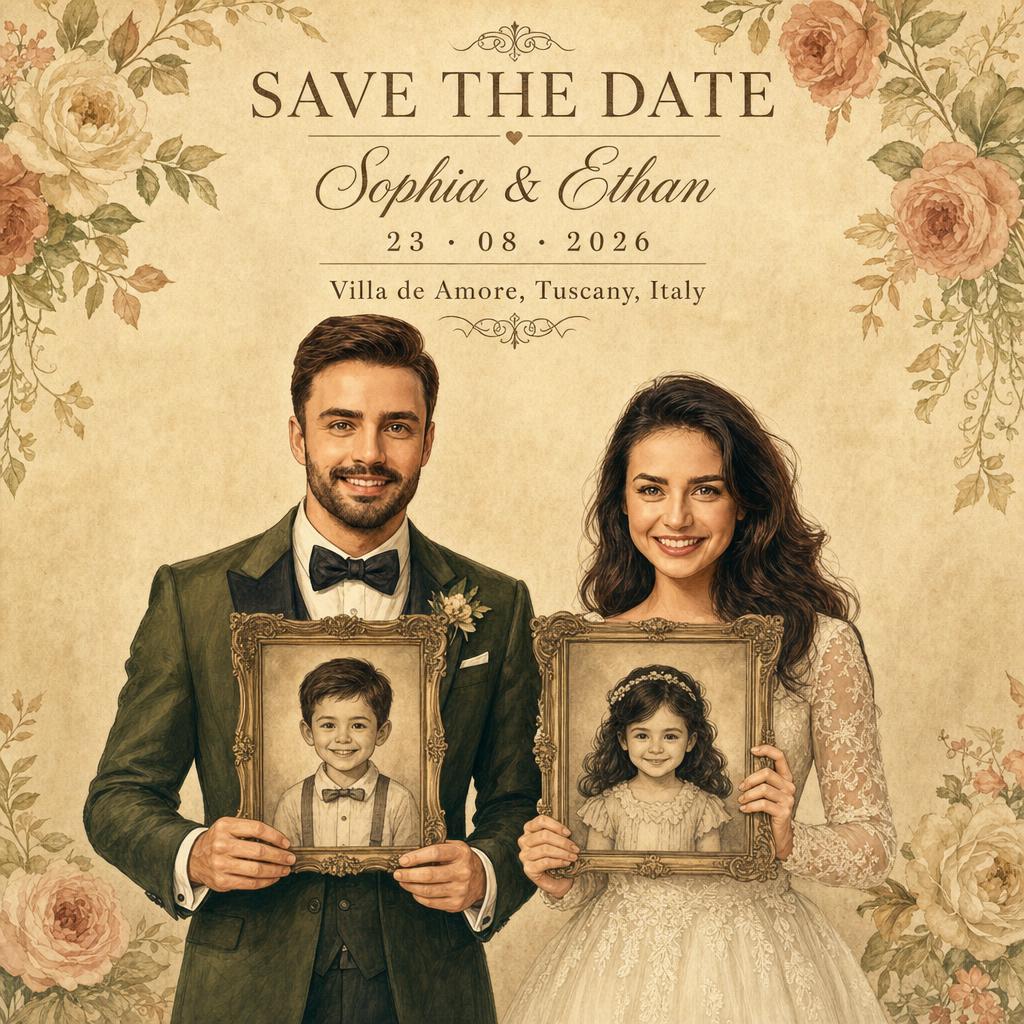
Upload the given image and use only the couple’s facial features to recreate them as elegant vintage illustrations while generating completely new bodies. Preserve their identity, facial expressions, and facial details with high accuracy. Dress the bride in a classic lace wedding gown and the groom in an olive green tuxedo with a black bow tie. Show them standing side by side, each holding a decorative vintage photo frame in front of their face containing a childhood portrait illustration. Use a warm beige textured paper background with soft floral decorations and subtle shadows. Add SAVE THE DATE, (Bride Name) & (Groom Name), (Wedding Date), and (Venue) in elegant serif typography. Luxury stationery, watercolor illustration, premium print quality, 8K.
Prompt 15 :
Romantic garden wedding
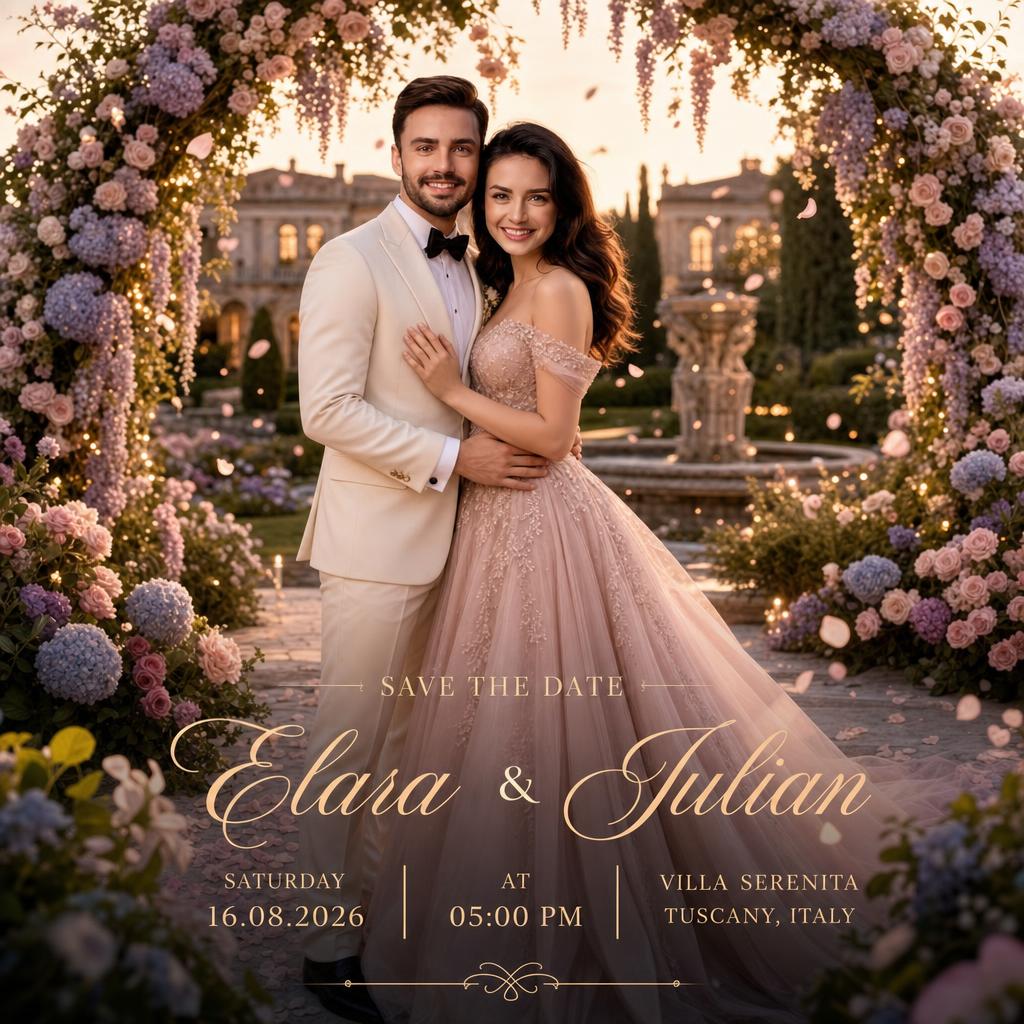
Upload the given image and use only the couple’s facial features to recreate them naturally while generating completely new bodies. Preserve their identity, facial expressions, skin tone, hairstyle, and facial details with high accuracy. Dress the bride in an elegant blush pink gown and the groom in a cream tuxedo. Position them beneath a breathtaking floral arch surrounded by blooming roses, wisteria, hydrangeas, fairy lights, fountains, and a beautifully landscaped European-style garden. Use soft golden-hour lighting, floating petals, dreamy bokeh, and cinematic depth of field. Add elegant typography with SAVE THE DATE, (Bride Name) & (Groom Name), (Wedding Date), (Time), (Venue), and (City). Luxury editorial wedding invitation, photorealistic, HDR, premium print quality, ultra-detailed, 8K.
Text-to-Image prompts
Here are some ready-to-use AI prompts to generate stunning save-the-date wedding cards in just a few seconds.
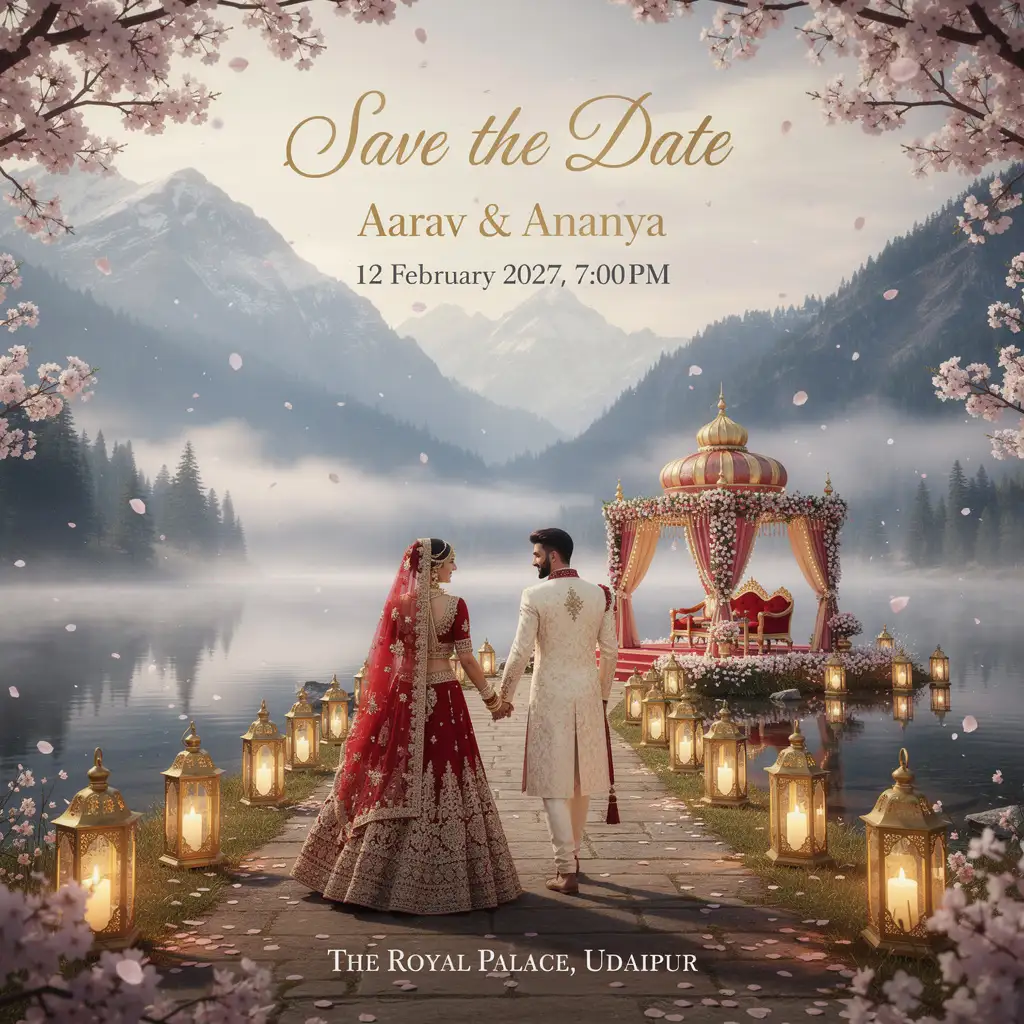
Prompt 16 :
Create a premium vertical Save the Date wedding invitation featuring a royal Indian floral mandap beside a serene lake with Himalayan mountains, pine forests, mist, cherry blossoms, and brass lanterns. Show a bride in a red lehenga and groom in an ivory sherwani walking toward the mandap. Add Save the Date, Aarav & Ananya, 12 February 2027, 7:00 PM, The Royal Palace, Udaipur. Ultra-detailed, cinematic, 8K.
Prompt 17 :
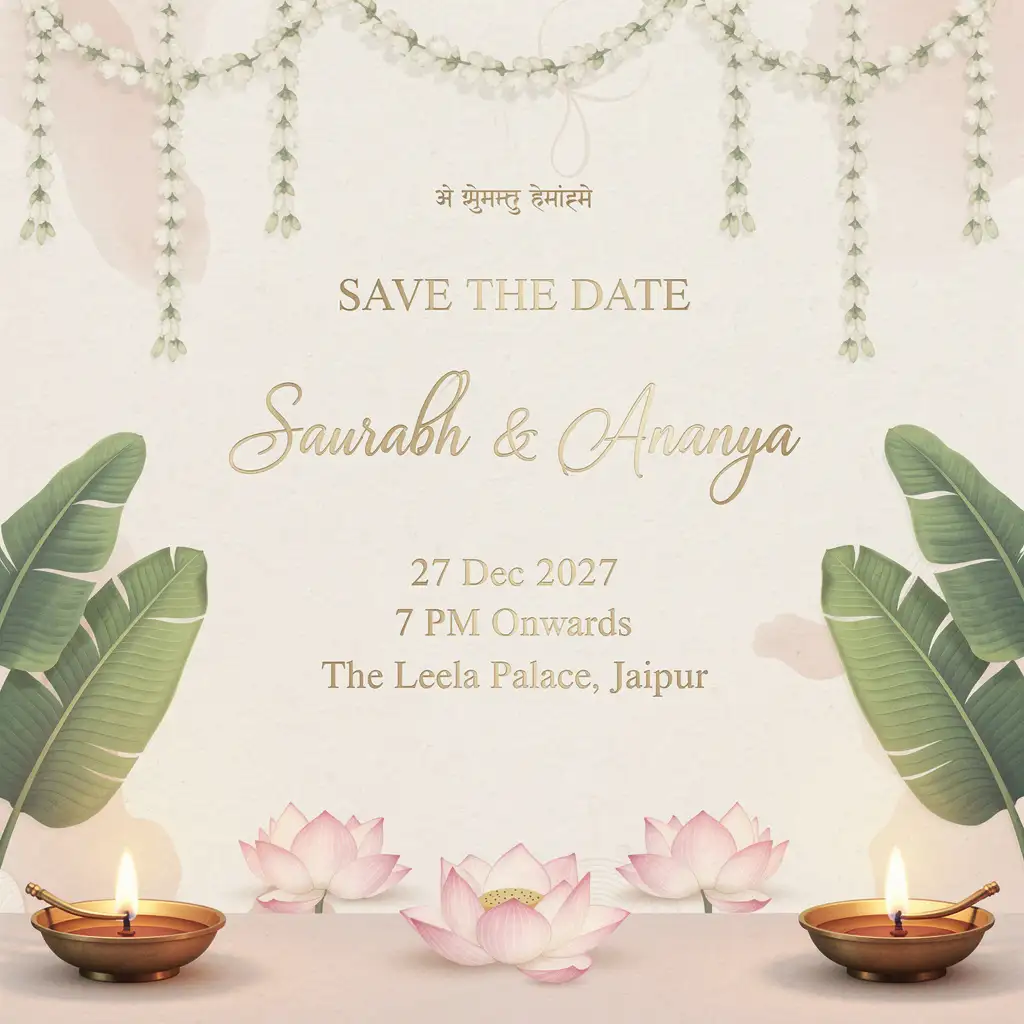
Create a luxury Indian Save the Date invitation on an ivory textured paper background with hanging jasmine garlands, banana leaves, brass diyas, and pink lotus flowers. Add a Sanskrit wedding mantra at the top. Include SAVE THE DATE, Saurabh & Ananya, 27 Dec 2027, 7 PM Onwards, The Leela Palace, Jaipur in elegant serif and handwritten fonts. Soft pastel colors, minimal, premium, 8K.
Prompt 18 :
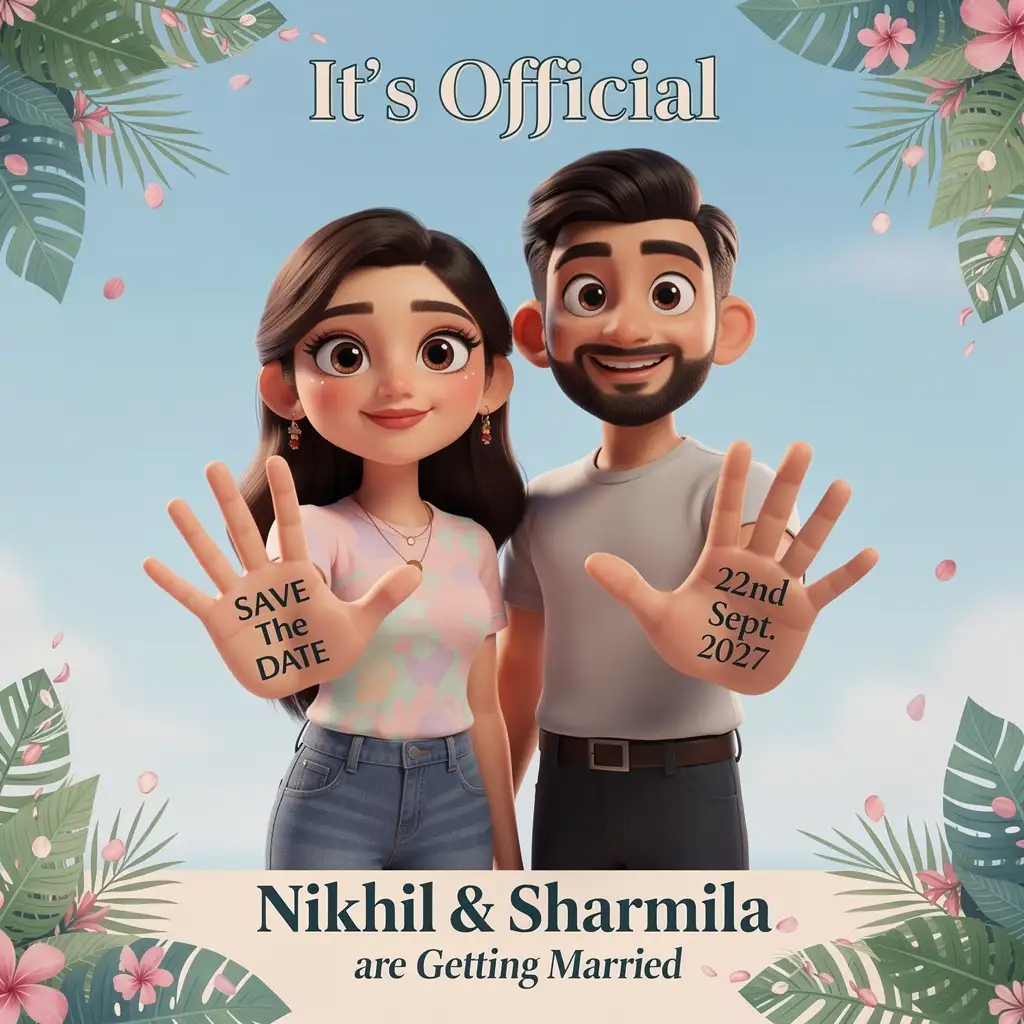
Create a cute 3D cartoon Save the Date wedding poster. Show a smiling Indian couple wearing casual outfits, standing side by side and holding both palms toward the camera. Write SAVE THE DATE on the bride’s palm and 22nd Sept. 2027 on the groom’s palm. Add tropical leaves, pink flower petals, and a soft sky-blue background. Include It’s Official, Nikhil & Sharmila are Getting Married. Pixar-style, vibrant colors, premium quality, 8K.
Prompt 19 :
Passport theme
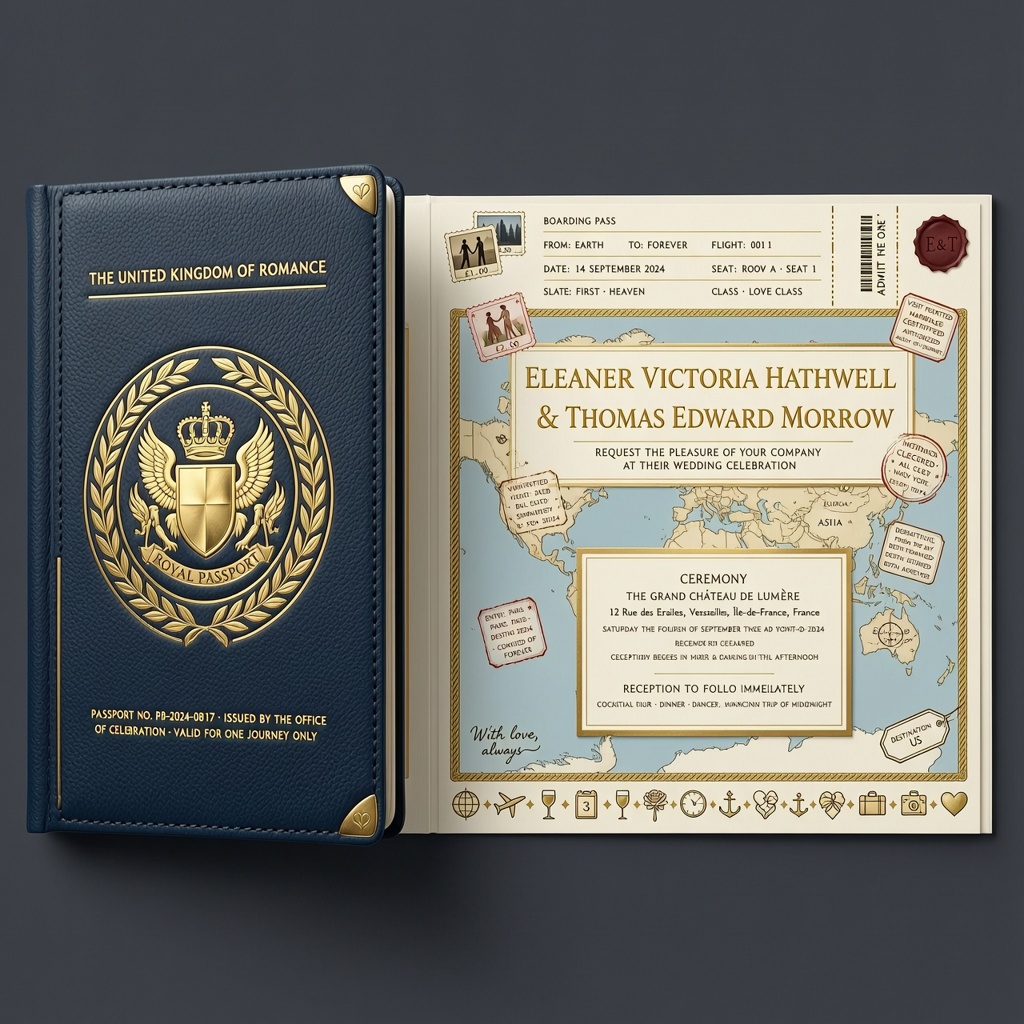
Create a realistic wedding invitation designed like a luxury passport. Use a navy blue cover with gold foil embossing, a national emblem-inspired design, and elegant typography. Open the passport to reveal wedding details with visa stamps, boarding pass elements, travel icons, and world map graphics. Add (Bride Name) & (Groom Name), (Wedding Date), (Venue), and (City). Premium travel-inspired design, realistic leather texture, 8K.
Prompt 20 :
Boarding pass theme
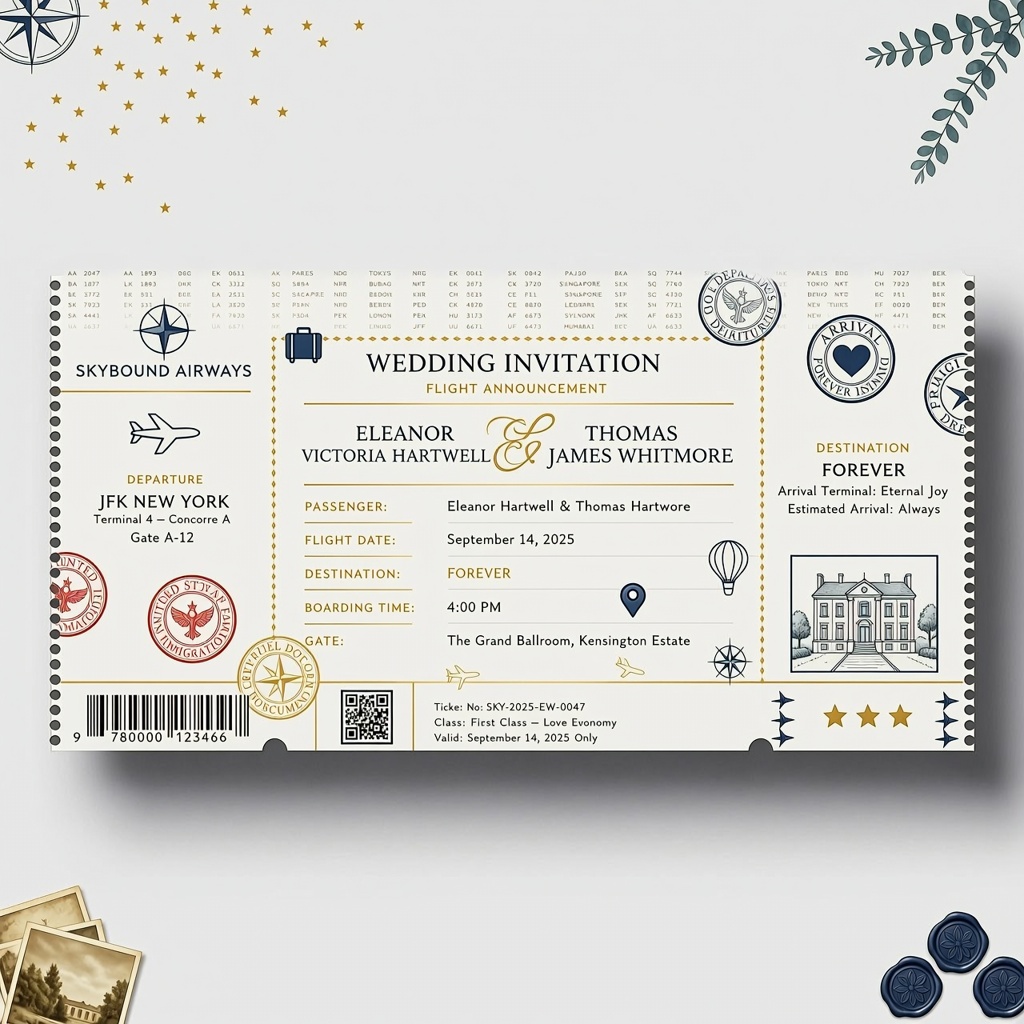
Create a luxury airline boarding pass wedding invitation featuring airport departure screens, boarding details, barcode, boarding gate, passport stamps, and travel-themed icons. Use a modern white and navy color palette with realistic ticket textures. Add Passenger: (Bride Name) & (Groom Name), Flight Date: (Wedding Date), Destination: Forever, Boarding Time: (Time), and Gate: (Venue). Ultra-realistic, premium print quality, 8K.
Prompt 21 :
Newspaper wedding
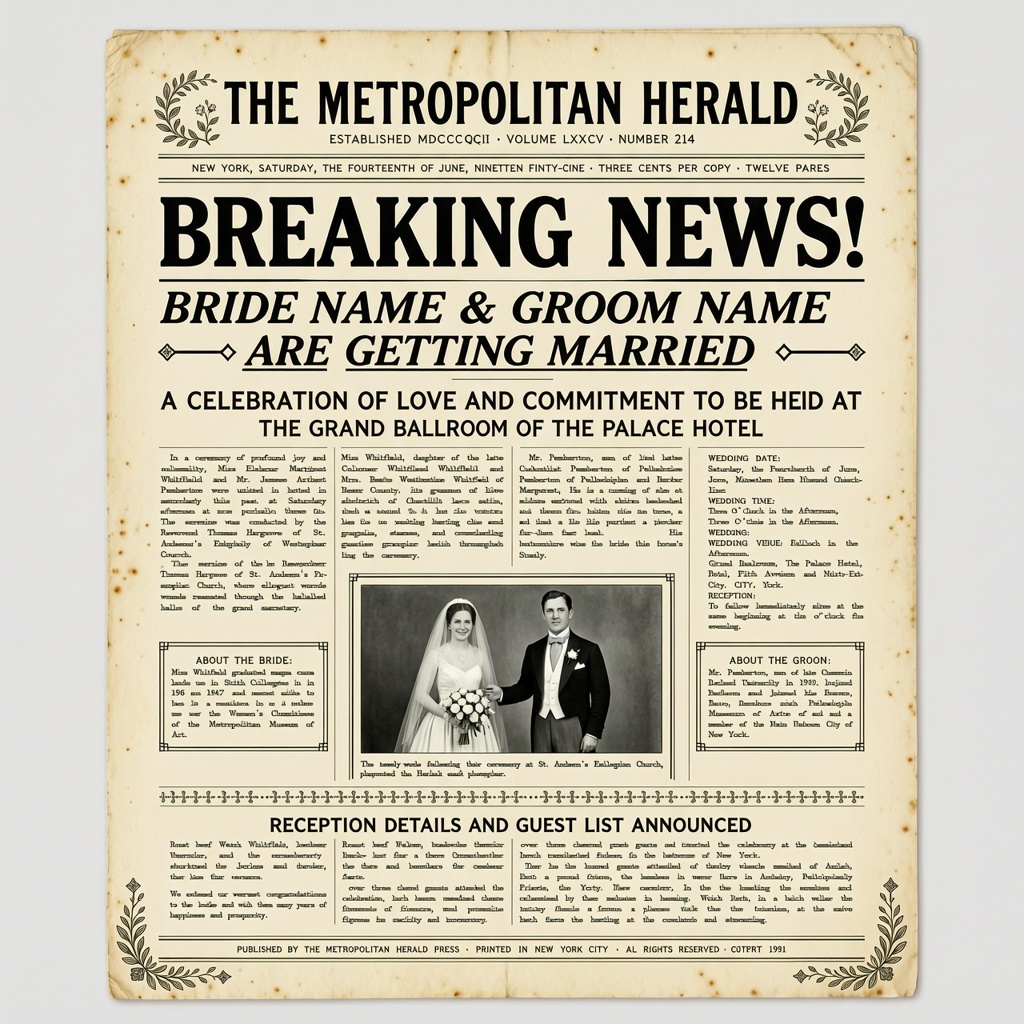
Create a vintage newspaper front-page wedding announcement with classic headlines, newspaper columns, black-and-white photos, decorative borders, and retro typography. The main headline should read Breaking News! (Bride Name) & (Groom Name) Are Getting Married. Add (Wedding Date), (Venue), and (City). Aged paper texture, realistic newspaper print, premium quality, 8K.
Prompt 22 :
Instagram post theme
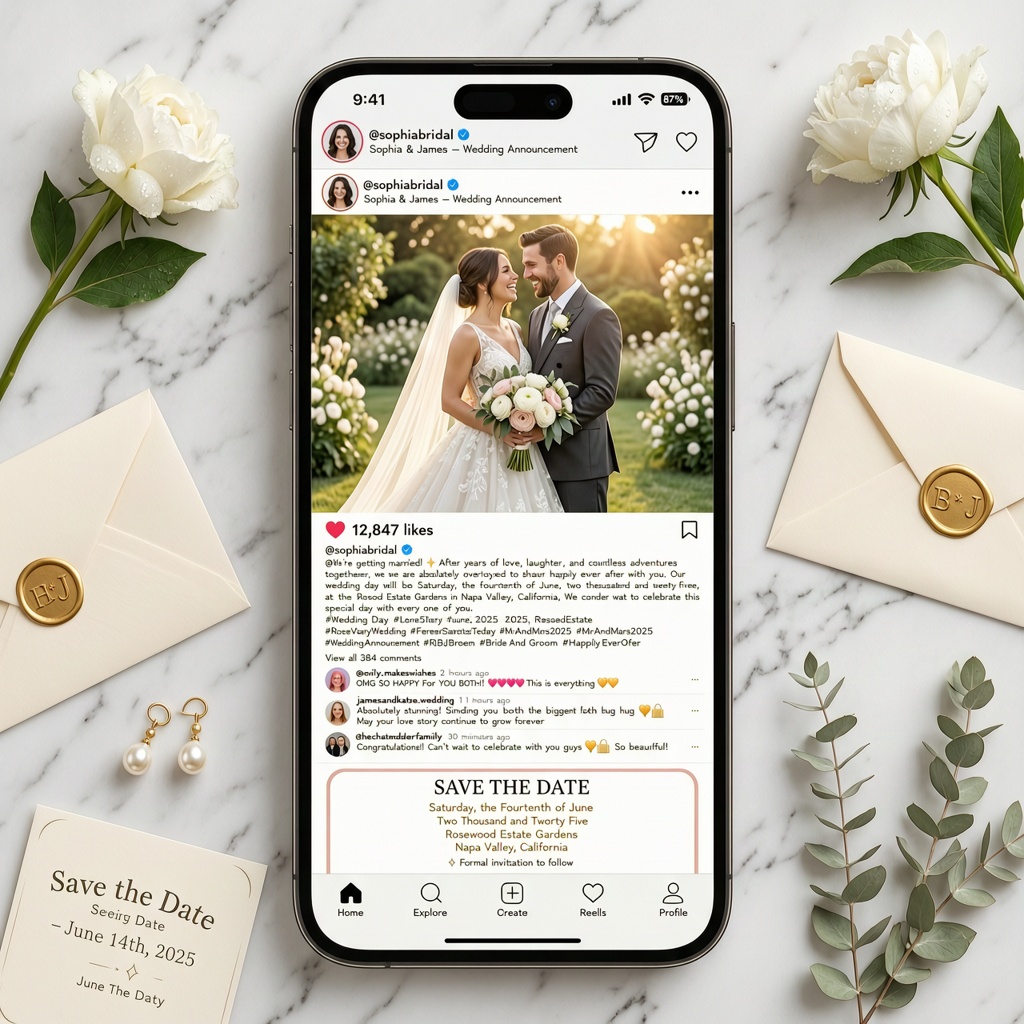
Create a realistic Instagram-style wedding announcement with a modern mobile interface. Include profile picture, username (Bride Name) & (Groom Name), verified badge, engagement post, like count, comments, and wedding hashtags. Add Save the Date, (Wedding Date), and (Venue). Clean UI, realistic smartphone screen, luxury social media concept, 8K.
Prompt 23 :
Bollywood movie poster
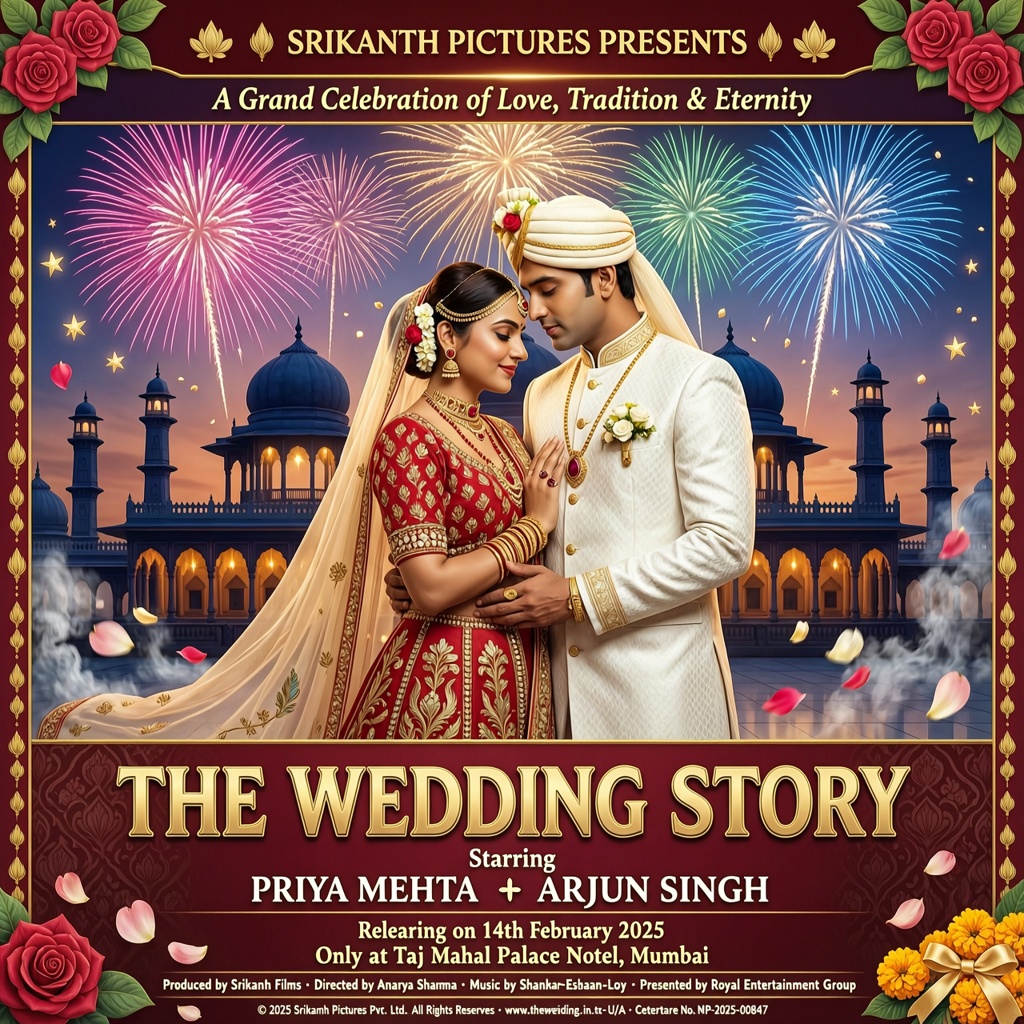
Create a cinematic Bollywood movie poster announcing a wedding. Show a dramatic palace background, fireworks, flower petals, cinematic lighting, and bold movie typography. Title the poster The Wedding Story, starring (Bride Name) and (Groom Name). Add Releasing on (Wedding Date) and Only at (Venue). High-end movie poster design, HDR, ultra-detailed, 8K.
Prompt 24 :
Storybook fairytale
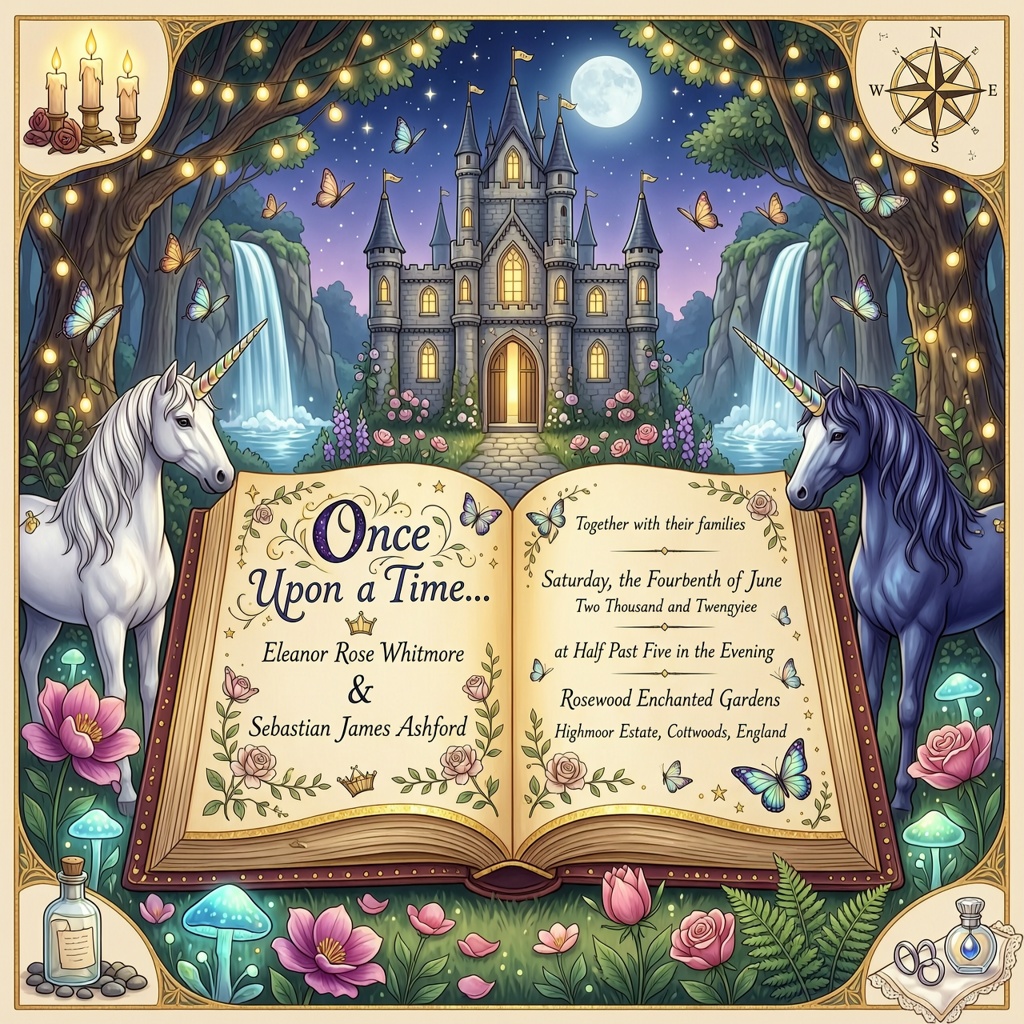
Create a magical fairytale wedding invitation featuring an enchanted castle, glowing forest, waterfalls, unicorns, butterflies, fairy lights, and magical flowers. A golden storybook opens in the center displaying the wedding details. Add Once Upon a Time… (Bride Name) met (Groom Name), (Wedding Date), and (Venue). Fantasy illustration, luxury digital art, ultra-detailed, 8K.
Prompt 25 :
Star map theme
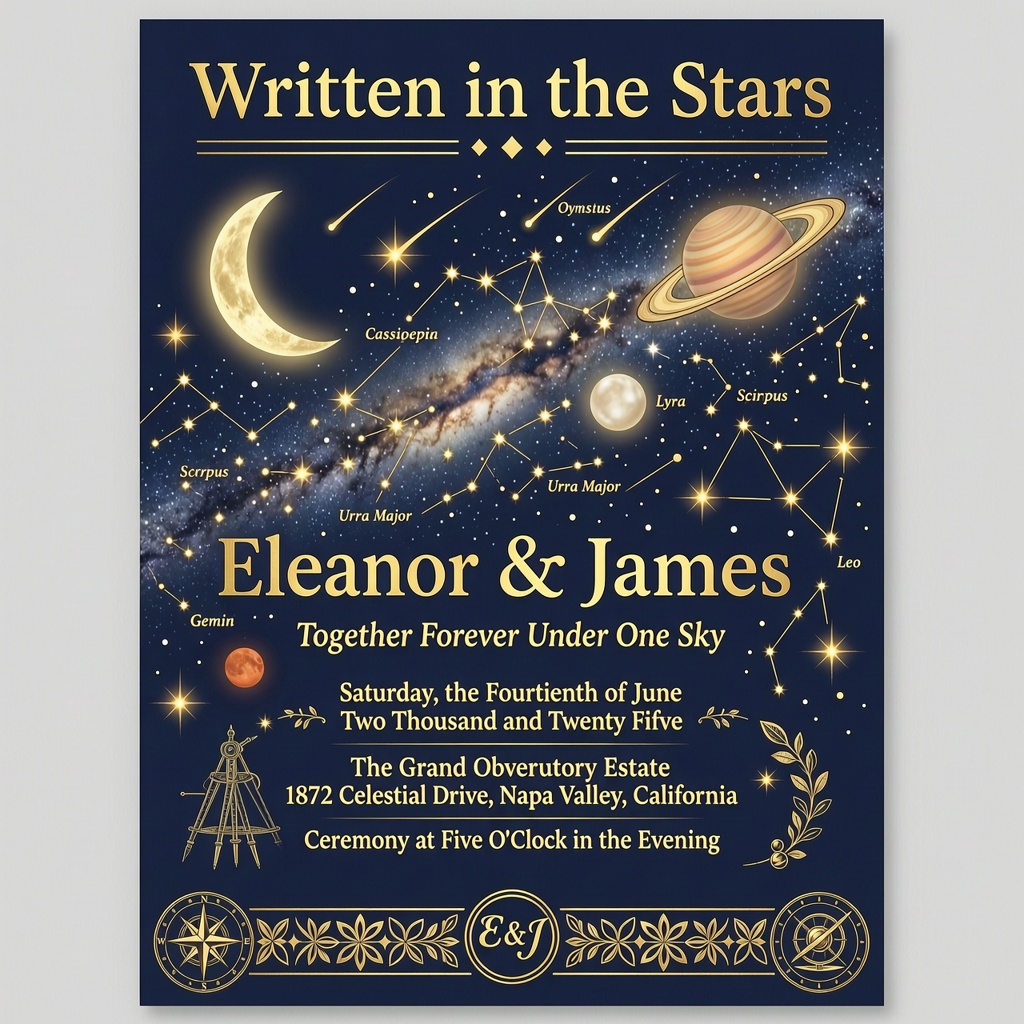
Create a luxury celestial wedding invitation featuring a detailed night sky, constellations, moon, planets, and glowing stars. Display a personalized star map showing the sky on (Wedding Date) with elegant gold typography. Add Written in the Stars, (Bride Name) & (Groom Name), (Venue), and (Time). Dark navy background, gold foil accents, premium invitation, 8K.
Prompt 26 :
Vinyl record theme
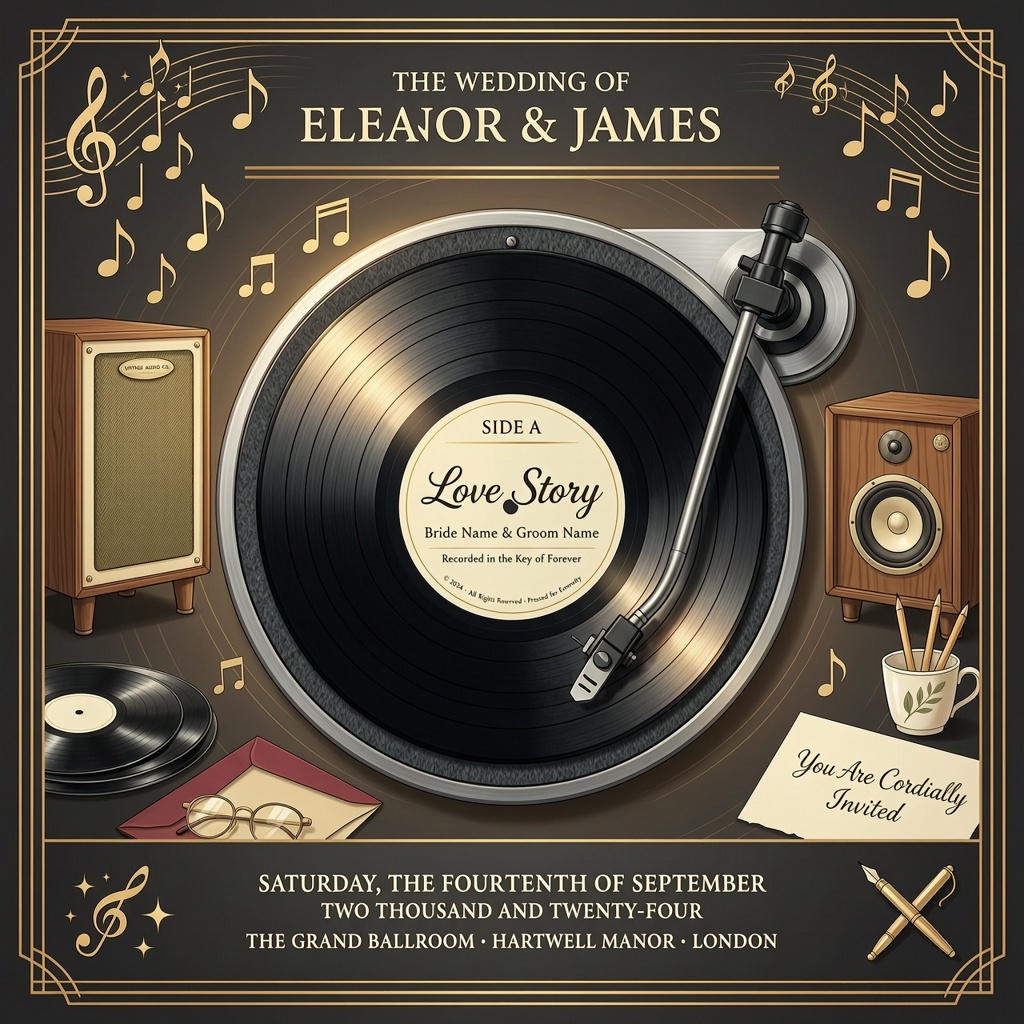
Create a vintage vinyl record wedding invitation featuring a realistic turntable, black vinyl record, retro speakers, and musical notes. The record label displays (Bride Name) & (Groom Name) with Side A: Love Story and Wedding Date: (Wedding Date). Warm retro colors, realistic textures, premium print quality, 8K.
Prompt 27 :
Royal scroll theme
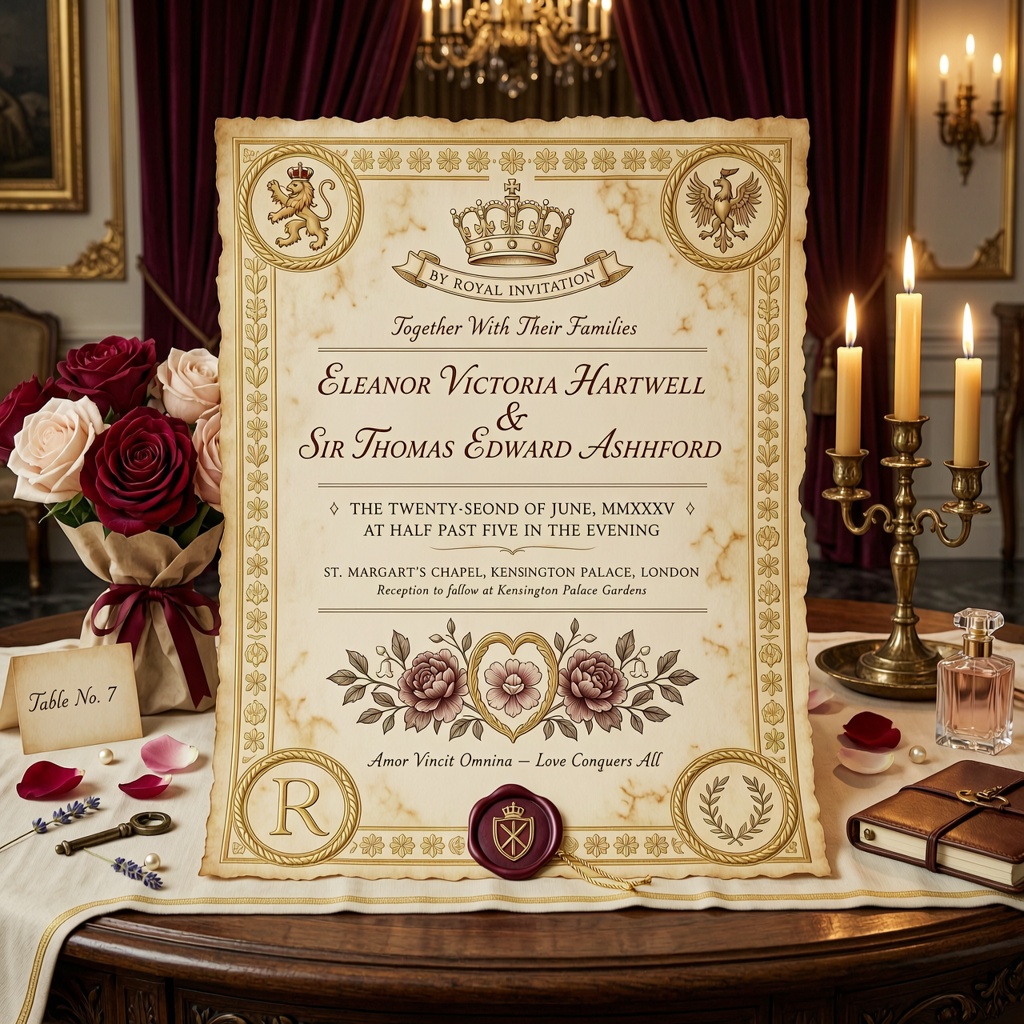
Create a royal wedding invitation designed as an ancient parchment scroll with golden borders, wax seals, floral engravings, royal crowns, and luxurious calligraphy. The scroll is placed on a carved wooden table surrounded by candles and roses. Add By Royal Invitation, (Bride Name) & (Groom Name), (Wedding Date), (Time), and (Venue). Rich textures, cinematic lighting, premium quality, 8K.
Prompt 28 :
Night sky lantern festival
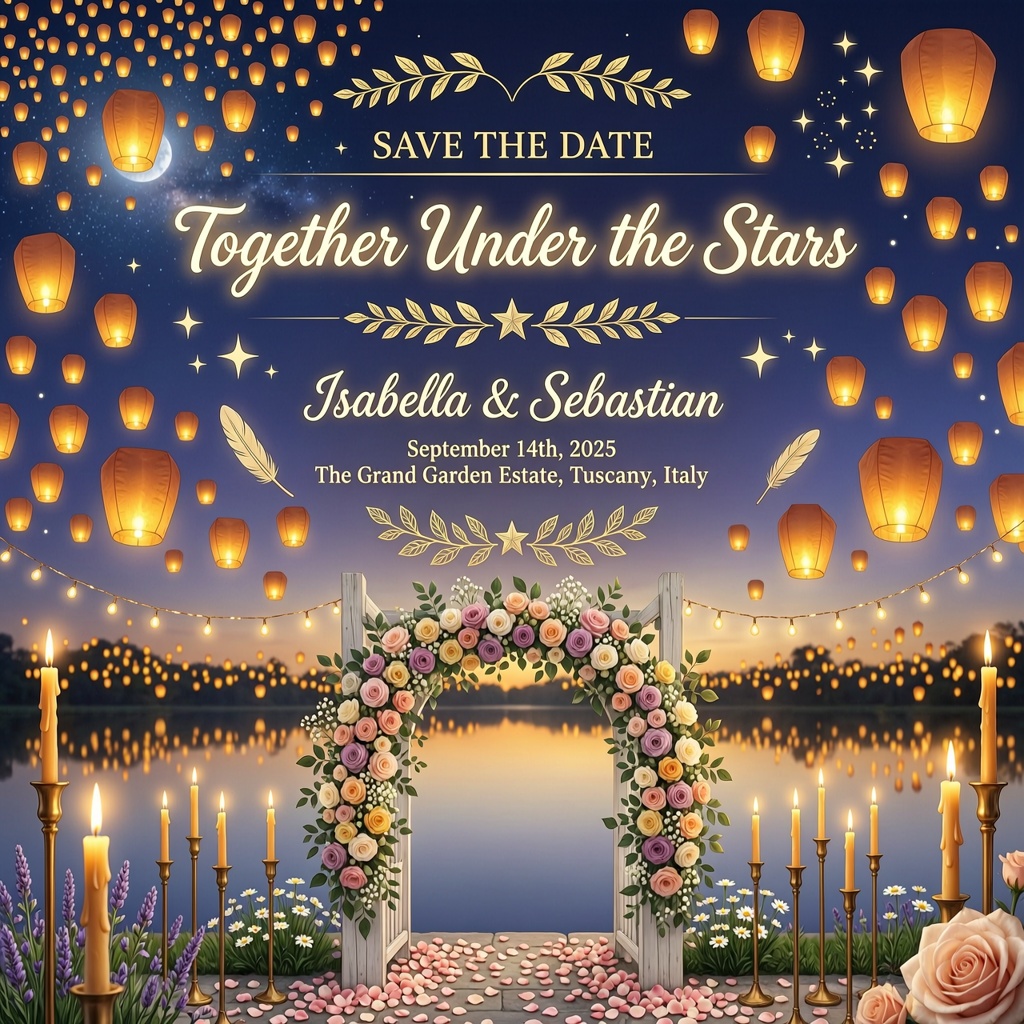
Create a breathtaking wedding invitation set during a lantern festival at night. Thousands of glowing sky lanterns float above a peaceful lake with reflections on the water. Decorate the foreground with floral arches, candles, and fairy lights. Add Save the Date, (Bride Name) & (Groom Name), (Wedding Date), (Venue), and Together Under the Stars. Warm golden lighting, dreamy atmosphere, cinematic composition, ultra-realistic, premium quality, 8K.
Related blog: AI Wedding Photo Prompts
Save the Date Wording Ideas & Captions
Need help with what to write on your save-the-date card? Here are a few ideas for different wedding styles.
Formal Wording
- Save the Date! We can’t wait to celebrate our special day with you.
- Please save the date as we begin our forever together.
- Mark your calendar for our wedding celebration. Invitation to follow.
Casual & Funny Wording
- We’re getting married! Save the date and bring your dancing shoes.
- Love is in the air… and so is our wedding! Save the date.
- We said “Yes!” Now save the date for the big day.
Destination Wedding Wording
- Pack your bags! Our destination wedding awaits. Save the date.
- Love is taking us somewhere beautiful. Save the date and join us.
- A wedding, a vacation, and unforgettable memories—all in one place.
Instagram Captions & Email Text
Instagram Caption
The countdown begins! Save the date and celebrate with us. More details coming soon.
Email Text
We’re excited to share that we’re getting married! Please save the date for our special day. A formal invitation with all the details will be sent soon.
Save the Date Etiquette: When & What to Send
Sending your save-the-date card at the right time gives your guests enough notice to plan.
When Should You Send It?
- Local wedding: Send it 6–8 months before the wedding.
- Destination wedding: Send it 9–12 months in advance so guests can plan travel and accommodation.
What Should You Include?
Keep it simple. Include:
- Couple’s names
- Wedding date
- City or venue location
- A “Formal invitation to follow” note
Tips for Better AI-Generated Text on Cards
These simple tips can help you get better-looking AI wedding cards.
- Keep your text short and easy to read.
- Use clear, legible fonts.
- Double-check names and dates for spelling mistakes.
- If the AI generates text with typos, regenerate the image or edit it afterward.
- If you’re using a couple’s photo, mention “keep faces unchanged” or “preserve facial features” in your prompt for more consistent results.
H2: How can you create it with LightX?
If you’d like to include a photo of you and your partner on your save-the-date card, you can use the LightX Image to Image tool.
Step 1: Open the image to image tool. Upload a clear picture with your partner in it.
Step 2: Give a detailed prompt on the tool by mentioning every detail, like lighting, camera angle, environment, etc.
Step 3: Click generate & then download the image for future use.
If you want to generate a save-the-date card with text, then you can follow this tool :
Step 1: Open the LightX text-to-image tool. Upload a clear picture with your partner in it.
Step 2: Enter a detailed prompt describing your preferred wedding card design, including the theme, colors, typography, decorative elements, and the text you want on the card.
Step 3: Click generate & then download the image for future use.
There are also other tools which you can use :
Related blog: Sunset Beach Prompts
Conclusion
A beautiful save-the-date card doesn’t have to take hours to design. With the right save-the-date photo prompt, you can create personalized wedding cards in minutes and customize every detail to match your style.
Whether you prefer a classic, modern, floral, or destination wedding theme, simply copy your favorite prompt, personalize it, and let AI do the rest.
Create Your Save-the-Date Card with LightX
Ready to design your own wedding announcement? Open the LightX Editor, paste your favorite prompt, customize the design, and create a stunning save-the-date card in just a few clicks.
Get on WhatsApp
New image & Video workflow everyday