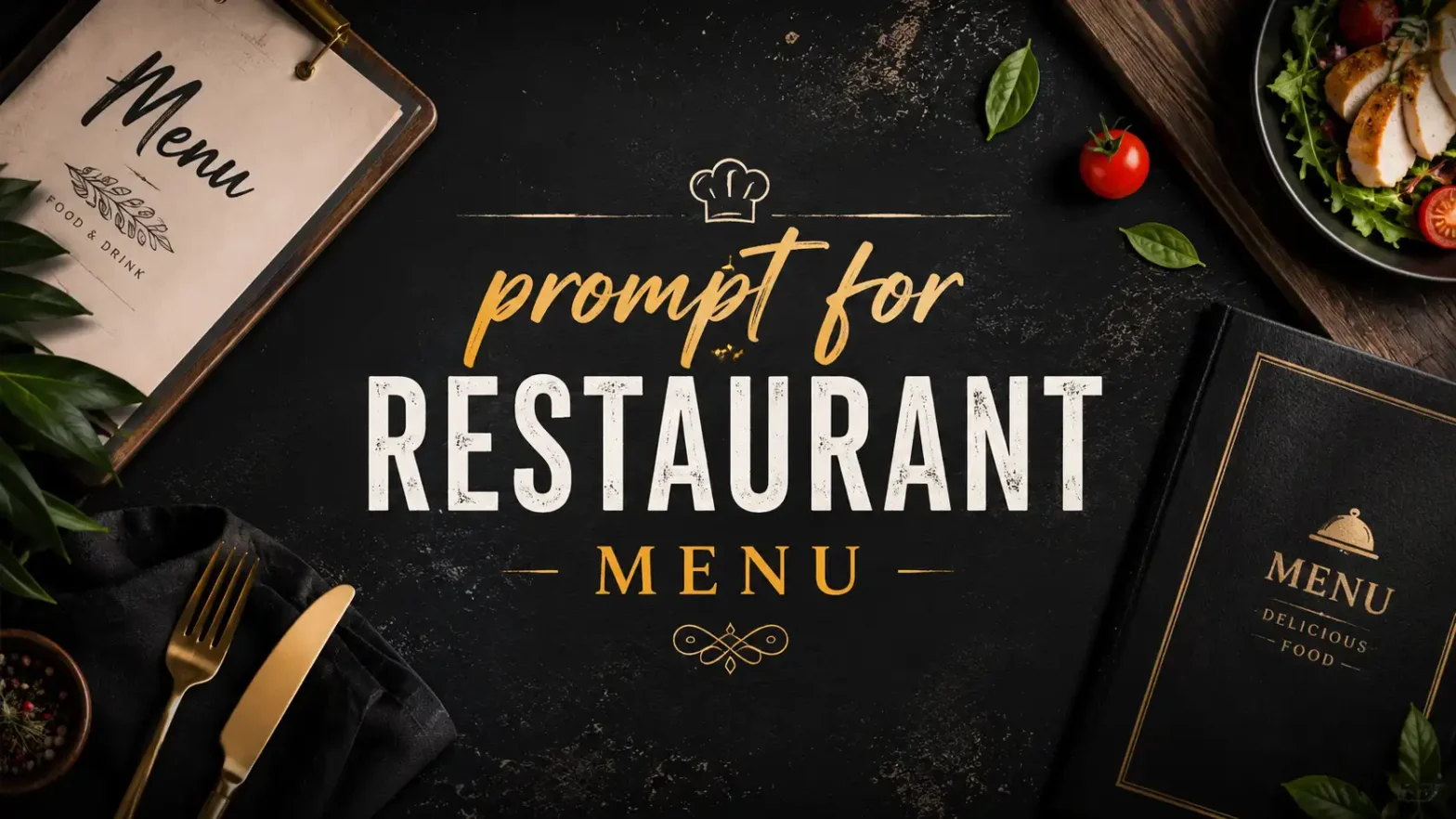
A well-designed restaurant menu does more than list food items; it gives customers a first impression of your brand. Whether you own a café, fine dining restaurant, bakery, or food truck, an attractive menu can make your dishes look even more appealing.
 Get on WhatsApp
New image & Video workflow everyday
Get on WhatsApp
New image & Video workflow everyday
Instead of spending hours designing one from scratch, you can use AI to create a professional menu in minutes. Simply describe the style you want in a prompt, and AI will generate a menu that matches your vision.
In this blog, you’ll find the top 10 ready-to-use prompts for restaurant menus across different cuisines and styles. Just copy your favorite prompt, customize the details, and generate your menu using AI tools like LightX, ChatGPT or Gemini.
What Makes a Good Prompt for a Restaurant Menu
A good prompt tells the AI exactly what kind of menu you want to create. The more details you provide, the better the results.
Try to include:
- Restaurant or cuisine type
- Design style
- Colors and branding
- Menu layout
- Any special details, like images, icons, or pricing
A clear prompt helps AI create a menu that looks professional and matches your restaurant’s theme.
Best AI Restaurant Menu Prompts
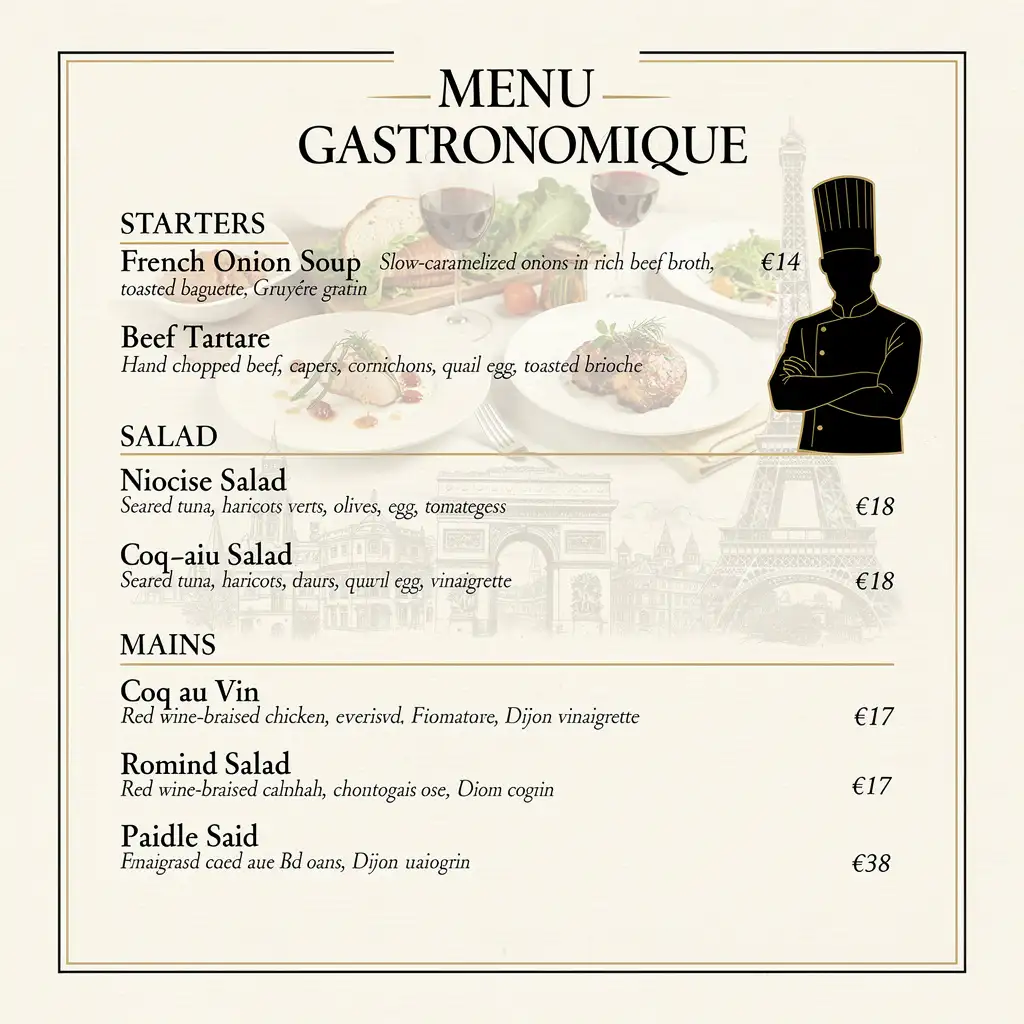
1. Fine dining restaurant menu prompt
Sample prompt :
Create a high-resolution French fine dining menu with a cream textured background and elegant editorial layout. Add a gourmet collage, chef silhouette, and subtle French landmarks. Include Starters: French Onion Soup, Beef Tartare; Salad: Niçoise Salad; Mains: Coq au Vin, Duck Confit, Beef Bourguignon; Dessert: Crème Brûlée, Tarte Tatin. Use luxury serif fonts, bordered sections, short descriptions, and aligned prices.
You can also create the same menu by filling just the details in the given prompts :
Create a high-resolution {cuisine} fine dining menu with a {background} background and elegant editorial layout. Add a gourmet collage, {chef/food} visuals, and subtle {landmark/theme} elements. Include {section 1}: {dish 1}, {dish 2}; {section 2}: {dish 3}; {section 3}: {dish 4}, {dish 5}, {dish 6}; {section 4}: {dish 7}, {dish 8}. Use luxury serif fonts, bordered sections, short descriptions, and aligned prices.
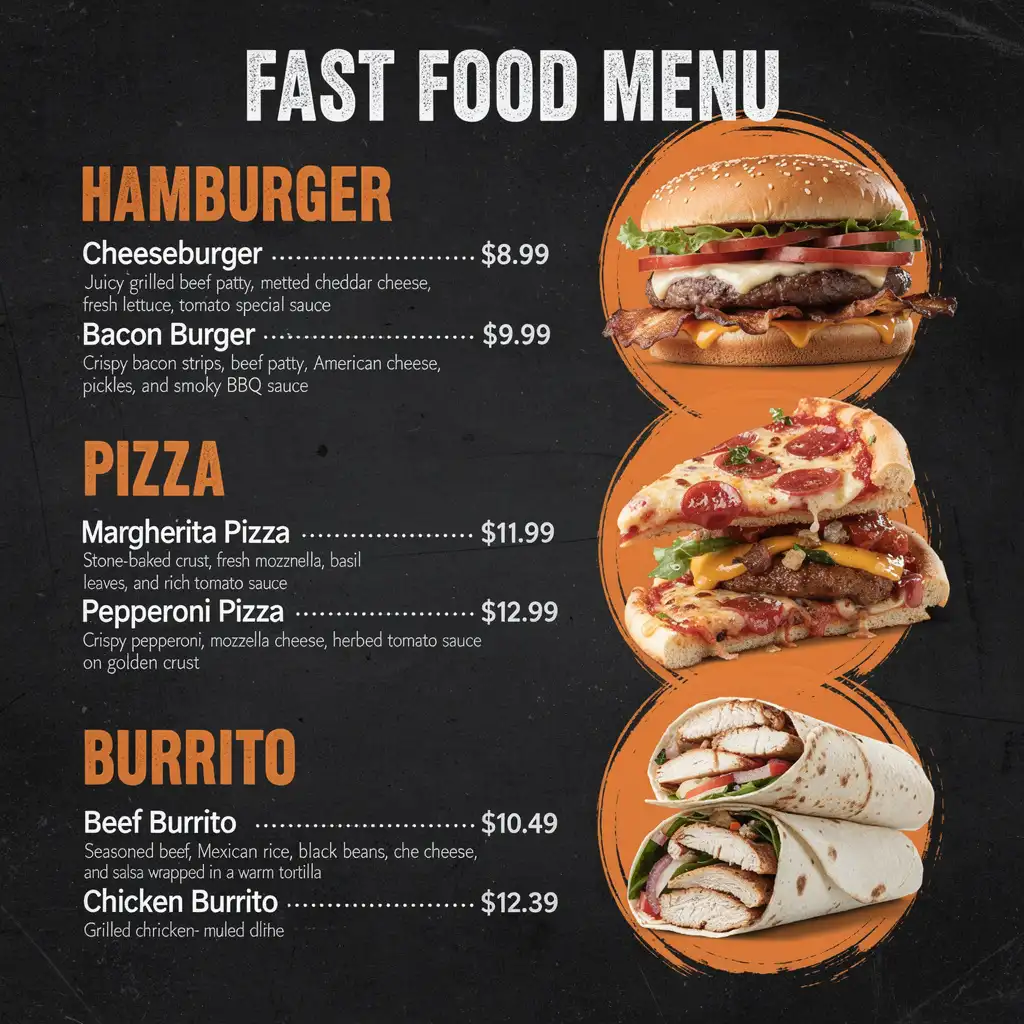
2. Cafe menu prompt
Sample prompt :
Create a high-resolution American fast food menu with a black textured background and bold orange brush circles behind realistic burgers, pizza, and burritos. Add a large distressed title and organize Hamburger, Pizza, and Burrito sections vertically. Include Cheeseburger, Bacon Burger, Margherita Pizza, Pepperoni Pizza, Beef Burrito, and Chicken Burrito with short descriptions, dotted price alignment, bold headings, and modern typography.
Simply update the details in the prompts to create a personalized version of the same menu.
Create a high-resolution {fast food type} menu with a black textured background and bold {accent color} brush circles behind realistic food images. Add a large distressed title and arrange {section 1}, {section 2}, and {section 3} in a clean vertical layout. Include {dish names}, short descriptions, dotted price alignment, bold headings, and modern typography for a vibrant, print-ready fast food menu.
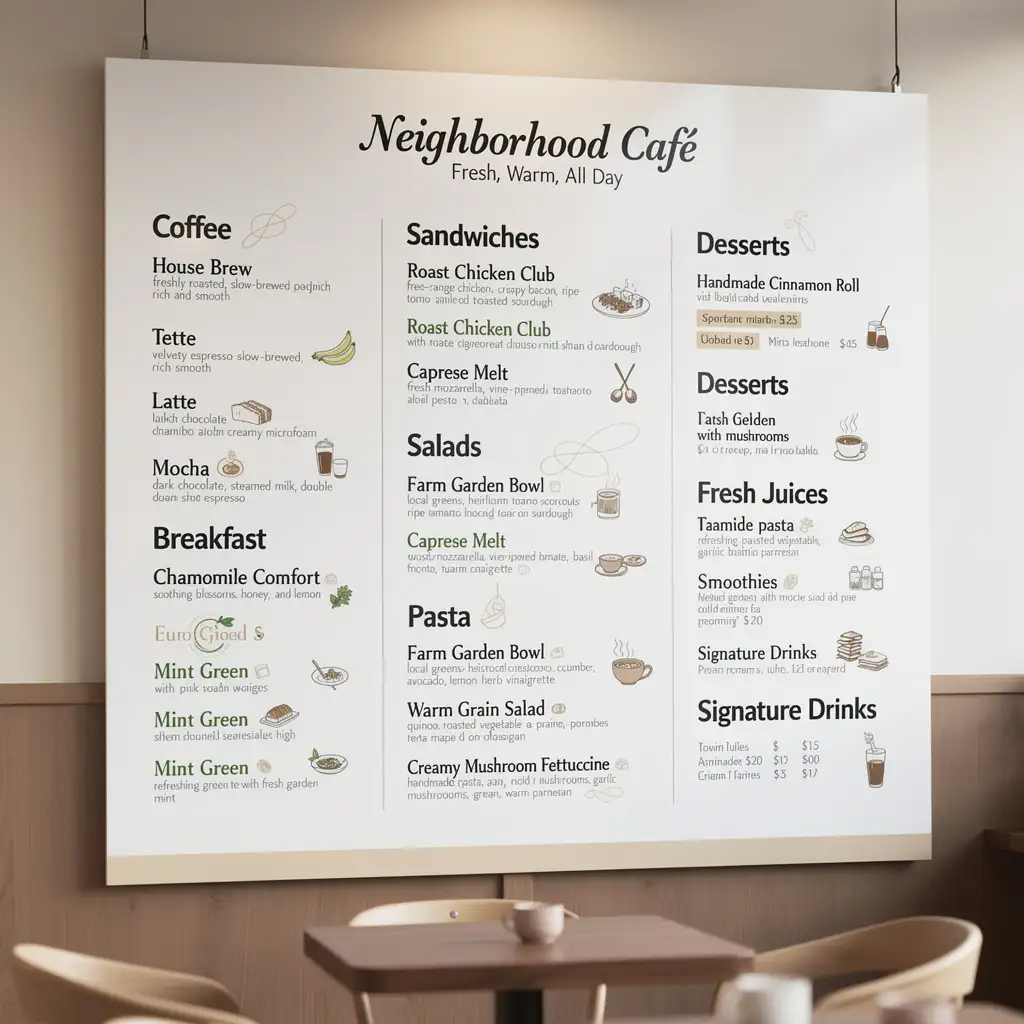
3. Fast food restaurant menu prompt
Sample prompt :
Create a complete modern café menu featuring Coffee, Tea, Breakfast, Brunch, Sandwiches, Salads, Pasta, Desserts, Fresh Juices, Smoothies, and Signature Drinks. Write warm, inviting descriptions that emphasize freshly brewed coffee, handmade pastries, farm-fresh ingredients, and comfort food. Use a cozy yet modern tone suitable for an all-day neighborhood café.
Simply update the details in the prompts to create a personalized version of the same menu.
“Create a complete menu for a {style} café with Coffee, Tea, Breakfast, Sandwiches, Salads, Desserts, and Drinks. Write warm, inviting descriptions that highlight freshness, handmade ingredients, and comfort. Keep the tone {modern/cozy/minimalist} and make the menu suitable for all-day dining.”
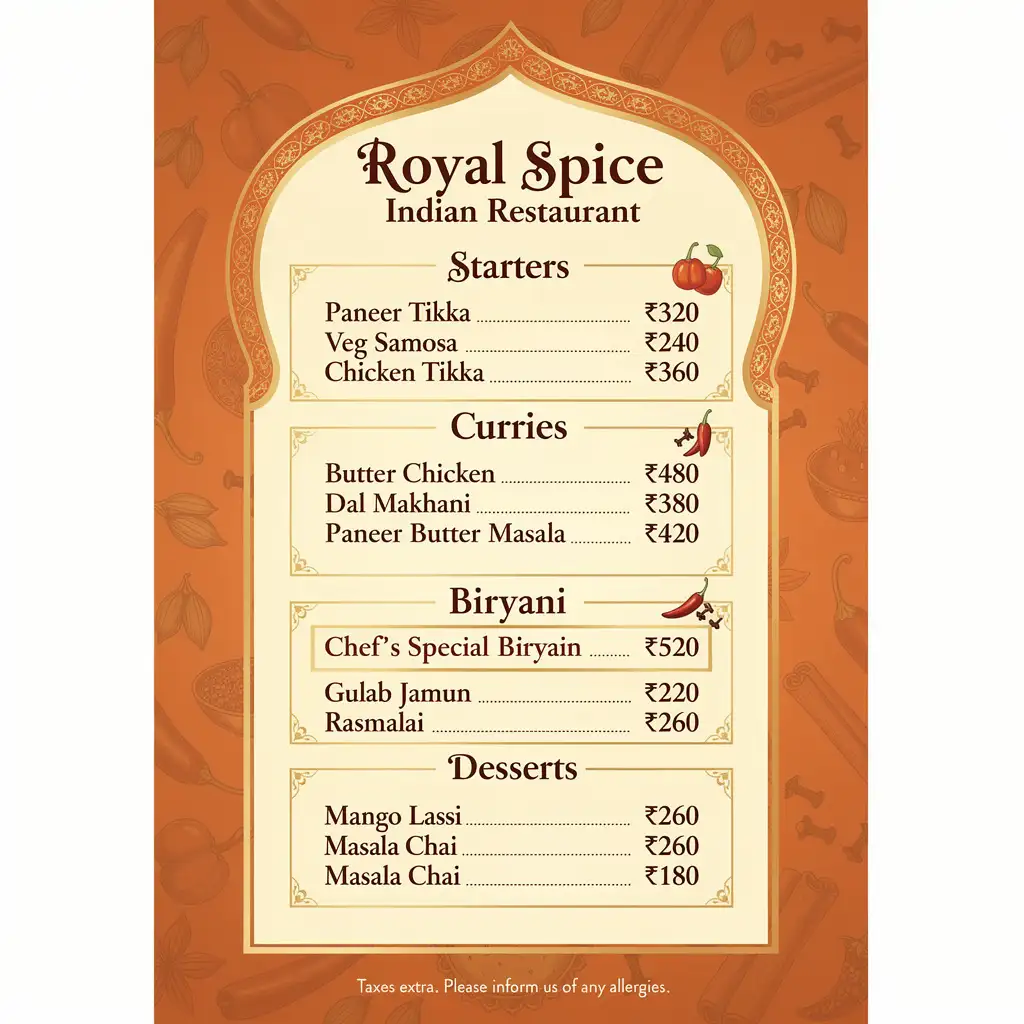
4. Indian restaurant menu prompt
Sample prompt :
Create a high-resolution Indian restaurant menu with a warm orange background, subtle spice illustrations, and an elegant Mughal-inspired arch frame. Include Starters (Paneer Tikka, Veg Samosa, Chicken Tikka), Curries (Butter Chicken, Dal Makhani, Paneer Butter Masala), Biryani, Desserts (Gulab Jamun, Rasmalai), and Drinks (Mango Lassi, Masala Chai). Use decorative serif fonts, bordered sections, aligned prices, and a premium print-ready layout.
Simply update the details in the prompts to create a personalized version of the same menu.
Create a high-resolution {cuisine} restaurant menu with a {background color} background, subtle {theme} illustrations, and an elegant {frame style} border. Include {section 1}, {section 2}, {section 3}, {section 4}, {section 5}, and {section 6}. Use decorative {font style} typography, realistic food images, neatly aligned prices, balanced spacing, and a premium print-ready layout.
5. Italian restaurant menu prompt
Sample prompt :
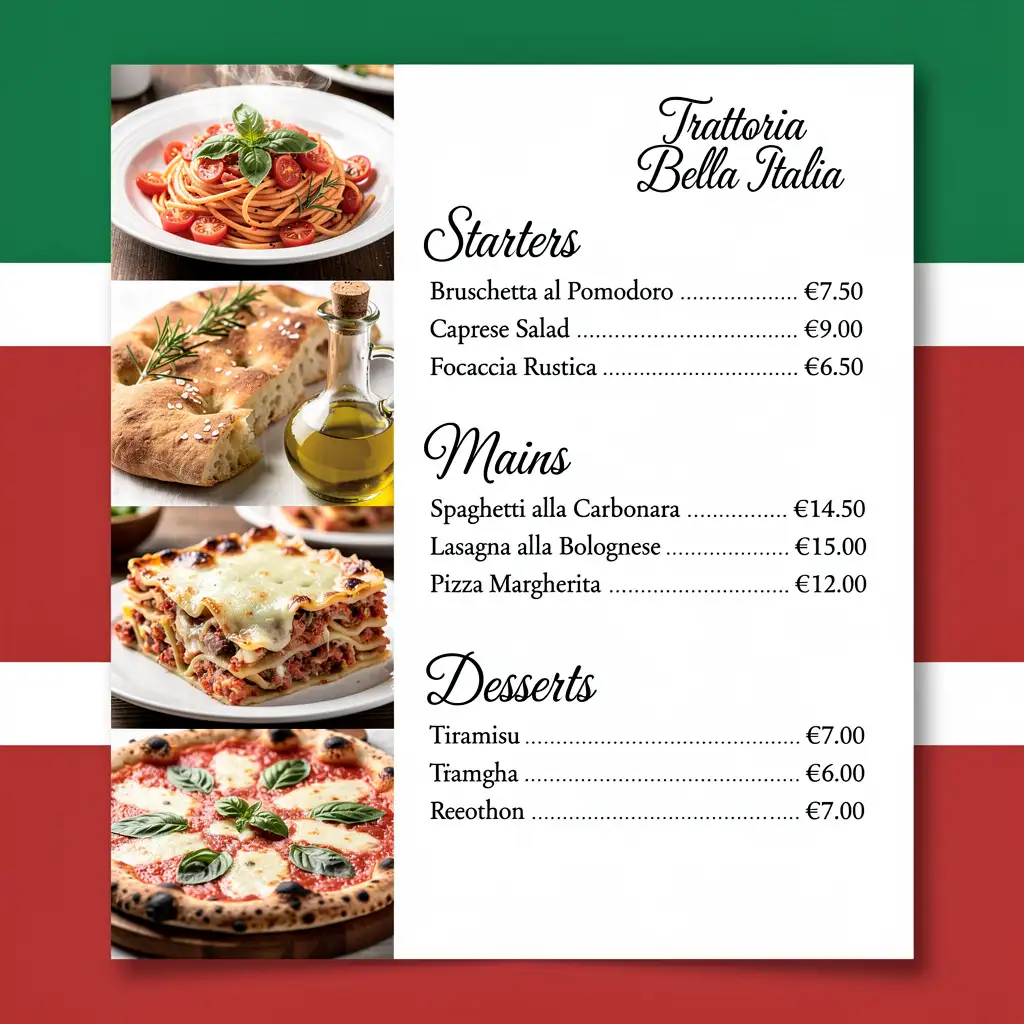
Create a high-resolution Italian restaurant menu with a vertical layout and Italian flag colors on the left. Display realistic images of Spaghetti Carbonara, Focaccia, Lasagna, Olive Oil, and Margherita Pizza. Add elegant headings for Starters, Mains, and Desserts. Include Bruschetta, Arancini, Caprese Salad, Risotto alla Milanese, Tiramisu, Cannoli, Gelato, with euro prices and a clean print-ready design.
Simply update the details in the prompts to create a personalized version of the same menu.
Create a high-resolution {cuisine} restaurant menu with a vertical layout and a {background style}. Place realistic images of {food 1}, {food 2}, {food 3}, {food 4}, and {food 5} along one side. Add elegant {font style} headings for {section 1}, {section 2}, and {section 3}. Include {dish names}, aligned {currency} prices, refined typography, and a clean, print-ready design.
6. Japanese sushi menu prompt
Sample prompt :
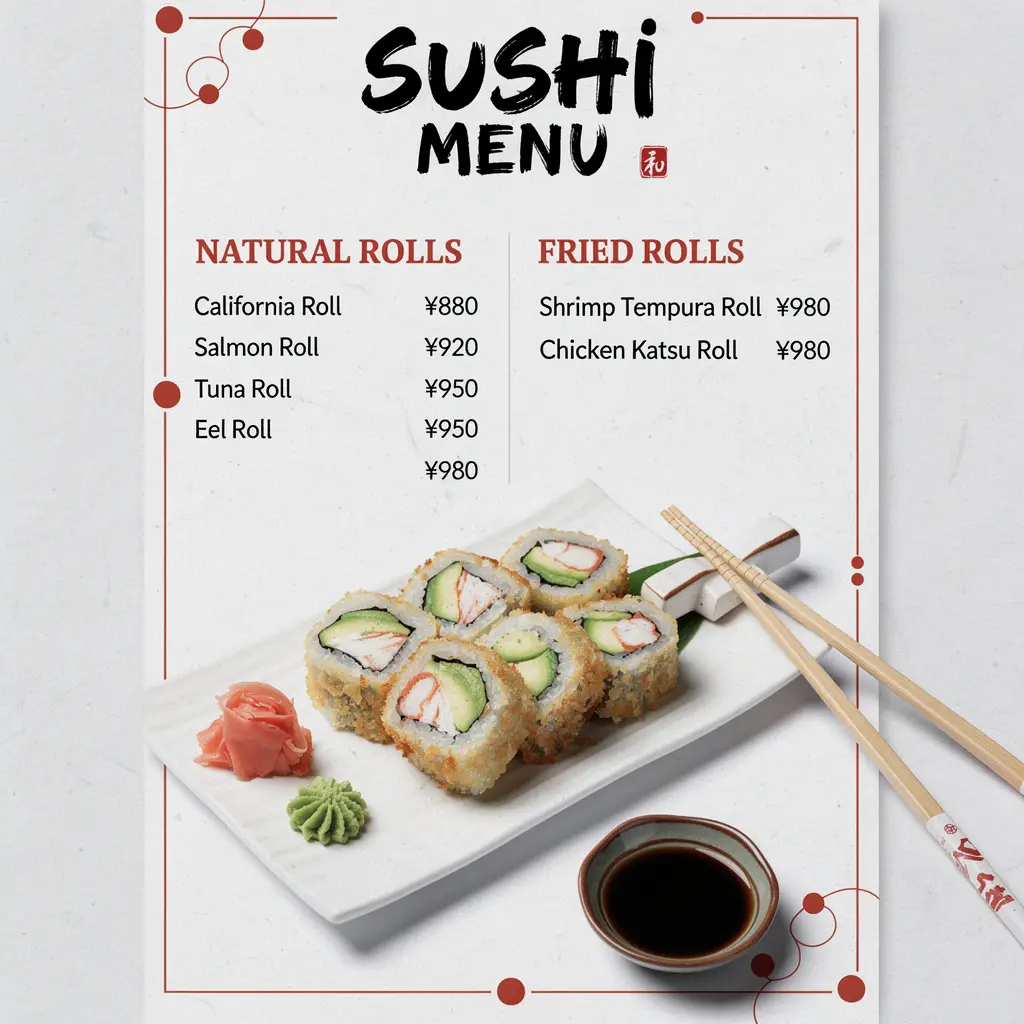
Create a high-resolution Japanese sushi menu with a white textured background, bold brush-style title, and red Japanese accents. Display realistic California Rolls and Tempura Rolls with chopsticks and soy sauce. Add sections for Natural Rolls and Fried Rolls. Include California Roll, Salmon Roll, Tuna Roll, Shrimp Tempura Roll, Chicken Katsu Roll, and Eel Roll with yen prices, clean typography, and a modern print-ready layout.
Simply update the details in the prompts to create a personalized version of the same menu.
Create a high-resolution {cuisine} menu with a {background style} background, bold {title style} typography, and {accent color} accents. Display realistic images of {food 1} and {food 2} with {props}. Add sections for {section 1} and {section 2}. Include {dish names} with {currency} prices, clean typography, balanced spacing, and a modern print-ready layout.
7. Vegan restaurant menu prompt
Sample prompt :
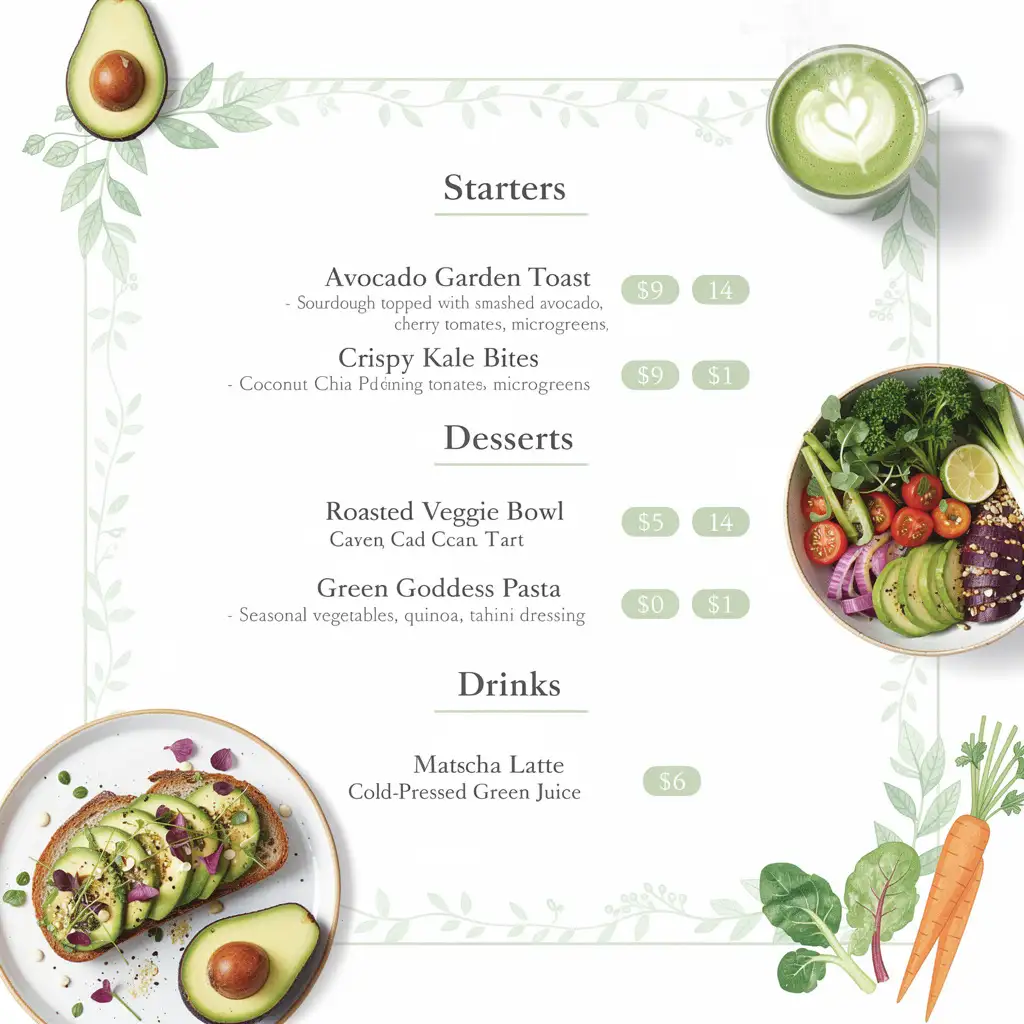
Create a high-resolution vegan restaurant menu with a clean white background, soft green botanical illustrations, and watercolor vegetable accents. Display realistic images of an avocado toast, a fresh vegetable bowl, and a matcha latte around the menu. Add sections for Starters, Main Courses, Desserts, and Drinks. Include elegant typography, short descriptions, rounded price tags, balanced spacing, and a fresh, modern, print-ready layout.
Simply update the details in the prompts to create a personalized version of the same menu.
Create a high-resolution {restaurant type} menu with a clean {background style} background, subtle {theme} illustrations, and realistic images of {food 1}, {food 2}, and {drink}. Arrange sections for {section 1}, {section 2}, {section 3}, and {section 4}. Use elegant {font style} typography, short descriptions, stylish price tags, balanced spacing, and a fresh, modern, print-ready layout.
8. Seafood restaurant menu prompt
Sample prompt :
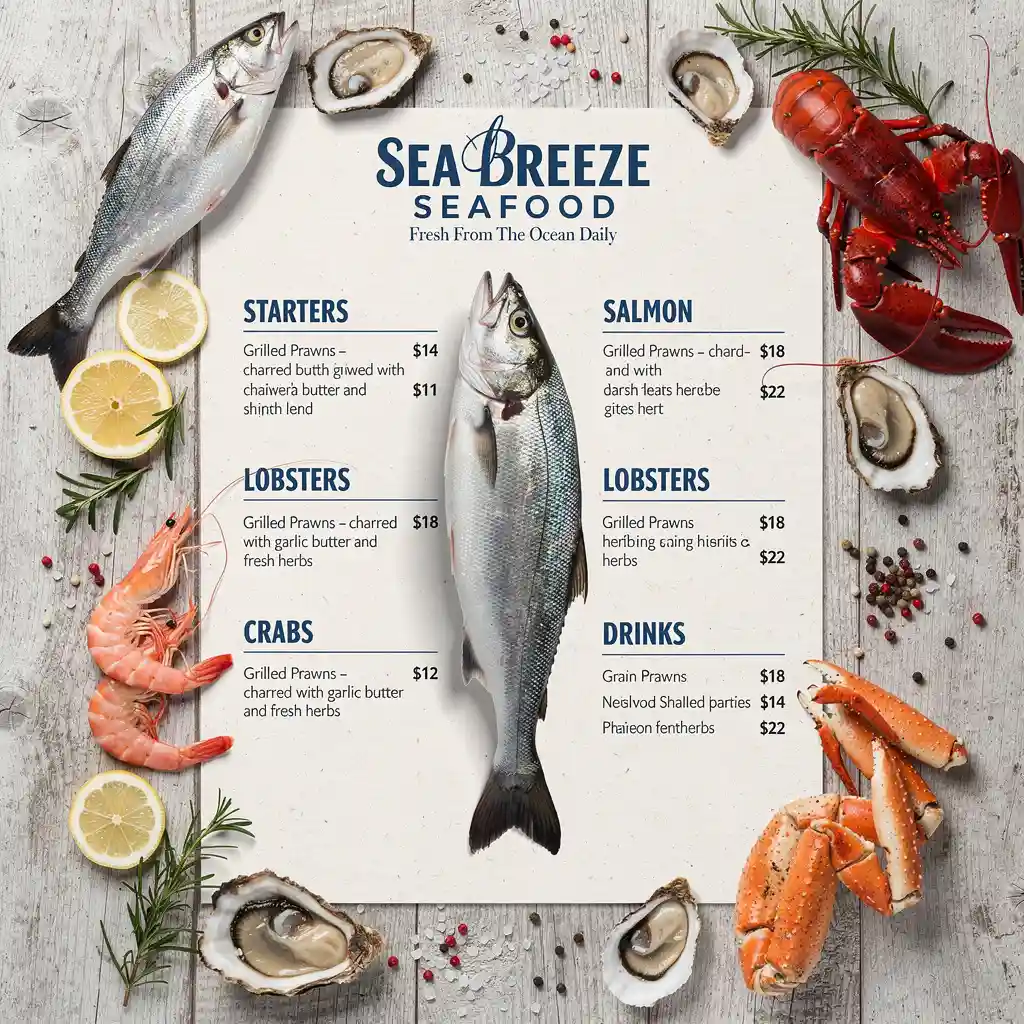
Create a high-resolution seafood restaurant menu with a weathered light wood background and realistic seafood around the edges. Place the whole fish vertically in the center, along with lobster, shrimp, crab, oysters, lemon slices, and herbs. Add sections for Starters, Salmon, Lobsters, Crabs, Shrimps, and Drinks. Use bold blue headings, short descriptions, aligned prices, and a fresh coastal print-ready layout.
Simply update the details in the prompts to create a personalized version of the same menu.
Create a high-resolution {restaurant type} menu with a {background style} background and realistic {food items} around the edges. Place a large {featured food} in the center. Add sections for {section 1}, {section 2}, {section 3}, {section 4}, {section 5}, and {section 6}. Use {heading style}, short descriptions, aligned prices, and a clean, print-ready layout.
9. Dessert and bakery menu prompt
Sample prompt :
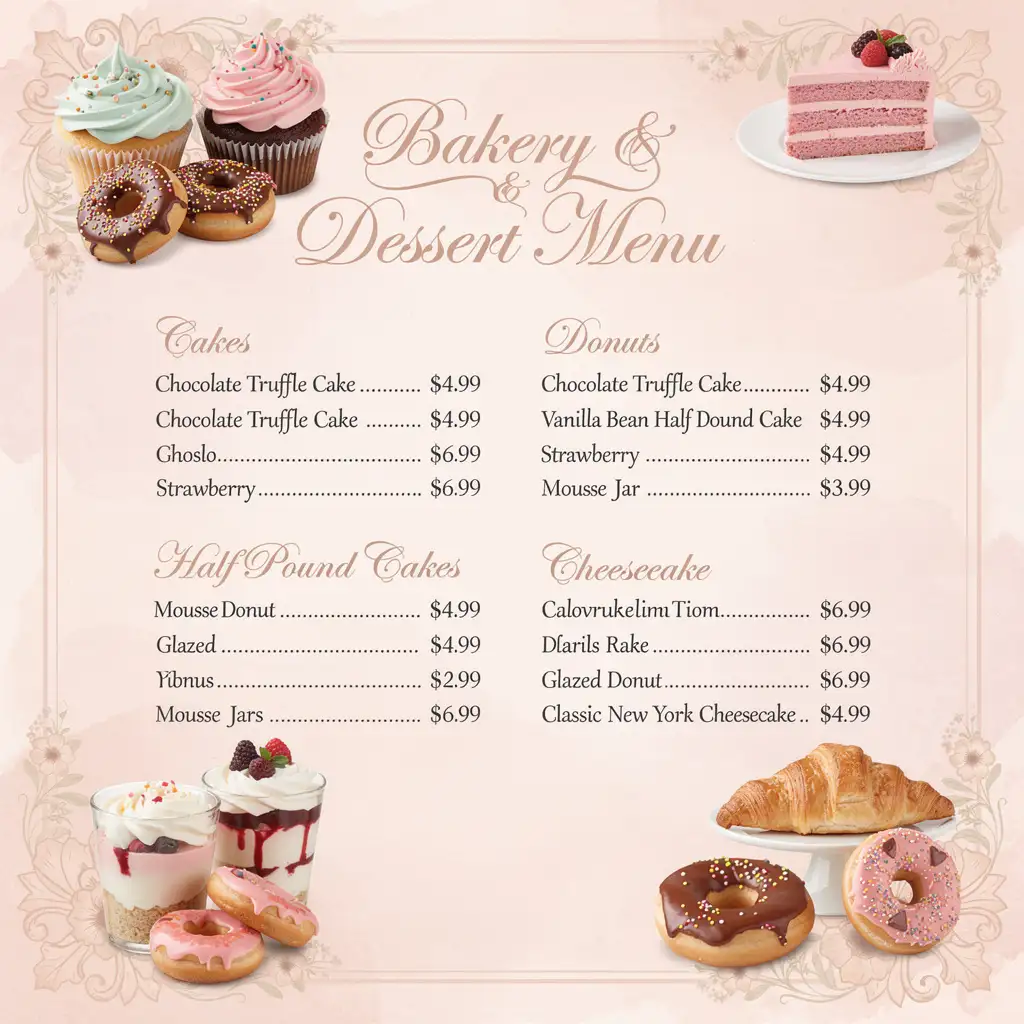
Create a high-resolution bakery and dessert menu with a soft pastel pink watercolor background, floral borders, and elegant vintage styling. Display realistic cupcakes, layer cakes, cheesecake, mousse jars, donuts, and pastries around the menu. Add sections for Cakes, Half Pound Cakes, Mousse Jars, Donuts, and Cheesecake. Use elegant script headings, dotted price alignment, and a premium print-ready layout.
Simply update the details in the prompts to create a personalized version of the same menu.
Create a high-resolution {bakery/dessert shop} menu with a {background style} background, {decorative elements}, and realistic images of {dessert 1}, {dessert 2}, {dessert 3}, {dessert 4}, and {dessert 5}. Add sections for {section 1}, {section 2}, {section 3}, {section 4}, and {section 5}. Use elegant {font style} typography, aligned prices, and a premium print-ready layout.
10. Kids menu prompt
Sample prompt :
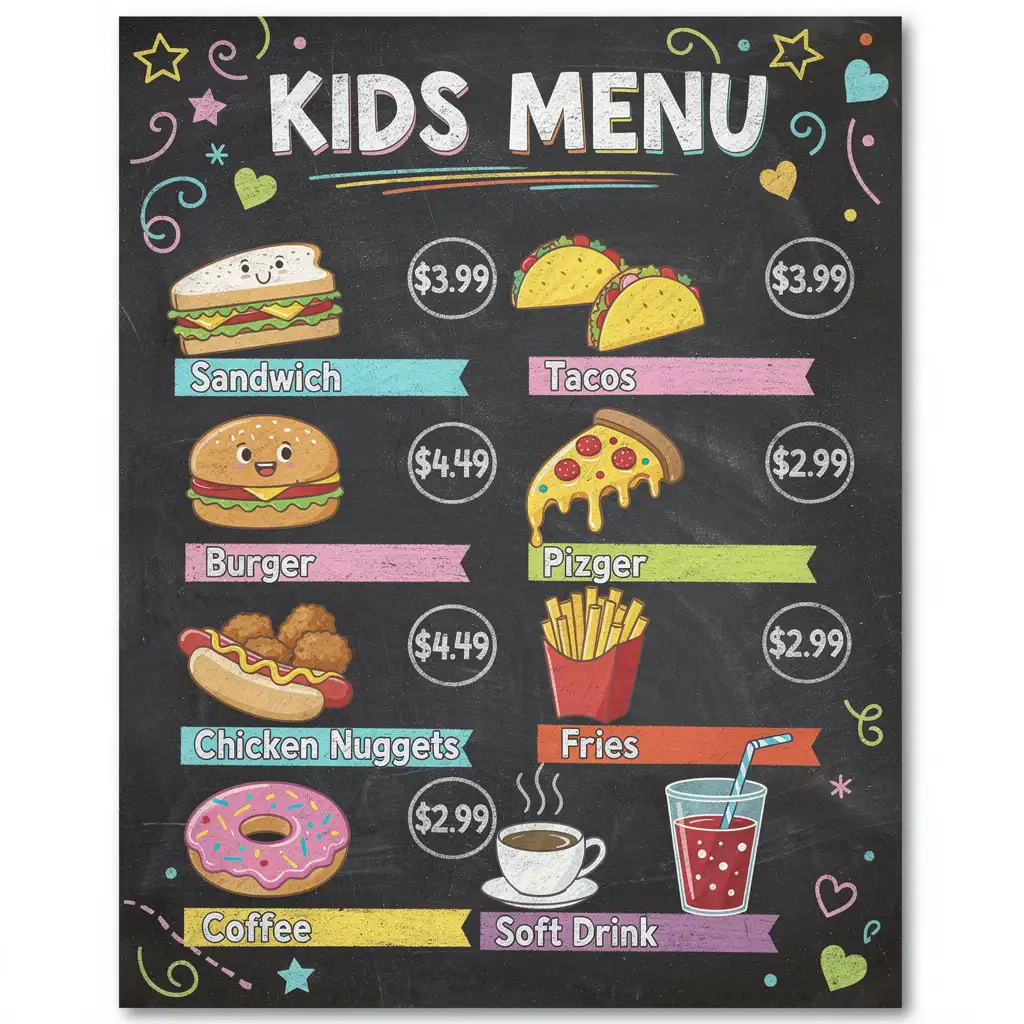
Create a high-resolution kids’ restaurant menu with a black chalkboard background, colorful hand-drawn doodles, and playful chalk typography. Display cute cartoon illustrations of a sandwich, tacos, burger, pizza, hot dog, chicken nuggets, fries, donut, coffee, and soft drink. Add fun prices, bright accents, and a cheerful, easy-to-read print-ready layout for children.
Simply update the details in the prompts to create a personalized version of the same menu.
Create a high-resolution {restaurant type} kids’ menu with a {background style} background, colorful {illustration style} food icons, and playful {font style} typography. Display {food items} with fun prices in a neat grid layout. Add decorative doodles, bright accents, clear spacing, and a cheerful, child-friendly, print-ready design.
Related blog: Perfume Photography Ideas
How to Use These Prompts in LightX
Creating a restaurant menu with LightX is quick and easy.
Step 1: Open the LightX Text to Image tool.
Step 2: Copy your favorite restaurant menu prompt and paste it into the prompt box. Replace the restaurant name, menu items, and other details with your own.
Step 3: Click Generate and download your menu. You can also edit it further in the LightX Editor.
You can also try these additional LightX tools for a variety of creative tasks.
- Transform Your Culinary Creations with AI Food Photography
- AI food video generator: Animate your food in photos
- AI Food Image Generator
- AI Interior Design Online Free
- AI Home Decor Photoshoot for Products
How to Write Effective Restaurant Menu Prompts
A great menu starts with a great food menu prompt. Here are four things to include:
1. Mention the Cuisine
Tell the AI what type of restaurant it is, such as Italian, Indian, Japanese, or a café.
2. Describe the Style
Choose a look like modern, rustic, elegant, vintage, or minimalist.
3. Add Your Brand Colors
Mention the colors, fonts, or logo placement to match your restaurant’s branding.
4. Specify the Layout
Tell the AI whether you want a single-page, folded, portrait, or landscape menu.
Tips to Get Better Results from AI Restaurant Menu Prompts
A few small changes to your prompt can make a big difference in the final design.
- Be specific. Clearly describe the type of restaurant, design style, and overall look you want.
- Include your brand colors and fonts. This helps the menu match your restaurant’s identity.
- Keep the layout simple. A clean, easy-to-read menu always looks more professional.
- Leave enough spacing. Don’t overcrowd the page—good spacing makes the menu easier to scan.
- Try different versions. If the first result isn’t perfect, tweak your prompt and generate a few more options.
Related blog: How To Use AI For Interior Design
Common Mistakes to Avoid
Avoid these common mistakes to get better-looking menus.
- Using vague prompts. A prompt like “create a restaurant menu” doesn’t give the AI enough information.
- Adding too many styles. Stick to one design theme instead of mixing several styles.
- Skipping brand details. Mention your colors, logo, or fonts if you want a menu that feels unique to your restaurant.
- Choosing fancy fonts. Make sure the text is easy for customers to read.
- Trying to fit everything on one page. A simple, well-organized menu is always more appealing than a crowded one.
Conclusion
Creating a restaurant menu doesn’t have to be difficult. With the right AI prompt for a restaurant menu, you can design a professional-looking menu in just a few minutes.
Simply copy a prompt, customize it with your restaurant details, and let AI do the rest. Once your menu is ready, you can fine-tune it in the LightX Editor to make it truly your own.
Get on WhatsApp
New image & Video workflow everyday