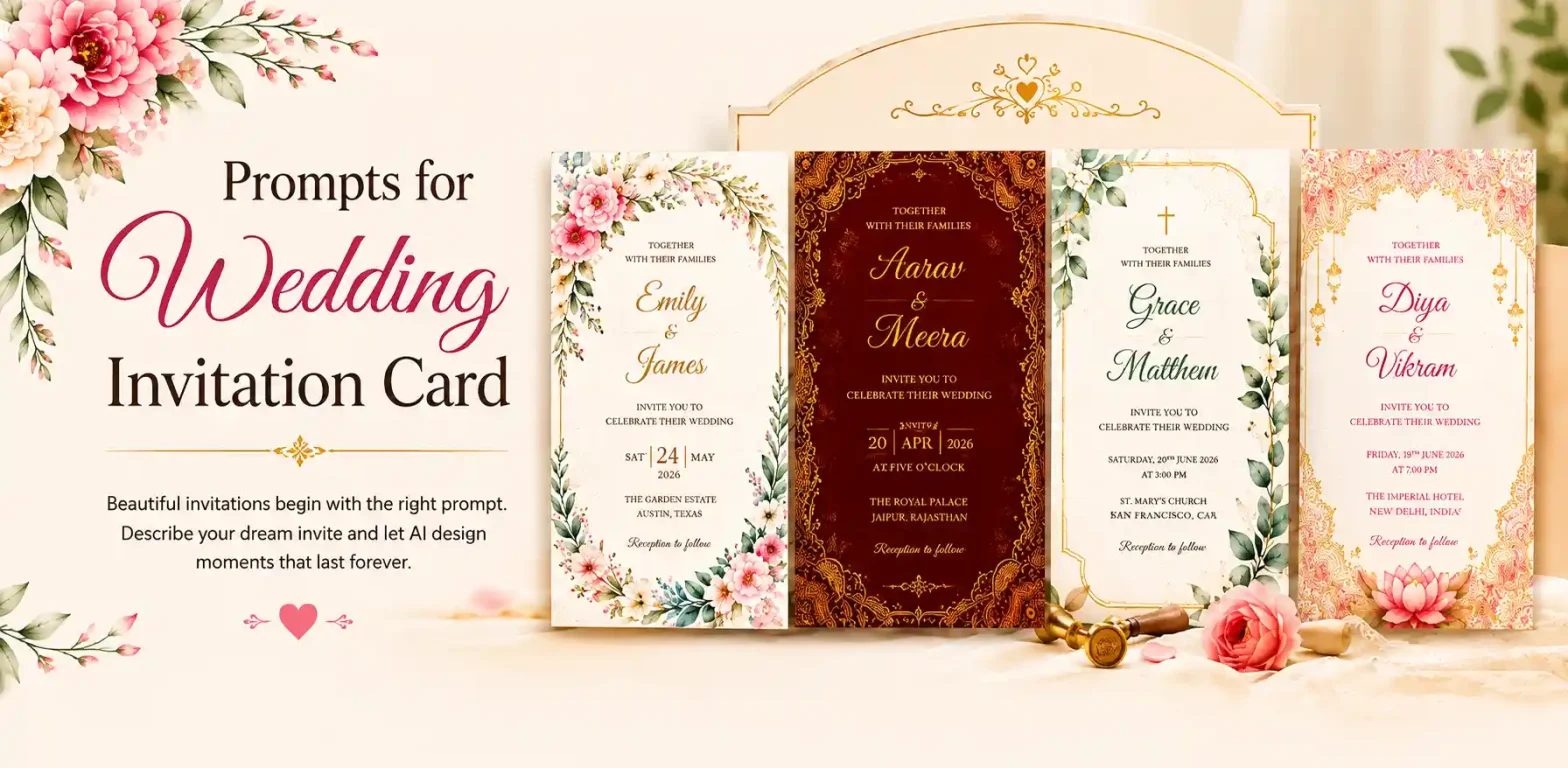
Wedding invitations used to mean hours on Canva, endless scrolling through templates, or or back-and-forth emails and calls with a designer just to get one color right.
 Get on WhatsApp
New image & Video workflow everyday
Get on WhatsApp
New image & Video workflow everyday
Now, the right wedding invitation card prompt can turn a blank page into a fully designed card, in your exact theme, colors, and details, in minutes.
A prompt is just a written description telling the AI what to design, the more detail you give, the better the result.
If you don’t know how to write that prompt, this blog is for you.
We will be covering
✓ Elements of a good wedding card
✓ How to compile them into a prompt
✓ What makes a prompt good vs. bad
✓ How to use AI tools to generate a wedding card
✓ Wedding invitation card prompt ideas you can copy paste
✓ Common mistakes people make
✓ Frequently asked questions
Let’s dive into the elements we need to make a wedding card.
What Makes a Good Wedding Invitation Card
A great invitation isn’t random, it’s a handful of decisions. Whether you’re creating it with AI or designing it manually, get these right and everything falls into place.
1. The Theme
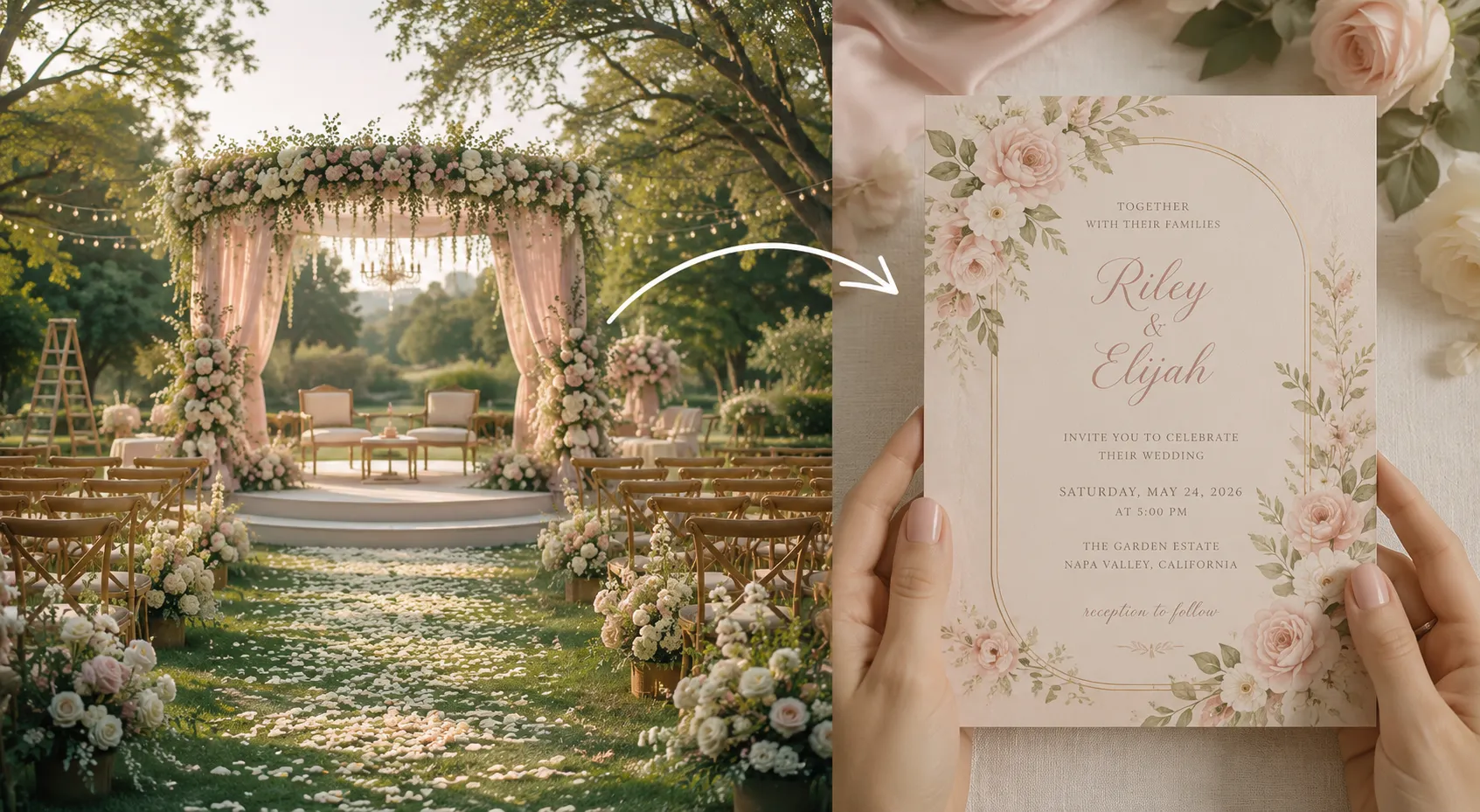
What kind of invitation this is, and it should match the wedding itself, not just look nice on its own. Royal, floral, modern minimalist, traditional Indian. This is the one line that tells the AI what visual world to build with everything else inside.
How to decide the wedding card theme?
Start with what’s already decided about the wedding:
- Venue: a palace or heritage property leans royal, an outdoor venue leans floral, a banquet hall leans modern
- Culture or tradition: Indian, Nigerian, Chinese weddings often have specific motifs and colors tied to custom, worth reflecting rather than overriding
- Time of day or season: a daytime spring wedding suits floral and pastel, an evening winter wedding suits royal, deep jewel tones
- Couple’s personal style: minimalist couples lean modern, sentimental couples lean traditional or floral
The simplest way to decide: describe the wedding in one sentence first (“an evening palace wedding” or “a daytime garden wedding”), and the theme usually follows naturally from that.
2. The Format (Pages & Panels)
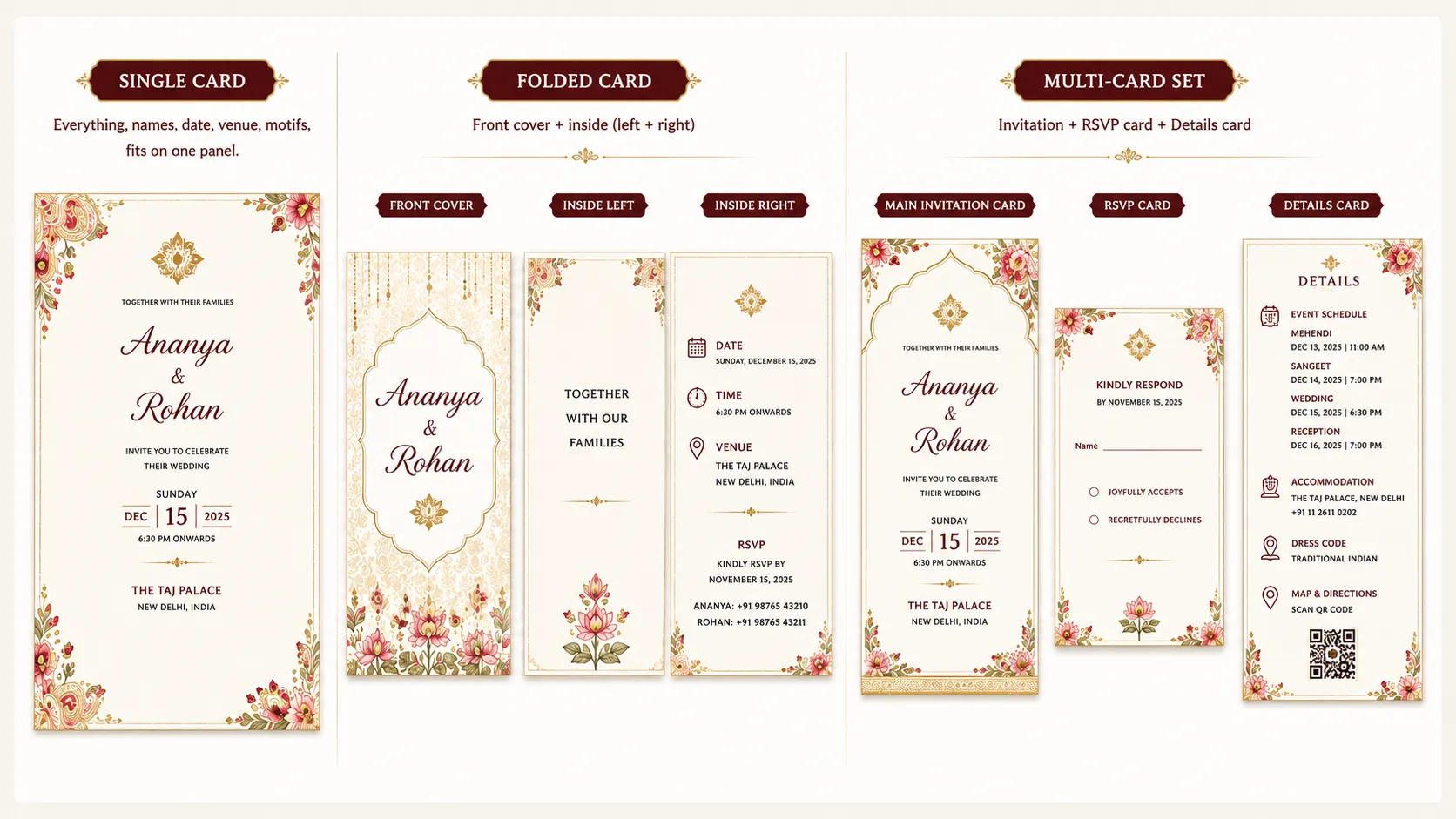
Decide upfront if this is a single card, a folded card (front + inside), or a multi-card set (invitation + RSVP + details card). This affects how you prompt/design, since a multi-page invitation needs to look like a matching set.
- Single card: Everything, names, date, venue, motifs, fits on one panel. Keep the layout simple though that it doesn’t feel cramped.
- Folded card:
Front cover: Couple’s names or monogram, theme motif, minimal text
Inside left: A short verse, quote, or a line like “Together with our families”
Inside right: Date, time, venue, and RSVP details - Multi-card set:
Main invitation card: Names, date, venue, and the primary design/theme
RSVP card: A short response line (“Kindly respond by [date]”), with space for a name and a yes/no or attending/not attending selection
Details card: Information like accommodation options, event schedule (mehendi, sangeet, reception), dress code, or a map/directions
3. The Content
The basics everyone needs:
✓ Names
✓ Wedding date
✓ Venue
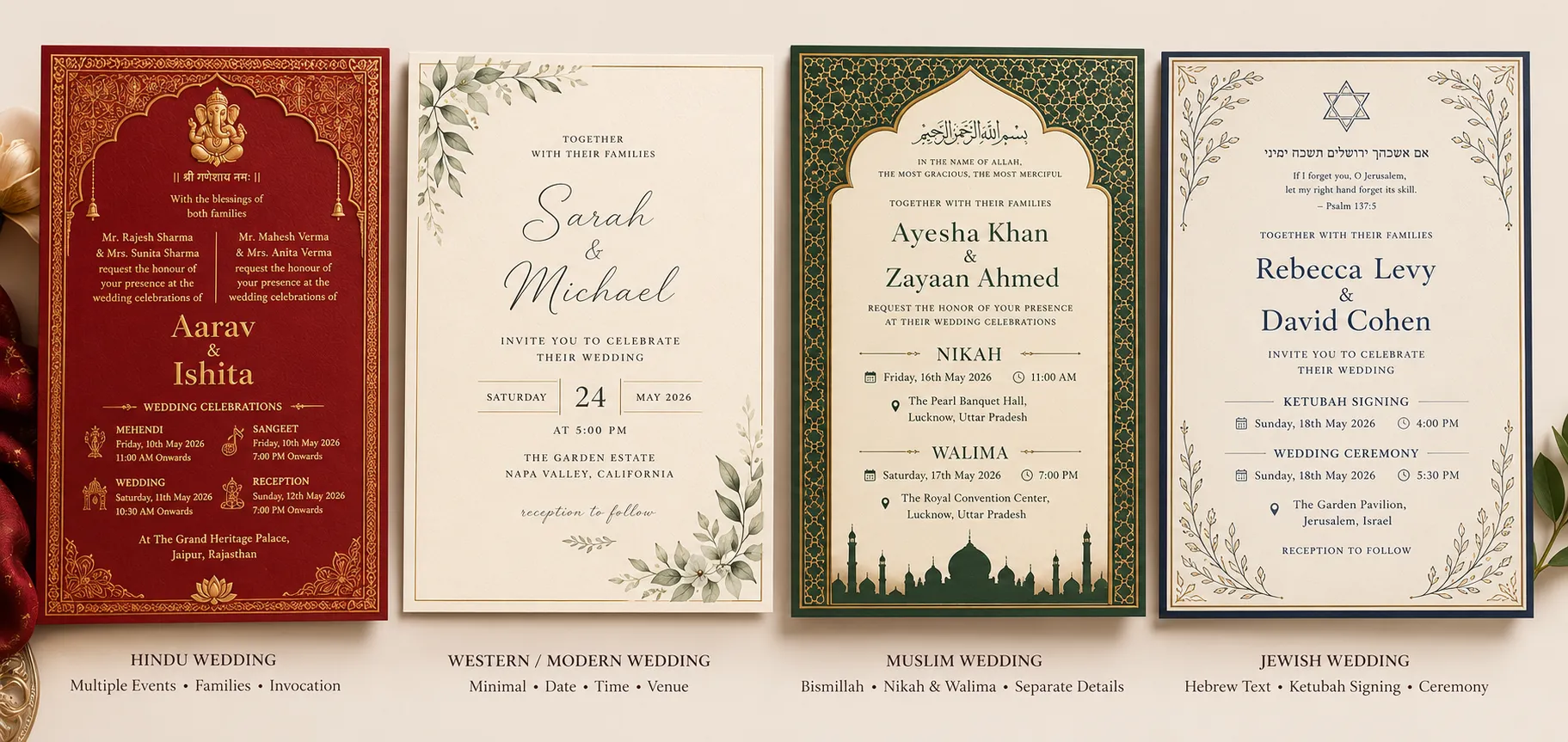
But what counts as “the details” often changes by culture and ceremony type, so it’s worth being specific about which of these apply.
- Christian weddings often include an RSVP section, and sometimes a short scripture verse or blessing
- Hindu weddings often list the names of both families or parents hosting the event, sometimes with a small invocation (like Ganesha) at the top, and may need to cover multiple events (mehendi, sangeet, wedding, reception) rather than just one date
- Muslim weddings often open with “Bismillah” and may include separate Nikah and Walima event details
- Western/modern weddings tend to keep it minimal: just the couple’s names, date, time, and venue
- Chinese weddings often include both sets of parents’ names as hosts, sometimes double happiness (囍) symbolism mentioned directly, and may list a tea ceremony alongside the main event
- Nigerian weddings often list both families as hosts too, and frequently cover two separate events, a traditional/engagement ceremony and a white wedding, each with its own date and sometimes its own attire code mentioned on the card
- Jewish weddings may include the ketubah signing time separately from the ceremony, and sometimes a line in Hebrew alongside English
- Sikh weddings often mention the Anand Karaj ceremony specifically, with a separate time listed for the Gurdwara
4. The Color Palette
Picking the color palette depends on a few different parameters & considerations:
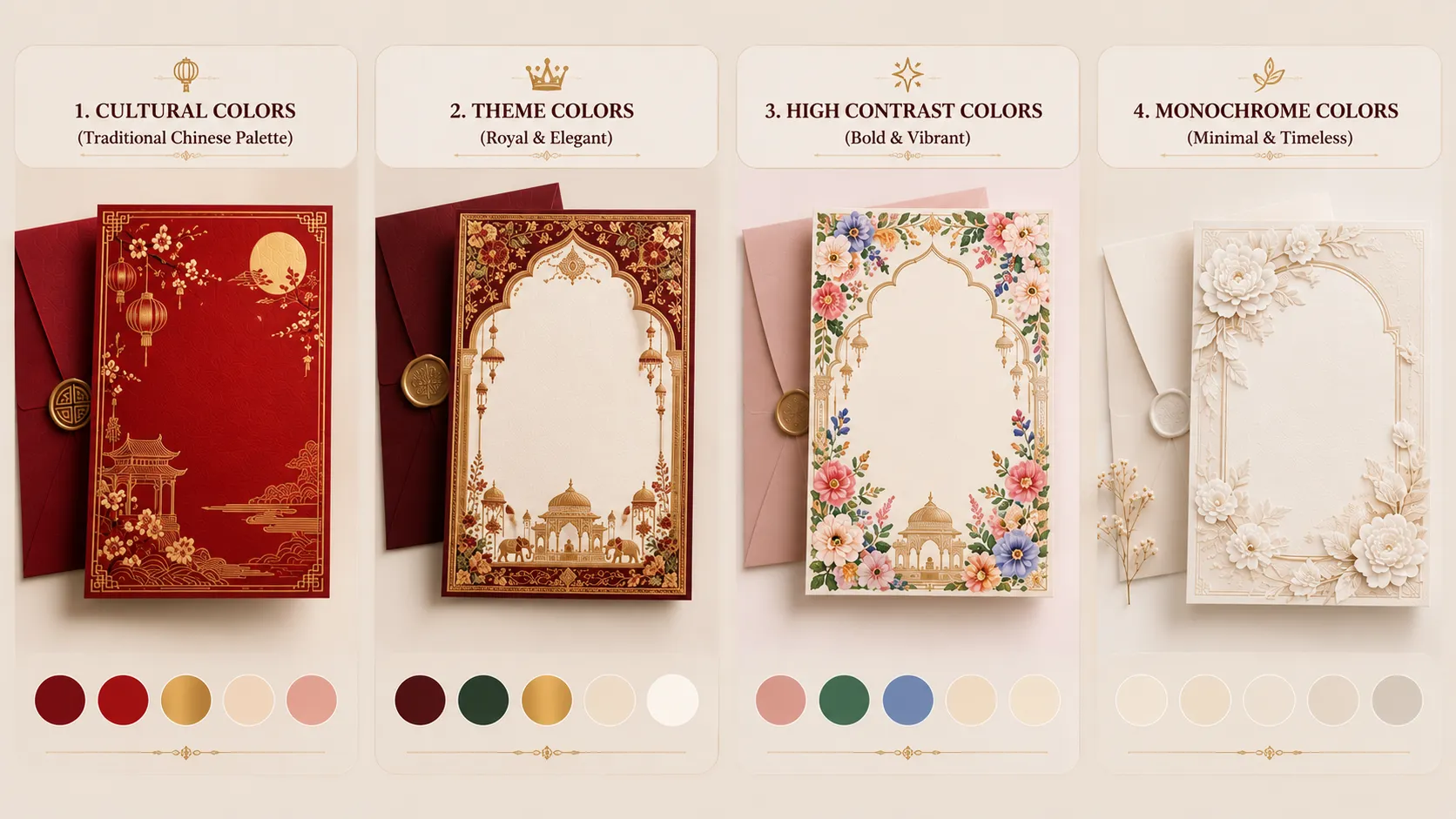
- Match the theme: The safest approach is to follow the theme you’ve already picked. Royal, for example, leans maroon, emerald, and navy with gold accents. Floral can lean into soft pastels or bright, saturated tones, depending on how bold you want it to feel.
- Existing wedding colors: Look at what’s already decided, bridesmaid dresses, venue backdrop, decor, and let the invitation match rather than introduce a new palette.
- Contrast: Pick one dominant color, one supporting color, and one accent. The dominant color sets the overall tone, the supporting color fills the background or secondary elements, and the accent highlights details like text, borders, or motifs. Too many competing colors makes the card feel busy instead of intentional.
- Cultural convention: Some cultures have near-default colors. Example: Red and gold for Chinese and Indian weddings, white and ivory for Western Christian weddings. Worth leaning into these rather than avoiding them.
- Printing and legibility: Light text on a light background (gold on ivory, for example) can look elegant on screen but harder to read once printed.
Pro Tip: If you want to keep a palette like this, make sure there’s enough contrast in the actual text, or plan for finishes like embossing or foil printing that add texture and legibility even when the color contrast is subtle.
- Personal or family significance: Some couples tie a color to something personal, a grandmother’s saree, a family crest, a shared favorite color. Worth asking if this applies before defaulting to trend-based palettes.
- Trend vs. timeless: Sage green and terracotta are popular right now, but gold and ivory or classic red and white tend to age better in photos looked back on years later. If you want the card to feel timeless rather than dated, this is the trade-off to keep in mind.
- Religious or superstition-based avoidance: Some cultures actively avoid certain colors for weddings, white, for instance, is avoided in traditional Chinese ceremonies since it’s associated with mourning. Worth checking before assuming a color is neutral.
- Color psychology: Warm tones (red, gold) read as celebratory and rich. Cool tones (blue, silver) read as calm and formal. Worth picking based on the mood you’re aiming for, not just aesthetics.
- Digital vs. print: If the card is being shared digitally, on WhatsApp, Instagram, or email, colors can look brighter and more saturated on a phone screen than they will if printed. If you’re printing physical cards too, it’s worth checking how the palette holds up in both formats, rather than optimizing for just one.
5. The Typography Theory
Just like theme and color palette, typography style shapes the entire feel of the card. The right words can look formal or playful, delicate or bold, purely based on the font.
Factors to consider when choosing typography:
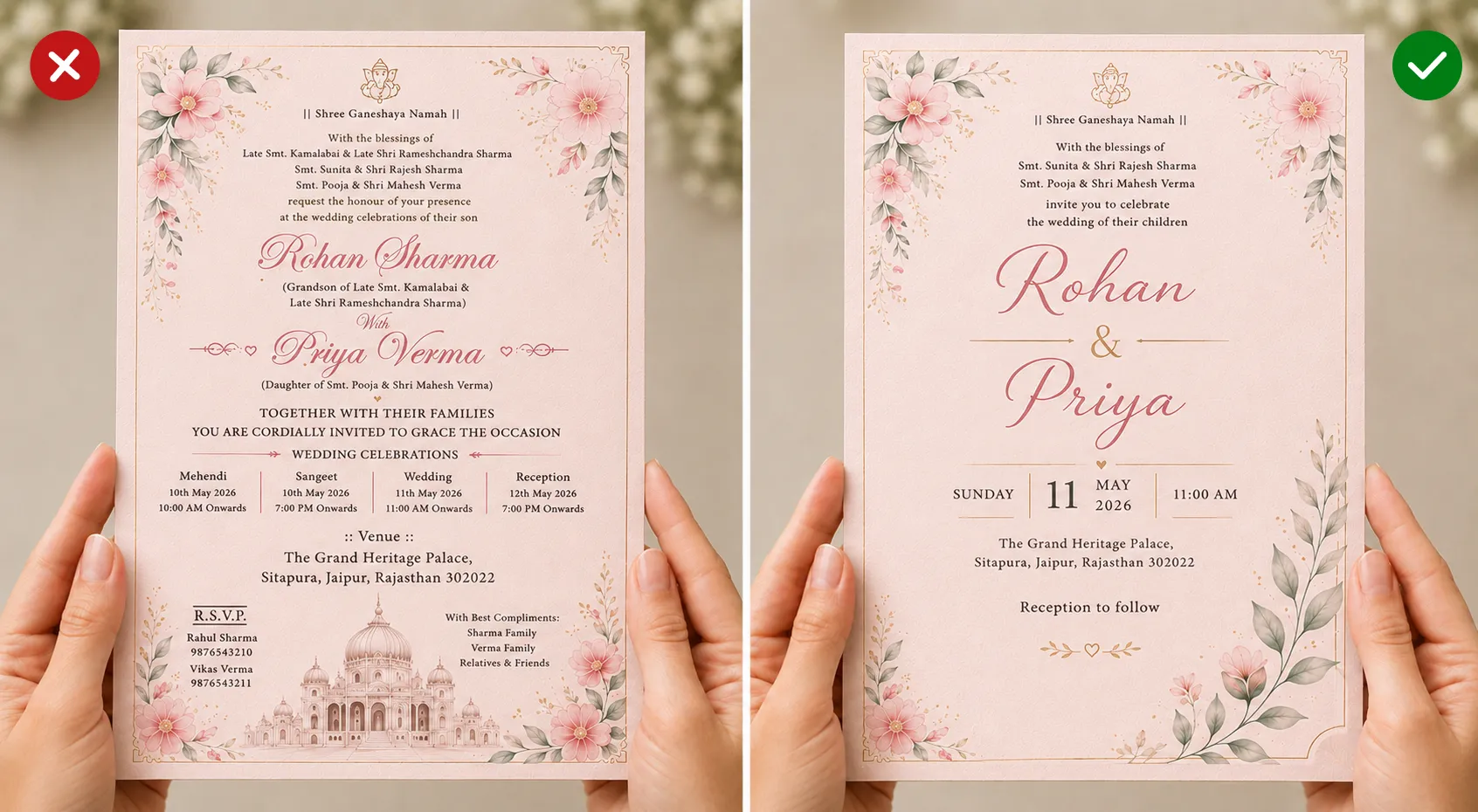
- Hierarchy: Names should stand out the most, usually the largest or most decorative font on the card. Date, venue, and other details can sit in a smaller, simpler font so they don’t compete for attention.
- Readability over decoration: A heavily stylized script might look beautiful but becomes hard to read at small sizes, especially for details like date, time, and venue. Save the fanciest font for the names, keep the rest legible.
- Script or language needs: If the invitation includes text in another script, Hindi, Arabic, Chinese, mention this directly, since the AI needs to know if it should render a specific language alongside English.
- Consistency: Stick to one or two fonts max. Mixing three or four styles makes the card feel cluttered instead of intentional.
- (Bonus) Match the theme: Royal leans toward elegant serif or calligraphy. Modern minimalist leans toward clean sans-serif. Traditional Indian often pairs a script font for names with a simpler font for details.
6. The Graphics
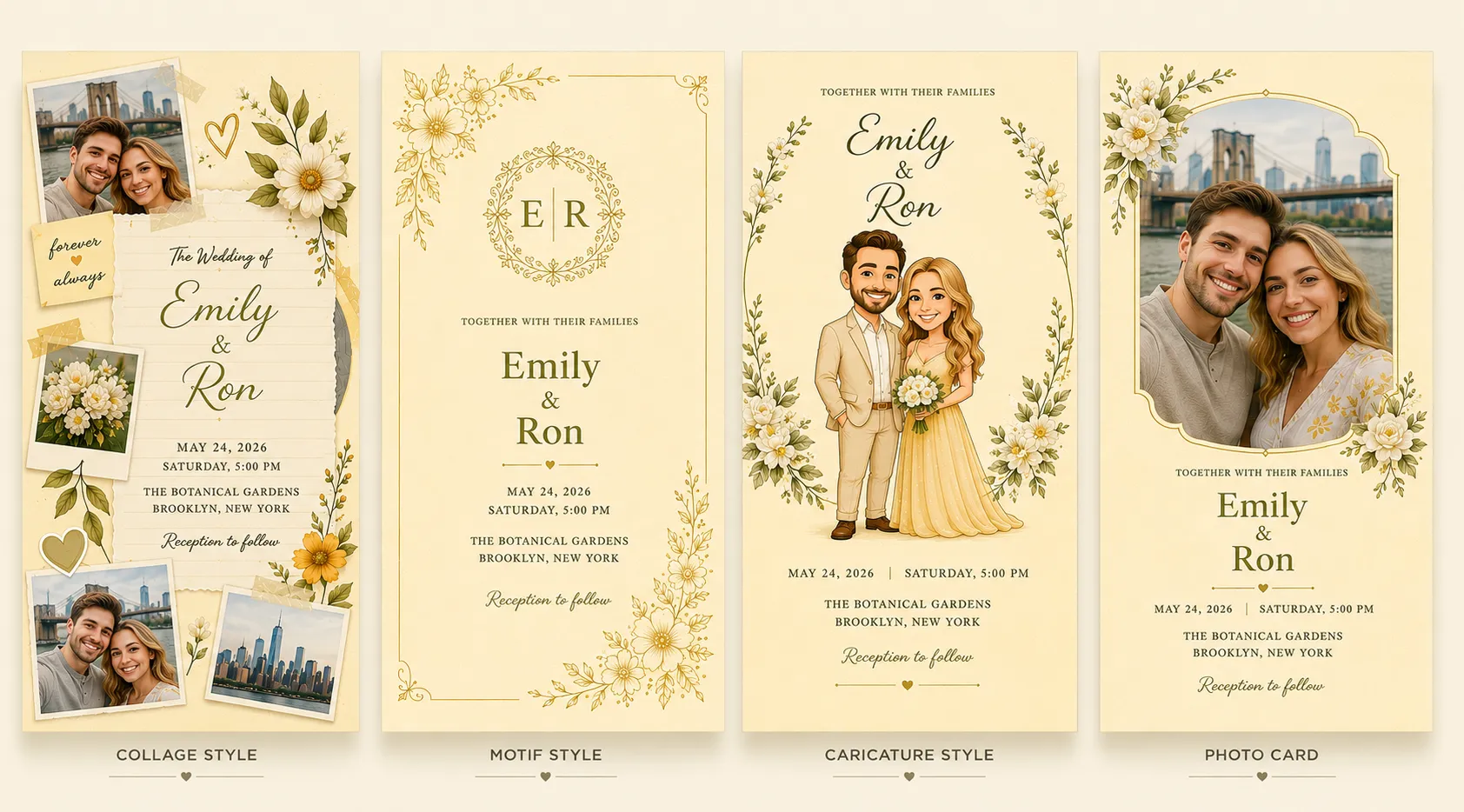
A wedding invitation isn’t just information, it’s a small piece of the couple’s story. The graphics are what make someone feel that, before they even read a word.
- Cutouts or collage style: A Pinterest-style arrangement of photo cutouts, polaroids, or scrapbook elements, gives the card a personal, story-like feel.
- Motifs: Florals, mandalas, monograms, vines. These carry the theme visually without needing much text.
- Initials monogram: The couple’s initials combined into one stylized symbol that works well as a focal point or a small recurring detail.
- Bride and groom caricature: A playful, illustrated version of the couple, popular for Indian and casual/fun weddings, adds personality and humor.
Photo: A real photo of the couple, either as the background or a framed inset, makes the invitation feel personal and immediate.
7. The Layout
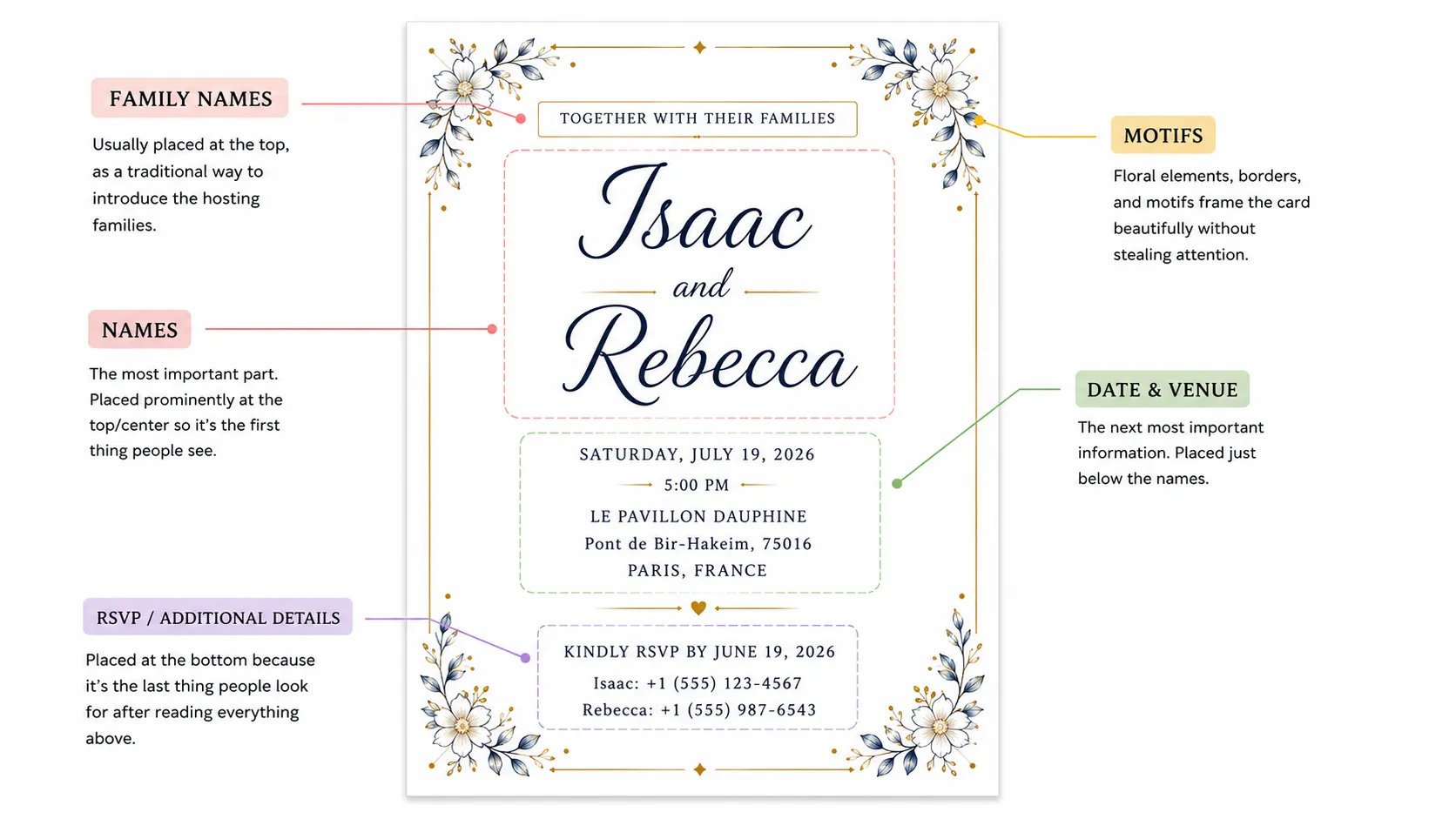
How everything is arranged. This is underrated but plays a big role in whether the card feels intentional or thrown together.
- Names: Almost always centered or at the top. This is the first thing anyone’s eyes land on, and it’s the most important piece of information on the entire card.
- Date and venue: Typically placed just below the names, since it’s the second thing people look for once they know who’s getting married.
- Motifs and decorative borders: Usually frame the edges or corners, so they support the content instead of competing with it.
- Family names (for cultures where this applies): Often placed above the couple’s names, since the hosting family is traditionally introduced first.
- RSVP or additional details: Usually placed at the bottom, since it’s the last action someone takes after reading everything else.
The general rule: place things in the order someone needs to read them, most important information first, decorative elements framing rather than interrupting.
Turning These Elements Into a Prompt
Once you know your 6 elements, the order you write them in matters, because AI models read prompts roughly in the sequence they’re given, and earlier details carry more weight in shaping the overall output.
Lead with theme, since everything else follows from it.
Theme → Format → Content → Palette → Typography → Graphics → Layout
The Fill-in-the-Blank Template
Copy this, swap in your own details, and you’ve got a working prompt:
“A [theme] wedding invitation for [“names”], getting married on [“date”] at [“venue”]. Color palette: [colors]. Typography: [content language] for the names, [font style for details] for the details. Include [graphics: motifs/photo/caricature/cutouts]. Layout: names [placement], date and venue [placement], [any additional elements] at [placement].”
Bad Prompt vs. Good Prompt
1. Vague vs. Specific
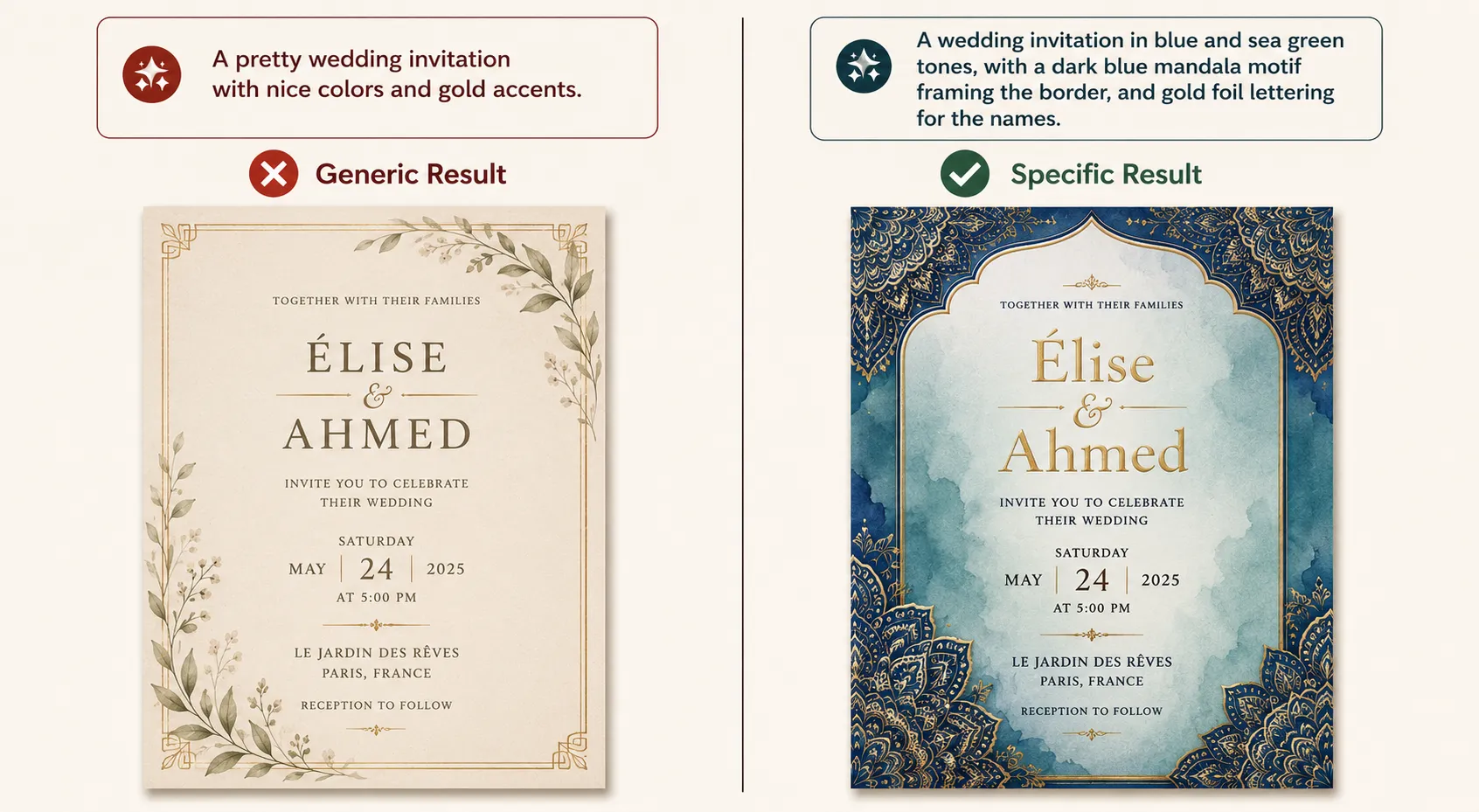
✗ Bad: “A pretty wedding invitation with nice colors and gold accents.”
✓ Good: “A floral wedding invitation with blush pink and sage green tones, soft watercolor-style flowers along the border, and gold foil lettering for the names.”
“Pretty” and “nice colors” tell the AI nothing concrete to build from. Specific colors, textures, and finishes give it an actual brief to follow.
2. Don’t Contradict Elements
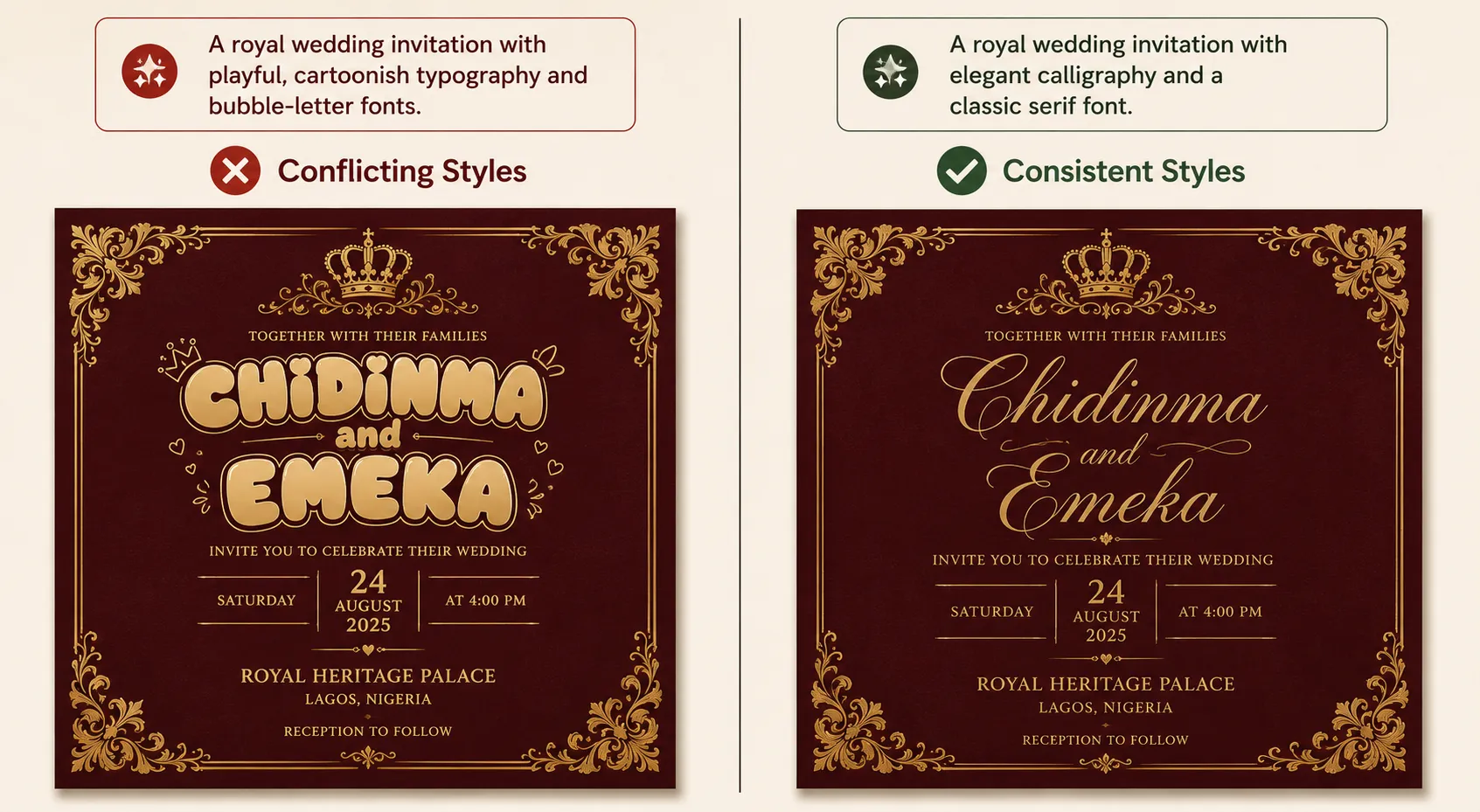
✗ Bad: “A royal wedding invitation with playful, cartoonish typography and bubble-letter fonts.”
✓ Good: “A royal wedding invitation with elegant calligraphy and a classic serif font.”
“Royal” and “playful cartoonish” pull in opposite directions. The AI has to pick one, and usually picks neither well.
3. Mention Orientation and Format
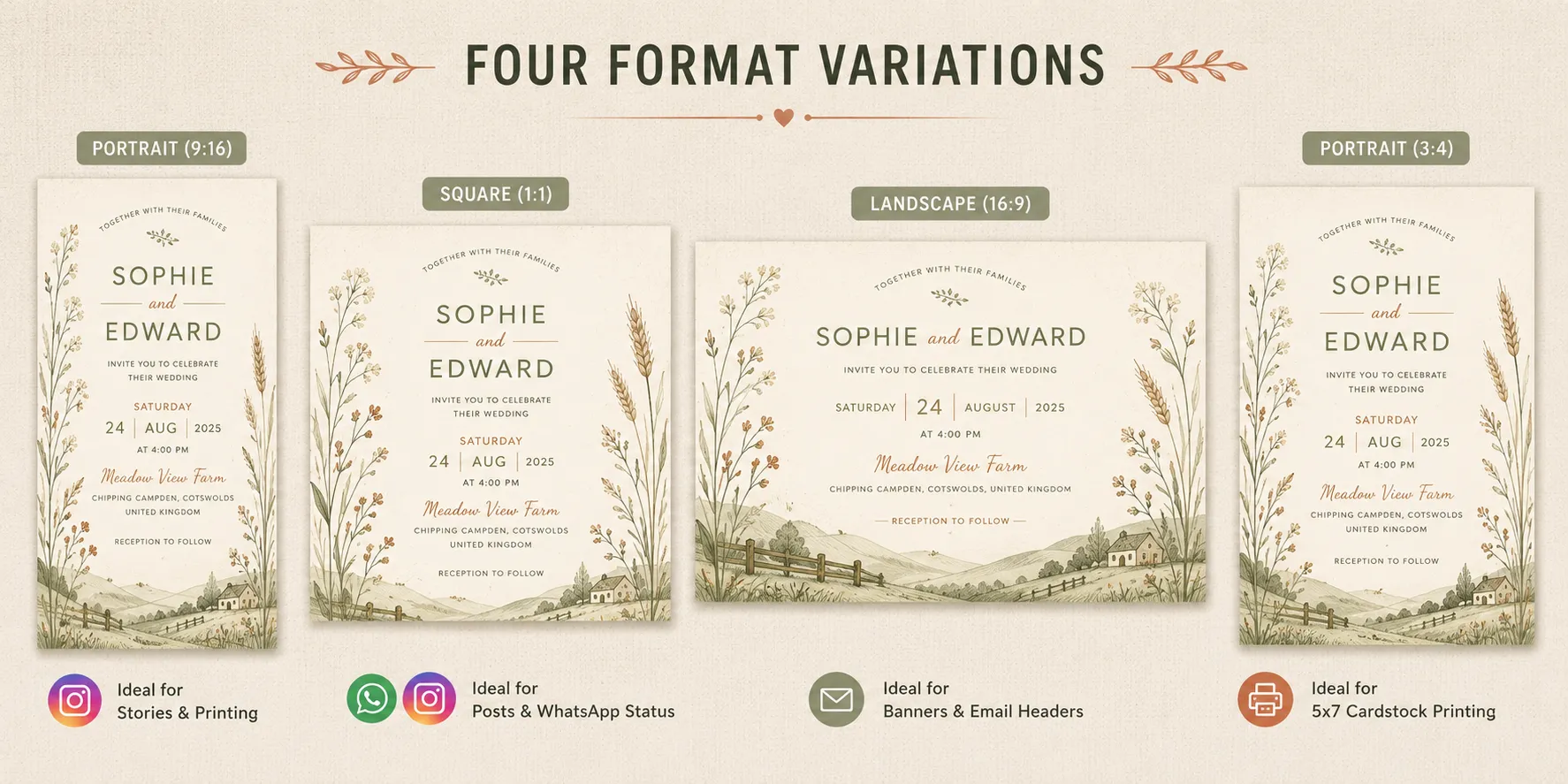
✗ Bad: “Create a wedding invitation card.”
✓ Good: “Create a portrait-oriented wedding invitation card, sized for printing on 5×7 cardstock.”
Without this, the AI defaults to whatever orientation it assumes, which may not match what you actually need for printing or digital sharing. Worth stating upfront if it’s headed to a printer or staying on WhatsApp/Instagram.
4. Match Language to Script Needs Upfront
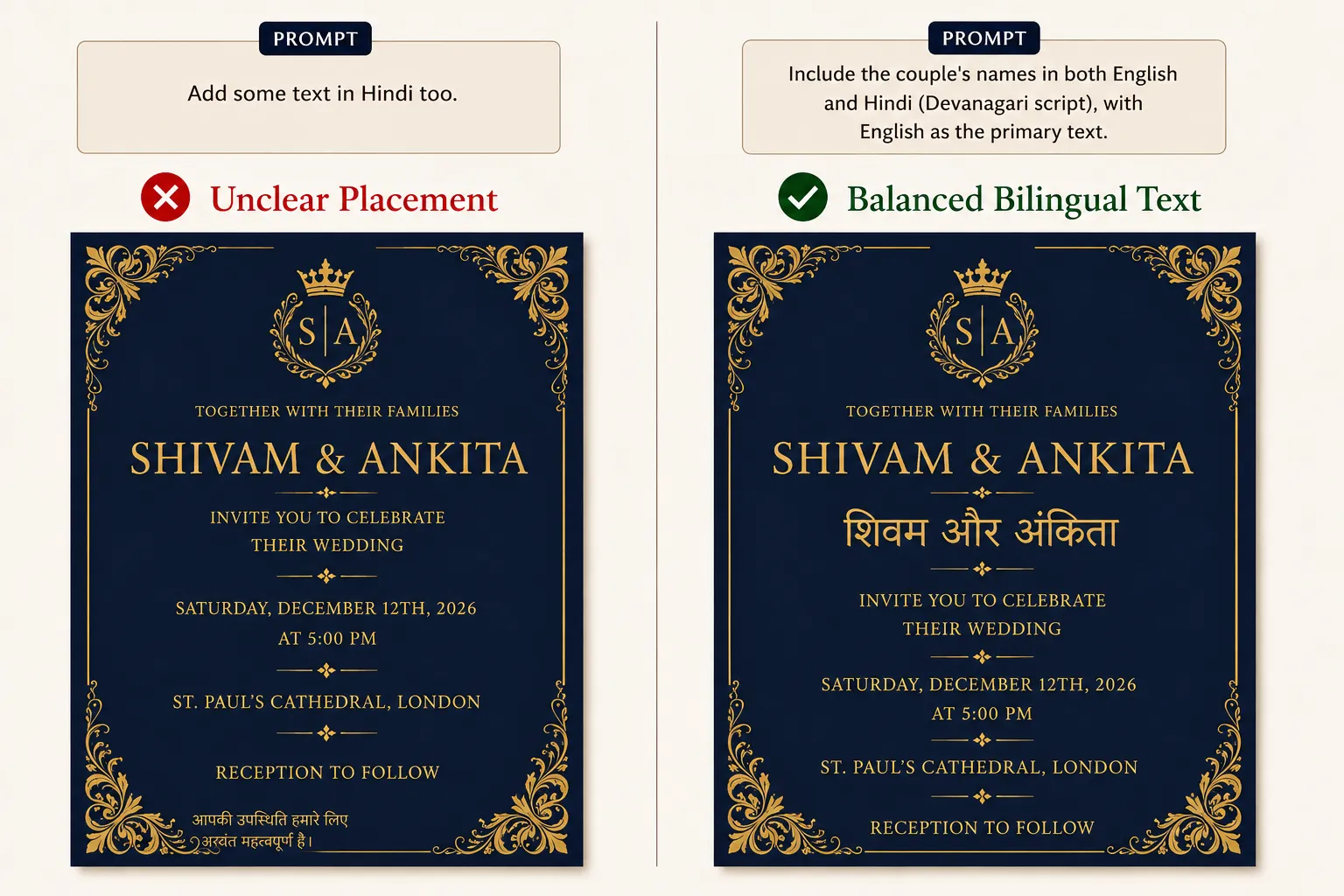
✗ Bad: “Add some text in Hindi too.”
✓ Good: “Include the couple’s names in both English and Hindi (Devanagari script), with English as the primary text.”
Being vague about a script leaves the AI to guess how much of the card should be bilingual and in what proportion.
5. Put Exact Text in Quotes
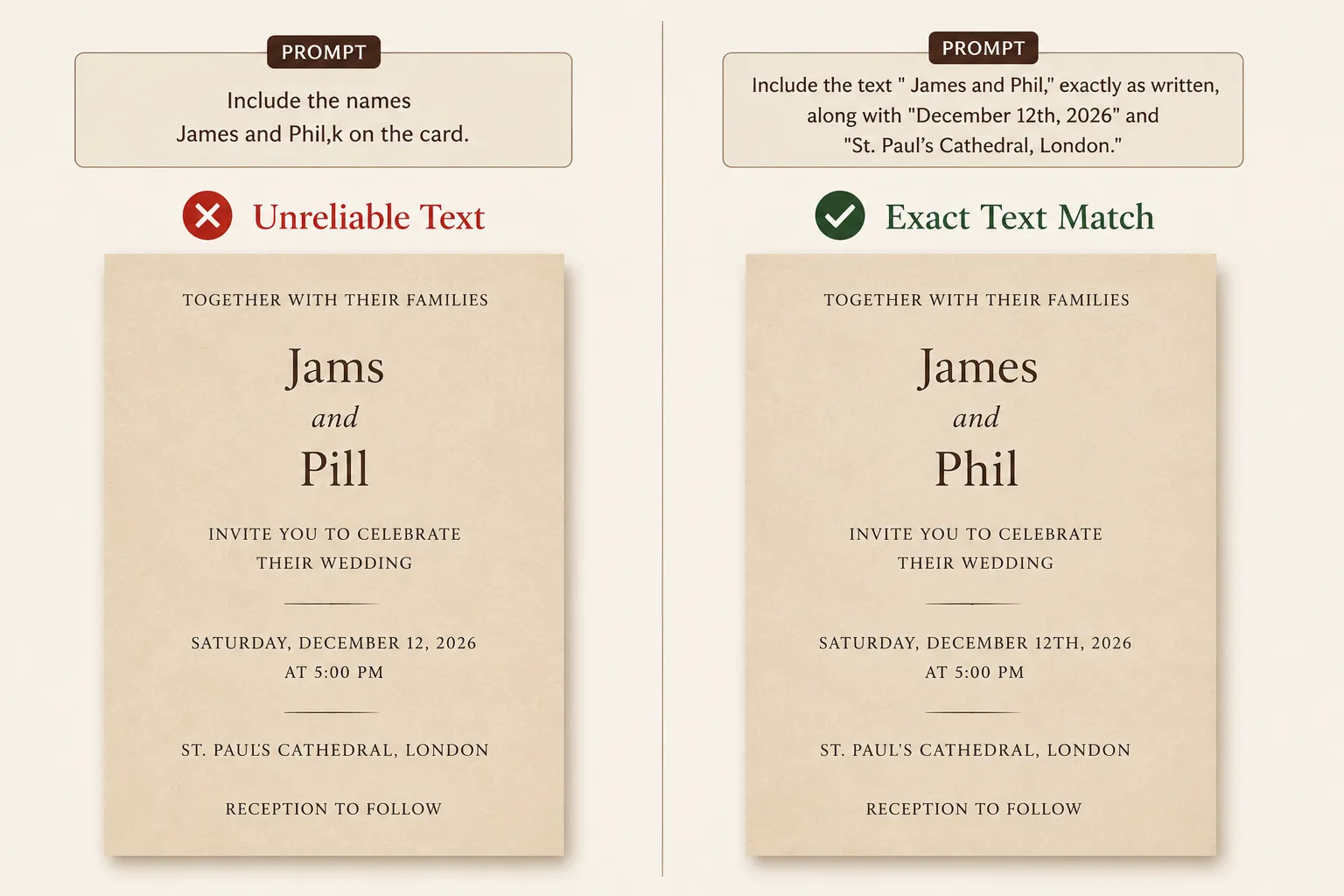
✗ Bad: “Include the names James and Phil on the card.”
✓ Good: “Include the text “James and Phil” exactly as written, along with “December 12th, 2026” and “St. Paul’s Cathedral, London”
Names, dates, and venues are the one place the AI can’t afford to improvise or auto-correct spelling. Putting the exact text in quotes tells the AI to reproduce it exactly.
6. Specify the Output Style: Flat or Styled
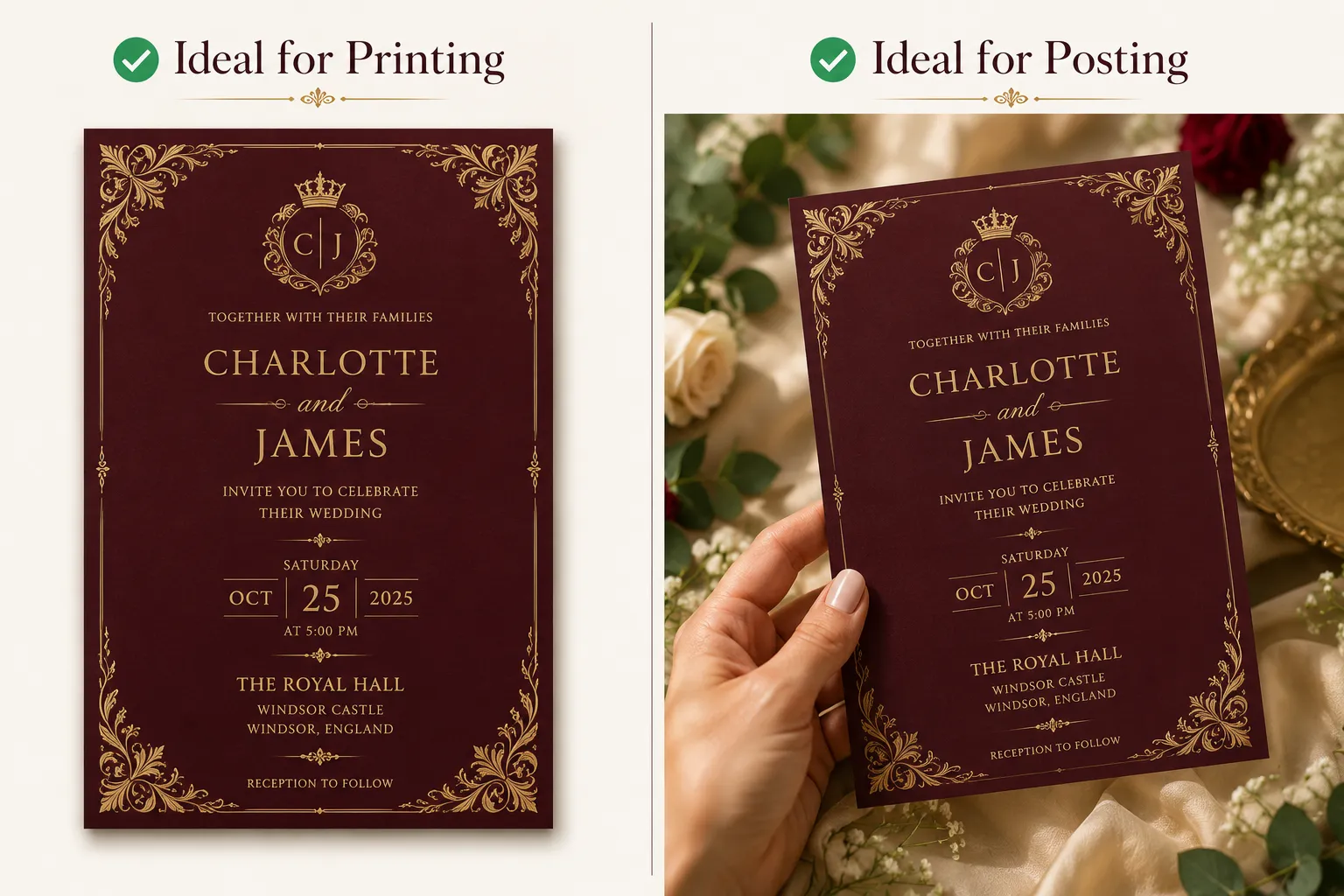
✗ Bad: “A royal wedding invitation for Charlotte and James.”
✓ Good (for printing): “A royal wedding invitation for Charlotte and James. Flat, front-facing design, no hands, no props, plain background.”
✓ Good (for social media): “A royal wedding invitation for Charlotte and James. Shown as a held in hand, with subtle props like flowers or greenery around it.”
AI tools default differently depending on training. Some generate a clean flat design by default while others lean toward a styled, hand-held mockup.
Rather than leaving it to chance, say exactly what you need: flat and plain for printing, styled and hand-held for an Instagram post.
How to Create Wedding Card with AI
Once your prompt is ready, here’s exactly where to put it.
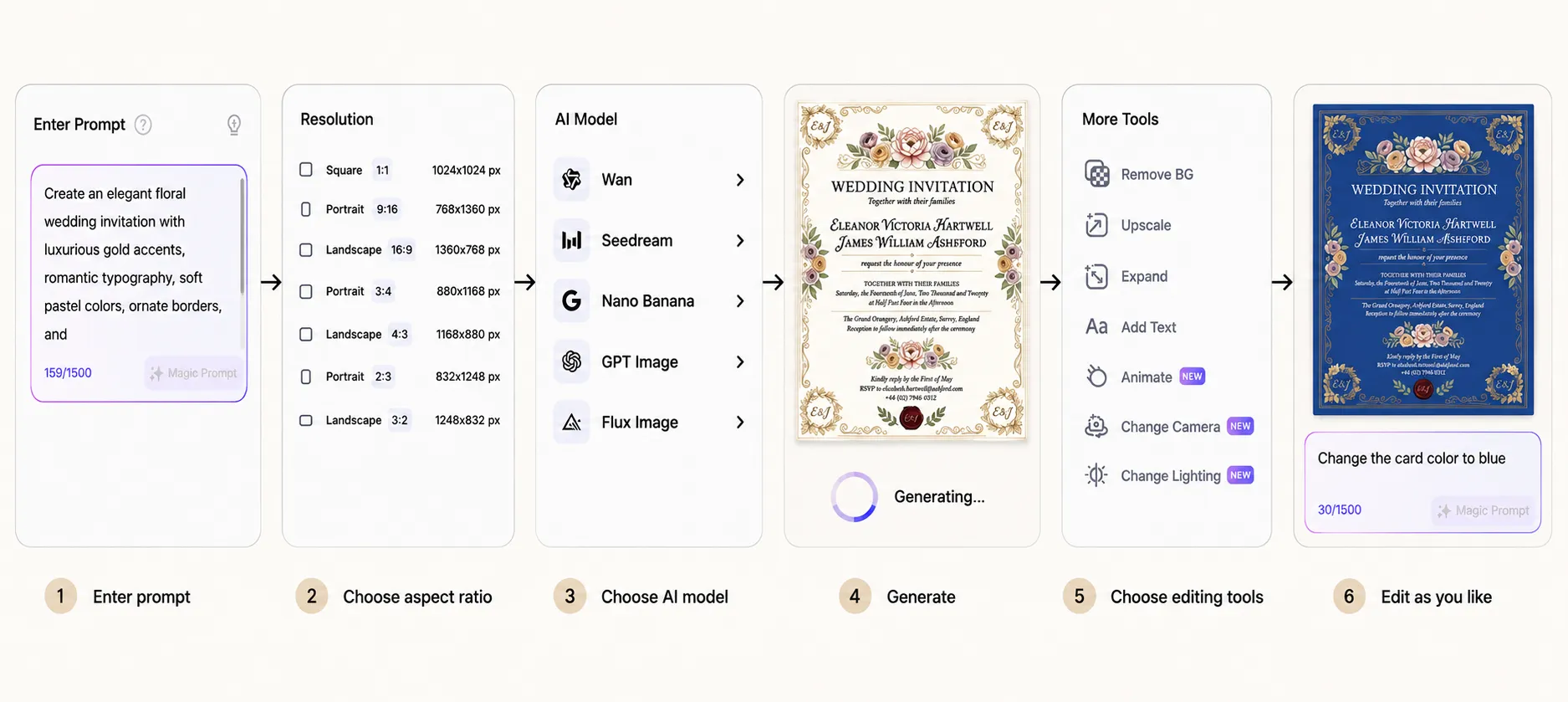
- Open Text to Image
Go to AI Image, then select Text to Image. - Enter your prompt
Type your wedding invitation prompt into the Enter Prompt box. Optionally, enable the negative prompt field and mention what to exclude, like “no mockup props” or “no hands in the card. - Choose your resolution
Pick a format that matches where the card is headed
Square (1:1) for social media
Portrait (9:16 or 3:4) for a standard printed invitation or mobile sharing
Landscape (16:9 or 4:3) for a wider layout - Choose an AI model
We have curated OpenAI’s GPT Image, Black Forest Labs’ FLUX, ByteDance’s Seedream, Alibaba’s Wan, and Google’s Nano Banana, at one place - Click Generate
Your design appears in the preview panel - Download
Once you’re happy with the result, download it in your chosen format.
Bonus: After You Generate
Your first result doesn’t have to be final. A few useful tools to refine it:
- Change with AI: Describe only the specific change you want, “make the border gold instead of silver”, and only that part updates, no need to regenerate the whole design from scratch
- Upscale Image: Increase resolution, useful when moving from a digital draft to a printed card
- Animate: Turn your generated invitation photo into a moving video for social sharing\
25 Wedding Invitation Card Prompt Ideas [Copy Paste]
Here are ready-to-use wedding invitation prompts, organized by theme, tradition, and photo style, so you can find one close to what you need and make it your own.
Just copy and edit your details in [Couple Name], [Date], and [Venue].
By Wedding Theme
1. Royal Wedding Invitation Prompt
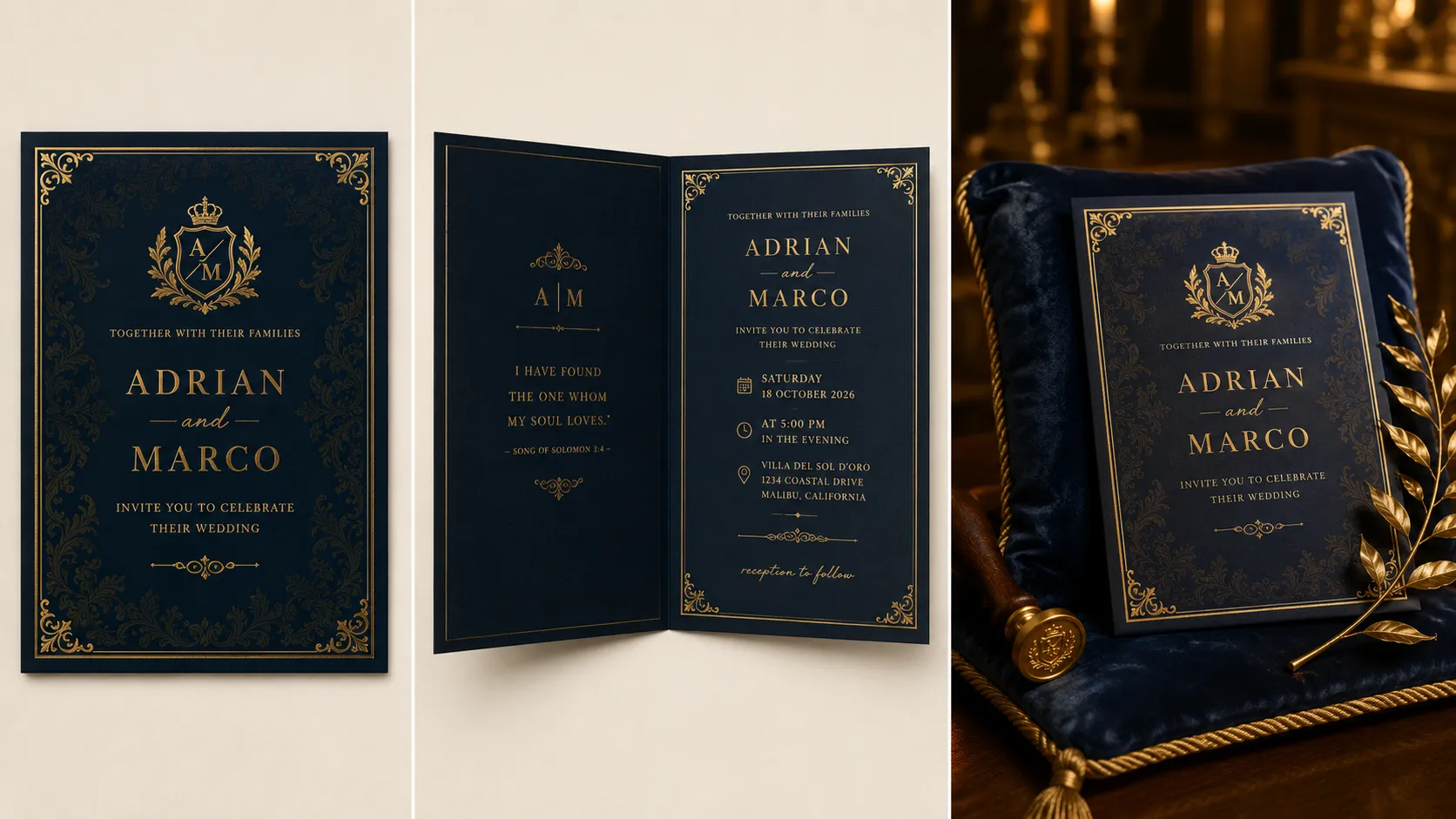
A royal-themed wedding invitation front cover. Deep navy background with a subtle gold damask pattern. Gold foil border framing the edges. Include the text {Couple Name}, {Date}, and {Venue} in elegant gold calligraphy, centered. A small gold crest or crown motif above the names. Printed on heavy matte cardstock with a gold foil-stamped finish.
2. Floral Wedding Invitation Prompt
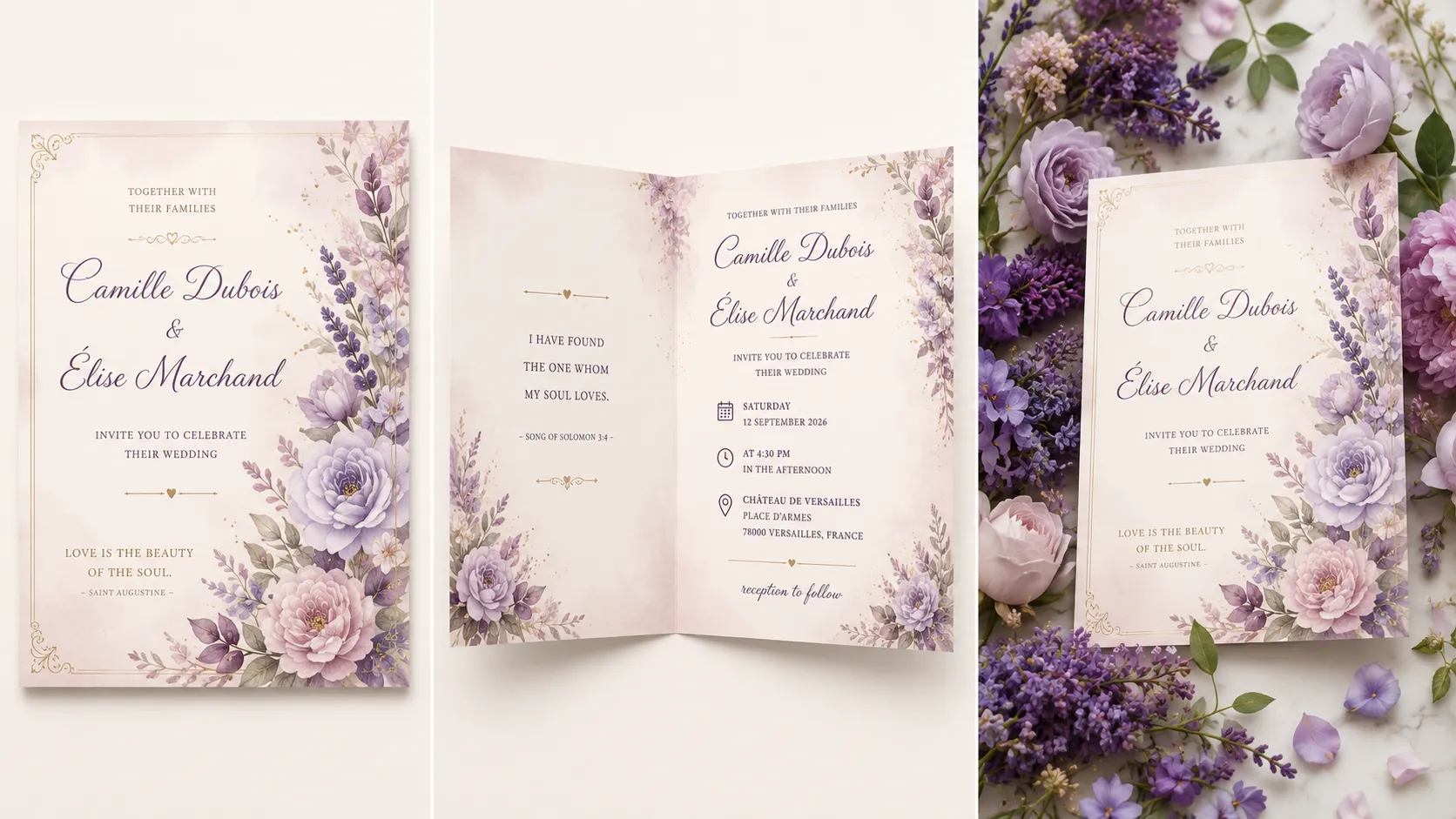
A floral-themed wedding invitation front cover. Soft gradient background fading from ivory to blush pink, with delicate purple and lavender watercolor flowers blooming along the right edge. Include the text {Couple Name}, {Date}, and {Venue} in a flowing script, positioned left of center. Small scattered leaf and petal details drifting across the bottom. Printed on soft matte cardstock with a smooth, delicate finish.
3. Modern Wedding Invitation Prompt
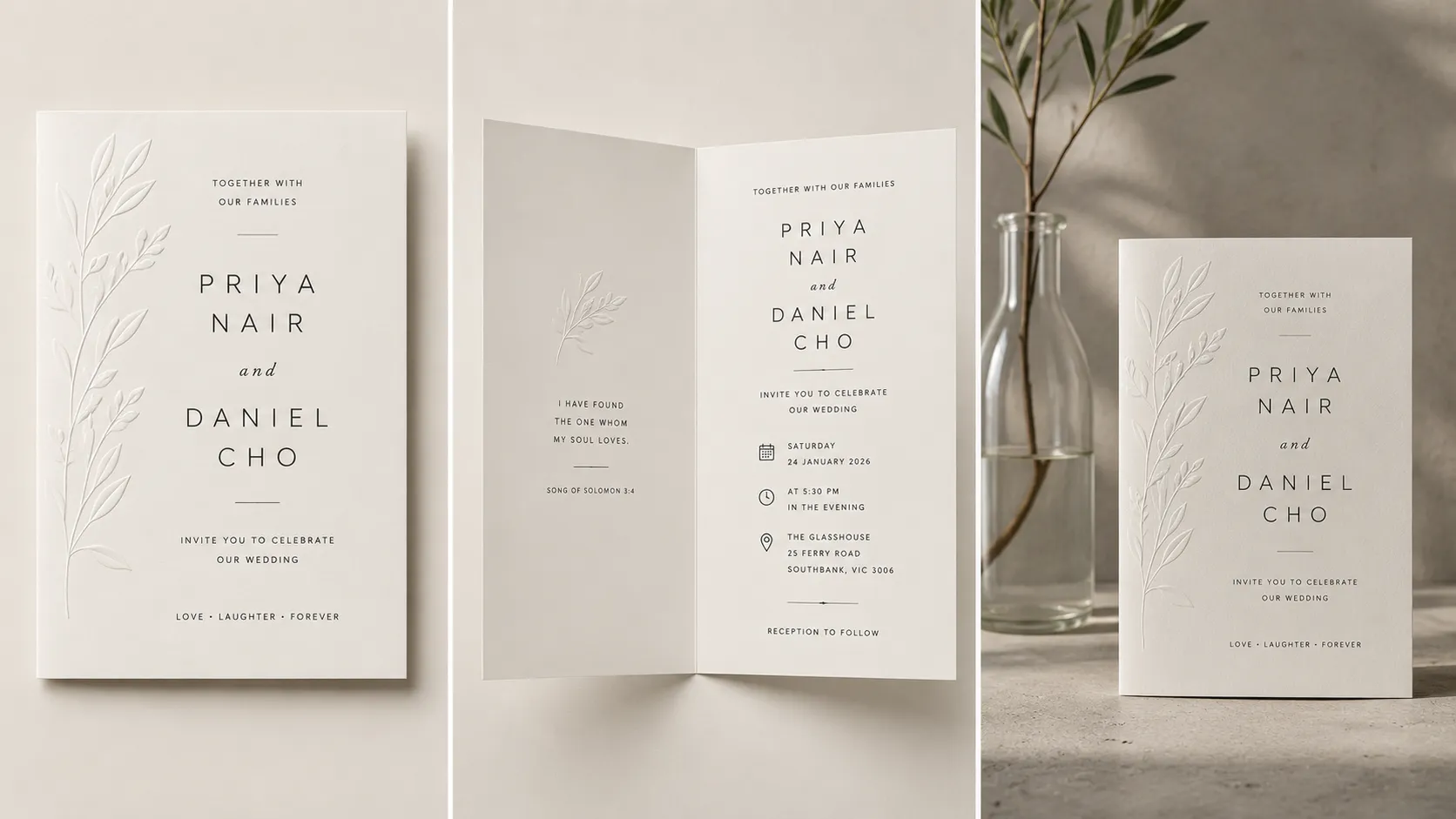
A modern minimalist wedding invitation front cover. Plain off-white background with a subtle embossed texture, monochrome palette, no color accents. Include the text {Couple Name}, {Date}, and {Venue} in a clean, thin sans-serif font, centered with generous negative space. A single thin embossed line as the only decorative element. Printed on thick uncoated cardstock with a raised embossed finish.
4. Vintage Wedding Invitation Prompt
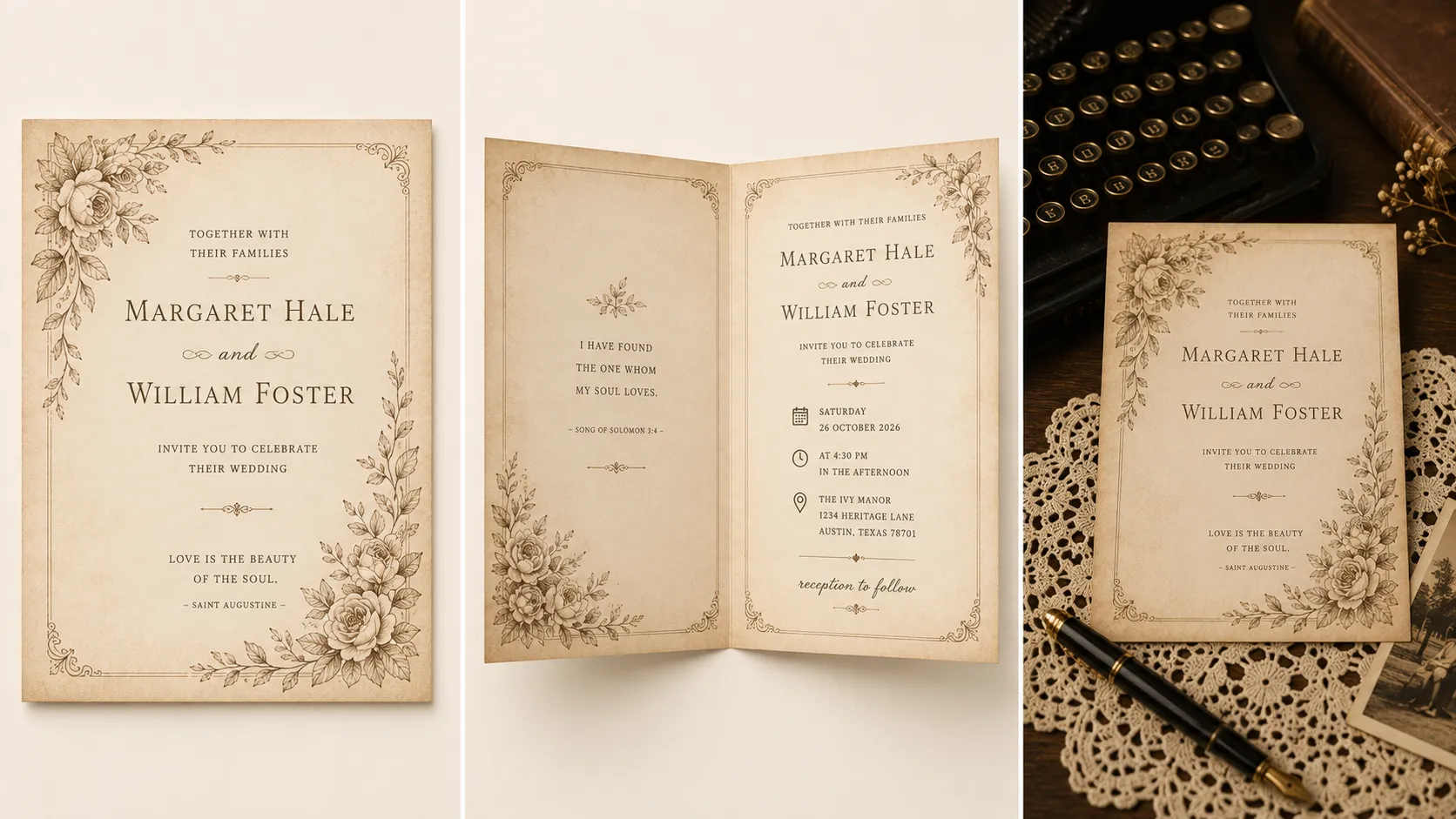
A vintage-themed wedding invitation front cover. Warm cream background with a faded, aged paper texture and subtle sepia-toned floral etchings in the corners. Include the text {Couple Name}, {Date}, and {Venue} in a classic serif font with a slightly worn, letterpress look. A delicate antique-style border framing the edges. Printed on textured cardstock with a soft letterpress finish.
5. Boho Wedding Invitation Prompt
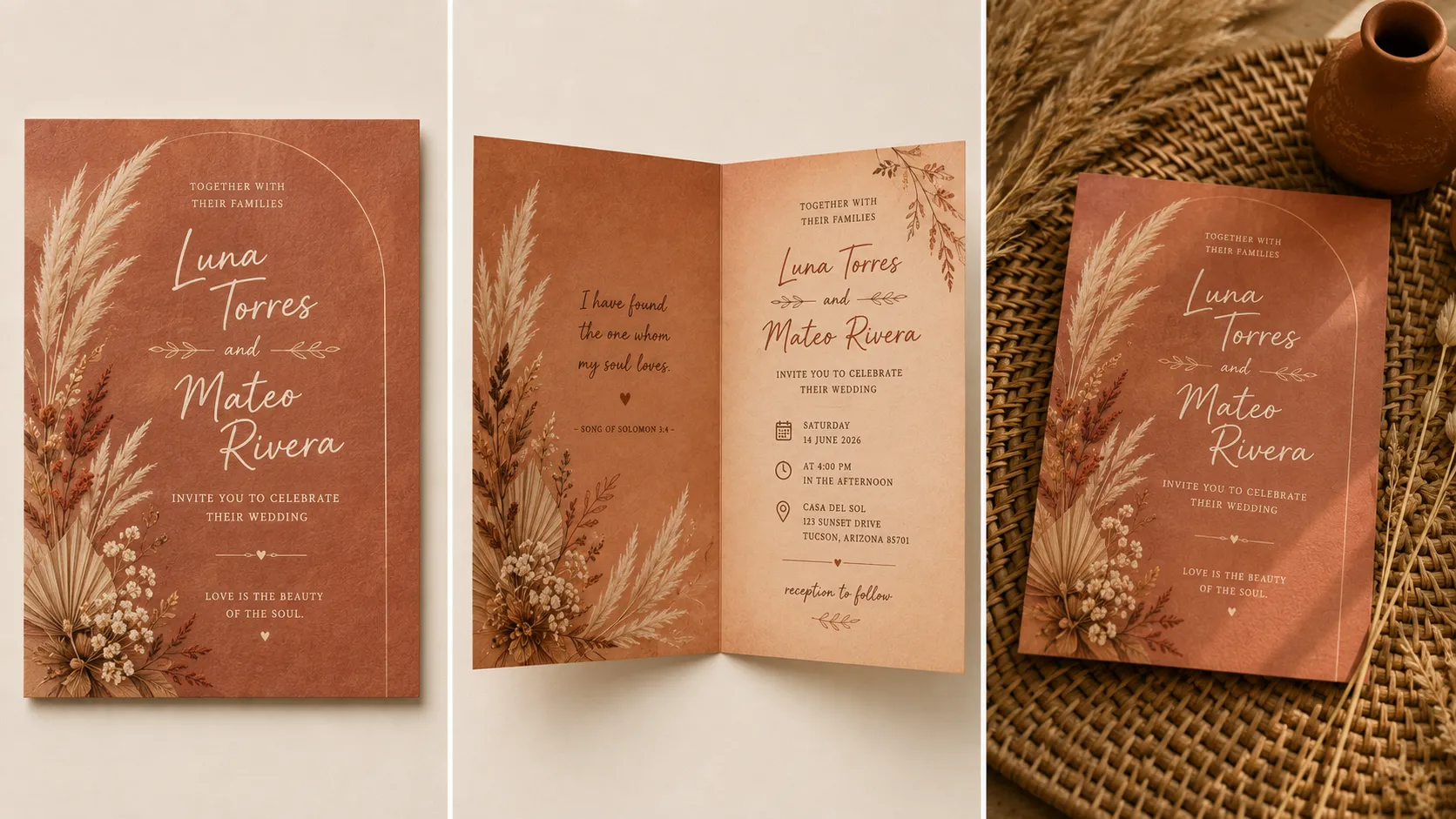
A bohemian-themed wedding invitation front cover. Textured earthy terracotta background resembling handmade paper, with hand-painted dried florals, pampas grass, and pressed leaf illustrations along one edge. Include the text {Couple Name}, {Date}, and {Venue} in a relaxed hand-lettered script. Small ink-splatter or brushstroke accents scattered around the border. Printed on textured, natural fiber cardstock.
6. Beach Wedding Invitation Prompt
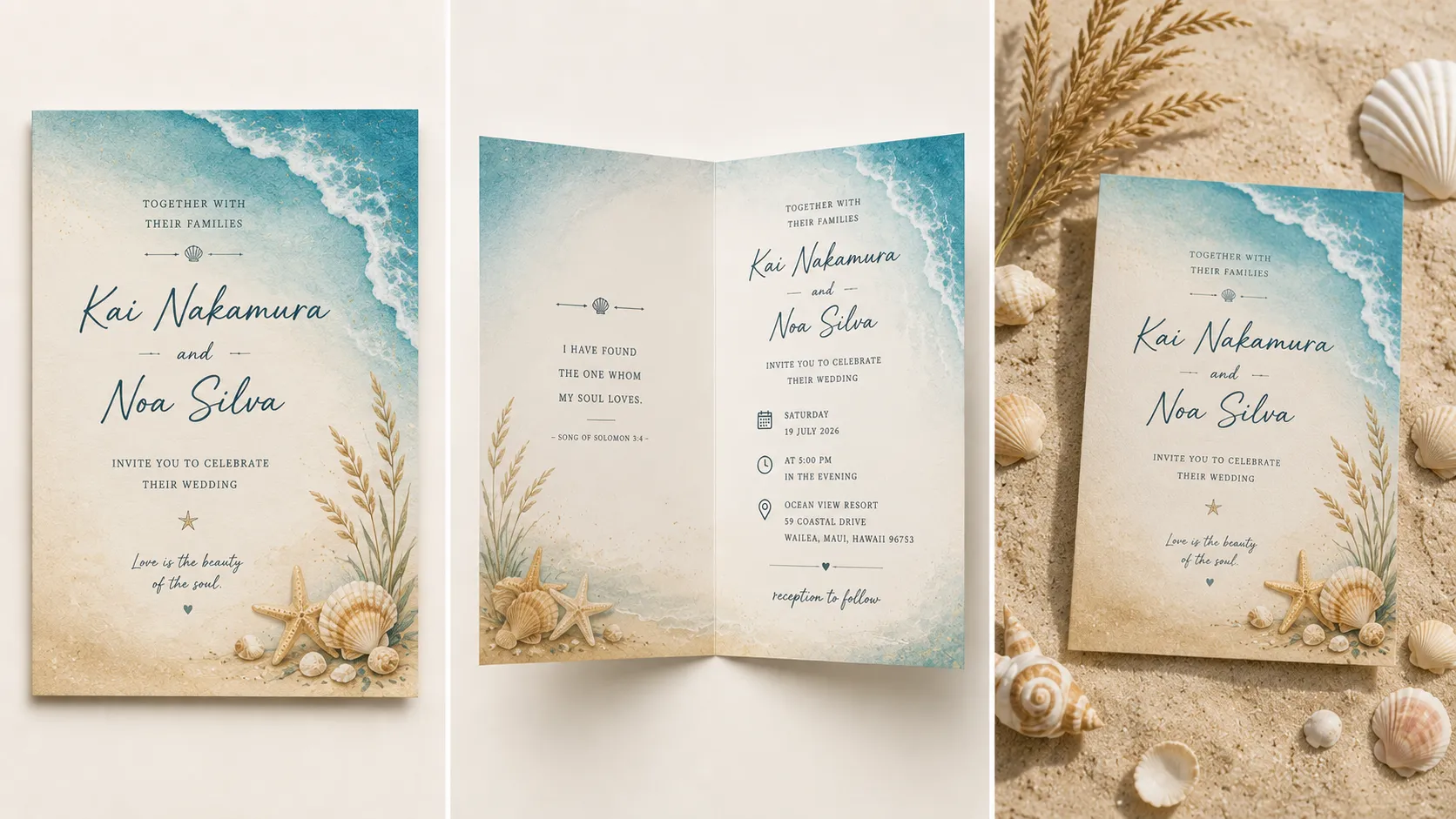
A beach-themed wedding invitation front cover. Soft gradient background fading from sandy beige to ocean blue, with a delicate illustrated wave along the bottom edge and a scattering of small seashells in one corner. Include the text {Couple Name}, {Date}, and {Venue} in a relaxed, breezy script. A thin gold line separating the text from the wave illustration. Printed on smooth matte cardstock.
7. Garden Wedding Invitation Prompt
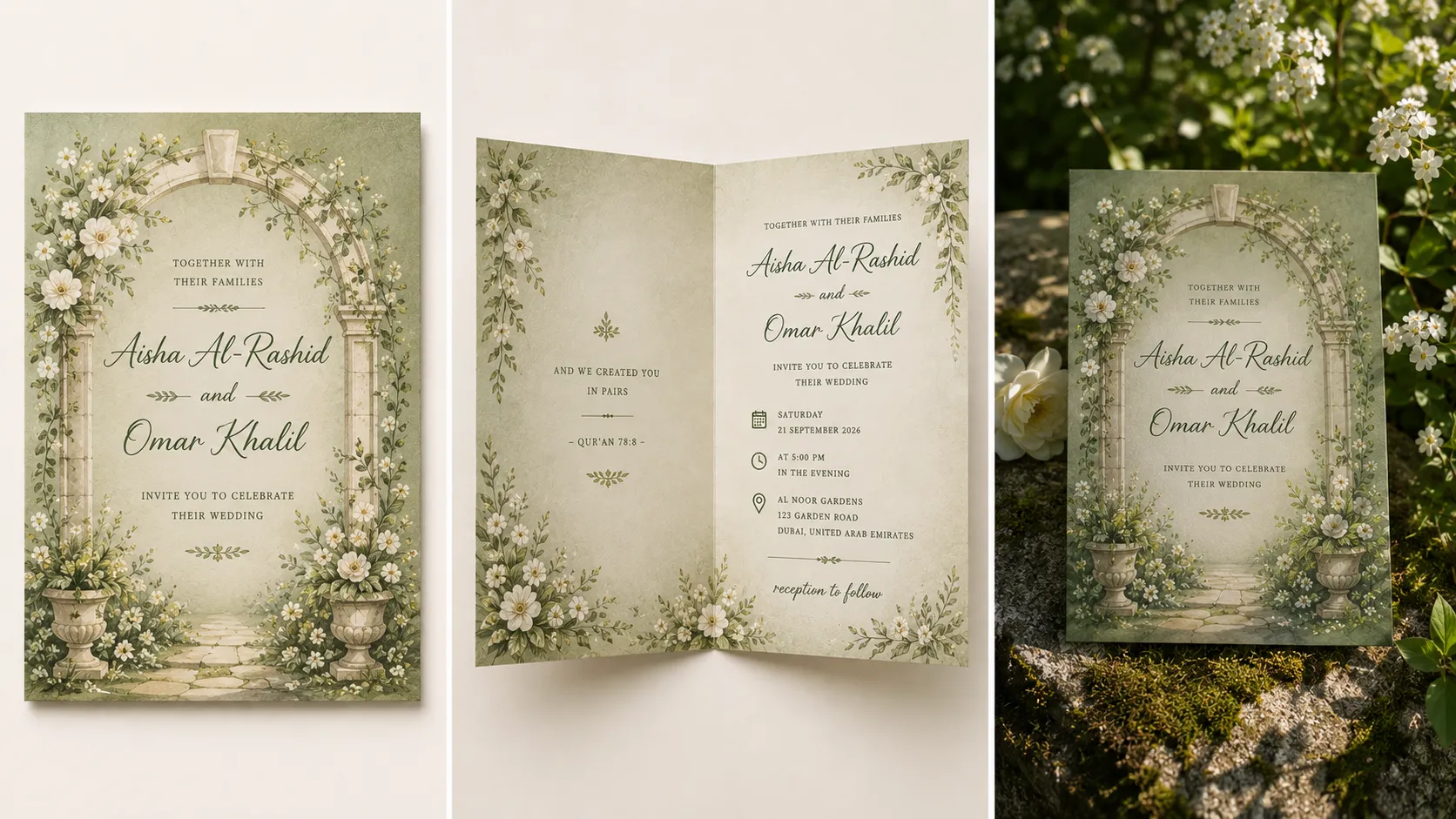
A garden-themed wedding invitation front cover. Soft sage green background with an illustrated archway of greenery and small white blossoms framing the edges. Include the text {Couple Name}, {Date}, and {Venue} in an elegant serif font, centered beneath the archway. A single small butterfly or bee illustration near the bottom corner. Printed on soft matte cardstock.
8. Art Deco Wedding Invitation Prompt
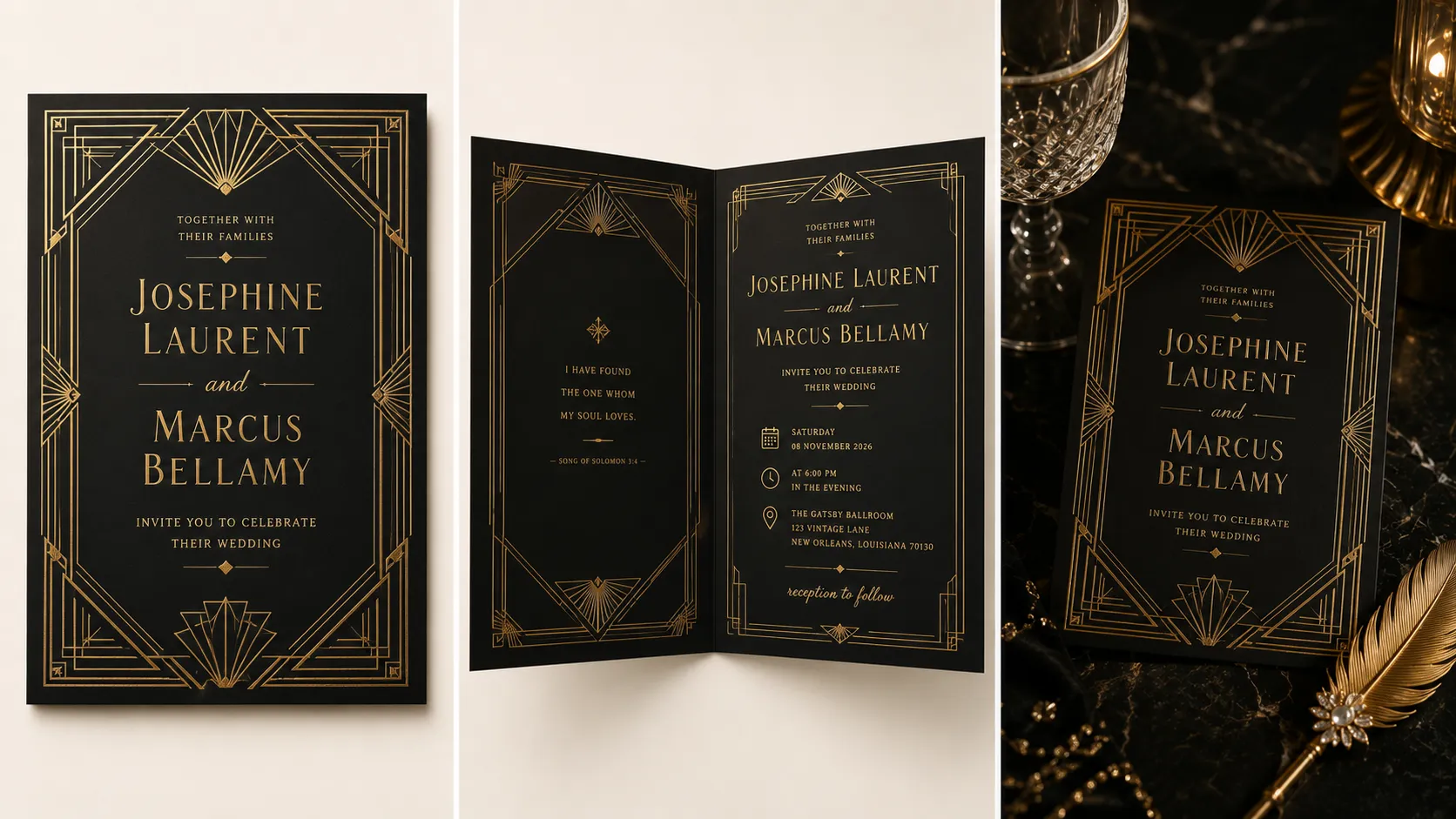
An Art Deco-themed wedding invitation front cover. Deep black background with bold geometric gold linework forming a symmetrical fan pattern along the border. Include the text {Couple Name}, {Date}, and {Venue} in a sharp, elegant Art Deco-style font, centered. A small geometric emblem above the names. Printed on smooth black cardstock with a gold foil-stamped finish.
9. Winter Wedding Invitation Prompt
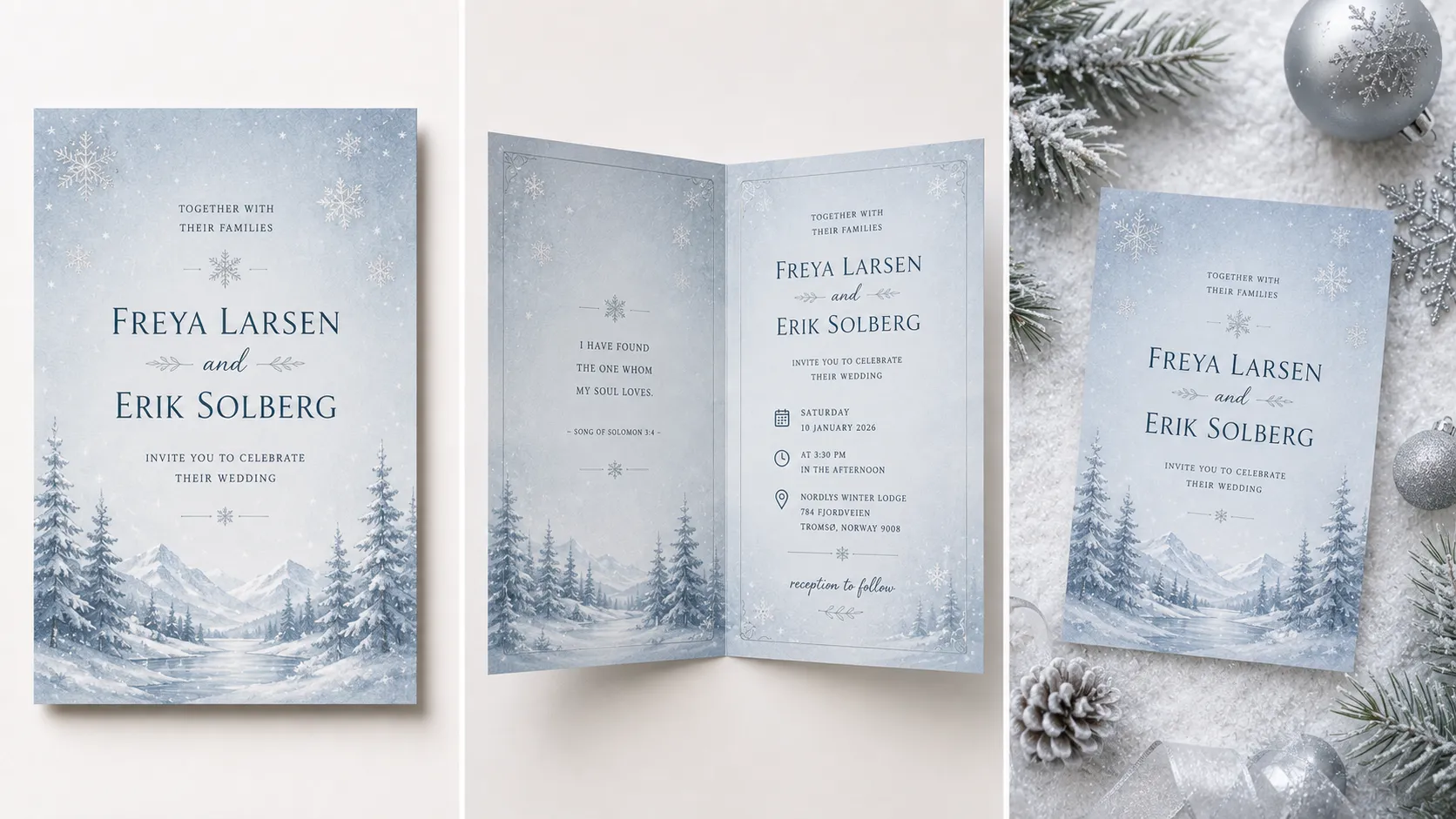
A winter-themed wedding invitation front cover. Soft icy blue background with a minimal illustrated snowy landscape along the bottom edge and delicate snowflake accents scattered across the top. Include the text {Couple Name}, {Date}, and {Venue} in a clean, elegant serif font with a silver foil finish. A thin silver border framing the edges. Printed on smooth cardstock with a silver foil-stamped finish.
10. Fairytale Wedding Invitation Prompt
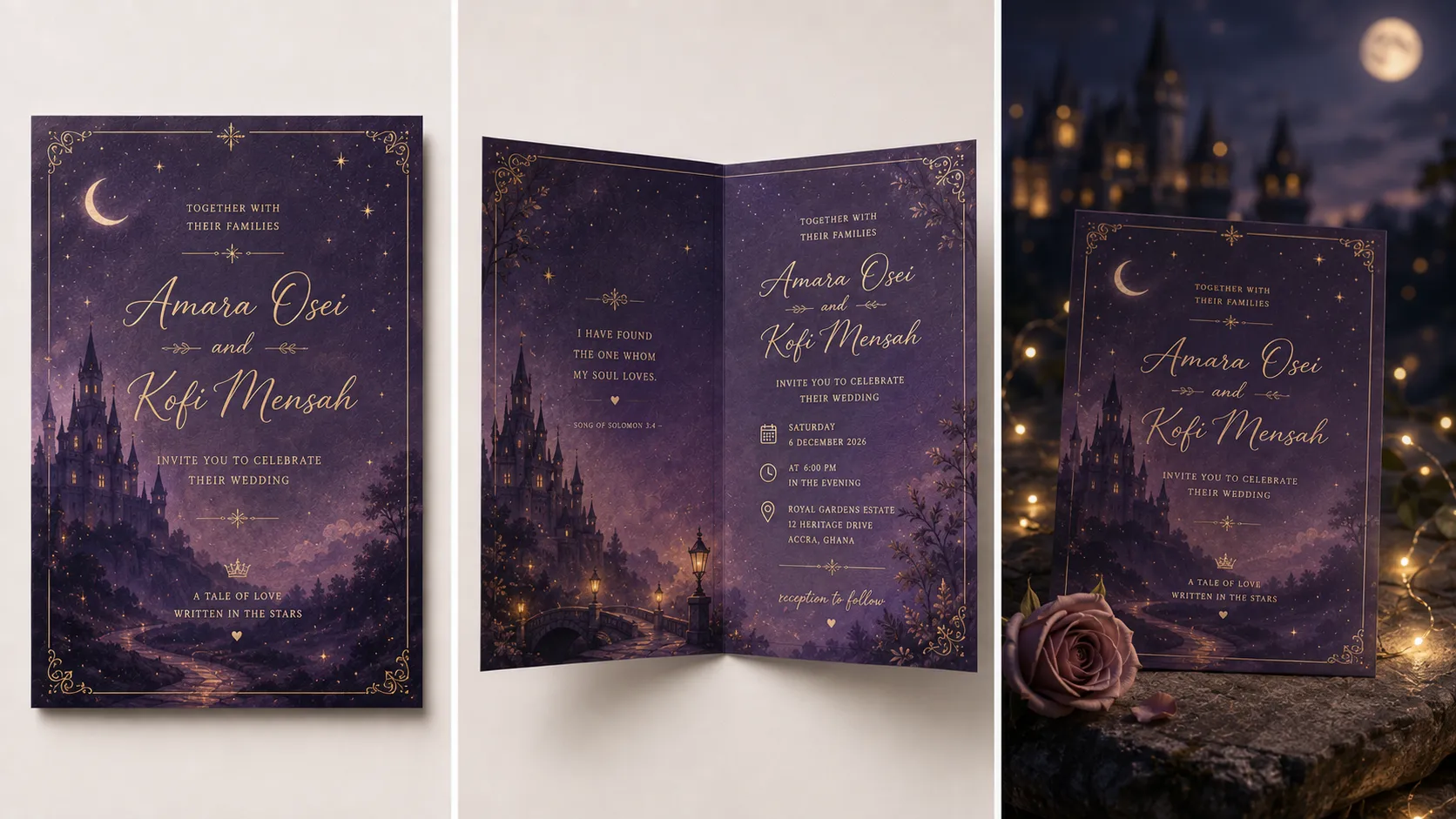
A fairytale-themed wedding invitation front cover. Soft dusky purple background with an illustrated castle silhouette faintly visible in the distance and delicate sparkles or stars scattered across the sky. Include the text {Couple Name}, {Date}, and {Venue} in a whimsical script font, centered. A small illustrated vine of roses curling along one corner. Printed on soft matte cardstock with a subtle shimmer finish.
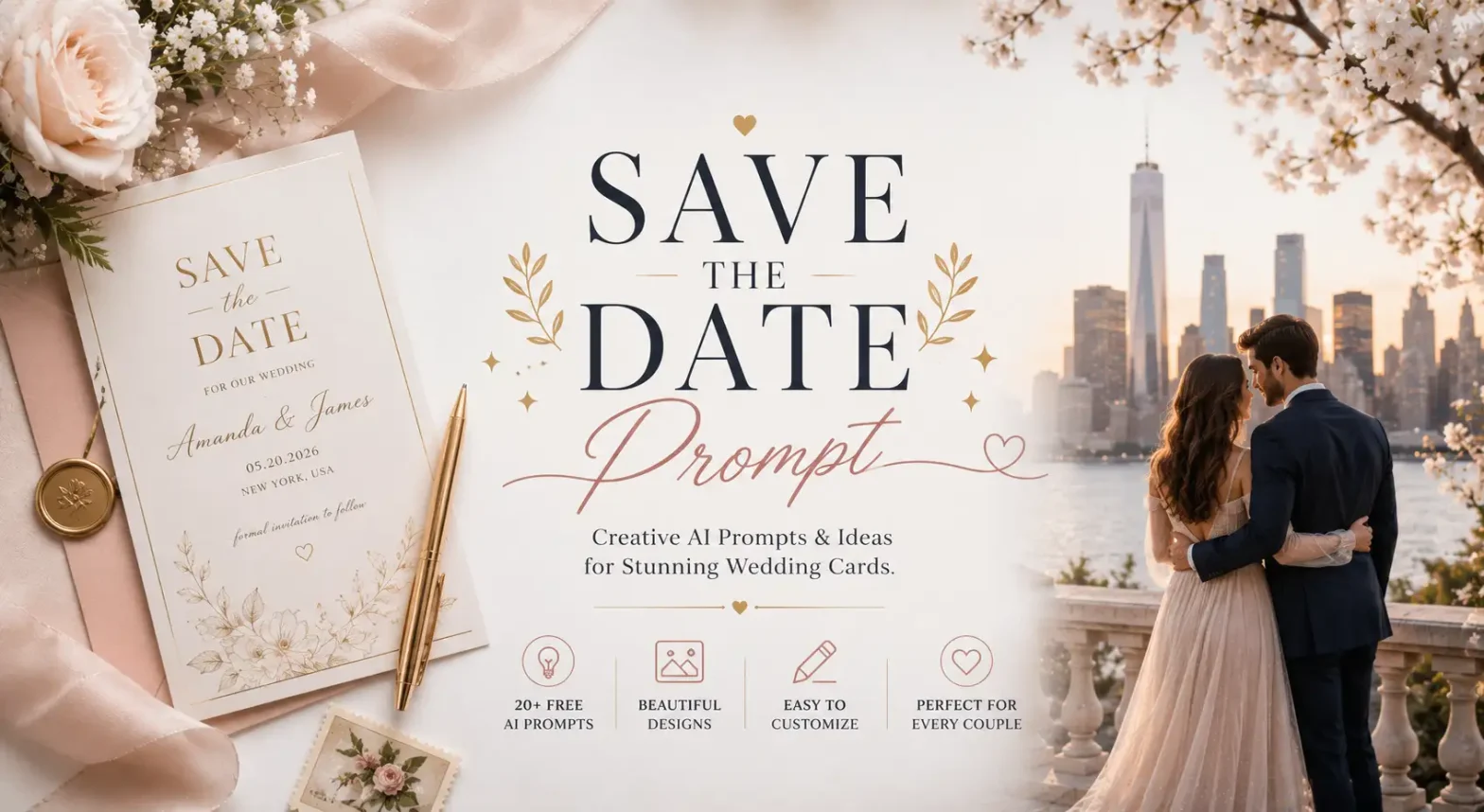
Related: 20+ Best Save-the-Date AI Prompts for Wedding Cards
By Tradition/Culture
Important Note: Traditional cards follow a certain type of content and language structure, for AI not to miss your ceremony’s actual conventions, hosts, events, sacred phrases.
These prompts follow the structure:
Tradition + Events → Hosts → Language/Script → Design Elements → Card Details
11. Hindu Wedding Invitation Prompt
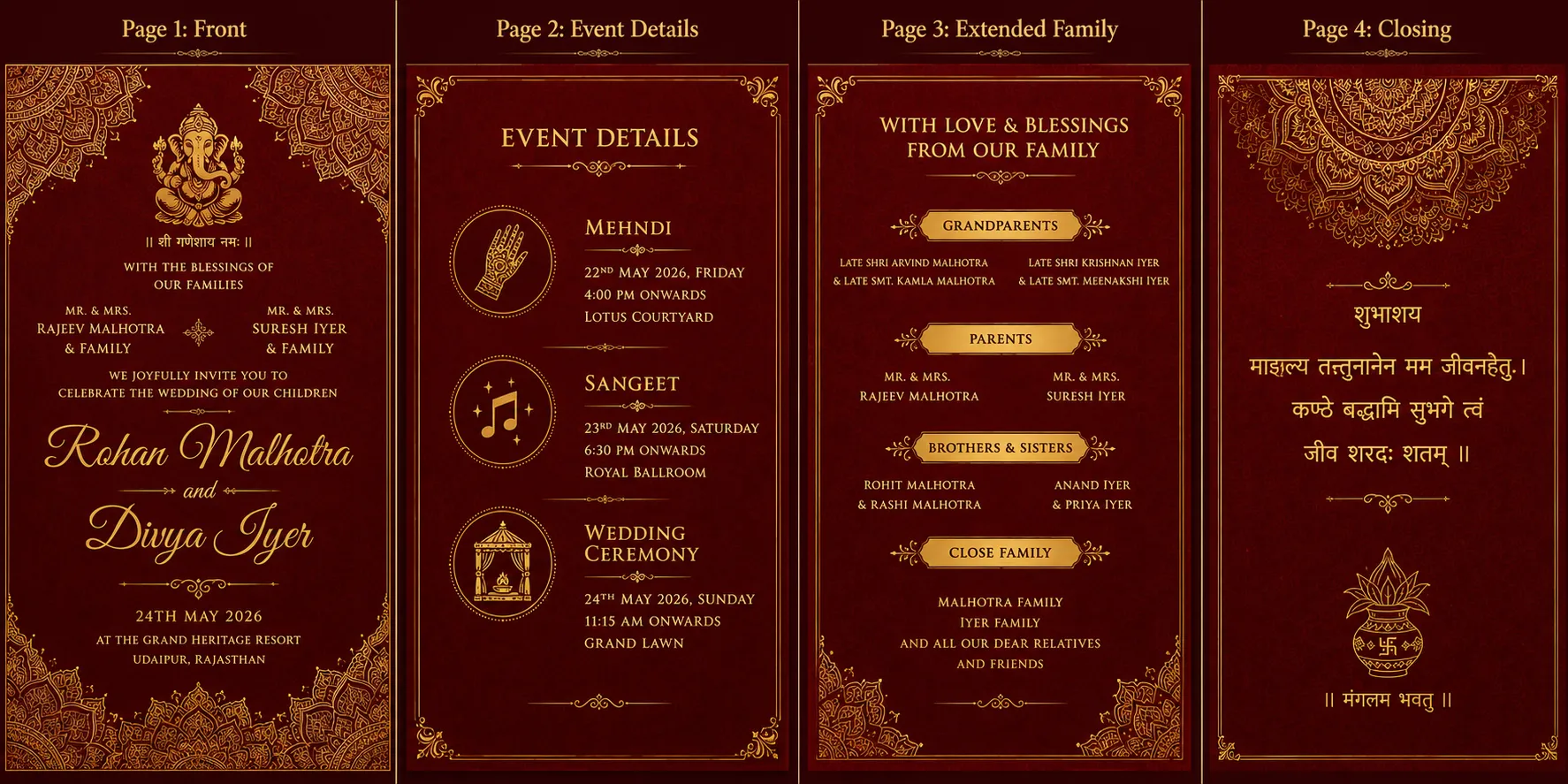
A Hindu wedding invitation. Include a small Om or Ganesha illustration at the top as an invocation. List {Couple Name}’s families as hosts, with both sets of parents’ names above the couple’s names. Include separate event listings for Mehndi, Sangeet, and the Wedding Ceremony, each with its own date, time, and {Venue}. Add a short Sanskrit blessing or “Shubh Vivah” in Devanagari script near the top or bottom. Deep red and gold color palette with a paisley or mandala border.
12. Muslim Wedding Invitation Prompt
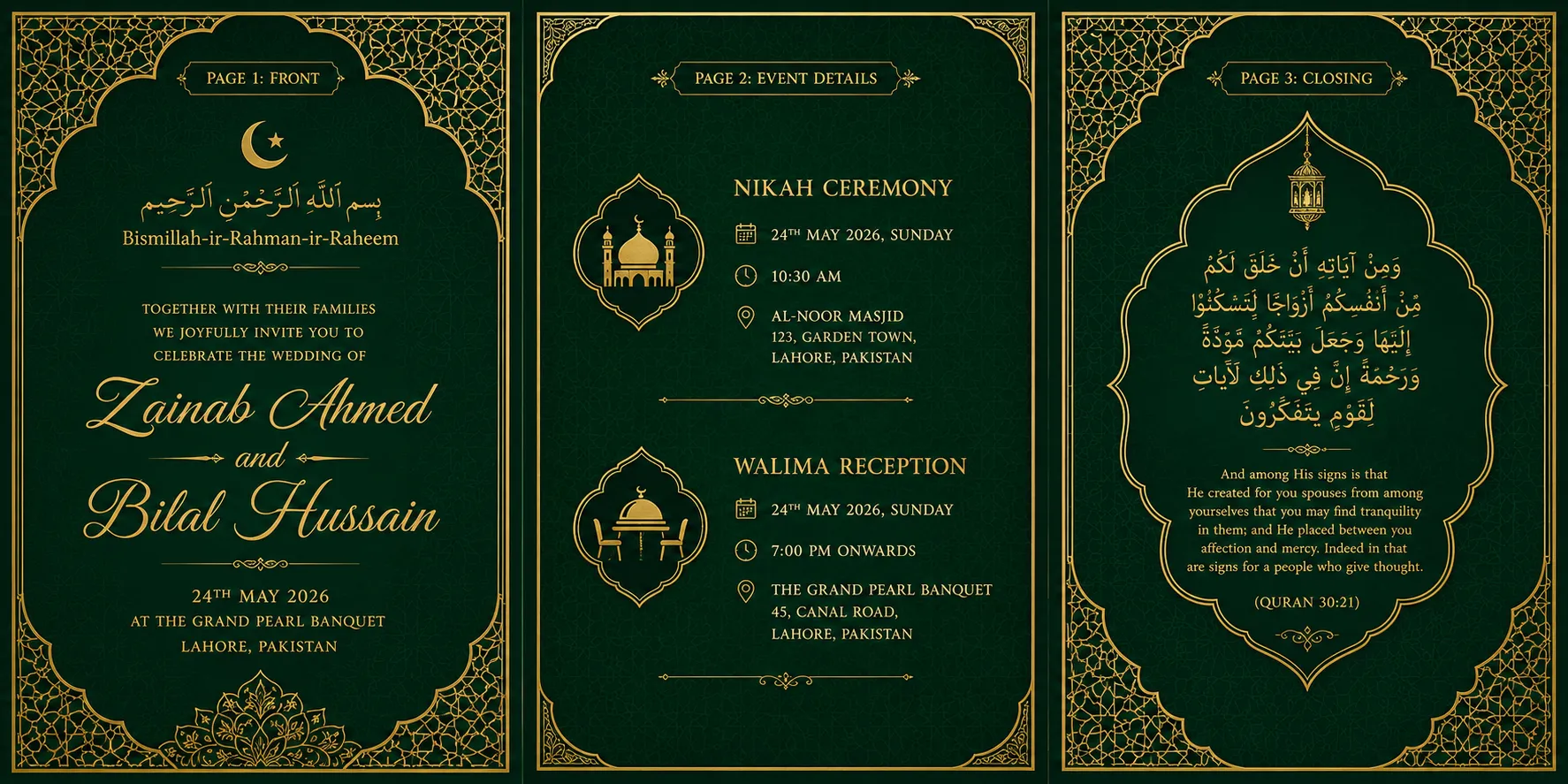
A Muslim wedding invitation. Open with “Bismillah-ir-Rahman-ir-Raheem” in Arabic script at the top. List {Couple Name}’s families as hosts. Include separate details for the Nikah ceremony and the Walima (reception), each with its own date, time, and {Venue}. Add a short dua or Quranic verse near the bottom. Emerald green and gold color palette with an Islamic geometric border.
13. Chinese Wedding Invitation Prompt
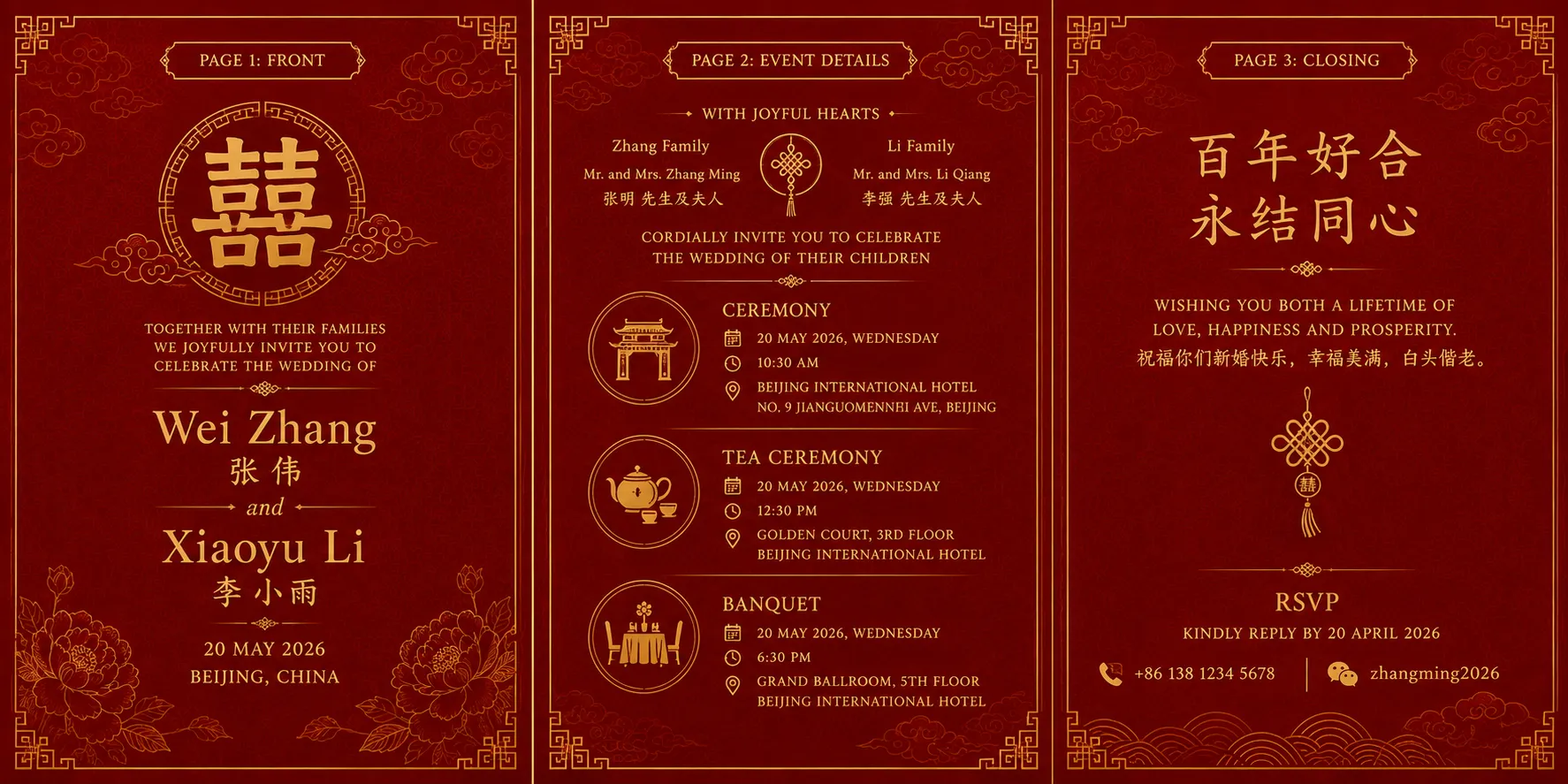
A Chinese wedding invitation. Include the double happiness symbol (囍) prominently at the top. List {Couple Name} in both English and Chinese characters, with both families named as hosts. Include the ceremony and banquet details, and a separate tea ceremony time if applicable, each with {Date} and {Venue}. Add a short blessing phrase near the bottom. Red and gold color palette with a subtle floral or cloud pattern border.
14. Nigerian Wedding Invitation Prompt
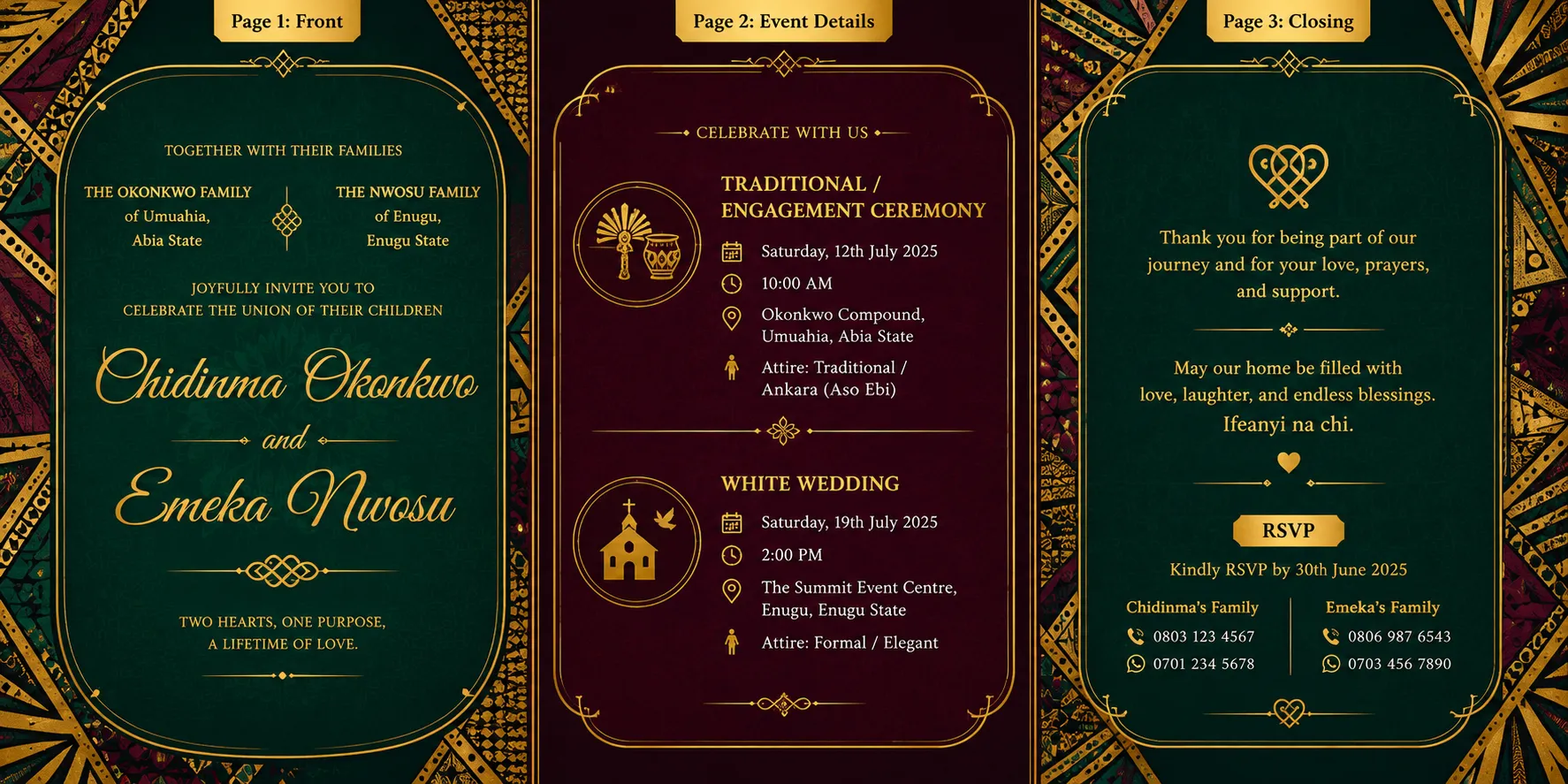
A Nigerian wedding invitation. Include {Couple Name} at the top, with both families named as hosts. Include two separate event listings, the Traditional/Engagement Ceremony and the White Wedding, each with its own date, time, {Venue}, and a suggested attire or dress code. Add a short thank-you or blessing line near the bottom. Rich jewel-tone color palette (emerald, burgundy, or purple) with a gold Ankara-inspired pattern border.
15. Sikh Wedding Invitation Prompt
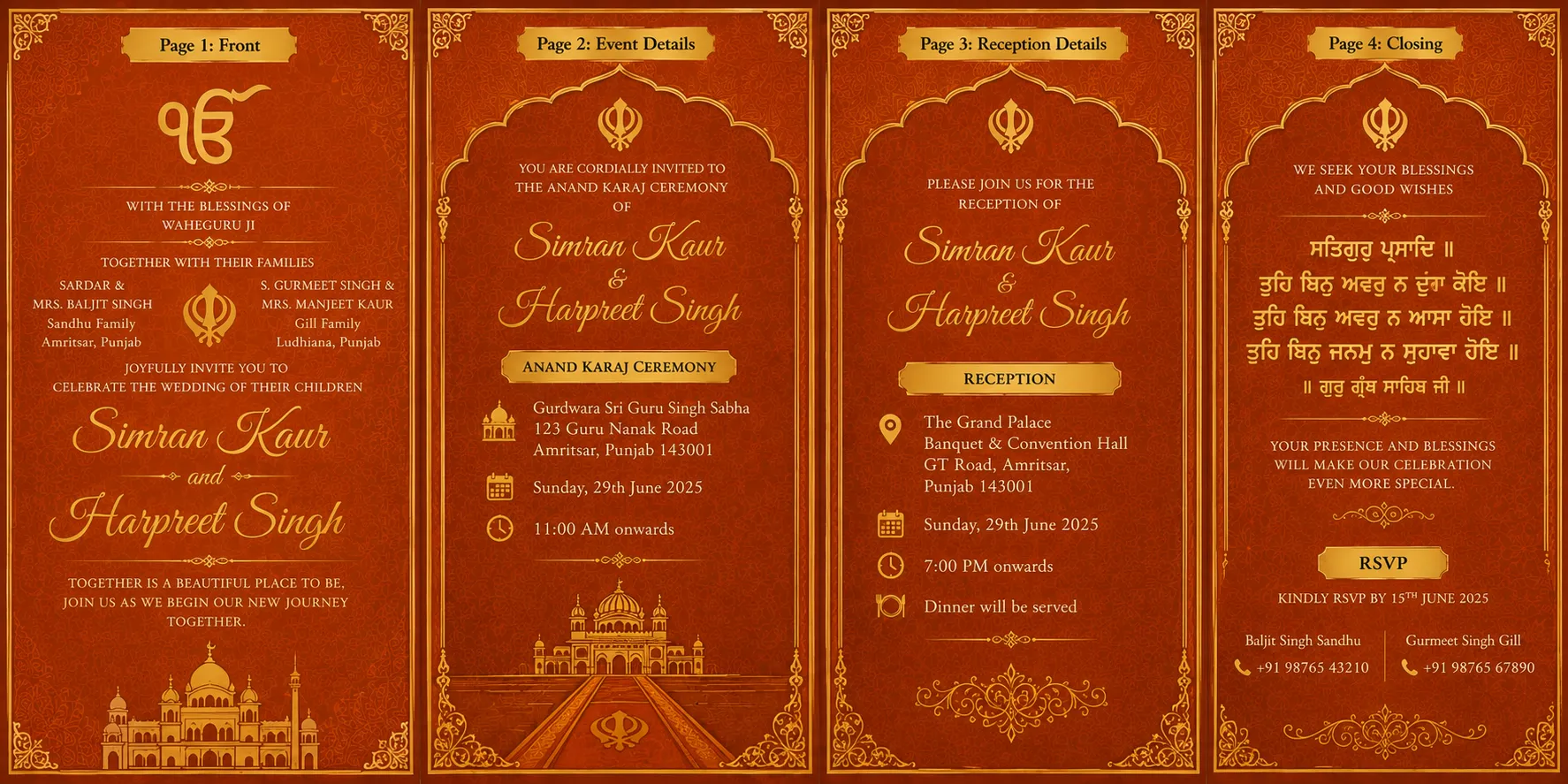
A Sikh wedding invitation. Include an Ik Onkar symbol or “Waheguru Ji Ka Khalsa” at the top. List {Couple Name}’s families as hosts. Include the Anand Karaj ceremony details with the Gurdwara name, date, and time, followed by separate reception details at {Venue}. Add a short Gurbani verse in Gurmukhi script near the bottom. Deep orange and gold color palette with a khanda or floral border.
16. Jewish Wedding Invitation Prompt
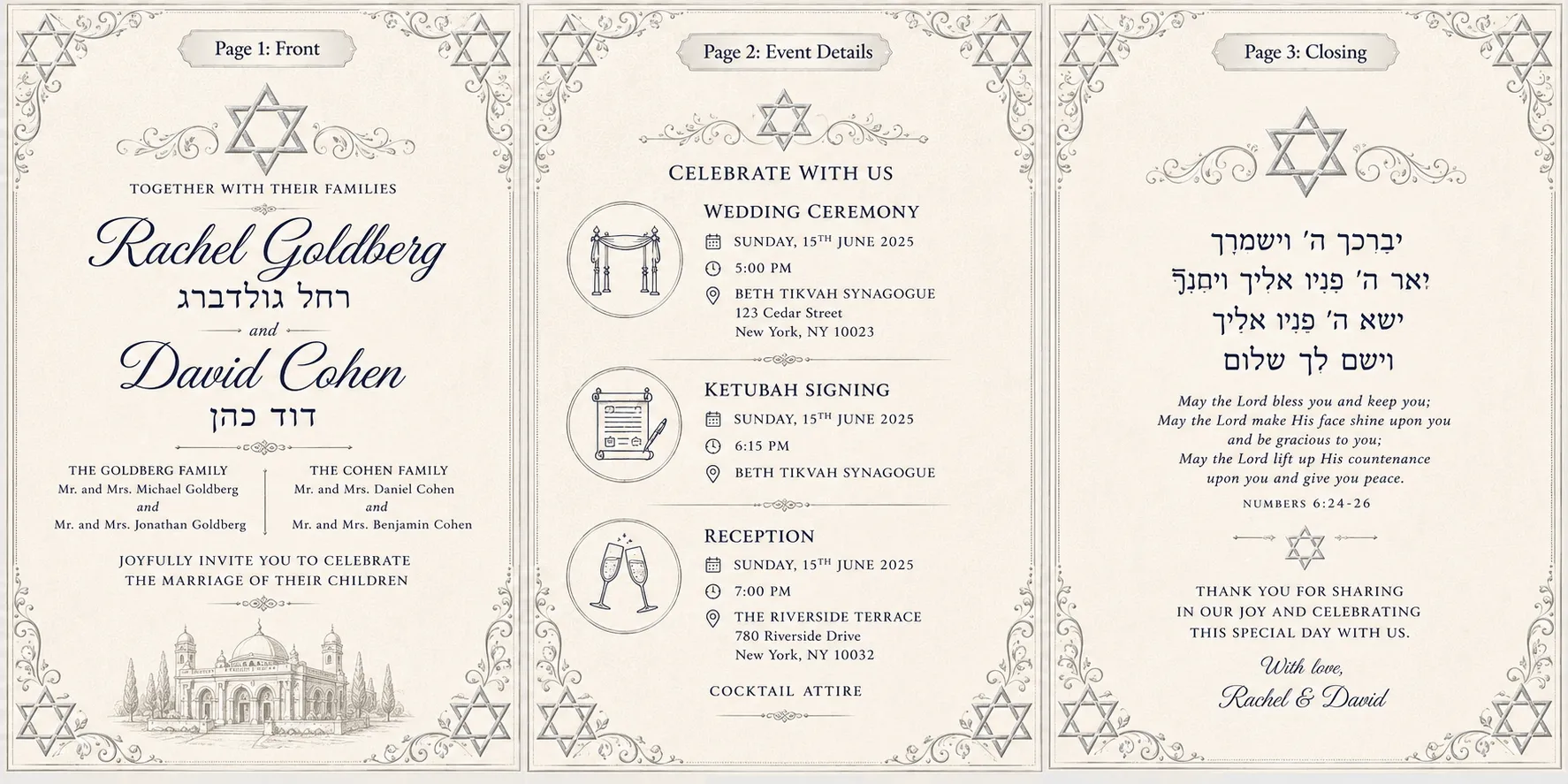
A Jewish wedding invitation. Include {Couple Name} in both English and Hebrew script at the top. List both families as hosts. Include the ceremony details, the ketubah signing time if applicable, and reception details at {Venue}, each with its own date and time. Add a short Hebrew blessing near the bottom. Ivory and silver color palette with a Star of David or floral border.
17. Christian Wedding Invitation Prompt
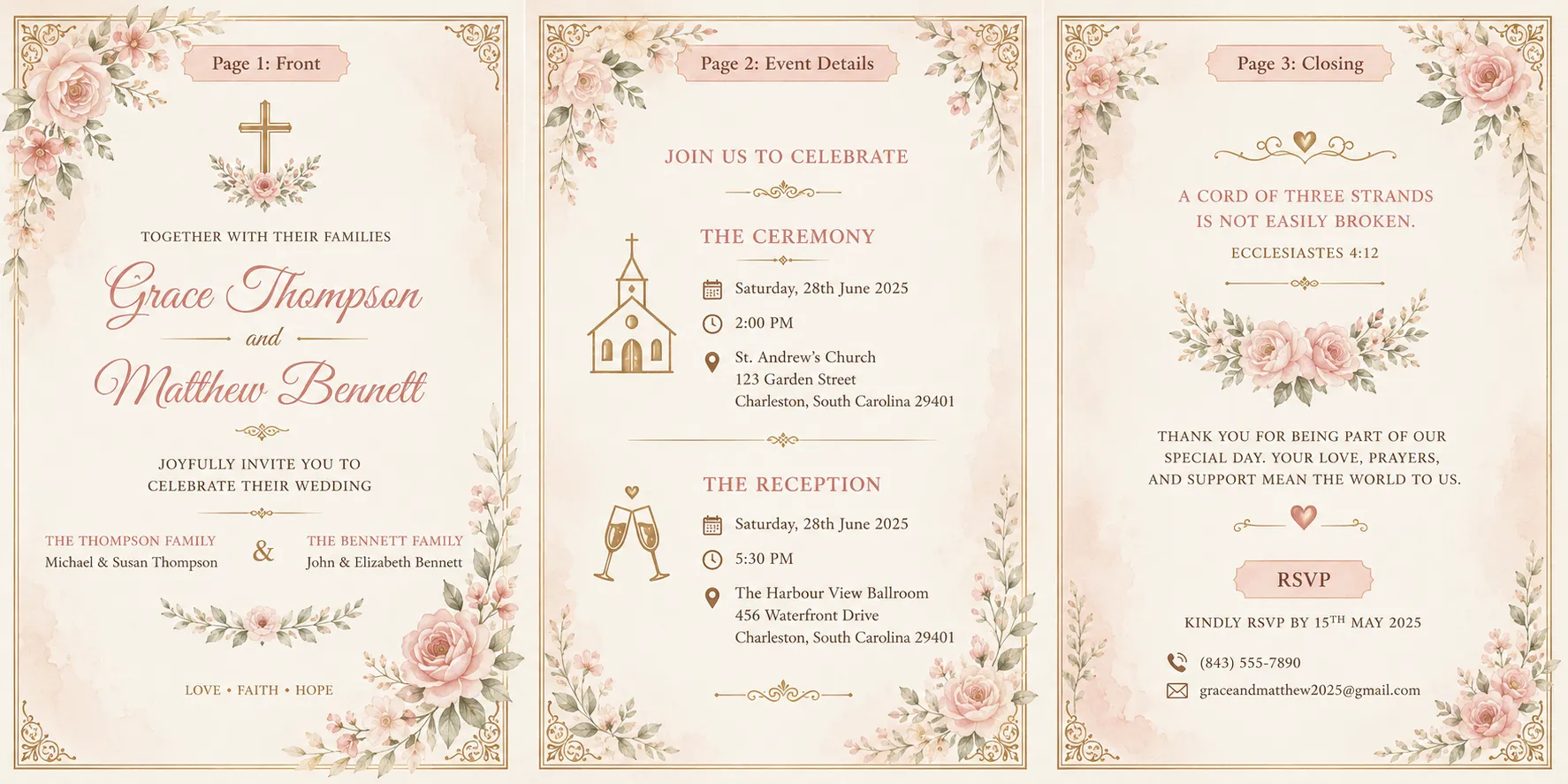
A Christian wedding invitation. Include {Couple Name} at the top, with a small cross or floral motif. Include the ceremony details (church name, date, time) and reception details at {Venue}. Add a short scripture verse or blessing near the bottom, along with an RSVP line. Soft ivory and blush color palette with a delicate floral border.
Photo-Based Card
Important Note: These prompts use Image to Image, not Text to Image.
Upload the couple’s photo first, then paste in the prompt, so the AI transforms the photo and builds the invitation around it.
The structure slightly varies as:
Source + Transformation + What to Preserve → Card Details → Palette → Layout
18. Ghibli-Style Wedding Invitation Prompt
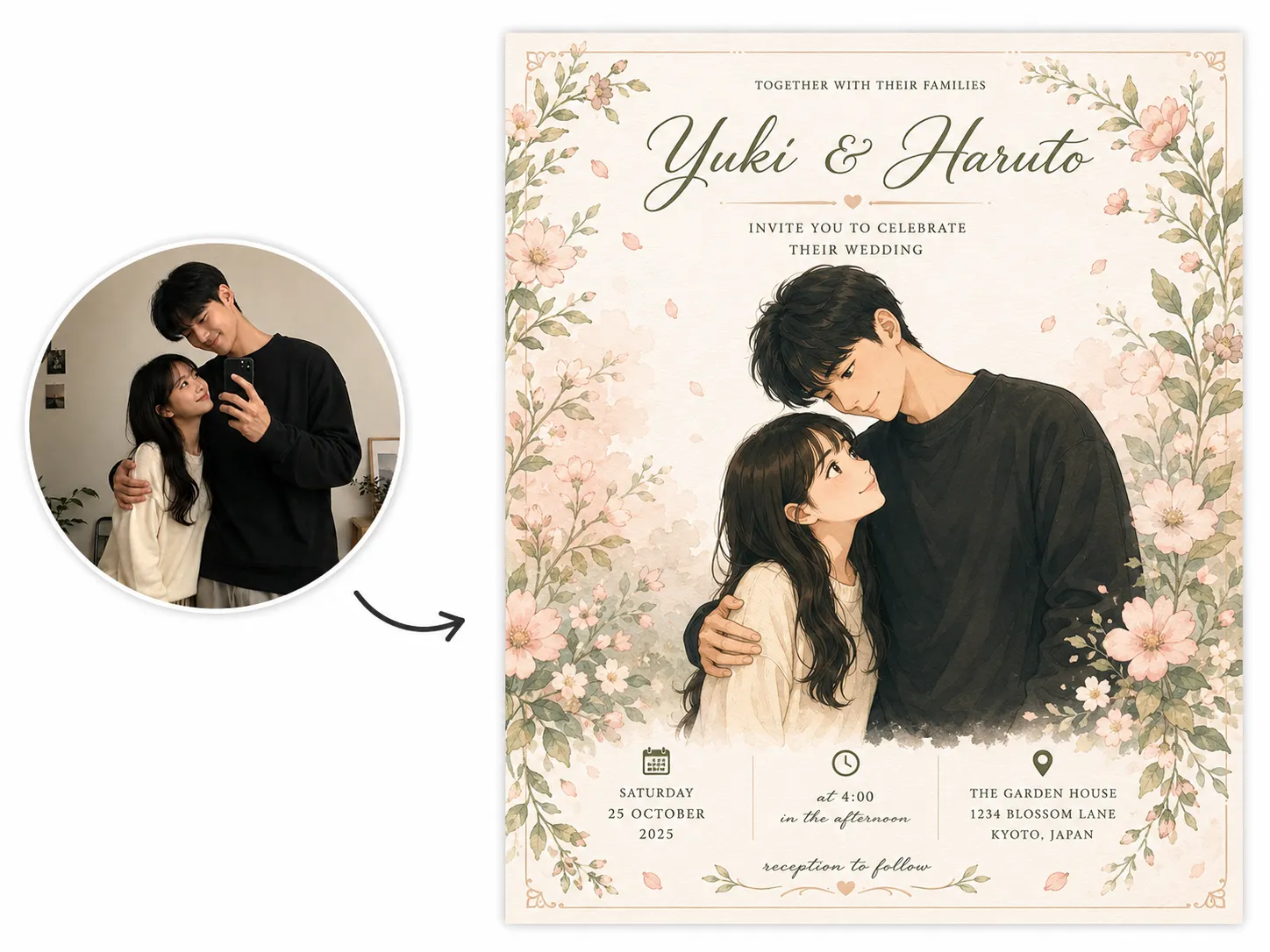
Using the uploaded photo of the couple, transform it into a soft Ghibli-style anime illustration, gentle colors, hand-drawn linework, dreamy background. Keep their faces, hairstyles, and outfits recognizable and true to the original photo. Create a wedding invitation for [“Couple Name”], getting married on [“Date”] at [“Venue”]. Soft blush pink and sage green color palette. Place the illustrated couple in the center of the card, with the names in elegant script above them and the date and venue below.
, getting married on [“Date”] at [“Venue”]. Soft blush pink and sage green color palette. Place the illustrated couple in the center of the card, with the names in elegant script above them and the date and venue below.’ text=”Generate Using This Prompt” query=”toolName=image2image&tab=image-tools&imgUrl=” deeplink=””]
19. Watercolor Couple Wedding Invitation Prompt
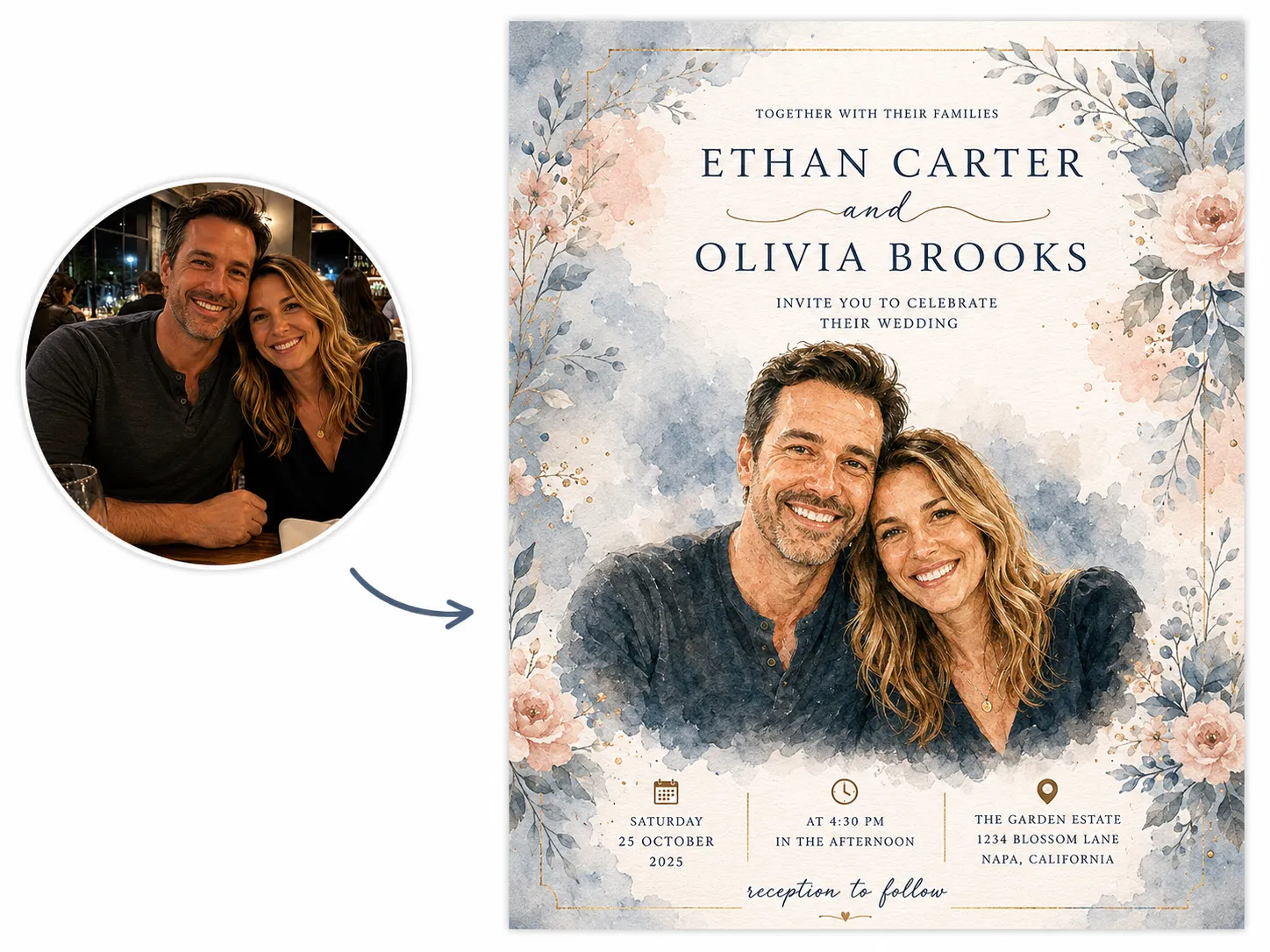
Using the uploaded photo of the couple, transform it into a soft watercolor illustration, visible brush strokes, gentle color bleed, delicate and painterly. Keep their faces, hairstyles, and outfits recognizable and true to the original photo. Create a wedding invitation for [“Couple Name”], getting married on [“Date”] at [“Venue”]. Dusty blue and blush color palette. Place the watercolor illustration centered on the card, names in a flowing script below, date and venue beneath that.
, getting married on [“Date”] at [“Venue”]. Dusty blue and blush color palette. Place the watercolor illustration centered on the card, names in a flowing script below, date and venue beneath that.’ text=”Generate Using This Prompt” query=”toolName=image2image&tab=image-tools&imgUrl=” deeplink=””]
20. Caricature Wedding Invitation Prompt
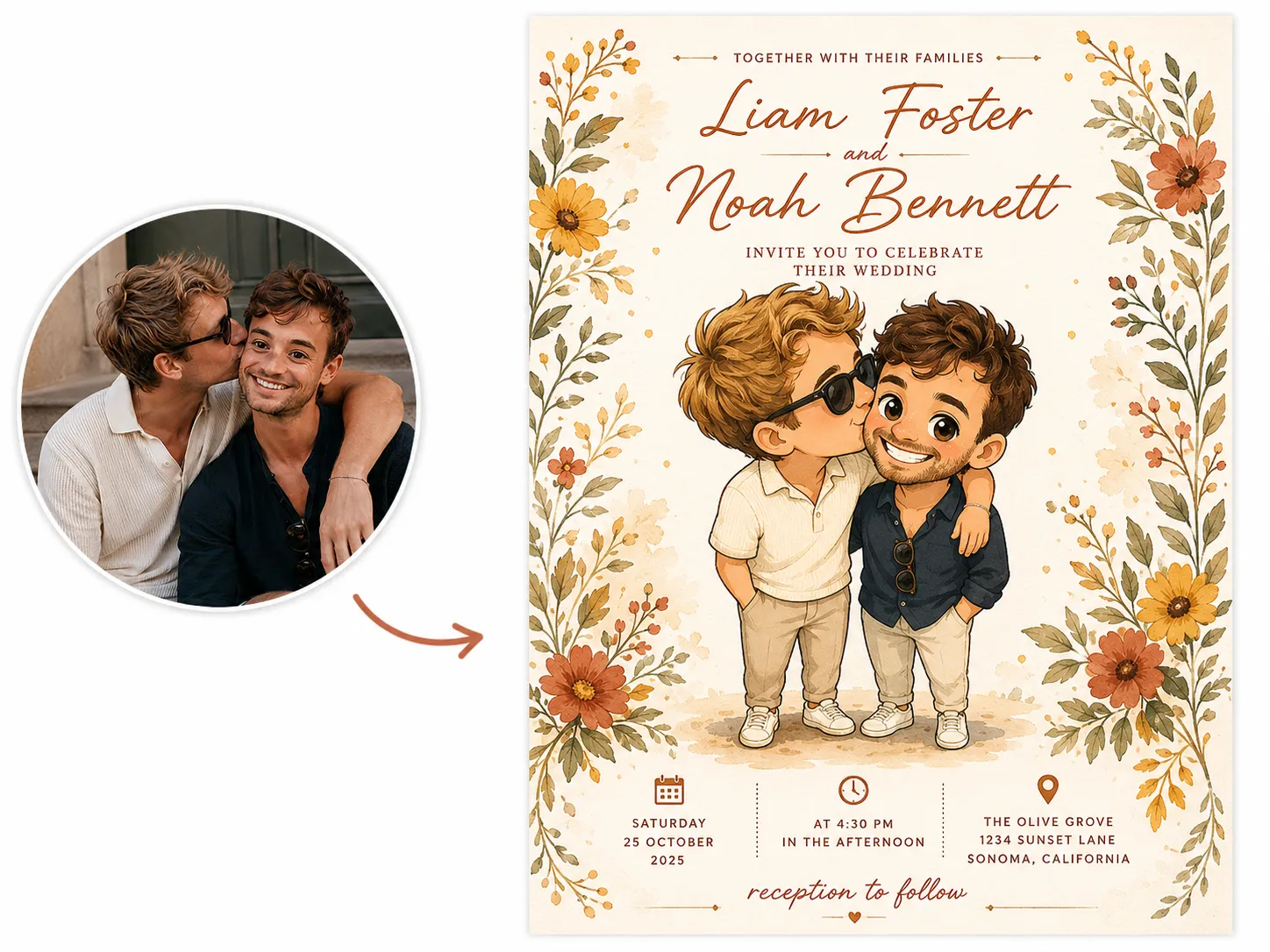
Using the uploaded photo of the couple, transform it into a fun, exaggerated caricature illustration, playful proportions, expressive smiles, keeping their key features recognizable. Change their pose to standing close together laughing, one leaning slightly into the other, three-quarter angle instead of a straight-on shot. Create a wedding invitation for [“Couple Name”], getting married on [“Date”] at [“Venue”]. Warm mustard yellow and terracotta color palette. Place the caricature illustration centered on the card, with the names in a bold, playful font above and the date and venue below.
, getting married on [“Date”] at [“Venue”]. Warm mustard yellow and terracotta color palette. Place the caricature illustration centered on the card, with the names in a bold, playful font above and the date and venue below.’ text=”Generate Using This Prompt” query=”toolName=image2image&tab=image-tools&imgUrl=” deeplink=””]
21. Oil Painting Style Wedding Invitation Prompt
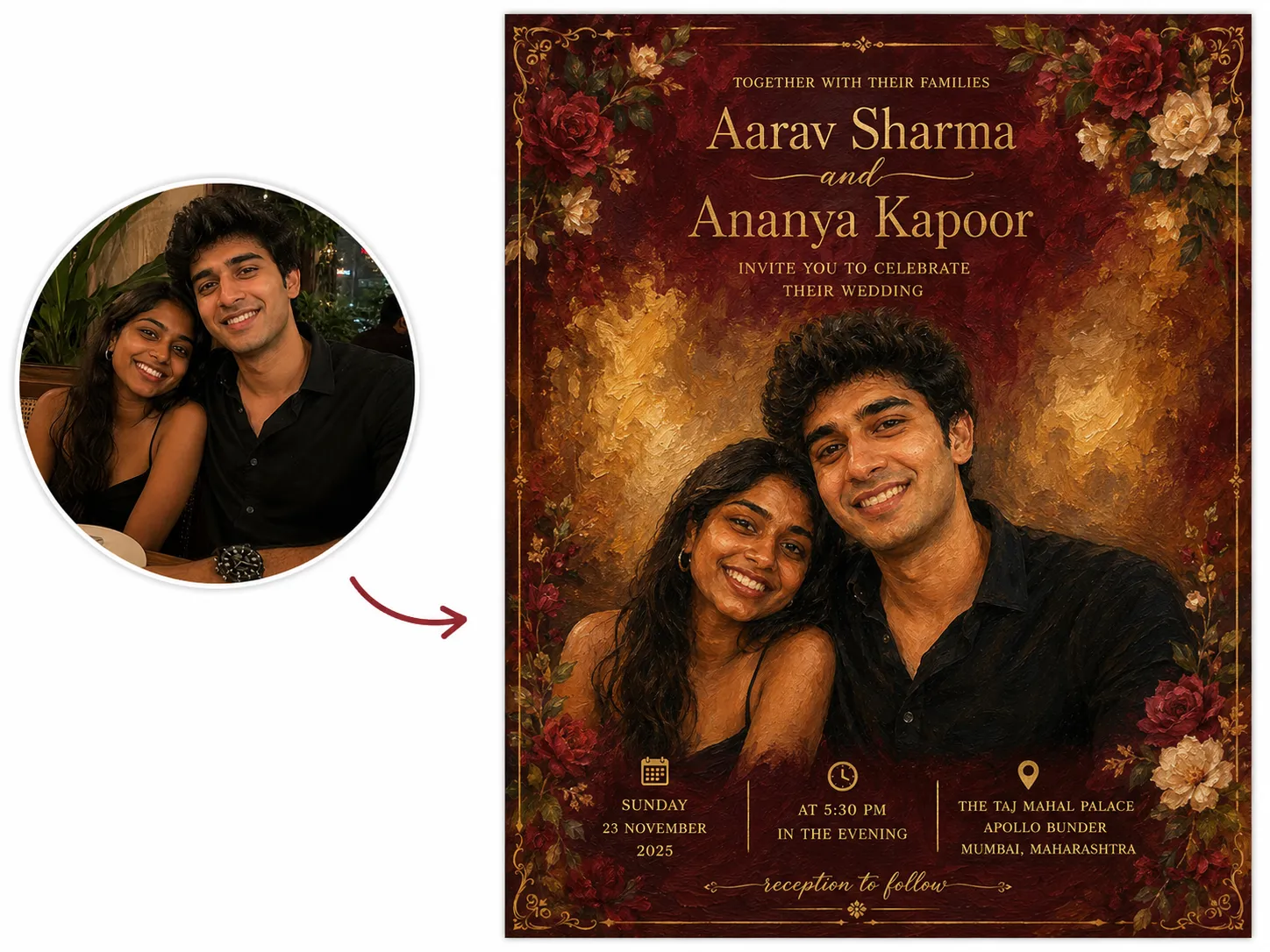
Using the uploaded photo of the couple, transform it into a classic oil painting portrait, rich brush texture, warm painterly lighting, timeless and elegant. Keep their faces, outfits, and expressions recognizable and true to the original photo. Create a wedding invitation for [“Couple Name”], getting married on [“Date”] at [“Venue”]. Deep red and gold color palette. Place the painted portrait centered on the card, with names in elegant gold calligraphy above and the date and venue below.
, getting married on [“Date”] at [“Venue”]. Deep red and gold color palette. Place the painted portrait centered on the card, with names in elegant gold calligraphy above and the date and venue below.’ text=”Generate Using This Prompt” query=”toolName=image2image&tab=image-tools&imgUrl=” deeplink=””]
22. Pixar-Style Wedding Invitation Prompt
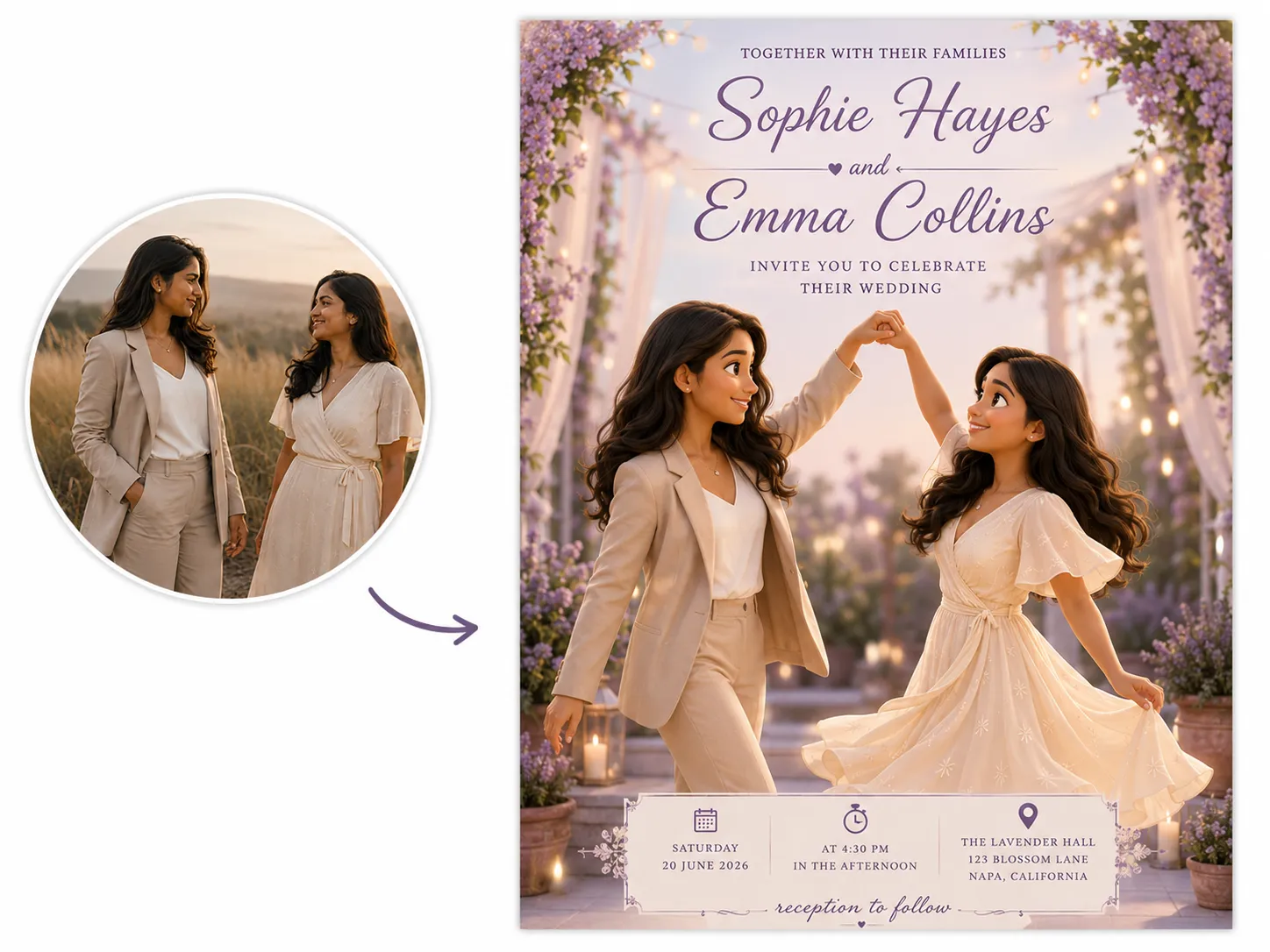
Using the uploaded photo of the couple, transform it into a Pixar-style 3D animated illustration, warm lighting, expressive features, soft rounded shapes, keeping their faces recognizable. Change their pose to a joyful spin or twirl, one holding the other’s hand, captured mid-laugh from a slightly low angle. Create a wedding invitation for [“Couple Name”], getting married on [“Date”] at [“Venue”]. Soft lavender and cream color palette. Place the illustrated couple centered on the card, with names in a clean modern font above and the date and venue below.
, getting married on [“Date”] at [“Venue”]. Soft lavender and cream color palette. Place the illustrated couple centered on the card, with names in a clean modern font above and the date and venue below.’ text=”Generate Using This Prompt” query=”toolName=image2image&tab=image-tools&imgUrl=” deeplink=””]
23. Photo Collage Wedding Invitation Prompt
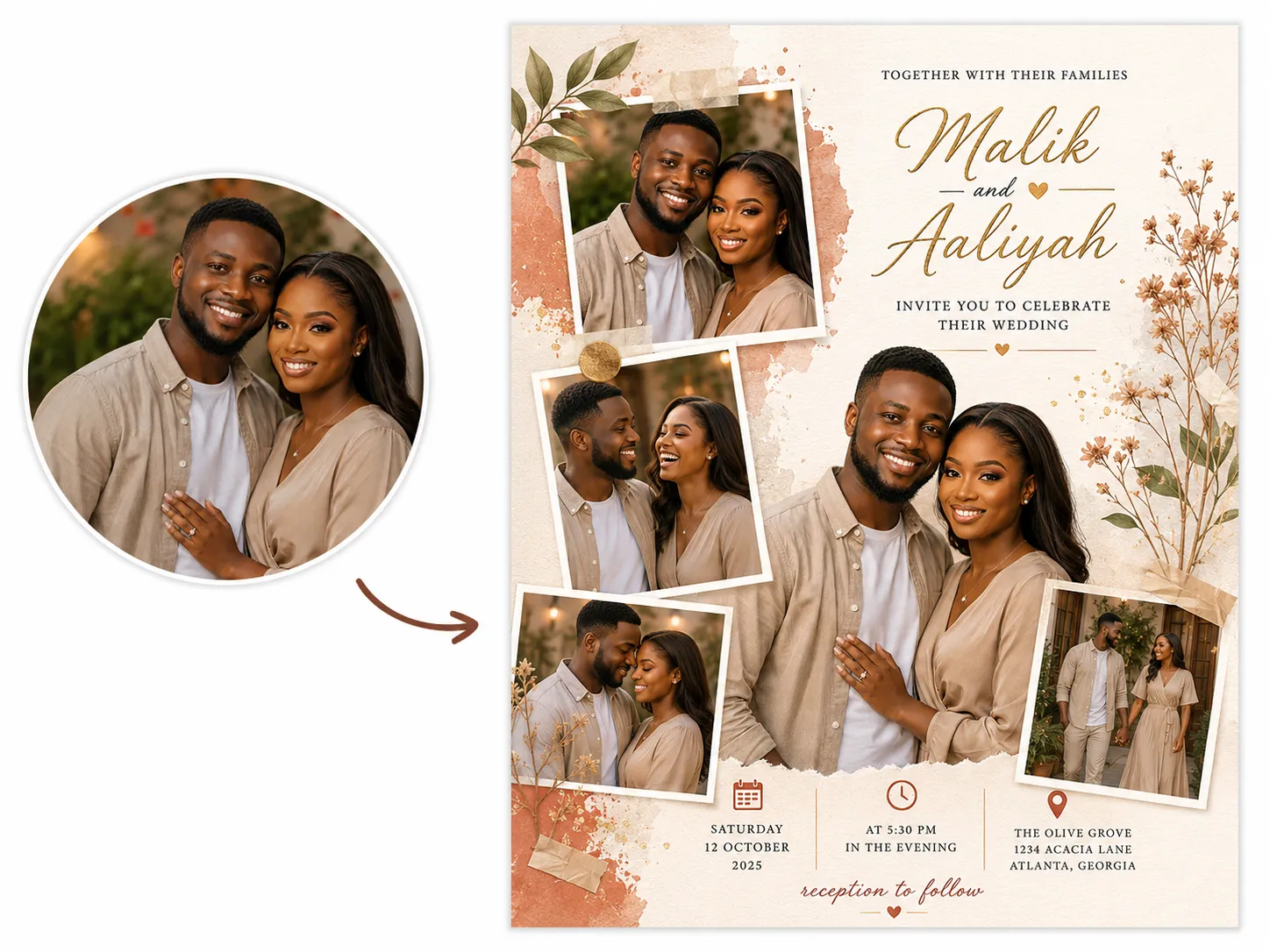
Using the uploaded photos of the couple, arrange them into a Pinterest-style photo collage, polaroid-style frames, slightly overlapping, scrapbook feel. Vary the poses and angles across the different photos in the collage, close-up smiling, a candid laugh, a side embrace, so the collage feels like a range of real captured moments rather than repeated shots. Create a wedding invitation for [“Couple Name”], getting married on [“Date”] at [“Venue”]. Warm terracotta and gold color palette. Place the collage across the top half of the card, with names in bold serif lettering below and the date and venue beneath that.
, getting married on [“Date”] at [“Venue”]. Warm terracotta and gold color palette. Place the collage across the top half of the card, with names in bold serif lettering below and the date and venue beneath that.’ text=”Generate Using This Prompt” query=”toolName=image2image&tab=image-tools&imgUrl=” deeplink=””]
24. Real Photo Wedding Invitation Prompt
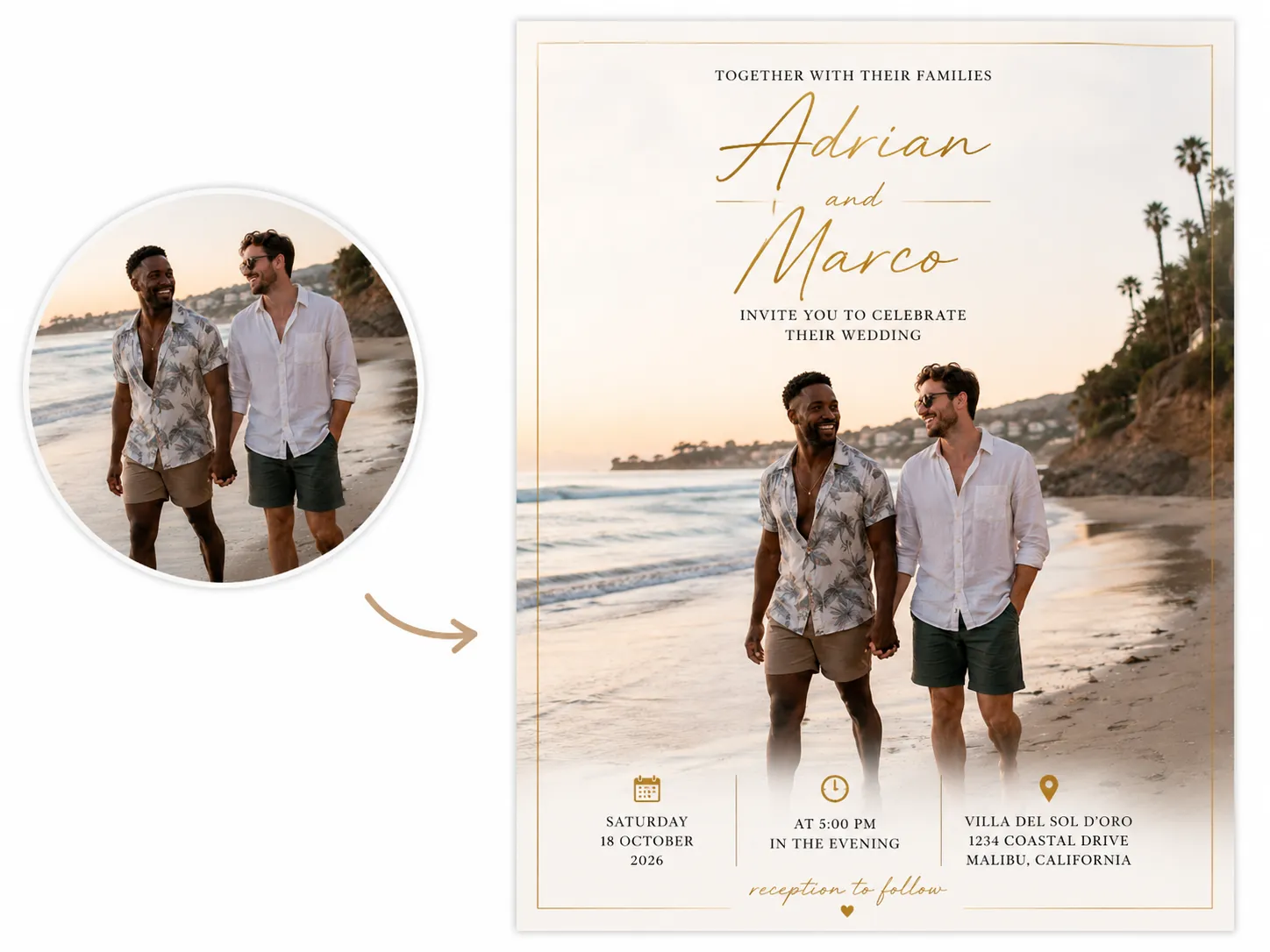
Using the uploaded photo of the couple exactly as it is, no restyling, frame it elegantly within the invitation design. Create a wedding invitation for [“Couple Name”], getting married on [“Date”] at [“Venue”]. Keep the whole card’s color palette the same as the color palette of the uploaded photo. Add a thin gold border framing the photo. Place the framed photo centered on the card, with names in elegant gold script above and the date and venue below.
, getting married on [“Date”] at [“Venue”]. Keep the whole card#39;s color palette the same as the color palette of the uploaded photo. Add a thin gold border framing the photo. Place the framed photo centered on the card, with names in elegant gold script above and the date and venue below.’ text=”Generate Using This Prompt” query=”toolName=image2image&tab=image-tools&imgUrl=” deeplink=””]
25. Royal Couple Wedding Invitation Prompt
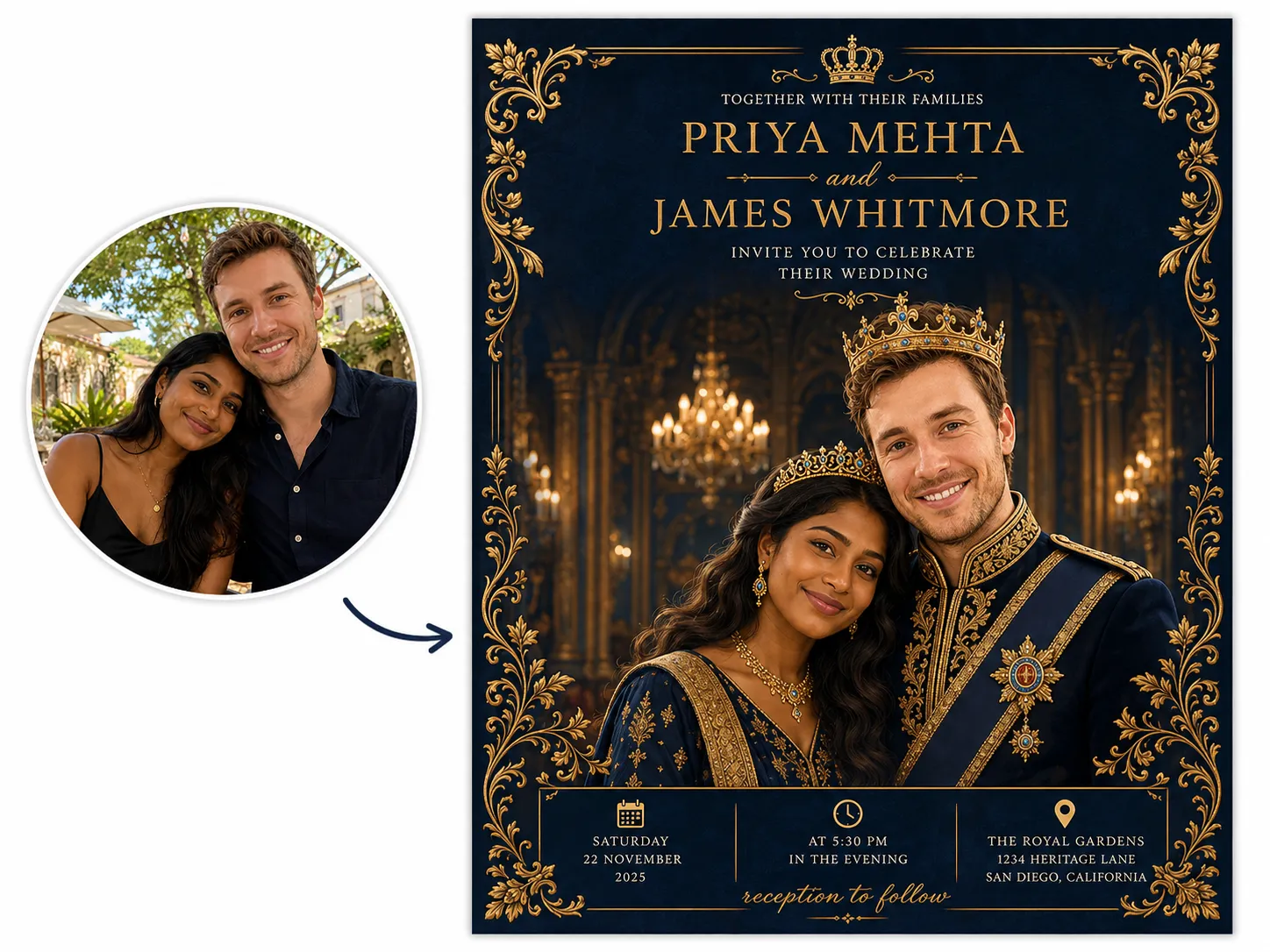
Using the uploaded photo of the couple, transform it into a regal illustrated portrait, styled in royal attire, ornate crown or headpiece details, rich fabric textures, keeping their faces recognizable. Change their outfits into royal-style clothing, a flowing gown or embroidered robe for one, a formal royal coat or tunic for the other, and restyle their hair into an elegant royal hairstyle, an upswept style with jewels for one, neatly groomed for the other. Change their pose to a formal royal stance, standing side by side, chin slightly raised, three-quarter angle, one hand gently clasped together. Create a wedding invitation for [“Couple Name”], getting married on [“Date”] at [“Venue”]. Deep navy and gold color palette. Place the illustrated portrait centered on the card, with names in ornate gold lettering above and the date and venue below.
, getting married on [“Date”] at [“Venue”]. Deep navy and gold color palette. Place the illustrated portrait centered on the card, with names in ornate gold lettering above and the date and venue below.’ text=”Generate Using This Prompt” query=”toolName=image2image&tab=image-tools&imgUrl=” deeplink=””]
Related: 50+ AI Wedding Photo Prompts
Mistakes to Avoid When Creating a Wedding Invitation
1. When Planning
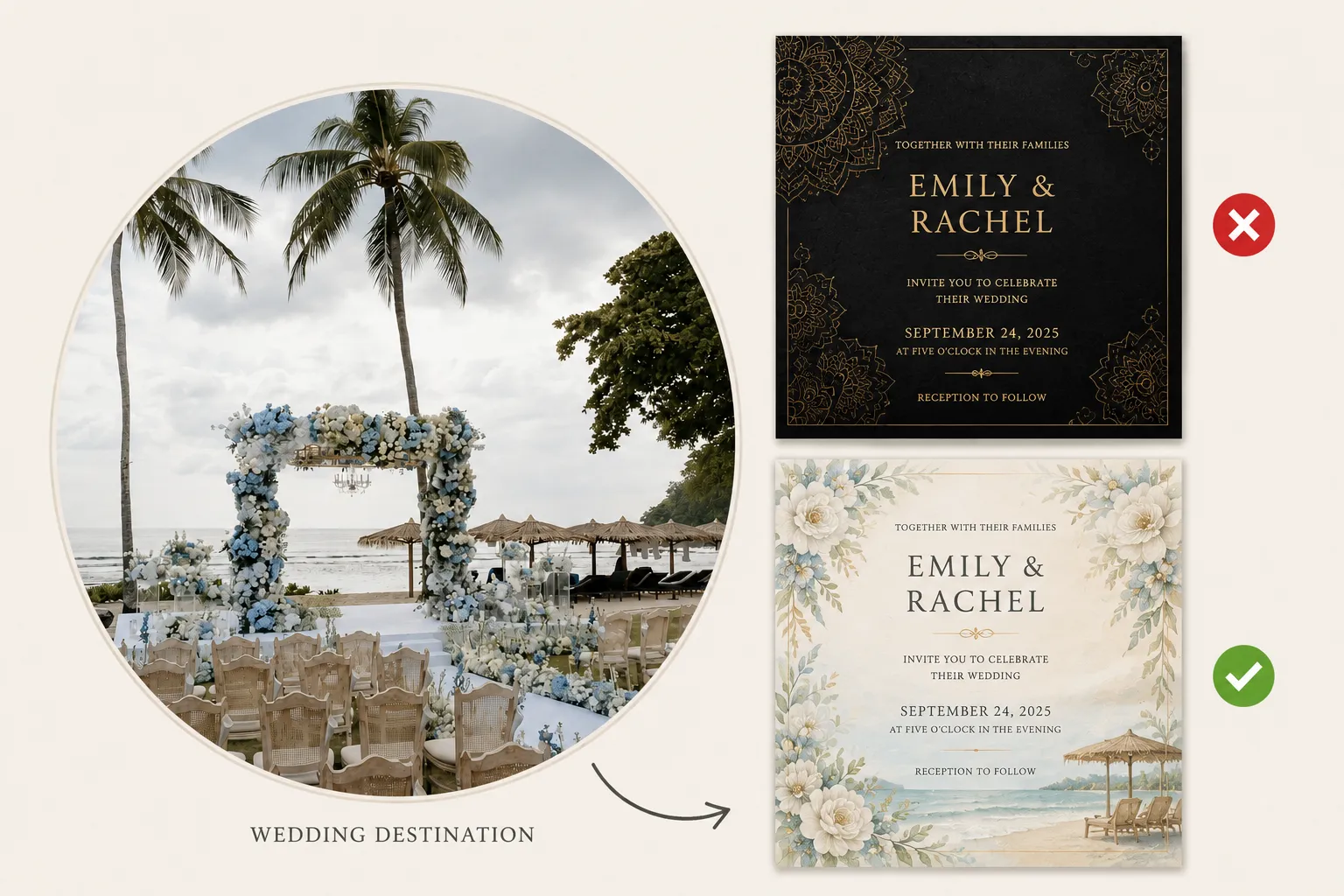
- Choosing a theme that clashes with the wedding itself: A royal, ornate invitation for a casual backyard wedding sends the wrong signal before guests even arrive.
- Not confirming family/host names with both sides before finalizing: Many cultures list both families as hosts, sometimes in a specific order. Generating and printing before checking this with the other family often means a reprint.
2. When Uploading (Photo-Based Cards)
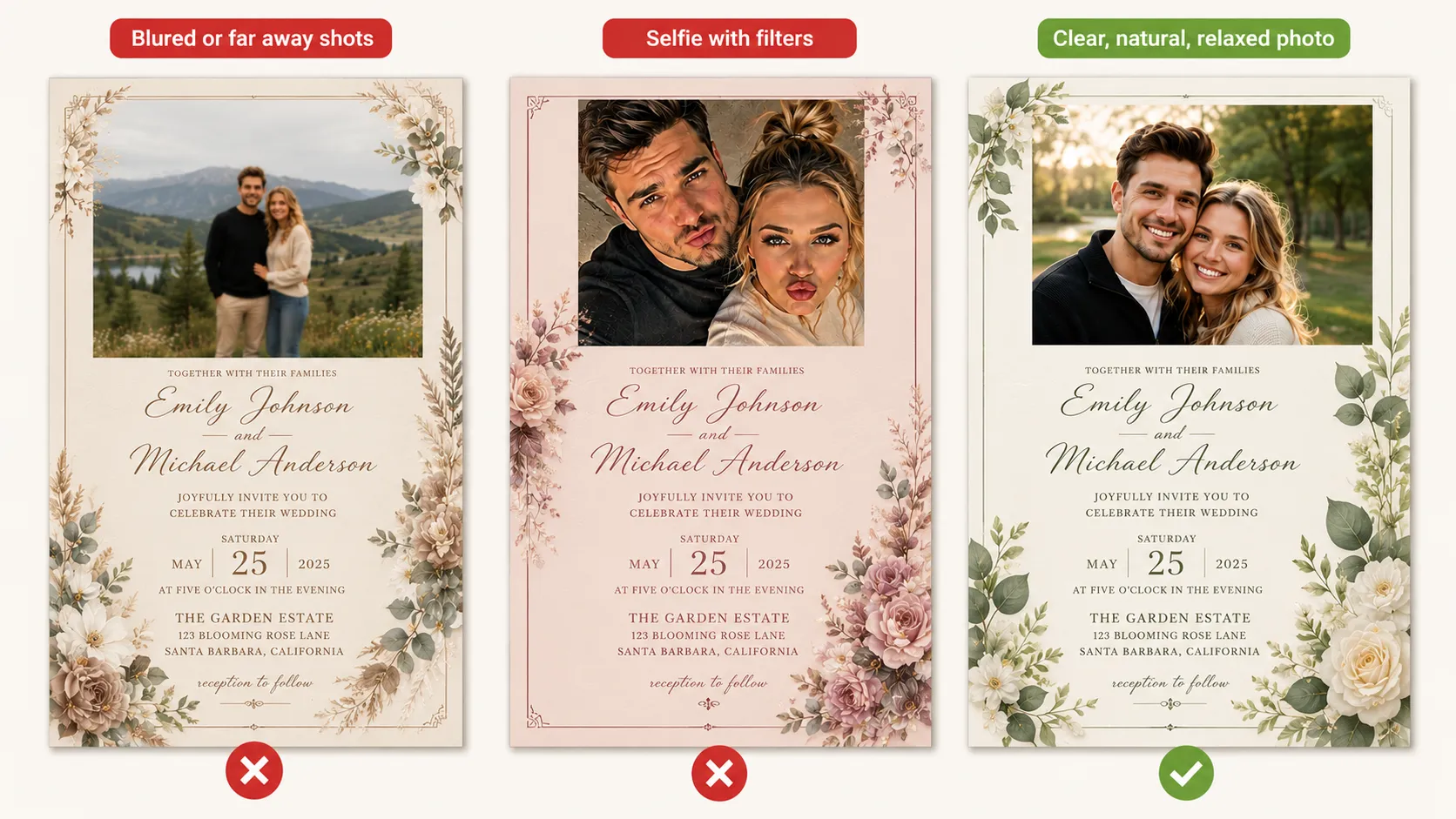
- Uploading a low-quality or heavily filtered couple photo: If the card includes a real photo, a blurry or low-res image makes it hard for the AI to render clear, recognizable faces, especially in a stylized or illustrated version.
- Uploading a photo that doesn’t match the card’s mood: A casual, candid selfie paired with a formal royal-theme prompt creates a mismatch the AI has to awkwardly reconcile.
3. When Prompting
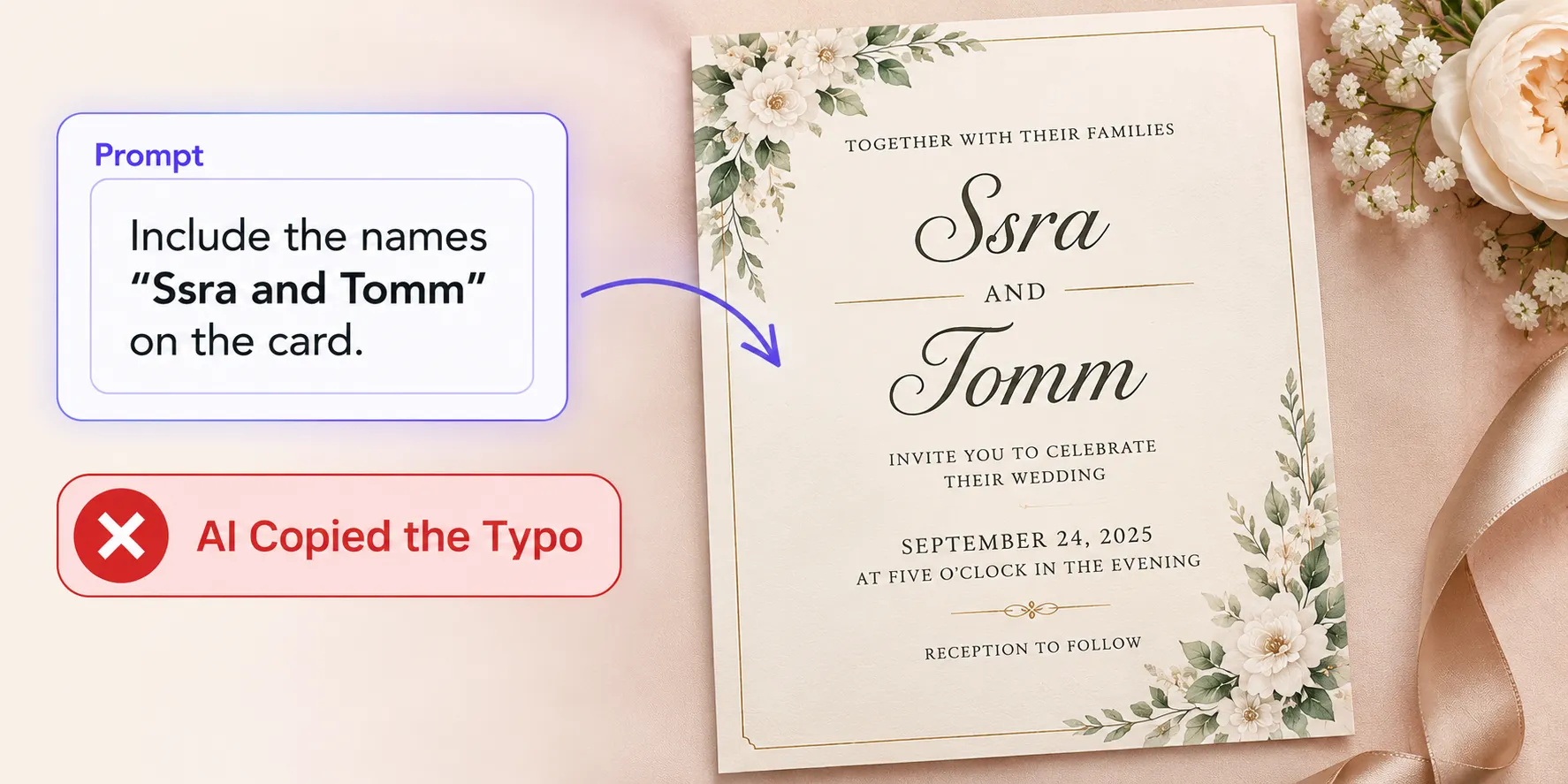
- Not checking the spellings: If a name or venue is misspelled in the prompt, the AI usually reproduces it exactly as typed, it doesn’t know the “correct” spelling unless you give it. Always double-check your prompt before generating, not just the output after.
4. When Formatting
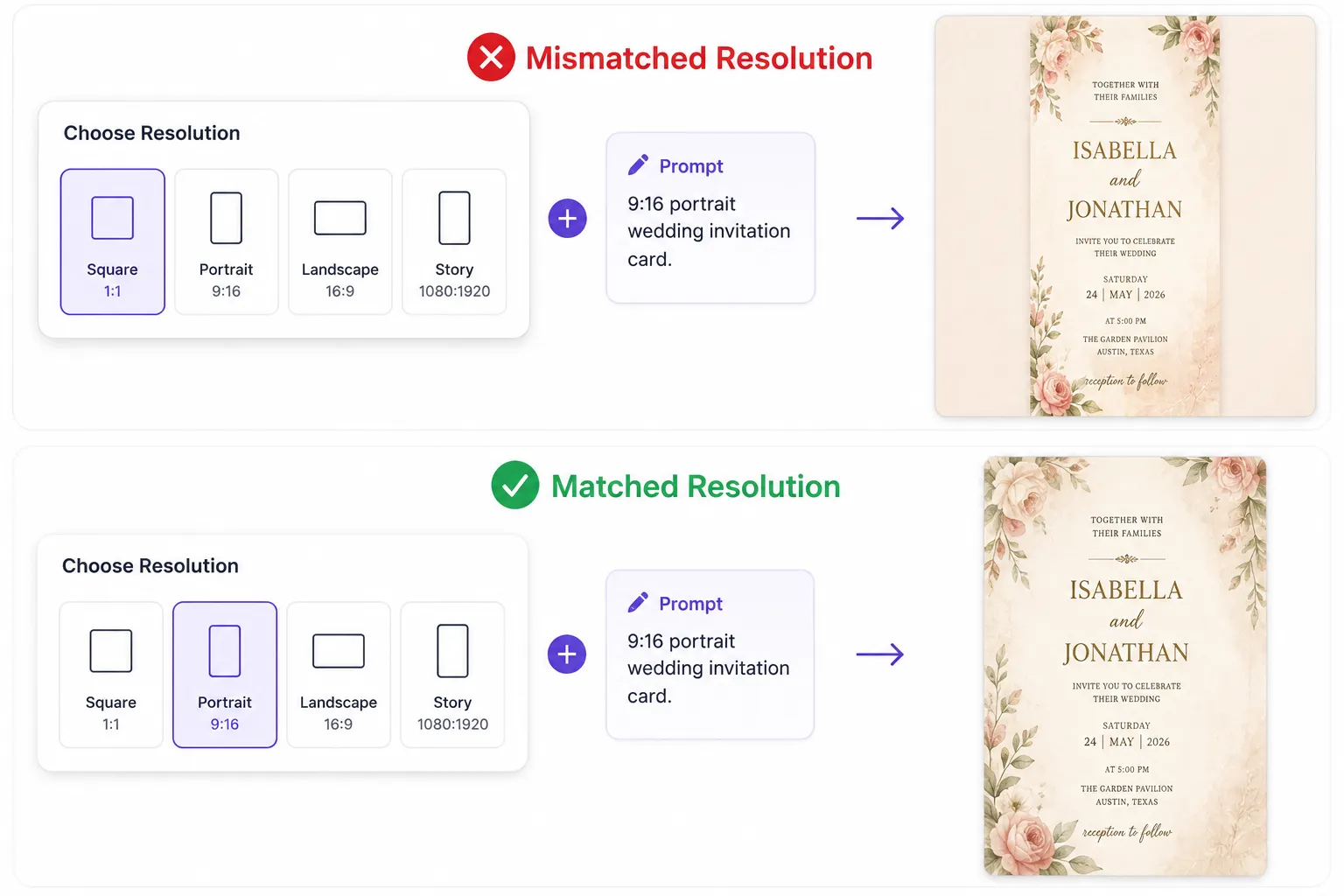
- Confusing resolution with card shape: Resolution controls the shape of the whole image, and prompt decides the shape of the card.
If you describe a portrait card in your prompt but pick a square resolution, you will end up with a portrait card inside a square frame.
Make sure your resolution setting matches the card shape you actually want.
5. When Generating
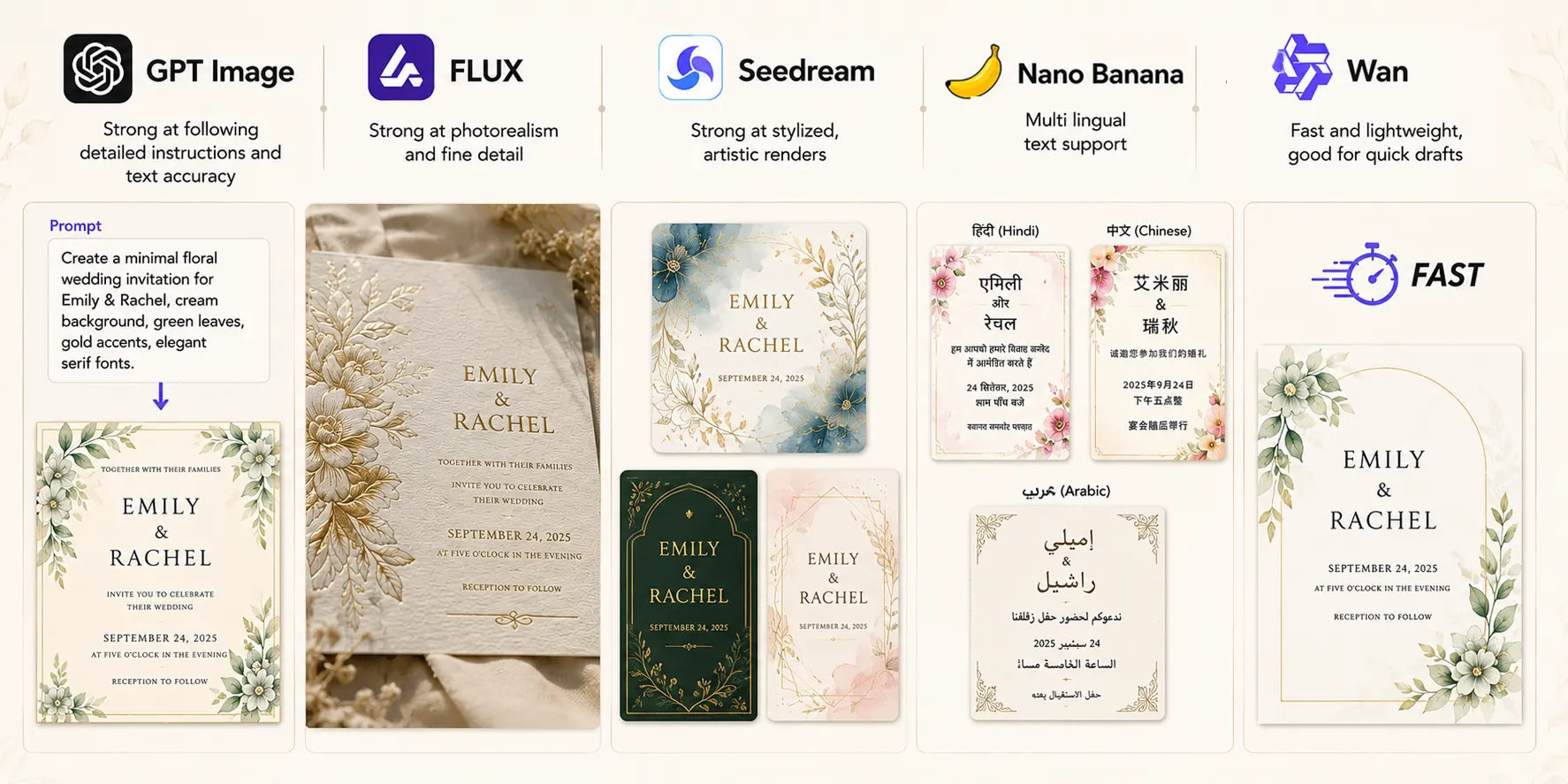
- Not trying a different AI model: On LightX, you have GPT Image, FLUX, Seedream, Wan, and Nano Banana all in one place. And these different models have different strengths, if one model’s output feels off, switching models often solves it faster than repeatedly tweaking the same prompt.
6. When Printing
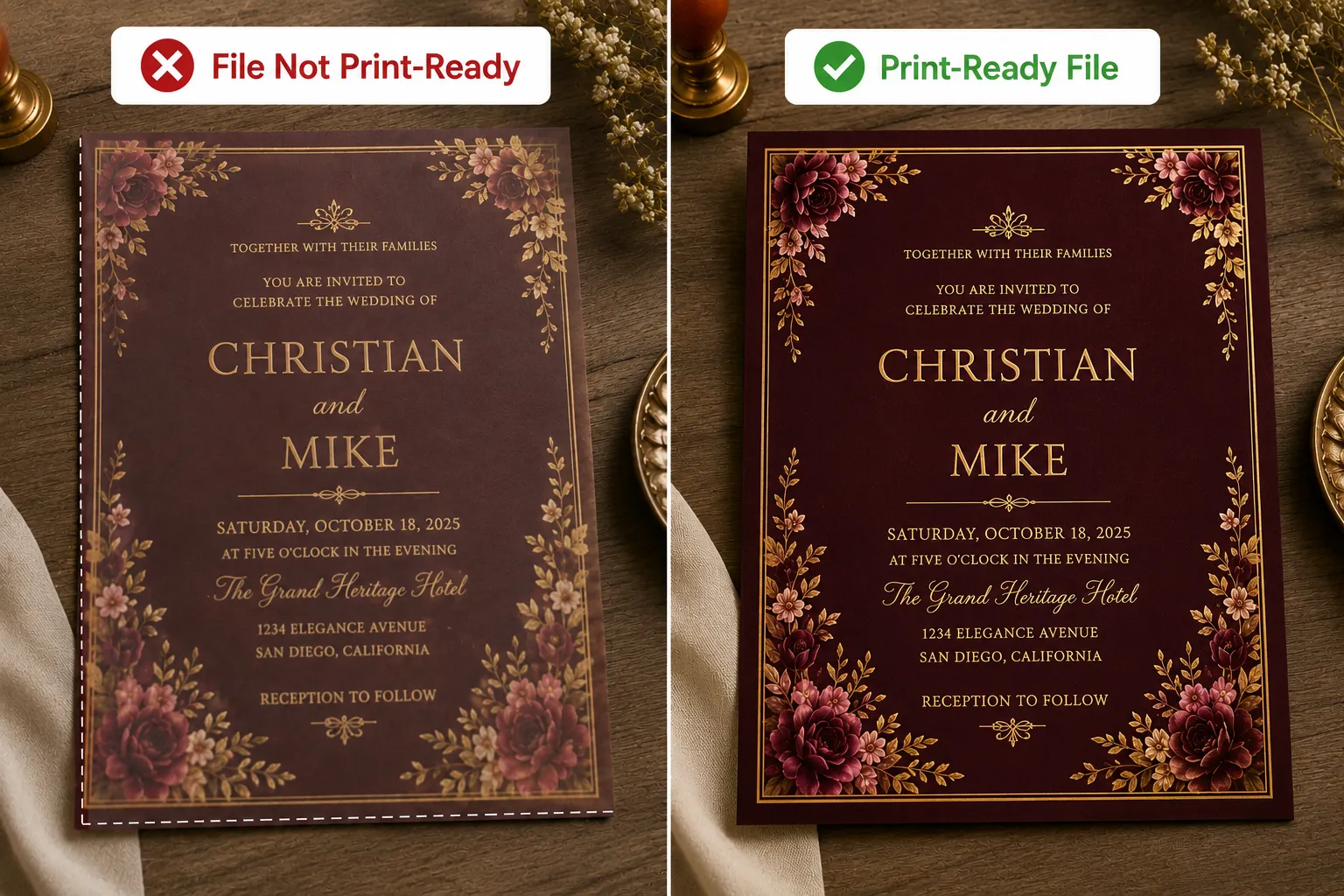
- Not checking the printer’s file requirements: Some print shops need specific formats (CMYK color, bleed margins, minimum resolution). A beautiful design that doesn’t meet these specs means a redo.
7.When Sharing
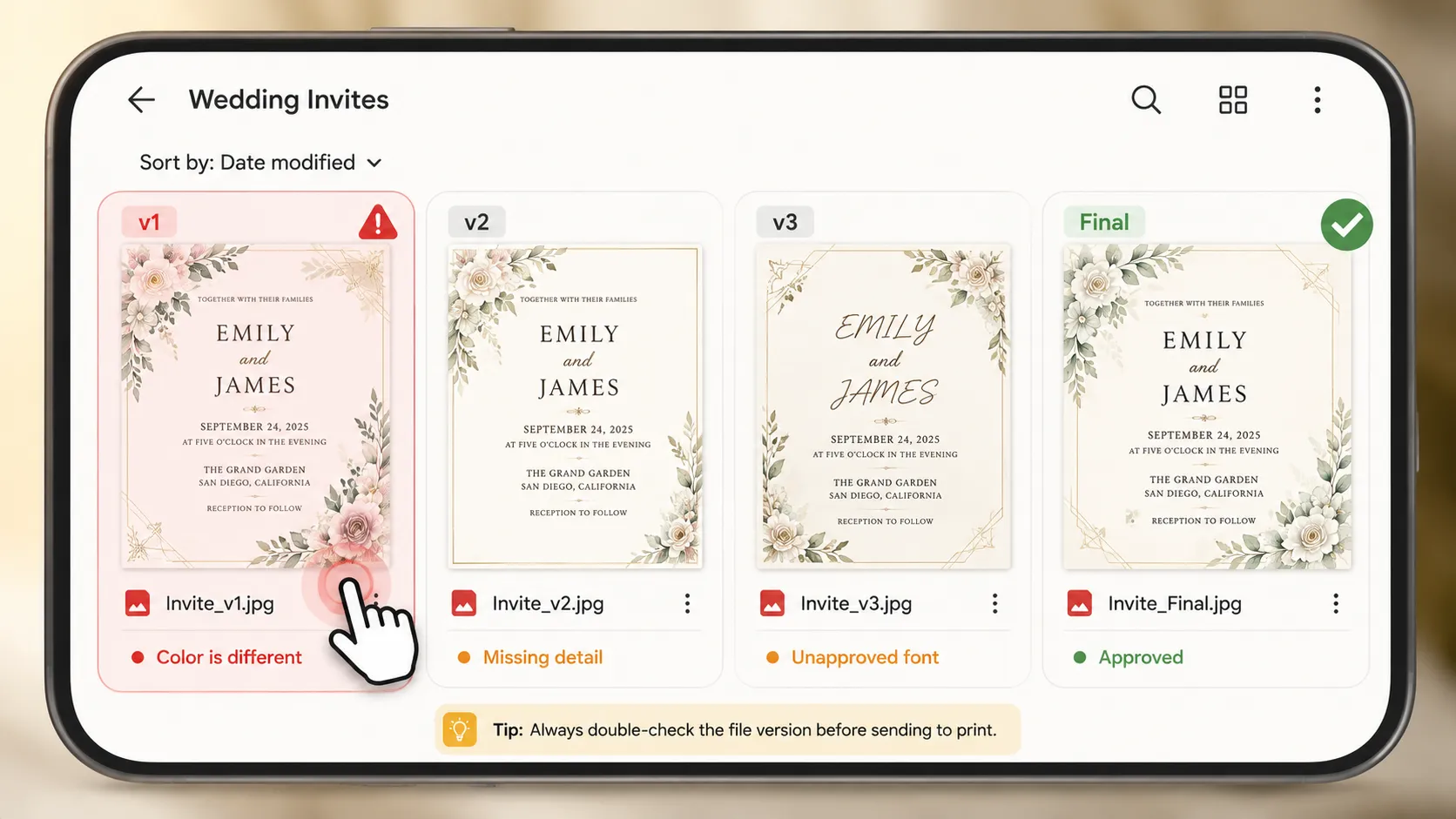
- Sending the wrong file version to guests: With multiple regenerations happening back to back, it’s easy to grab an early draft instead of the final approved version when sharing digitally.
Most of these mistakes take seconds to avoid, once you know to look for them. Building the habit of double-checking is what separates a good invitation from a great one.
Conclusion
A great wedding invitation comes down to a handful of decisions, made in the right order: theme, details, palette, typography, graphics, layout, and format. Skip one, and the AI fills the gap with a generic guess. Get all seven right, and you end up with a card that actually feels like your wedding.
Once you’ve got the formula down, the rest is just picking the right tool and model for the job, testing a few options, refining with small AI edits instead of starting over, and double-checking the details before it’s printed or shared. On LightX, all of that lives in one place, from writing the prompt to generating, refining, and downloading the final design.
Get on WhatsApp
New image & Video workflow everyday