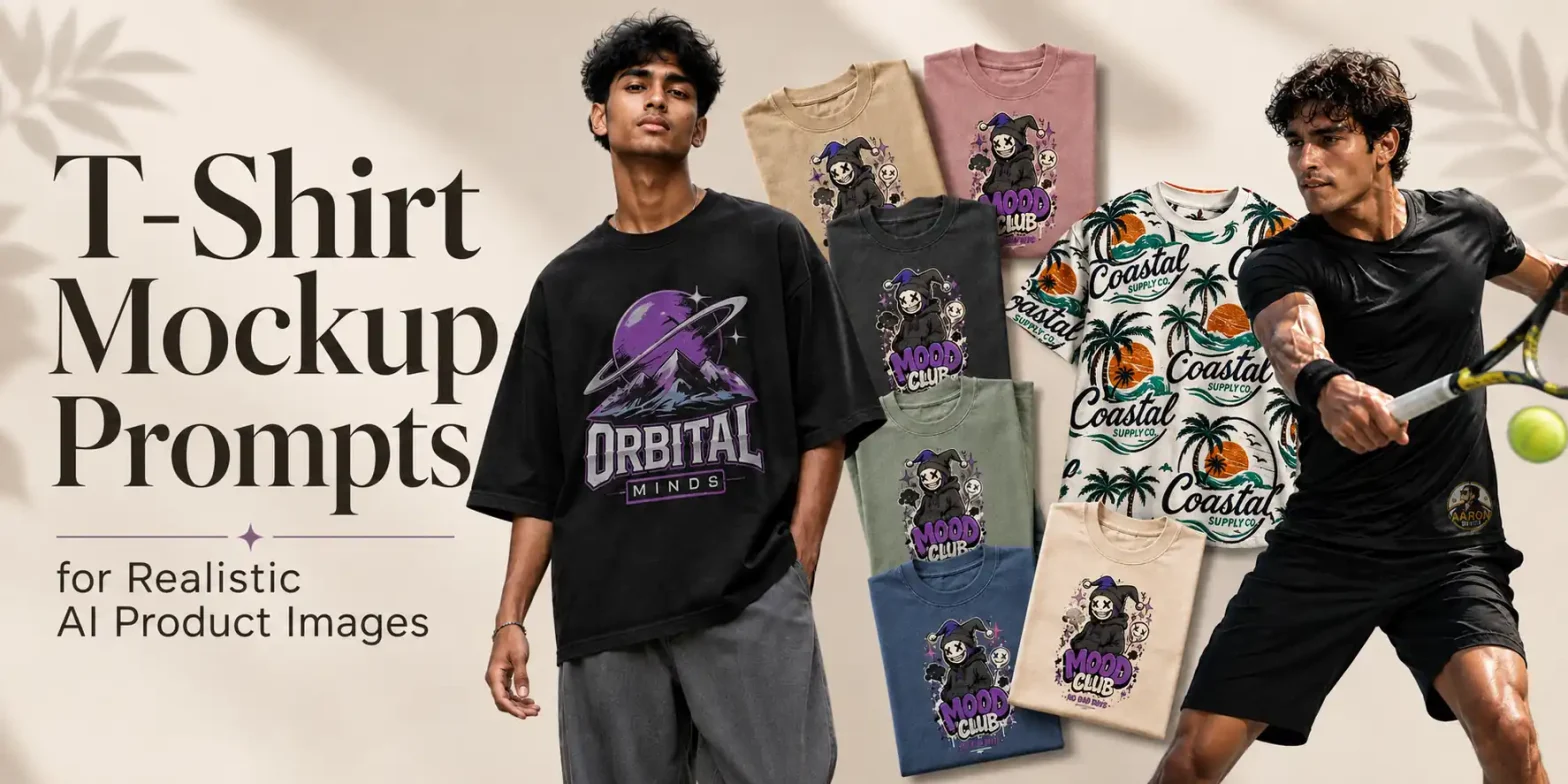
A T-shirt design may look great on its own, but seeing it on a T-shirt mockup gives you a better idea of how the finished product could look. These mockups can be useful for ecommerce product phtography, print-on-demand businesses, client presentations, social media campaigns, advertisements, product launches, and apparel concept testing.
 Get on WhatsApp
New image & Video workflow everyday
Get on WhatsApp
New image & Video workflow everyday
All you need is an AI T-shirt mockup generator and the right prompt. You can upload your design and use the prompt to show it on different T-shirt colors, fits, models, backgrounds, and settings in just a few seconds.
Below, you’ll find 30+ T-shirt mockup prompts, along with prompt modifiers you can use to customize the results for different needs.
Simply copy a prompt, customize it, and paste it into ChatGPT, Gemini, or LightX to create your T-shirt mockup.
What Does a T-Shirt Mockup Prompt Do?
T-shirt product photography prompt tells the AI how to present your uploaded design. It can specify the type and color of the T-shirt, where the design should appear, and what the overall mockup should look like.
A basic prompt can be as simple as:
Place my design on a white T-shirt.
This can work when you just need a quick preview of your design on a T-shirt and don’t have specific requirements for the model, setting, lighting, or photography style.
For more control over the final image, you can add those details to your prompt. For example:
Place the uploaded design at the center of a white heavyweight cotton T-shirt. Show a front-facing view with the full design clearly visible, clean white studio background, soft lighting, and realistic ecommerce product photography.
Here, the AI has more direction about how you want the mockup to look. This can be useful when you’re creating the image for a specific purpose, such as an ecommerce product listing, print-on-demand store, social media post, ad creative, or client presentation.
The Building Blocks of an Effective T-Shirt Mockup Prompt
You don’t need an extremely long prompt to generate a useful mockup. You do, however, need to include the details that influence how the product should look. Build Your T-Shirt Mockup Prompt in Layers:
Layer 1: Design Fidelity
Your uploaded design is the focus of the mockup. Ask AI to preserve its original colors, text, and details so it focuses on placing the design rather than changing it.
Try: Keep the uploaded design unchanged, Preserve the original colors, text, and artwork, or Do not generate or add any new elements to the design.
Layer 2: Choose the Garment
Specify the garment along with details that matter, such as its color, fit, or fabric. For example, a white crew-neck T-shirt, black oversized tee, heavyweight cotton T-shirt, hoodie, or crop top.
Additionally, the garment’s key features, including color, fabric, fit, neckline, sleeve style, and length to be specified.
Layer 3: Specify Design Placement
Tell AI where the uploaded design should appear, such as the center chest, left chest, full front, upper back, large back, or sleeve, and whether the complete design should remain visible.
Layer 4: Choose the Presentation
Decide how the garment should appear. It can be worn by a model, laid flat, folded, hanging, or displayed on its own. You can also specify the pose and view, such as front-facing, back view, overhead, or 45-degree angle.
Layer 5: Set the Background
Choose a setting that fits the mockup, such as a white studio, minimalist interior, concrete wall, urban street, wooden table, coffee shop, gym, or outdoor location.
Layer 6: Add Photography Details
Define the final look with lighting and photography style, such as soft daylight, studio lighting, golden hour, ecommerce photography, lifestyle photography, or an editorial fashion shoot.
Put It All Together
Use this simple structure to build your prompt:
[Preserve uploaded design] + [garment type, color & fit] + [design placement] + [presentation & view] + [background] + [lighting] + [photography style]
For example:
Keep the uploaded design unchanged and do not add any new elements. Place it at the center of a black oversized cotton T-shirt worn by a model, front-facing with the full design visible, against an urban street background with soft daylight and realistic streetwear photography.
27 AI T-Shirt Mockup Prompts to Try
Basic T-shirt mockup prompts
1. Front view T-shirt mockup prompt
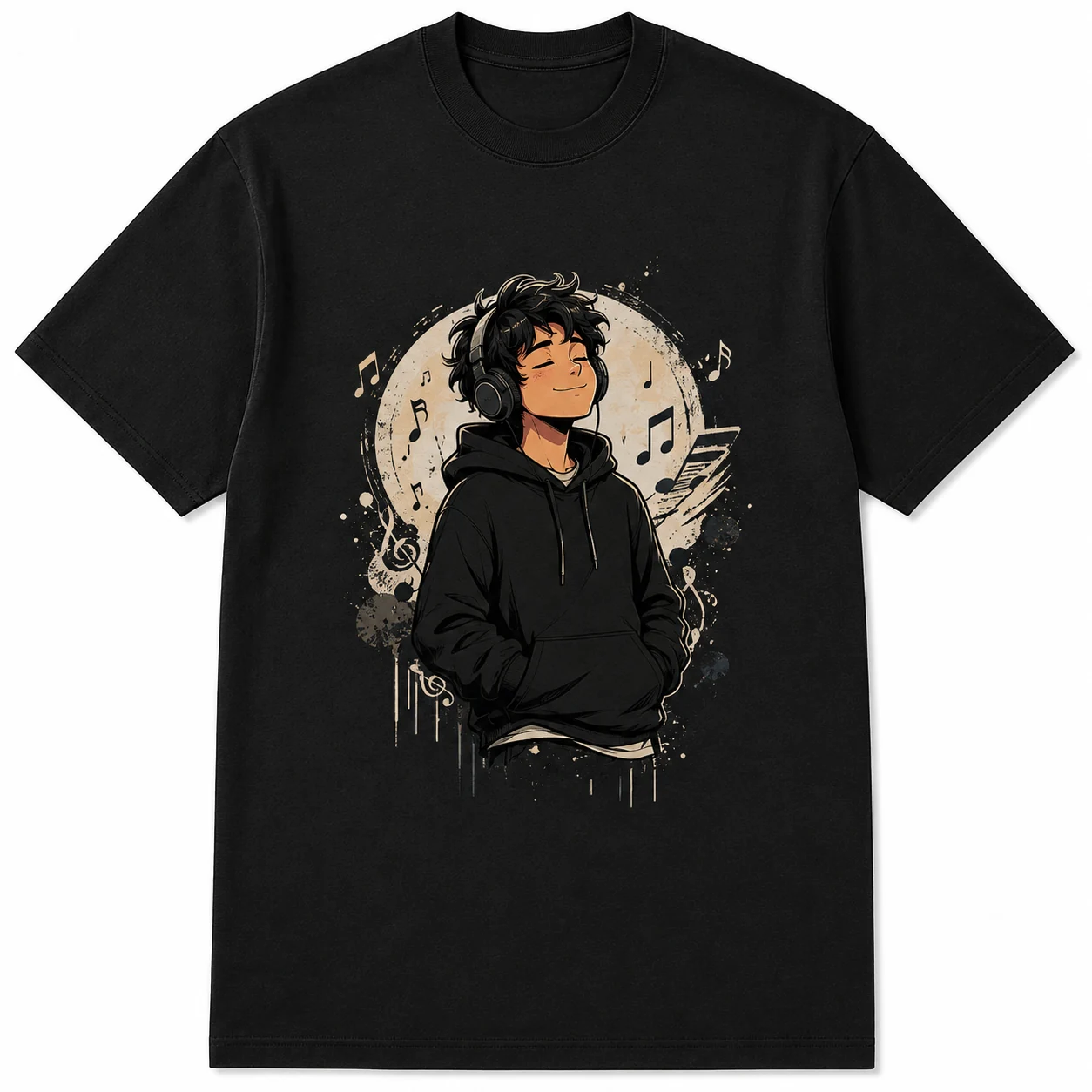
Use the uploaded design as provided. Preserve its original colors, text, shapes, and proportions. Do not add any new graphics or text. Place the design at the center front of a black midweight cotton T-shirt. Use a classic ribbed crew neck, regular short sleeves, straight hem, and standard unisex fit. Make the print look naturally applied to the fabric without distorting the artwork. Show a straight front-facing product view. Keep the neck, sleeves, and hem fully inside the frame. Use a pure white background with even studio lighting and soft natural shadows. Use a square 1:1 composition. Center the T-shirt with even margins on all sides. Keep the garment color accurate and the fabric texture, seams, and stitching clearly visible. Do not add props, logos, labels, watermarks, or distracting elements.
2. Back print T-shirt mockup prompt
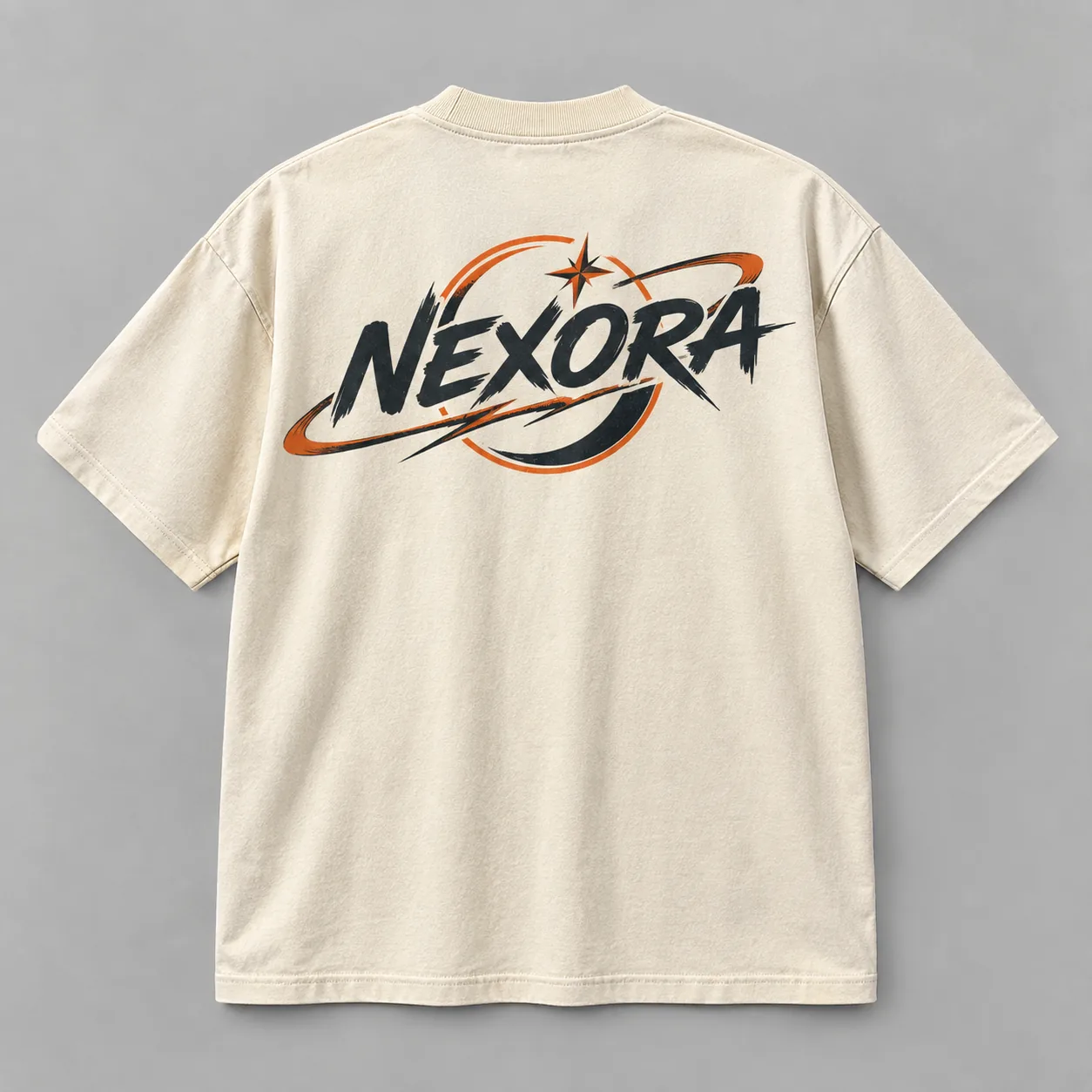
Keep the uploaded design unchanged. Preserve all text, colors, details, and original proportions. Do not generate additional artwork. Place the design at the center of the upper back of an off-white heavyweight cotton T-shirt. Use a thick ribbed crew neck, dropped shoulders, wide short sleeves, straight hem, and oversized fit. Make the print follow the fabric naturally without stretching or warping the design. Show the T-shirt from a straight back view. Keep the complete artwork and garment visible. Use a light gray studio background with balanced softbox lighting and natural shadows. Use a square 1:1 composition with even space around the garment. Keep the fabric texture, folds, seams, and stitching realistic. Do not add props, text, logos, hangers, or other objects.
3. Folded colorful T-shirts mockup prompt
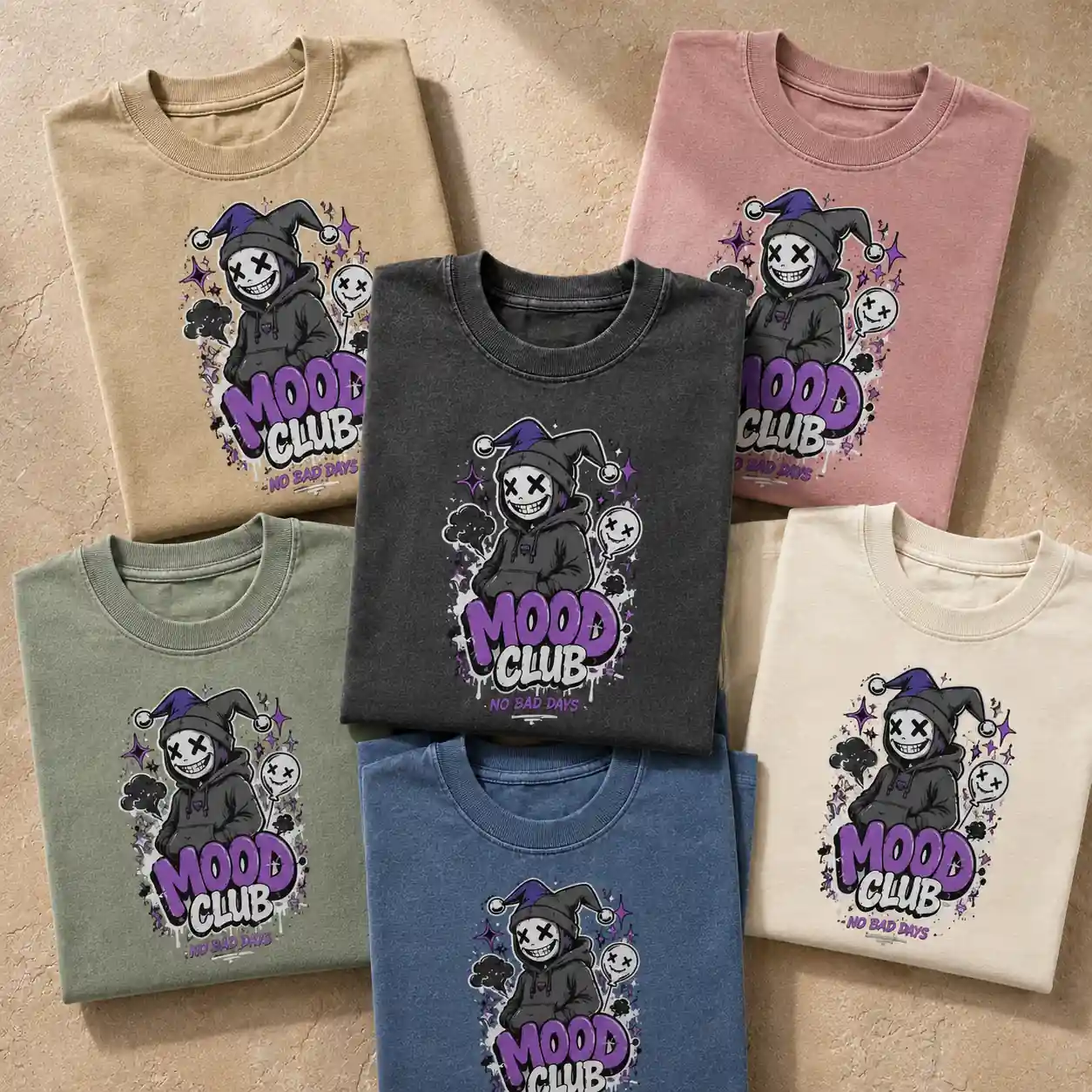
Preserve the uploaded design exactly as provided. Do not change its colors, text, shapes, orientation, or proportions. Create a premium flat-lay arrangement of multiple neatly folded heavyweight cotton T-shirts in different colors, including beige, dusty pink, sage green, cream, washed blue, and charcoal. Place the uploaded design clearly on the top visible surface of each T-shirt, keeping the complete artwork unobstructed and naturally printed on the fabric. Arrange the folded T-shirts in a stylish overlapping composition, with some placed vertically and others slightly angled to create depth. Keep the main T-shirt fully visible in the center while surrounding shirts remain partially visible. Use a textured warm beige stone or plaster background for a premium lifestyle look. Photograph directly from above using a full-frame camera, 50mm lens, f/5.6, ISO 100. Use soft directional daylight from one side with gentle realistic shadows between the stacked shirts. Keep the artwork, cotton weave, seams, folds, and garment edges crisp and detailed.
4. T-shirt hanging in a clothing store mockup prompt
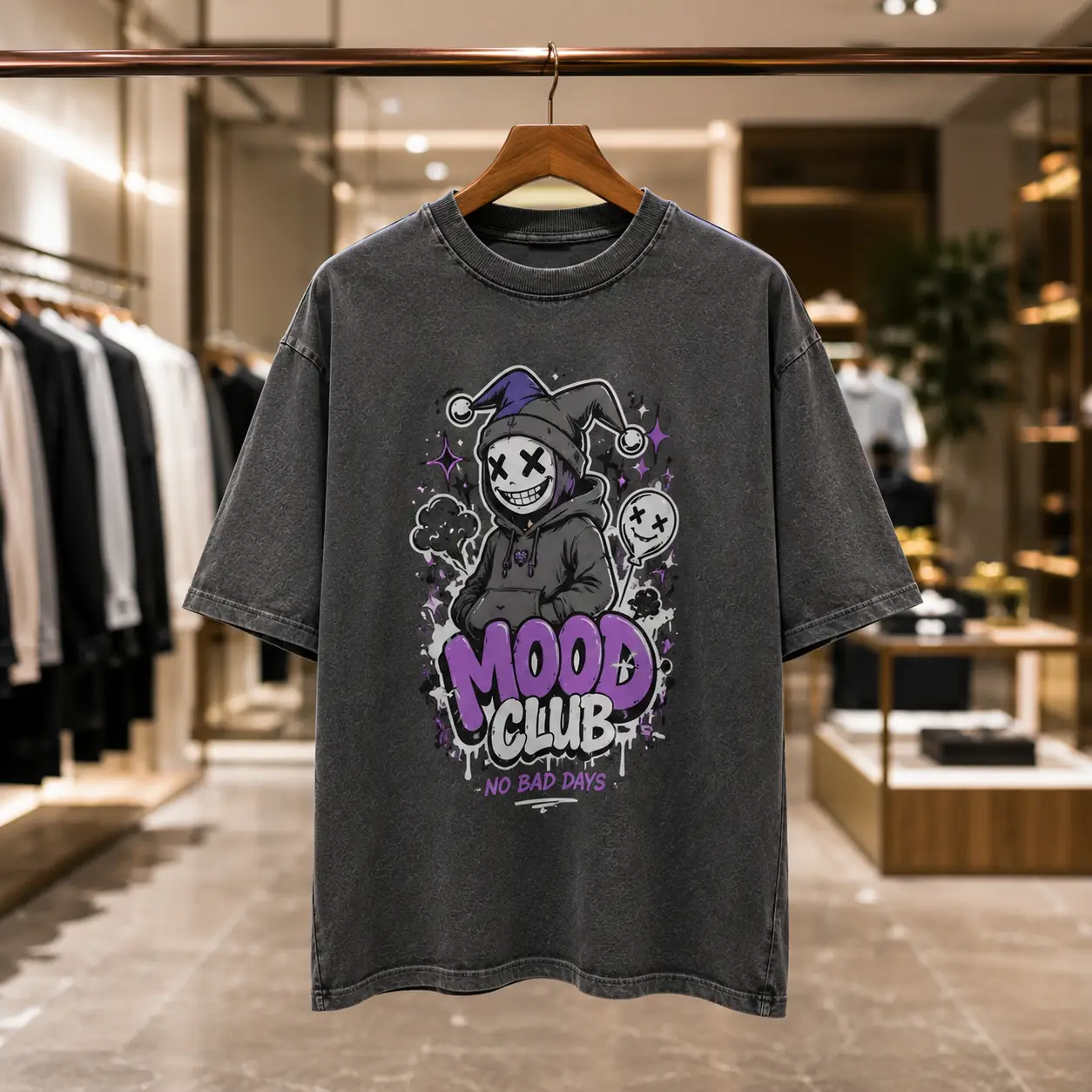
Use the uploaded design without changing or adding any elements. Preserve its original colors, text, orientation, and proportions. Place it at the center front of a washed charcoal heavyweight cotton T-shirt with a ribbed crew neck, dropped shoulders, loose short sleeves, straight hem, and relaxed fit. Hang the T-shirt naturally on a premium wooden hanger. Keep the complete design clearly visible and free from heavy folds or wrinkles. Show the full garment from neck to hem. Set the T-shirt inside a high-end luxury fashion store with elegant clothing displays, polished surfaces, warm architectural lighting, and sophisticated retail interiors. Keep the store softly blurred with realistic shallow depth of field. Shoot with a full-frame camera, 50mm lens, f/2.8, ISO 100, at eye level.
5. Small chest logo T-shirt mockup prompt
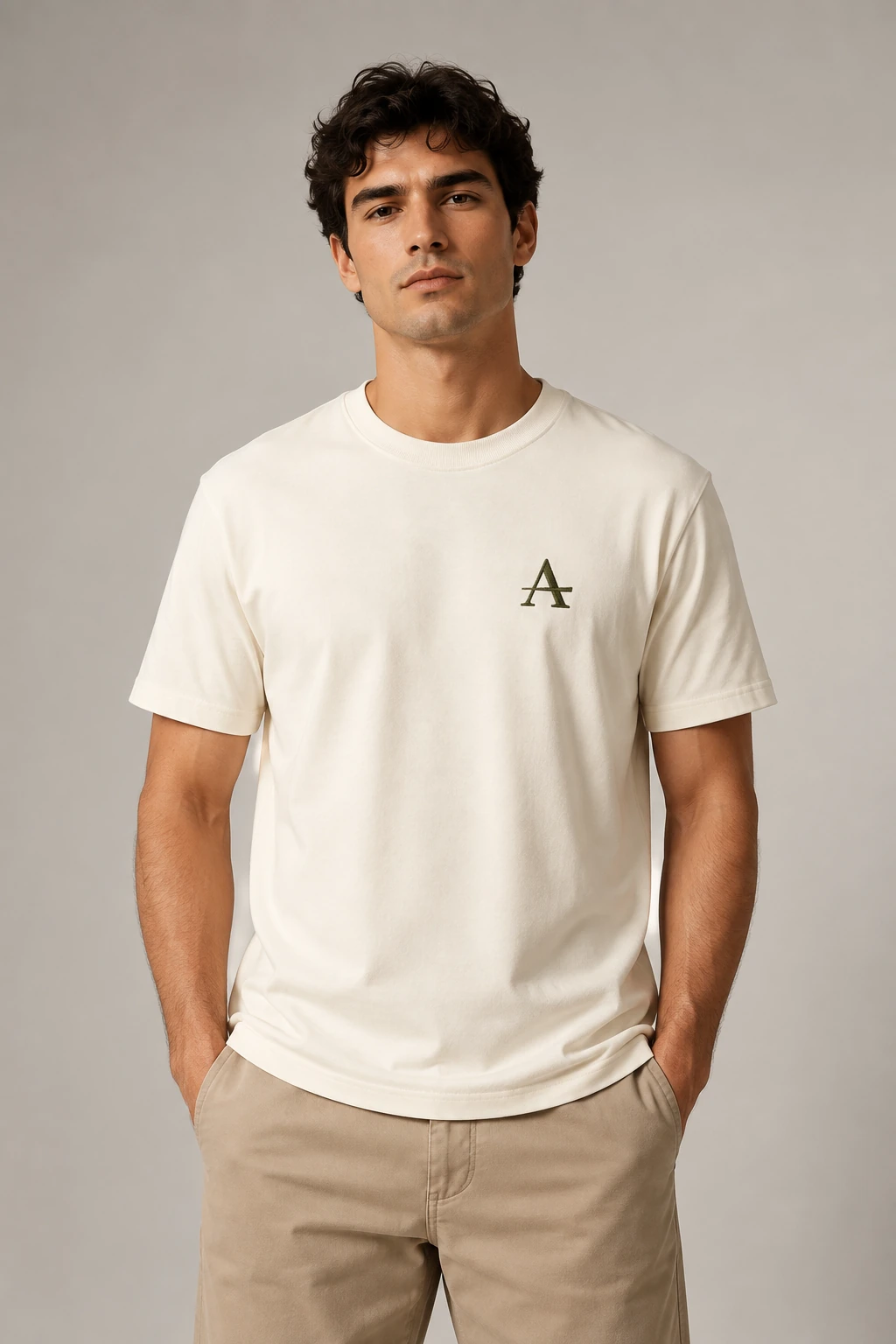
Keep the uploaded logo or design unchanged. Place it as a small left-chest print on an off-white organic cotton T-shirt. Use a narrow crew neck, clean short sleeves, straight hem, and regular fit. Show the T-shirt worn by a model in a straight relaxed pose. Use a warm light-gray studio background and diffused lighting. Keep the styling minimal and the branding clearly visible.
6. Front and back T-shirt mockup prompt
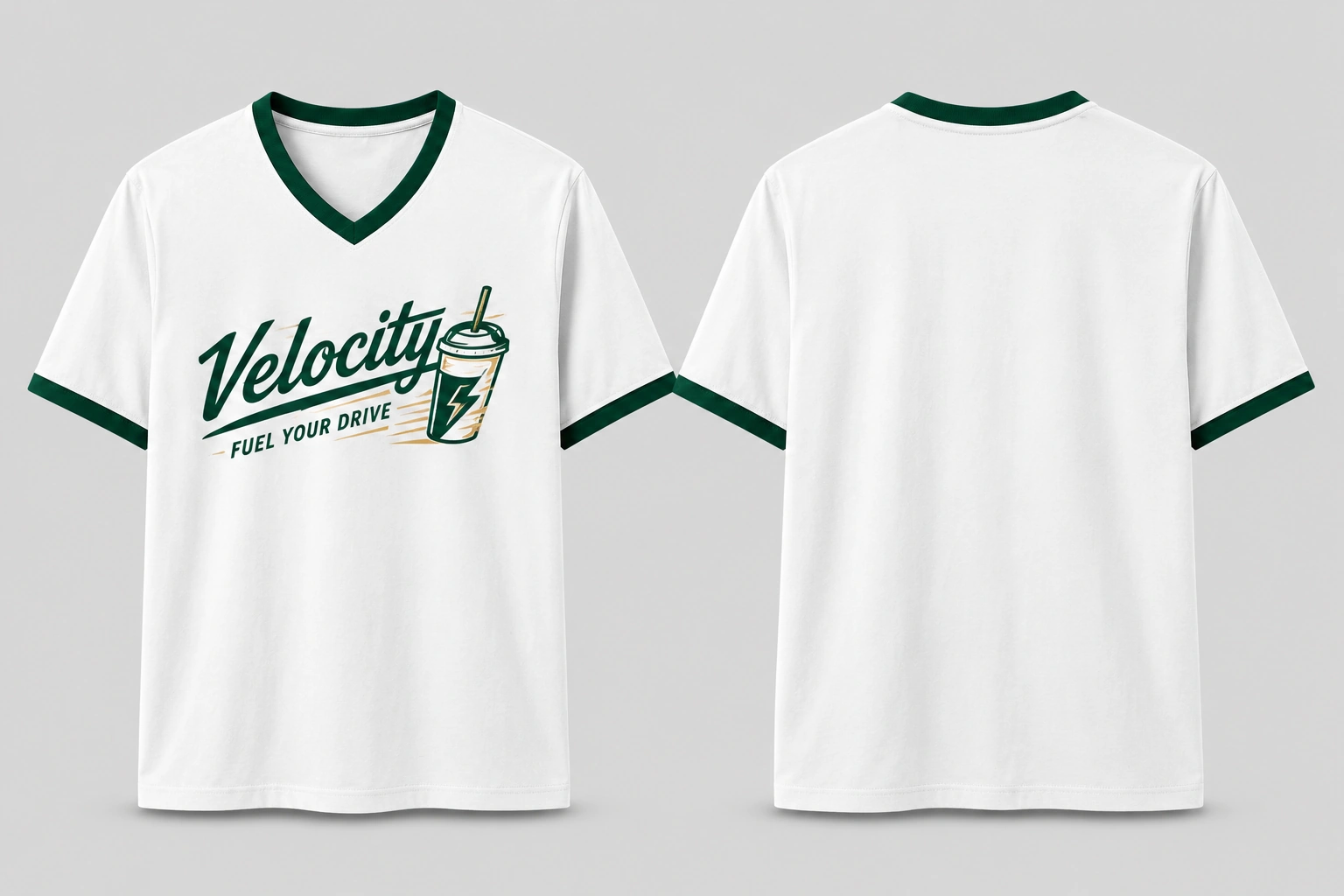
Use the uploaded design exactly as provided. Keep all text, colors, artwork, orientation, and proportions unchanged. Create a side-by-side front and back product view of the same T-shirt. Use a premium white midweight cotton T-shirt with a clean V-neck, regular short sleeves, straight hem, and standard unisex fit. Add thick dark green contrast trim around the entire V-neck and both sleeve openings. On the front view, place the uploaded design prominently at the center chest. On the back view, show the plain white back with matching green neck and sleeve trim. Position both views upright next to each other with equal spacing and matching scale. Use a clean light-gray studio background, soft even lighting, subtle grounding shadows, visible cotton weave, seams, and stitching.
Flat lay and styled T-shirt mockup prompts
7. T-shirt on wooden floor mockup prompt
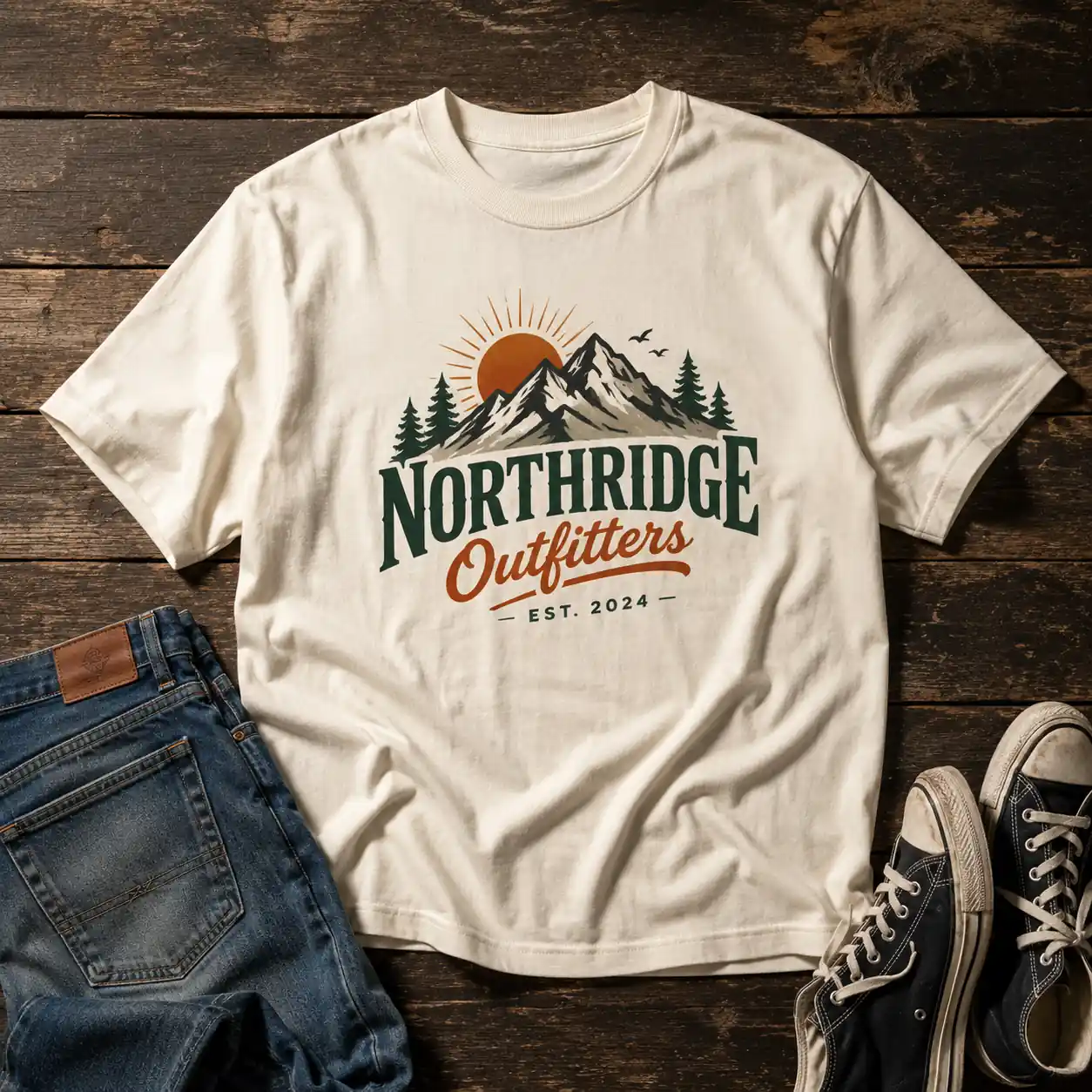
Keep the uploaded design unchanged. Do not alter its colors, text, or details. Place it at the center front of an off-white heavyweight cotton T-shirt with a ribbed crew neck, short sleeves, and relaxed fit. Lay the T-shirt naturally on a dark, weathered wooden board with visible grain, scratches, and rustic texture. Arrange the sleeves loosely rather than perfectly straight. Add a pair of worn denim jeans and canvas sneakers near the edges. Keep all props away from the artwork. Use warm side lighting with natural shadows and a straight top-down view.
8. T-shirt by the pool mockup prompt
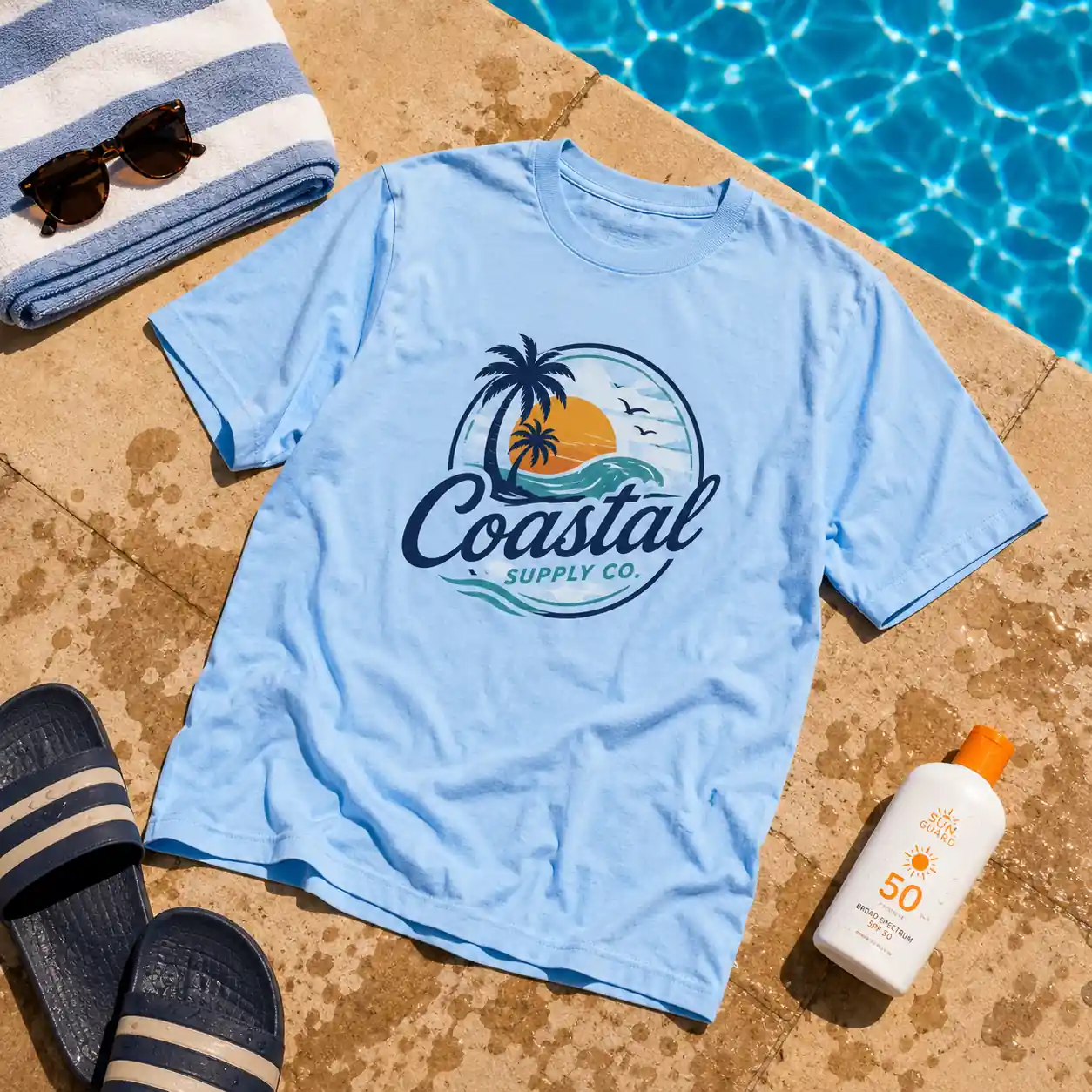
Preserve the uploaded design without adding new graphics or text. Place it on a sky-blue lightweight cotton T-shirt with a crew neck, short sleeves, and relaxed fit. Lay the T-shirt beside a swimming pool as if it has been left to dry in the sun. Keep the complete design visible. Add a folded towel, sunglasses, sandals, and a bottle of sunscreen around the shirt without covering it. Include part of the bright blue pool and wet stone tiles in the frame. Use strong summer daylight, crisp natural shadows, and a top-down camera view.
9. T-shirt under neon lights mockup prompt
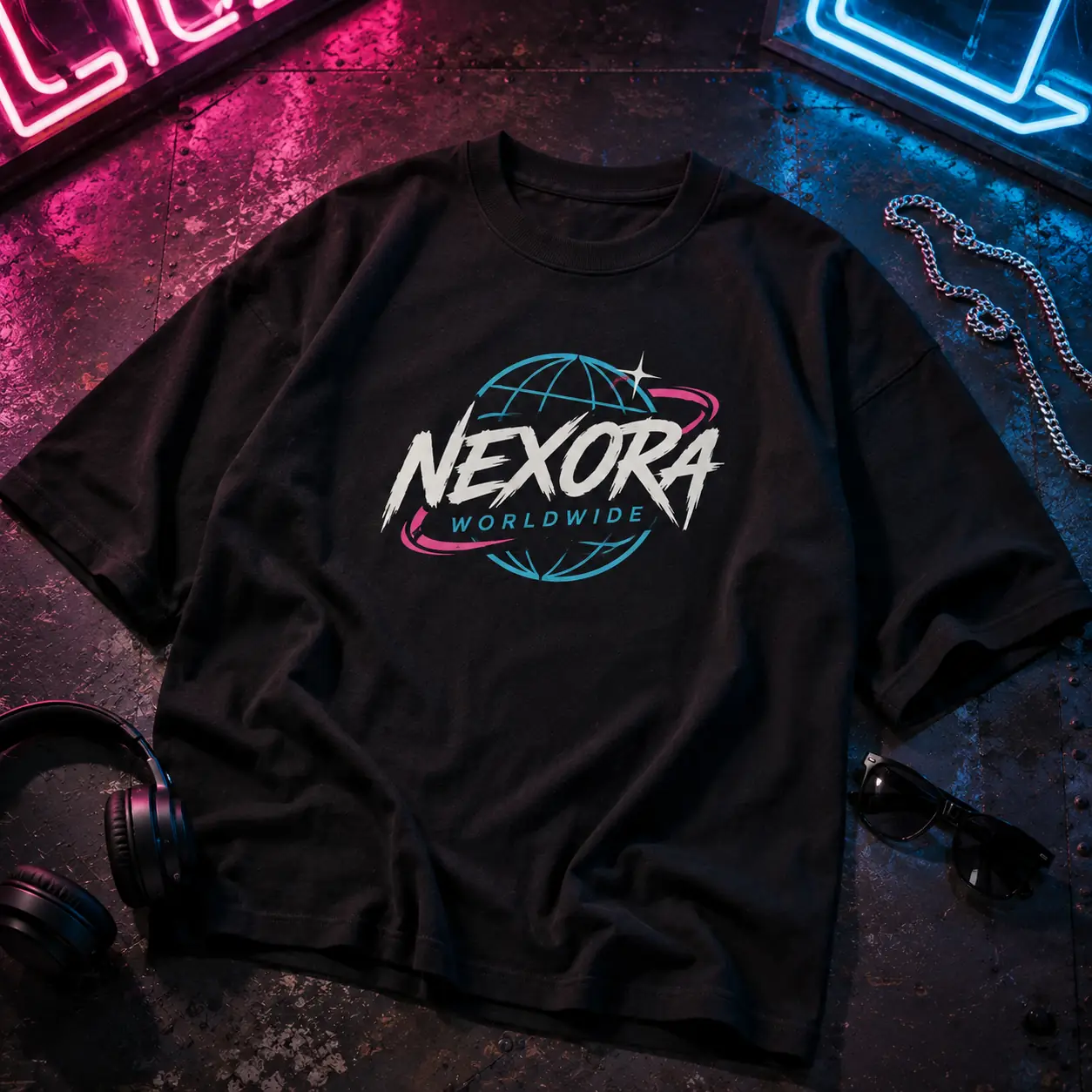
Use the uploaded artwork exactly as provided. Place it on a black oversized heavyweight cotton T-shirt with a thick ribbed crew neck, dropped shoulders, and wide sleeves. Lay the shirt on a dark metal surface at night. Keep the front artwork fully visible. Add subtle streetwear accessories such as a silver chain, headphones, and dark sunglasses around the garment. Light the scene with pink and blue neon signs from outside the frame, creating colored reflections across the surface and fabric. Keep the design clear and readable. Use a dramatic overhead composition with realistic shadows and fabric texture.
10. T-shirt with matching cap mockup prompt
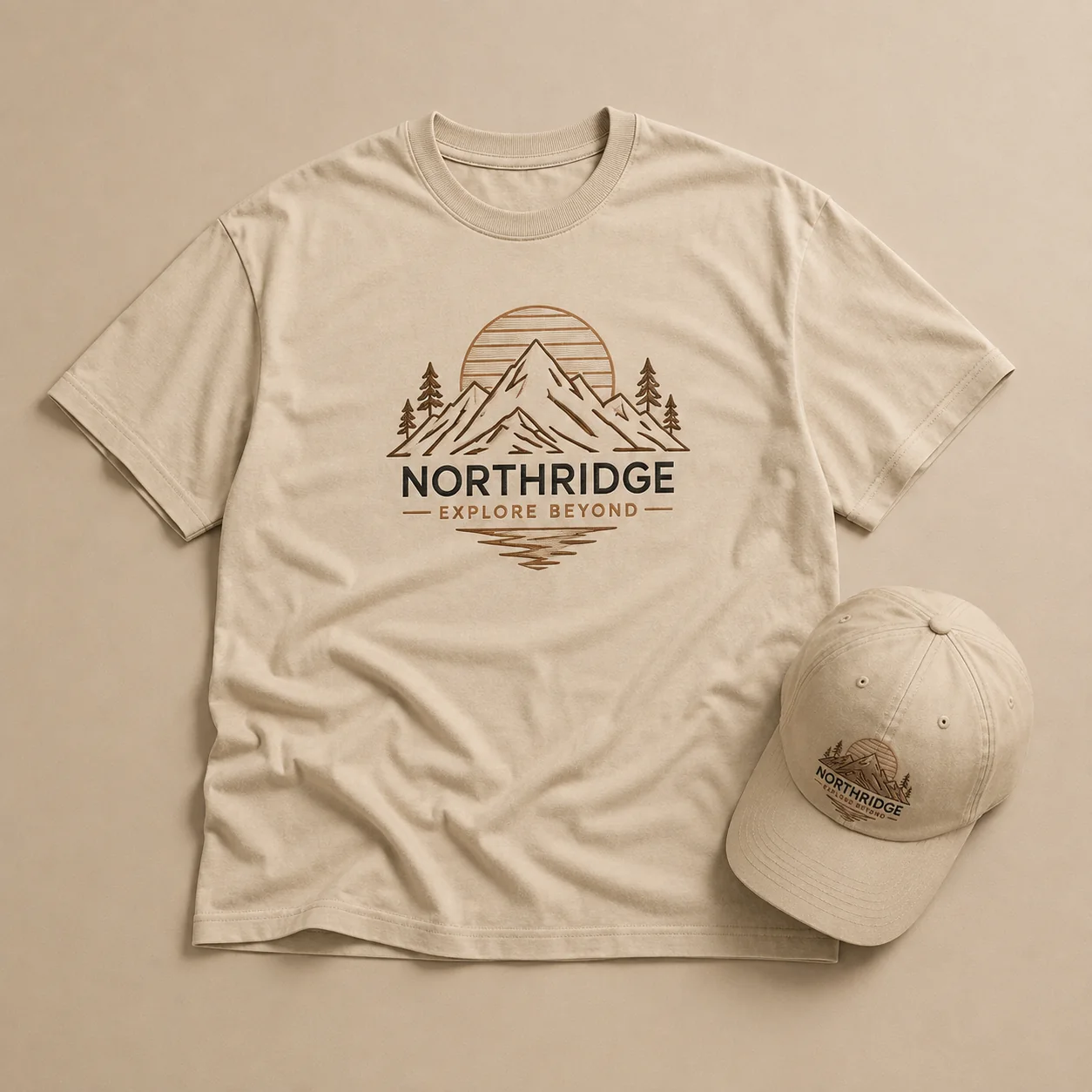
Use the uploaded logo or design exactly as provided. Preserve its original colors, text, shapes, details, orientation, and proportions. Place it at the center front of a premium cotton T-shirt. Create a complete monochrome flat-lay scene where the T-shirt, background, and cap are all the same color and tonal family. Place the matching cap naturally beside the shirt without covering the artwork. Keep the composition minimal and sophisticated. Photograph directly from above with soft directional studio lighting, subtle shadows, realistic cotton texture, crisp stitching, and balanced spacing.
11. T-shirts for the whole family mockup prompt
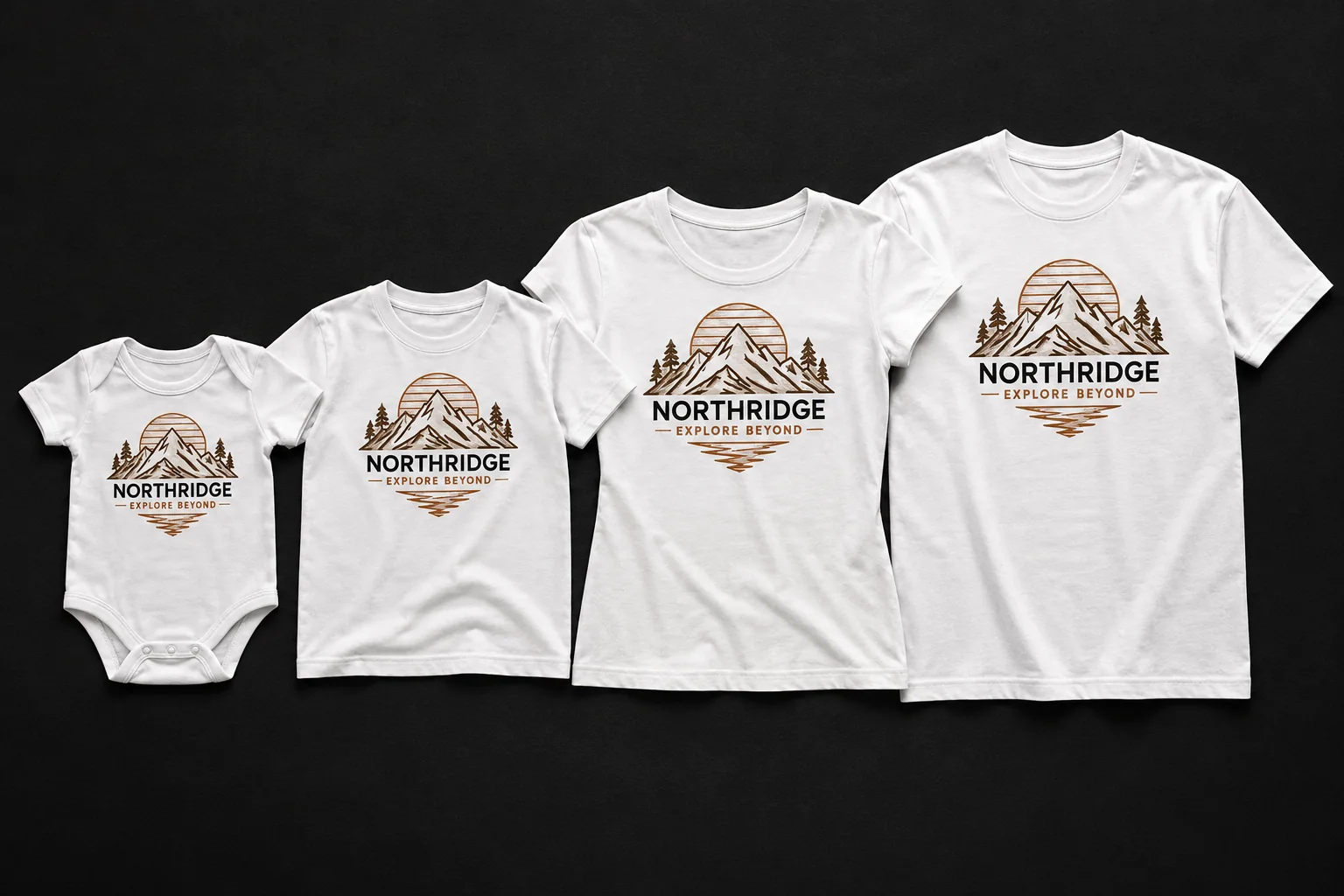
Use the uploaded design exactly as provided. Preserve its original colors, text, shapes, details, orientation, and proportions. Create a coordinated family apparel collection featuring a baby onesie, child-size T-shirt, women’s T-shirt, and men’s T-shirt. Apply the same uploaded design at the center front of every garment. Arrange all four garments side by side from smallest to largest. Use bright white cotton for every garment against a deep charcoal-black background for strong contrast. Use soft diffused overhead lighting, subtle grounding shadows, realistic cotton texture, visible seams and stitching, and crisp print details.
12. Logo on T-shirt and accessories mockup prompt
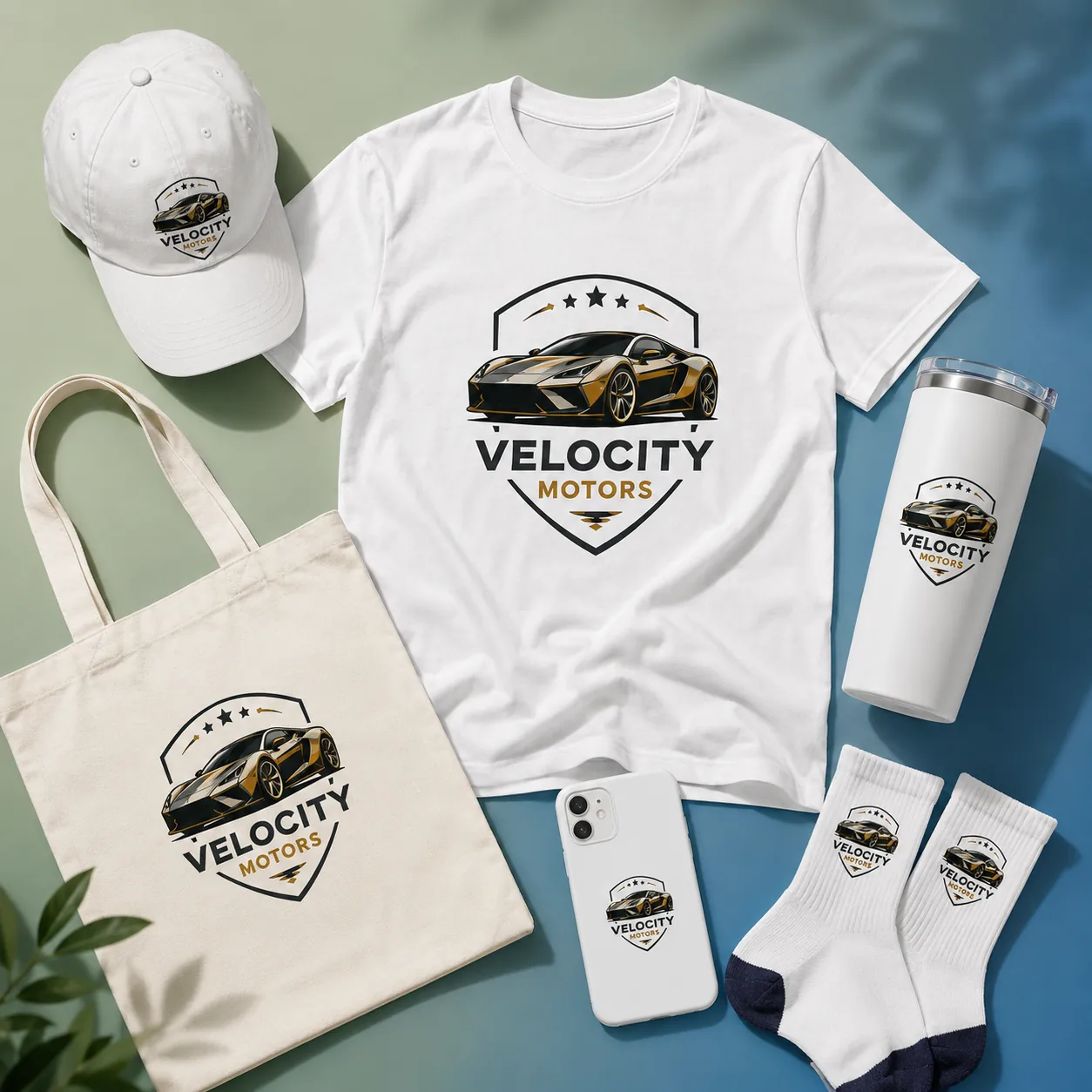
Use the uploaded logo exactly as provided. Preserve its original colors, text, shapes, icons, details, orientation, and proportions. Create a coordinated branded merchandise collection featuring a premium cotton T-shirt, baseball cap, reusable tumbler, mobile phone case, cotton tote bag, and pair of socks. Apply the same uploaded logo clearly to every item without redesigning, recoloring, stretching, or distorting it. Make the T-shirt the centerpiece and arrange the accessories neatly around it in a premium flat-lay composition. Use a sage green and blue gradient, clean neutral background, soft directional studio lighting, realistic materials, subtle shadows, and crisp logo details.
T-shirt mockup prompts with models
13. Woman wearing a casual T-shirt mockup prompt
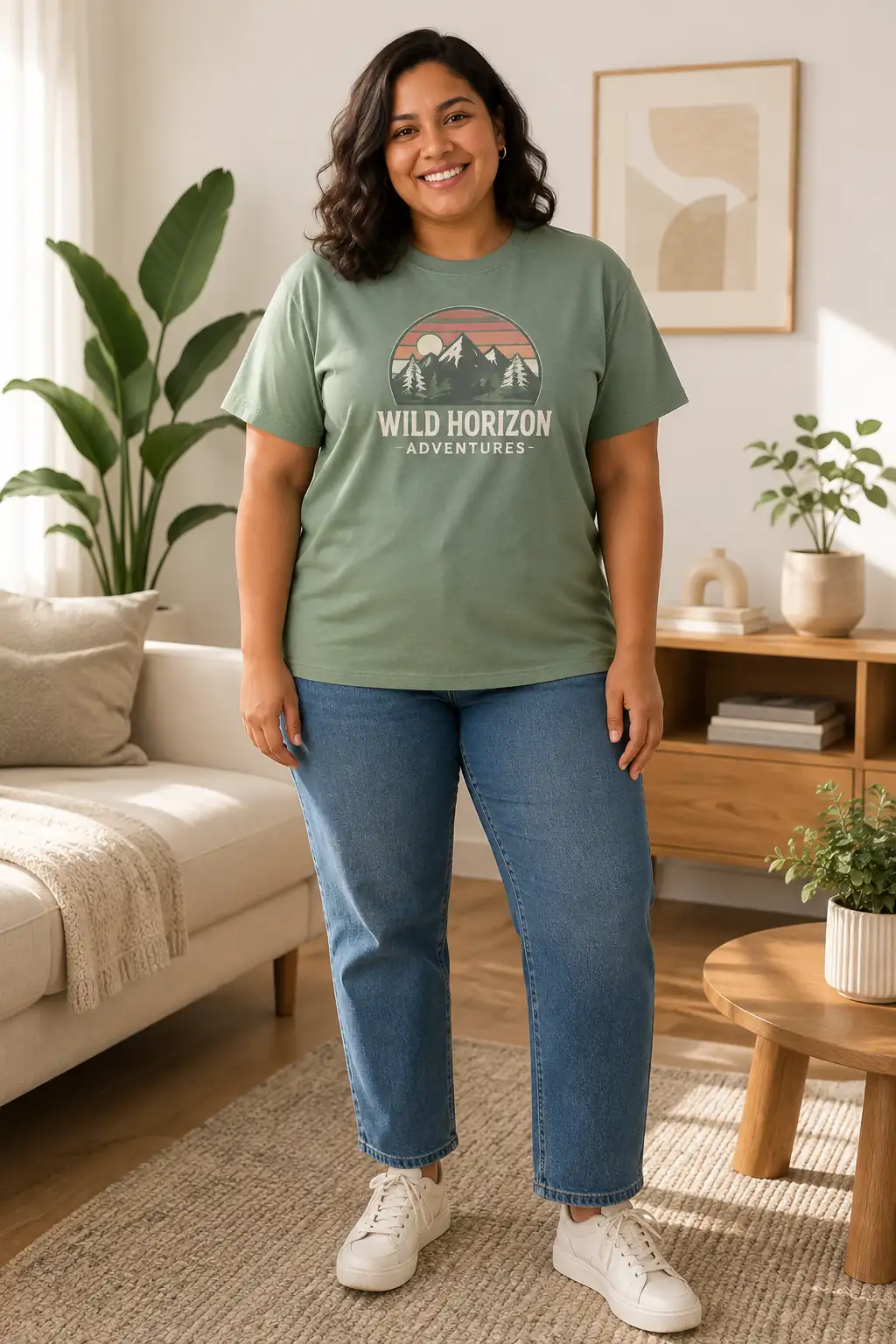
Keep the uploaded design unchanged and preserve its original colors and details. Place it at the center front of a muted green cotton T-shirt with a classic crew neck, standard short sleeves, straight hem, and regular fit. Show it worn by a plus-size female model in her early 30s with medium-dark skin and shoulder-length wavy hair. Style the T-shirt with straight-leg jeans and simple sneakers. Use a relaxed standing pose with her arms naturally at her sides so the artwork remains visible. Give her a natural smile and friendly expression. Place her in a bright minimalist living space with soft diffused window light, natural shadows, and realistic cotton texture.
14. Man wearing a T-shirt on the street mockup prompt
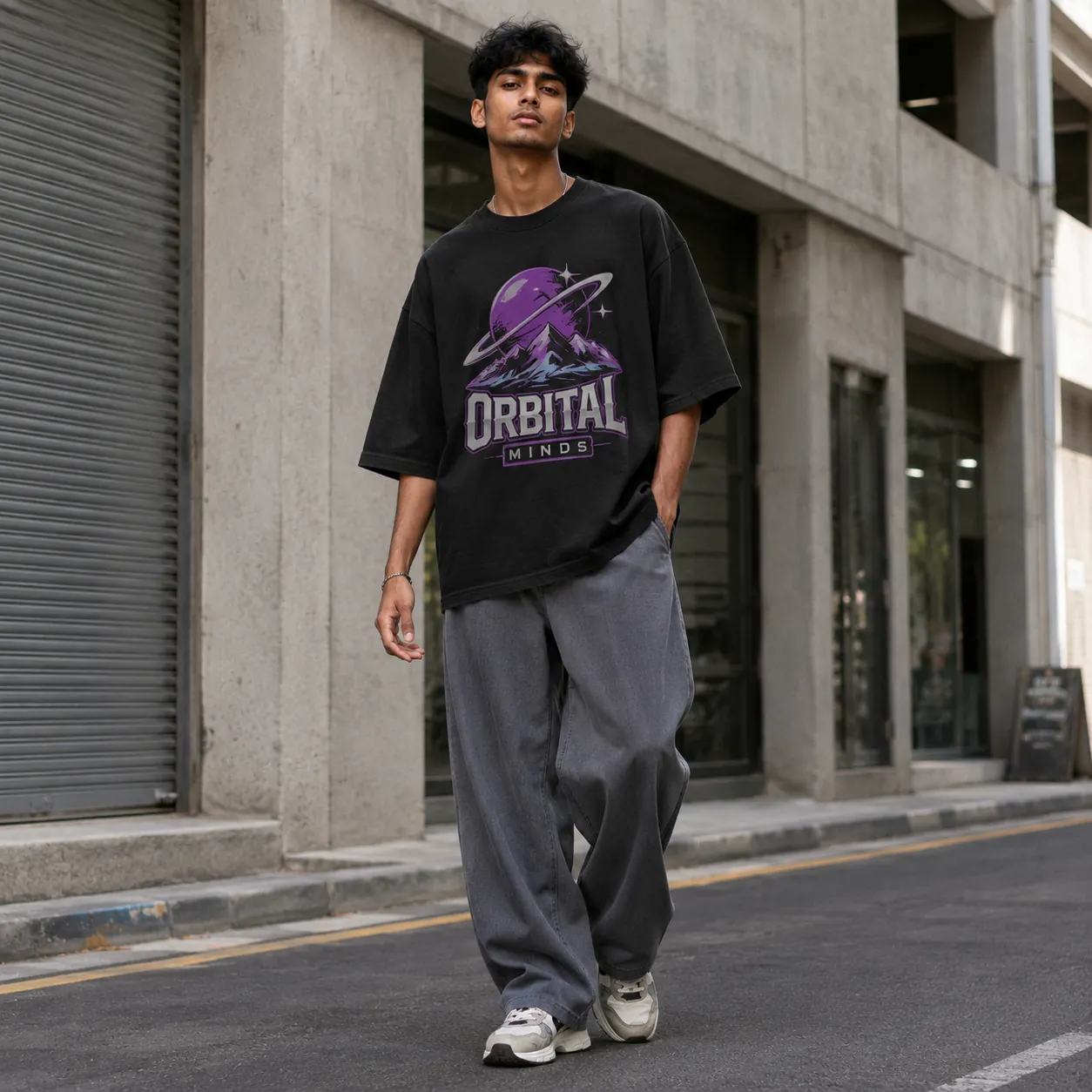
Use the uploaded artwork exactly as provided. Do not alter or add elements to the design. Place it on an oversized black heavyweight cotton T-shirt with a thick ribbed crew neck, dropped shoulders, wide elbow-length sleeves, and boxy fit. Show it worn by a South Asian male model in his early 20s with a tall, lean build and medium-brown skin. Give him short textured dark hair. Style the T-shirt with baggy gray trousers and chunky sneakers. Use a relaxed standing pose with one foot slightly forward and both arms positioned away from the front artwork. Give him a calm, serious expression. Set the scene on an urban street with concrete buildings, natural daylight, and realistic washed-cotton texture.
15. Collage of different models wearing T-shirt mockup prompt
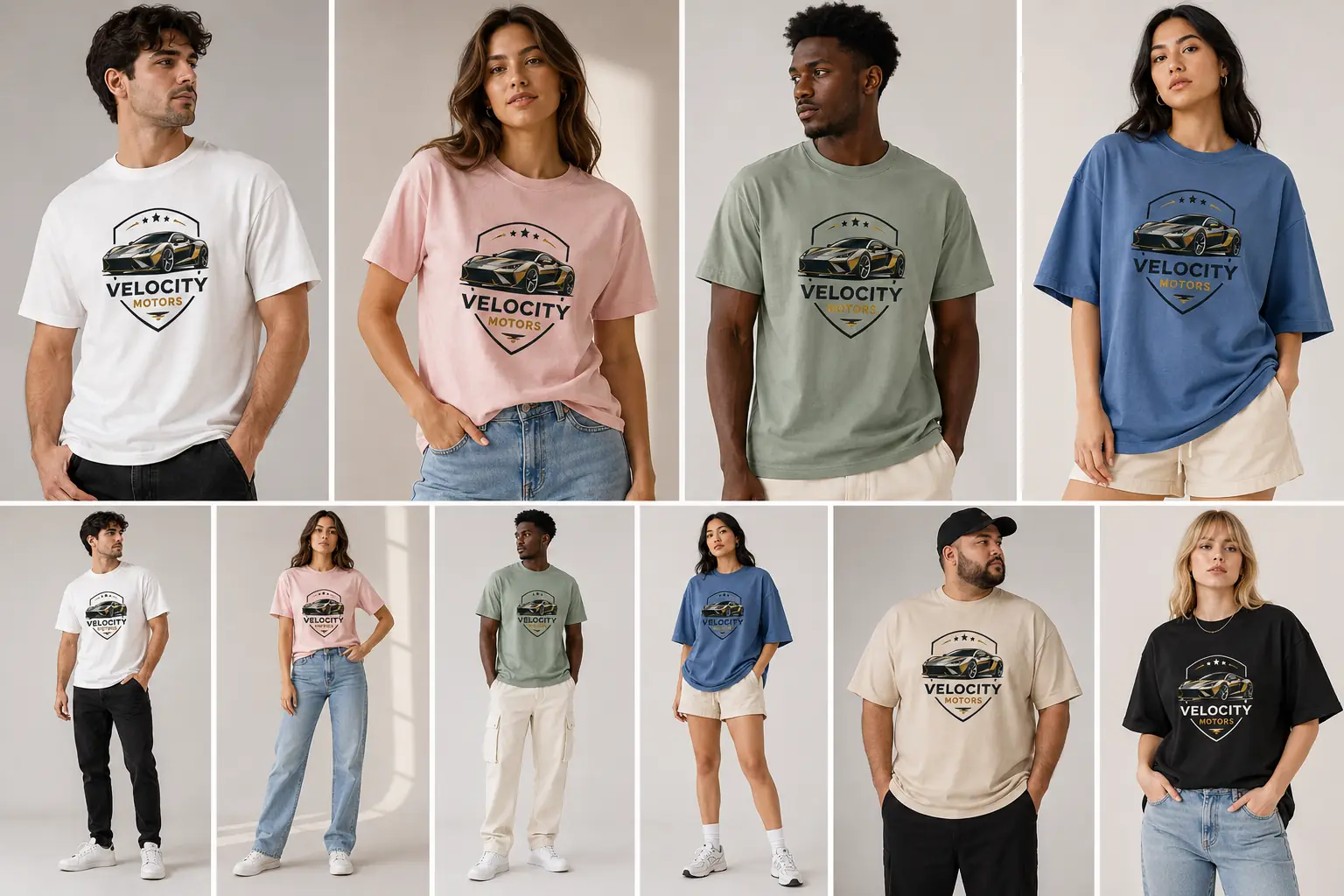
Use the uploaded design exactly as provided. Preserve its original colors, text, shapes, details, orientation, and proportions. Create a fashion collage featuring multiple models wearing the same T-shirt design in different shirt colors and sizes. Include men and women with varied body types and fits, such as fitted, regular, relaxed, and oversized. Use white, black, pastel pink, muted green, blue, and beige T-shirts. Keep the uploaded artwork identical and clearly visible on every T-shirt. Arrange the models in a clean editorial grid-style collage with full-body and waist-up views.
16. Tennis player wearing a T-shirt mockup prompt
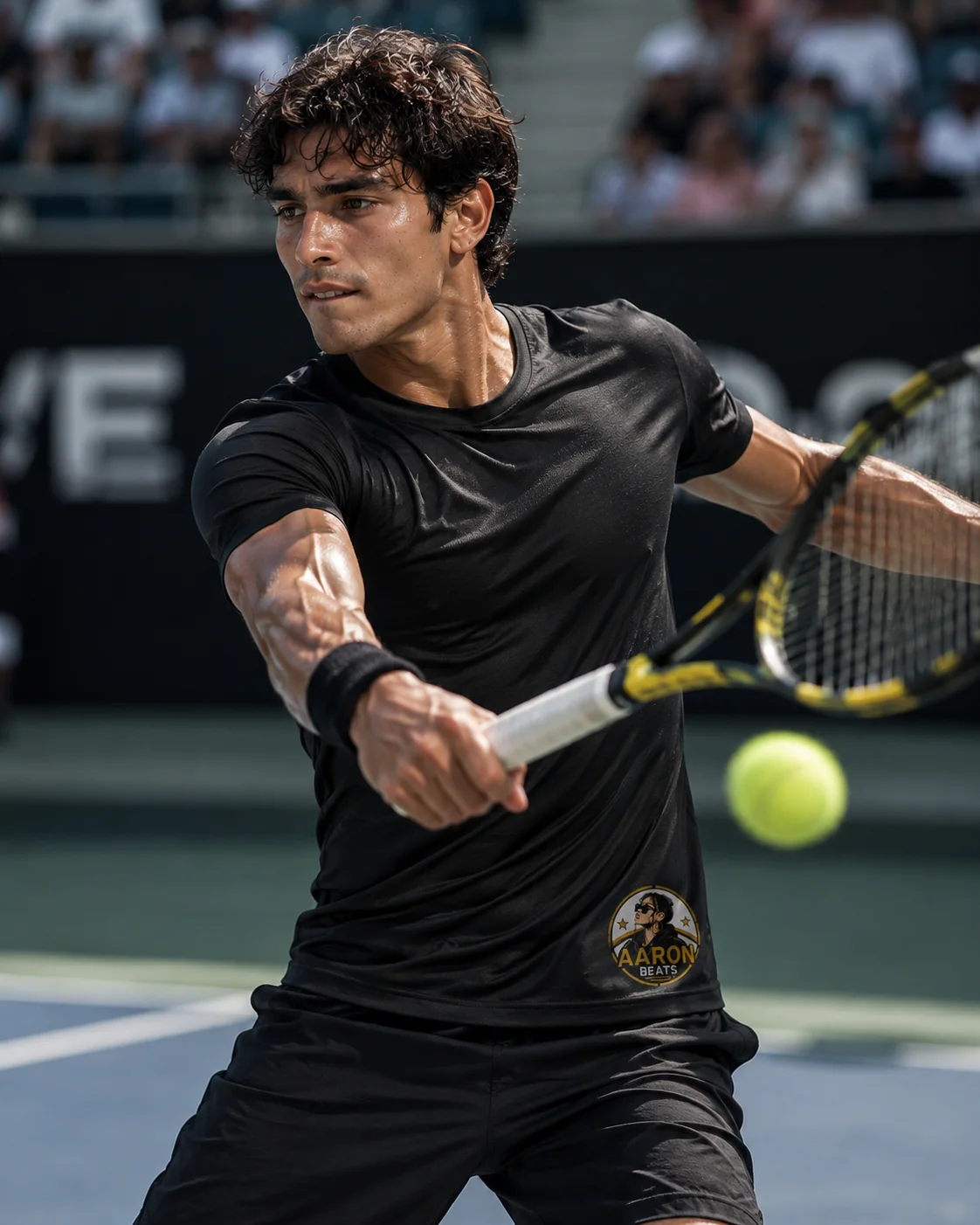
Keep the uploaded design exactly unchanged. Place it as a small logo on the lower-right front of a fitted black performance T-shirt, just above the hem. Show an athletic model actively playing professional tennis, captured during an intense forehand swing. Give the model a focused competitive expression with realistic sweat on the forehead, face, neck, and arms. Use an athletic tapered T-shirt with fitted mid-bicep sleeves and moisture-wicking stretch fabric. Capture the scene from a slightly low sports-photography angle using an 85mm lens and fast shutter speed. Keep the model, T-shirt, and logo tack-sharp while the court and stadium remain softly blurred.
17. T-shirt under a winter jacket mockup prompt
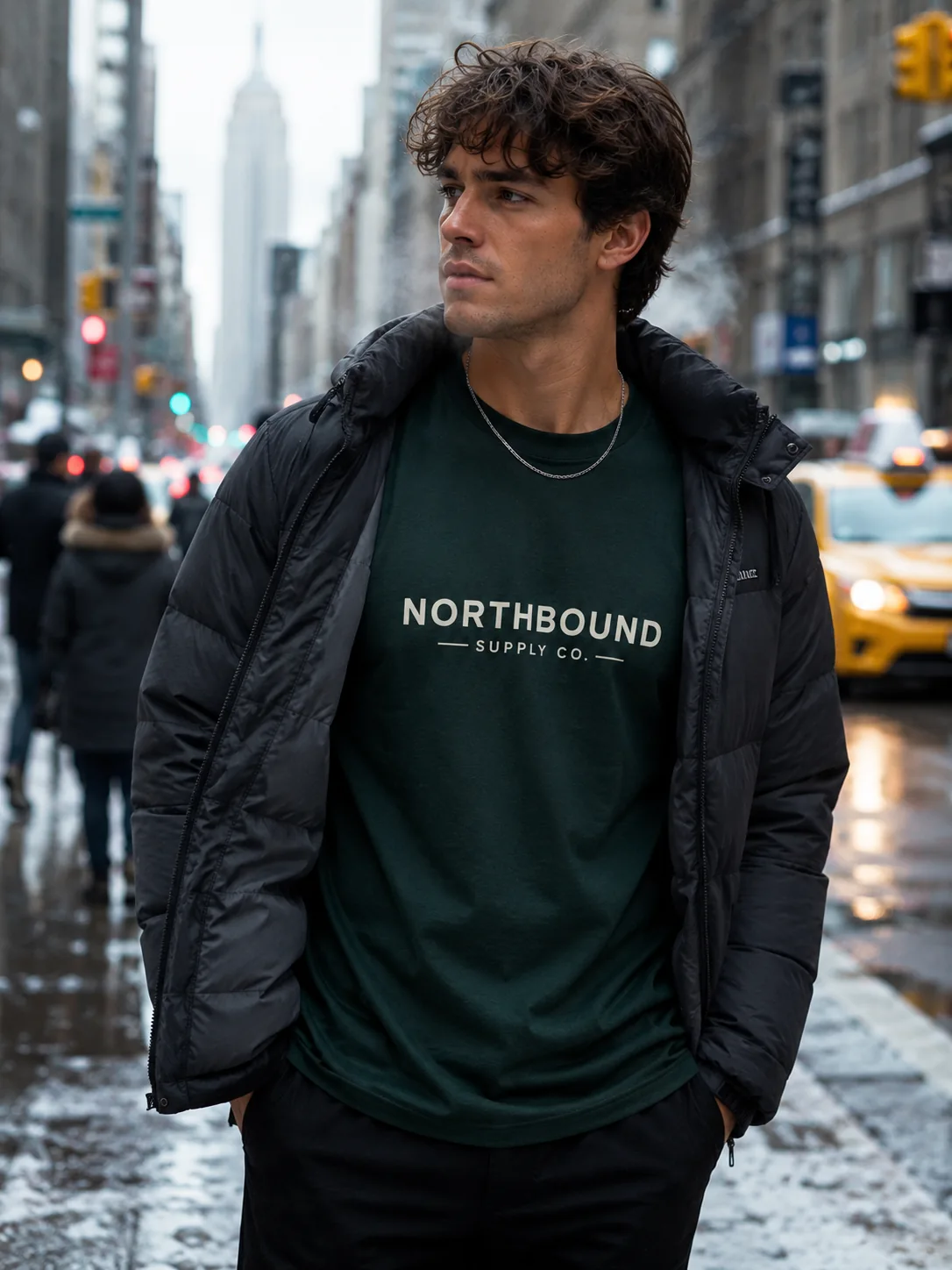
Use the uploaded logo exactly as provided. Preserve its original text, colors, shapes, details, orientation, and proportions. Place it at the center front of a dark green heavyweight cotton T-shirt. Show the T-shirt worn by a stylish model outdoors during winter in New York City, layered under an open winter jacket. Allow the jacket to cover no more than 10% of the outer logo area. Add slightly flushed skin and faint visible breath. Create a blurred New York background with tall buildings, yellow taxis, pedestrians, wet streets, and patches of snow. Shoot at eye level with a 50mm lens, f/2.8.
Lifestyle and location-based T-shirt mockup prompts
18. Barista making coffee mockup prompt
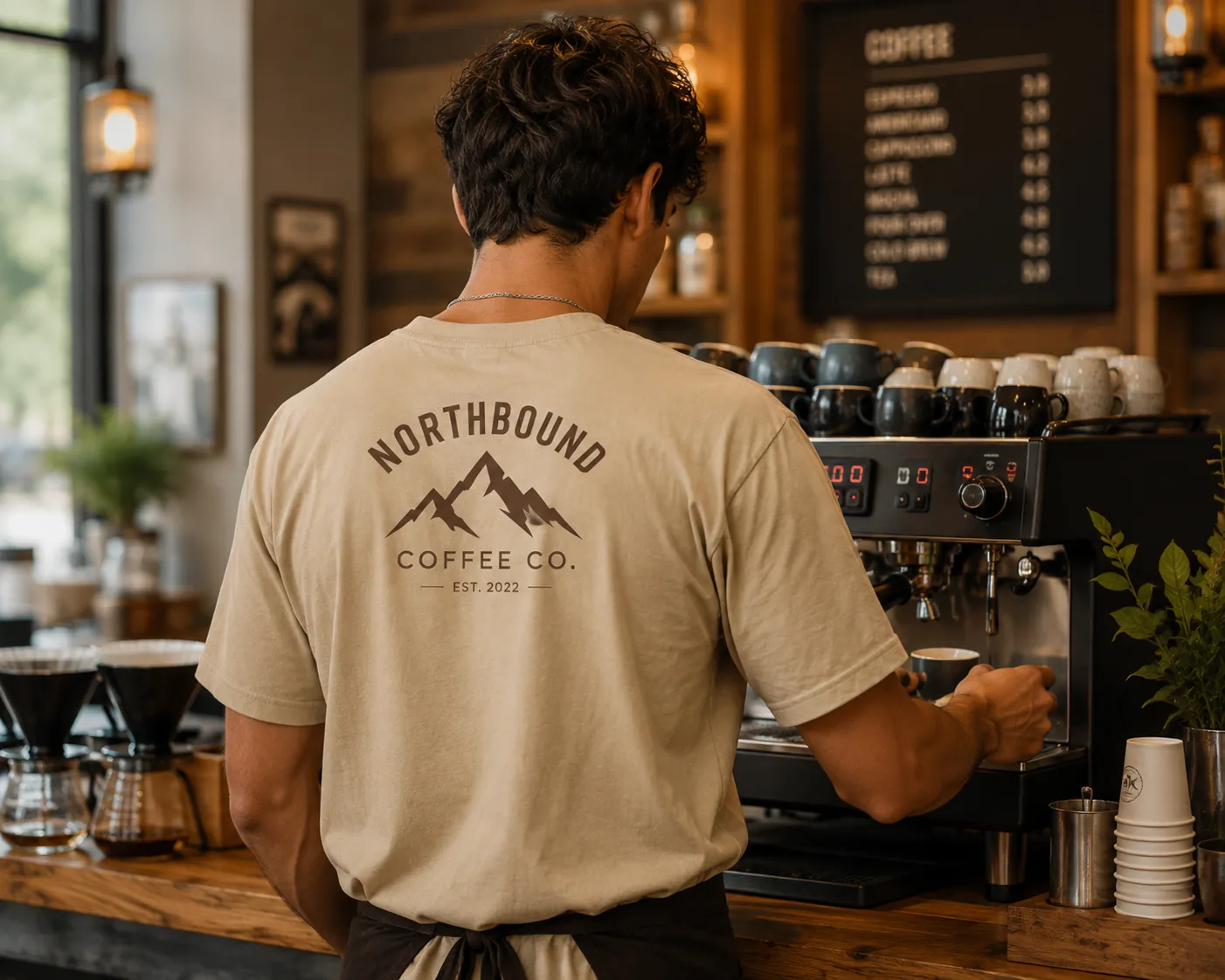
Use the uploaded shop logo exactly as provided. Preserve its original colors, text, shapes, icons, details, orientation, and proportions. Place the logo prominently on the upper-center back of a warm beige cotton T-shirt. Show a professional barista wearing the T-shirt with their back facing the camera while actively preparing coffee behind the counter. Keep the complete back logo clearly visible. Create a warm modern coffee shop with an espresso machine, coffee cups, wooden counter, menu area, and subtle café details. Keep the background softly blurred. Shoot from slightly behind at chest level using a 50mm lens, f/2.8.
19. T-shirt in a pink candy world mockup prompt
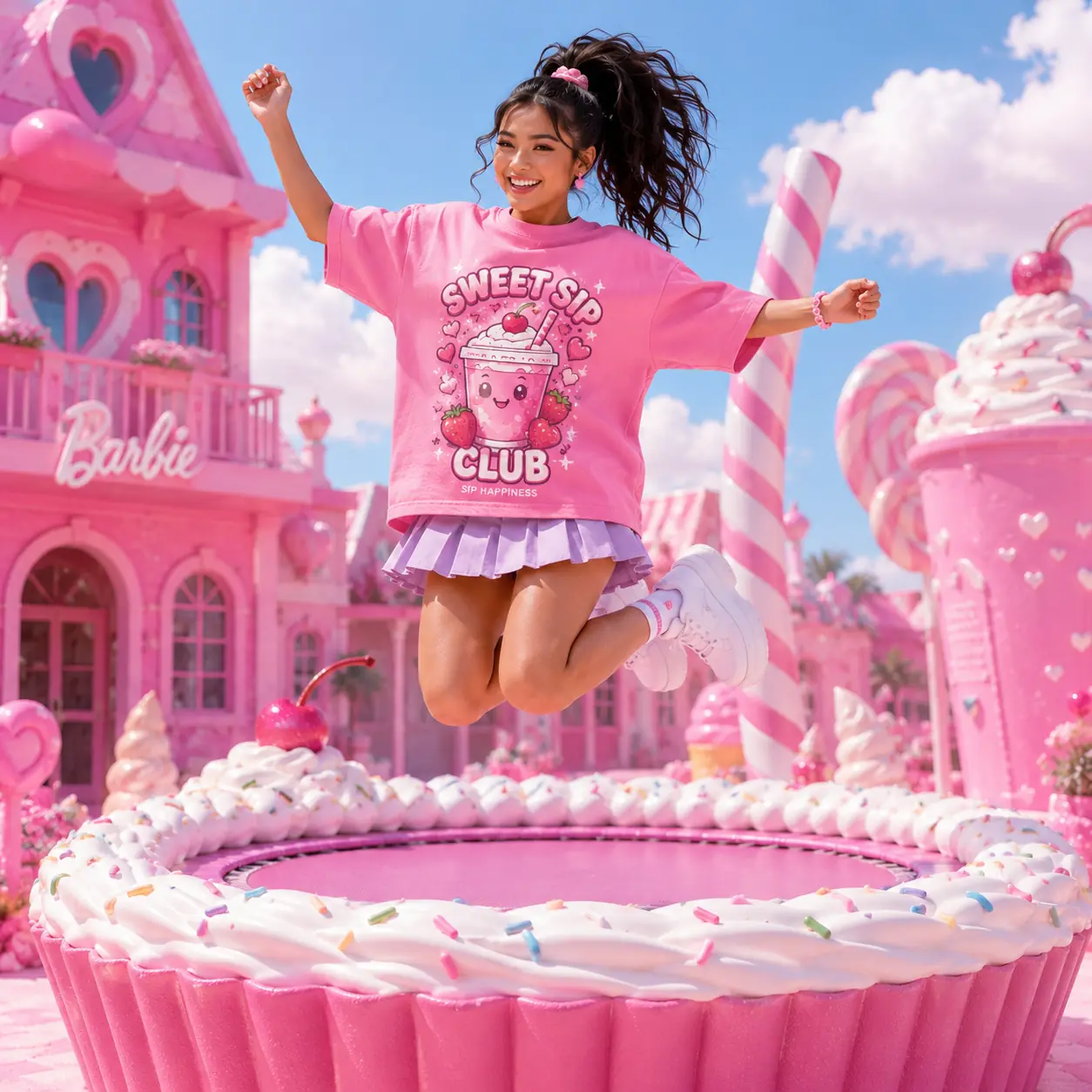
Preserve the uploaded design exactly with its original proportions, colors, details, and composition. Place it as a large back print on a candy-pink heavyweight cotton T-shirt. Show it worn by a female model in her mid-20s with an athletic build, medium skin tone, and long dark hair in a high ponytail. Create an imaginary Barbie-like candy fashion world with a dreamy pink dollhouse street, glossy pastel storefronts, heart-shaped decor, candy-inspired props, palm trees, and polished pavement. Use bubblegum pink, blush, lavender, and creamy white. Shoot with an 85mm lens, f/2.8 and premium editorial fashion photography.
20. T-shirt hanging on a clothesline mockup prompt
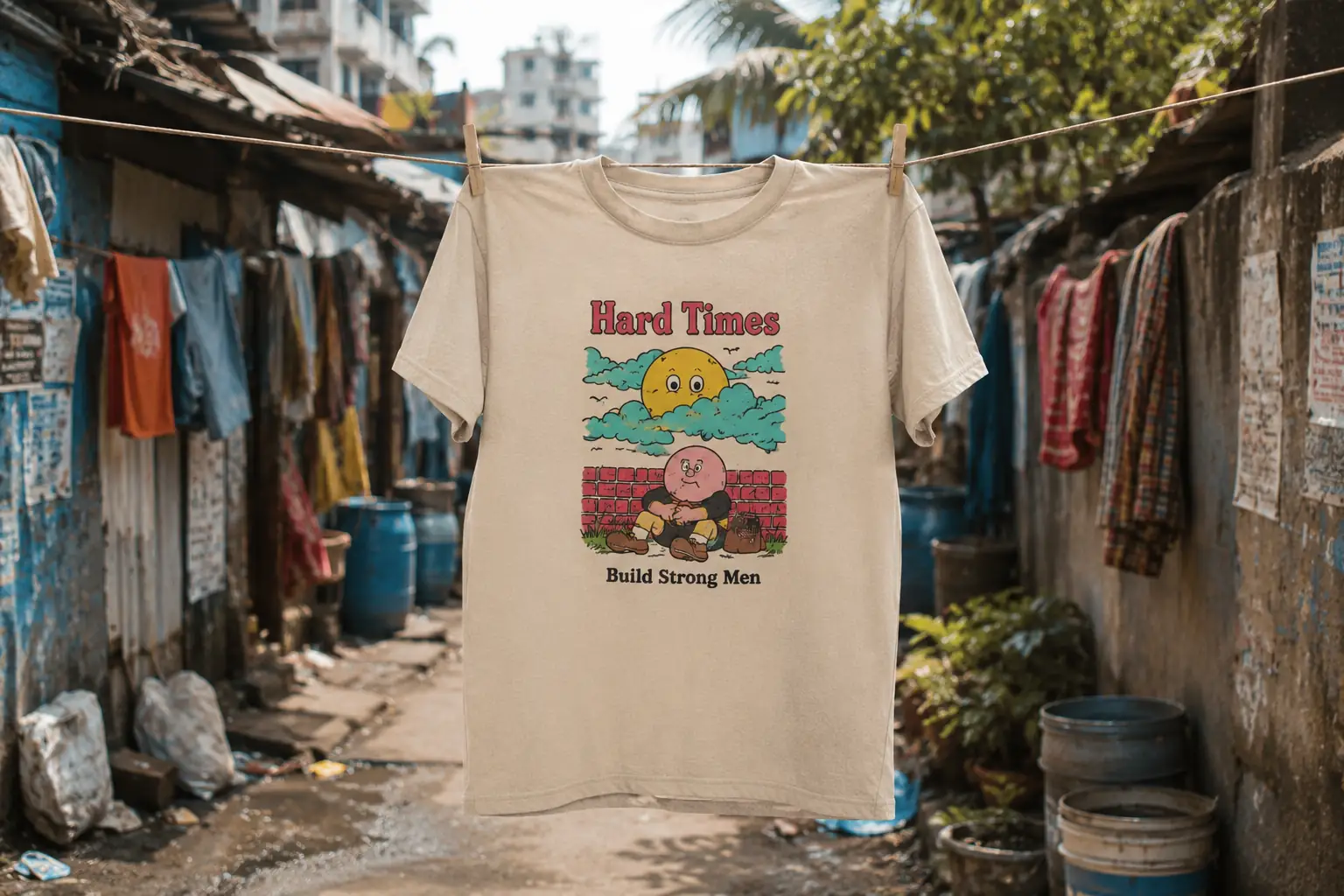
Keep the uploaded design exactly unchanged. Place it at the center front of a light beige cotton T-shirt. Hang the T-shirt naturally from a simple clothesline stretched between weathered buildings in a dense low-income urban settlement, secured with two clothespins. Keep the complete artwork visible. Create an authentic background with closely packed unfinished brick and concrete homes, corrugated metal roofs, exposed walls, narrow passageways, overhead electrical wires, water containers, and laundry. Keep the background softly blurred. Shoot at eye level with a 50mm lens, f/2.8, using natural daylight and documentary-style lifestyle photography.
Creative T-shirt print and logo effect prompts
21. Embroidered logo T-shirt mockup prompt
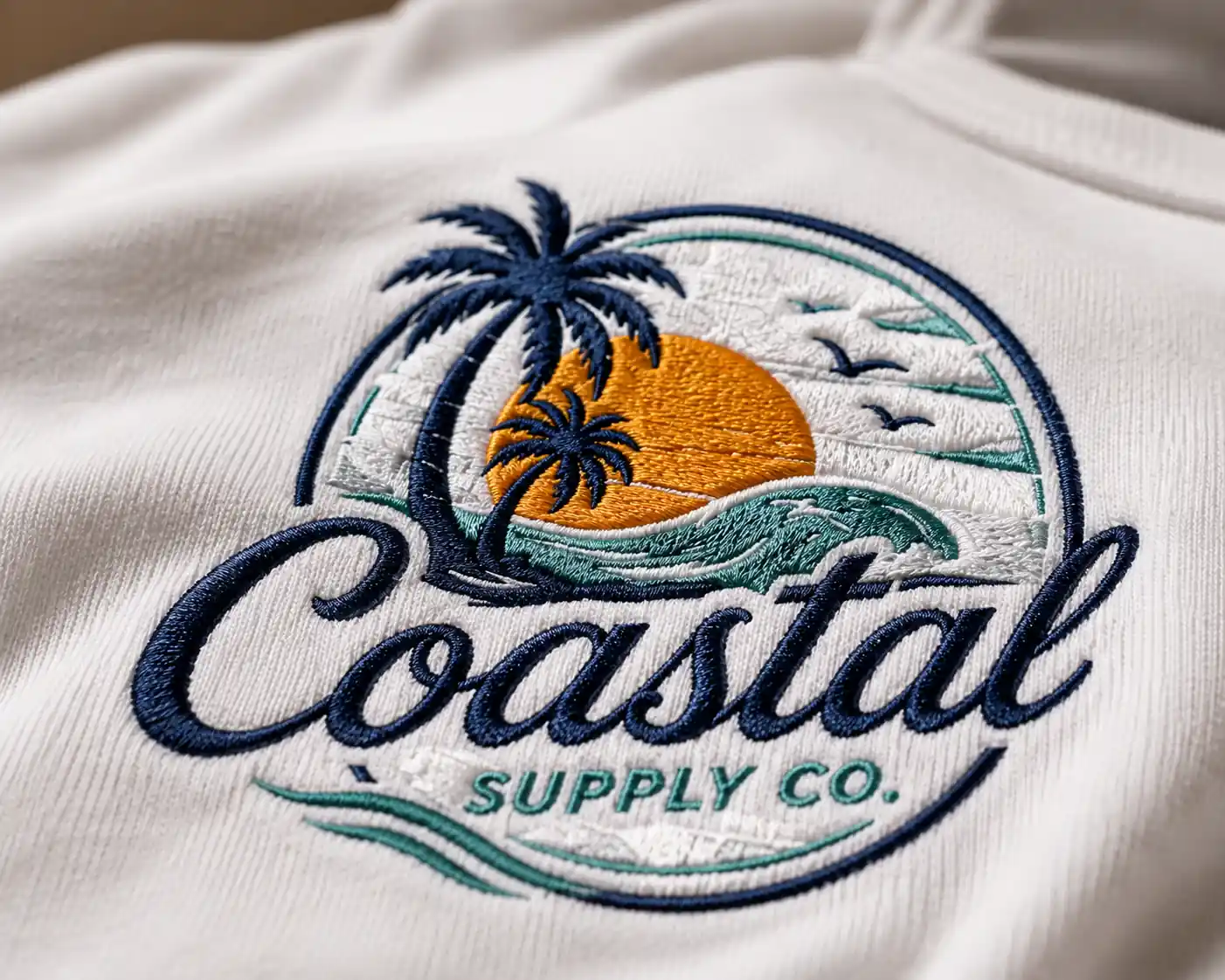
Use the uploaded logo as the exact visual reference. Preserve its original shape, icons, text, colors, layout, orientation, and proportions, but transform the entire logo style into realistic embroidery. Recreate every element using dense stitched threads. Place the embroidered logo on a premium white cotton T-shirt. Capture a tight close-up from a very low, slightly angled perspective. Make the raised stitching, individual threads, layered stitches, edges, thickness, and subtle thread shine clearly visible. Use a macro lens, shallow depth of field, soft directional studio light, and photorealistic macro product photography.
22. Glow in the dark T-shirt mockup prompt
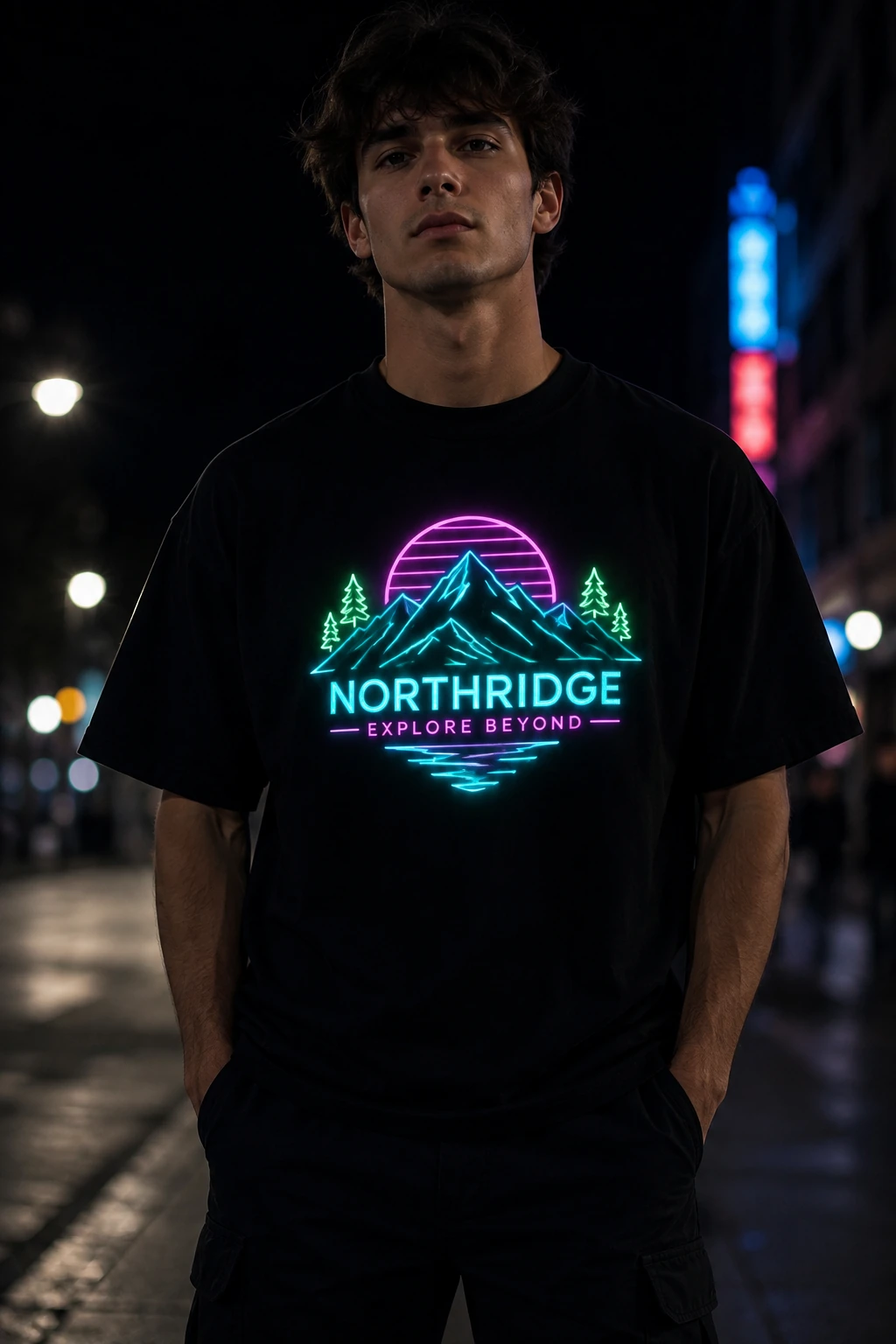
Use the uploaded logo as the exact visual reference. Preserve its original shapes, icons, text, layout, orientation, and proportions. Place it at the center front of a premium black cotton T-shirt and transform the logo into a realistic glow-in-the-dark print. Keep the logo recognizable while making its original colored elements emit matching luminous light. Show the T-shirt worn by a model outdoors at night. Keep the logo crisp and make it the brightest and sharpest focal point.
23. All-over print T-shirt mockup prompt
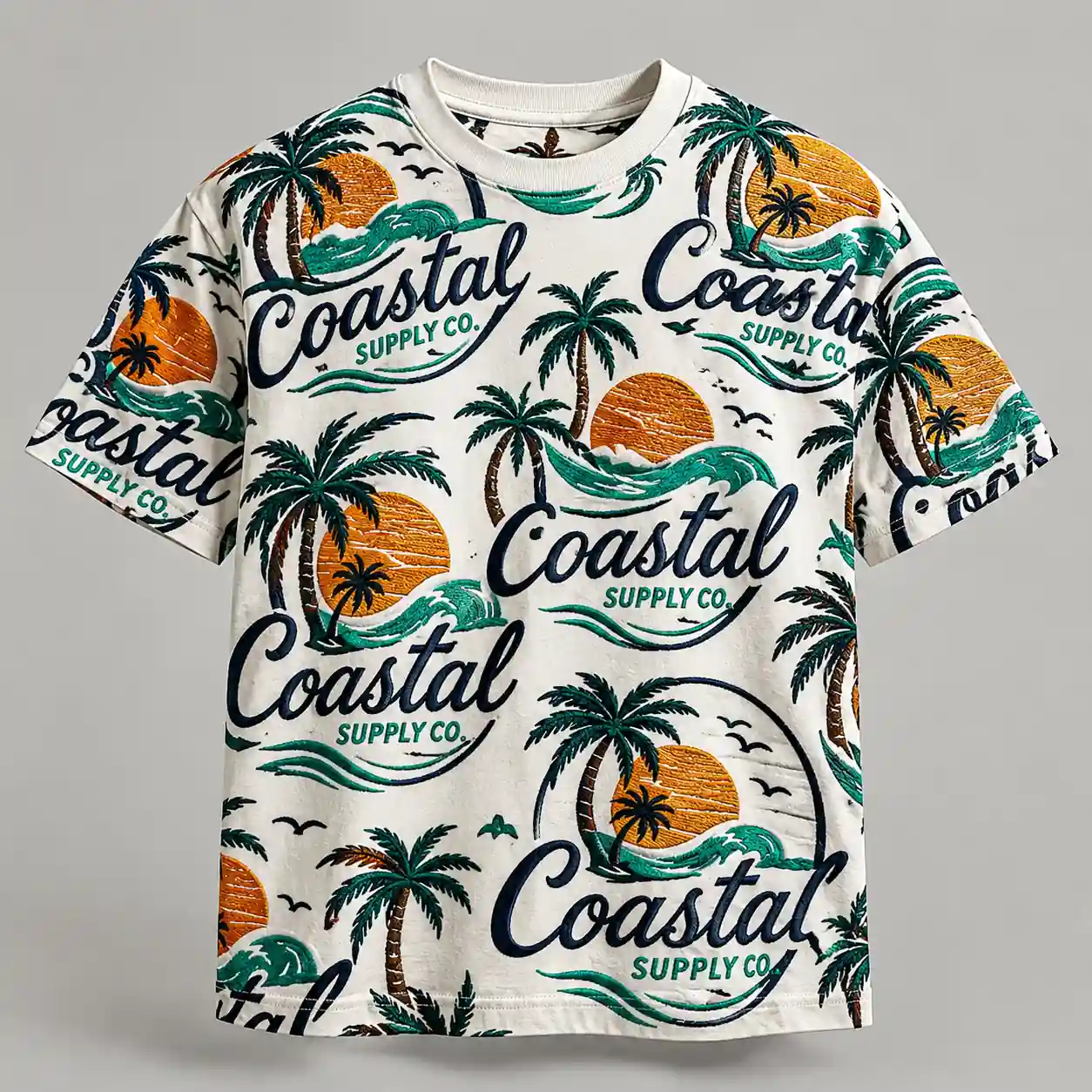
Use the uploaded pattern or design as the exact visual reference. Preserve its original colors, shapes, icons, text, details, and visual style. Transform the uploaded artwork into a seamless all-over print covering the entire T-shirt, including the front, sleeves, shoulders, and visible areas around the neckline. Repeat and arrange the original design naturally while keeping its original proportions. Do not stretch or distort individual elements. Show the complete T-shirt in a straight front-facing product view.
24. Sequin logo T-shirt mockup prompt
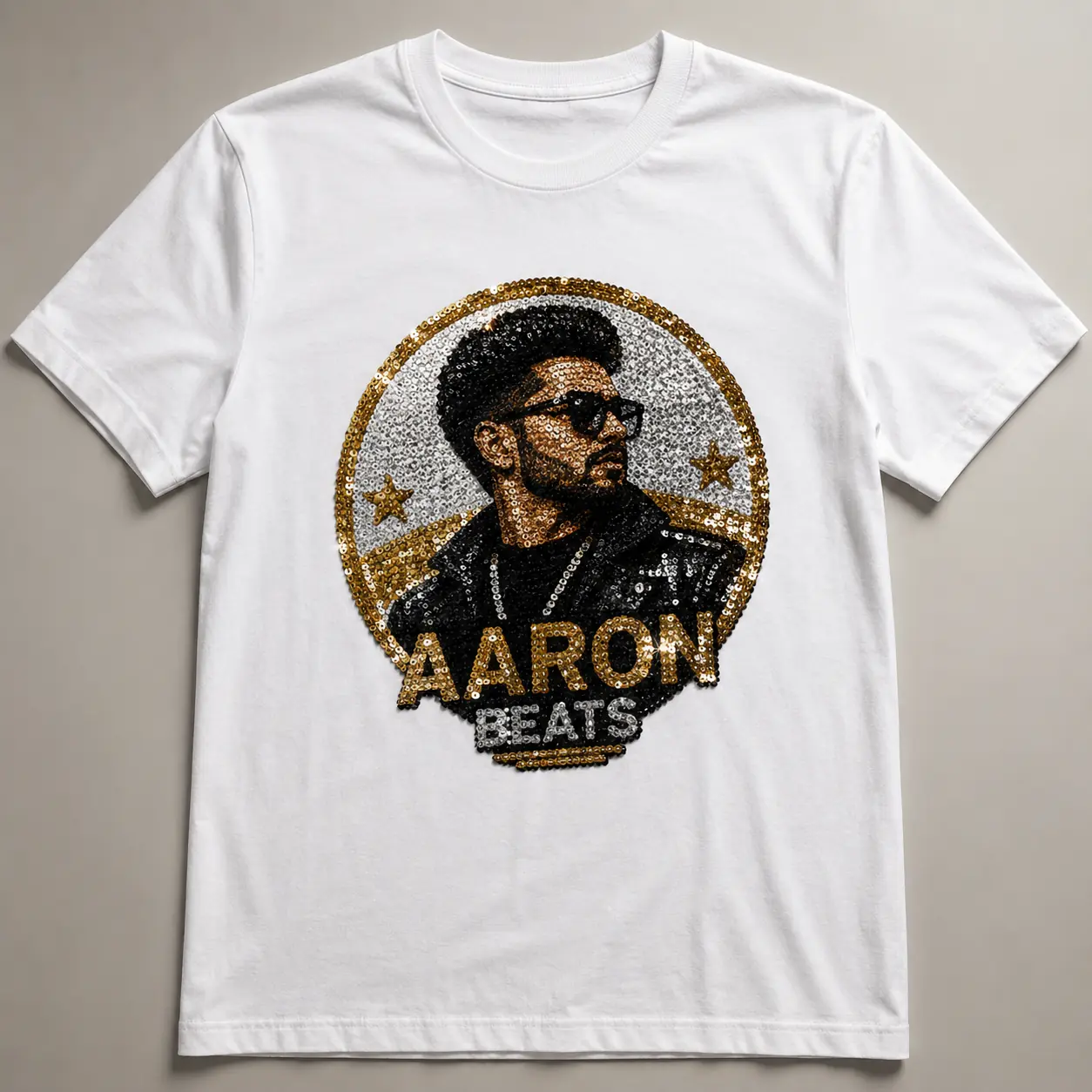
Use the uploaded logo as the exact visual reference. Preserve its original shape, text, icons, colors, layout, orientation, and proportions, but transform the entire logo surface into realistic glittering sequins. Recreate every part using densely arranged reflective sequins while maintaining the original colors. Place it at the center front of a premium cotton T-shirt. Show individual sequins, overlapping edges, fine stitching, reflective sparkle, dimensional texture, and realistic highlights.
25. Oversized print T-shirt mockup prompt
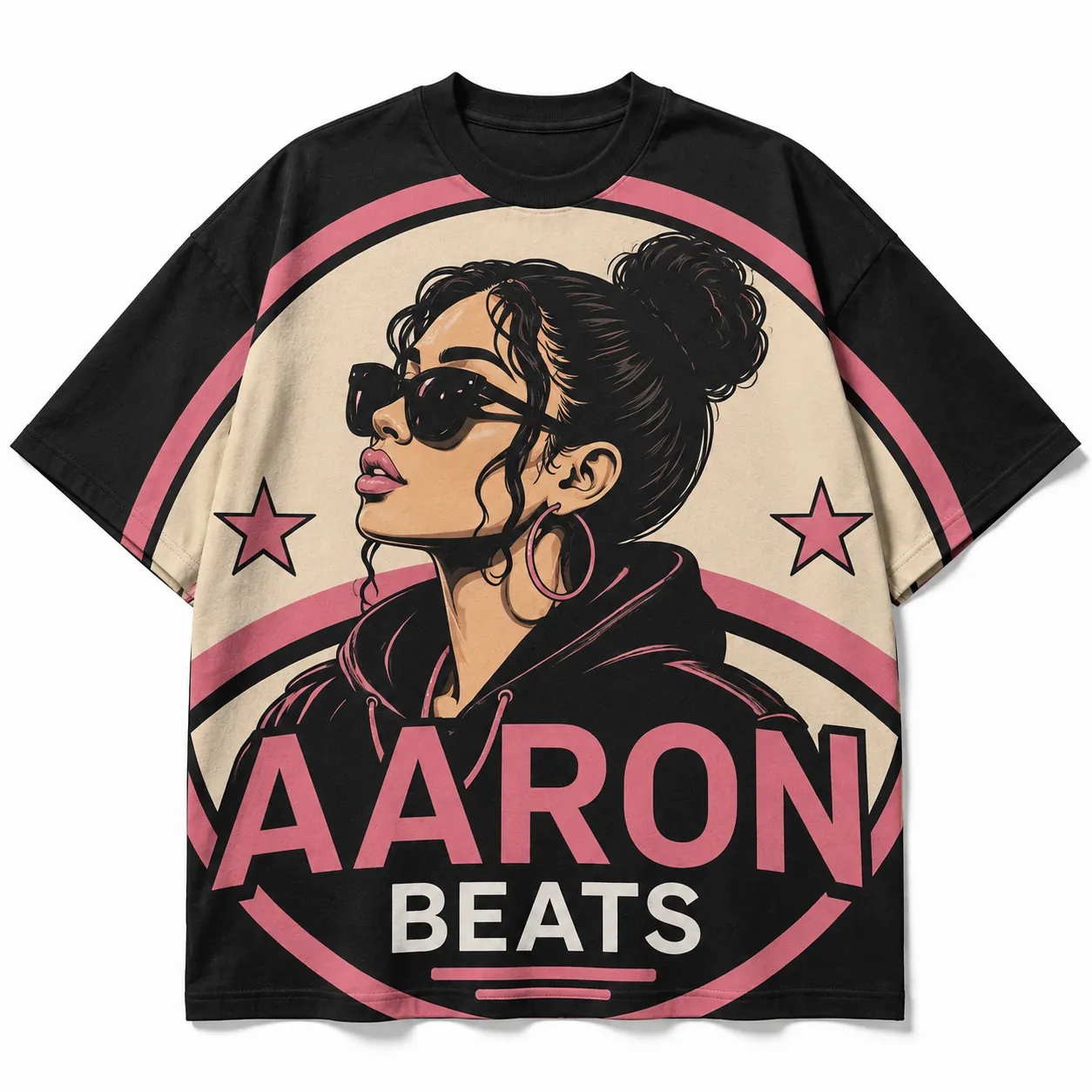
Use the uploaded design as the exact visual reference. Preserve its original colors, text, shapes, icons, details, orientation, and proportions. Transform the design into a dramatically oversized edge-to-edge T-shirt print. Scale the artwork far beyond a standard chest print so it covers nearly the entire front surface. Allow selected outer portions to extend beyond the side edges, sleeves, and bottom hem. Keep the central recognizable elements visible. Make the print simple, flat, and naturally integrated with the cotton fabric.
E-commerce T-shirt mockup prompts
26. Etsy T-shirt listing mockup prompt
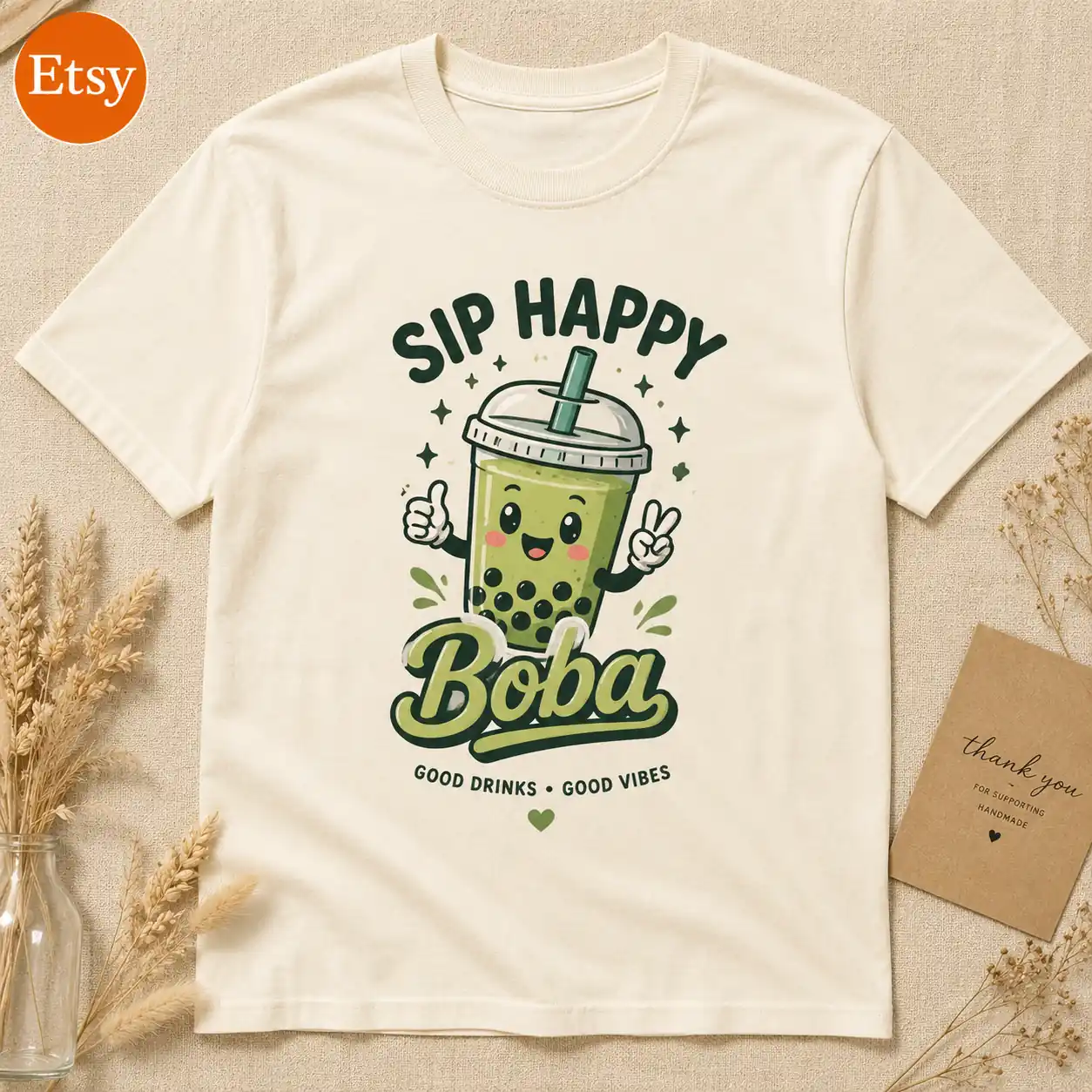
Keep the uploaded T-shirt design exactly unchanged. Place it at the center front of a cream organic cotton T-shirt. Lay the shirt flat on a warm beige textured surface with the complete artwork clearly visible. Create the scene as a polished Etsy-style marketplace product listing photo. Add a small recognizable Etsy logo in one corner, separate from the T-shirt artwork. Include subtle handmade-shop styling with a small kraft packaging card and natural dried stems. Shoot directly from above with a 50mm lens, f/5.6, ISO 100. Use warm diffused daylight and a clean square 1:1 e-commerce composition.
27. Shopify T-shirt hero image mockup prompt
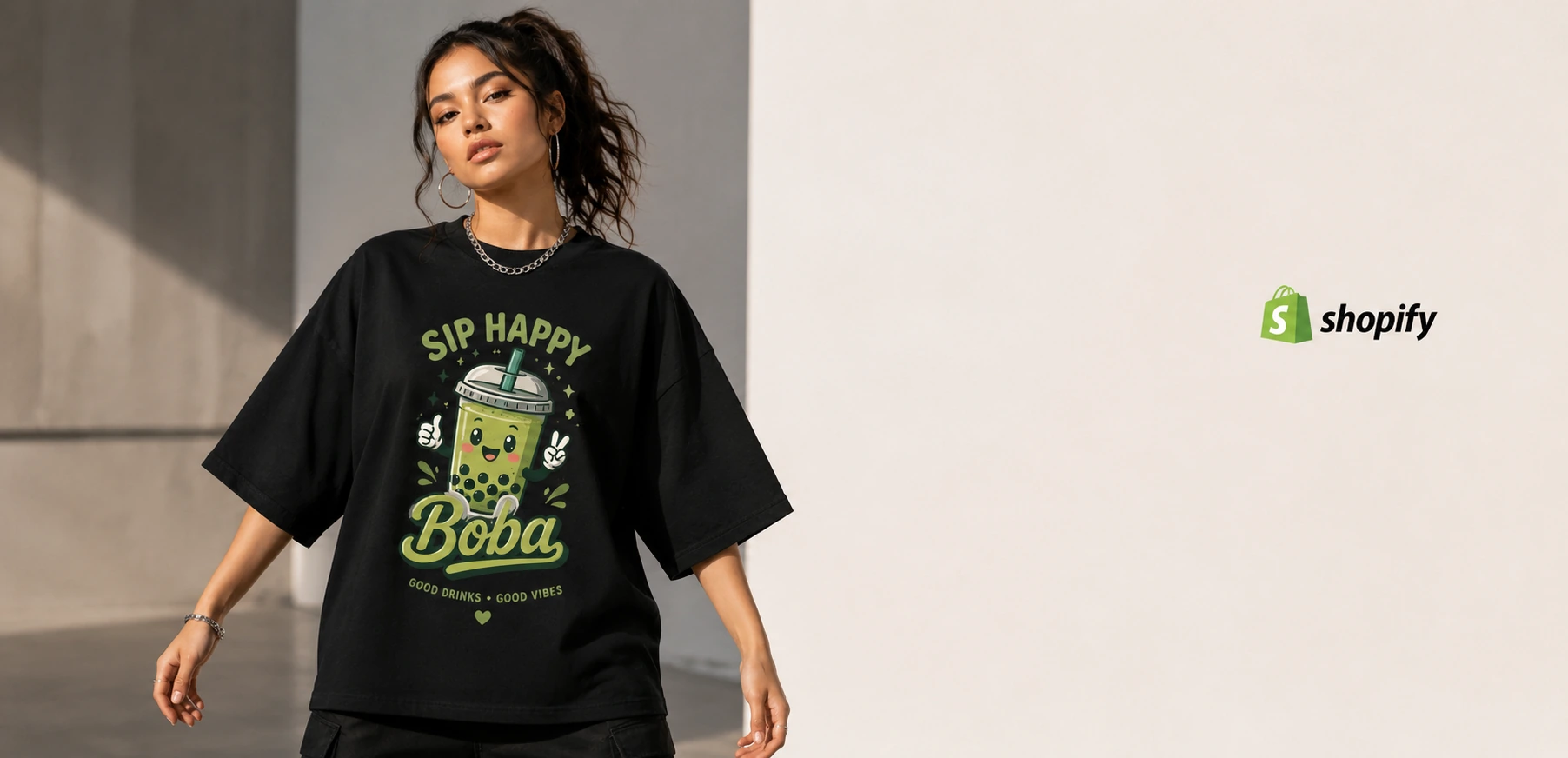
Preserve the uploaded artwork exactly with its original colors, text, orientation, details, and proportions. Place it on the center front of a premium black heavyweight cotton T-shirt. Show a stylish model wearing it in a confident front-facing pose. Create a premium Shopify fashion-store hero banner with a modern minimal studio environment and generous negative space on one side for website content. Add a small recognizable Shopify logo in the open area, separate from the T-shirt artwork. Shoot with a full-frame camera, 50mm lens, f/4, ISO 100. Use polished commercial apparel campaign photography and a wide website-banner composition.
How to Create a T-Shirt Mockup With LightX
Step 1: Upload your design
Upload your artwork, logo, graphic, or typography as a JPG, PNG, or WebP. Your design will be used as the print for the T-shirt mockup.
Step 2: Pick how you want to generate
Prompt: describe the mockup you want in your own words.
Presets: choose a ready-made scene instantly.
Workflow: fill in fields like type, placement, color, model, and background for more control.
Step 3: Generate your mockup
Click Generate. This will take a few seconds.
Step 4: Fine-tune with Change with AI
Describe one edit at a time, like make it black or change the background.
Step 5: Download and use it
Save it as a JPG or PNG for your store, social, or ads.
More Tools to Explore
Need artwork for your next mockup? LightX’s AI Design tools can help, including the AI Logo Generator and AI Monogram Generator for creating fresh marks to print.
T-Shirt Mockup Prompt Tips
1. Fit Name ≠ Fit Description
Instead of only saying oversized T-shirt, try describing what makes it oversized, such as dropped shoulders, a wider body, longer sleeves, and a loose drape.
2. Match the Pose and Print Placement
Choose a pose that keeps the artwork visible. For front prints, keep the torso facing the camera; for back prints, turn the model away; and for sleeve prints, position the arm where the artwork can be clearly seen.
3. Specify the Fabric Weight
Fabric weight can change how the T-shirt hangs on the body. Try terms such as lightweight cotton jersey, midweight cotton, or structured heavyweight cotton to control the folds, drape, and overall silhouette.
4. Change One Variable at a Time
When testing different looks, keep the prompt the same and change only one detail, such as the T-shirt color, fit, background, or model. This makes it easier to compare the results and identify what works. Use ‘Change with AI’ button on LightX after generation to edit specifics.
5. Tell AI What Shouldn’t Happen
Negative instructions can be just as useful as descriptive ones. Add directions such as do not cover the artwork with hands or hair, do not crop the T-shirt, or do not alter the text in the uploaded design when those details matter.
Related: Prompt for product advertisement
Conclusion
A strong T-shirt mockup prompt does more than describe a shirt. Each mockup type suits a different kind of product. Apparel mockups work best for T-shirts, hoodies, and jackets, a good fit for print-on-demand stores and clothing brands. Print mockups suit posters, packaging, and stationery, useful for previewing artwork before production. Accessories mockups cover bags, caps, and mugs, ideal for merch stores and lifestyle shots.
The prompts above can also be treated as templates rather than fixed instructions. Swap the colors, graphics, materials, settings, and photography styles to create visuals that match your collection.
Ready to visualize your next apparel design? Try your favorite T-shirt mockup prompt in LightX.
Faqs
Can I use my own product photos instead of an AI-generated garment?
Yes. You can use AI Virtual Outfit Try-On to upload a full garment and place it on different models, or use Product Photoshoot tools to place your product in different settings.
Will the AI change my design’s colors or details?
It shouldn’t, if your prompt says so. Adding instructions like keep the uploaded design unchanged or preserve original colors and text helps the AI focus on placement rather than altering the artwork.
Does the AI know to place my design without its background?
If your uploaded design has a transparent background (like a PNG), the AI mockup tool will typically place just the artwork itself onto the T-shirt, not the background around it. If your file has a solid background (like a JPG), that background may show up as part of the print unless you specify otherwise.
Get on WhatsApp
New image & Video workflow everyday