Finding the right book mockup can be surprisingly frustrating. You find the perfect desk, but the book angle is wrong. The lighting looks good, but the scene is too busy. Or you find a great book mockup template, only to realize it does not fit the shape or style of your book.
 Get on WhatsApp
New image & Video workflow everyday
Get on WhatsApp
New image & Video workflow everyday
AI gives you another way to approach the problem.
Instead of searching for a ready-made scene, you can describe exactly what you want with a book mockup prompt. Want your paperback standing against a clean white background? Describe it. Need your romance novel on a cozy bedside table? Add that to the prompt. Want dramatic lighting for a thriller? You can control that too.
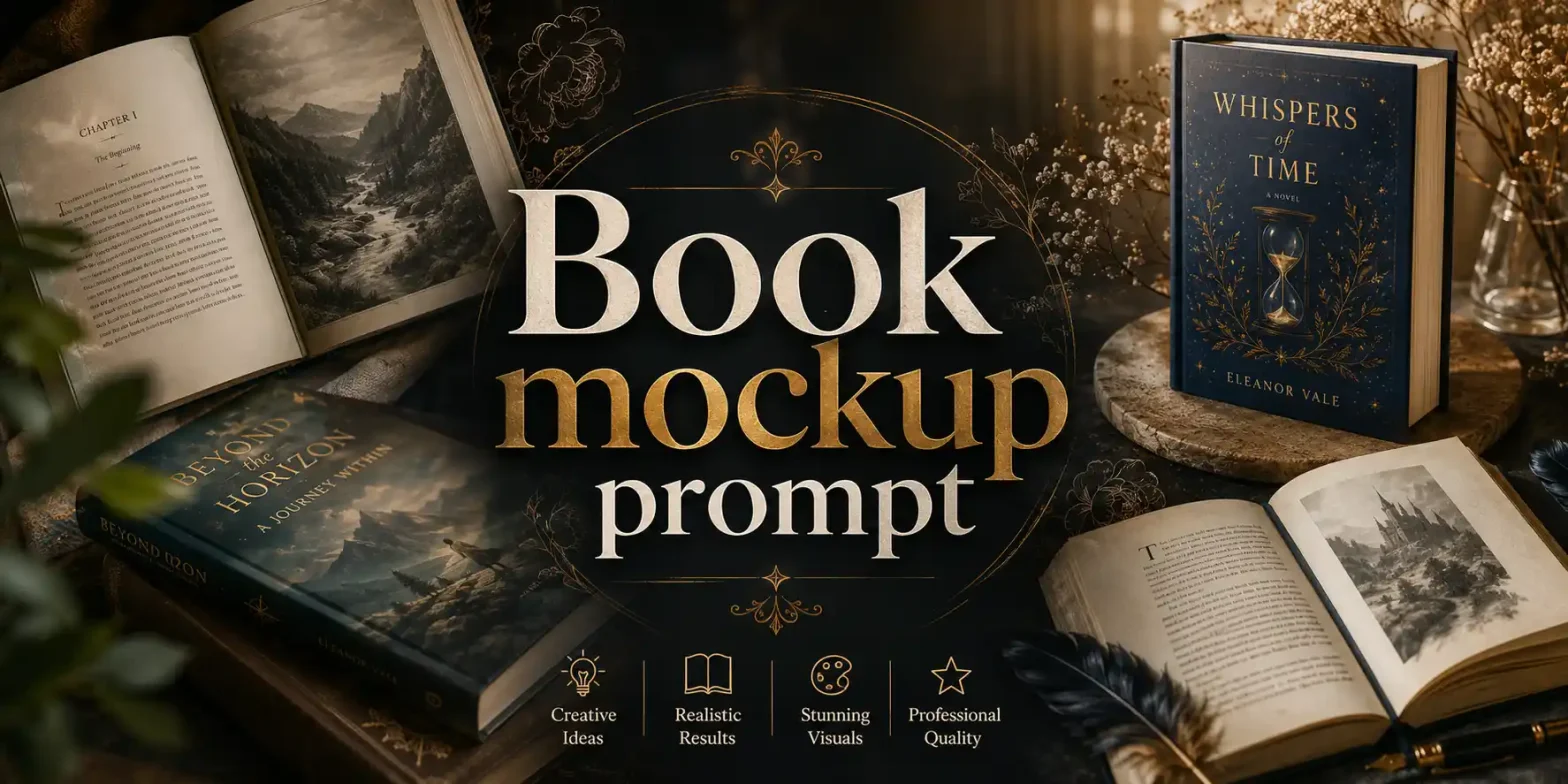
This blog will show you how to write an effective AI book mockup prompt with simple tips & tricks. You will also get 35 prompts that you just need to copy & paste into ChatGPT, Gemini, or LightX.
Why book mockups matter for authors and publishers
A cover design shows people what your book looks like, while a mockup helps them imagine it as something they can actually own. For authors, publishers, and book marketers, mockups can make promotional content more engaging and give the book a more realistic presentation.
- Amazon KDP listings: Use clean, front-facing book mockups to present your cover in a polished and professional way.
- Pre-launch promotion: Create mockups for cover reveals, pre-order announcements, countdown posts, and other launch campaigns.
- Social media content: Instead of repeatedly sharing the same flat cover, present your book in different settings and styles.
- Author websites: Display realistic book visuals on landing pages, portfolio pages, and book promotion sections.
- Email marketing: Add book mockups to newsletters, launch emails, new-release announcements, and promotional campaigns.
- Genre-based promotion: Match the setting to your book. A romance novel can sit beside flowers, a business book can appear on a modern office desk, and a children’s book can be shown in a colorful reading corner.
The book cover stays the same, but its presentation can change depending on the platform, audience, campaign, or occasion. This gives authors and publishers more ways to promote one book without using the same visual everywhere.
What is a Book Mockup Prompt?
A book mockup prompt is a text description that tells an AI tool how you want your book mockup to look.
For example, you can ask for a hardcover book standing on a wooden table, with warm lighting and a simple background.
Traditional mockup templates usually come with a fixed angle, setting, and layout. AI prompts give you more control. You can change the background, camera angle, lighting, mood, or book style with just a few words.
This also makes it easier to create different visuals from the same book cover.
How to Structure Your AI book mockup prompt
You do not need a long or complicated prompt. A simple structure can work well:
Format + Cover + Setting + Angle + Lighting + Style
Here is what each part means:
- Format: Paperback, hardcover, open book, e-book, or book stack.
- Cover: Describe how your uploaded cover should appear.
- Setting: Desk, bookshelf, studio, coffee table, bedroom, or another place.
- Angle: Front view, top-down, side view, or three-quarter view.
- Lighting: Soft daylight, studio lighting, warm light, or dramatic lighting.
- Style: Minimal, realistic, cozy, premium, cinematic, or colorful.
For example:
“Hardcover book using the uploaded cover, standing on a wooden desk, three-quarter view, soft window light, realistic and minimal style.”
You can reuse this structure and adjust each part to match the result you need.
35 Ready-to-Use Prompts
1. Front-facing hardcover
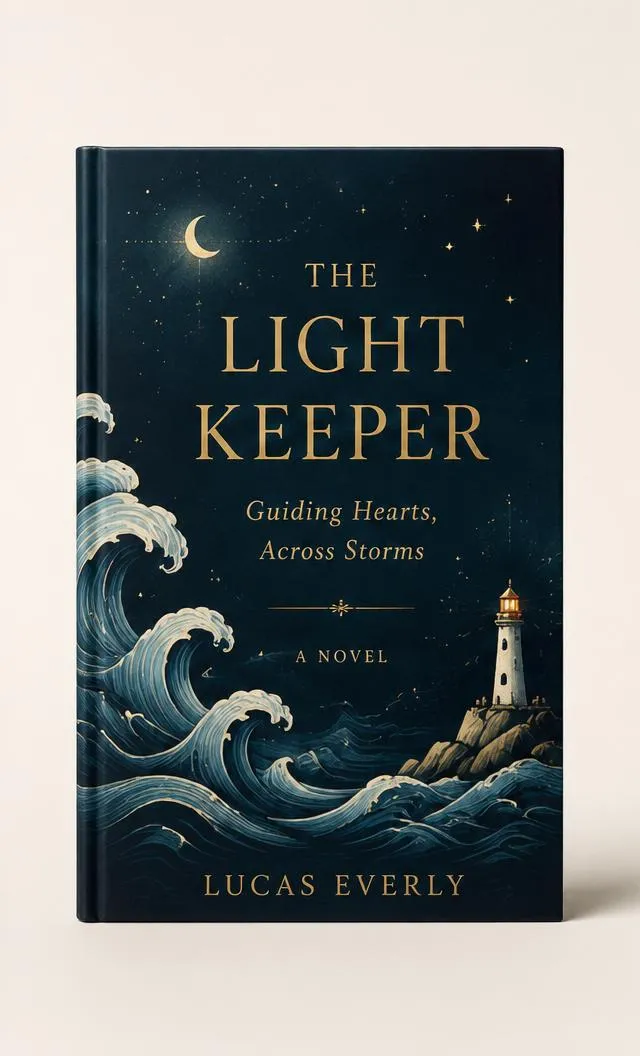
Create a photorealistic book mockup using the supplied cover artwork exactly as provided. Place the artwork on a premium hardcover book in a vertical 6 × 9 inch format, facing directly toward the camera. Keep the entire front cover clearly visible and centered. Use realistic hardcover thickness, slightly rounded spine edges, natural page edges, and a smooth matte finish. Place the book upright on a clean studio surface with soft diffused lighting from the upper left and a subtle contact shadow underneath. Use a warm off-white seamless background with generous negative space. Use an 85mm commercial product-photography look with sharp focus, realistic perspective, accurate proportions, and clean edges. Do not redesign, rewrite, crop, recolor, recreate, or modify the supplied artwork, text, typography, logos, illustrations, colors, spacing, or layout. Do not add extra text or objects.
2. Angled hardcover
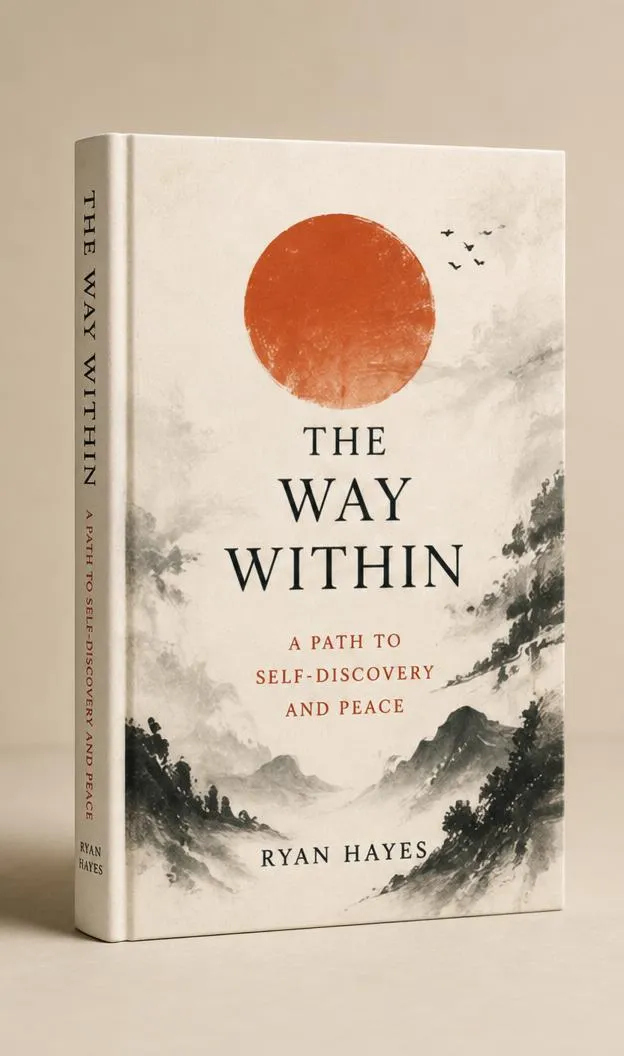
Create a high-end photorealistic hardcover book mockup using the uploaded cover artwork exactly as provided. Position the book upright at a subtle three-quarter angle so the full front cover is clearly readable while part of the spine is naturally visible. Use realistic 6 × 9 inch proportions, premium matte hardcover material, accurate binding, natural page thickness, and slightly rounded spine edges. Place it on a minimal studio surface with a neutral beige background. Use soft directional studio light from the upper left, realistic highlights, gentle falloff, and a natural contact shadow. Camera should be slightly above book center with an 85mm product-photography look. Preserve the uploaded artwork exactly, including every word, font, logo, illustration, color, alignment, and spacing. Only apply perspective and surface integration required for the mockup. No warped geometry, added text, props, or redesign.
3. Standing paperback

Create a photorealistic standing paperback book mockup using the supplied cover design exactly as uploaded. Show a vertical 6 × 9 inch paperback standing naturally on a clean surface at a slight three-quarter angle. Keep the front cover dominant and fully readable, with a small portion of the spine and realistic white page edges visible. Give the cover a premium soft-touch matte finish with subtle paper texture and physically accurate flexibility and thickness. Use a bright minimal studio environment with a light gray seamless background. Add soft diffused lighting, delicate highlights, and a realistic contact shadow at the base. Use professional commercial product photography with accurate perspective, scale, proportions, sharp edges, and natural depth. Do not alter, regenerate, crop, recolor, rewrite, or reinterpret any part of the supplied cover artwork or text. No additional objects or text.
4. Minimal flat-lay
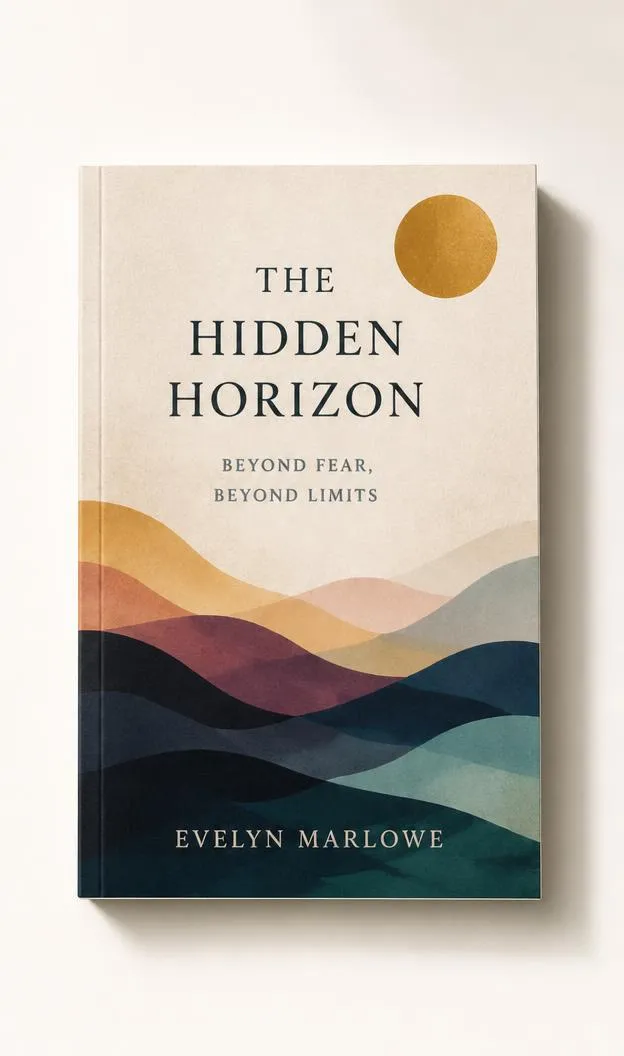
Create a clean photorealistic flat-lay book mockup using the uploaded cover artwork exactly as supplied. Place a closed paperback book flat on a smooth warm-white surface, photographed directly from above. Keep the complete front cover visible without cropping. Use realistic 6 × 9 inch proportions, natural book thickness, clean page edges, a premium matte cover, and subtle paper texture. Use soft daylight-style illumination coming diagonally from the upper left, producing a gentle natural shadow along the opposite edges of the book. Keep the composition minimal with generous negative space and no surrounding objects. Use crisp editorial product photography, accurate scale, realistic surface contact, natural perspective, and high-resolution detail. Preserve every element of the uploaded design exactly, including text, typography, logos, illustrations, colors, margins, and layout. Do not recreate or modify the artwork. No added text or decorative elements.
5. Open book interior
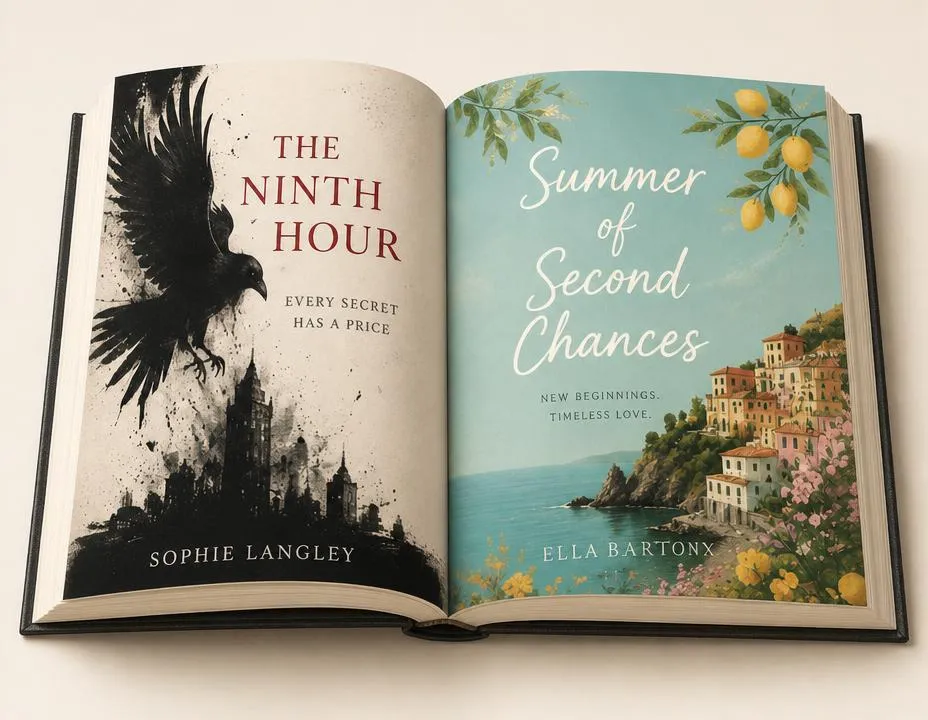
Create a photorealistic open-book mockup using the supplied interior page artwork exactly as provided. Position a premium book open naturally on a clean studio surface, showing two facing pages clearly from a slightly elevated three-quarter camera angle. Preserve realistic page curvature near the center binding, natural paper thickness, subtle page texture, accurate gutter depth, and physically believable shadows between the pages. Use soft diffused studio lighting with gentle highlights and contact shadows. Keep the background warm off-white and minimal, with no distracting objects. Both uploaded page designs must remain clear and undistorted. Preserve all supplied text, typography, illustrations, photographs, colors, margins, and layout exactly. Only apply realistic perspective, page curvature, lighting, and surface integration. Do not rewrite, regenerate, crop, recolor, or add anything to the artwork.
6. Two-book stack

Create a premium photorealistic mockup of two copies of the same book stacked naturally on a clean studio surface. Use the uploaded cover artwork exactly as provided. Place one book flat at the bottom and a second copy slightly rotated on top, with the top book’s front cover fully visible. Show realistic page edges, book thickness, binding, and subtle spine details. Use a matte premium cover material with natural paper texture. Light the scene with soft diffused studio lighting from one side, creating realistic contact shadows between the books and beneath the stack. Use a neutral beige seamless background and high-end commercial product-photography styling. Maintain accurate scale, perspective, geometry, and physical contact. Preserve every part of the uploaded cover exactly, including text, typography, illustrations, logos, colors, spacing, and layout. Do not redesign, recreate, crop, recolor, or add text.
7. Three-book stack
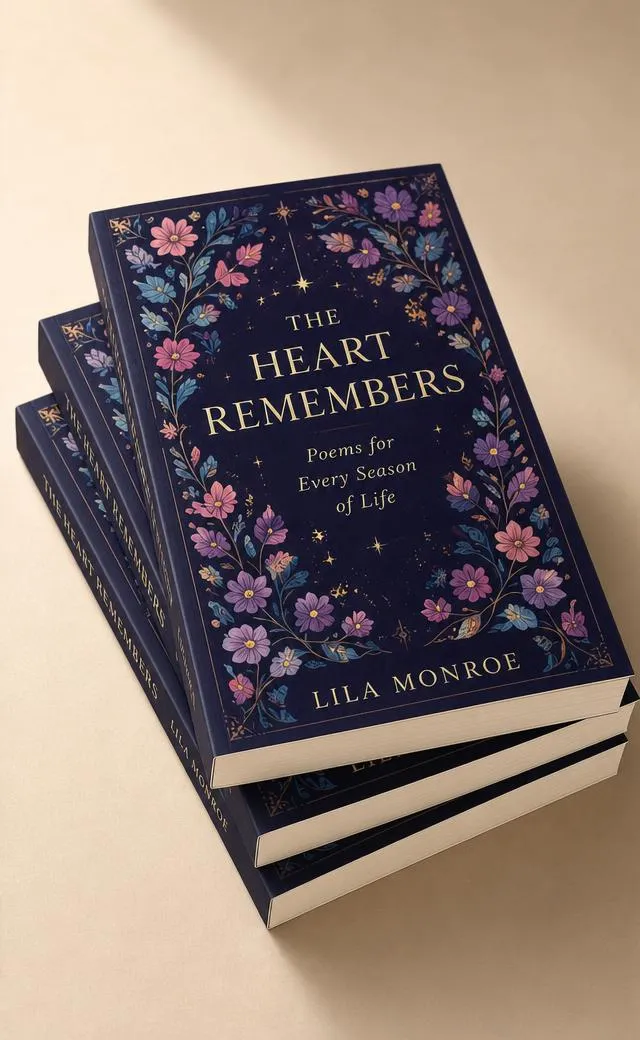
Create a photorealistic advertising mockup featuring three copies of the uploaded book stacked in a slightly offset arrangement. The top copy should display the supplied front cover artwork clearly, while the lower books reveal realistic page edges and portions of their covers and spines. Use accurate 6 × 9 inch book proportions, natural thickness, premium matte materials, realistic binding, and fine paper texture. Position the stack on a smooth neutral studio surface. Use soft directional lighting from the upper left with gentle highlights and layered contact shadows that make each book physically distinct. Keep the background clean, warm, and minimal with generous negative space. Use an 85mm high-end product-photography look with sharp details and realistic perspective. Preserve the supplied artwork exactly. Do not change any text, typography, colors, logos, illustrations, spacing, or layout. No added scene text.
8. Front and back covers
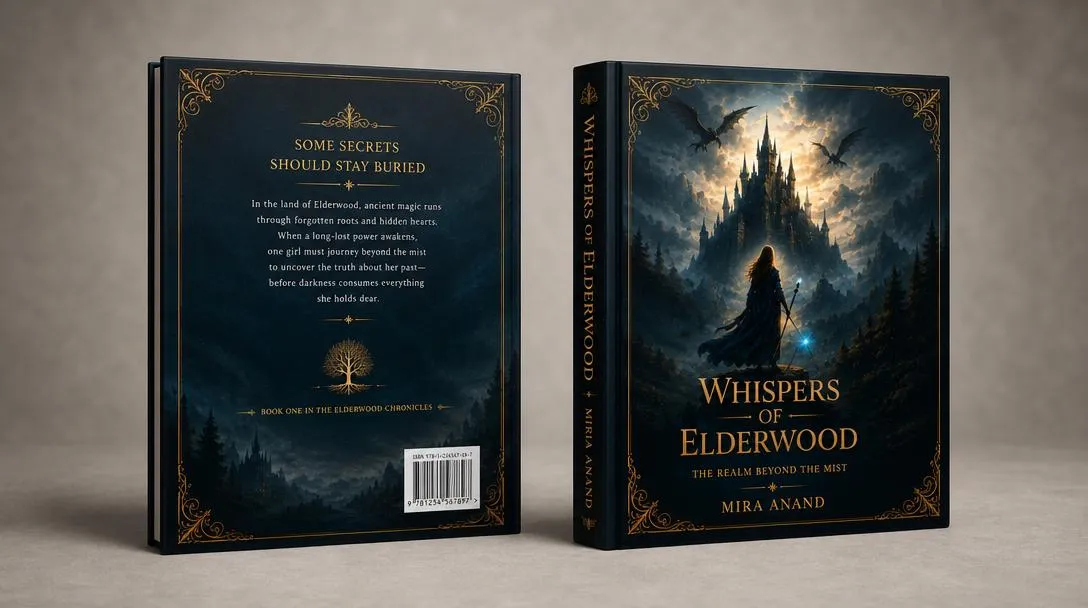
Create a professional photorealistic book mockup displaying both the front and back cover designs using two copies of the book. Position the front-cover book upright at a subtle three-quarter angle and place the second copy beside it facing backward so its complete back cover is clearly visible. Use the supplied front and back artwork exactly as uploaded. Maintain realistic 6 × 9 inch proportions, hardcover thickness, page edges, binding, and premium matte surface texture. Use a clean warm-gray studio background with soft diffused lighting, natural highlights, and realistic contact shadows beneath both books. Keep the composition balanced and uncluttered. Use commercial product-photography quality with accurate perspective, sharp edges, and realistic physical construction. Do not alter, regenerate, rewrite, crop, recolor, or reposition elements within either uploaded design. Preserve all text, typography, logos, images, colors, and spacing exactly.
9. Spine-focused book
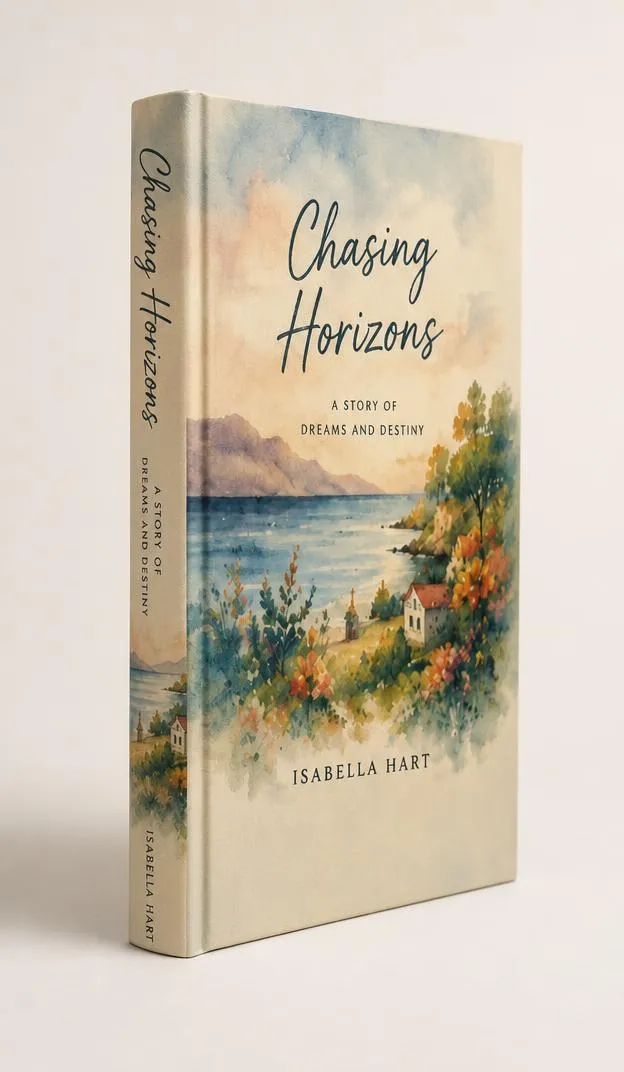
Create a photorealistic book mockup that clearly presents the spine while still showing part of the front cover. Use the uploaded book-cover artwork exactly as provided. Position a hardcover book upright at a strong three-quarter angle, with the spine prominently facing the camera and the front cover naturally receding into perspective. Use realistic book thickness, accurate binding, slightly rounded spine construction, clean page edges, and premium matte material. Place the book on a neutral studio surface against a soft off-white background. Use controlled diffused lighting to reveal the spine shape, surface texture, and natural contact shadow without glare. Use high-end commercial product photography with sharp focus, realistic geometry, and accurate perspective. Preserve all supplied spine and cover artwork exactly, including text, typography, colors, logos, illustrations, spacing, and alignment. Do not recreate, rewrite, crop, recolor, or add design elements.
10. Floating hardcover
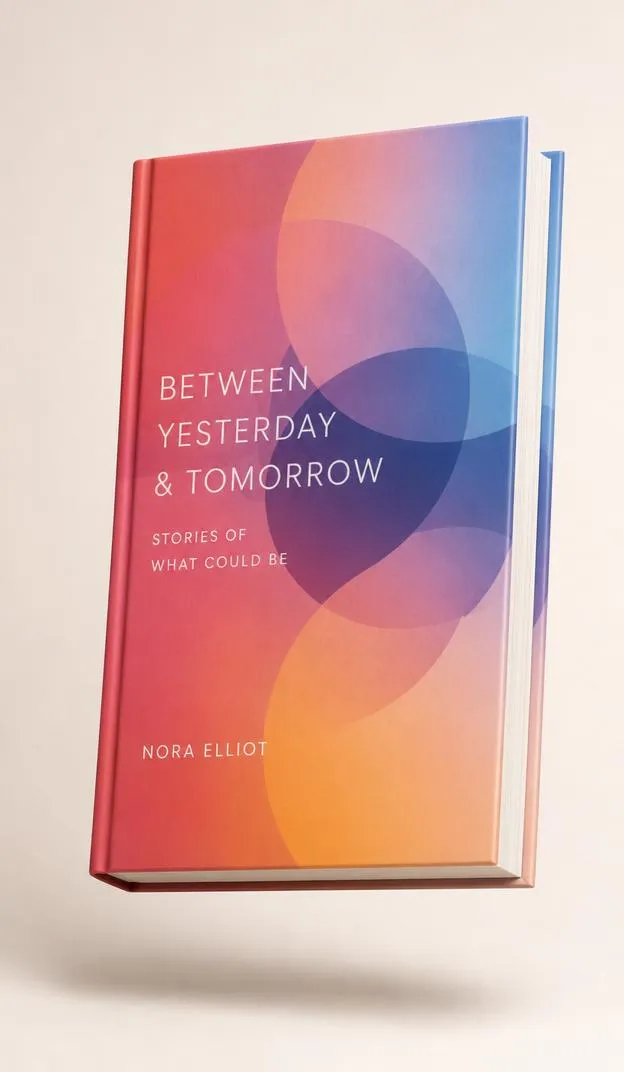
Create a modern photorealistic floating-book advertising mockup using the supplied cover artwork exactly as uploaded. Show a premium hardcover book suspended slightly above a clean studio surface at a dynamic three-quarter angle. Keep the front cover clearly visible while allowing a natural glimpse of the spine and page edges. Use accurate 6 × 9 inch proportions, realistic hardcover construction, natural thickness, matte texture, and clean binding. Add a soft believable shadow on the surface below to establish height and depth. Use soft directional studio lighting with subtle edge highlights and realistic material response. Keep the background minimal, warm off-white, and free of objects. Use polished commercial advertising photography with sharp focus and realistic perspective. Preserve every part of the supplied artwork exactly. Do not change text, fonts, logos, colors, illustrations, spacing, or layout. No added text or distorted geometry.
11. Dark luxury studio
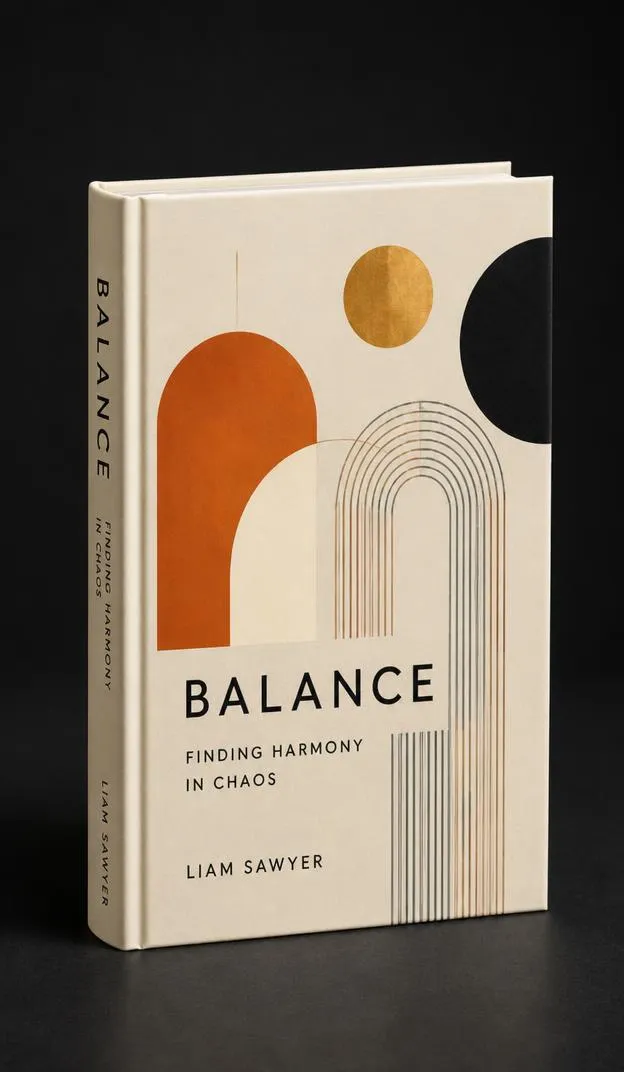
Create a luxurious photorealistic hardcover book mockup using the uploaded cover artwork exactly as provided. Position the book upright at an elegant three-quarter angle on a dark matte studio surface. Keep the front cover clearly visible with part of the spine showing. Use premium hardcover construction with realistic thickness, refined binding, subtle paper texture, and clean page edges. Use controlled soft lighting from above and one side to create elegant highlights along the book edges while maintaining readable artwork. Add a soft realistic contact shadow and subtle tonal separation from the dark background. Use an 85mm luxury product-photography look with crisp focus, realistic perspective, and sophisticated commercial styling. Preserve all supplied artwork exactly, including text, typography, logos, illustrations, colors, spacing, and layout. Do not redesign, regenerate, crop, recolor, or add any text or graphics.
12. Bright white studio

Create a bright, clean photorealistic book mockup using the supplied cover artwork exactly as provided. Place a premium paperback upright on a seamless pure-white studio surface and background, facing the camera at a very slight angle for natural depth. Keep the complete front cover visible and readable. Show realistic book thickness, clean white page edges, subtle binding details, and a smooth matte cover finish. Use large softbox-style lighting for even illumination with gentle natural highlights and a faint contact shadow beneath the book so it does not appear digitally pasted into the scene. Use professional e-commerce product photography with accurate proportions, straight geometry, sharp edges, and realistic perspective. Preserve the uploaded artwork exactly, including all words, fonts, images, logos, colors, margins, and spacing. Do not modify, regenerate, crop, recolor, or add anything to the cover.
13. Book on wooden desk
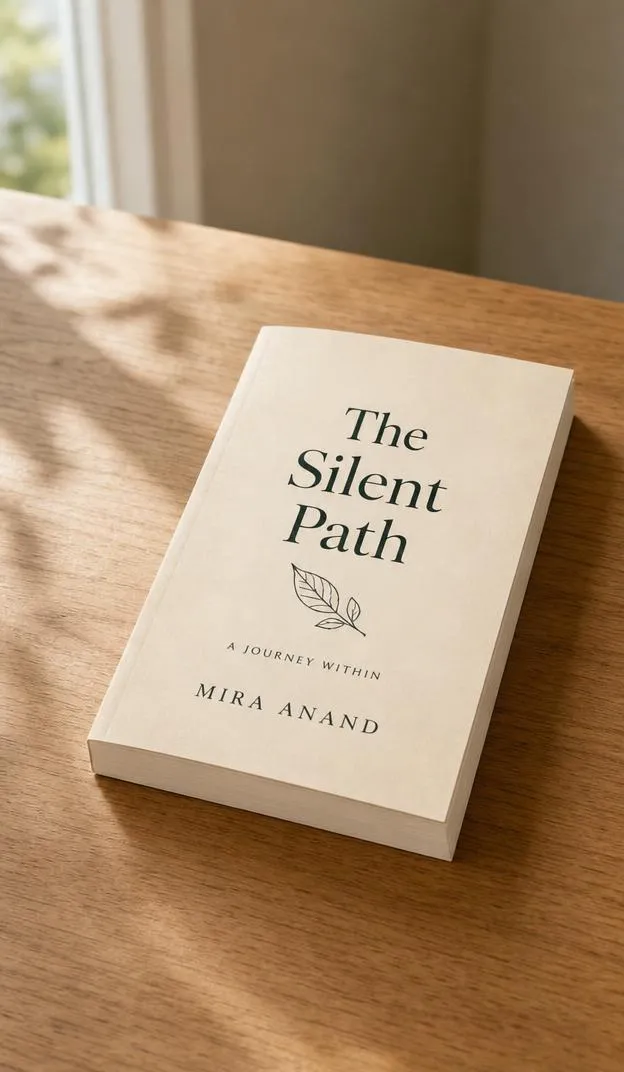
Create a realistic lifestyle book mockup using the supplied cover artwork exactly as uploaded. Place the book naturally on a clean wooden desk with the front cover facing upward at a slight diagonal angle. Use realistic 6 × 9 inch proportions, natural paperback thickness, visible page edges, soft matte cover material, and accurate physical contact with the desk. Keep the scene refined and uncluttered, with only subtle background context and no objects covering the book. Use soft natural window light from one side, creating gentle highlights and realistic directional shadows. Photograph from a slightly elevated angle with shallow but controlled depth of field, keeping the entire cover sharp and readable while the distant background remains softly blurred. Preserve every part of the uploaded artwork exactly. Do not rewrite text, change fonts, crop artwork, alter colors, recreate graphics, or add design elements.
14. Coffee table lifestyle
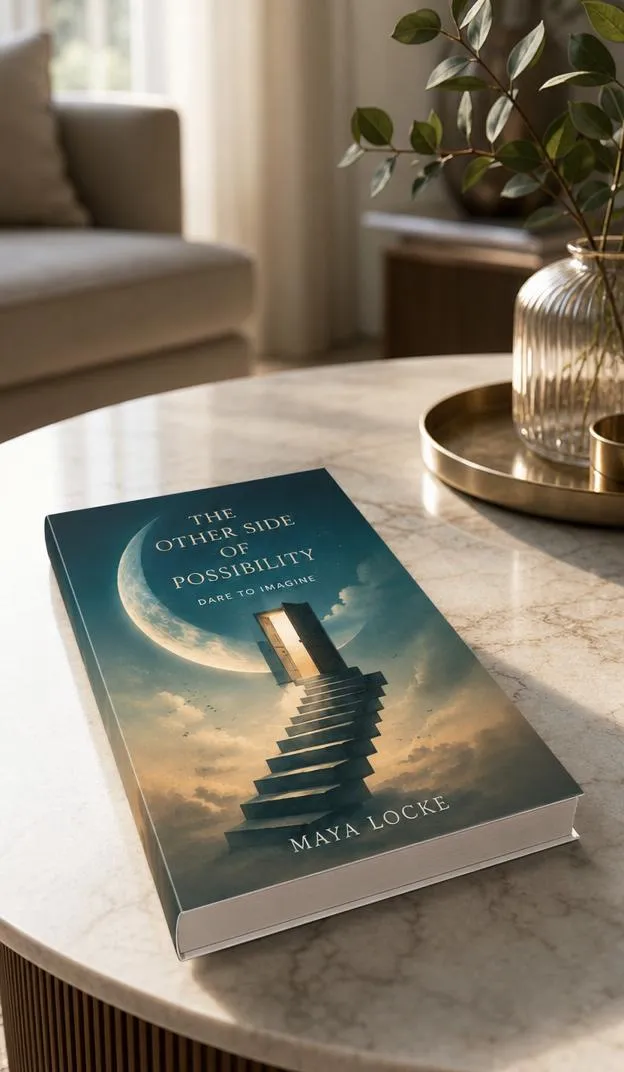
Create a premium lifestyle book mockup using the uploaded cover design exactly as provided. Place the book flat on a tasteful modern coffee table in a refined living-room environment. Keep the front cover fully visible and unobstructed, viewed from a slightly elevated three-quarter angle. Use realistic book proportions, natural thickness, detailed page edges, accurate binding, and a premium matte finish. The surrounding room should remain softly out of focus so the book is the clear visual subject. Use warm natural daylight entering from a nearby window, with realistic highlights, soft directional shadows, and believable contact with the tabletop. Aim for sophisticated interior editorial photography with realistic scale, perspective, materials, and depth. Preserve all uploaded cover artwork exactly, including text, typography, colors, logos, illustrations, alignment, and spacing. Do not redesign, regenerate, crop, recolor, or add anything to the cover.
15. Cozy bedside book
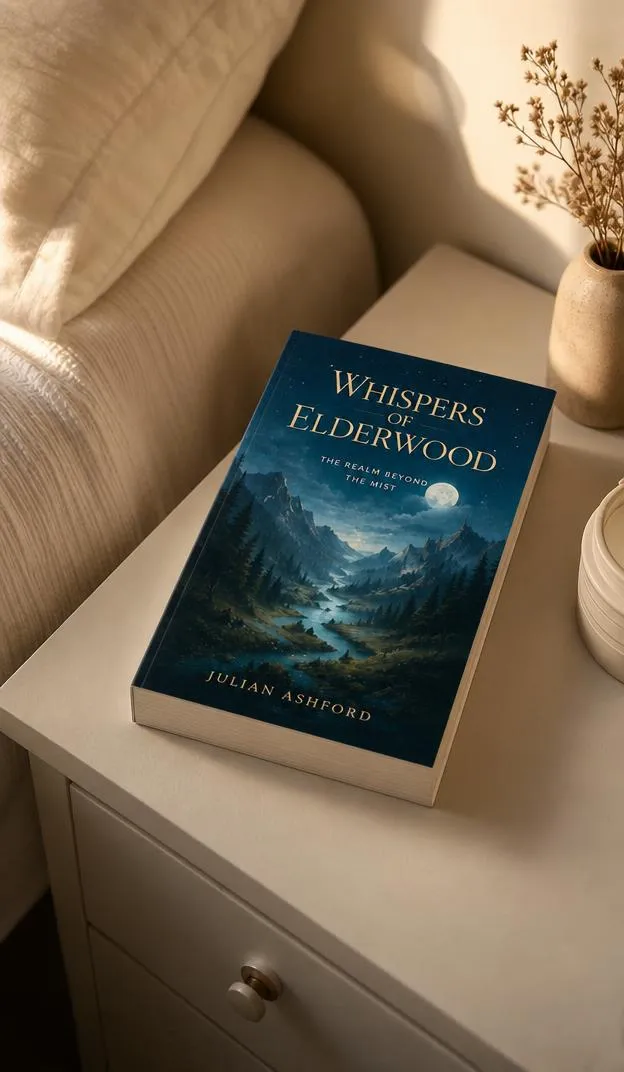
Create a cozy photorealistic lifestyle mockup using the supplied book-cover artwork exactly as uploaded. Place the book naturally on a clean bedside table next to a softly textured bed, with the front cover facing upward and clearly visible. Use realistic book dimensions, natural paperback thickness, detailed page edges, subtle binding, and a soft matte cover finish. Use warm diffused morning or evening window light with gentle shadows and natural tonal variation. Keep surrounding objects minimal and softly blurred so nothing overlaps or distracts from the book. Photograph from an elevated three-quarter angle with realistic perspective and controlled depth of field, keeping the cover sharp. The scene should feel authentic, calm, and editorial rather than staged. Preserve every part of the uploaded cover exactly, including all text, typography, illustrations, logos, colors, spacing, and layout. Do not alter or regenerate the artwork.
16. Book held in one hand
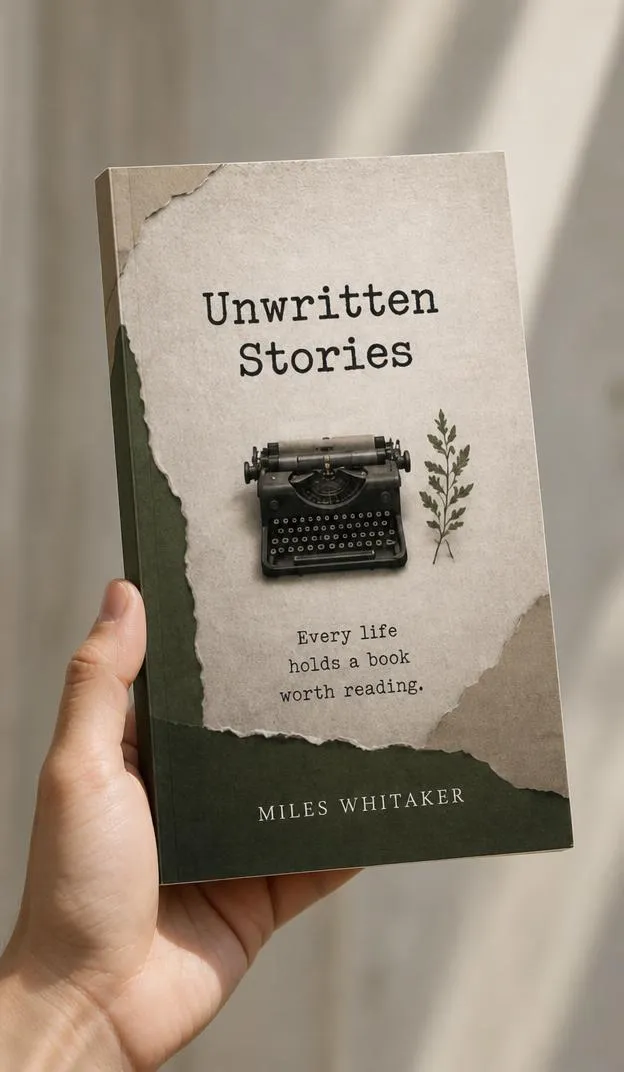
Create a photorealistic book-in-hand mockup using the uploaded cover artwork exactly as provided. Show a natural human hand holding a vertical paperback book from the lower edge or side without covering important parts of the front cover. Keep the complete cover clearly visible and facing toward the camera at a slight natural angle. Use realistic 6 × 9 inch proportions, paperback thickness, page edges, binding, and matte cover texture. The hand must have anatomically correct fingers, realistic skin texture, natural grip, and physically believable contact with the book. Use soft natural daylight and a simple softly blurred neutral background. Use realistic lifestyle advertising photography with sharp focus on the book, accurate perspective, and natural depth of field. Preserve the uploaded artwork exactly, including every word, font, illustration, logo, color, margin, and layout. Do not modify or regenerate the design.
17. Two hands holding book
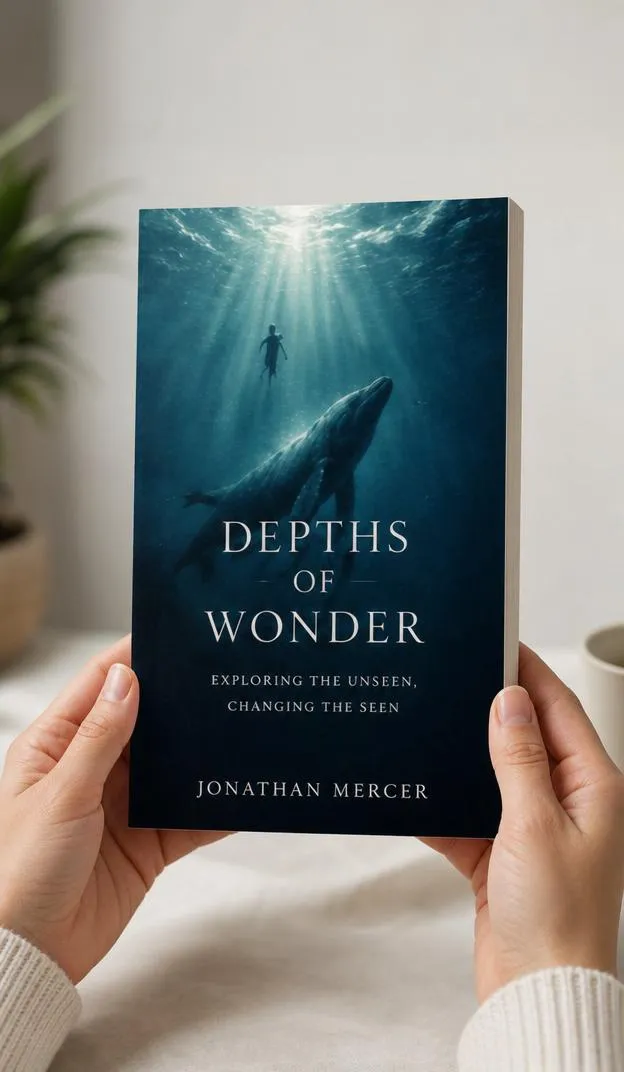
Create a realistic lifestyle mockup showing the uploaded book held naturally with two hands. Position the book vertically and front-facing, with hands supporting the lower corners while keeping all important cover artwork and text unobstructed. Use accurate book proportions, realistic paperback thickness, visible page edges, natural binding, and premium matte paper texture. Make both hands anatomically correct with realistic finger placement, skin texture, proportions, and believable contact with the book. Use soft diffused daylight with a clean neutral background and subtle depth of field. Keep the cover perfectly sharp while allowing the background to blur naturally. Aim for polished social-media and publishing-advertisement photography with realistic perspective and scale. Use the supplied cover artwork exactly as uploaded. Do not rewrite, redesign, crop, recolor, regenerate, distort, or modify any text, logo, image, typography, color, spacing, or layout.
18. Hardcover with dust jacket
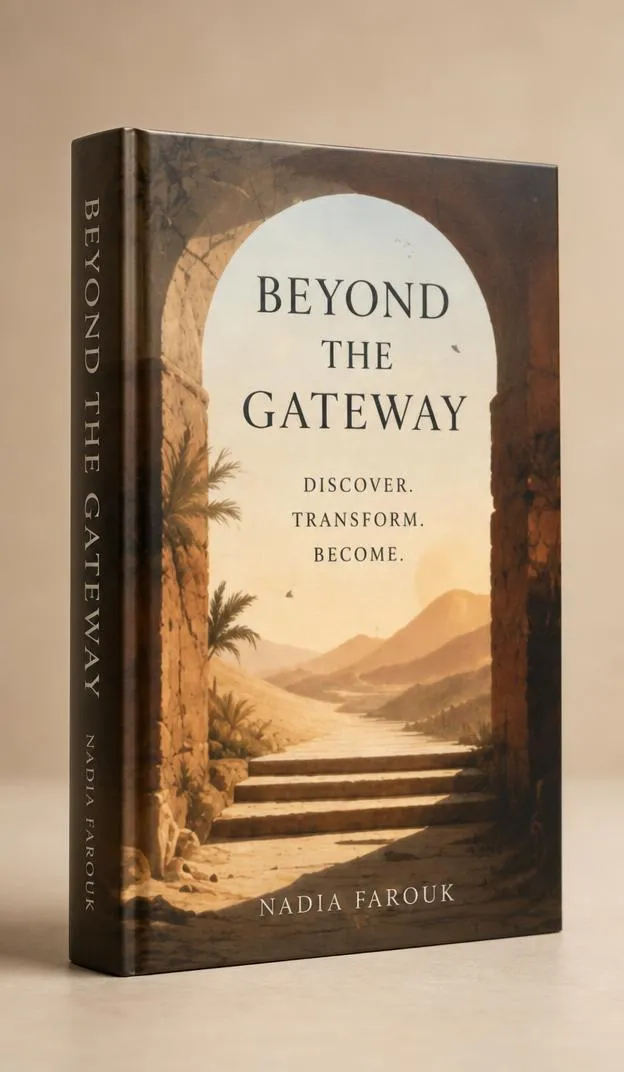
Create a premium photorealistic hardcover book mockup with a realistic dust jacket using the supplied artwork exactly as provided. Position the book upright at a refined three-quarter angle so the front jacket is fully visible and part of the jacket spine can be seen. Create physically accurate hardcover construction beneath the jacket, with realistic board thickness, folded jacket edges, natural page block, binding, and subtle paper texture. Use a smooth matte dust-jacket finish with gentle realistic reflections. Place the book on a minimal studio surface against a warm neutral background. Use large soft diffused lighting with delicate edge highlights and a natural contact shadow. Use high-end publishing product photography with accurate proportions and perspective. Preserve all supplied artwork exactly, including text, fonts, illustrations, logos, colors, spacing, and layout. Only apply perspective needed to wrap it onto the jacket. Do not redesign or regenerate anything.
19. Linen hardcover

Create a sophisticated photorealistic hardcover book mockup using the uploaded design exactly as provided. Present the book upright at a subtle three-quarter angle with the front cover dominant and the spine partially visible. Use realistic hardcover construction covered with fine linen-textured material, including subtle woven fibers, slightly rounded spine edges, accurate board thickness, natural binding, and clean page edges. Integrate the supplied cover artwork naturally onto the surface without changing its design. Use soft directional studio lighting that gently reveals the linen texture without creating distracting glare. Place the book against a minimal warm-gray background with a realistic contact shadow. Use premium editorial product photography with an 85mm lens look, sharp focus, accurate geometry, and natural depth. Preserve all uploaded text, typography, logos, illustrations, colors, spacing, and layout exactly. Do not rewrite, recreate, crop, recolor, or add anything.
20. Glossy book cover

Create a photorealistic glossy-cover book mockup using the supplied cover artwork exactly as uploaded. Position a premium paperback upright at a three-quarter angle with the full front cover visible and a small section of the spine showing. Use accurate 6 × 9 inch proportions, realistic page thickness, clean binding, and naturally layered page edges. Give the cover a high-quality glossy laminated finish with controlled soft reflections that follow the book surface without hiding or distorting the artwork. Use large diffused studio lighting and subtle edge highlights, with a realistic contact shadow beneath the book. Keep the background neutral, clean, and minimal. Use high-end commercial product photography with sharp detail, realistic perspective, and accurate materials. Preserve all supplied artwork exactly, including text, fonts, logos, images, colors, spacing, and layout. Do not redesign, regenerate, crop, recolor, rewrite, or add elements.
21. Matte paperback close-up
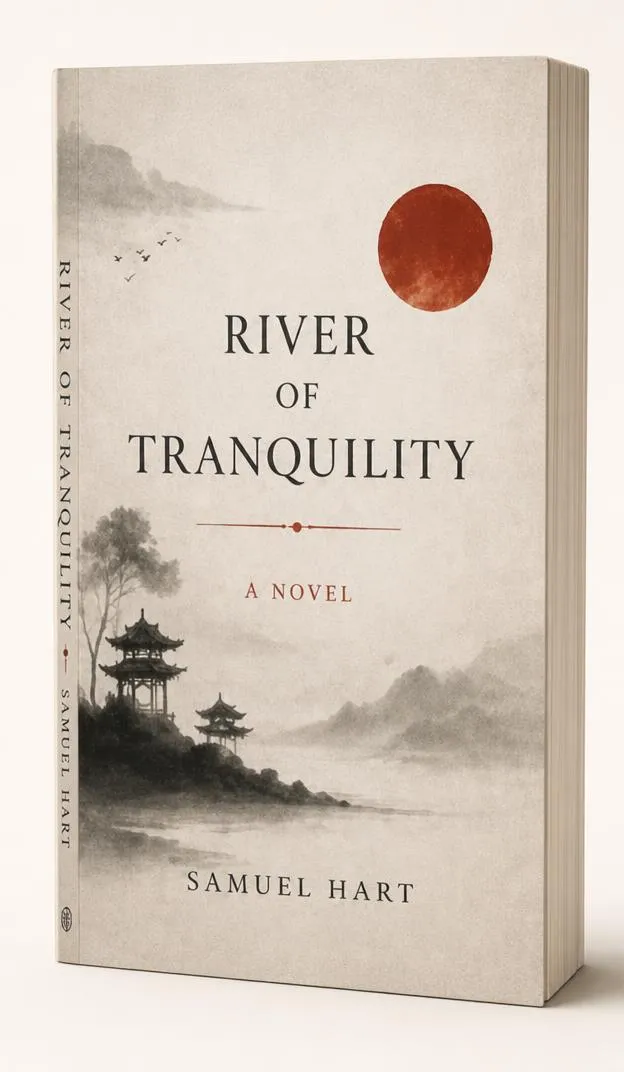
Create a detailed photorealistic close-up mockup of a premium paperback using the uploaded cover artwork exactly as provided. Frame the book closely while keeping the entire front cover visible. Position it at a gentle three-quarter angle so its thickness and a small portion of the spine can be seen. Use a realistic soft-touch matte cover with subtle paper grain, natural binding, crisp but physically believable edges, and detailed layered pages. Use soft diffused studio lighting positioned to reveal the material texture without glare. Add a delicate contact shadow and a smooth warm-white background. Use an 85mm close-range commercial product-photography look with sharp focus across the cover, realistic perspective, accurate scale, and high-resolution surface detail. Preserve every supplied design element exactly, including text, typography, illustrations, logos, colors, margins, and spacing. Do not recreate, rewrite, crop, recolor, or modify the artwork.
22. Book leaning against wall
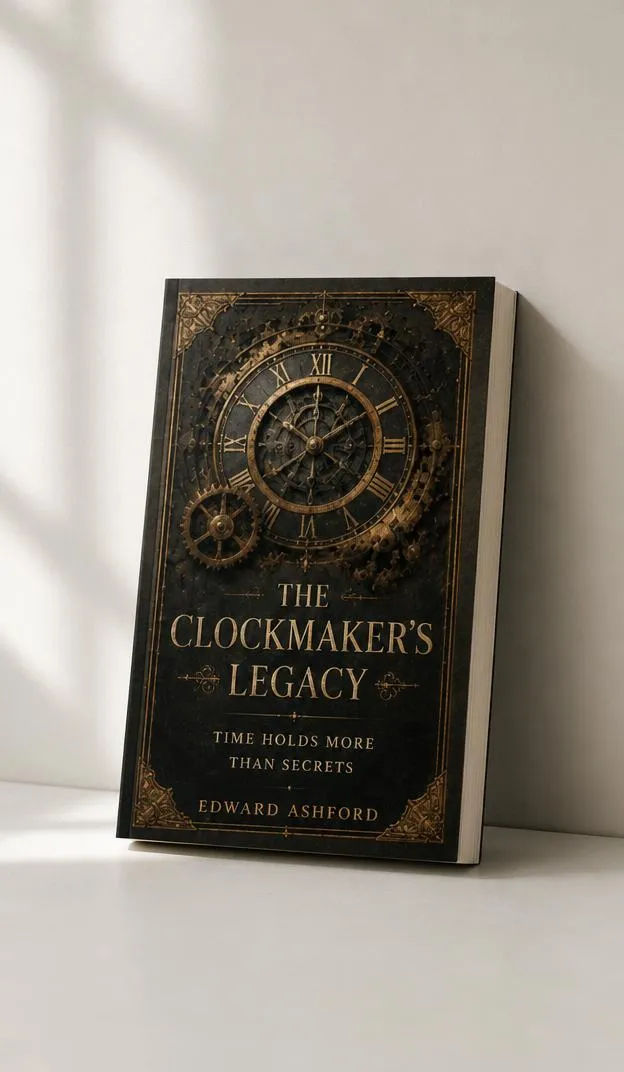
Create a minimalist photorealistic book mockup using the uploaded cover artwork exactly as supplied. Place the book standing on a clean surface and leaning naturally at a slight angle against a smooth neutral wall. Keep the front cover facing mostly toward the camera and completely visible. Use realistic paperback or hardcover construction, accurate thickness, detailed page edges, natural binding, and a premium matte surface. Ensure the book makes physically believable contact with both the wall and floor surface. Use soft daylight entering from one side to create a gentle directional shadow on the wall and a subtle contact shadow beneath the book. Keep the composition clean with generous negative space and modern editorial styling. Use realistic perspective, scale, geometry, and sharp focus. Preserve all supplied artwork exactly, including every word, font, logo, illustration, color, margin, and spacing. Do not redesign, crop, recolor, regenerate, or add elements.
23. Dramatic long-shadow mockup
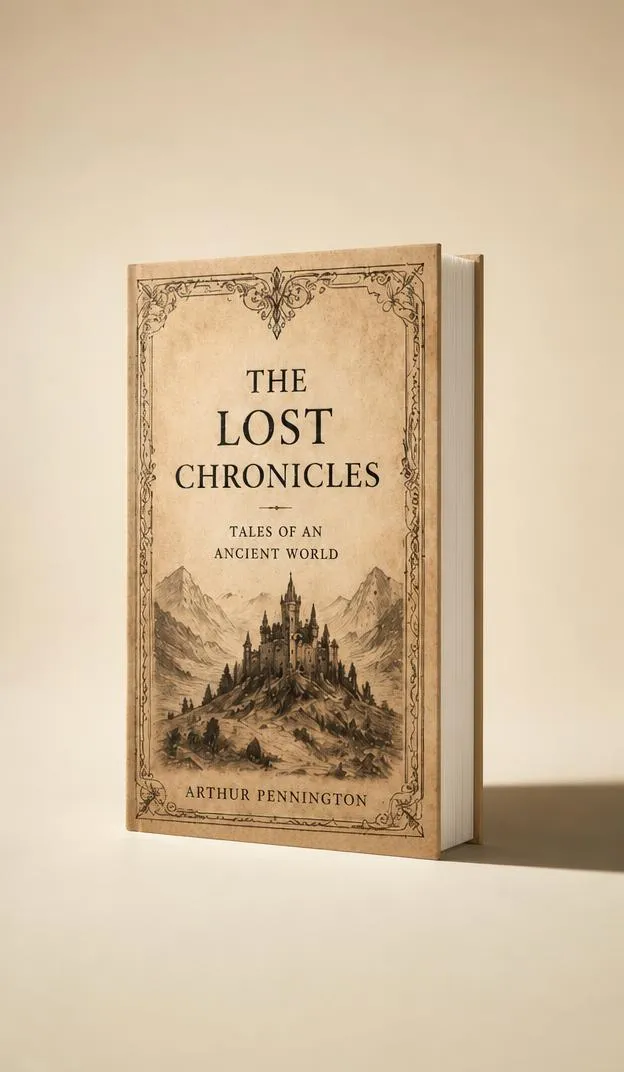
Create a modern photorealistic book advertising mockup using the supplied cover design exactly as uploaded. Place the book upright on a minimal studio surface at a slight three-quarter angle, keeping the front cover fully visible. Use realistic book thickness, clean page edges, accurate binding, and premium matte cover material. Illuminate the scene with controlled directional light from one side to produce an elegant long shadow extending across the background while maintaining clear, evenly readable cover artwork. Keep highlights natural and avoid harsh glare. Use a simple warm beige or off-white seamless background with ample negative space. Aim for premium editorial campaign photography with crisp focus, realistic scale, physically accurate contact, and clean geometry. Preserve the supplied artwork exactly, including text, typography, logos, illustrations, colors, spacing, and layout. Do not redesign, regenerate, crop, recolor, rewrite, distort, or add text.
24. Soft window-shadow flat lay
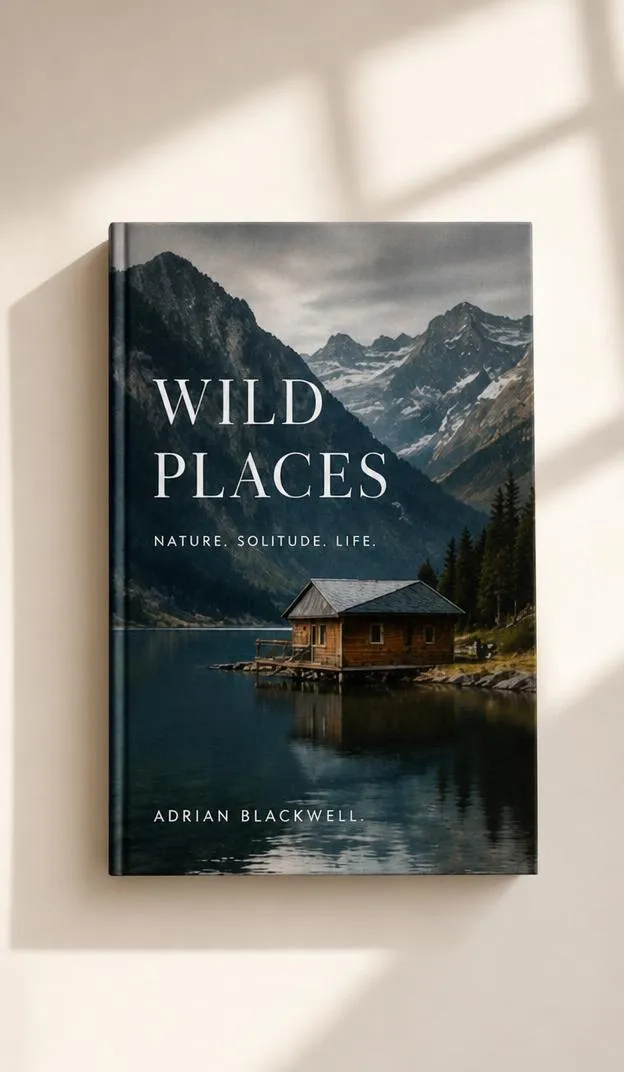
Create a photorealistic flat-lay book mockup using the uploaded cover artwork exactly as provided. Place the closed book flat on a clean warm-white surface and photograph it directly from above. Keep the complete front cover clearly visible. Use realistic book thickness, premium matte cover texture, natural binding, and detailed page edges. Add soft sunlight passing through a nearby window to create subtle, natural window-frame shadows across the surrounding surface. Keep shadows from obscuring important cover text or artwork. The lighting should feel warm, realistic, and softly diffused rather than harsh. Maintain a minimal composition with generous negative space and no unnecessary props. Use high-end editorial photography with accurate proportions, realistic surface contact, sharp cover detail, and natural shadows. Preserve all uploaded artwork exactly. Do not modify text, typography, logos, illustrations, colors, spacing, or layout.
25. Editorial pedestal mockup
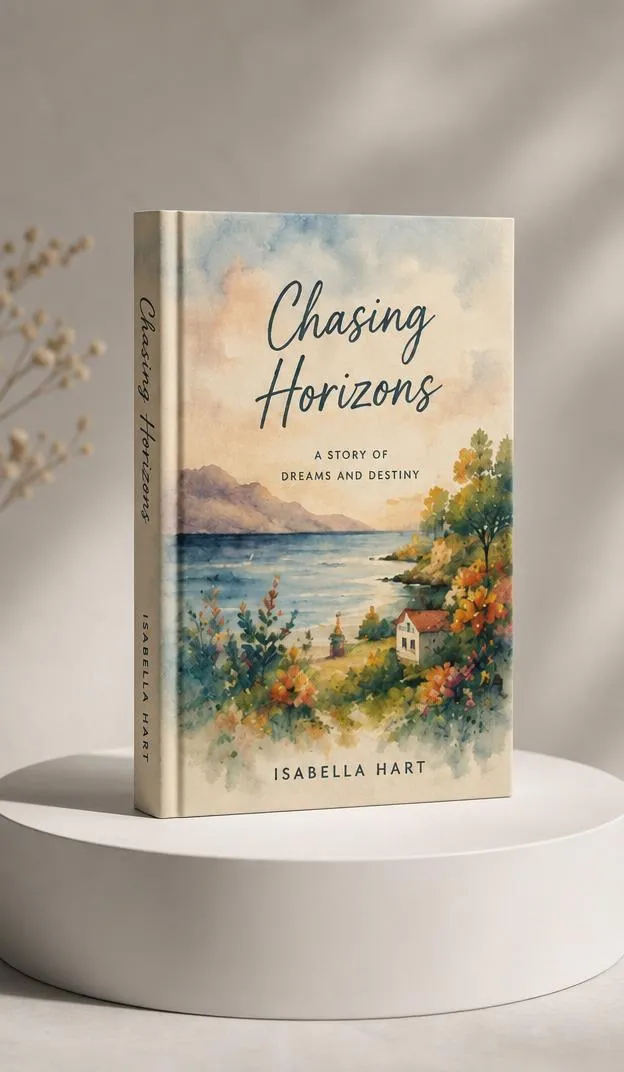
Create a high-end editorial book mockup using the supplied cover artwork exactly as uploaded. Place a premium hardcover book upright on a simple geometric pedestal or low display block. Position the book at a subtle three-quarter angle with the front cover fully visible and the spine slightly exposed. Use accurate proportions, realistic hardcover thickness, natural binding, clean page edges, and a refined matte finish. Keep the pedestal simple and neutral so it supports rather than competes with the book. Use soft directional studio lighting with elegant edge highlights and realistic contact shadows between the book, pedestal, and floor. Use a clean monochromatic studio background with generous negative space. Aim for luxury publishing-campaign photography with realistic perspective, sharp details, and physically accurate construction. Preserve every part of the supplied artwork exactly. Do not rewrite, crop, recolor, regenerate, redesign, or add text.
26. Book with visible page block
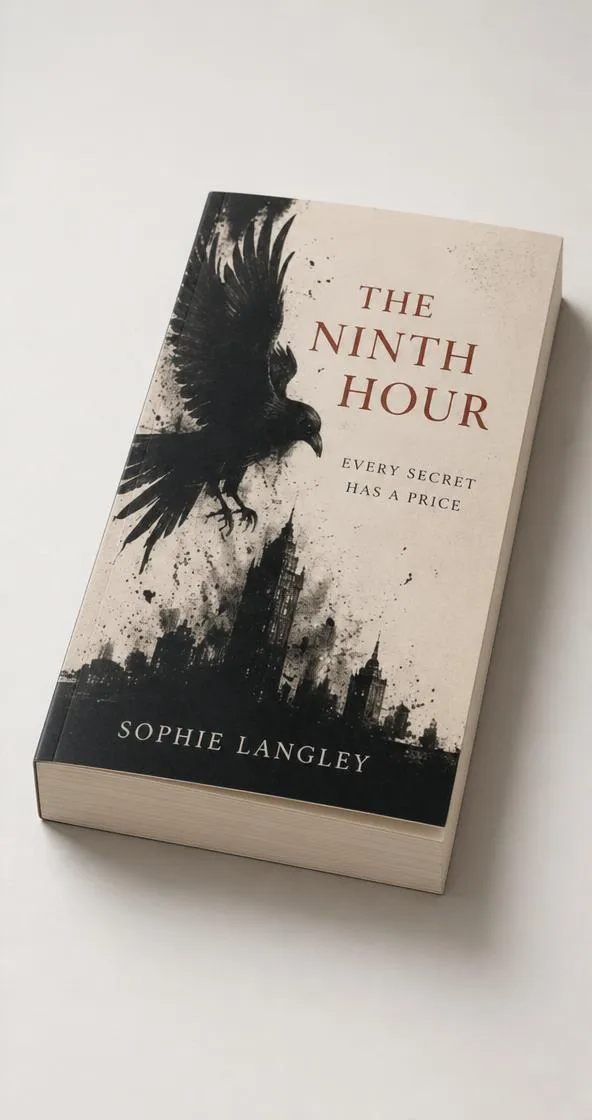
Create a highly realistic book mockup that emphasizes both the uploaded front cover and the physical page block. Position the book at a low three-quarter angle, with the front cover clearly readable while the bottom and side page edges are naturally visible. Use realistic 6 × 9 inch proportions, convincing book thickness, layered paper edges, accurate binding, subtle page variation, and a premium matte cover. Place the book on a clean neutral studio surface. Use soft side lighting to reveal the page texture, thickness, and dimensional construction while keeping the cover evenly illuminated. Add physically accurate contact shadows and subtle highlights. Use close-up commercial product photography with crisp details, realistic perspective, and natural depth. Preserve the supplied artwork exactly, including all text, typography, illustrations, logos, colors, margins, and layout. Do not regenerate, redesign, crop, recolor, rewrite, or distort it.
27. Square coffee-table book
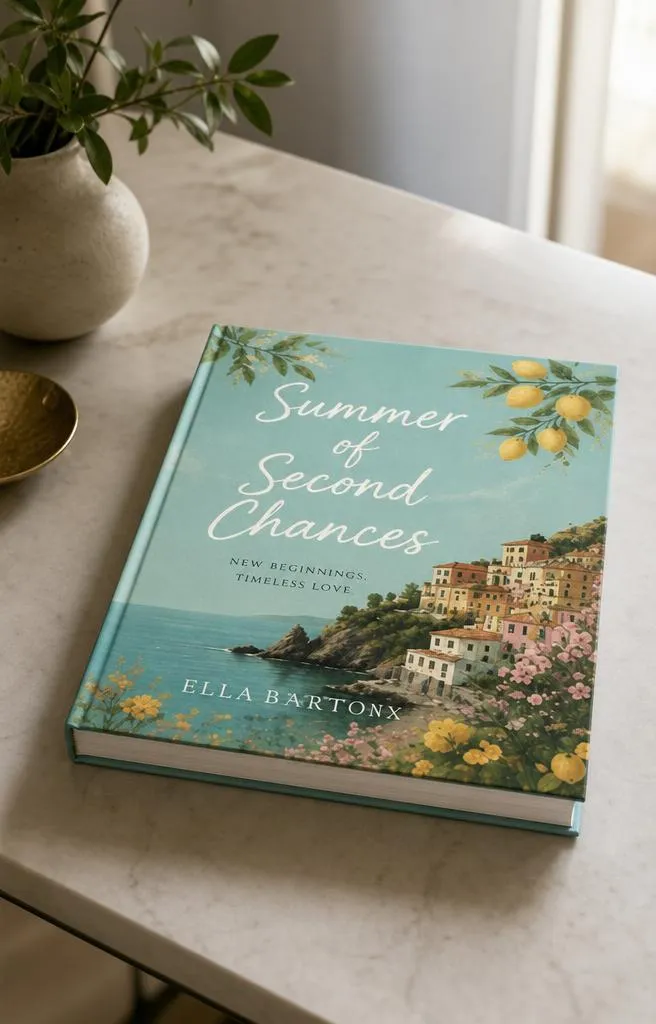
Create a premium photorealistic square coffee-table book mockup using the uploaded cover artwork exactly as supplied. Place a large square hardcover book flat on a refined minimal table, photographed from a slightly elevated three-quarter angle. Keep the complete front cover visible and unobstructed. Use realistic thick hardcover boards, substantial page block, premium binding, natural paper edges, and a smooth matte finish. The book should feel large, substantial, and professionally printed. Use soft natural window light mixed with gentle ambient illumination, creating realistic highlights and contact shadows. Keep the environment sophisticated and minimal with a softly blurred background. Use high-end interior editorial photography with accurate perspective, scale, surface texture, and physical contact. Preserve every uploaded design element exactly, including text, typography, photographs, illustrations, logos, colors, spacing, and layout. Do not crop, rewrite, recolor, regenerate, or redesign the cover.
28. Children’s book mockup
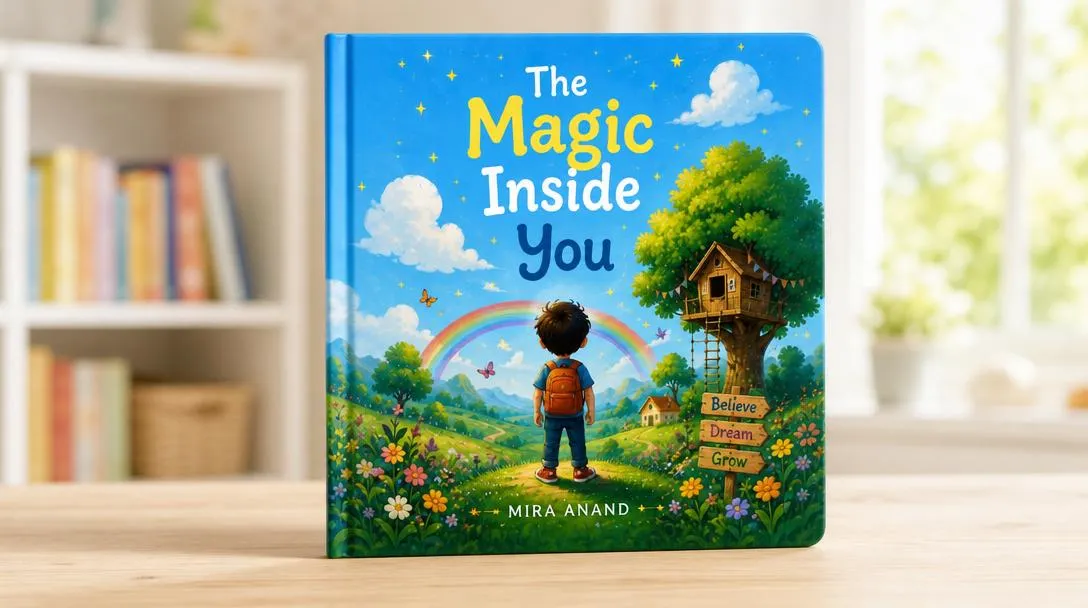
Create a bright photorealistic children’s book mockup using the uploaded cover artwork exactly as provided. Present a sturdy hardcover children’s book standing upright at a gentle three-quarter angle, with the complete front cover clearly visible. Use realistic child-friendly book proportions, thick hardcover boards, rounded corners, durable binding, clean page edges, and a smooth matte or lightly coated finish. Place the book in a bright, clean setting with a simple softly blurred background and subtle playful context, but do not place objects over the cover. Use soft cheerful natural daylight, gentle shadows, and balanced exposure. Keep the result realistic and suitable for professional publishing promotion rather than cartoonish. Preserve all supplied cover artwork exactly, including title text, fonts, illustrations, characters, logos, colors, spacing, and layout. Do not recreate, rewrite, crop, recolor, distort, or add elements to the cover.
29. Cookbook mockup

Create a premium photorealistic cookbook mockup using the supplied cover artwork exactly as uploaded. Place a substantial hardcover cookbook upright on a clean kitchen counter at a slight three-quarter angle. Keep the complete front cover clearly visible while showing a small amount of the spine and page block. Use realistic hardcover thickness, quality binding, detailed paper edges, and a premium matte finish. Add subtle kitchen context in the distant background, softly blurred and free from clutter, with nothing covering the book. Use warm natural window light combined with soft ambient illumination, producing realistic highlights and gentle contact shadows. Use polished food-editorial and publishing photography with accurate scale, perspective, materials, and depth of field. Preserve every part of the uploaded cover exactly, including all text, typography, food photography, illustrations, logos, colors, margins, and spacing. Do not modify or regenerate the artwork.
30. Premium advertising hero shot
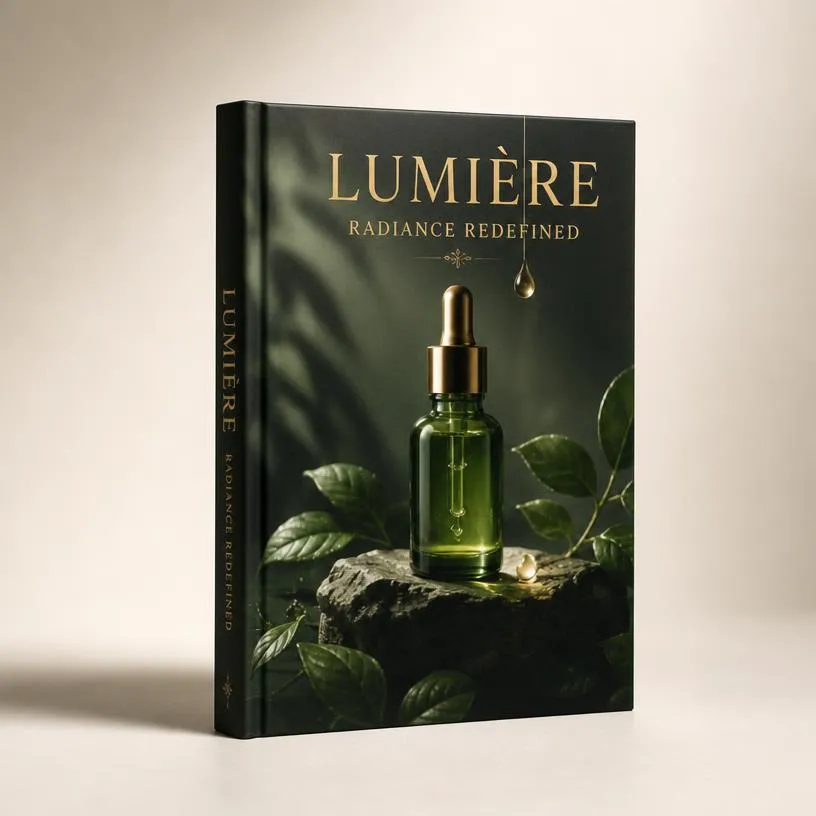
Create a premium photorealistic hero advertising mockup using the supplied book-cover artwork exactly as uploaded. Position a hardcover book as the central subject, standing at an elegant three-quarter angle with the entire front cover visible and the spine partially visible. Use accurate proportions, substantial hardcover thickness, realistic binding, detailed page edges, and a refined soft-touch matte finish. Place the book on a seamless minimal studio surface with generous negative space for a professional campaign composition. Use large diffused key lighting from the upper left, subtle fill light, refined edge highlights, and a soft physically accurate contact shadow. Use an 85mm luxury commercial product-photography look with crisp focus, natural perspective, realistic materials, accurate geometry, and high-resolution detail. Preserve the uploaded artwork exactly. Do not redesign, rewrite, crop, recolor, regenerate, distort, or modify any text, font, logo, image, color, spacing, or layout. Do not add extra text.
31. Fantasy book mockup
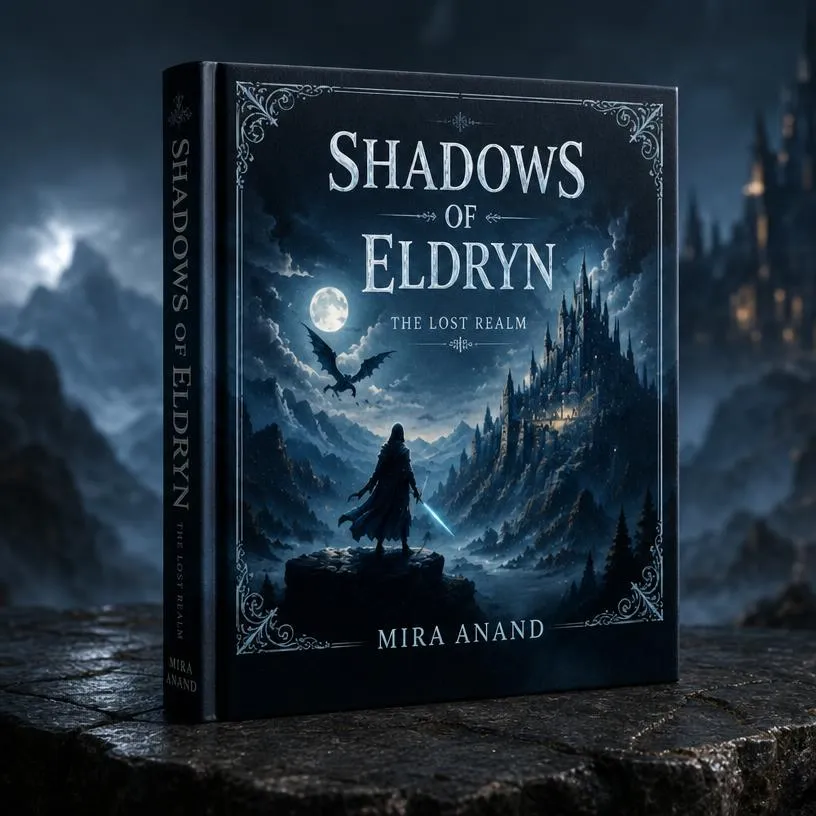
Create a cinematic photorealistic fantasy book mockup using the uploaded cover artwork exactly as provided. Position a premium hardcover book upright at a subtle three-quarter angle, keeping the complete front cover clearly visible and part of the spine naturally visible. Place the book on a dark textured stone surface in an atmospheric fantasy-inspired setting with subtle mist and a softly blurred mysterious background. Use dramatic soft directional lighting with gentle highlights around the book edges, realistic contact shadows, and controlled depth. Keep the mood magical, mysterious, epic, and premium without adding distracting fantasy objects over the book. Use cinematic commercial product photography with realistic book thickness, binding, page edges, perspective, scale, and materials. Preserve all uploaded artwork exactly, including text, typography, illustrations, logos, colors, spacing, and layout. Do not redesign, rewrite, crop, recolor, regenerate, distort, or modify the cover.
32. Romance book mockup

Create an elegant photorealistic romance book mockup using the uploaded cover artwork exactly as provided. Position the book naturally on a refined light surface at a gentle three-quarter angle, keeping the entire front cover clearly visible. Create a soft, romantic atmosphere using warm natural window light, delicate shadows, subtle background blur, and a light cream or blush-toned environment. Add minimal tasteful details in the distant background without covering or distracting from the book. Use realistic paperback thickness, clean page edges, natural binding, and a premium soft-touch matte cover. The mood should feel warm, intimate, elegant, dreamy, and suitable for professional romance-book advertising. Use high-end editorial photography with accurate perspective and realistic materials. Preserve every part of the uploaded artwork exactly, including text, fonts, illustrations, logos, colors, spacing, and layout. Do not redesign, rewrite, crop, recolor, regenerate, or modify the cover.
33. Business book mockup
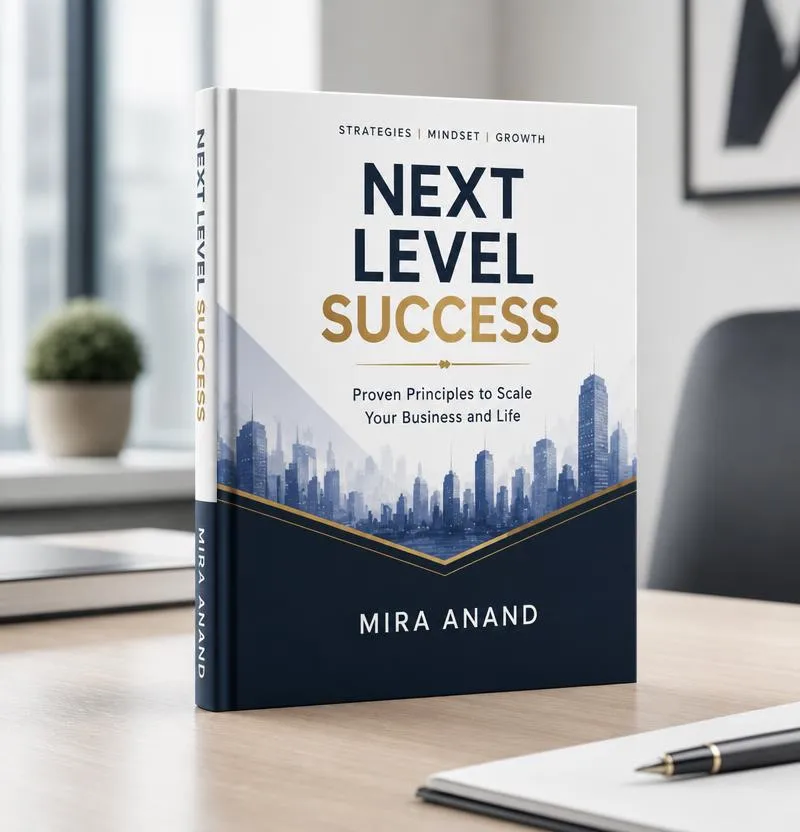
Create a sophisticated photorealistic business book mockup using the supplied cover artwork exactly as uploaded. Position a premium hardcover book upright on a clean modern desk at a subtle three-quarter angle, with the complete front cover clearly visible and a small portion of the spine showing. Use a refined professional environment with minimal office details softly blurred in the background. Use clean neutral tones, soft directional daylight, controlled highlights, and realistic contact shadows. Keep the composition uncluttered, confident, modern, and premium. Use realistic hardcover thickness, accurate binding, detailed page edges, and a smooth matte finish. Photograph with an 85mm commercial product-photography look, sharp focus, natural perspective, and realistic scale. Preserve all uploaded artwork exactly, including every word, font, logo, graphic, color, margin, spacing, and layout. Do not redesign, rewrite, crop, recolor, regenerate, distort, or add anything to the cover.
34. Kid’s book mockup
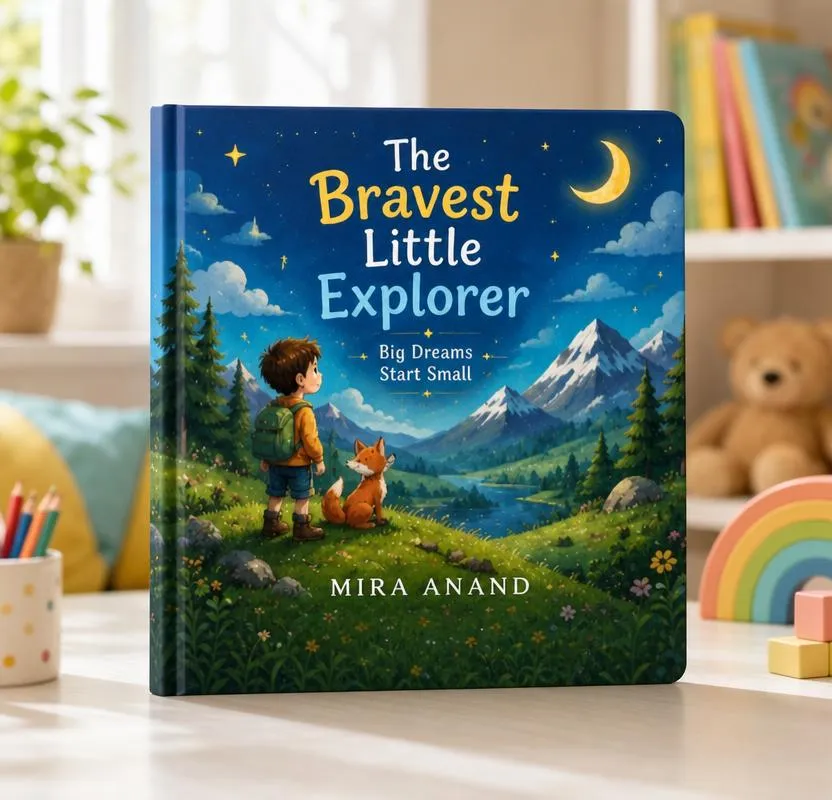
Create a bright photorealistic children’s book mockup using the uploaded cover artwork exactly as provided. Present a sturdy hardcover children’s book standing upright at a gentle three-quarter angle, keeping the complete front cover clearly visible. Place it in a cheerful, bright environment with a clean surface and softly blurred playful background. Use warm natural daylight, soft shadows, balanced exposure, and subtle colorful elements in the environment without covering or competing with the cover. Use realistic child-friendly book proportions, thick hardcover boards, rounded corners, durable binding, clean page edges, and a smooth matte finish. Keep the mood playful, welcoming, imaginative, and joyful while maintaining professional publishing-advertisement quality. Preserve all supplied cover artwork exactly, including title text, fonts, illustrations, characters, logos, colors, spacing, and layout. Do not recreate, rewrite, crop, recolor, distort, or modify the cover.
35. Mystery and thriller book mockup

Create a cinematic photorealistic mystery and thriller book mockup using the uploaded cover artwork exactly as provided. Position a premium book upright at a dramatic three-quarter angle with the complete front cover clearly readable and part of the spine visible. Place it on a dark minimal surface against an atmospheric, softly blurred background. Use low-key directional lighting from one side, controlled highlights, deep natural shadows, and subtle atmospheric haze to create tension and depth without obscuring the cover. Keep the environment minimal, sophisticated, suspenseful, dark, and cinematic without adding obvious horror elements or distracting props. Use realistic book thickness, page edges, binding, matte surface texture, physical contact, scale, and perspective. Preserve every part of the uploaded artwork exactly, including text, typography, logos, illustrations, colors, spacing, and layout. Do not redesign, rewrite, crop, recolor, regenerate, distort, or modify the cover.
How to Create a Book Mockup in LightX (Step-by-Step)
Step 1: Go to the Image to Image tool in LightX and upload your book cover or mockup design.
Step 2: Describe the scene you want to create, such as the book format, background, camera angle, lighting, props, and overall style. A clear, detailed prompt helps generate more realistic and professional book mockups.
Step 3: Click Generate to create your book mockup. Review the results, make any necessary refinements, and download the final image
Need more mockup ideas? Explore our other mockup tools to create designs for every project.
Common Mistakes to Avoid
- Writing vague prompts: Be specific about the book format, setting, lighting, and camera angle.
- Adding too many props: Keep the background clean so the book remains the focal point.
- Ignoring lighting: Specify natural, studio, or ambient lighting for a realistic look.
- Expecting perfect AI text: Upload your actual book cover if accurate titles and typography are important.
- Skipping refinements: Adjust your prompt and regenerate until the mockup matches your vision.
Related blog: AI Jersey Mockup Prompts
Conclusion
A great Book mockup prompt helps you turn your book cover into a realistic, professional-looking mockup in minutes. Whether you’re promoting a new release, updating your Amazon KDP listing, or creating social media posts, the right prompt can make your book stand out.
Now it’s your turn: pick a prompt from this guide, customize it to match your book, and create stunning book mockups with the Image Mockup tool in LightX.
Get on WhatsApp
New image & Video workflow everyday