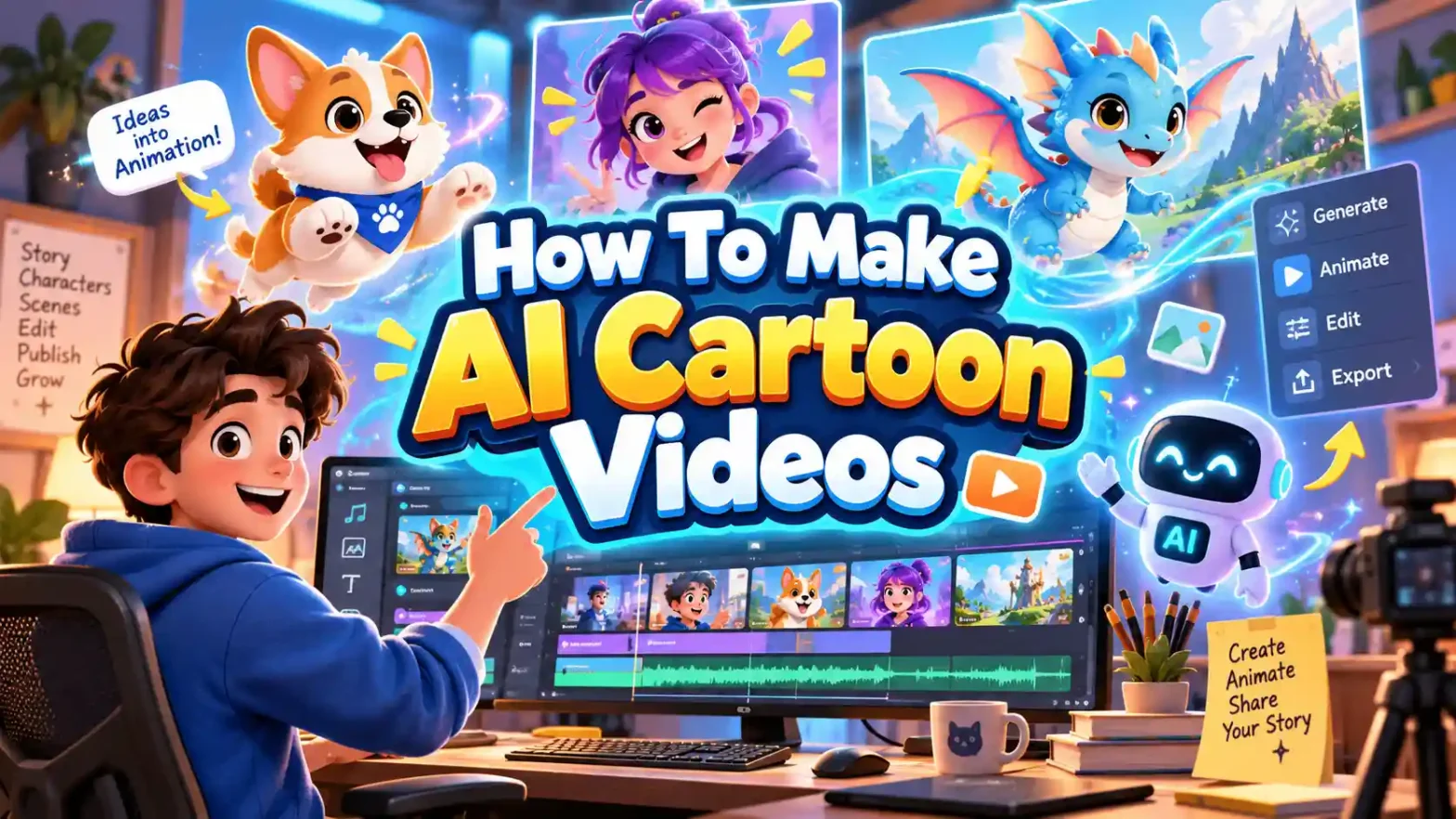
New video generation tools have completely transformed AI video making. Now it’s possible for influencers, marketers and hobbyists to make AI Cartoon videos with ease. Follow a trend, create educational content or animate your favorite characters here. Learn how to make AI cartoon videos with us and open a boundless creative potential without any heavy equipment.
 Gas Up the Trend ⛽🔥
Create your own gas station trend in seconds.
Gas Up the Trend ⛽🔥
Create your own gas station trend in seconds.
What’s This AI Cartoon Trend?
The AI cartoon trend exploded onto social media feeds as a mere fun loving and creative hobby. But now the generative video models matured past basic photo filters into dynamic storytelling tools.
- When it started
Initially it was simply a static photo-to-anime app along with basic face filters on TikTok and Instagram. Then creators quickly grew hungry for motion and fun characters. Early tools allowed users to stylize single frames but output was not that natural and clear.
- Why it evolved
Soon video models began to support text-to-video and image-to-video tools. Then people introduced specialized character features with consistency.
- How it works today
Creators now type a prompt, upload a base reference image or pet photo and let AI generate the video. It has fully styled characters that execute storylines with voiceovers and captions.
Why AI Cartoon Videos Go Viral Right Now
Not all AI content performs well. The reels & shorts on feeds rely on a specific content type and algorithm.
- Recognizable Character: Viewers connect instantly with popular movie avatars, mascots or stylized pets. Familiarity increases watch time and profile follows.
- Emotional Hook: A fast problem, surprising transformation, or relatable comedic tension grabs the viewer within the opening seconds.
- Short Duration: Keeping content tightly paced avoids the risk of viewer bounce rate.
Related Blog: How To Make An Irish Dancer Walk Video
How To Make AI Cartoon Videos Trend
Depending on the platform or the look that you want to get; you can build your clip. Use our presets and templates or can customize the prompts. Here is the complete breakdown of this:
Using Pre-defined Template
Step 1: Upload the cartoon image you want in the video. Select your model type and upload clear pictures.
Step 2: Background, camera settings: Select the background you want and where you want this video. Apply necessary details that align your ideal video theme.
Step 3: Choose appropriate resolution and aspect: Select the layout that suits your project. Choose from 9:16 to ensure proper optimization.
Use ‘Create Your Avatar’ Tool
Step 1 – Generate Avatar: Use an AI character generator or upload a base photo (such as a portrait or pet picture) to establish your hero asset. Lock down its primary aesthetic.
Step 2 – Script Your Dialogues/Concept: Draft a tight script focused on a single joke, lesson or transformation. Keep word counts compact to fit a 15 – 20 secs window.
Step 3 – Text-to-Video or Image-to-Video Generation: Input your prompt and reference into LightX AI Video generator. Download and export.
Using Reference to Video (with driving video)
- Go To Reference to Video: Navigate to LightX’s video platform’s reference or motion-transfer tool.
- Step 1: Define your Characters: Establish clear visual profiles of the cartoon image in the video.
- Step 2: Use Video Reference and Replace Images: If you own or have a source driving video (such as the Mini Me video Clip). Configure that as your video reference. Write a precise prompt to replace the character. For example, make a character in the video like reference image 1.
Related Blog: How To Swap Face In a Video
Using Reference to Video without driving video
- Step 1: Define your Characters: Establish clear visual profiles for your cartoon.
- Step 2: Generate using prompts if there is no driving video. If you don’t have a reference video, generate the whole effect using a detailed prompt. Clearly specify your parameters. Check out the Image to Video Generator for more relevant details.
1. Define cartoon, outfit and theme
Detail the specific cartoon, character personality, outfit, theme and props that the character is wearing.
2. Define scene background settings
Specify what the background setting is, with perfect lighting and ambience.
3. Define how the character is in motion
Explicitly outline the character movement and actions. Such as dancing, prancing, talking or more during a specific time or moment.
Basic Structure of a AI Cartoon Video
Every successful reel or shorts follows a basic structure of the video to gain audience’s attention:
- The Hook (0 – 3 secs): Deliver an immediate visual surprise, a relatable problem and an instant photo-to-cartoon reveal that stops the scroll.
- The Action/Conflict (4 – 12 secs): Drive a rapid mini-storytelling way that escalates or gives a single-character action. Avoid long or continuous shots.
- The Punchline (13 – 18 secs): Deliver a satisfying solution, a funny twist or a strong visual finish that encourages replays.
Make sure your video is in a 9:16 format only. There is usually only one main character in the video. So, to prevent AI from creating drifts between shots. Make a short voiceover with background music and captions.
Prompt You Can Use Directly
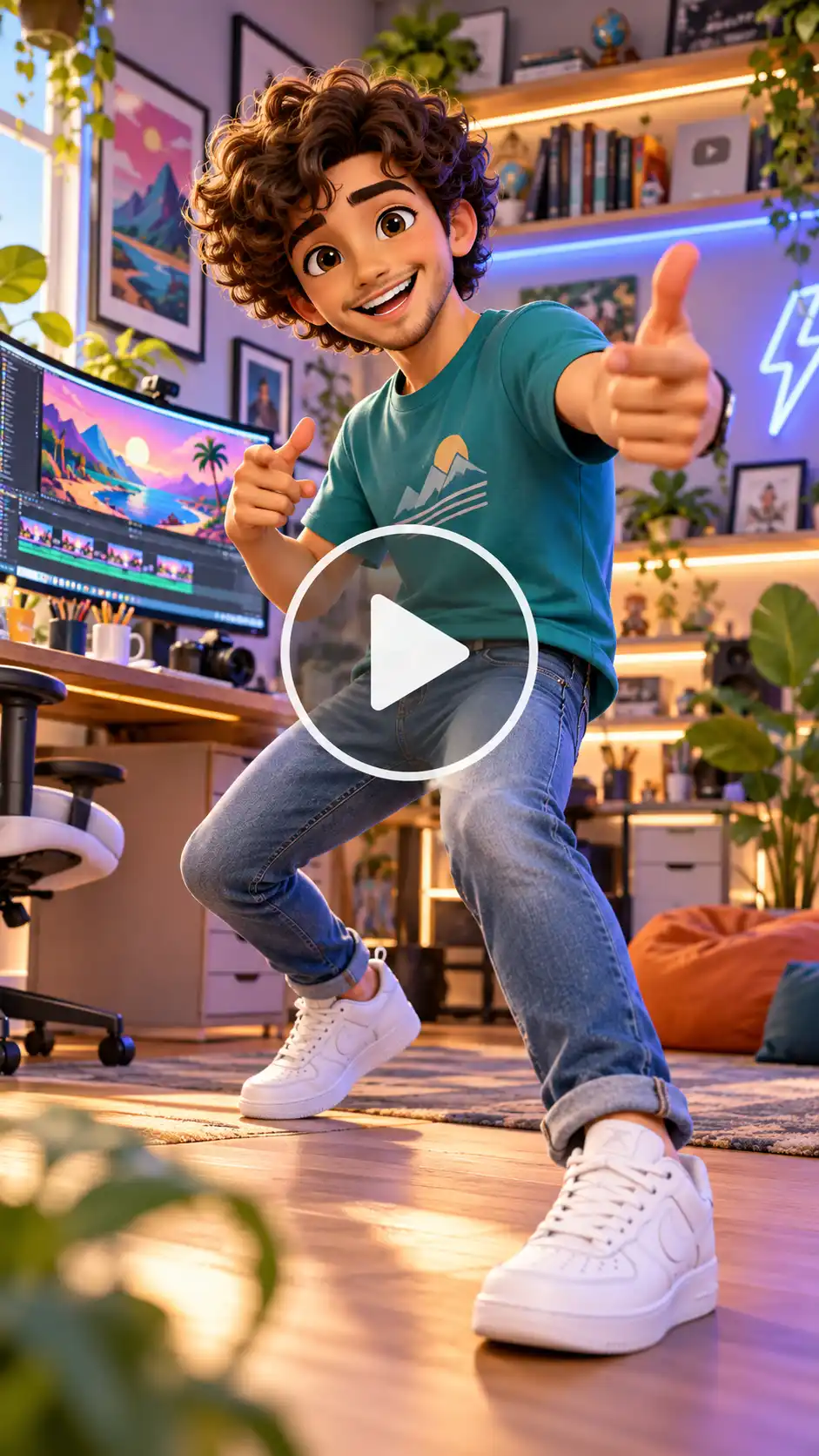
Prompt:
Video Style & Format
A 3D animated character video in a modern Pixar/Disney style, 9:16 vertical aspect ratio, smooth motion, highly detailed textures, vibrant and cheerful color grading.
Character & Identity Lock
A charming, stylized 3D mini-me caricature of a friendly young professional. Warm expressive brown eyes, bouncy curly dark brown hair, joyful smile, lively and approachable demeanor.
Outfit: A casual teal crewneck graphic t-shirt featuring a subtle minimalist design, fitted blue denim jeans, and clean white sneakers.
Features: Identity-lock enabled to maintain consistent facial features and proportions throughout the sequence.
Setting & Background
A bright, cozy, modern creator studio. Soft warm lighting with pastel accents, a sleek wooden desk with a curved monitor displaying colorful graphic art, indoor potted plants, and softly blurred background shelves filled with books and ambient LED lighting strips.
Camera & Movement
Shot on a 35mm lens for a shallow depth of field. Smooth tracking shot starting with a medium close-up of the character waving energetically at the camera, then gracefully transitioning into a dynamic full-body dance movement with lively hand gestures. Shutter speed, crisp motion blur, cinematic lighting highlights.
Audio & Pacing
Upbeat, energetic background rhythm with synchronization points for spoken voiceover and synchronized animated caption text popping up in bold, friendly fonts.
How To Generate Consistent Characters
Before making a video, you need to create a character bible or style sheet by following these steps:
- Shape and proportions of the character’s body – Decide whether the character is skinny, pudgy, comical or attractive.
- Hair, eye color, skin color, where the character dresses and its colors – Choose precise color and description.
- Personal props – Things like a hat, cup, or backpack that establish one’s identity.
- Different emotions of the character – Find expressions that could be used to depict this character if that is the theme of the video.
- Profiles – Use different angles that are built-in in the specific AI system you are applying.
Also read: How To Make Ozil Goal Video With AI
Sounds & Music Effects For AI Cartoon Videos
Audio determines whether a cartoon video appears new or professional. Prepare and sync dialogue too before working on visual aspects so that animation develops naturally.
- Voiceover: Select one of two types of narration. It can be storytelling or from prominent character voices.
- Dialogue: Give breathing intervals, breaks in speech and reaction expressions. Write a moral story, funny skit or short movie script dialogues.
- Background Music: You need to select your background song that supports the mood of the video without shadowing the dialogue.
- Sound Effects: Add in various sounding effects like footsteps, whooshes and pops.
- Caption: Your captions will be needed in case of a silent video, for the sake of accessibility and efficiency.
- Copyright Issues: Always use a licensed audio track or royalty-free or an original composition to avoid copyright issues on short form platforms.
Top Trends to Follow in AI Cartoon Videos
The following trends below are one of the most followed and engaging trends for AI cartoon videos online.
1. Mini Me
A miniature version of you (or someone you want) standing or sitting in a giant hand, often with a fingertip bopping the cheek. Cartoon or realistic miniature version standing beside the original. This type of video has a high shareability and people love them.
2. Pet-to-Pixar Transformation
Turning real dogs or cats images into animated 3D characters. Get a real pet photo for a smooth transformation into a Pixar style character. Then the character attempts a task (catch a toy, open a fridge, climb). These types of transformation videos have extremely high shareability and it works with any pet.
3. Talking Pet Opinion Skit
Giving household pets strong comedic opinions on trivial daily events. In this video, the character looks at the camera and speaks (lip-sync) about something relatable. Then there is a big reaction or punchline expression. This type of video has reliable engagement. Easy to turn into a recurring series with the same character.
4. Your Own Cartoon (Cartoon Yourself)
Personalizing avatars using user profile images for high shareability. Get a real selfie and then transform it into a cartoon self. The cartoon itself faces a simple problem (coffee spill, bad parking, group text explosion) with exaggerated reactions then gives a final triumphant expression. These types of short form reels are highly relatable.
5. Halloween Cute Ghost
Seasonal, family-friendly spooky mini-adventures that peak during autumn. The character appears and attempts a “Boo”. This video builds confidence, then gets scared by something small (own reflection, a cat, a leaf). It is basically a cute recovery or funny reaction. Family-friendly versions outperform pure horror.
6. Superhero Transformation Reveal
Dramatic before-and-after transformations into comic book or 3D heroes. Video of an ordinary person or pet dramatically becomes a cartoon superhero. The person goes through a dramatic transformation (cape, suit, lighting). There is also a hero pose or simple heroic action and confident final look to the camera. Works well with trending audio.
Why Use AI for Cartoon Video Production?
People using AI cartoon video production because:
- Fast Delivery: You can develop and create your animated ideas in a matter of minutes.
- Affordable: There is no need to buy costly programs or hire professionals.
- Innovative: You can try anything from crazy ideas and fairy tales to experiment with them.
Conclusion
Making AI videos is no longer a privilege. It is not just something very highly-specialized companies have. By using prompts, consistent character settings, brief storytelling, and high-quality audio, anyone can create engaging videos online. Select a template and create your animation today with LightX.
FAQs
How long can an AI cartoon video be?
An AI cartoon video can be 15 – 20 seconds long.
Can I use AI cartoon videos commercially?
Yes, any video you create yourself can be used as you want.
What video format and aspect ratio work best for AI cartoon videos?
MP4 video format and 9:16 aspect ratio will work best for AI Cartoon video.
How do I add a voiceover and keep the lip-sync accurate?
You can add a voiceover via prompts. Specify the dialogues, script and more.
Can I edit the cartoon video after it’s generated?
No, you cannot edit any video after it’s been generated so make sure you review the details before clicking generate.
 Create the Unforgettable UNO Trend
Upload your image and turn an UNO move into a viral transition.
Create the Unforgettable UNO Trend
Upload your image and turn an UNO move into a viral transition.