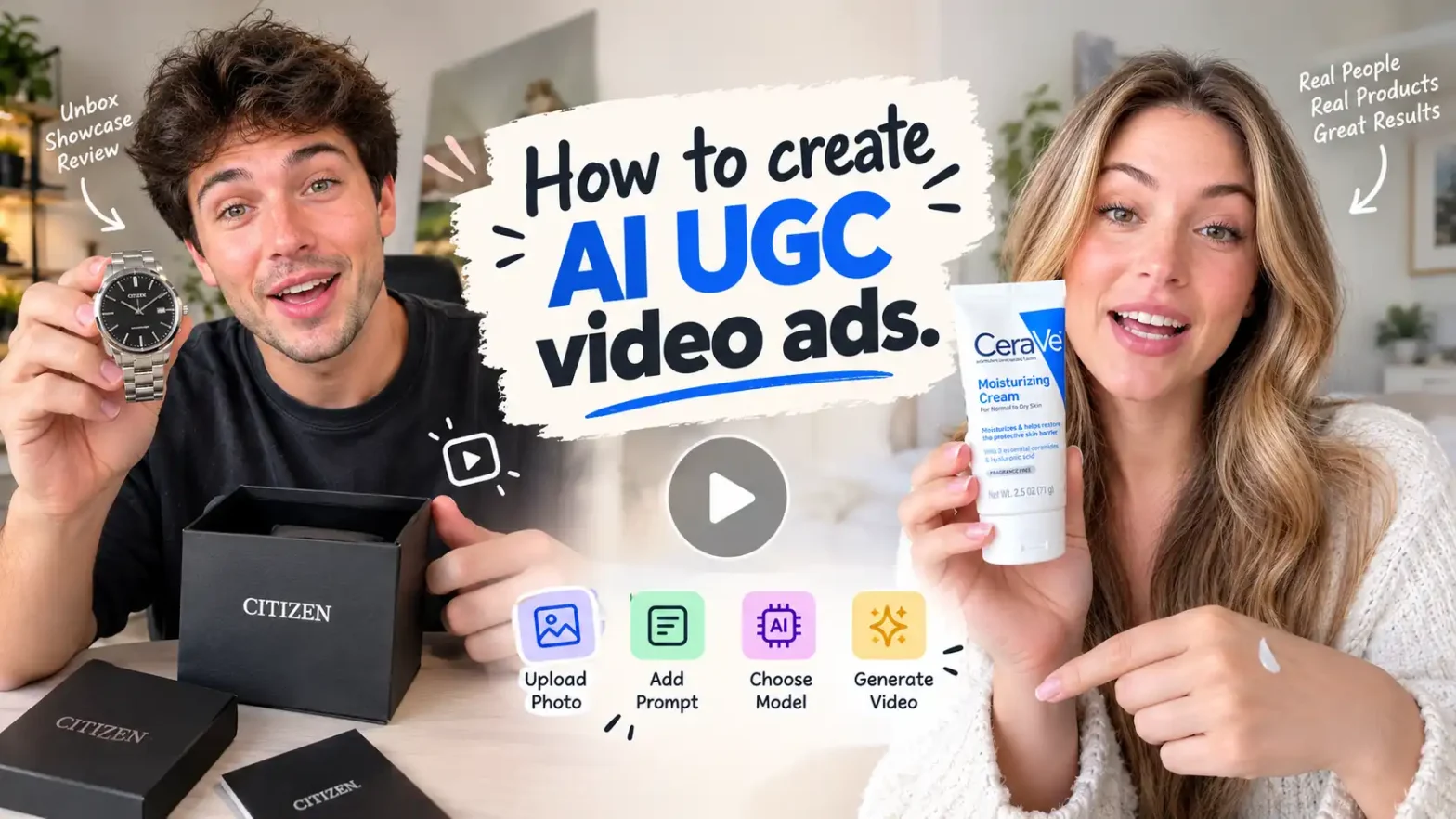
Hey, creators, brands & marketers. Are you looking for someone to make UGC video ads for you? Then I must say: please stop doing this.
Yes, you heard it right: you do not need to wait for influencers to make a collab or any videographer to shoot a video for you.
You can easily make a ugc ad video in minutes. Just upload a photo, give a simple prompt, and generate a perfect UGC product video ad.
 Create the Roadster Ramp Trend 🏎️
Upload your image and create a thrilling backward car jump off a ramp.
Create the Roadster Ramp Trend 🏎️
Upload your image and create a thrilling backward car jump off a ramp.
Now, you must be thinking about how to create AI UGC video ads. Stick around until the end of this blog! You’ll find everything you need to get started, including useful tips, tricks, creative ideas, and ways to make your UGC videos stand out. Let’s get started!
What Is an AI UGC Video Ad?
An AI UGC video ad is a UGC – style advertisement created using AI. It doesn’t need a real person, product, or any real shoots. You can generate it with AI in just a few minutes.
Unlike polished brand commercials, these UGC video ads with AI are designed to feel native to social feeds: vertical, conversational, imperfect in a good way, and focused on one clear benefit. A strong UGC-style ad usually follows a simple sequence—hook, problem, product, proof, and one CTA.
They can be used for:
- Product demo ads
- UGC testimonial ads
- Honest review ads
- UGC unboxing ads
- Before-and-after ads
- Problem-solution ads
- Try-on and GRWM-style ads
Why AI UGC Ads Work
AI UGC ads work because they combine the trust signals of creator content with the speed and scalability of AI production.
|
Benefit |
Why it matters |
|
Faster than filming |
Create multiple ad variations in minutes instead of scheduling shoots |
|
Lower cost |
No creator fees, studio rental, editing team, or travel required |
|
Easy testing |
Test different hooks, avatars, offers, and product angles quickly |
|
No shoot required |
Use product photos and prompts to generate UGC video ads with photo inputs |
|
Platform-ready |
Make vertical video ads in 9:16 for TikTok, Reels, Shorts, and Meta |
|
Better creative testing |
Run 3–5 hook variations before scaling the winner |
Short-form platforms reward early clarity: the first few seconds strongly affect watch time, which is why hooks matter so much in viral UGC video ads.
They are especially useful for:
- Ecommerce brands launching new products
- Small businesses creating low-budget video ads
- Performance marketers running video ad testing
- DTC brands making AI video ads for ecommerce
- Creators and agencies producing short-form video ads at scale
Best AI UGC Ad Structure
The most reliable AI UGC ads for TikTok and Instagram follow this structure:
1. Hook — 0–3 seconds
Stop the scroll immediately.
Use a bold statement, relatable complaint, surprising visual, or direct question.
Examples:
- “I almost returned this before I tried it properly.”
- “If your skincare routine takes 20 minutes, watch this.”
- “POV: You finally found a bag that fits everything.”
- “This is why my kitchen smells amazing now.”
2. Problem — 3–5 seconds
Name one specific pain point your viewer recognizes.
Instead of saying “many people have dry skin,” say: “My skin gets so dry by afternoon that my makeup starts patching.”
Specific problems make the viewer think, “That’s me”
3. Product Reveal — 5–7 seconds
Introduce the product clearly.
Show the packaging, name the product, and connect it directly to the problem.
Example: “That’s when I started using this overnight repair serum.”
4. Demo or Proof — 7–11 seconds
Show the product working.
This can be a product demo ad, texture close-up, try-on, unboxing, before-and-after, or a quick result. Demonstration is more persuasive than simply describing the benefit.
5. CTA — Last 11–15 seconds
Give one clear next step.
Examples:
- “Tap the link to shop it.”
- “Use code SAVE20 at checkout.”
- “Check the link in bio.”
- “Try it before it sells out.”
Use only one CTA per ad. Multiple CTAs split attention and reduce conversion clarity.
How to Create AI UGC Video Ads: 3 Methods
Method 1: Create With Presets
This is the fastest way to create AI UGC ads for Instagram, TikTok, and Meta.
Step 1: Choose an avatar
Pick an AI creator who matches your target customer.
For example:
- Skincare: friendly woman, clean bedroom or bathroom setting
- Fitness: energetic creator in gym clothes
- Fashion: stylish creator filming a try-on
- Food: casual home-kitchen creator
- Tech: clean desk setup, natural daylight
Choose an avatar whose age, style, and vibe match your actual buyer—not just someone who looks polished.
Step 2: Choose your product
Upload or select your product image.
Make sure the photo shows:
- Clear packaging
- Accurate label text
- Correct colors
- Product front and, if possible, an angle view
- No cluttered background
Product accuracy matters. If the AI changes your label, colors, or packaging, the ad can look fake and hurt trust.
Step 3: Choose a hook
Select a preset hook based on your campaign goal:
|
Goal |
Hook style |
|
Awareness |
“I found something I wish I knew about earlier.” |
|
Conversion |
“I was skeptical, but this actually worked.” |
|
Problem-solution |
“If you struggle with _, try this.” |
|
Offer |
“I found a deal you’ll want before it ends.” |
|
Social proof |
“Everyone keeps asking me about this.” |
Step 4: Choose a background setting
Match the setting to the product’s real use case.
Examples:
- Bathroom shelf for skincare
- Bedroom mirror for fashion
- Kitchen counter for food or appliances
- Desk for productivity products
- Gym or outdoor setting for fitness
- Car for on-the-go products
Step 5: Generate and refine
Generate the first version, then review:
- Does the product look accurate?
- Does the voice sound natural?
- Is the hook in the first 3 seconds?
- Are captions readable?
- Is the CTA clear?
This method is ideal for brands that need AI UGC ads for small business campaigns without a production team.
Method 2: Use a Reference Video
If you already have a creator video, ad, or visual reference, use the reference-to-video workflow.
Step 1: Upload photos
Upload clean product photos, lifestyle images, or packaging shots.
Step 2: Upload a driving video
A driving video is a reference clip that guides movement, framing, pacing, or creator behavior.
For example, upload a short video of someone holding a product, applying it, opening a package, or speaking to camera.
Step 3: Add your prompt
Tell the AI exactly what to preserve and what to change.
Example prompt:
Use the uploaded product photos and reference video. Create a 20-second vertical 9:16 UGC-style ad. A friendly woman in her late 20s holds the product in a bright bathroom, applies it to her hand, then looks at the camera. Keep the product packaging, label, color, and logo exactly accurate. Use natural handheld camera movement, soft daylight, realistic skin texture, and casual conversational dialogue. Add clean auto-captions.
This method is best when you want to recreate a proven ad style without copying it exactly.
Step 4: Select the AI Model
Choose the AI model that best fits your creative goal:
- Veo
- Kling
- Wan
- Seedance
Different models can handle motion, realism, facial consistency, and product details differently, so test the same prompt across models if needed.
Step 5: Click Generate and Download
Click Generate, wait for the video to render, review the output, and download the final video.
Check that the product packaging is accurate, the motion looks natural, the hook appears early, and the captions are readable before using it in your campaign.
Method 3: If you do not have a reference video
If you do not have a driving video, upload a product photo and describe the scene.
This is the simplest way to make UGC video ads with photo inputs.
Step 1: Upload a high-quality product photo
Use a clear, well-lit image with accurate packaging. You can add up to 5 images of anything like product, person, background, props, etc.
Step 2: Write a detailed prompt
Since there is no driving video, your prompt becomes the creative direction.
Include:
- Creator appearance and vibe
- Product name or type
- Setting
- Action
- Camera style
- Lighting
- Dialogue or AI voiceover
- Captions
- Sound effects
- Product accuracy instructions
Example prompt:
Create a 22-second vertical 9:16 UGC-style video ad using the uploaded product photo. A friendly woman in her late 20s stands in a bright, minimal bathroom and speaks directly to camera. She holds the product, shows the label closely, applies a small amount to her hand, and explains why she likes it. Use natural handheld camera movement, soft daylight, realistic skin texture, and casual conversational dialogue. Keep the product packaging, label, logo, colors, and proportions exactly accurate. Add clean auto-captions, subtle background sound, and end with: “Tap the link to try it.”
Step 3: Select the AI Model
Choose from:
- Veo
- Kling
- Wan
- Seedance
Pick the model based on the look you want—whether that is realistic human motion, strong product detail, cinematic lighting, or faster generation.
Step 4: Click Generate and Download
Click Generate, review the result, and download the video.
This method works especially well for image-to-video AI workflows, product showcase videos, and quick creative testing when you need multiple ad variations fast.
Copy-Paste Prompt Formula
Use this formula for consistent results:
Ad format + creator + product + location + action + camera style + lighting + dialogue + product accuracy.
Prompt Formula
Create a [ad format] UGC-style video ad in vertical 9:16 format. The creator is [avatar description]. The product is [product name/type]. The setting is [location]. The creator [specific action]. Use [camera style], [lighting], and [dialogue tone]. Keep the product packaging, label, logo, color, and proportions exactly accurate. Add natural captions and a clear CTA.
Related blog: 60 AI Prompts for Product Videos & Commercials
Ready-to-Use UGC Video Ad Prompts
1. Honest Review Ad
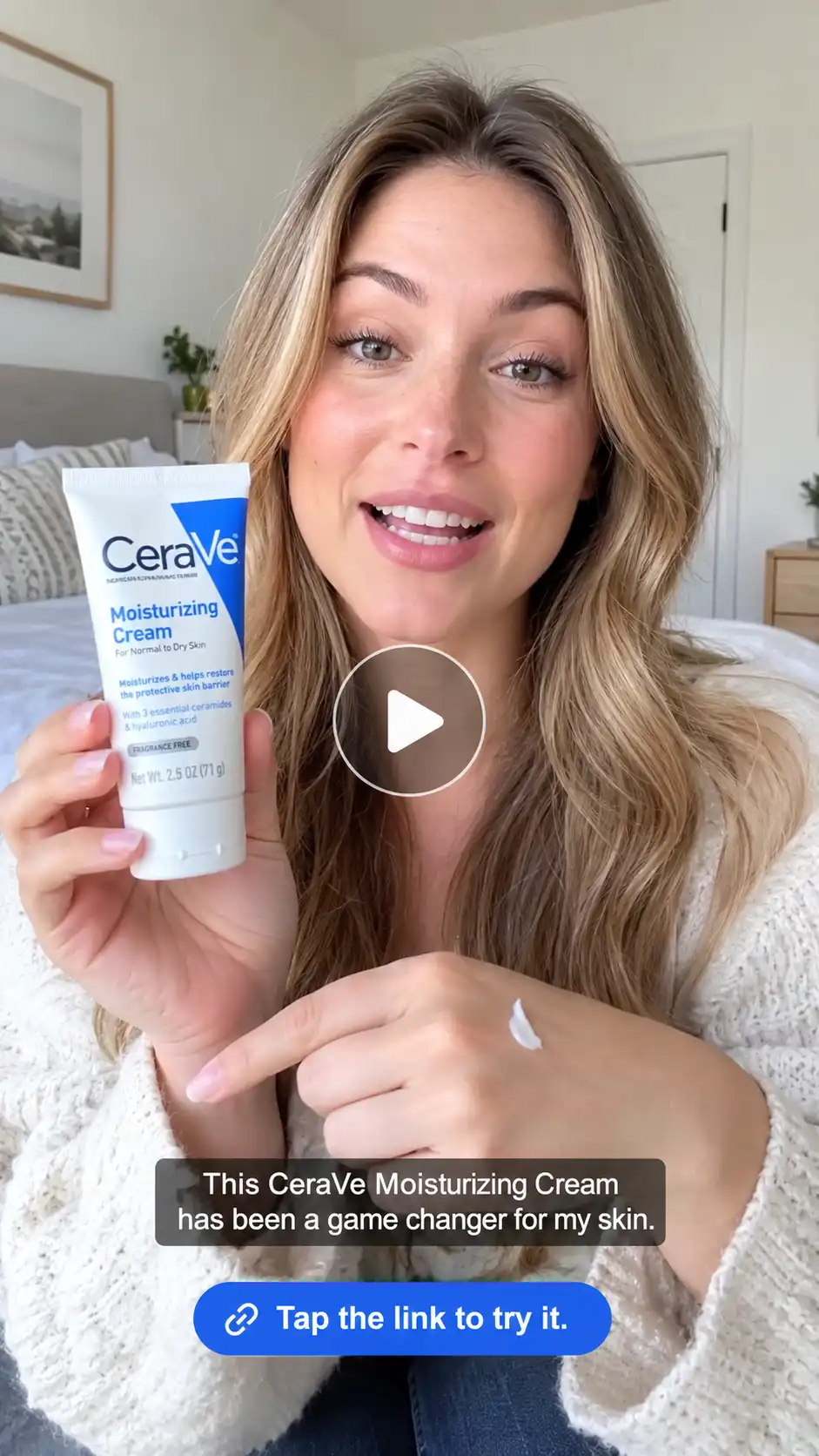
Sample prompt :
Create a 22-second vertical 9:16 honest review ad. A friendly woman in her late 20s sits in a bright, minimal bedroom and speaks directly to camera. She holds the uploaded skincare product, shows the packaging closely, then applies a small amount to the back of her hand. Use natural handheld camera movement, soft daylight, realistic skin texture, and casual conversational dialogue. Keep the product label, logo, colors, and packaging exactly accurate. Add clean auto-captions and end with: “Tap the link to try it.”
2. UGC Unboxing Ad
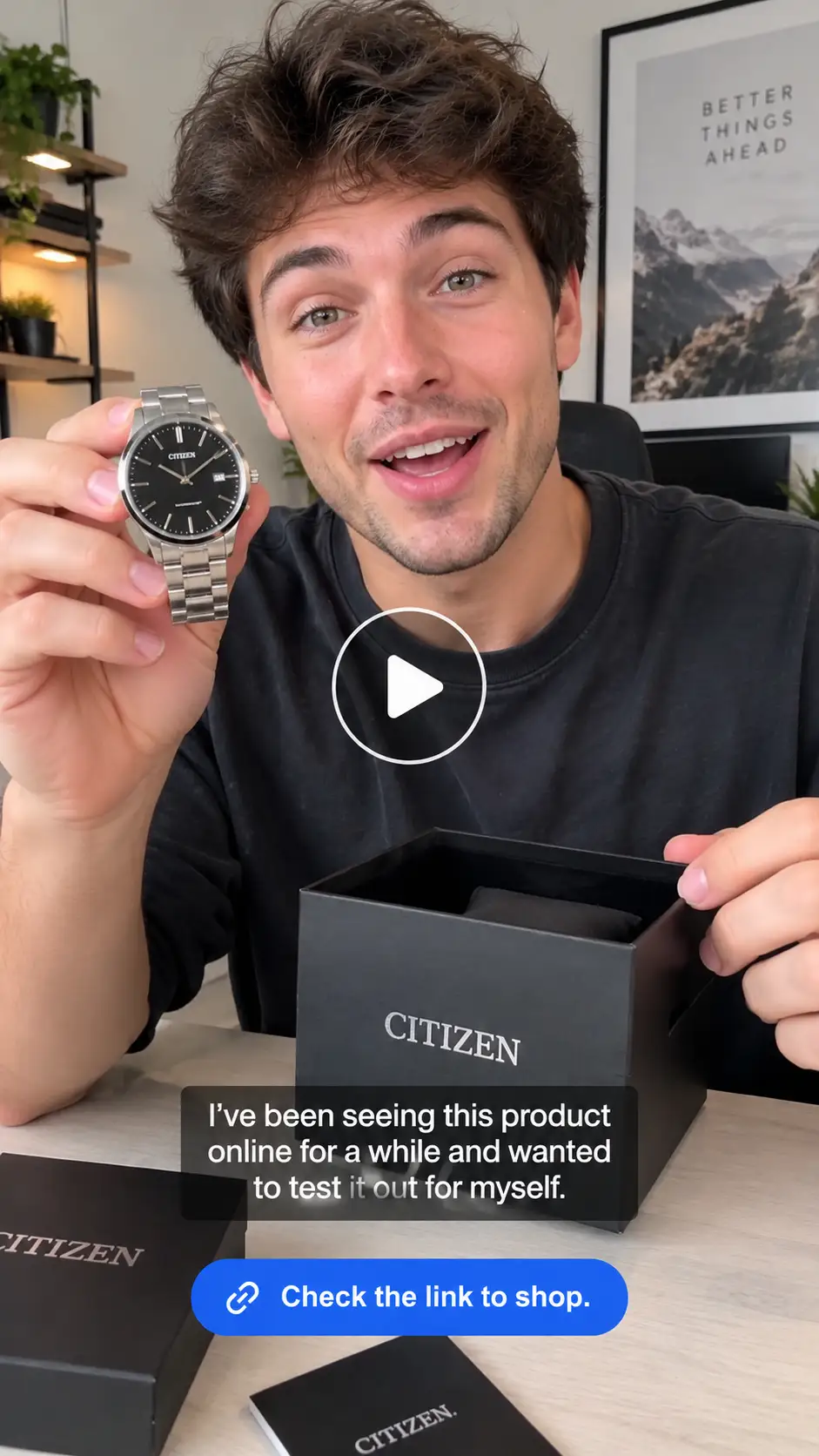
Sample prompt :
Create a 20-second vertical 9:16 UGC unboxing ad. A young creator sits at a clean desk, opens the uploaded product package with excitement, removes the product, and shows the front label to the camera. Use close-up hands, natural indoor lighting, subtle handheld movement, and realistic packaging details. The creator says they have been seeing this product online and wanted to test it. Keep the product design, text, and colors exactly accurate. Add captions and end with: “Check the link to shop.”
Best UGC Ad Formats to Try
Test different formats instead of relying on one style. These are proven UGC hook ideas and ad formats for video ads on social media.
|
Format |
Best for |
Example opening |
|
Product review |
Building trust |
“I tested this for a week—here’s my honest take.” |
|
Unboxing |
New launches |
“Okay, I finally got this in the mail.” |
|
Product demo |
Showing how it works |
“Let me show you exactly how I use this.” |
|
Before-and-after |
Visible transformation |
“This was me before. This is me now.” |
|
Problem-solution |
Pain-point marketing |
“If you deal with _, this changed everything.” |
|
GRWM |
Pain-point marketing |
“Get ready with me while I show you this.” |
|
POV ad |
TikTok-native storytelling |
“POV: You finally found a product that works. |
|
Try-on |
Apparel, accessories, eyewear |
“I wasn’t sure about this color, but wait.” |
|
ASMR close-up |
Texture, packaging, sensory products |
“Listen to this.” |
|
“I tried it for 7 days” |
Results-based claims |
“I tried it every day for 7 days.” |
A UGC testimonial ad works best when the creator explains a real problem, uses the product on camera, and gives a specific reason to believe the result. A before-and-after ad should show a believable transition rather than an unrealistic claim.
Script Templates
1. Problem-Solution Script
Length: 20–25 seconds
|
Section |
Timing |
Script |
|
Hook |
0–3 sec |
“If your _ keeps _ , you need to see this.” |
|
Problem |
3–8 sec |
“I used to deal with _ every single day, and nothing seemed to help.” |
|
Product reveal |
8–12 sec |
“Then I found this _ , and it completely changed my routine.” |
|
Demo/proof |
12–20 sec |
“I just _ , and you can see how _ .” |
|
CTA |
20–25 sec |
“Tap the link to try it for yourself.” |
2. Testimonial Script
Length: 20–30 seconds
|
Section |
Timing |
Script |
|
Hook |
0–3 sec |
“I was not expecting to like this as much as I did.” |
|
Problem |
3–8 sec |
“I had tried so many products for _ , but they always felt _ .” |
|
Product reveal |
8–12 sec |
“Then I started using this _ .” |
|
Proof |
12–22 sec |
“The biggest difference is _. I also love that _ .” |
|
CTA |
22–30 sec |
If you’ve been looking for something like this, check the link.” |
3. Offer/Discount Script
Length: 15–20 seconds
|
Section |
Timing |
Script |
|
Hook |
0–3 sec |
“If you’ve been wanting to try this, now is the time.” |
|
Product |
3–8 sec |
“This is the _ I’ve been using for _ .” |
|
Benefit |
8–13 sec |
“It helps with _ without _ .” |
|
Offer |
13–17 sec |
“Right now, you can get _ off with code _ .” |
|
CTA |
17–20 sec |
“Tap the link before the offer ends.” |
Tips to Make Ads Convert
1. Show the product in the first 3 seconds. Do not save the reveal for the end.
2. Focus on one benefit. One clear message beats five vague claims.
3. Add captions for silent viewing. Many social users watch without sound.
4. Keep product packaging accurate. Preserve labels, colors, logos, and proportions.
5. Use vertical 9:16 video. It fits TikTok, Instagram Reels, YouTube Shorts, and most mobile-first Meta placements.
6. Test 3–5 hooks. Change only the opening line first, then test different creators or settings.
7. Use a soft, natural CTA. “Tap the link to see it” often feels more native than an aggressive sales pitch.
8. Keep it short. For simple offers, 15–30 seconds is usually enough; use longer formats only when the product needs explanation.toneproduction+1
Common Mistakes to Avoid
- Long, over-explained ads. Get to the point before viewers scroll away.
- Poor product photos. Blurry, dark, or inconsistent images lead to inaccurate AI output.
- Robotic voiceover. If the AI voice sounds unnatural, regenerate it or use captions with subtle ambient sound.
- No captions. You lose viewers who watch muted.
- No CTA. Tell viewers exactly what to do next.
- Only making one variation. One ad is not a test; create multiple hooks, avatars, and settings.
- Overpromising results. Keep claims believable and aligned with your actual product.
- Ignoring platform fit. TikTok, Reels, Shorts, and Facebook video ads each reward native, fast, mobile-first creative.
Conclusion
You can create high-performing AI UGC video ads in three ways: use presets for speed, upload a reference video for creative control, or use a product photo plus a detailed prompt when you have no driving video.
Start with one product, one audience problem, and 3–5 hook variations. Keep the ad vertical, captioned, product-accurate, and focused on one benefit. Then test, learn from the winner, and scale it.
 Create the Floating Fall Trend
Upload your image and create a cinematic floating fall effect.
Create the Floating Fall Trend
Upload your image and create a cinematic floating fall effect.