As the festival of lights is right around the corner, Diwali greetings, texts and images are the way to go. Now is a great time to learn how to create Diwali wishes videos to be in touch with your loved ones. Make yourself a better business partner as well as extend your brand’s reach. Whether you are willing to send your relatives warm greetings or simply arrange a commercial campaign, the guide will tell you how to make the diwali wishes video with LightX.
 Gas Up the Trend ⛽🔥
Create your own gas station trend in seconds.
Gas Up the Trend ⛽🔥
Create your own gas station trend in seconds.
What are Diwali Video Wishes Exactly?
Diwali video wishes refer to simple multimedia greetings that contain typical festive images. Like glittering diyas, elaborate rangoli and colorful fireworks combined with personal text, music, and continuing images. Unlike conventional greeting cards, these videos represent the holiday getting to people through various messaging channels including WhatsApp, social media (for example: Instagram and YouTube Shorts) and even email campaigns.
How To Make A Diwali Wishes Video With LightX
Depending on the platform or the look that you want to get; you can build your clip using our presets and templates or can customize the prompts. Here is the complete breakdown of this:
Using Pre-defined Template
Step 1: Upload the images you want. Select your persona and upload clear front-facing portraits. Pick one crisp photo of yourself.
Step 2: Background, outfit and prompt: Select the background you want. Get a background setting and where you are seen shooting this video. Apply stylistic things to align your outfit with the theme.
Step 3: Choose appropriate resolution and aspect. Select the layout that suits your clip. Choose from 9:16 to ensure proper optimization.
Using Reference to Video (with driving video)
- Go To Reference to Video: Navigate to LightX’s video platform’s reference or motion-transfer tool.
- Step 1: Define your Look: Establish a clear visual profile of the people in the video.
- Step 2: Use Video reference and replace Faces. If you own or have a source driving video then Configure that as your video reference. Write a precise prompt to replace the person. For example, replace person 1 with reference image 1.
Related Blog: How To Swap Face In a Video
Using Reference to Video without driving video
- Step 1: upload a photo of yourself, your family or your team. Establish a clear visual profile for each video character.
- Step 2: Generate using prompts if there is no driving video. If you don’t have a reference video, generate the whole effect using a detailed prompt. Clearly specify your parameters. Check out the Image to Video Generator for more relevant details.
1. Define everyone’s outfits, makeup & style
Detail the specific wardrobe pieces such as expensive kurta’s, traditional sarees, embellished wardrobe with makeup and hair style.
2. Define scene background, lighting, camera
Specify whether the shot uses a front facing selfie frame in the camera or ultra wide angle camera motion with natural ambience. Define whether you want sky shots and diya’s lighting up in the background or simply a temple puja background.
3. Define how the character is acting (along with motion)
Explicitly outline the motion timing, steps and actions such as smiling, joining hands for praying or something else during a specific time or moment.
Types of Diwali Video Wishes You Can Make
Depending on your audience and goals, you can use your festive videos in several ways:
- Personal wishes for family and friends: Warm and emotional greetings for your closest people.
- Couple and family wishes: Custom videos featuring your family portraits surrounded by festive lighting and traditional motifs.
- Brand wishes for customers & clients: Professional Diwali wishes video for customers who express gratitude for long-term loyalty.
- Employee and team wishes: Internal appreciation videos to boost morale and celebrate achievements together.
- Product-based festive wishes: Creative clips highlighting your seasonal offerings packaged within a celebratory theme.
- Day-wise wishes: Specialized content spanning Dhanteras, Narak Chaudas, Lakshmi Puja, Govardhan Puja or Bhai Dooj.
What You Need Before You Start
Before diving into video creation, gathering your assets will streamline the entire process:
- High-resolution photos (personal portraits, family pictures, or high-grade product images).
- Your corporate logo, brand color codes and official tagline (when making business content).
- A clear, heartfelt message or script for your greeting.
- Access to an intuitive editing suite or an AI-powered video generator.
Related blog: How To Create AI UGC Videos
Making a Diwali Wish Video for Customers
To effectively convey the essence of Diwali to customers through your video wishes, brands need to combine the essence of professionalism with the values of the festival in a unique manner:
- Visual Element: The primary element of the video should include either the founder, an image of the core team, the stars of the story or the logo of the brand.
- Corporate Identity: The video should skilfully mix the logo of the brand, the colour scheme of the logo and tagline.
- Custom Messages: The video should blend in a heartfelt note that shows gratitude to the audience.
Diwali Wish Prompts You Can Copy
1. Cinematic Family & Personal Greeting
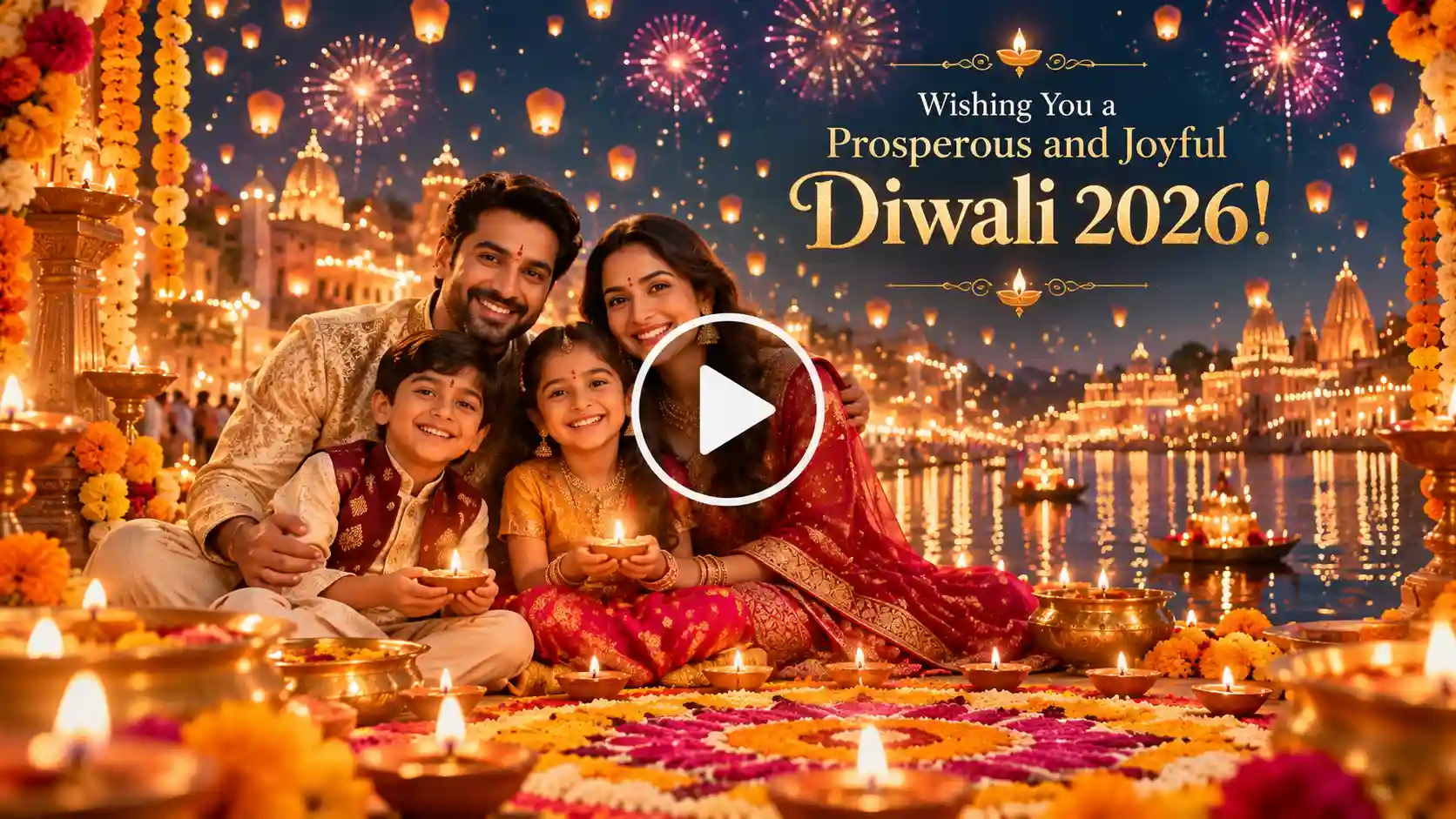
Prompt :
Create a warm, cinematic Diwali greeting video featuring a glowing background of thousands of floating diyas and soft golden bokeh lighting. Integrate a smooth transition that highlights a smiling family portrait in the center. Add traditional floral rangoli patterns framing the edges, gentle sparkling firework effects in the night sky, and elegant typography reading ‘Wishing You a Prosperous and Joyful Diwali 2026!’ Vibrant, festive color palette with warm oranges and golds.
2. Corporate Brand Festive Video
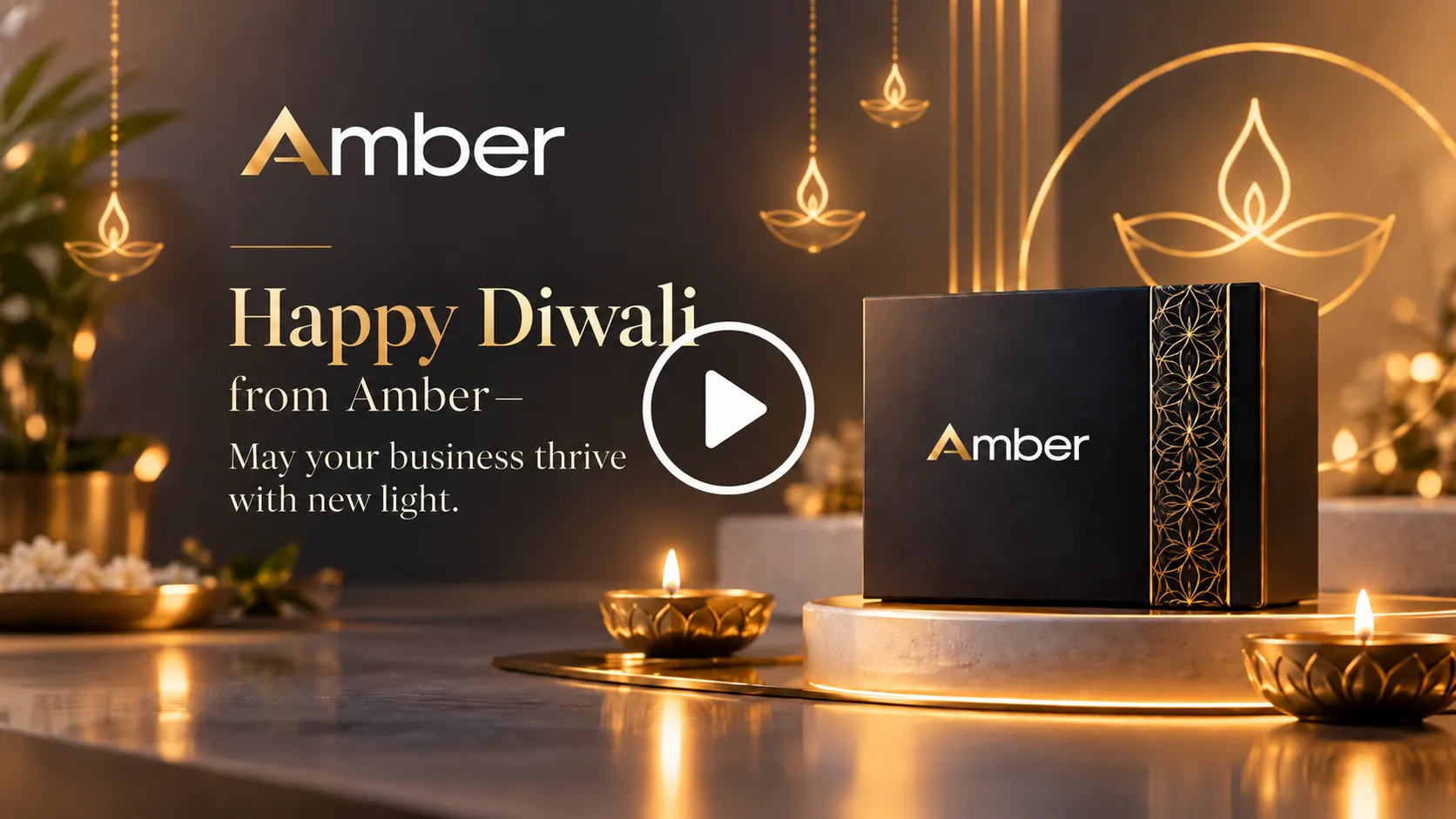
Prompt :
Design a sleek, professional corporate Diwali video for a modern brand. The video opens with a clean minimalist background illuminated by subtle ambient gold lighting and abstract geometric diya motifs. Smoothly reveal the company logo alongside a high-end product shot. Include elegant text reading ‘Happy Diwali from [Your Brand Name] – May your business thrive with new light.’ Professional, sophisticated, and polished aesthetic.
Tips To Use For Diwali Wish Video
Your video clips should be short and no longer than 15 to 30 seconds, so the audience remains interested in watching them on social media platforms.
- Music: The background music for your video should match the essence of the video itself. Use soothing sitar music, or high spirits songs with trumpets.
- Font Size: Check that the font of the text used in your video is readable in terms of color and background lighting for the message to be clear.
- Format: Your video format should meet the required parameters: vertical 9:16 format for social network Reels or TikToks and horizontal 16:9 format for emails and Youtube.
Conclusion
By learning how to create Diwali wishes videos, you’ll wish people in a trending way. Say happy Diwali and build better bonds with your relatives or clients during the festive season. Achieve excellent results, thanks to the combination of quality images, prompts and advanced tools, at LightX AI video generator.
FAQs
- What is the best aspect ratio for Diwali video wishes?
Yes, 9:16 aspect ratio for Diwali video wishes on TikTok and Whatsapp status.
- What video resolution should I use for Diwali wishes?
You can choose from 480p, 720p, and 1080p according to your needs.
- Can I add music or a Diwali greeting audio?
Yes, you can put your preferred audio in the prompts.
- Can I make the wish in Hindi, English, or regional languages?
Yes, you can make videos in any preferred language.
 Create the Rain Dance Trend ♫
Upload your image and create rain dance music video
Create the Rain Dance Trend ♫
Upload your image and create rain dance music video