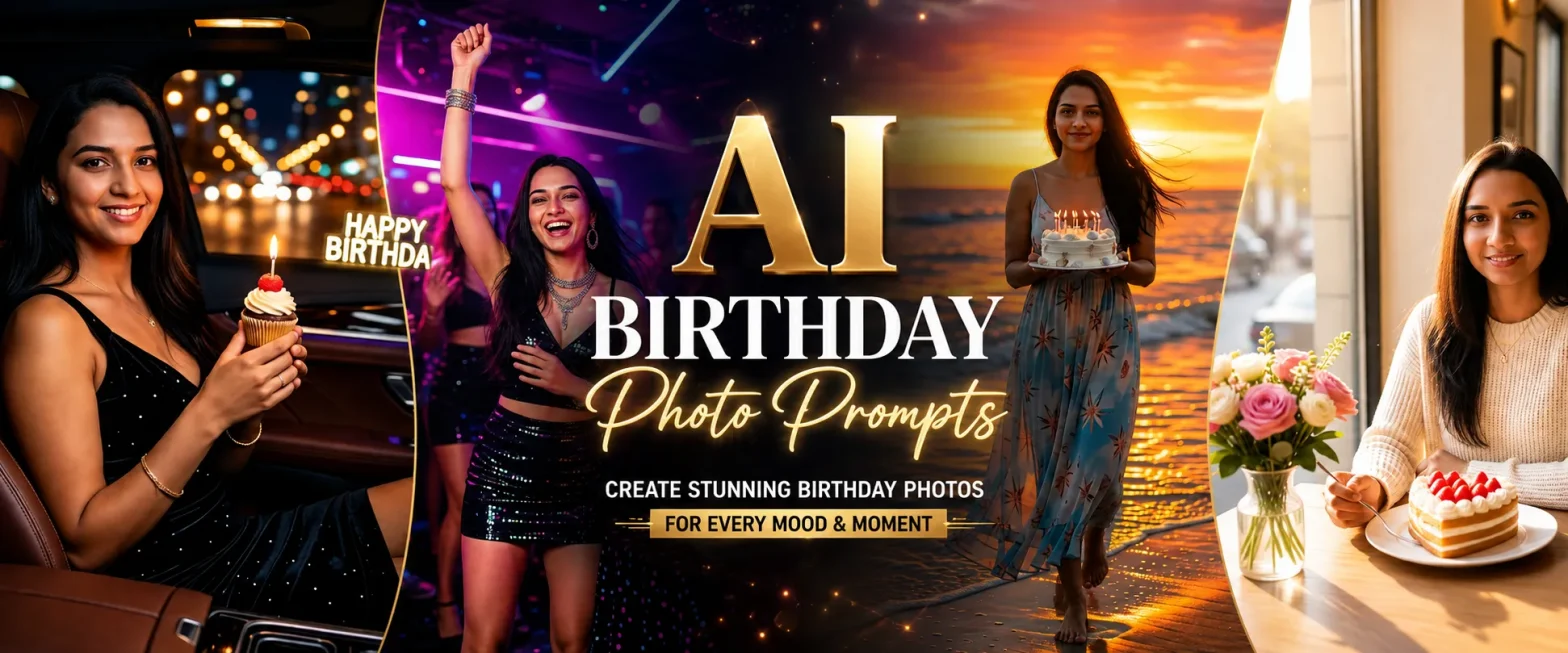
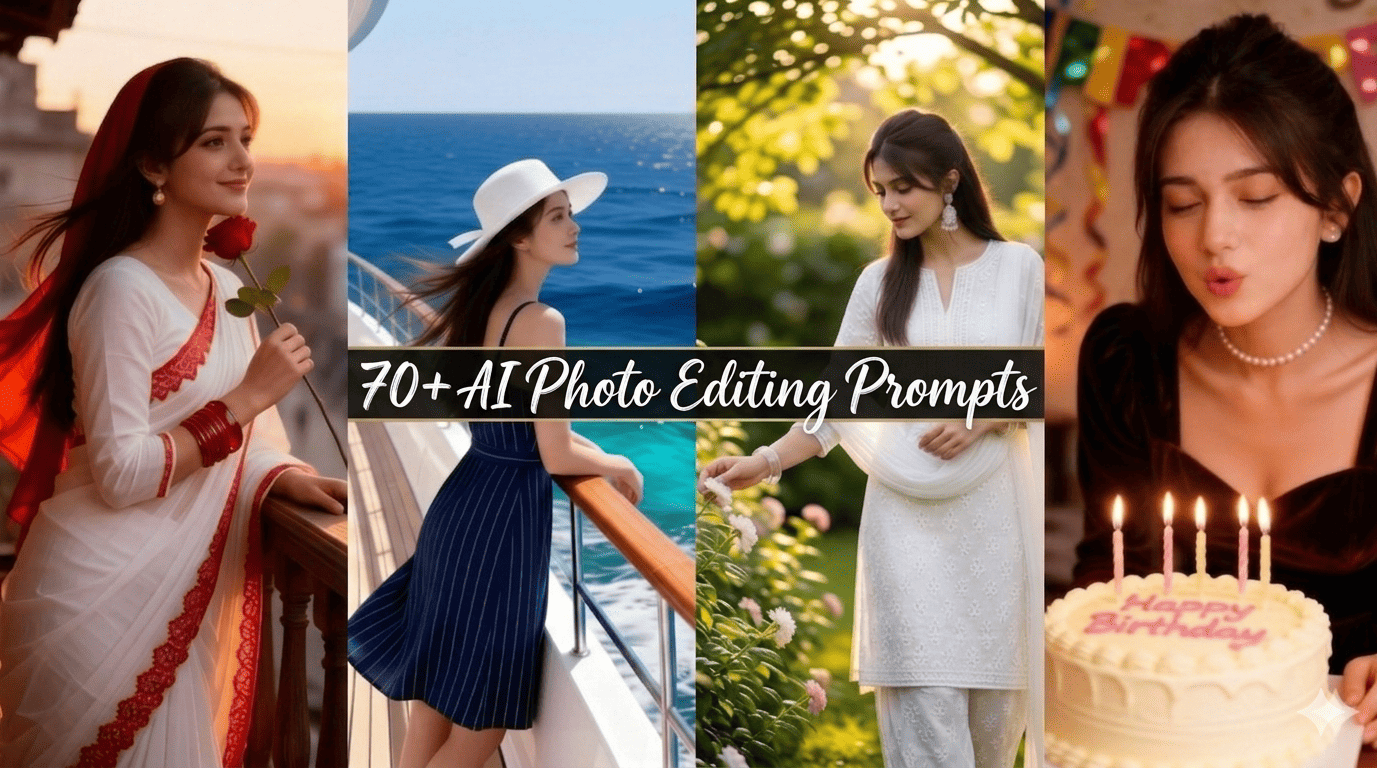
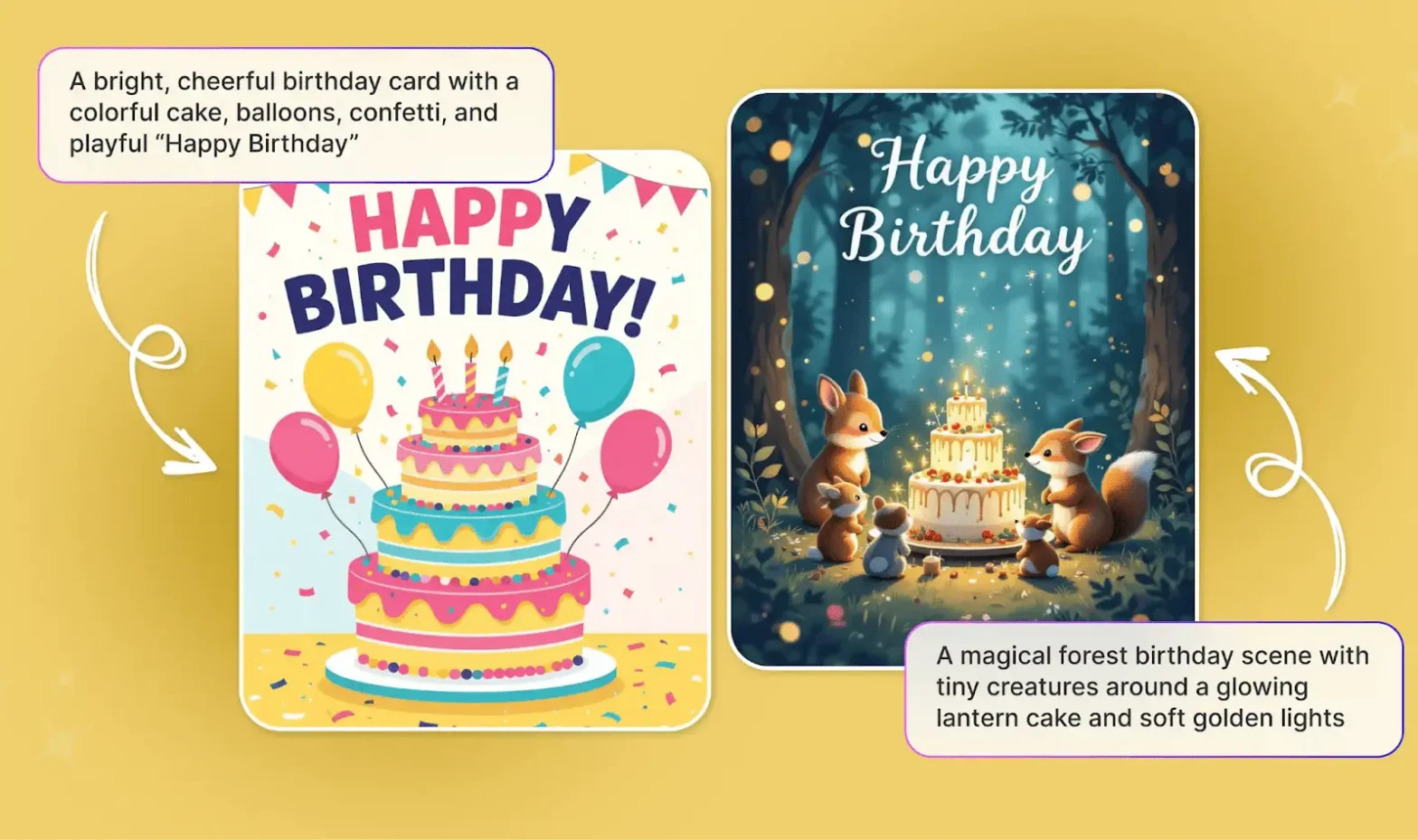
Create a personalized and professional birthday video with just your photos and an AI video generator. Learn how to make a birthday AI video. Transform simple text prompts and reference images into a stunning birthday memory.
 Create the Ceiling Fan Trend 🪭
Upload your image and reveal a new look with every spin.
Create the Ceiling Fan Trend 🪭
Upload your image and reveal a new look with every spin.
To get the best results, use a reference image to create a birthday video AI video. Master writing detailed prompt for it. Here is a step by step guide on how to generate birthday videos using AI reference to video tools.
What Is an AI Birthday Video?
An AI birthday video relates to a personalized short clip generated using photos and descriptions from text prompts. The AI video makers save the day by bringing the static images to life via realistic animation, beats, and/or music. AI cinematic birthday videos are trending with children, friends, and lovers. These videos are highly popular amongst Gen Z’s and have taken the internet by storm. Try making a birthday video with an AI generator and create a fun experience.
How To Make AI Happy Birthday Video
Depending on the platform or the look that you want to get; you can build your clip. Use our presets and templates or can customize the prompts. Here is the complete breakdown of this:
Using Pre-defined Template
Step 1: Upload the image of the birthday person you want in the video. Select your model type and upload clear pictures.
Step 2: Background, camera settings: Select the background you want and where you want this video. Apply necessary details that align your ideal video theme.
Step 3: Choose appropriate resolution and aspect: Select the layout that suits your project. Choose from 9:16 to ensure proper optimization.
Use ‘Create Your Avatar’ Tool
Step 1 – Generate Avatar: Use an AI character generator or upload a base photo (such as a portrait or pet picture) to establish your hero asset. Lock down its primary aesthetic.
Step 2 – Script Your Dialogues/Concept: Draft a tight script focused on a birthday song or a party song. Keep word counts compact to fit a 15 – 20 secs window.
Step 3 – Text-to-Video or Image-to-Video Generation: Input your prompt and reference into LightX AI Video generator. Download and export.
Using Reference to Video (with driving video)
- Go To Reference to Video: Navigate to LightX’s video platform’s reference or motion-transfer tool.
- Step 1: Define your Characters: Establish clear visual profiles of the cartoon image in the video.
- Step 2: Use Video Reference and Replace Images: If you own or have a source driving video. Configure that as your video reference. Write a precise prompt to replace the character. For example, replace the person in the video with reference image 1.
Related Blog: How To Swap Face In a Video
Using Reference to Video without driving video
- Step 1: Define your Characters: Establish clear visual profiles for your cartoon.
- Step 2: Generate using prompts if there is no driving video. If you don’t have a reference video, generate the whole effect using a detailed prompt. Clearly specify your parameters. Check out the Image to Video Generator for more relevant details.
1. Define birthday setting, outfit and theme
Detail the specific birthday theme, outfit, theme and props that the birthday person is wearing.
2. Define scene birthday decorations
Specify what the background setting is, with perfect lighting and ambience.
3. Define how the character in motion
Explicitly outline the character movement and actions. Such as blowing a candle, smiling, laughing, emotional, talking or more during a specific time or moment.
Trending Birthday Videos You Can Make
Different types of video formats can be created according to one’s audience and occasion.
- Epic Birthday Wish Video for Friends: sweet and sentimental videos containing receptions for memories.
- Birthday Video for Spouse: romantic videos that utilize cinematic techniques.
- Kids Birthday Video: happy and cheerful videos using animation and favorite superheroes.
- Birthday Video with Dance or Music: energetic videos that capture family during their movement and celebrations.
- Birthday Memes: funny and ludicrous videos incorporating funny characters and clothes.
Birthday Video: Character, Outfit and Background
When creating an AI birthday cake smash video, the biggest challenge is maintaining subject consistency and scene continuity across all clips. AI models can easily customize outfits, backgrounds and themes.
Character Consistency & Look
Using a character reference birthday video ensures your main subject looks identical to every scene.
- Character Reference: By uploading a clear photo of the birthday person, the AI maps the image of the main subject in the video perfectly. This maintains exact facial features, hair type and skin tone across all generated video scenes.
- Birthday Video with Reference Images: Instead of relying only on text descriptions, you can provide a birthday video with reference images that the AI model can map and create from. Giving you face and outfit consistency throughout.
Outfit Customization
AI tools give you complete control over clothing styling.
- Birthday Outfit Video AI: You can specify precise garments such as a formal tuxedo, party dress, or an inspired dress from a movie. By using reference images, specific clothing images or updating a prompt, you can seamlessly change outfits in videos.
Background & Scene Setting
- Change video Background: Swap out plain rooms for elaborate party settings, whether you want a sunny beach party or a cozy living room, you can change the background. The AI video generator will allow you to track the subject and change the surrounding according to your needs.
How To Write Birthday Video Prompts
To get predictable and stunning results, your prompts need to be clearly instructed. Avoid vague phrases like ‘a birthday party’ and instead narrate the entire setting in the text. Include subject, outfit, Action, Decorations, and Camera Motion.
Decorations
1. Do not just say decorations, specify the objects like cake, candles, lighting, textures, balloons, color of balloons, birthday cap and type of cake.
Example: “Glittering gold and pastel pink helium balloons floating near the ceiling, a custom neon ‘Happy Birthday’ sign glowing softly on a brick wall, multi-colored confetti strewn across a rustic wooden table.”
Motion Effects
2. Define the movement in the video. Such as clapping, smiling, being happy and excited.
Ex: “The subject smiles brightly, gently blows out lighted candles on a frosted cake, and claps playfully while confetti falls around them.”
Use These Trend Birthday Video Prompts
1. Friends and Family Birthday Video
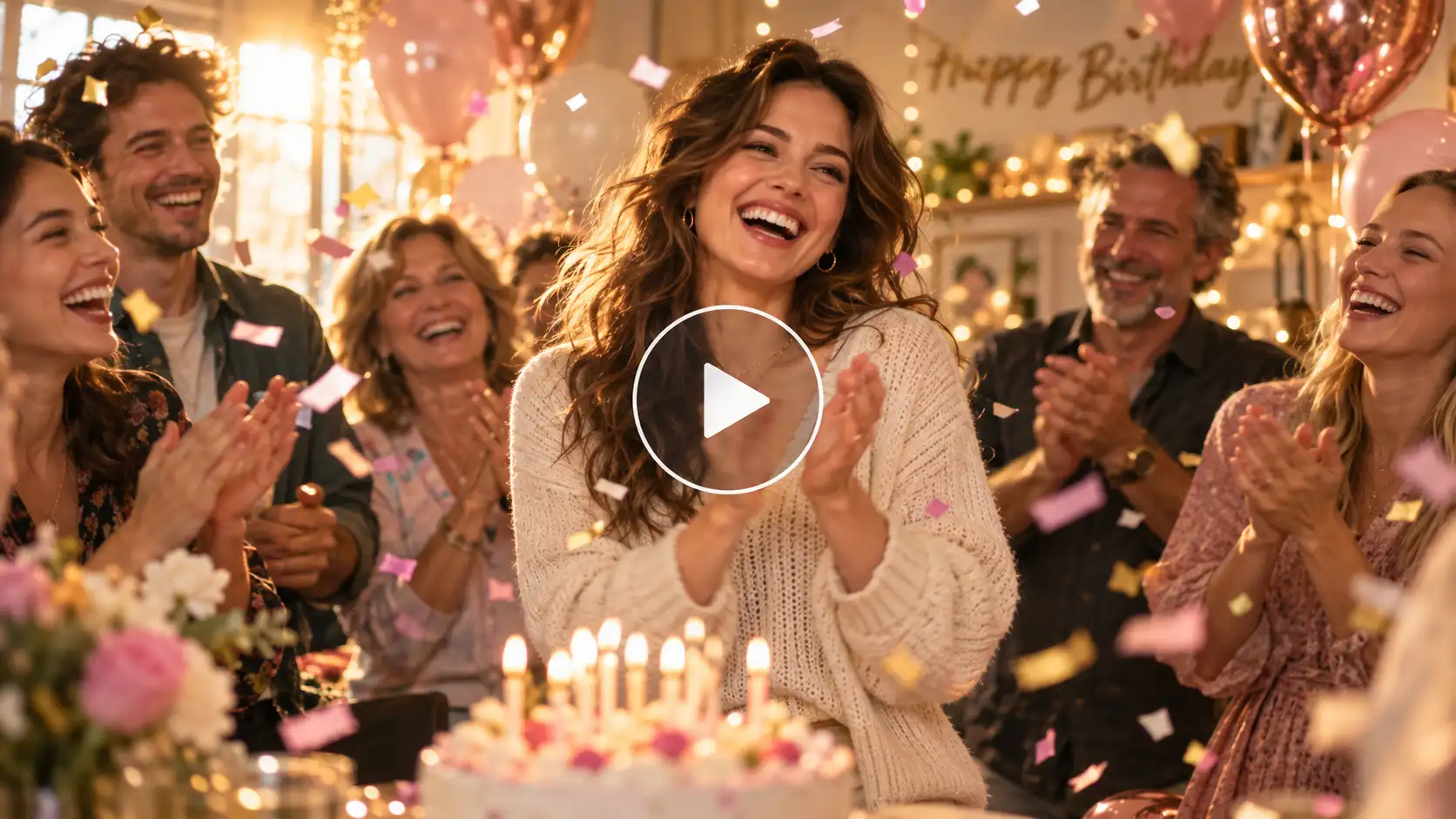
Concept: A warm, joyful gathering capturing authentic laughter and nostalgia.
Prompt:
A cinematic medium shot of a cheerful 30-year-old woman with warm brown wavy hair and a genuine smile, surrounded by close friends and family in a brightly lit indoor living room. She is wearing a soft cream-colored knit sweater. In the background, fairy lights glow softly against a warm beige wall, surrounded by pastel pink and rose-gold helium balloons floating near the ceiling. The subject laughs, claps playfully, and gently sways as multi-colored confetti falls smoothly in slow motion around her. Warm, soft golden-hour light streams through a nearby window, creating a cozy and heart-warming atmosphere. 4K resolution, ultra-realistic movement, 24fps film look.
2. Romantic Birthday Video
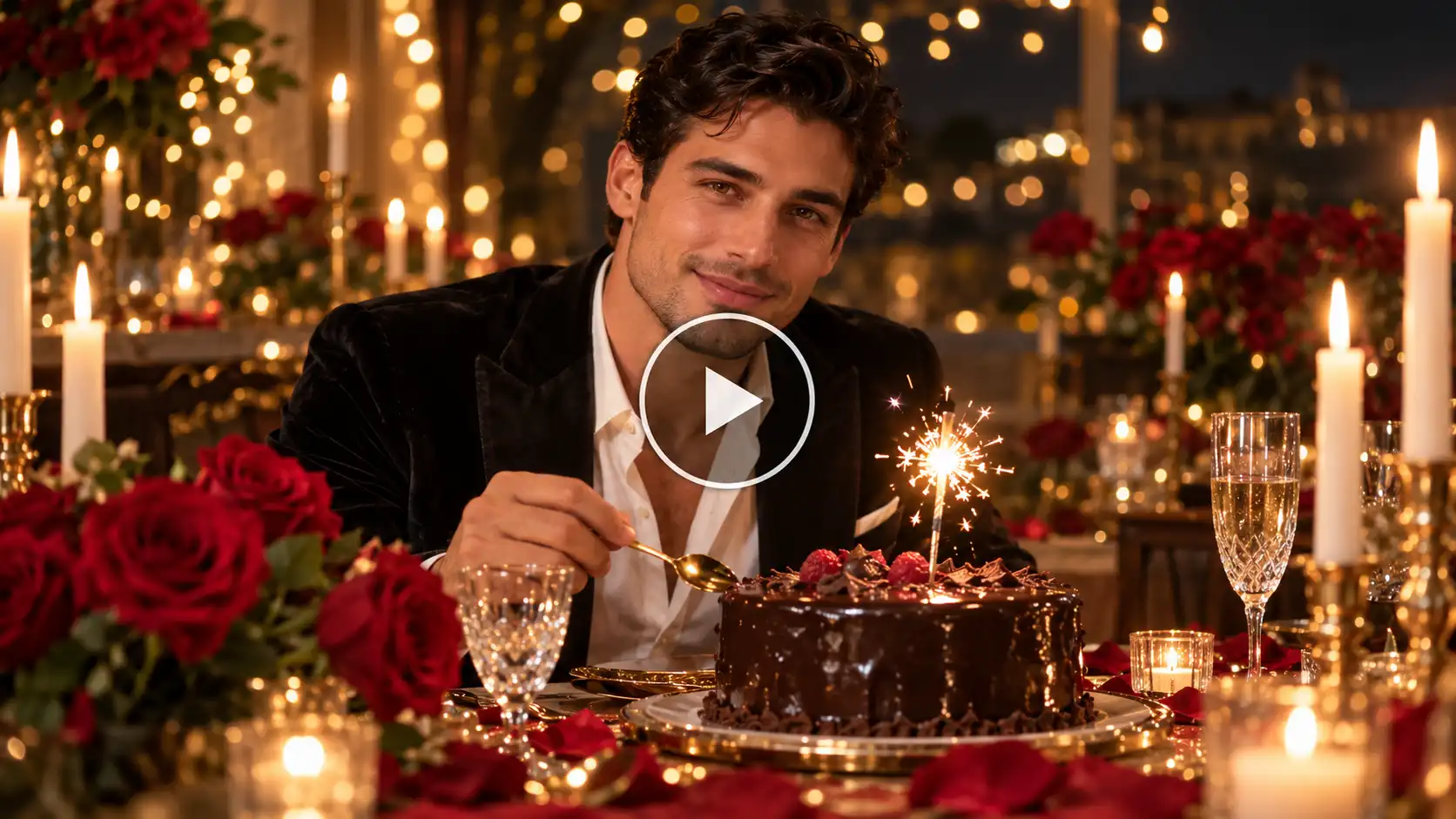
Concept: An intimate, dreamlike celebration filled with candlelight and elegance.
Prompt:
A slow-panning, close-up shot of a handsome man in his late 20s with short dark hair, wearing a sharp black velvet dinner jacket over a crisp white open-collar shirt. He is sitting at a dimly lit romantic dinner table decorated with deep red roses, glowing tall white taper candles, and fine crystal glassware. He looks directly toward the camera with a gentle, affectionate smile, picking up a golden dessert spoon next to a single-tier chocolate ganache cake topped with a burning sparkler candle. Warm bokeh from surrounding fairy lights creates a romantic halo effect. Smooth camera glide, subtle facial animation, rich color grading.
3. Kids’ Birthday Video
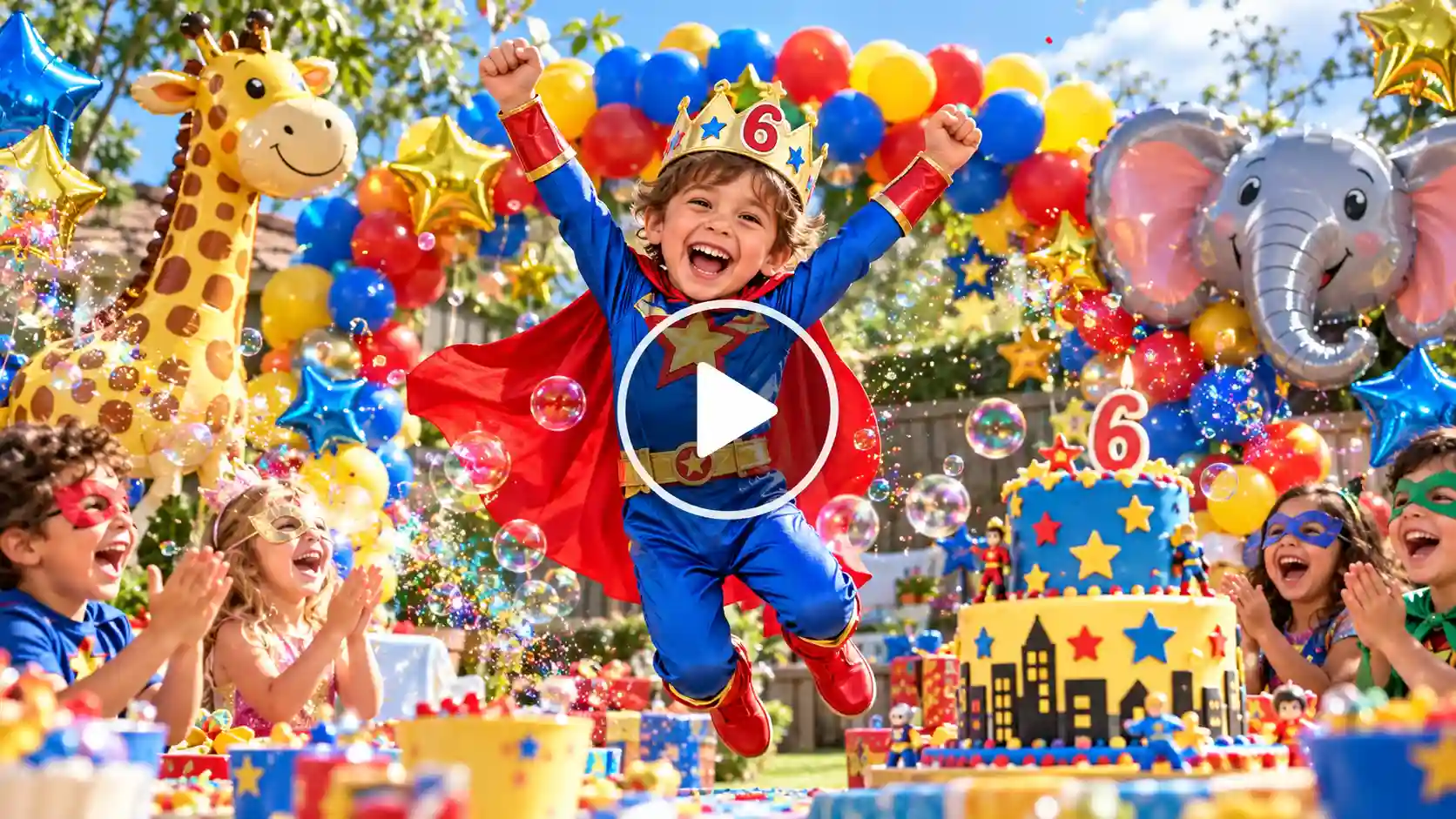
Concept: Playful, vibrant, and full of magical, high-energy party elements.
Prompt:
A dynamic wide-angle shot of a delighted 6-year-old boy wearing a colorful superhero costume with a bright red cape and a birthday crown. He is standing in the middle of a brightly decorated backyard party filled with floating colorful balloon arches, giant animal foil balloons, and a tiered fondant cake decorated with stars. The child raises his arms up in excitement, jumps playfully, and smiles broadly as a wave of colorful bubbles and glitter drifts across the frame. Bright, vivid daylight with rich primary colors, energetic subject motion, crystal-clear focus.
4. Fun & Trending Birthday Video
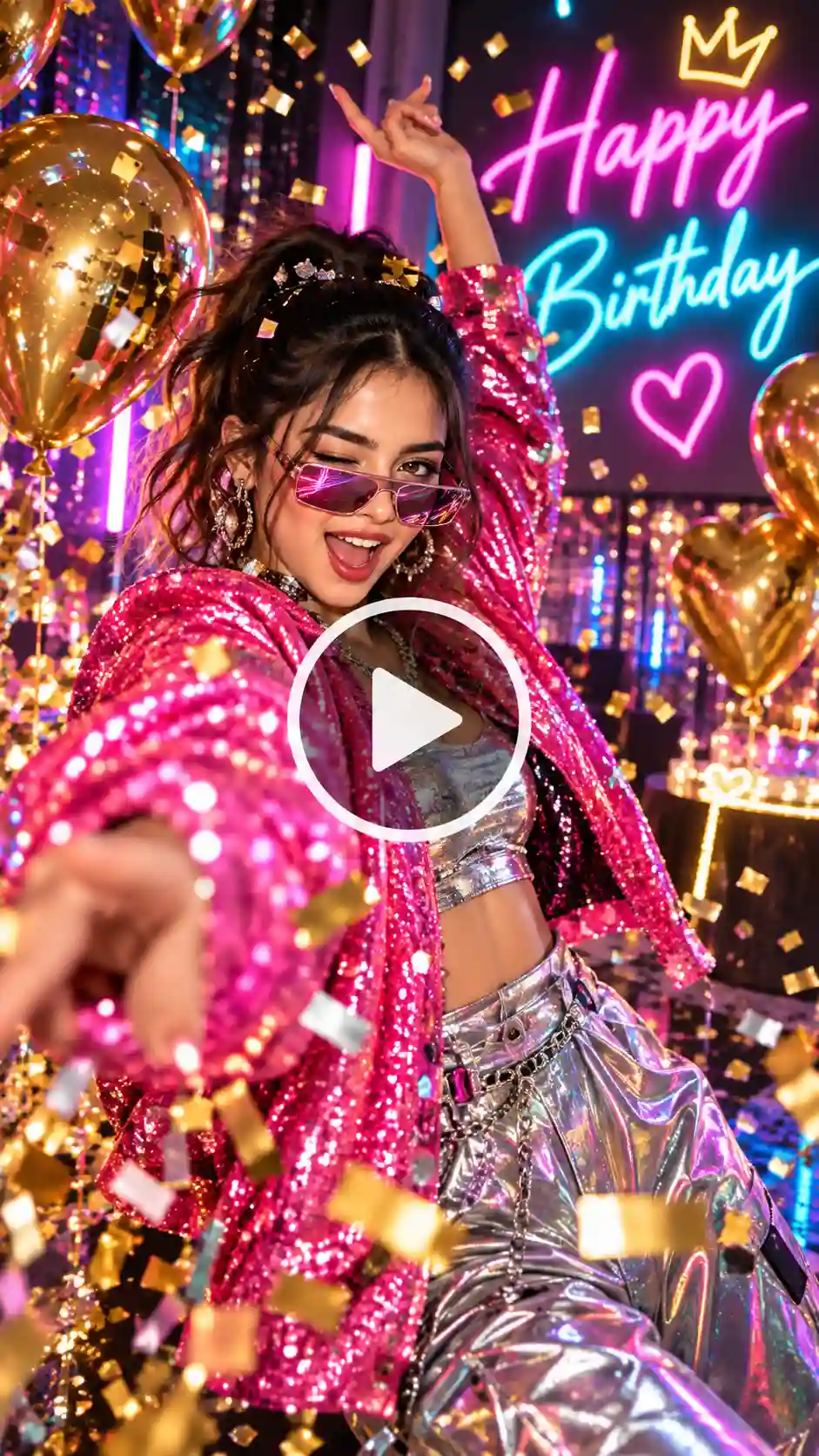
Concept: High-energy, stylish, and perfect for social media reels or TikTok.
Prompt:
A vibrant, portrait-oriented dynamic shot of a trendy young woman in her early 20s wearing an oversized neon-pink sequin jacket and cool futuristic sunglasses. She is dancing energetically to party music on a neon-lit studio floor with floating metallic gold balloons and glowing birthday LED neon signs in the background. She winks playfully at the camera, spins around once showing off her outfit, and throws a handful of metallic glitter into the air. Fast-paced camera tracking, vibrant RGB lighting effects, crisp high-frame-rate movement.
5. Brands and Business Birthday Video
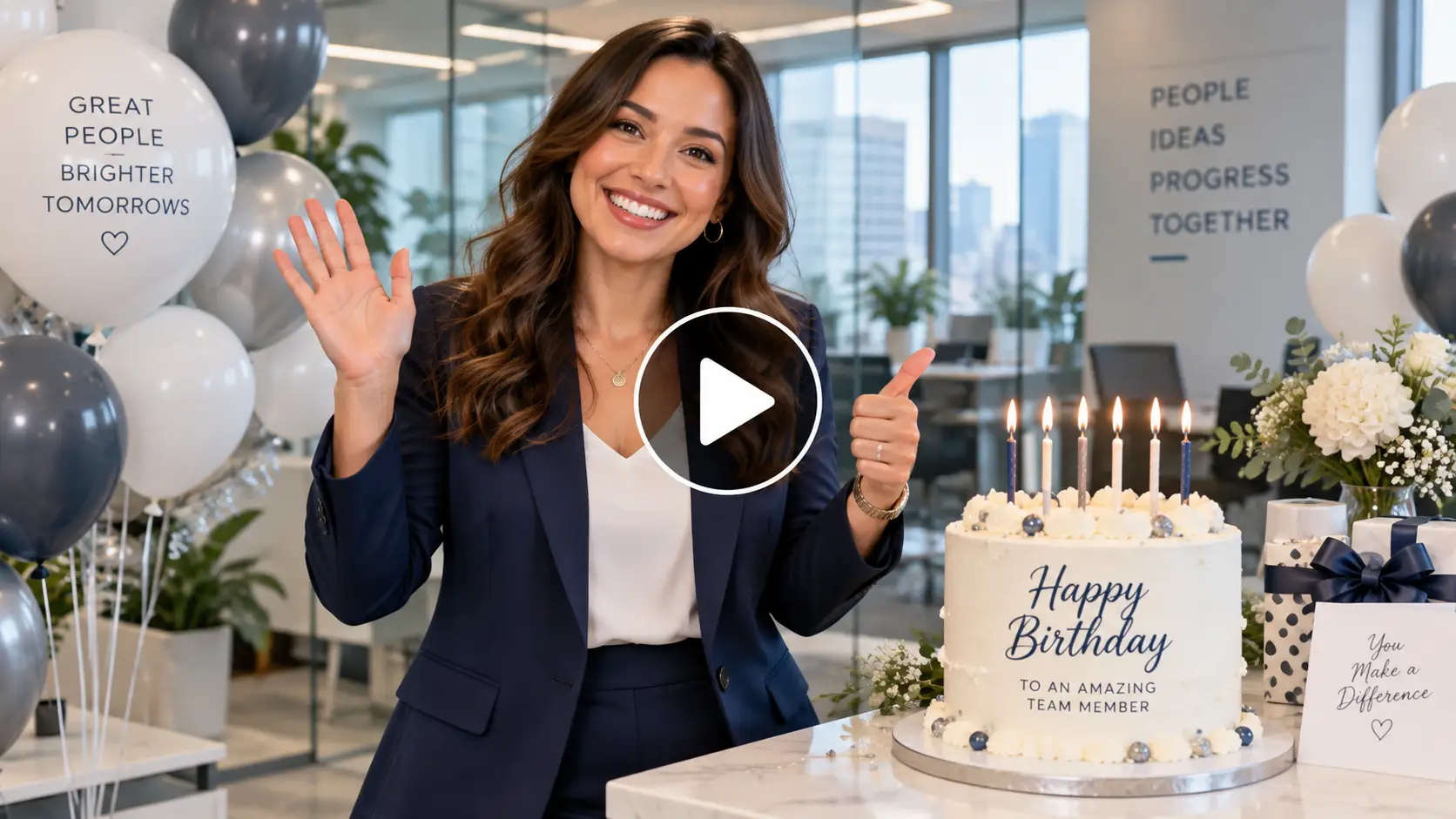
Concept: Professional, polished, and appreciative for workplace or client celebrations.
Prompt:
A professional medium shot of an approachable corporate employee in a sleek navy blue blazer, standing in a bright, modern glass-walled office space. On the desk, there is an elegant modern white birthday cake with subtle brand-colored candles glowing softly, flanked by subtle white and slate-grey balloon arrangements. The employee smiles warmly, looks straight into the camera, waves politely, and gives a friendly thumbs-up gesture. Clean, soft corporate studio lighting, steady tripod camera shot, professional color palette.
Detailed Birthday Video Format
A. Multi-Scene Video with Timings
Scene 1 (0:00 – 0:03) – The Entry:
A cinematic shot of a young woman stepping into a dimly lit room with her eyes closed in anticipation. Friends’ shadows hold up party favors in the background. Warm ambient lighting.
Scene 2 (0:03 – 0:07) – The Surprise:
Close-up on her face as the lights switch on, her eyes pop open in pure delight, and a huge smile forms on her face while vibrant confetti drops from above.
Scene 3 (0:07 – 0:10) – The Cake Cutting:
Medium shot of the subject leaning over a table laden with a two-tiered frosted cake, blowing out lit birthday candles in slow motion while surrounding friends clap.
Outfit Change Reveal:
A seamless transition shot featuring a young woman in a room filled with gold birthday decorations. At first, she stands casually in a simple white t-shirt and jeans. She jumps upward in slow motion; at the peak of her jump, her outfit instantly morphs into a glamorous, floor-length emerald green sequin evening gown with silver jewelry. The background stays locked in place while the clothing swap occurs smoothly without any distortion to her face or hair.
Background ChangePrompt:
A continuous tracking shot focusing on a man in a sharp tuxedo holding a glass of champagne. The subject remains locked in the center with identical subject consistency and lighting, while the background dynamically transforms: starting in a cozy residential living room with balloon arches, shifting smoothly into a sunny luxury beach resort with palm trees, and ending in a sparkling rooftop lounge with city skyline fireworks exploding in the night sky.
Birthday Video Ideas For Reference To Image Tool
A complete birthday cake blowout video usually consists of several things going on in that video. Using a reference video process lets you combine multiple images such as one image for the face, another for an outfit and third for the background.
Here are four popular cinematic birthday video ideas that you can generate using prompts:
1: The Birthday Surprise Video: Capturing the authentic moment of surprise.
2: Cake Cutting Video: The centerpiece moment of any birthday celebration.
3: Birthday Dance Video: High energy and motion for a fun, festive clip.
4: Memory Slideshow with AI Enhancements: Transforming old family photos into dynamic video clips.
Tips For Best Results
1. Upload High-Quality Photos: Use clear, well-lit headshots to establish a strong character reference.
2. Maintain Consistency: Keep all your subject’s reference active across all scenes to ensure face and outfit.
3. Be Specific in Prompts: Always define the decorations and action/motion in every prompt.
4. Multiple references: Use images 1,2, 3 to describe what you want. Like birthday scenes, cake cutting videos and birthday dance videos.
FAQs
- What type of photo works best for a Birthday video?
A well lit and clear photo of the subject is needed for this type of video.
- What image formats and sizes can I upload?
You can upload JPEG, JPG and PNG format of images.
- Can I upload more than one photo?
Yes, you can upload images according to your reference needs.
- Can I use a photo that already has a costume?
Yes, you can upload a photo in a costume. Specify in the prompt to use the same costume in the video.
- How long can the video be?
The video can be for up to 30 seconds.
- Does the video include audio or music?
No, but you can ask the tool to add music or audio. You can also type the lyrics you want to modify.
 Create the Unforgettable UNO Trend
Upload your image and turn an UNO move into a viral transition.
Create the Unforgettable UNO Trend
Upload your image and turn an UNO move into a viral transition.