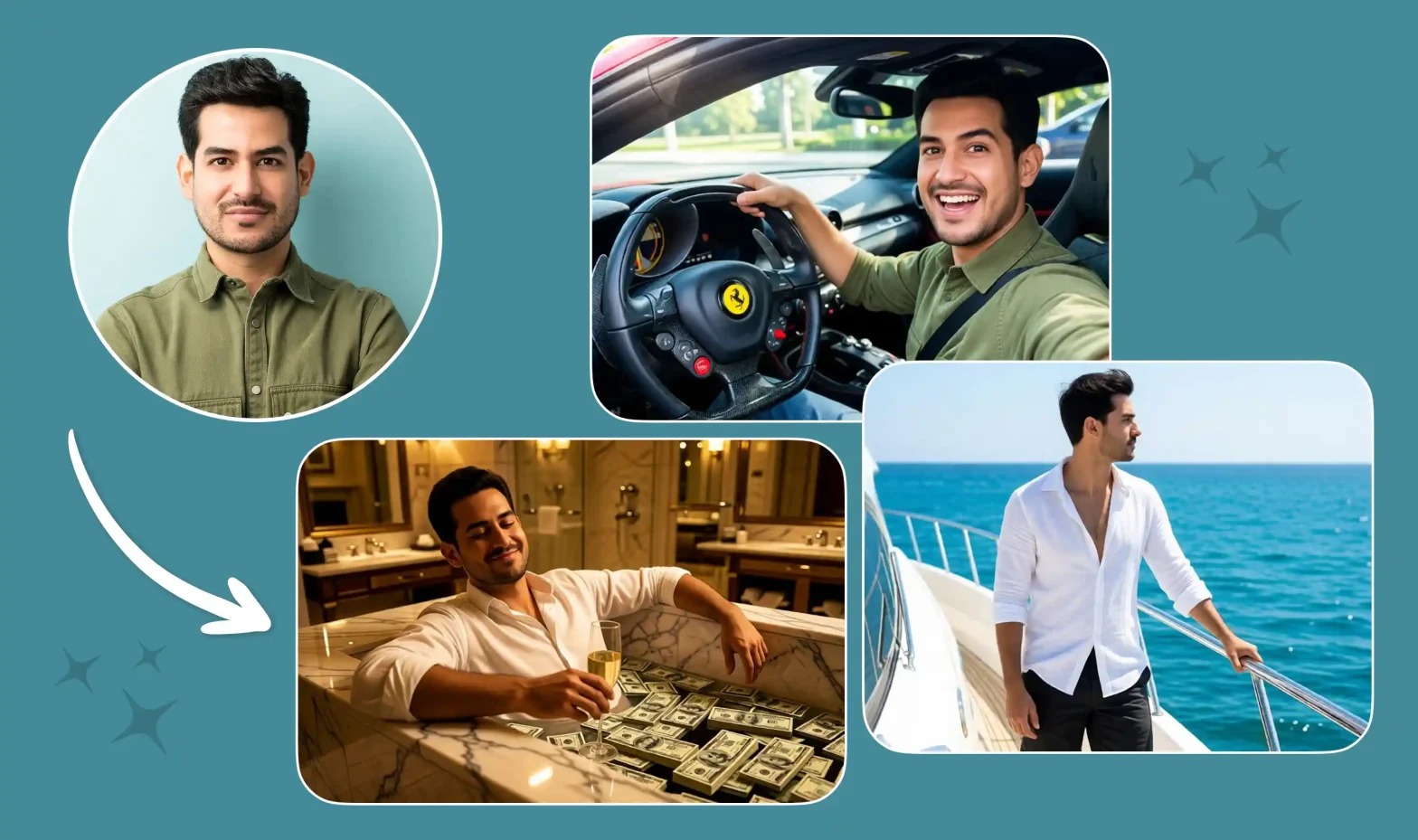
If you’ve been scrolling lately, you’ve definitely seen those short clips of someone with a completely serious face knocking out sharp arm rolls, knee pops, kicks, and spins to Chef Boy’s “Gang Gang.” That’s the Jean Phil dance trend, and it’s everywhere right now on TikTok, Instagram Reels, and YouTube Shorts.
 Create the Roadster Ramp Trend 🏎️
Upload your image and create a thrilling backward car jump off a ramp.
Create the Roadster Ramp Trend 🏎️
Upload your image and create a thrilling backward car jump off a ramp.
The best part? You don’t need to learn the choreography or set up a camera. Just drop in one clear photo of yourself (or a friend, your dog, or even a baby) and AI does the rest. It turns your photo into a full Gang Gang dance video that looks surprisingly real, deadpan expression and all.
I’ll walk you through exactly how to make a Gang Gang dance video, which photos work best, some ready-to-use prompts, and a few small tips that can help your video get more views while the trend is still hot.
What is the Gang Gang Dance Trend?
The gang gang dance trend (also called the jean philanthrope dance or jean phil dance trend) exploded in September 2026. Jean Philanthrope, better known as Jean Phil, is an AI-generated character with a distinctive jean phil blond bob moustache, brown jean phil houndstooth suit, and completely serious expression. He shadowboxes and dances to “Gang Gang” by Chef Boy in everyday places and on blue-lit stages. Clips of him racked up millions of views within days, and people immediately started recreating the moves.
Many still debate jean phil ai or real, but the consensus is that he is fully AI-generated. That hasn’t stopped the trend. Creators now use photo-to-dance video AI and image-to-video AI tools to put themselves, friends, pets, or babies into the same routine. The result is a short, vertical gang gang dance AI video that fits perfectly on TikTok, Instagram Reels, and YouTube Shorts. Whether you want a solo performance, a dance battle AI video, an AI pet dance video, or even an AI baby dance video, the format works for almost anyone.
Stepwise Guide on How to Create a Gang Gang Dance AI Video
Using a Pre-defined Template
Step 1: Choose the character for the image. Upload one clear photo of yourself, a friend, your pet, or anyone you want in the video.
Step 2: Change your background and outfit using prompts (for example, “blue-lit stage” or “Jean Phil houndstooth suit style”).
Step 3: Choose the appropriate resolution and aspect ratio (select vertical 9:16).
Step 4: Click Generate, then download the final video.
If you want to make a video from scratch, use our Image to Video Tool.
Using Reference to Video (Step-by-Step Guide)
Step 1: Go to the Reference to Video Tool.
Step 2: Define your character. Upload one clear photo, such as you, a friend, or your pet.
Step 3: If you own a driving video, add it as the video reference and write a prompt to replace the person in it. For example: “Replace the person in the video with the person in my reference image while keeping the exact Gang Gang dance moves.”
Step 4: If you don’t have a driving video, create the whole effect with a prompt. Be clear about the look and the dance. In your prompt, you can mention:
- Character: image, outfit, makeup, and style (for example, serious expression, houndstooth suit, or natural look)
- Scene: background, lighting, camera angle, and more (for example, blue-lit stage or urban street)
- Action: the exact Gang Gang / Jean Phil dance moves — arm rolls at the chest, knee pops, kick, turn, spin, and confident finish
To learn more about the tool and the steps, visit this blog: How To Swap Face In a Video
Sample Prompt and Structure to Follow
You can swap the subject to suit your idea, yourself, a friend, a couple, siblings, a dancing dog video generator style pet, or even a baby.
Prompt example:
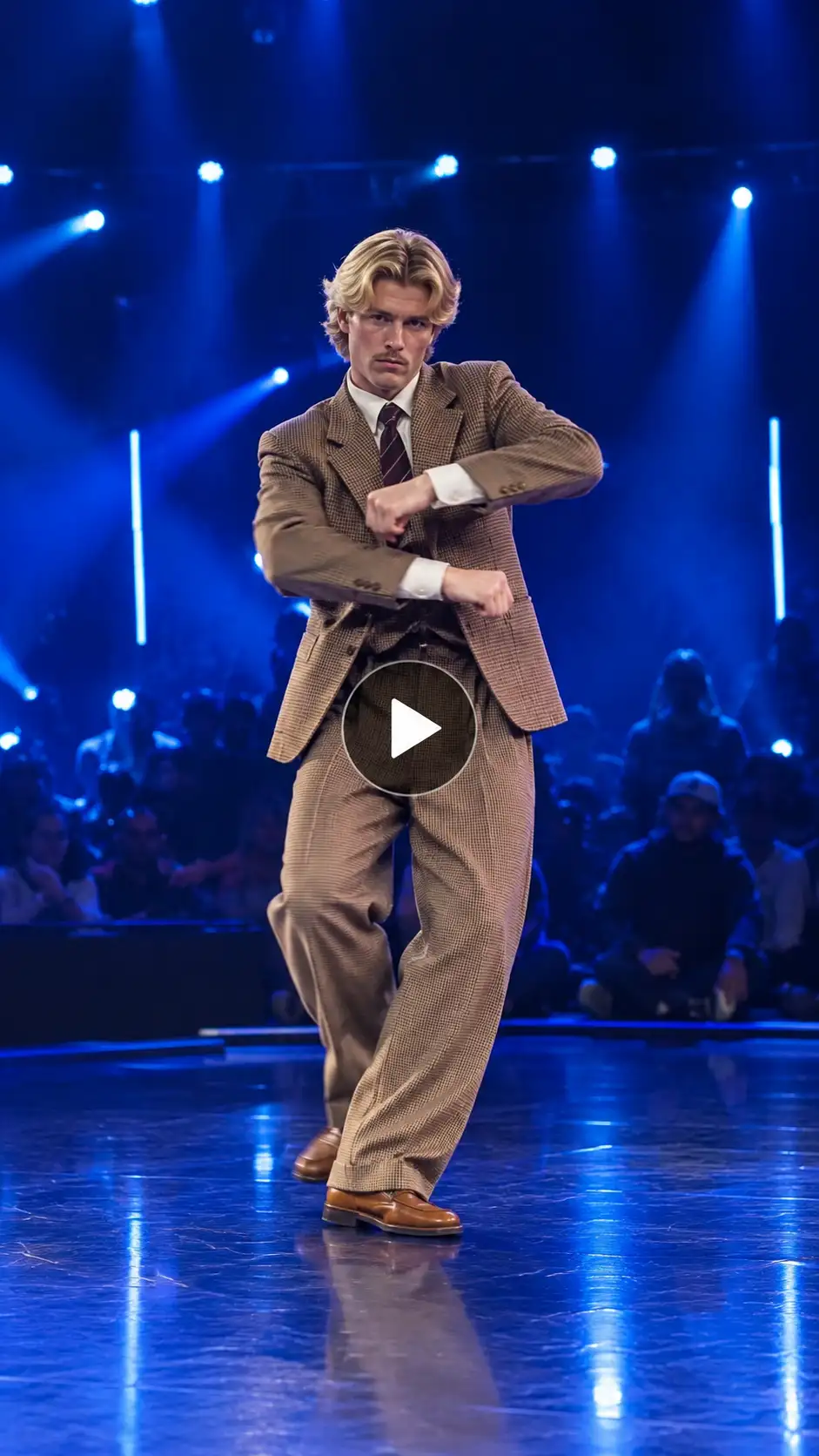
Character look: A person with clear facial features and natural skin texture, wearing a brown houndstooth suit and showing a serious, deadpan expression inspired by the jean phil blond bob moustache style (or keep your natural look). Full body visible.
Background setting: Blue-lit stage with dramatic lighting, or a simple urban street at night. Clean and focused.
Camera angle: Steady front-facing medium shot, vertical 9:16 aspect ratio, slight slow push-in.
Motion effects: Performs the exact gang gang chef boy dance sequence — smooth arm rolls at the chest, sharp knee pops, a side kick, a turn upstage, a spin, knee shake, arms thrown wide, a point upward, and a confident hand-on-hip finish with a serious smirk.
Song: “Gang Gang” by Chef Boy.
Scene description: On a blue-lit stage, the character executes the viral Jean Phil dance moves with total confidence and deadpan seriousness. Ultra-realistic motion, high quality, 12–15 second vertical 9:16 video.
What You Will Get in the Videos
Here’s what your finished gang gang dance AI video will look like:
- Length: A short clip of about 10 to 15 seconds, perfect for scrolling.
- Shape: Vertical video in 9:16 — the same tall format used on TikTok, Instagram Reels, and YouTube Shorts.
- Setting: Blue-lit stage, Paris street, café, or any simple background you choose.
- What you are doing: The full Gang Gang Chef Boy dance routine with sharp, confident moves and a serious expression.
- Camera style: Steady, front-facing shot that feels natural and phone-filmed.
- Sound: “Gang Gang” by Chef Boy plays throughout (add the official sound when you post).
- Overall feel: Energetic yet deadpan, exactly like the original Jean Philanthrope dance clips that started the trend.
In short, the AI takes one photo and turns it into a ready-to-post version of the viral gang gangdance trend 2026.
Tips for the Best Results
- Use a clear, well-lit full-body or half-body photo looking straight at the camera for the best full-body photo-to-video results.
- Keep the background simple so the AI focuses on the dance moves.
- Mention “blue-lit stage” or “Jean Phil style serious expression” in your Gang Gang AI video prompt for stronger trend matching.
- Add the official “Gang Gang” by Chef Boy sound when you post so your video joins the Gang Gang dances TikTok trend.
- Try different models — some handle fast dance motion better than others.
- Stick to vertical 9:16 for maximum reach on short-form platforms.
- Want something different? Use the same process for an AI pet dance video, make your dog dance with AI, or a baby dance video.
Conclusion
The gang gang dance trend is energetic, easy to join, and perfect for sharing. Whether you want a classic Jean Phil recreation, a dance battle AI video with friends, or a fun AI pet dance video, it only takes a few minutes. Upload one photo, use a clear gang gang AI video prompt, generate your clip, and post it with the trending sound. That’s all it takes to create your own version of the viral gang gang dance trend 2026.
FAQs
What is the best video length for this trend?
10 to 15 seconds works best. It matches the original Jean Phil clips and keeps viewers watching on TikTok and Instagram Reels.
What aspect ratio should I use?
Use 9:16 vertical video. It fills the screen on TikTok, Instagram Reels, and YouTube Shorts.
Can I use a selfie or a half-body photo?
Yes. A clear front-facing selfie or half-body photo works for one-photo dance video results. Full-body photos give better full movement.
Can I make this video with a friend, family, or a pet?
Yes. Upload one or two photos. You can create duo versions, an AI pet dance video, or even an AI baby dance video.
Do I need a studio photo?
No. A clear everyday photo is enough. You can describe a blue-lit stage or street setting directly in the prompt.
 Create the Viral Hotel Lobby Trend 🎵🔥
Upload your image and transform it into a viral music video.
Create the Viral Hotel Lobby Trend 🎵🔥
Upload your image and transform it into a viral music video.