Cupid AI Video is a trend taking over social media feeds, combining the mythical creature ‘Cupid’ with a comedic twist. If you have been wondering how to make cupid AI videos, here is everything you need to know about this trend.
 Gas Up the Trend ⛽🔥
Create your own gas station trend in seconds.
Gas Up the Trend ⛽🔥
Create your own gas station trend in seconds.
What Is The Cupid AI Video Trend?
This cupid trend is a funny and role reversal reel where the traditional mythology is presented in a humorous way. Instead of the classic love story where the winged cherub matches and shoots lovers with his bow and arrow, this modern skit shows just the opposite. Here cupid gets completely rejected, pranked and hilariously kicked out of nowhere.
Because of the popularity of short-form platforms, creators use an AI video generator or image-to-video AI tools to bring these funny scenes on social media in 9:16 format perfect for Instagram and YouTube Shorts.
Stepwise Guide On How To Generate Cupid AI Video
Using Pre-Define Templates<Listing page>
- Step 1: Choose the Character of Cupid and the person who you want to film. Select your core characters, defining their visual attributes to maintain consistency across frames.
- Step 2: Background, Outfit & Prompt: Set your scene with detailed styling notes, such as a modern city rooftop or cloudspace, paired with signature clothing like white puffer jackets or jeans.
- Step 3: Choose Appropriate Resolution and Aspect: Configure your output settings to vertical 9:16 format to optimize the video for instagram reels and YouTube Shorts.
Using Reference to Video with driving video
- Go To Reference to Video: Navigate to LightX’s video platform’s reference or motion-transfer tool.
- Step 1: Define your Characters: Establish clear visual profiles for both your cupid and the interacting character.
- Step 2: Use Video Reference and Replace Faces: If you own or have a source driving video (such as a clip of a girl kicking or interacting). Configure that as your video reference. Write a precise prompt to replace the faces and models. For example, replace person 1 on the left wearing black set with reference image 1 and replace person 2 on right with reference image 2. Please refer to AI Video Face Swap for more guidelines.
Using Reference to Video without driving video
- Step 1: Define your Characters: Establish clear visual profiles for both your cupid and the interacting character.
- Step2: Generate using prompts if there is no driving video: If you don’t have a reference video, generate the whole effect using a detailed prompt. Clearly specify your parameters. Check out the Image to Video Generator for more relevant details.
1. Define character image outfits, makeup & style
Detail the specific wardrobe pieces such as oversized vintage streetwear, angelic feathered wings and a golden bow, along with hair and makeup styling.
2. Define scene background, lighting, camera and more
Specify whether the shot uses an overhead tracking camera or a shaky handheld camera, complete with golden hour lighting or bright clothes.
3. Define how characters are interacting or acting (along with their motion)
Explicitly outline the comedic timing, physics and actions such as a sudden kick or an unexpected mid-air collide.
Related: Refer to this page on Reference To Video Generator
Prompts You Can Use Directly for Cupid AI Video in Reference to Video Generator
1. Cupid flying above the clouds
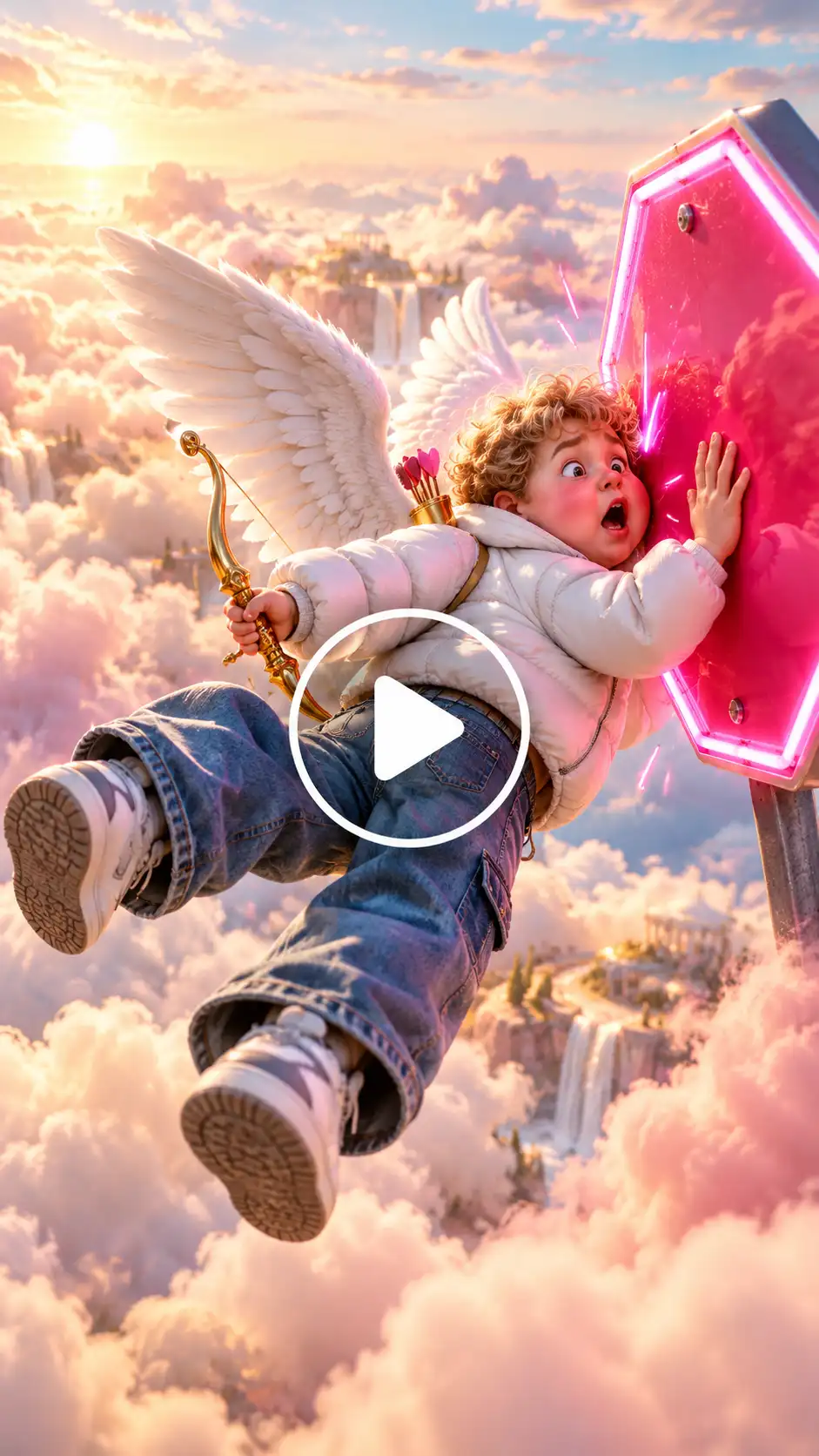
An overhead camera shot of a winged cupid in a white puffer jacket and flared jeans gliding lazily through soft cotton clouds, holding a golden bow, suddenly startled by an unexpected obstacle. An overhead tracking camera shot in vertical 9:16 format, capturing a whimsical scene of a chubby cherub-like cupid wearing a modern white puffer jacket, baggy flared jeans, and massive feathered white angel wings. He glides lazily through fluffy, sun-drenched cotton candy clouds while holding a glistening golden bow. Suddenly, with sharp comedic timing, an unexpected neon-pink stop sign materializes in mid-air, causing him to bump right into it with a funny, startled expression. Photorealistic lighting, vibrant colors, viral social media aesthetic.
2. Rooftop to street
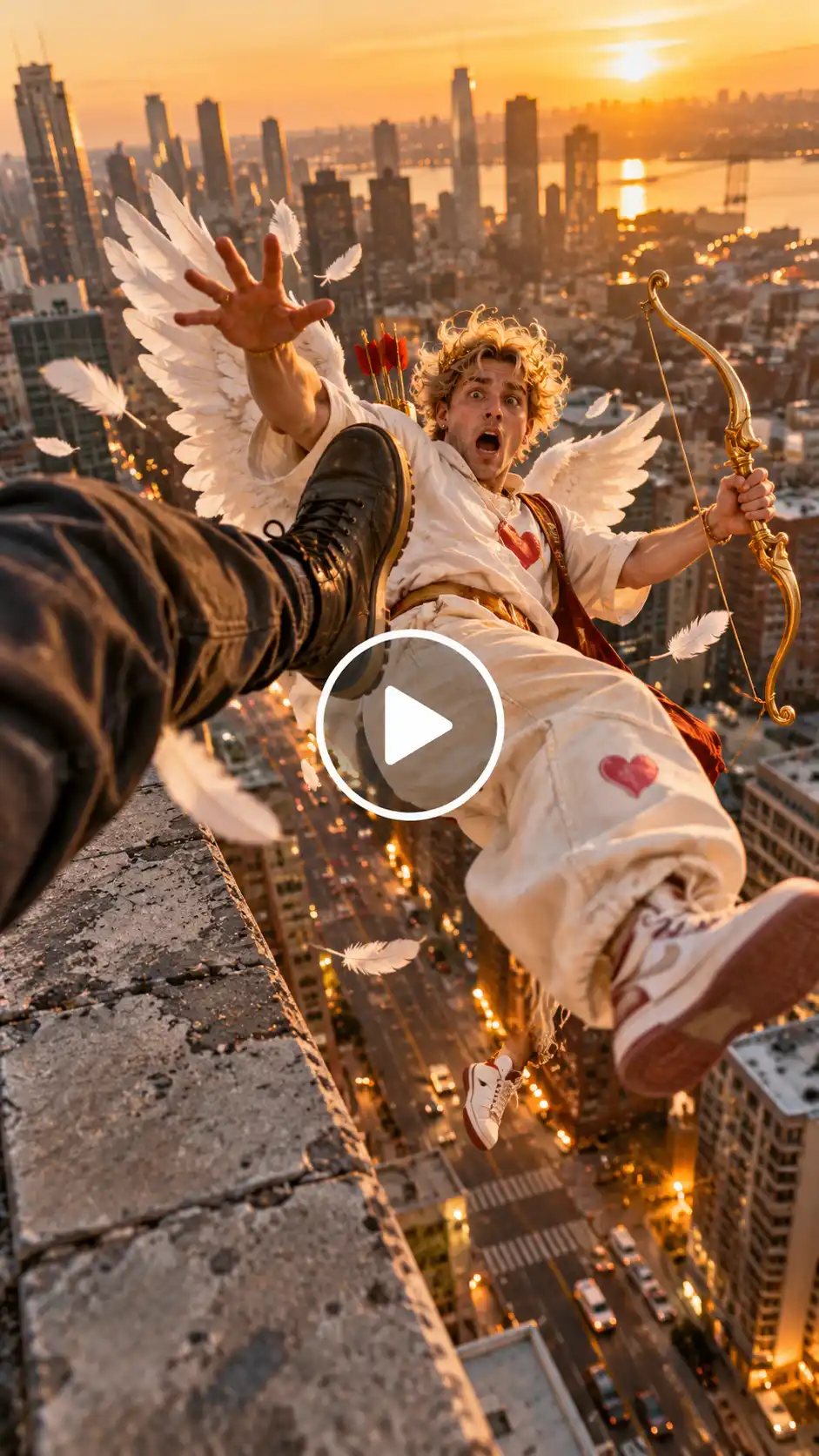
A shaky, handheld camera perspective looking down from a high-rise concrete rooftop ledge against a golden hour city skyline. A clumsy cupid wearing oversized vintage streetwear and feathered wings is carefully aiming his golden bow downward at passing pedestrians. With sudden and snappy comedic timing, an unseen boot enters the frame from the side and delivers a swift, powerful high kick straight to his chest, sending him tumbling backward off the edge in a hilarious role-reversal fail sequence. Cinematic motion blur, dramatic action camera shake, trending Reels style.
3. Cupid on an airplane wing:

A wide, sun-drenched cinematic shot captured from a high-speed aerial camera angle. A modern streetwear-clad cupid with large glowing white wings is perched casually on the metal wing of a soaring commercial jetliner high above the earth, trying to tune his golden bow. Mid-sentence, the airplane hits sudden, violent turbulence, violently jolting the wing and pitching cupid forward into an exaggerated, chaotic spin. High-contrast lighting, crisp cloud background, ultra-detailed textures.
Related blog: Make Witch On a Broomstick AI Video
Tips for Best Results
- It is important to pay attention to the framing. Ensure that the framing for your video is vertical 9:16 for it to be mobile-friendly.
- Ensure that the comedic timing is perfect. The comedy relies on the element of surprise. The motion prompts, therefore, have to be instantaneous and quick rather than slow.
- Combine styles and experiment with bringing in realistic light effects along with elements of fantasy to create a contrast.
Conclusion
Creating a viral cupid AI video is just a fun creative way to utilise the modern generative tools for social media engagement. By combining sharp role reversal elements with prompting, you can make standout clips that not only capture attention but also get monetised on Reels and Shorts.
FAQs
What type of photo works best for the Cupid AI video?
Clear and well lit photos are best for the cupid AI video.
What aspect ratio and video length should I use for Reels, TikTok and Shorts?
9:16 is the best aspect ratio for reel and YouTube shorts.
How do I keep the face and outfit consistent in the generated video?
Specify in the prompts that you want a consistent face and body matching the reference image.
Can I add music or sound effects to the video?
Yes, you can ask the AI generator to add music and sound effects to the video.
 Create the Unforgettable UNO Trend
Upload your image and turn an UNO move into a viral transition.
Create the Unforgettable UNO Trend
Upload your image and turn an UNO move into a viral transition.