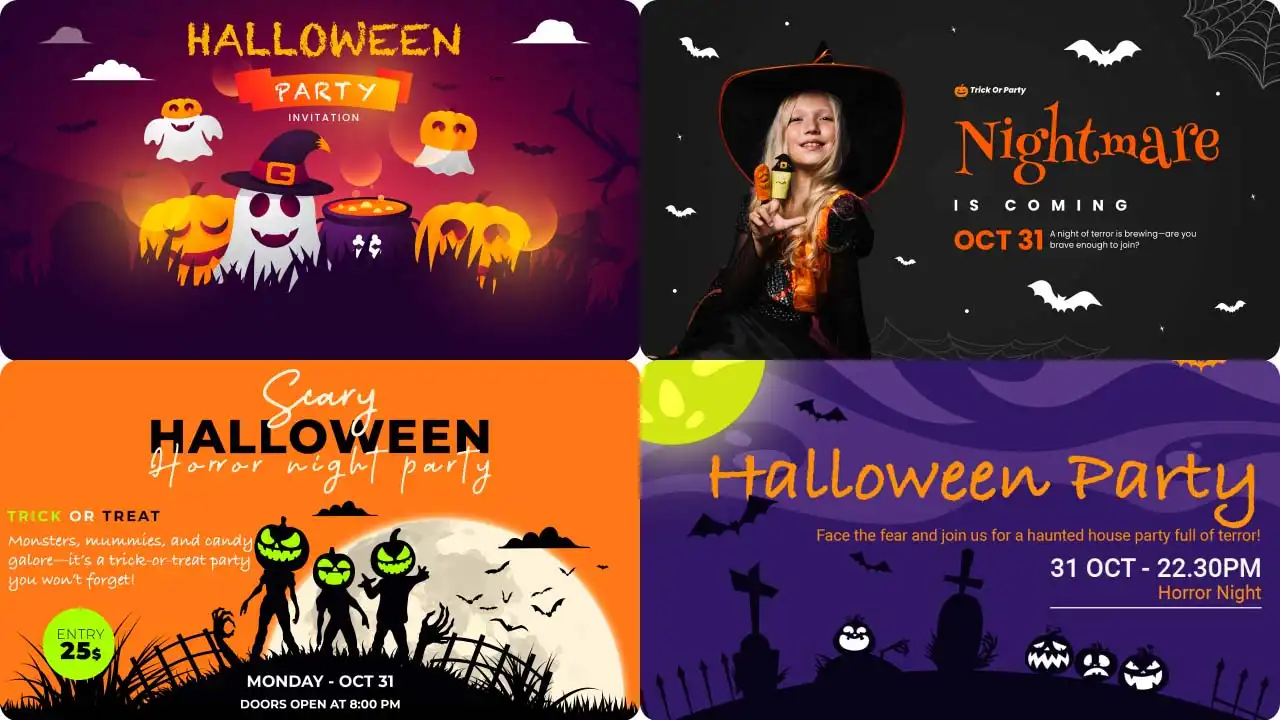
Every October, feeds fill up with people turning into vampires, witches, and zombies in a blink. If you have been wondering how to make Halloween costume AI videos, the answer is simpler than you think. You need a photo, a short prompt, and a few minutes on LightX: no costume, no makeup, no editing software.
 Gas Up the Trend ⛽🔥
Create your own gas station trend in seconds.
Gas Up the Trend ⛽🔥
Create your own gas station trend in seconds.
This blog covers the styles worth trying, the best photos to use, a few prompts you can copy, and tips to get a clean result on the first go.
What Is a Halloween Costume Video?
A Halloween costume video is a short clip that shows a person, a couple, or a group in a spooky or fun costume. It can be a quick reveal, a walk down a dark street, a dance, or just a funny moment in character. An AI Halloween costume video does the same thing without the physical effort.
AI dresses your photo in the costume you describe, then brings it to life with movement, so you can be a vampire in the morning and a scarecrow by lunch.
Trending Halloween Costume Video Prompts You Can Copy
These trending Halloween costume ideas are ready to use. Just copy and paste the prompts to create your videos. You can also explore our Halloween costume templates for more inspiration.
Male Prompts
Here are ready-to-use prompts that any guy can try. Just copy and paste them into the AI tool.
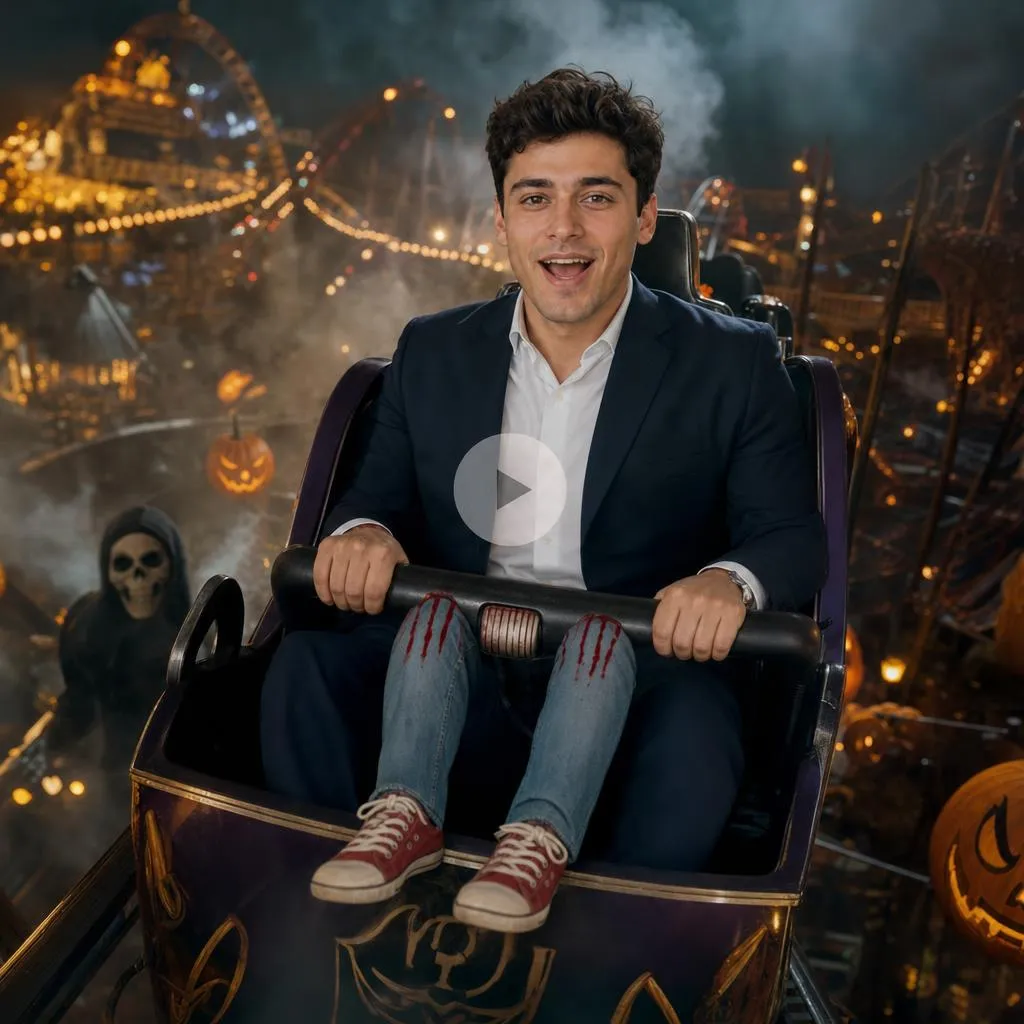
1. Roller Coaster Illusion
Prompt :
Use the reference image of the man. Keep his face and identity fully consistent. Transform him so he appears seated in a roller coaster car with fake dangling legs in front and a safety bar. He shakes slightly as if on a ride with an excited expression. Background: night amusement park with glowing lights, drifting fog, and Halloween decorations. 6–8 seconds, photorealistic, cinematic.
Music vibe: Upbeat carnival/funfair track with rising tension, playful screams, and a light roller-coaster whoosh.
2. Skeleton Jumpsuit (humorous)
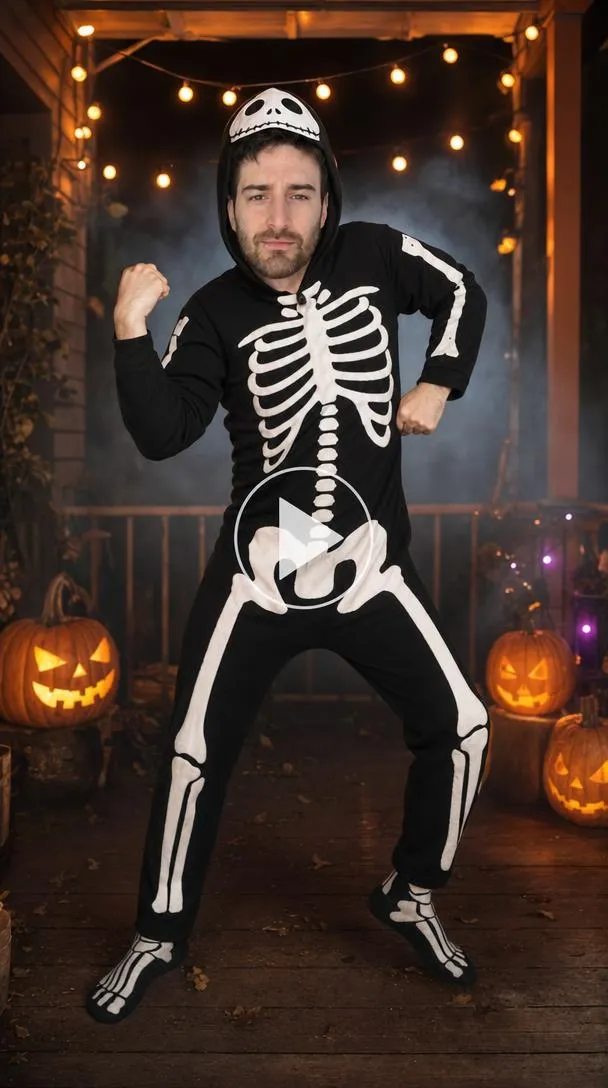
Prompt :
Use the reference image of the man. Keep his face recognizable. Dress him in a black skeleton-print jumpsuit with a skull hood. He does a simple humorous pose or small dance move. Background: dark porch with string lights, carved pumpkins, and light fog. 5–7 seconds, photorealistic, party lighting.
Music vibe: Playful spooky dance track — light bones-rattling percussion, cartoonish ghostly laughs, upbeat Halloween party beat.
3. 70s Fur Coat Style
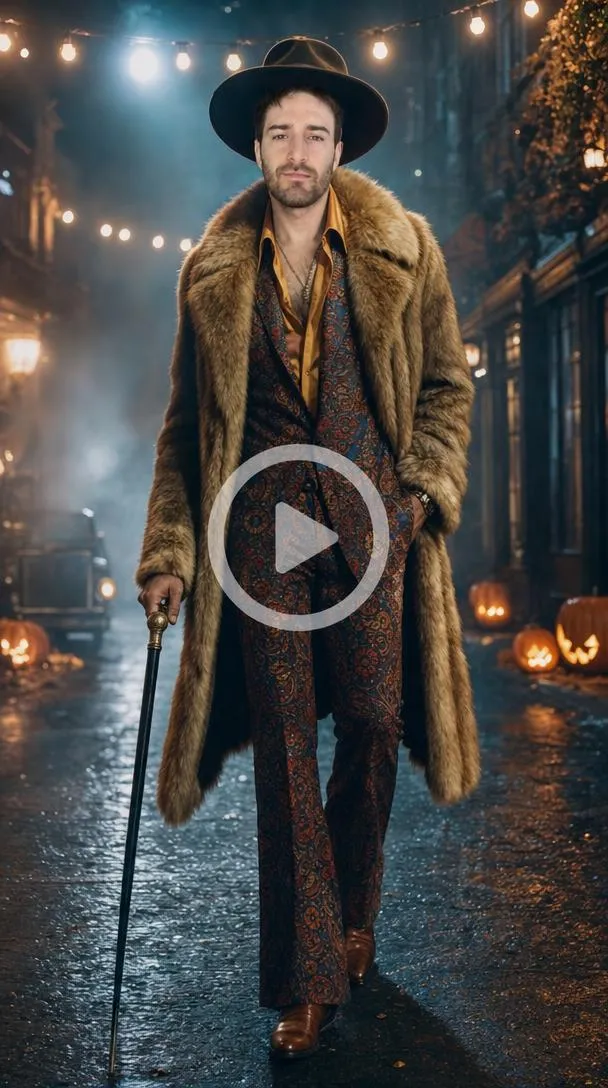
Prompt :
Use the reference image of the man. Keep his face consistent. Dress him in a wide-brim hat, long fur coat, colorful suit, and a cane. He walks confidently or strikes a pose. Background: night street with fog, string lights, and jack-o’-lanterns. 6–8 seconds, photorealistic.
Music vibe: Funky 70s disco / soul groove with a slight spooky twist, bass-heavy, confident strut energy.
4. Dark Clown (white face, green hair)
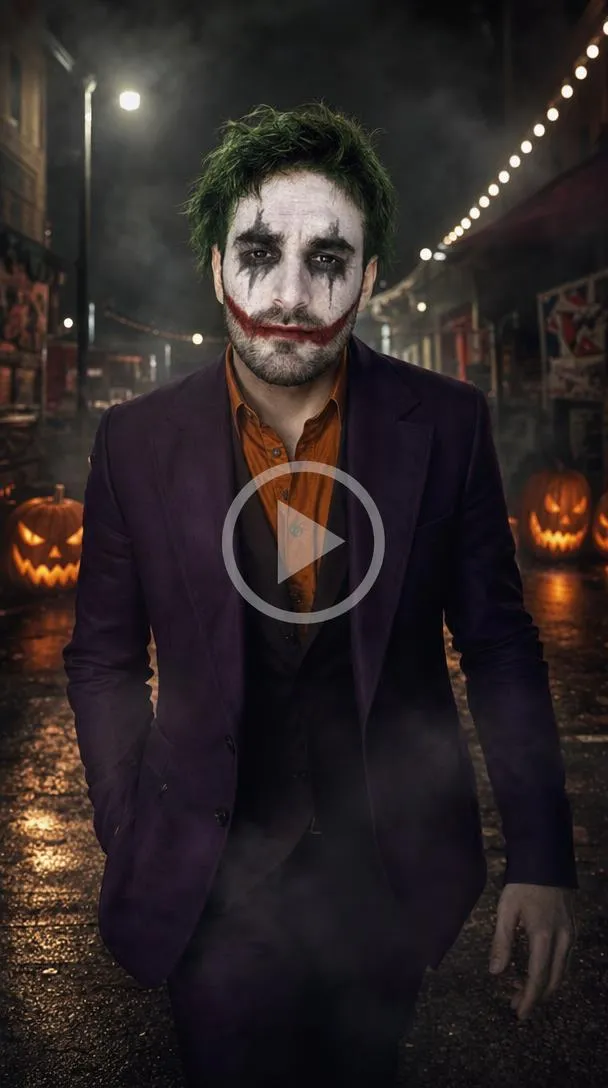
Prompt :
Use the reference image of the man. Preserve his face and identity. Apply white face paint, black eye makeup, messy green hair, and a wide red smile. Dress him in a purple suit jacket over an orange shirt. He walks slowly toward the camera with a dramatic pose. Background: dark urban night with drifting fog, glowing pumpkins, and distant string lights. 6–8 seconds, cinematic, photorealistic.
Music vibe: Dark carnival / twisted circus track — minor-key accordion or calliope, slow ominous build, subtle laughter in the background.
5. Black Armored Cape Hero
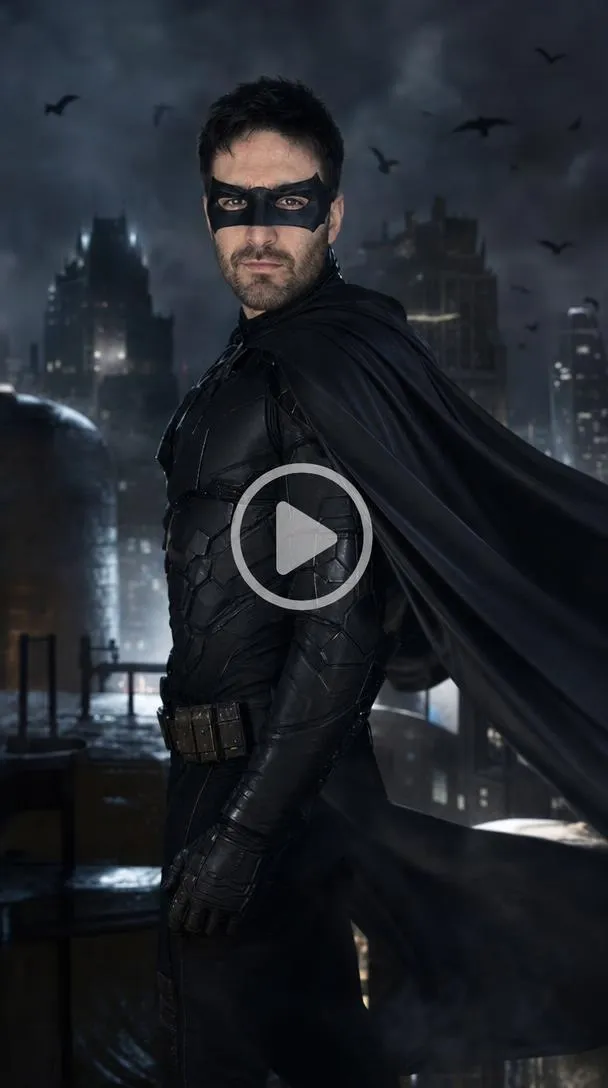
Prompt :
Use the reference image of the man. Keep his face recognizable. Dress him in a black armored suit with a flowing cape and utility belt, cowl partially covering the upper face. He walks or turns with a dramatic pose, cape moving. Background: night city rooftop with thick fog, glowing windows, and bats. 6–8 seconds, photorealistic.
Music vibe: Epic dark superhero score — deep strings, low brass hits, slow cinematic pulse, wind and distant city ambience.
6. Striped Sweater Figure
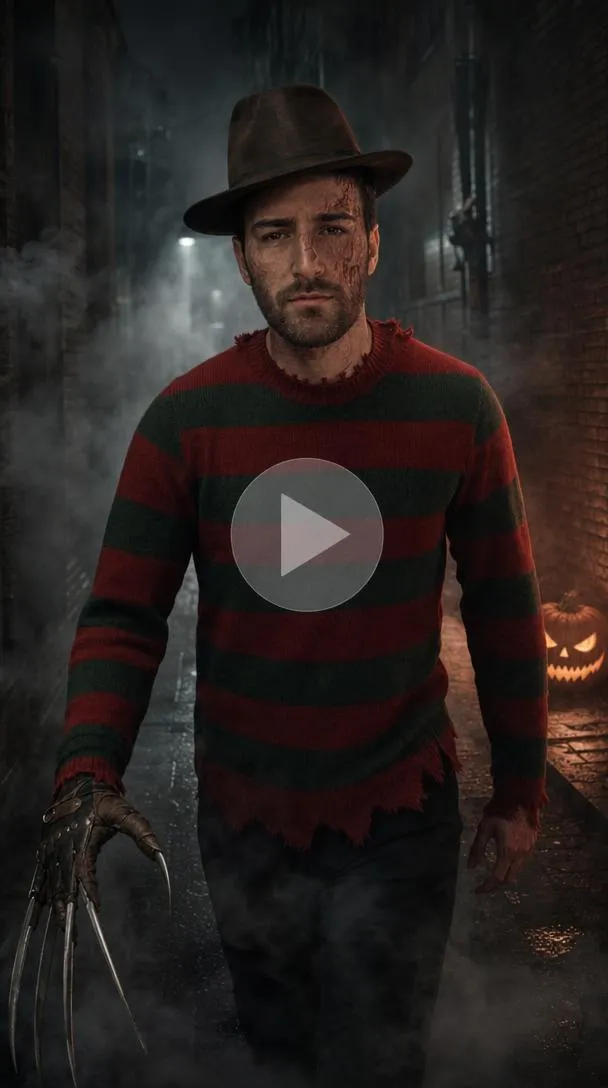
Prompt :
Use the reference image of the man. Keep identity consistent. Add burned-looking face makeup, red-and-green striped sweater, brown fedora, and a glove with blades. He takes one slow step forward. Background: dark alley with swirling fog and a glowing jack-o’-lantern. 5–7 seconds, eerie, photorealistic.
Music vibe: Classic slasher horror cue — low drones, sudden sharp metallic scrapes, heartbeat pulse, distant children’s laughter.
7. Hunter
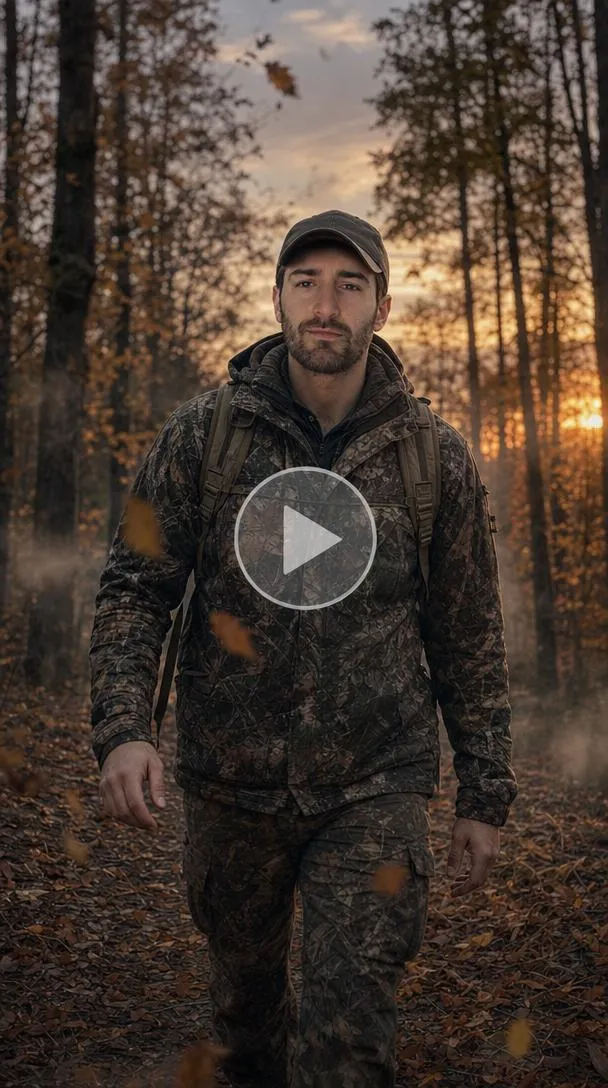
Prompt :
Use the reference image of the man. Keep his face consistent. Dress him in camouflage jacket or orange vest and a cap. He walks slowly through the scene. Background: autumn forest at dusk with falling leaves, light mist, and warm low light. 6–8 seconds, photorealistic.
Music vibe: Atmospheric outdoor track — soft wind, distant owl, light acoustic or ambient pads, calm but slightly tense.
8. Pirate
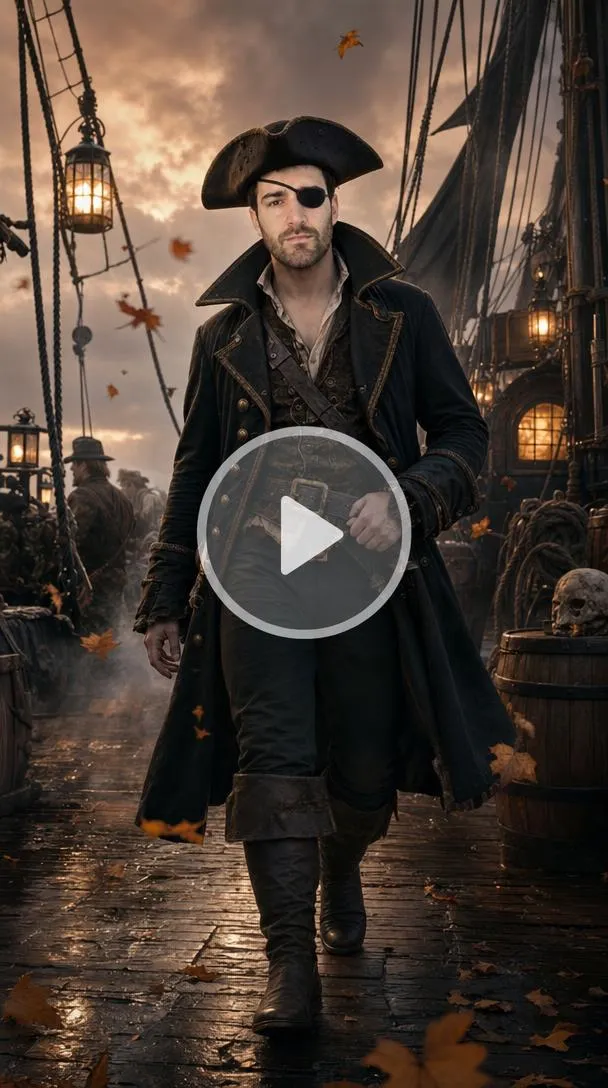
Prompt:
Use the reference image of the man. Preserve his face. Dress him in a tricorn hat, dark coat, boots, and optional eye patch. He walks or strikes a confident pose. Background: ship deck at dusk with lantern light, light fog, and drifting autumn leaves. 6–8 seconds, photorealistic.
Music vibe: Swashbuckling sea shanty with a Halloween twist — accordion, light drums, creaking ship, distant seagulls and foghorn.
Female Prompts
Hey girlies, let’s get Halloween-ready in just minutes with fun costume ideas!
1. Red Hooded Cape
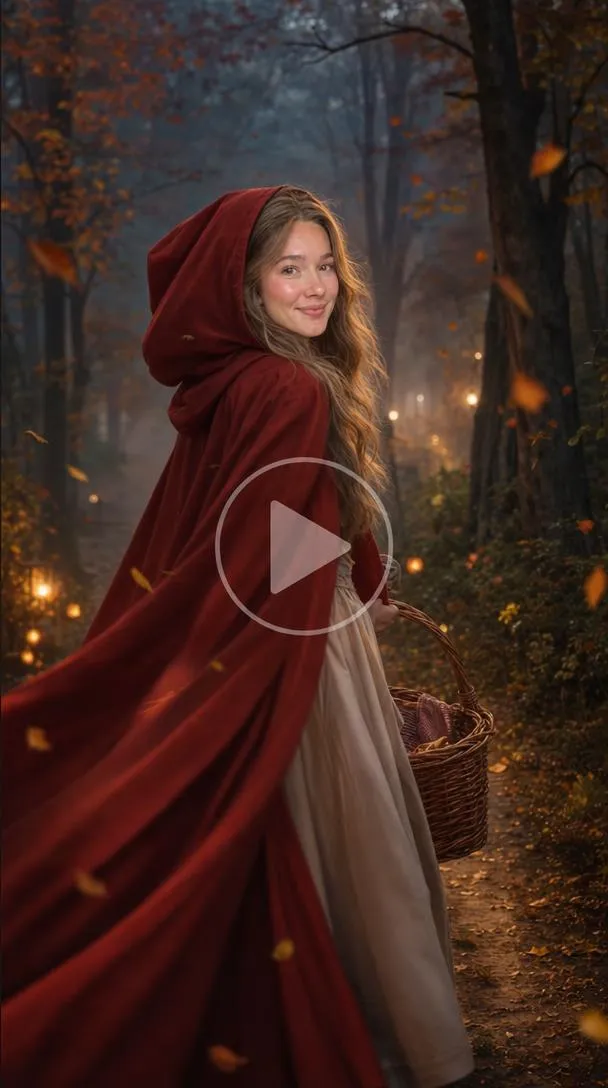
Prompt :
Use the reference image of the woman. Keep her face clear and consistent. Dress her in a red hooded cape, simple dress, and a basket. She walks slowly or turns, cape moving. Background: soft forest path at dusk with light mist, falling leaves, and distant glowing pumpkins. 6–8 seconds, photorealistic.
Music vibe: Whimsical yet slightly eerie fairy-tale track — soft woodwinds, light harp, distant wolf howl, gentle wind through trees.
2. Dark Clown (female)
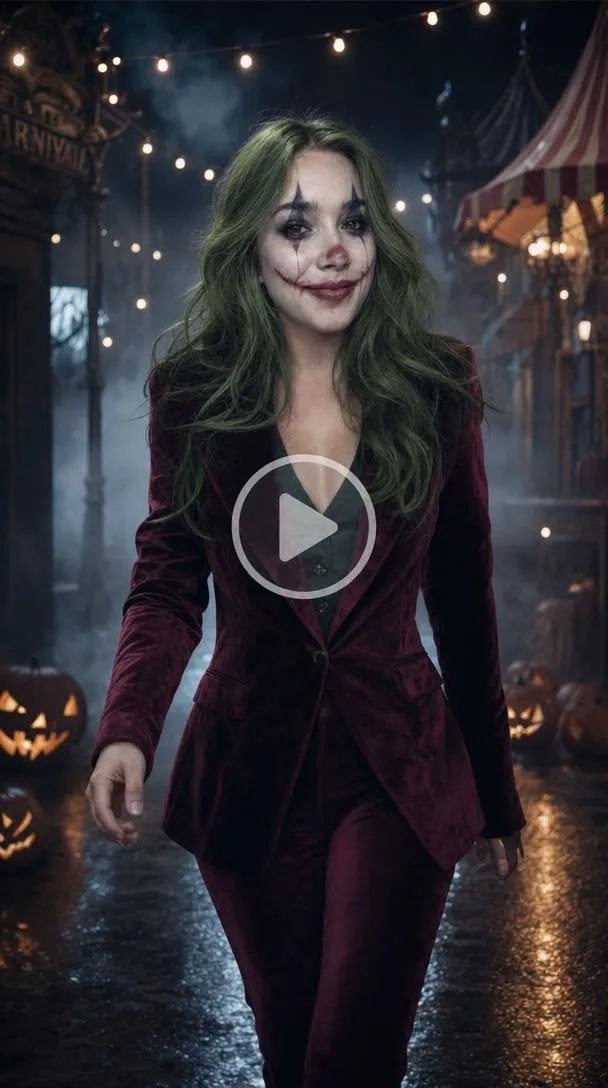
Prompt :
Use the reference image of the woman. Preserve her identity. Apply white face paint, black eye makeup, green hair, and red smile. Dress her in a purple or red suit jacket. She walks toward the camera with a dramatic pose. Background: dark night street with fog, string lights, and carved pumpkins. 6–8 seconds, cinematic.
Music vibe: Dark carnival / twisted circus — minor-key calliope, slow ominous build, soft eerie laughter.
3. Alternative / Edgy Style
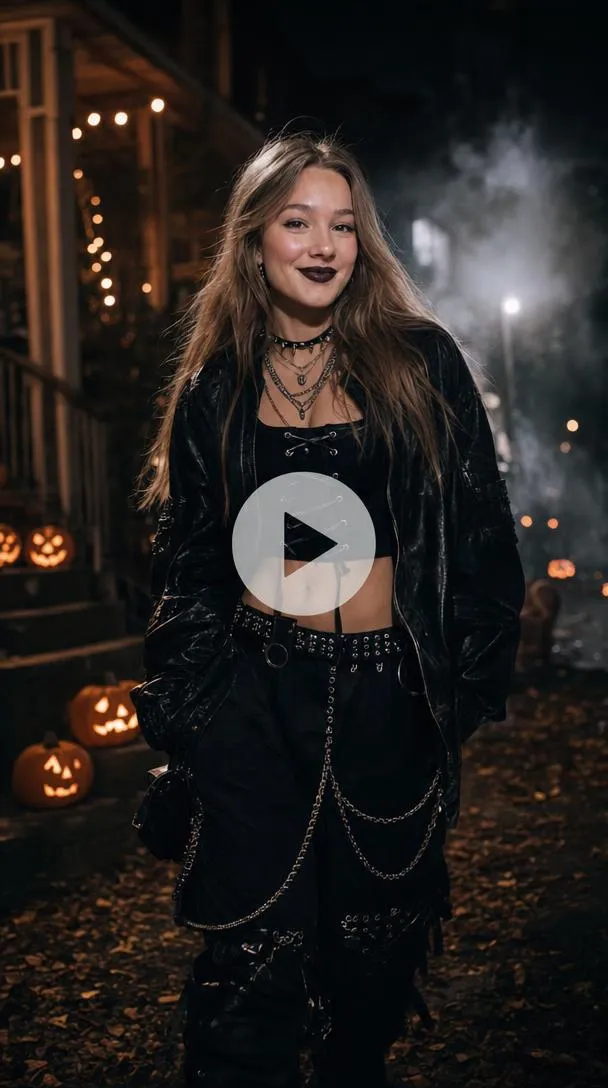
Prompt :
Use the reference image of the woman. Keep her face consistent. Dress her in an edgy alternative Halloween look — dark clothing, bold makeup, layered accessories, and gothic or streetwear elements. She poses or walks confidently. Background: night street or porch with string lights, fog, and pumpkins. 6–8 seconds, photorealistic.
Music vibe: Dark alternative / gothic electronic — heavy bass, atmospheric synths, slight industrial edge, confident energy.
4. Black Cape Suit
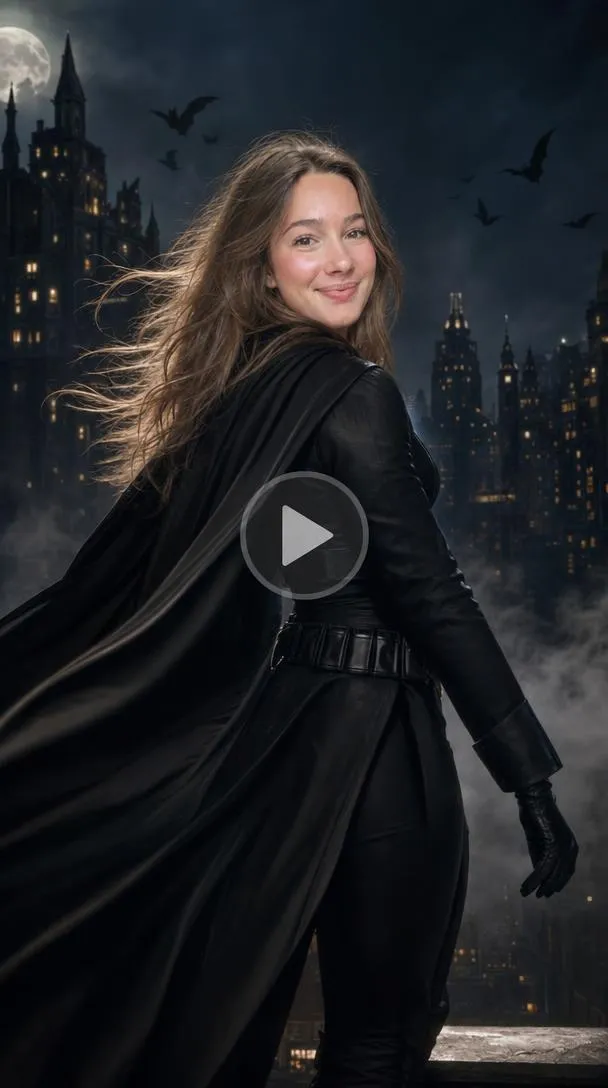
Prompt :
Use the reference image of the woman. Keep her face recognizable. Dress her in a black suit with a flowing cape and utility belt. She walks or turns dramatically, cape moving. Background: night city with drifting fog, warm window lights, and bats. 6–8 seconds, photorealistic.
Music vibe: Epic dark cinematic score — deep strings, low brass, slow pulse, wind and distant city ambience.
5. Purple Crop & Long Red Hair
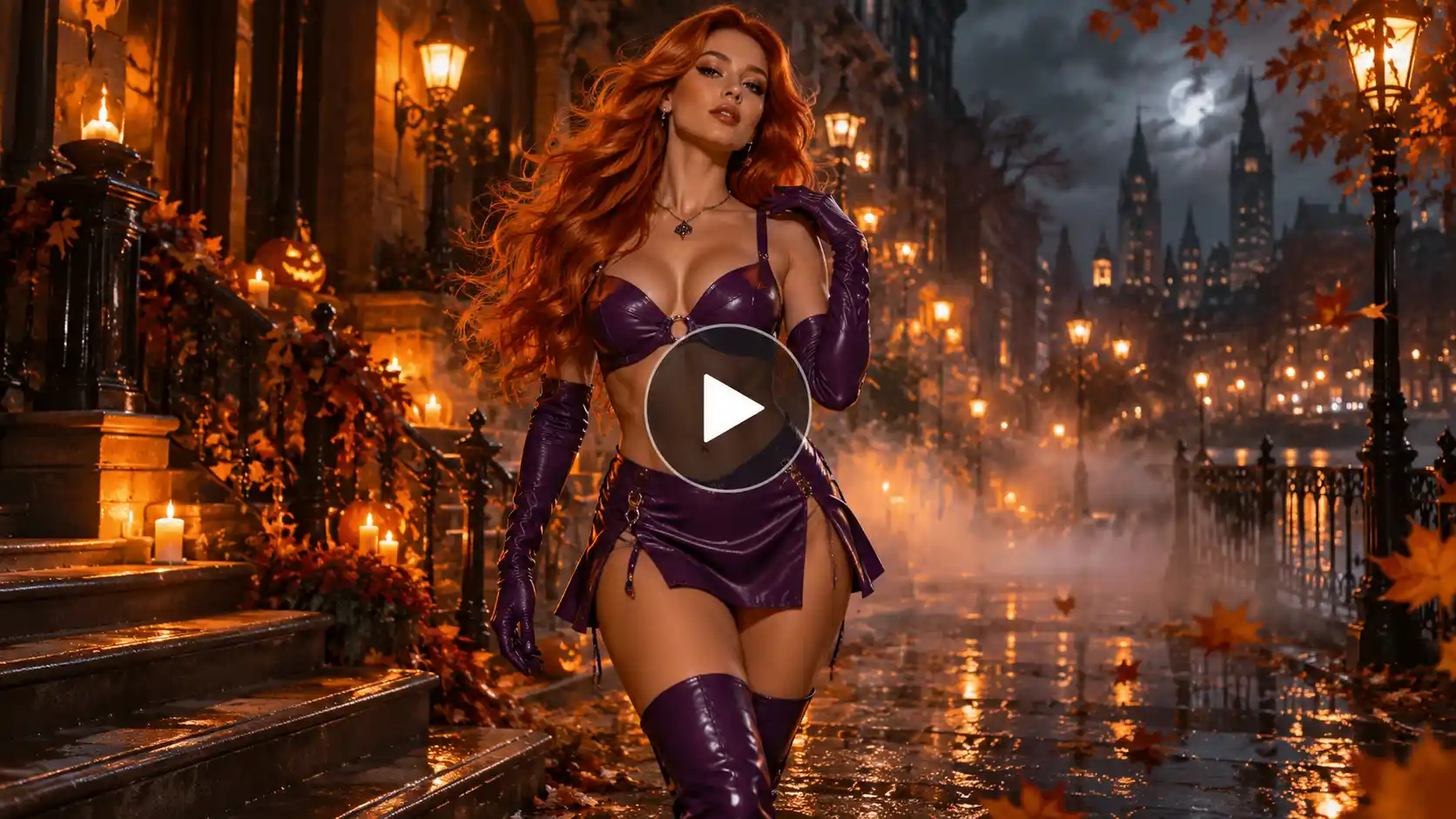
Prompt :
Use the reference image of the woman. Preserve her facial features. Dress her in a purple crop top and short skirt, long red or orange hair, purple gloves and boots. She poses then does a short playful walk, hair moving. Background: night city or cosmic sky with soft fog, floating autumn leaves, and glowing orange lights. 6–8 seconds, vibrant, photorealistic.
Music vibe: Energetic pop with a cosmic / Halloween twist — bright synths, light beat, magical sparkle effects, uplifting yet spooky.
6. Striped Sweater or Hockey Mask (female)
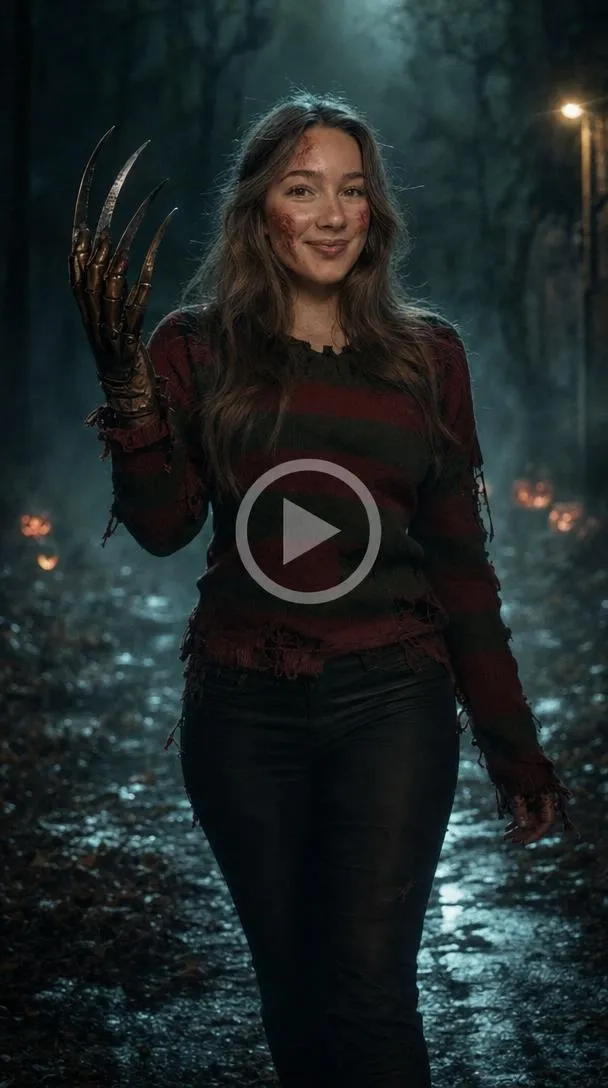
Prompt :
Use the reference image of the woman. Keep identity consistent. Dress her either in burned makeup with red-and-green striped sweater and bladed glove, or in a dark jumpsuit with white hockey mask. She takes one slow step forward. Background: foggy night woods or alley with distant glowing pumpkins. 5–7 seconds, eerie.
Music vibe: Classic slasher tension — low drones, metallic scrapes or heavy footsteps, heartbeat pulse.
7. Deer / Fawn
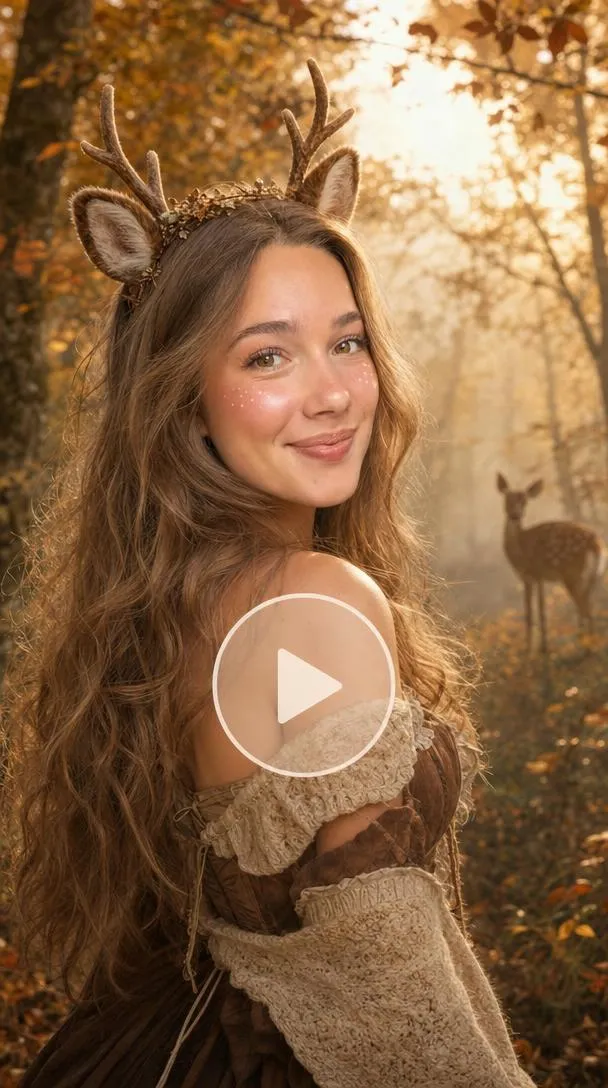
Prompt :
Use the reference image of the woman. Keep her face recognizable. Add soft brown and white makeup, small antlers or ear headband, and earthy clothing. She looks over her shoulder then turns back to the camera. Background: autumn forest with golden leaves, soft mist, and warm sunset light. 6 seconds, photorealistic.
Music vibe: Soft atmospheric nature track — gentle wind, distant birds, light ambient pads, warm and slightly magical.
8. Pirate
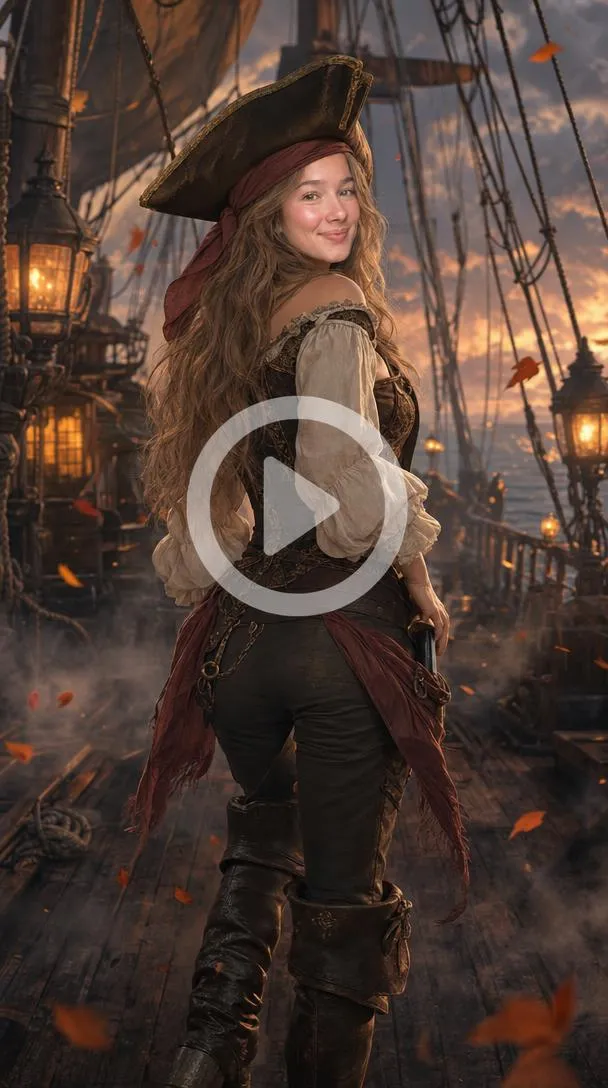
Prompt :
Use the reference image of the woman. Preserve her face. Dress her in a bandana or tricorn hat, coat or fitted top, and boots. She strikes a classic pose then does a short turn. Background: ship deck at dusk with lanterns, light fog, and drifting leaves. 6–8 seconds, photorealistic.
Music vibe: Light sea-shanty / adventure track with accordion, soft drums, creaking wood, and distant foghorn.
9. Orange Turtleneck & Glasses
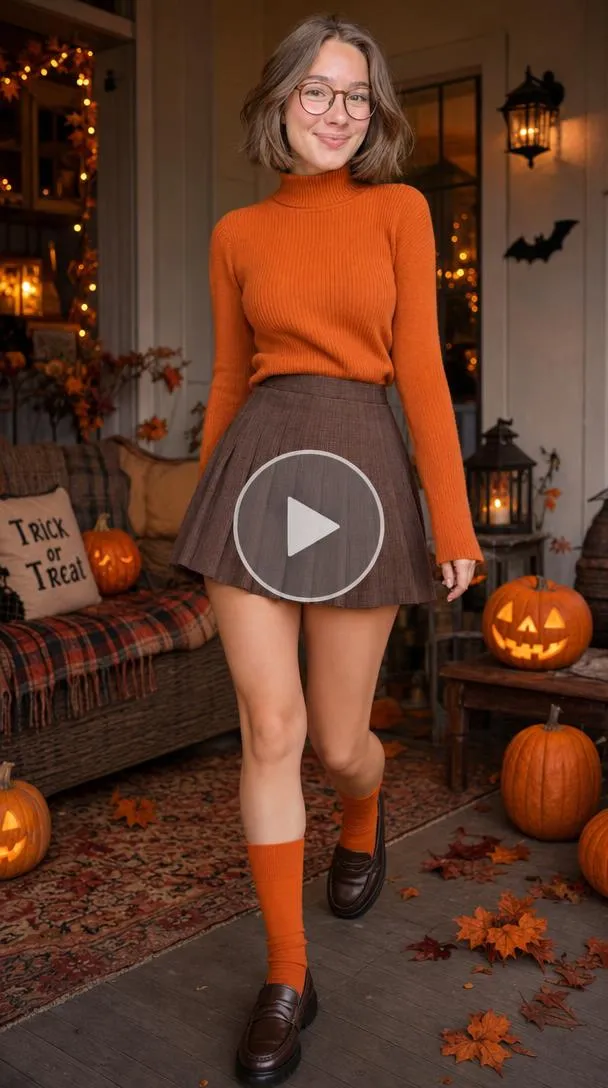
Prompt :
Use the reference image of the woman. Keep her face and expression consistent. Dress her in an orange turtleneck, short pleated skirt, orange socks, and large round glasses, with a bob haircut. She poses then does a short playful walk. Background: cozy indoor setting or porch with Halloween decorations, warm lighting, and a jack-o’-lantern. 6–8 seconds, photorealistic.
Music vibe: Light quirky mystery / cartoonish track — playful xylophone or soft jazz, curious energy, gentle spooky undertone.
Best Photos to Use for Costume Videos
The photo you upload decides how good your Halloween costume video looks, so spend a minute choosing the right one.
- Lighting: Use a bright, even photo, ideally in daylight or a well-lit room. Avoid dark, grainy, or heavily filtered pictures, because the AI can’t rebuild details that aren’t there.
- Face visible: Pick a photo where the full face is clear and facing the camera or slightly turned. Skip sunglasses, masks, hats that cast shadows, and hair covering the eyes, since the AI uses the face to keep the character looking like you.
- One subject: Use a photo with only one person unless you are making a couple or group video. Extra people in the frame can confuse the AI and mix up faces.
- Plain background: A simple wall or an uncluttered space works best. A busy background can blend into the costume and the scene you describe in your prompt.
- Full body for walking shots: If you want to walk, dance or show the whole costume, upload a head-to-toe photo. A close-up selfie works well for face transformations, but it gives the AI nothing to work with for legs and outfit.
Quick tip: Use a sharp, recent photo with a neutral expression. It gives the AI the cleanest base to build the costume on.
How to Make a Halloween Costume AI Video with LightX
The whole process takes a few minutes. Here’s how it goes.
Step 1: Upload images
Go to the Reference to Video tool. Add one clear photo of yourself and one photo of the costume or character look you want. You can also add more than one photo if you want to make a transition video.
If you don’t have a costume reference, you can describe the outfit in the prompt instead. This is the easiest way to turn a photo into a Halloween costume video that looks like you.
Step 2: Write a prompt
A good prompt covers five things: the character, the outfit, the background, the motion, and the camera angle. One clear line for each is enough.
Character:
Say who the person is and who they become. Add “same face, same hairstyle” so the video still looks like you, and a mood like elegant, creepy, or funny.
Outfit:
Name the clothing, colours, and small details. Instead of “witch costume,” write “long black dress, tall pointed hat and a glowing wand.” Add makeup, fangs or props if you want them.
Background:
Describe the place, time, and mood, such as a foggy graveyard at midnight or a pumpkin-lit street at sunset. Add one or two touches like candles, bats, or moonlight.
Motion effects:
Tell the AI what moves. Pick one main action, like turning toward the camera, walking, or howling, and one or two effects around it, like drifting fog, swirling sparkles, or a cape blowing in the wind. For a transformation, say the outfit changes as smoke rises.
Camera angle:
Choose how the scene is shot. A slow push-in builds tension, a low angle makes the character look powerful, a wide shot shows the full costume, and a close-up suits glowing eyes and makeup.
Formula to remember: Character + Outfit + Background + Motion + Camera angle
Example prompt: The person from the uploaded photo, same face and hairstyle, slowly transforms into an elegant vampire in a black high-collar cape with small fangs and glowing red eyes. Dark castle hallway, flickering candles, soft fog. They turn toward the camera with a slight smile as the cape moves in the breeze. Cinematic lighting, slow push-in close-up.
Step 3: Pick a model
Choose Kling, Wan, or Seedance depending on the kind of video you want. Each one has a different strength, so the right pick depends on your idea.
- Kling: Choose it when realism matters most. It handles natural body movement, facial expressions, and cloth or cape motion well, so it suits a zombie walk, a werewolf howl, or a trick-or-treat walking shot where the person has to move believably.
- Wan: Choose it when you want to experiment quickly. It is fast and works well for simple, stylized clips, which makes it a good fit for a ghost floating, a skeleton dance, or when you want to try several costumes before settling on one.
- Seedance: Choose it when the scene is more complex or cinematic. It follows detailed prompts and camera directions closely and handles several images well, so it suits a Halloween costume transformation video, a couple or group scene, or any prompt with a specific camera move like a slow push-in.
Step 4: Set your options
Choose four settings before you generate: ratio, resolution, duration, and audio.
Ratio: Pick based on where you will post.
- 9:16 for Reels, TikTok, and Shorts. Best for most costume videos.
- 1:1 for feed posts, close-ups, and couple videos.
- 16:9 for YouTube, websites, group scenes, and brand ads.
Resolution: Higher means sharper but slower.
- 480P for quick tests.
- 720P for everyday social posts.
- 1080P for the final version, where makeup, fabric, and fog details show.
Duration: Match the length to the idea.
- 5 seconds for a quick reveal or glowing-eyes close-up.
- 10 seconds for most costume transformations.
- 15 seconds for walking scenes, dances, and group or brand videos. Keep the prompt simple for longer clips.
Audio: It depends on you.
- If you want built-in spooky sounds like wind, footsteps, or creaking doors.
- Off if you plan to add a trending sound in your Reels or TikTok editor.
Step 5: Click Generate
Your video is ready in moments. Check the costume and the movement, then regenerate if anything looks off. Add a trending Halloween sound in your Reels or TikTok editor before you post.
Related blog: How to Make Drake Burning Bridges Video
Tips for the Best Results
A few small habits can make your AI Halloween costume video look far better.
- Keep the prompt simple. Stick to one costume, one setting, and one main action. A clear idea almost always beats a crowded one.
- Be specific about the look. Name colours, fabrics, and props, like “black velvet cape” instead of “vampire outfit.” Details give the AI something real to build on.
- Lock in your face. Add “same face, same hairstyle” to every prompt so the character still looks like you.
- Match the model to the idea. Use Kling for realistic movement, Wan for quick experiments, and Seedance for transformations and camera moves.
- Test small, finish big. Try your idea at 480P or 720P first, then regenerate the best one at 1080P.
- Change one thing at a time. If the result looks off, adjust only the background, outfit or camera angle and generate again. You will quickly see what made the difference.
- Keep it short for social. A 5 to 10 second clip works best on Reels and Shorts. Save 15 seconds for walking scenes, dances, and group videos.
- Add trending audio. Turn audio off in LightX if you plan to add a popular Halloween sound in your Reels or TikTok editor, since the right sound can boost reach.
Conclusion
You no longer need a costume, makeup, or editing skills to make a Halloween costume video. With one clear photo, a well-built prompt and the right settings, LightX turns your idea into a short, cinematic clip in minutes. Whether you want a vampire transformation, a witch scene, or a full group video, the steps stay the same: upload your images, describe the character, outfit, background, motion, and camera angle, pick a model, and generate.
Pick a costume from the prompts above, upload your photo, and try it today. Your first Halloween costume video might take a couple of tries, but once you find a style you like, you will have plenty of Halloween costume video ideas to keep creating all season.
 Create the Unforgettable UNO Trend
Upload your image and turn an UNO move into a viral transition.
Create the Unforgettable UNO Trend
Upload your image and turn an UNO move into a viral transition.