Scrolling through social media but did you also notice a massive wave of nostalgia taking over your feed? Let us explain. The 2010s hit Gangnam style trend is making a comeback. Want to know how to make Gangnam Style trend video clips? These current posts are dominating social media feeds.
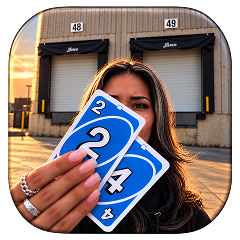 Create the Unforgettable UNO Trend
Upload your image and turn an UNO move into a viral transition.
Create the Unforgettable UNO Trend
Upload your image and turn an UNO move into a viral transition.
With the legendary PSY Gangnam Style track making a massive hit across global feeds again, creators are looking for innovative ways to jump in on this viral craze. Use this trend to have fun with your friend group, your office team or even your pets performing the iconic Gangnam Style horse dance. LightX has made it easier than ever to create studio-quality content without needing much of anything.
Capture the magic of the original Gangnam Style music video, use futuristic tools like image to video, reference to video and text to video AI tools to make a video that stands out.
What Is the Gangnam Style Trend?
The Gangnam Style Instagram trend brings back one of the biggest internet billboard hits. PSY’s 2012 global mega-hit Gangnam Style that famously shattered milestones and crossed over 6 billion views. The current obsession combines the unforgettable beat and the quirky Gangnam Style dance steps with modern group lip-sync videos.
Why is this specific song spreading like wildfire across social media? The answer lies in pure nostalgia paired with high-energy music beats and songs. Audiences love a retro song trend or a 2010s song trend that reignites peak music times. When combined with modern AI dance video generators, creators can turn images into group choreographies. Making it one of the most exciting parts of the viral dance trend 2026 and the Instagram dance trend of 2026.
What You Need Before You Start
Before diving into the making process, having the right things ready by you. This will save you time and ensure a smooth process:
- Clear Photos
High-resolution images or full-body pictures of yourself, your friends or your pets front- facing with clear lighting.
- AI Video Tools
LightX platform supports image to video and reference to video AI or make yourself dance like celebrities.
- Audio
The official or remixed audio clip (no copyrights) of the track downloaded directly from Instagram Reels or TikToks.
- Detailed Prompts
Specific descriptions to guide AI on lighting, clothing, background and choreography.
How To Make Gangnam Style Videos With LightX
Depending on the platform or the look that you want to get; you can build your clip using our presets and templates or can customize the prompts. Here is the complete breakdown of this:
Using Pre-defined Template
Step 1: Upload the image of the person or people. Select your persona and upload clear front-facing portraits. Pick one crisp photo of yourself.
Step 2: Background, outfit and prompt: Select the background you want. Get a background setting and where you are seen shooting this video. Apply stylistic things to align your outfit with the theme.
Step 3: Choose appropriate resolution and aspect. Select the layout that suits your clip. Choose from 9:16 to ensure proper optimization.
Using Reference to Video (with driving video)
- Go To Reference to Video: Navigate to LightX’s video platform’s reference or motion-transfer tool.
- Step 1: Define your Look: Establish a clear visual profile of the people in the video.
- Step 2: Use Video reference and replace Faces. If you own or have a source driving video then Configure that as your video reference. Write a precise prompt to replace the person. For example, replace person 1 with reference image 1 & replace person 2 image with reference image 2.
Related Blog: How To Swap Face In a Video
Using Reference to Video without driving video
- Step 1: upload a photo of yourself, your family or your team. Establish a clear visual profile for each video character.
- Step 2: Generate using prompts if there is no driving video. If you don’t have a reference video, generate the whole effect using a detailed prompt. Clearly specify your parameters. Check out the Image to Video Generator for more relevant details.
1. Define everyone’s outfits, makeup & style
Detail the specific wardrobe pieces such as expensive outfit, dancing joggers, top and skirts or the official song’s wardrobe with makeup and hair style.
2. Define scene background, lighting, camera
Specify whether the shot uses a front facing selfie frame in the camera or ultra wide angle camera motion with natural ambience.
3. Define how the character is acting (along with motion)
Explicitly outline the motion timing, steps and actions such as dancing, lip syncing, prancing or any other choreographed steps you want during a specific time or moment.
Gangnam Style Trend Prompt You Can Copy
Using the right instruction is critical when figuring out how to create Gangnam Style video content that looks authentic and high-energy. You can copy and adapt this optimized template for your generator:
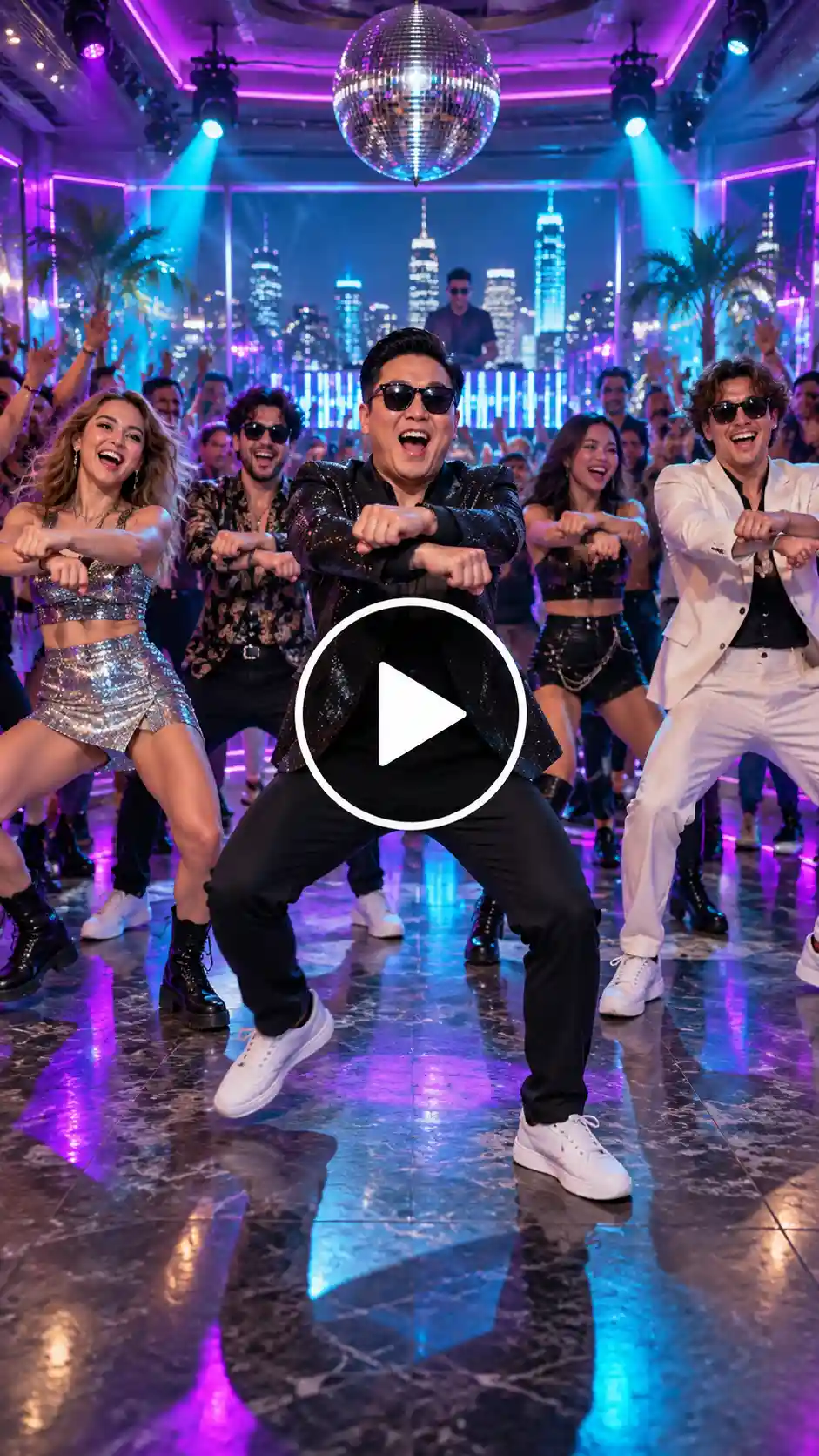
“A vibrant, high-energy vertical Reels video featuring a group of friends performing the iconic Gangnam Style horse dance in sync. Upbeat club lighting with neon purple and cyan glows, cinematic wide-angle framing, smooth 60fps motion, joyful expressions, synchronized lip-syncing to upbeat K-pop music, hyper-realistic textures, seamless loop.”
How To Remix The Gangnam Style Trends
To hit the charts, we have to reach audiences and explore these popular creative variations.
1. Friends Group Video
Transform your friend group into a synchronized K-pop backup dance crew. Best for casual social feeds and group throwbacks.
2. Couple Version
A fun, lighthearted side-by-side or dual-character rendition of the classic moves. These are best for dynamic duet posts.
3. Office Team Version
Depicting colleagues breaking into the dance routine in a corporate setting. Best approach for brand marketing and workplace culture Reels.
4. Wedding or Party Version
Reimagining wedding guests or celebration attendees hitting the chorus choreography. This event recaps and celebrates highlights.
5. Pet Version
Stylized animal characters or pets digitally rigged to perform the signature dance steps. High-engagement viral humor.
6. Character or Cartoon VersionAnime, 3D Pixar-style, or retro cartoon avatars executing the viral challenge. Best for niche fanbases and creative storytelling.
How for Make A Viral Gangnam Style Video
If you want people to engage with your video, try to follow these suggestions:
- Get Viewers Attention Right Away
Play the video right at the right moment of your song to eliminate high bounce rates.
- Create Consistent Visuals
Use reference images to keep the features of the actors’ faces constant throughout the video.
- Make Use of Trendy Hashtags
Tag your work with popular hashtags such as #GangnamStyle, #DanceKPop, and #ReelsTrend2026 that will allow more users to discover it.
- Choose The Right Aspect Ratio
Always save your video in a 9:16 format that is convenient for your mobile device.
Conclusion
Taking part in the modern revolution brought by this outstanding Korean pop industry phenomenon. It’s a great way to combine nostalgia with modern technologies. Learning how to do Gangman Style trending video materials with LightX will help you to make good dancing videos in a professional way in minutes.
FAQs
- What video format and aspect ratio work best for a Gangnam Style trend video?
For video format, MP4 is best. And for aspect ratio try 9:16.
- What resolution should I export the video in?
The best resolution to export the video depends on your needs. Choose from 480p, 720p and 1080p.
- How do I keep every person in the group consistent in look and clothing?
To keep everyone consistent, make sure to upload clear pictures and reference images. Also tell the tool in prompts to make the graphics natural and consistent.
- How long can the video be?
The trending videos are usually 10-15 seconds long.
 Gas Up the Trend ⛽🔥
Create your own gas station trend in seconds.
Gas Up the Trend ⛽🔥
Create your own gas station trend in seconds.