Introduction
You’ve been staring at the same hair in the mirror for six months. You’ve saved 47 Pinterest pins. You’ve asked three friends, gotten three different answers, and you’re still exactly where you started; except now you’re also 40 minutes deep into a Reddit thread about whether curtain bangs work on round faces.
 Get on WhatsApp
New image & Video workflow everyday
Get on WhatsApp
New image & Video workflow everyday
The spiral is real. And it usually ends in one of two ways: you chicken out, or you commit and hope for the best.
AI hairstyle prompts exist for everyone looking for a middle ground.
AI tools let you upload your photo, describe the look you’re obsessing over, and see it on your face virtually.
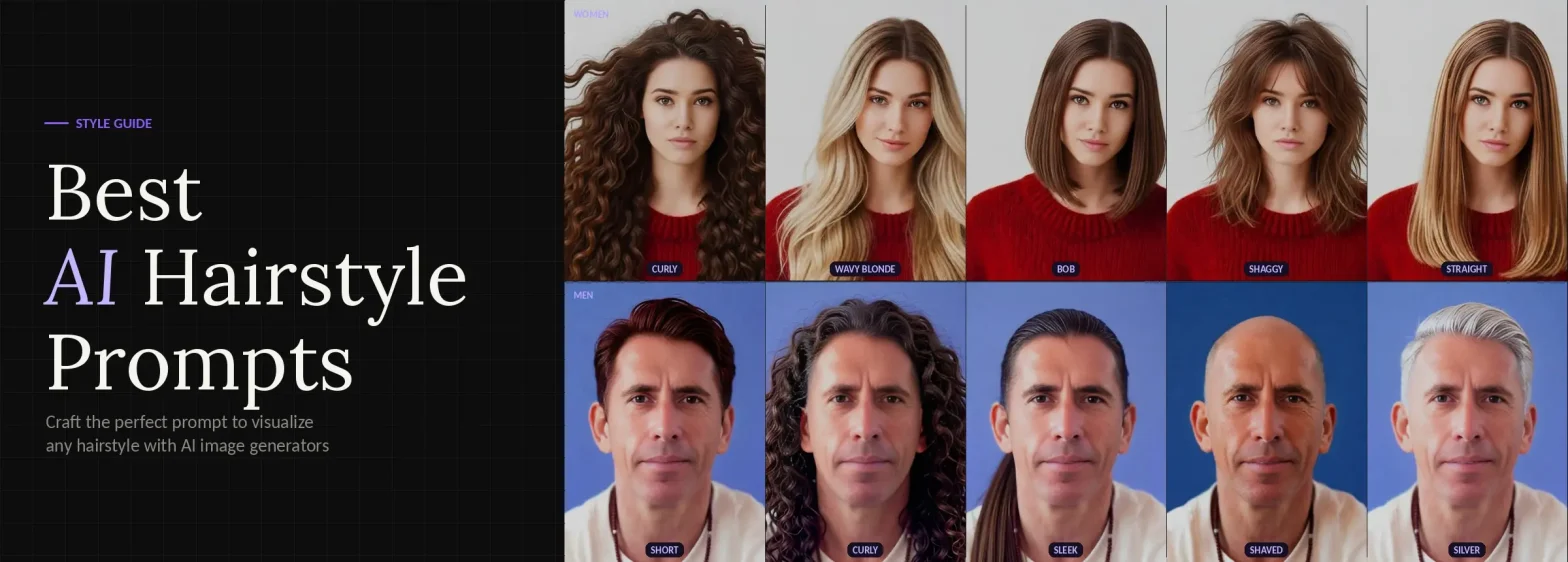
This guide has 40+ copy-paste-ready prompts across every cut, texture, length, and color; its for both men and women, plus every result will be realistic.
How to Use AI Hairstyle Prompts (Step-by-Step)
Getting started on LightX takes under two minutes:
Step 1: Upload
Upload your photo to the AI hairstye generator in JPG or PNG formats
Step 2: Pick a Preset or Write a Custom Prompt
Browse ready-made styles like Long Wavy, Bangs, or Mullet, or switch to Custom and paste any prompt from this guide.
Step 3: Generate
Hit Generate via Presets or Generate via Prompt. Your result appears in seconds.
Step 4: Refine if Needed
Not quite right? Click Change with AI, describe what you want to tweak, and generate again.
Step 5: Download
Happy with it? Hit Download. Done.
That’s it. No technical skills needed. Just a photo and a prompt.
40+ AI Hairstyle Prompts (Copy-Paste Ready)
Hairstyle Prompts for Women
Short cut:
| Prompt | Output |
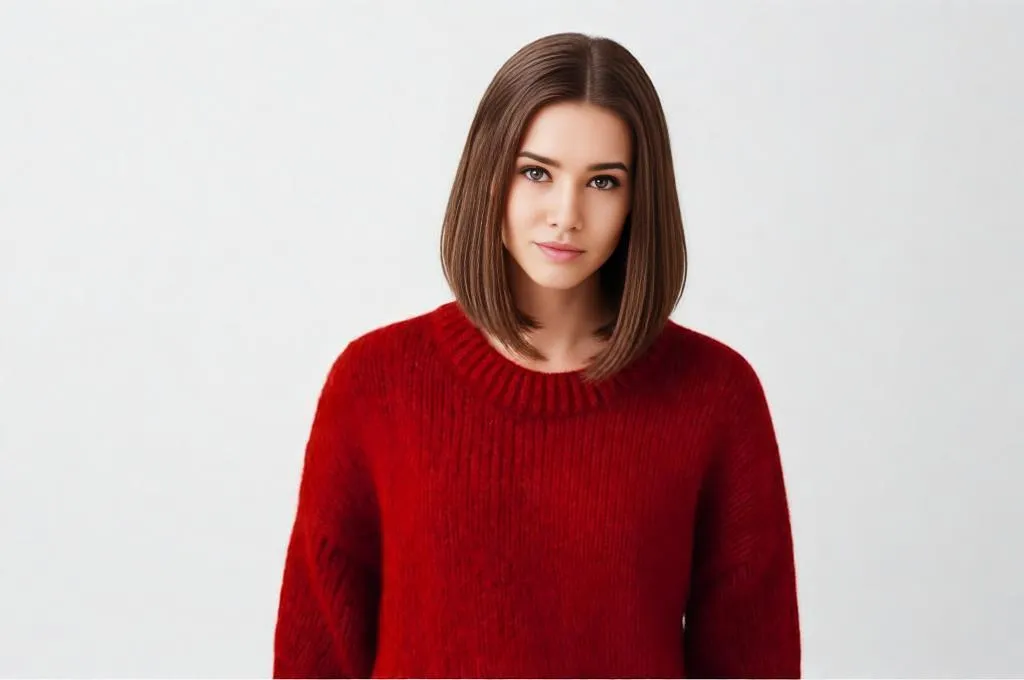
| 1. Change hairstyle to a sleek chin length bob with sharp edges natural shine and soft volume keep same face pose background lighting and colors ultra realistic hair strands natural texture as if captured in camera.
|
 |
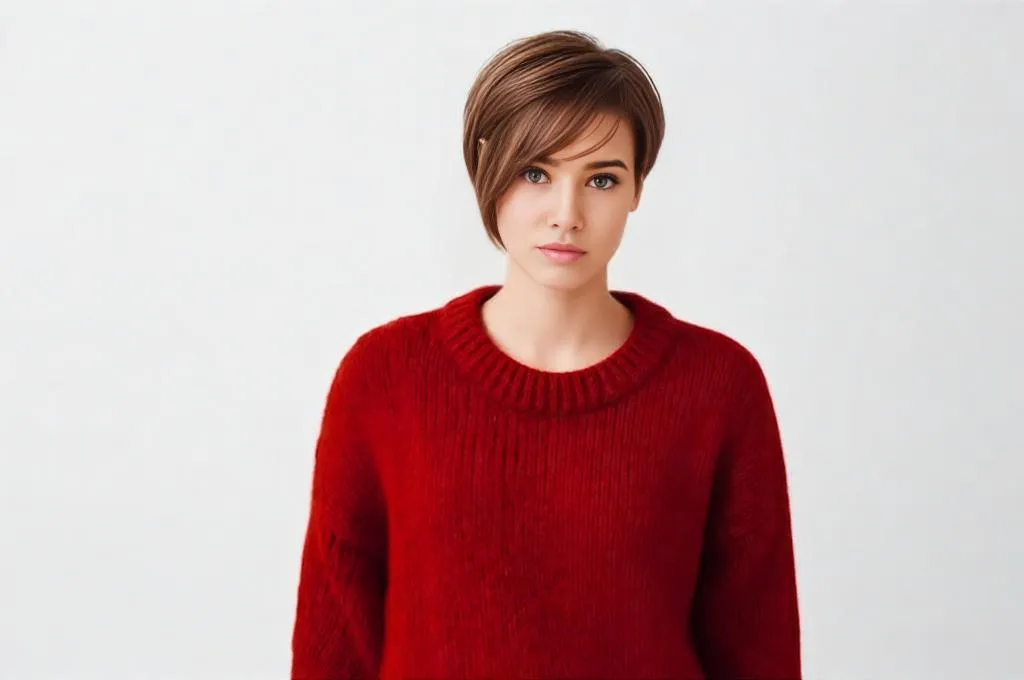
| 2. Change hairstyle to a textured pixie cut with soft layers and slight side sweep keep same face pose background lighting and colors ultra realistic fine hair detail natural scalp blending
|
 |
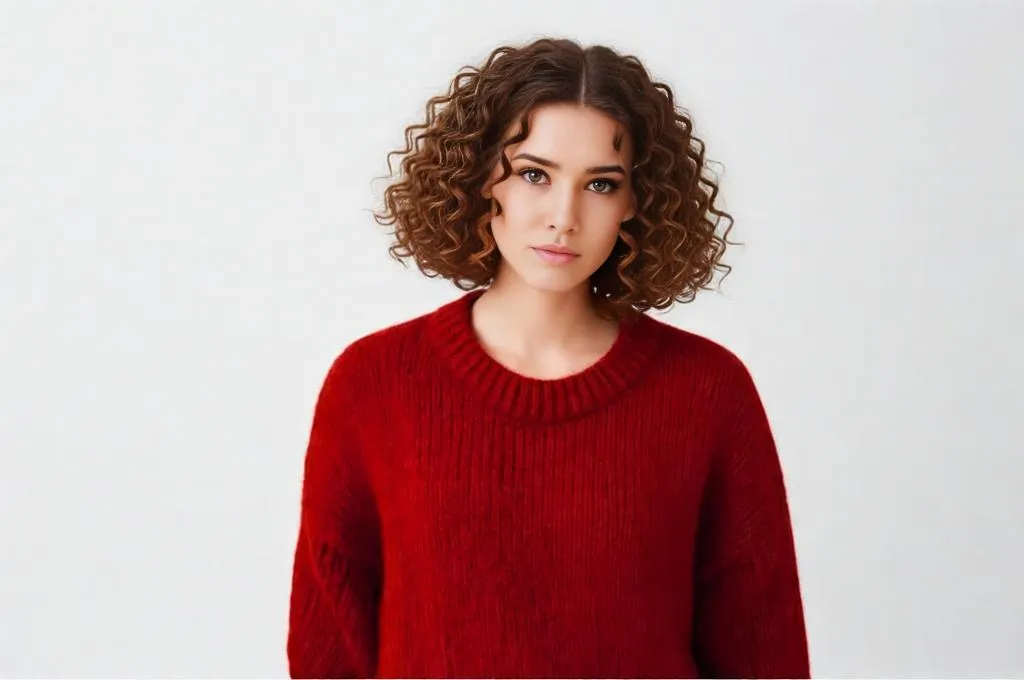
| 3. Change hairstyle to a natural curly blunt short bob with middle part. keep same face pose background lighting and colors ultra realistic hair reflection and strand detail
|
 |
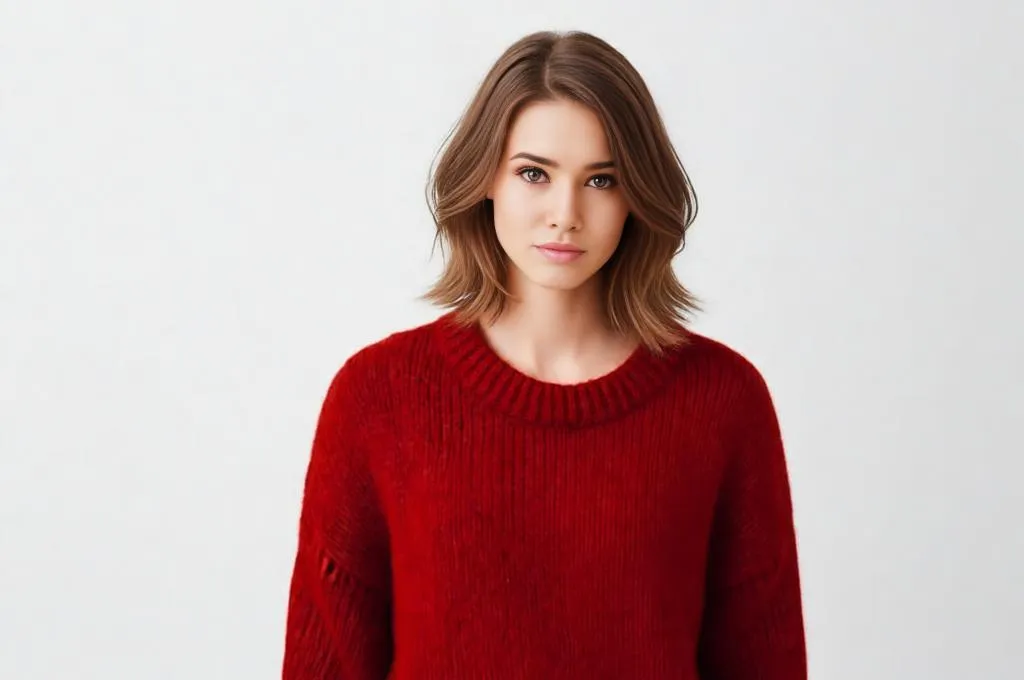
| 4. Change hairstyle to a layered short crop with soft feathered edges keep same face pose background lighting and colors ultra realistic depth and natural fall
|
 |
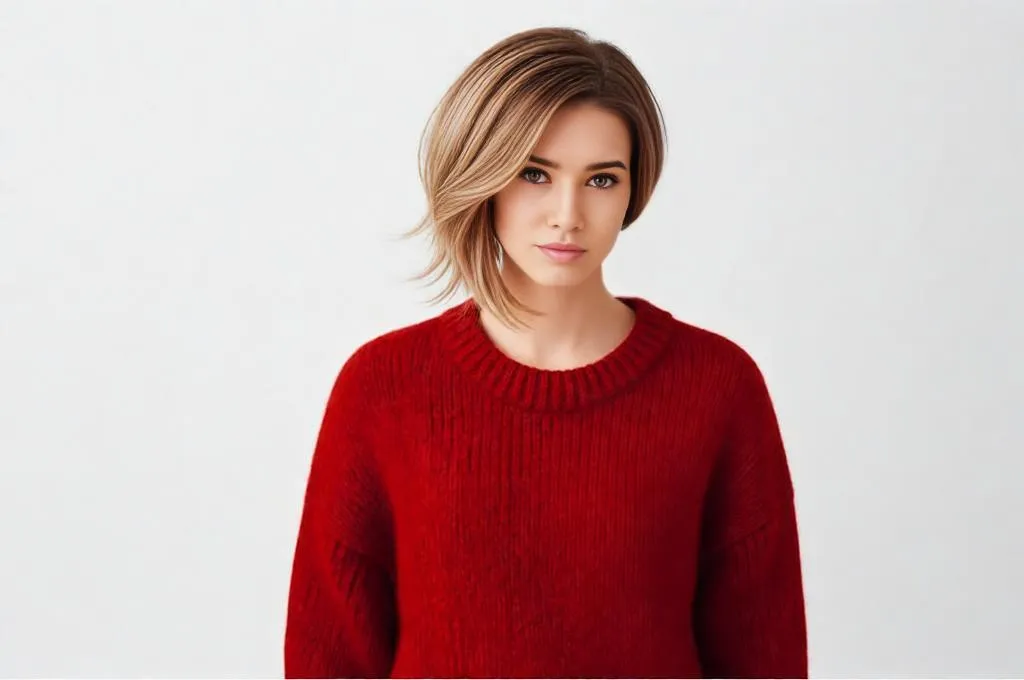
| 5. Change hairstyle to a short asymmetrical bob longer on one side keep same face pose background lighting and colors ultra realistic hair flow and edge detail
|
 |
Medium-length styles:
| Prompt | Output |
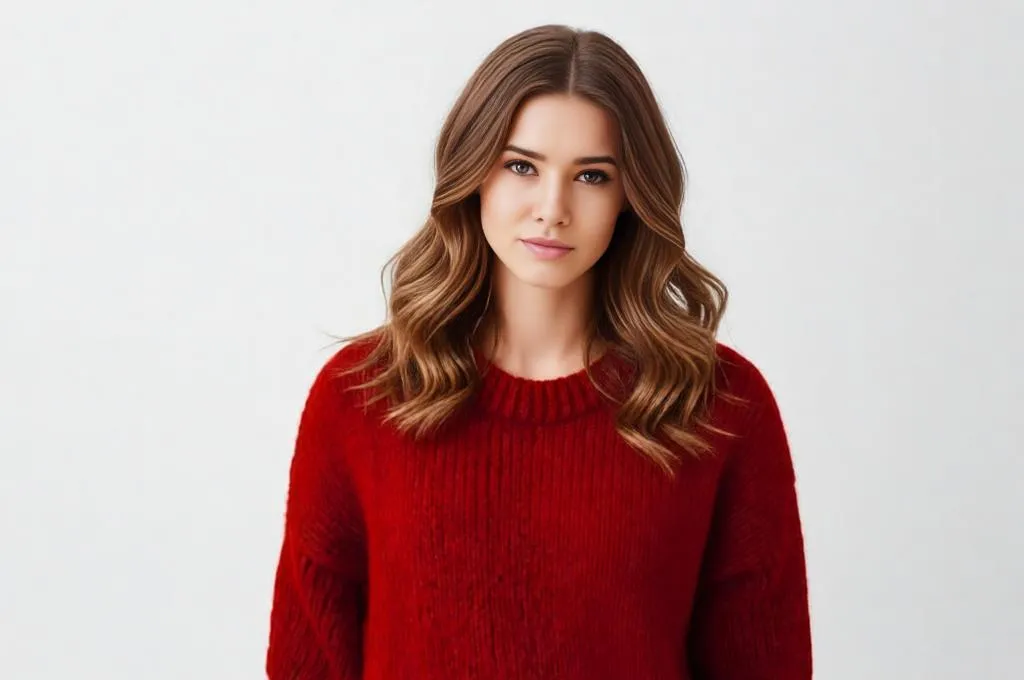
| 6. Change hairstyle to shoulder length layered cut with soft waves keep same face pose background lighting and colors ultra realistic texture and volume
|
 |
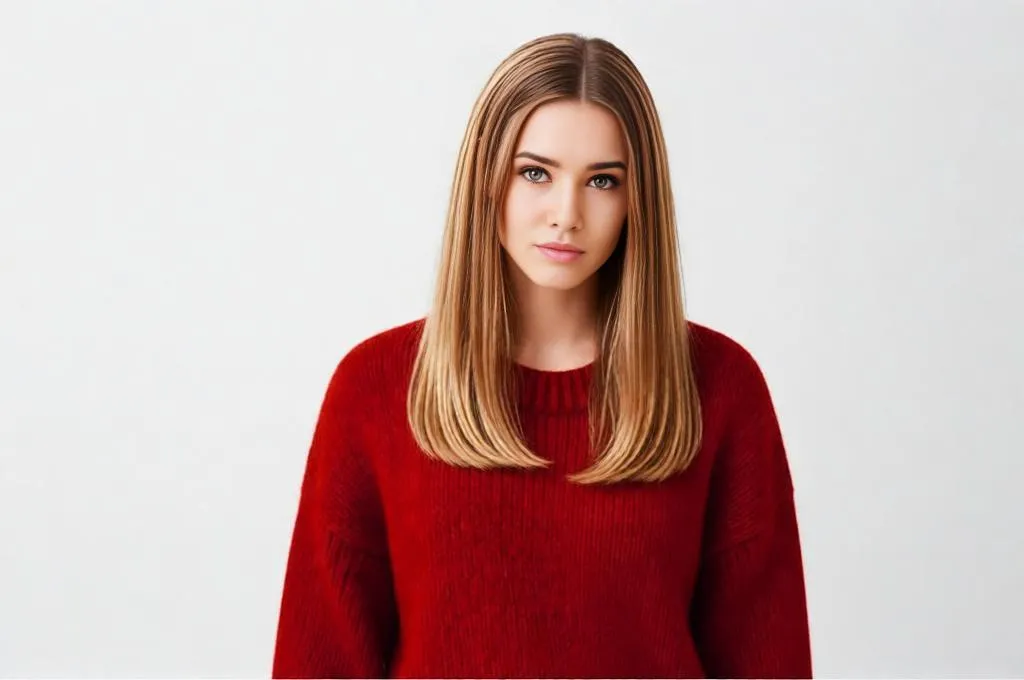
| 7. Change hairstyle to straight shoulder length hair with middle part silky finish keep same face pose background lighting and colors ultra realistic shine and strand detail
|
 |
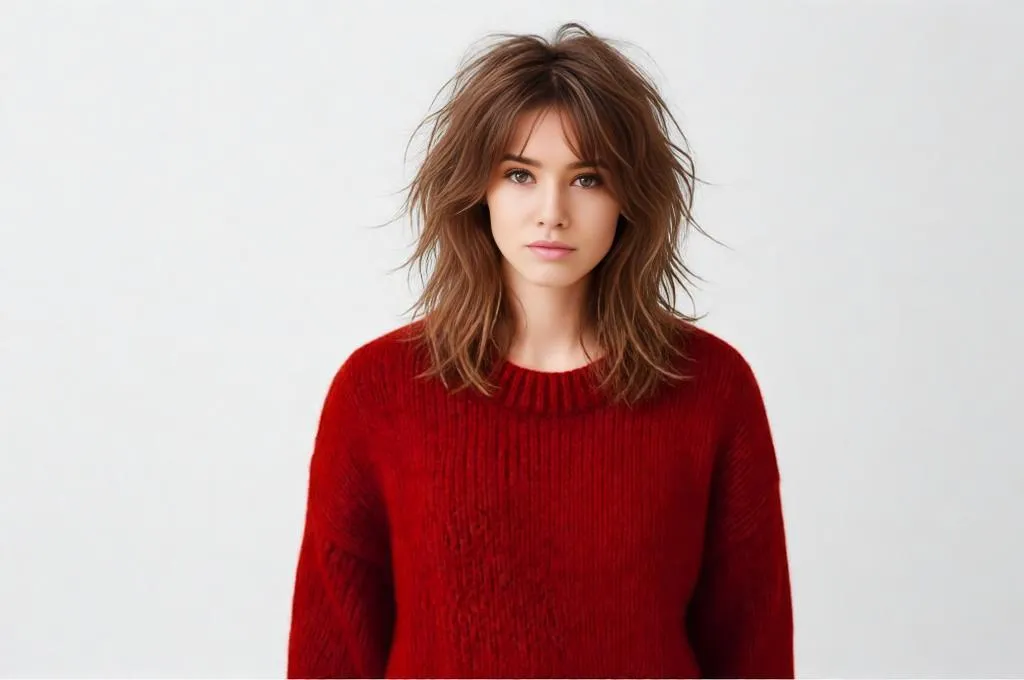
| 8. Change hairstyle to medium length shag with messy layers keep same face pose background lighting and colors ultra realistic movement and natural density
|
 |
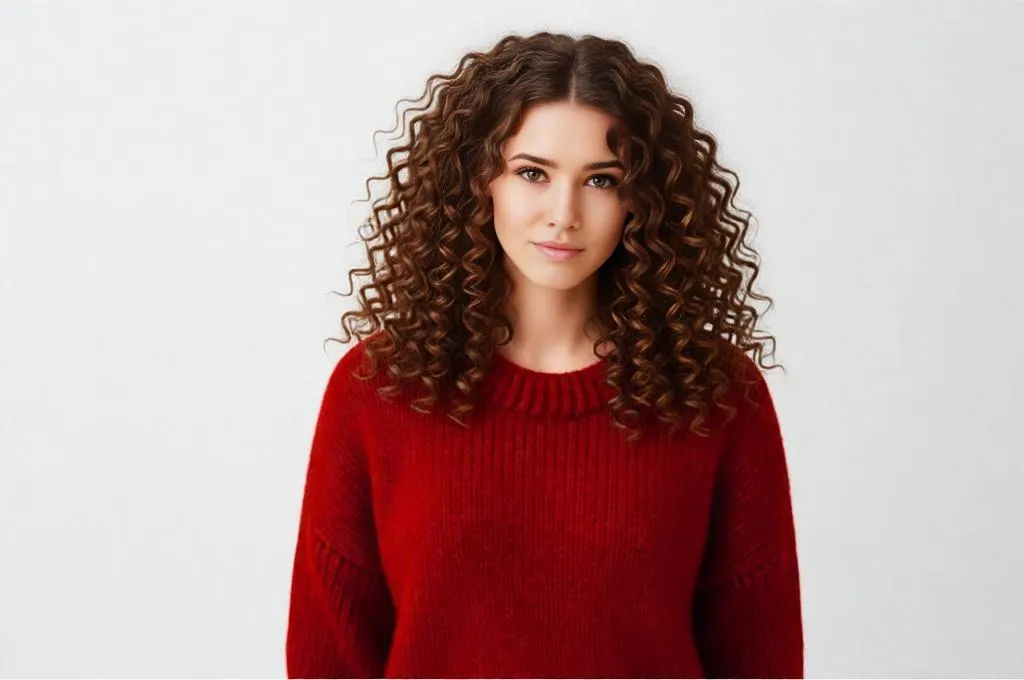
| 9. Change hairstyle to shoulder length hair with heavy curls keep same face pose background lighting and colors ultra realistic curl definition
|
 |
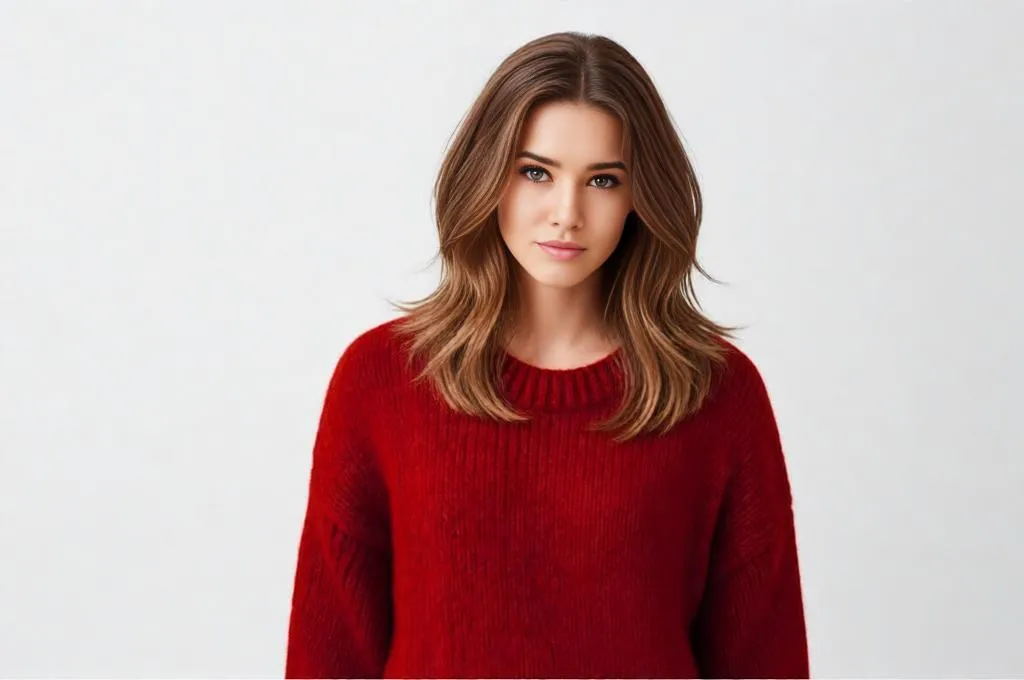
| 10. Change hairstyle to shoulder length layer cut with heavy outward bend keep same face pose background lighting and colors ultra realistic smooth texture
|
 |
Long hair styles:
| Prompt | Output |
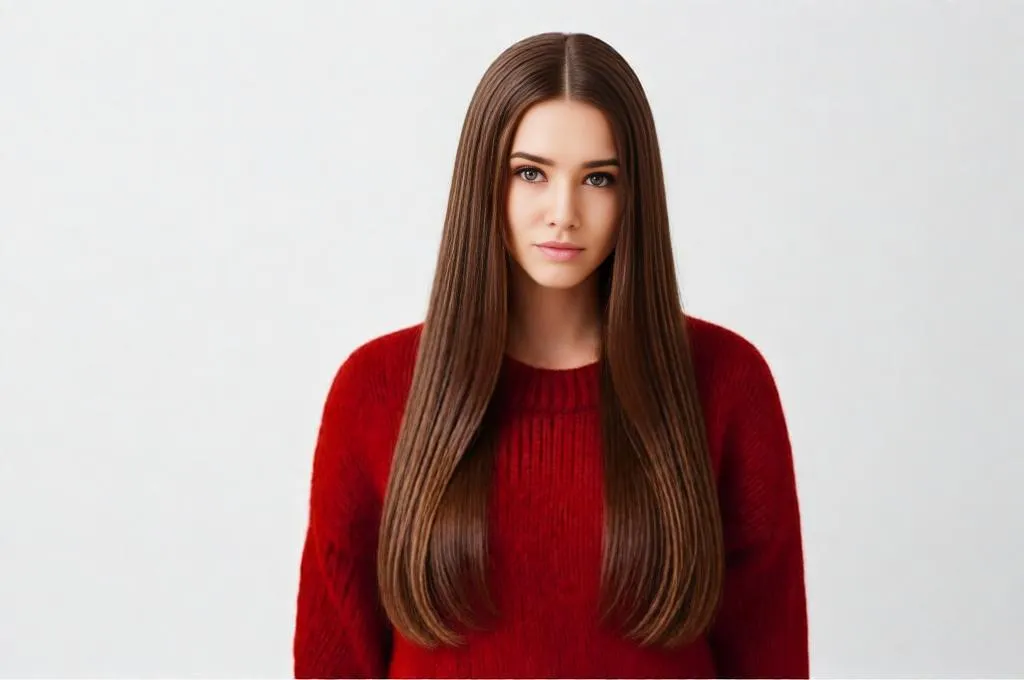
| 11. Change hairstyle to long straight hair with center part smooth and glossy keep same face pose background lighting and colors ultra realistic strand detail
|
 |
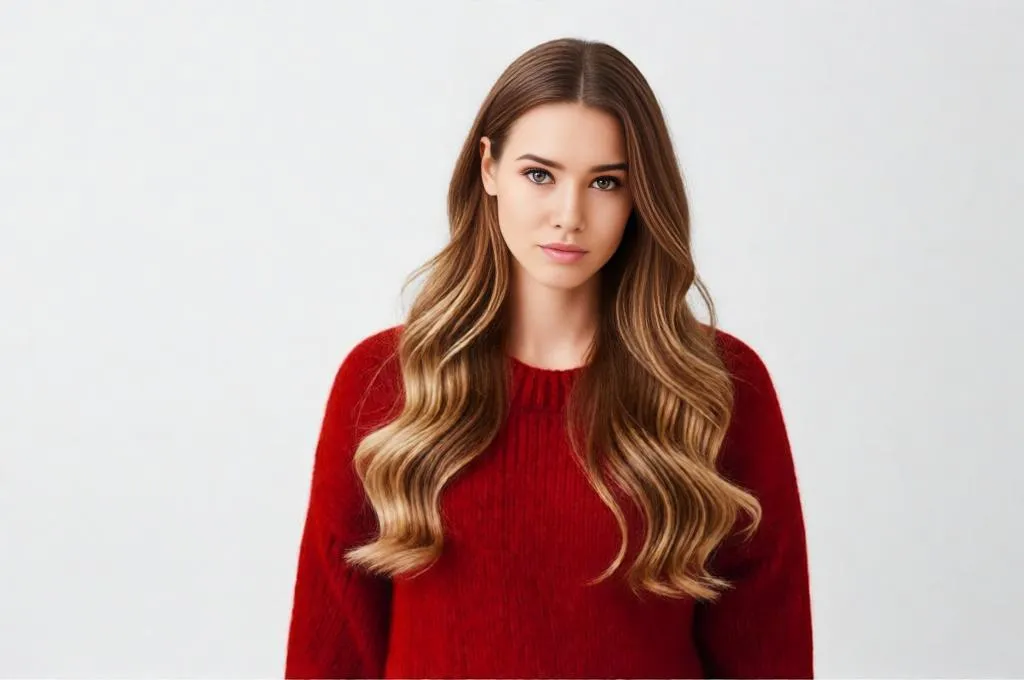
| 12. Change hairstyle to long layered hair with soft waves keep same face pose background lighting and colors ultra realistic depth and natural flow
|
 |
| 13. Change hairstyle to long voluminous curls with defined structure keep same face pose background lighting and colors ultra realistic curl detail
|
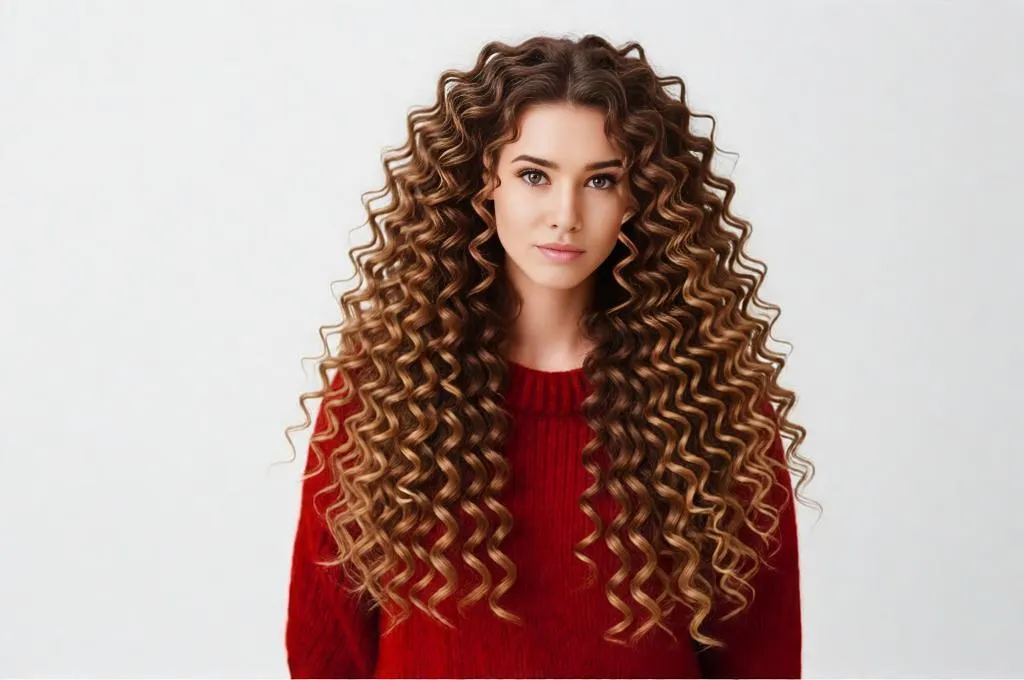 |
| 14. Change hairstyle to long silky hair with slight bounce at ends keep same face pose background lighting and colors ultra realistic shine
|
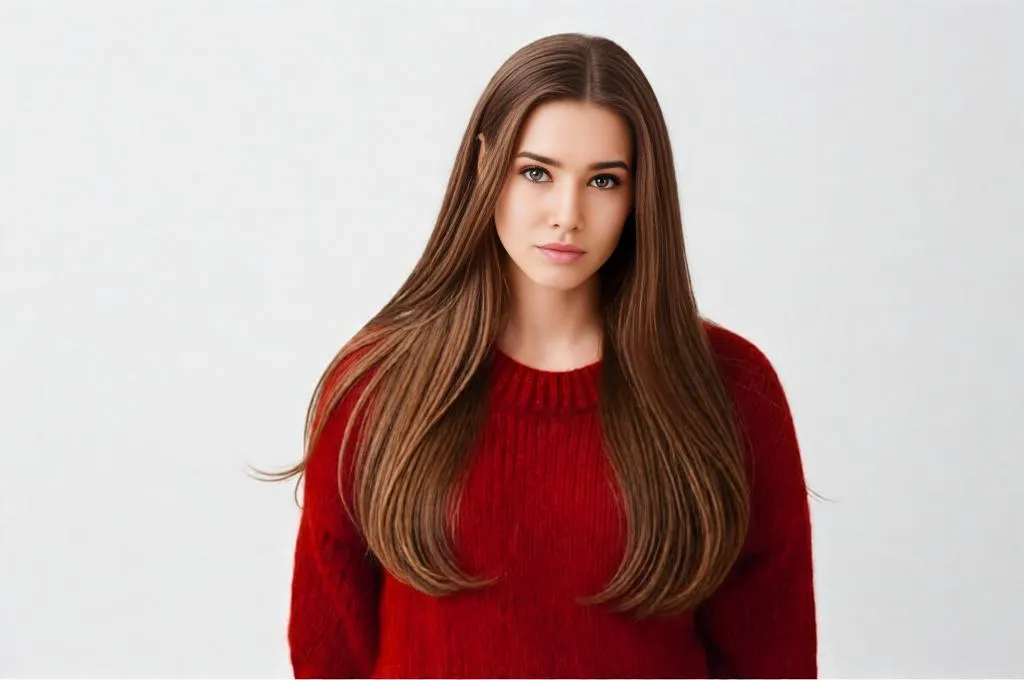 |
| 15. Change hairstyle to long hair with face framing layers keepsame face pose background lighting and colors ultra realistic blending
|
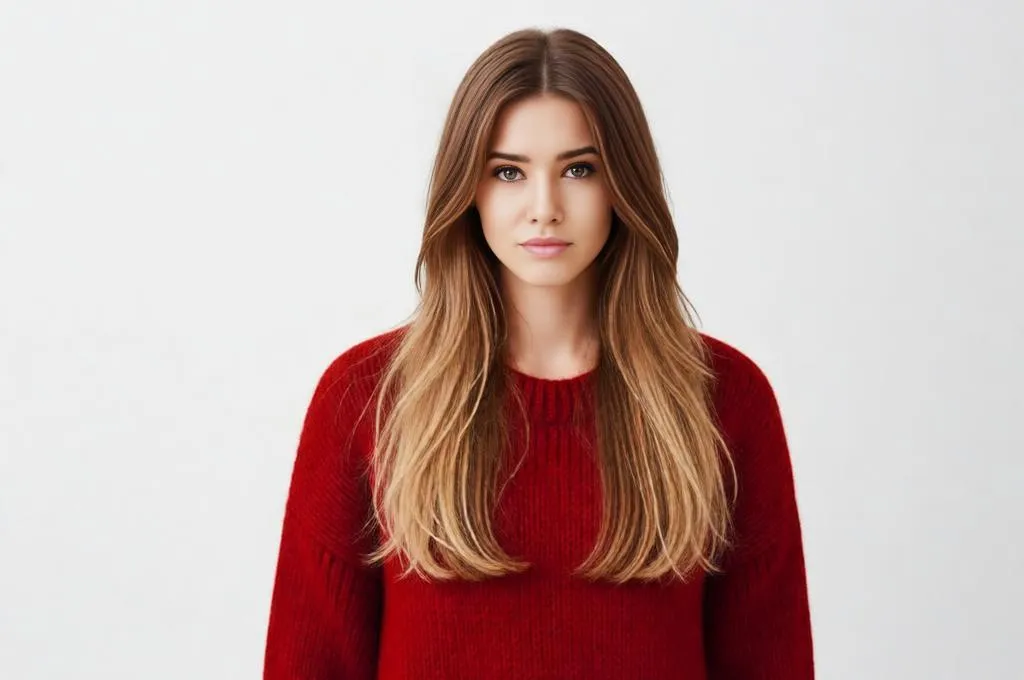 |
Curly and textured:
| Prompt | Output |
| 16. Change hairstyle to messy natural curls with full volume and very long length. heavy flowing curls in wind. keep same face pose background lighting and colors ultra realistic curl pattern and scalp detail
|
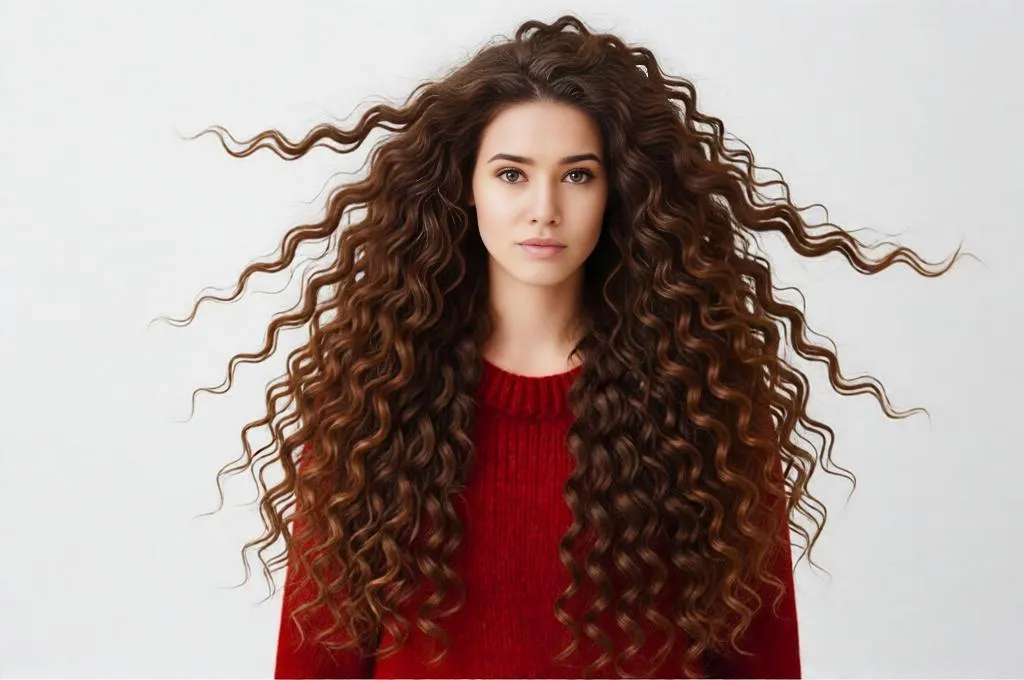 |
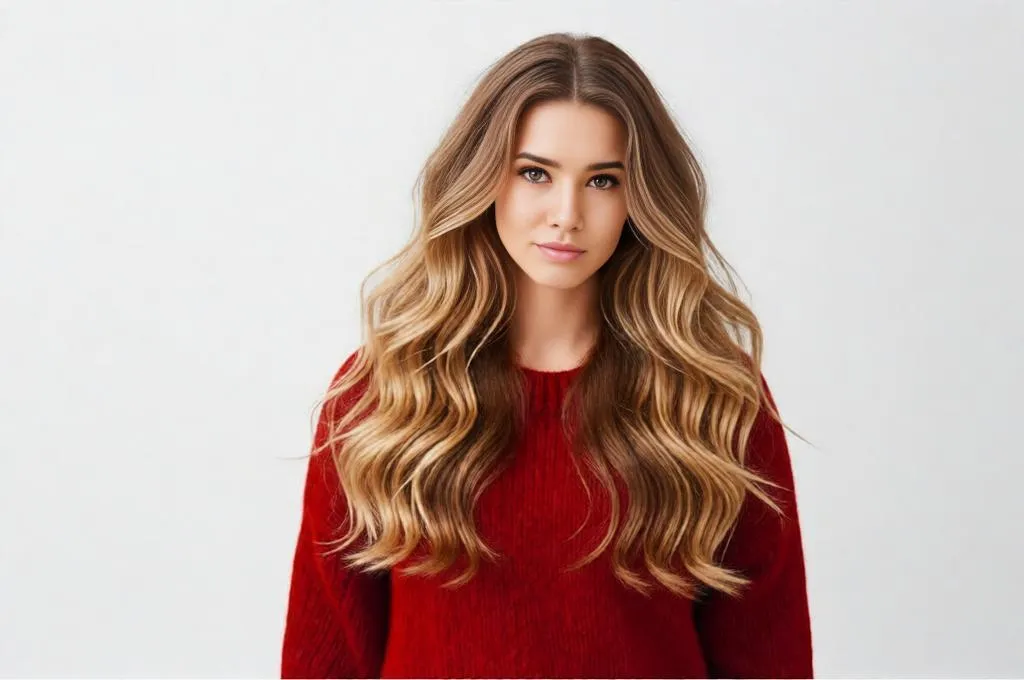
| 17. Change hairstyle to loose beach waves textured and soft keep same face pose background lighting and colors ultra realistic wave flow
|
 |
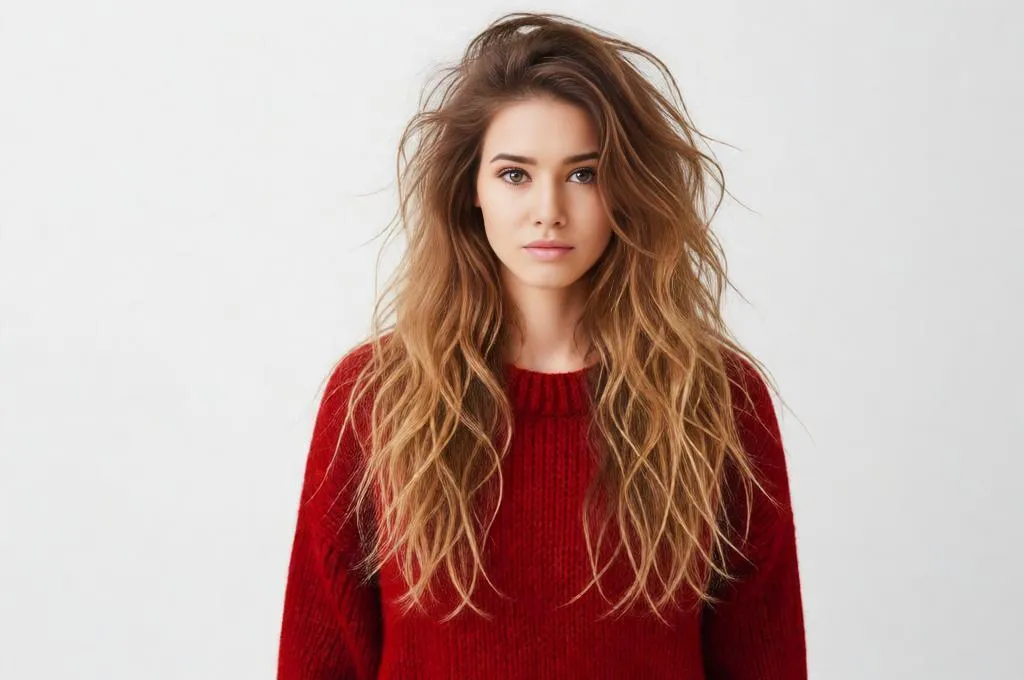
| 18. Change hairstyle to messy textured waves with natural frizz keep same face pose background lighting and colors ultra realistic texture
|
 |
Hair color prompts:
| Prompt | Output |
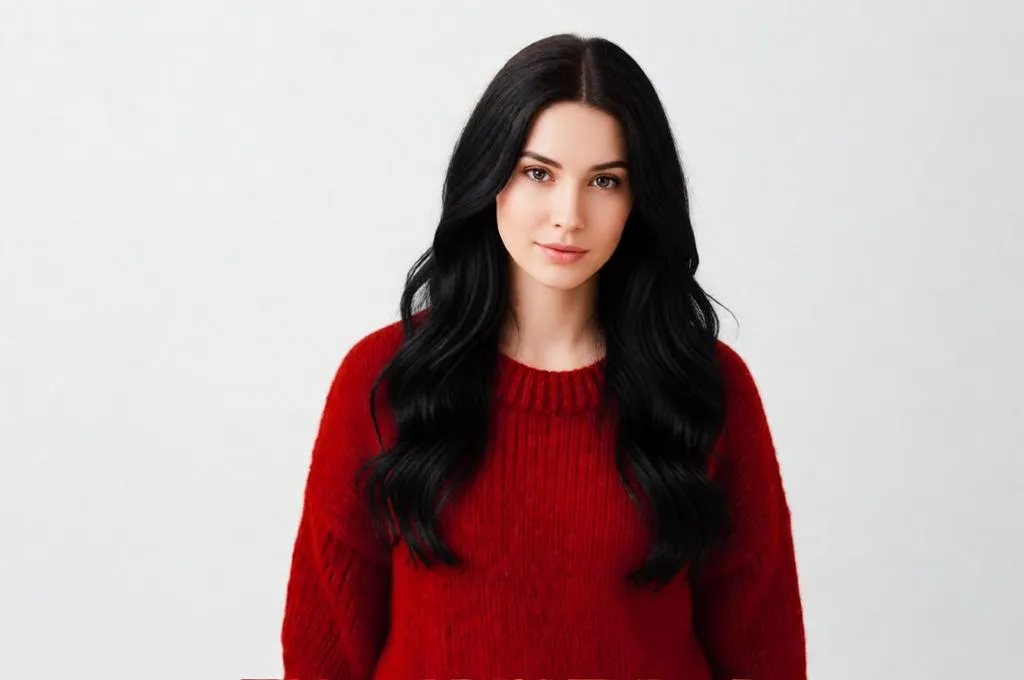
| 19. Change hairstyle to same style with rich jet black hair tone keep same face pose background lighting and colors ultra realistic natural color depth
|
 |
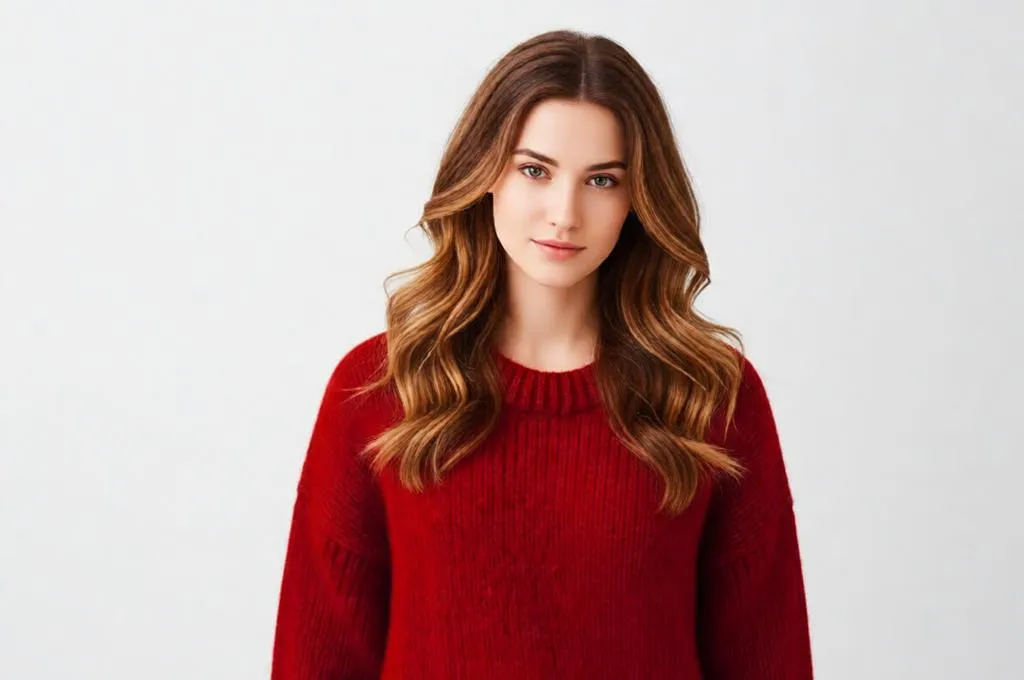
| 20. Change hairstyle to same style with warm brown tone subtle highlights keep same face pose background lighting and colors ultra realistic color blending
|
 |
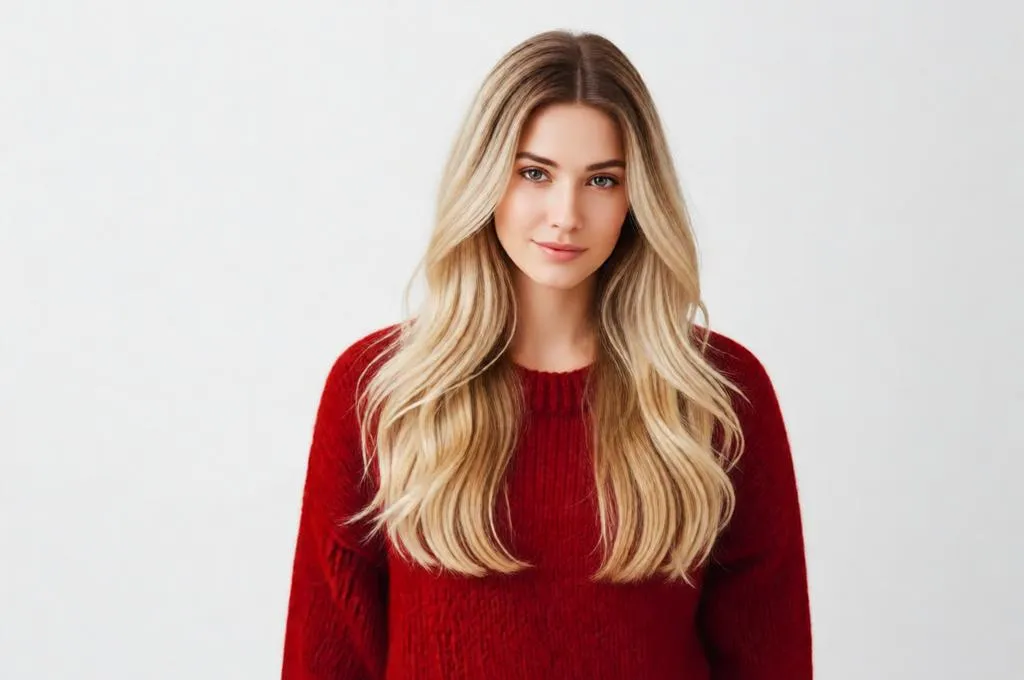
| 21. Change hairstyle to same style with blonde balayage soft gradient keep same face pose background lighting and colors ultra realistic transition
|
 |
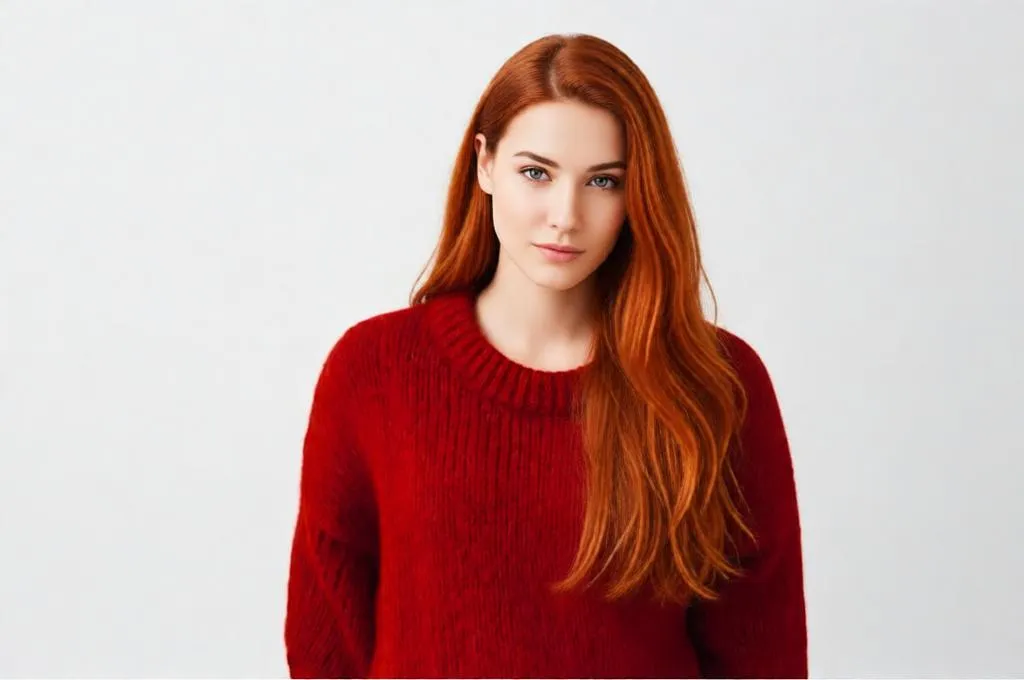
| 22. Change hairstyle to same style with copper red tone vibrant but natural keep same face pose background lighting and colors ultra realistic shine
|
 |
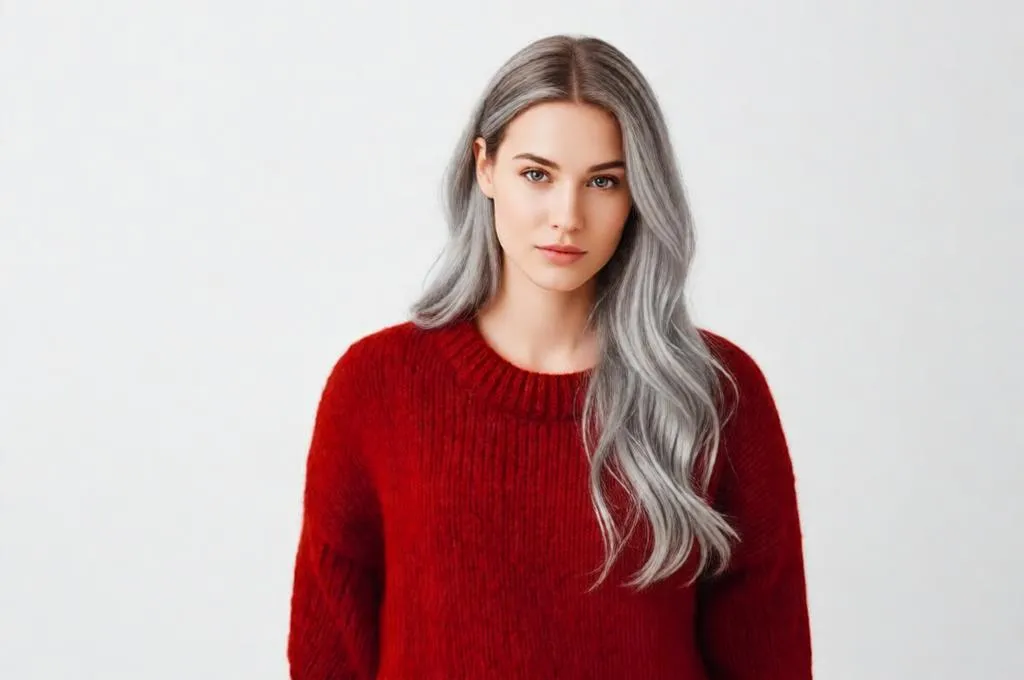
| 23. Change hairstyle to same style with ash grey modern tone keep same face pose background lighting and colors ultra realistic tone balance
|
 |
Bangs
| Prompt | Output |
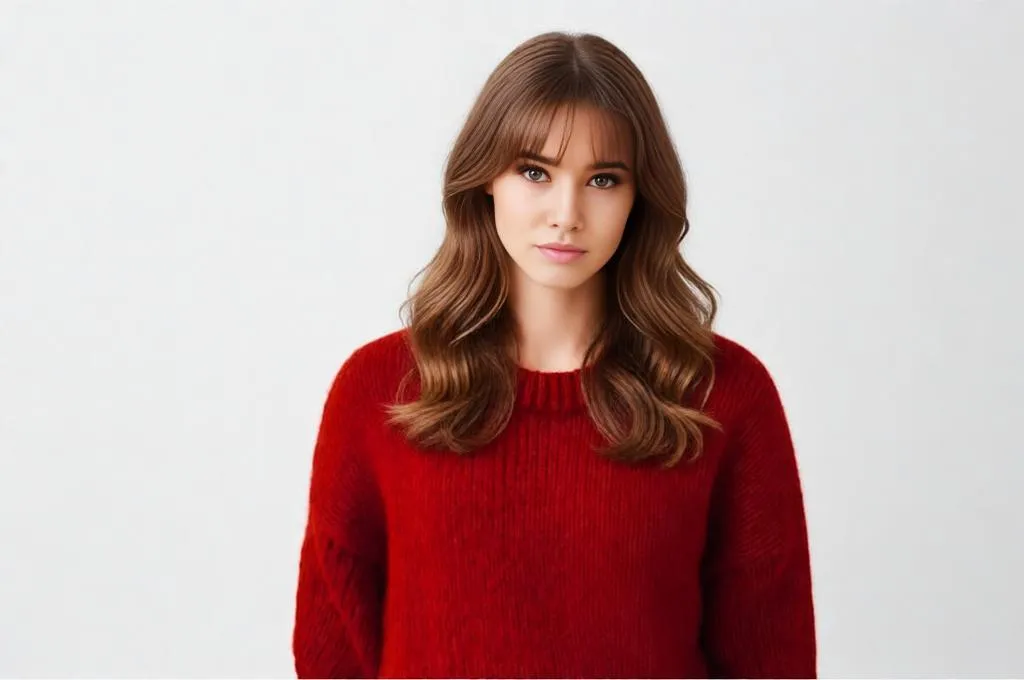
| 24. Change hairstyle to soft curtain bangs with medium length hair keep same face pose background lighting and colors ultra realistic blending with face
|
 |
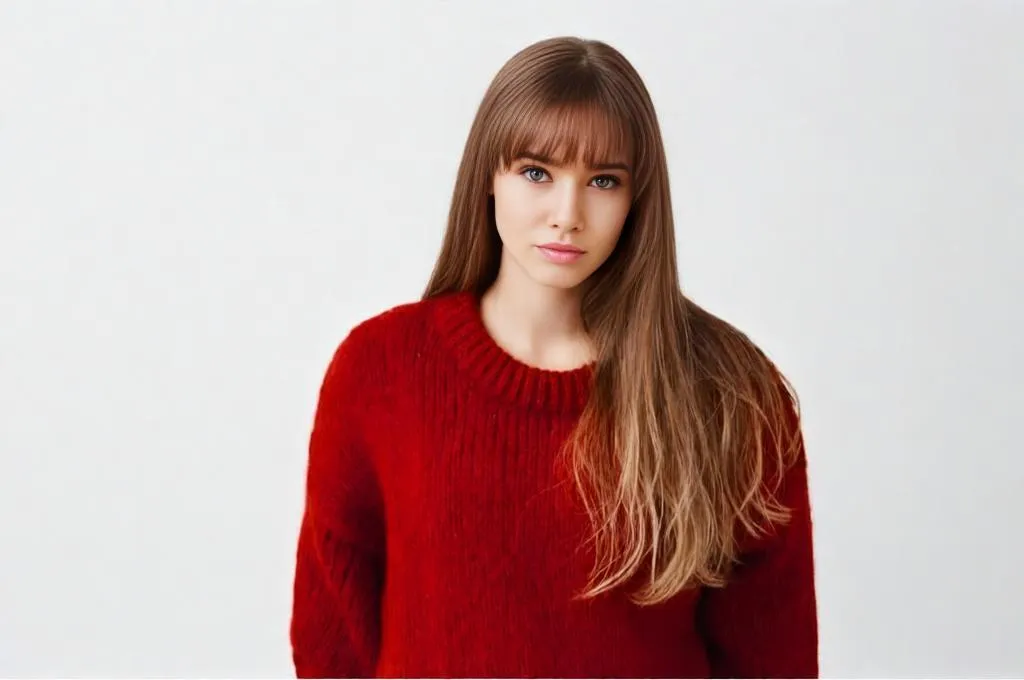
| 25. Add bangs with the same hairstyle and same color as input image, don’t change anything else
|
 |
Hairstyle Prompts for Men
Modern and trending:
| Prompt | Output |
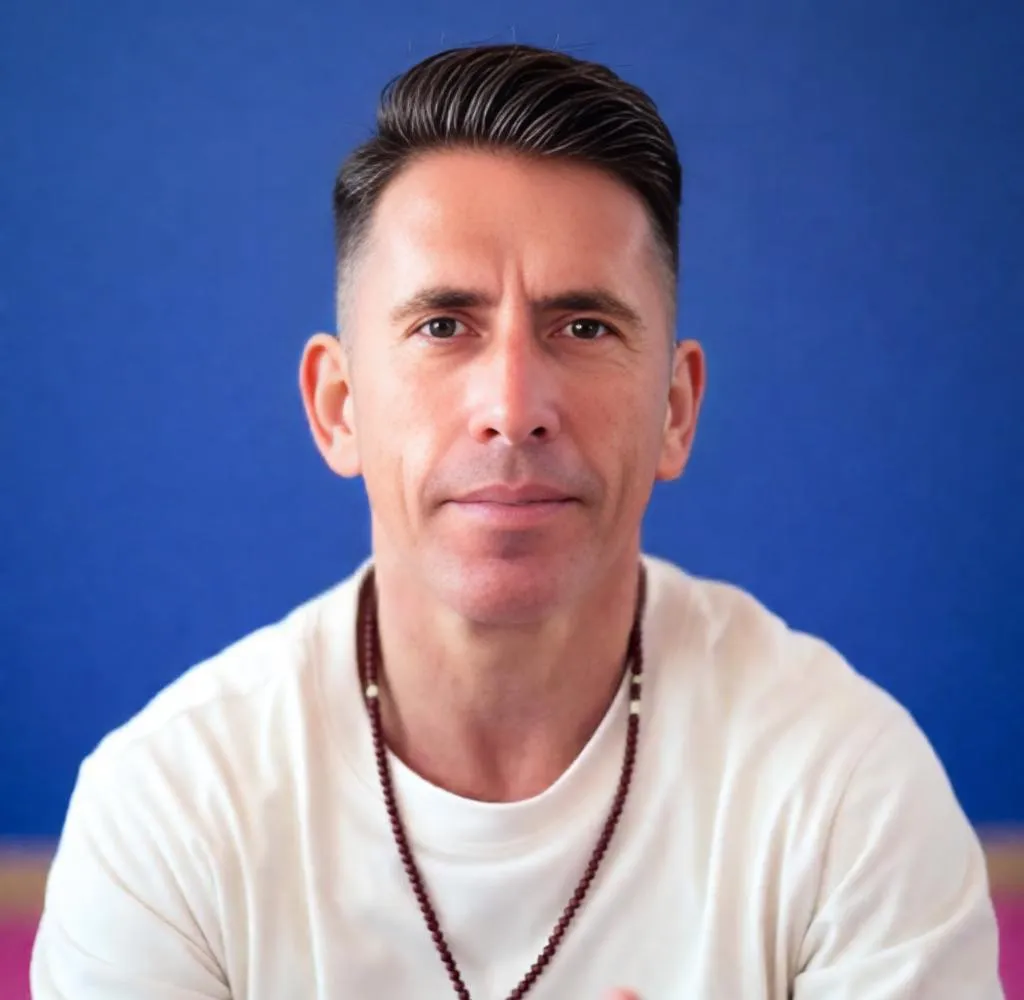
| 26. Change hairstyle to fade haircut with textured top clean sides keep same face pose background lighting and colors ultra realistic hair density
|
 |
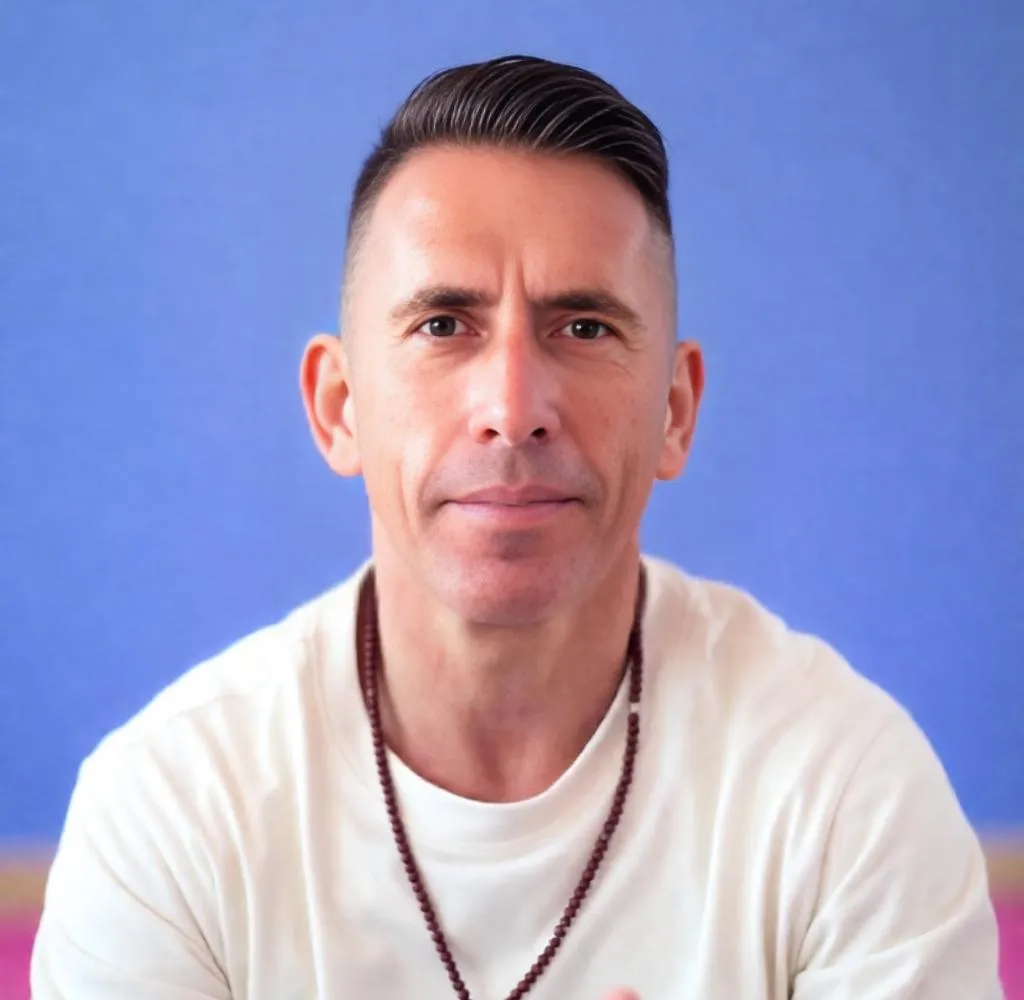
| 27. Change hairstyle to neat low bun clean and polished keep same face pose background lighting and colors ultra realistic smooth finish
|
 |
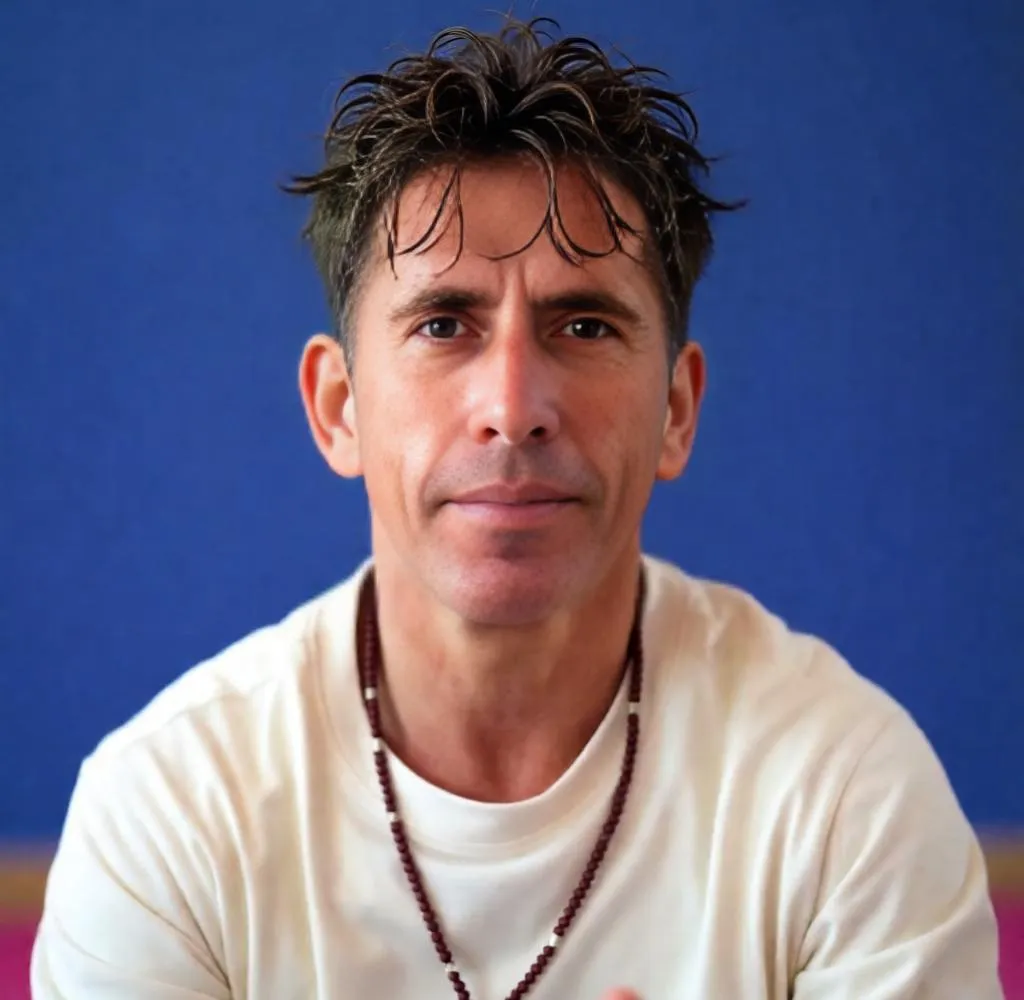
| 28. Change hairstyle to messy textured crop short sides keep same face pose background lighting and colors ultra realistic strand detail
|
 |
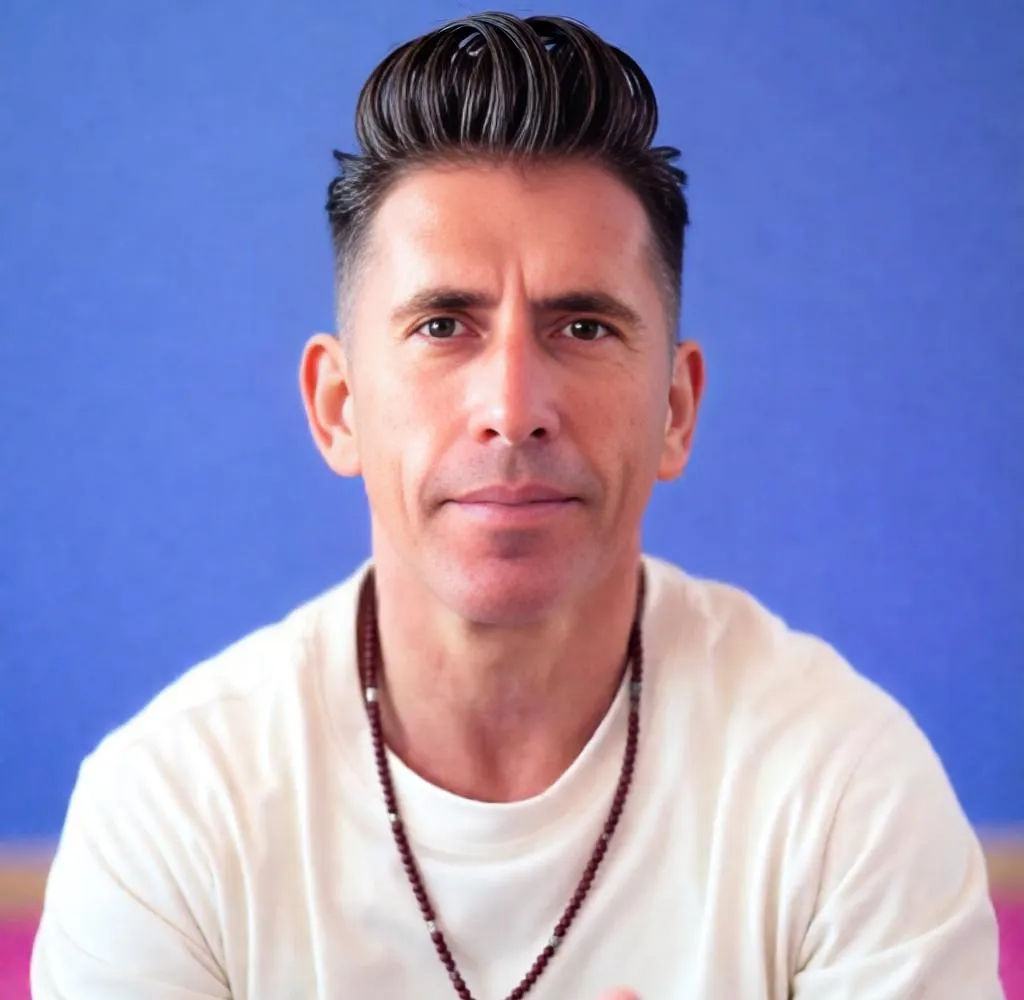
| 29. Change hairstyle to modern quiff with volume at front keep same face pose background lighting and colors ultra realistic lift
|
 |
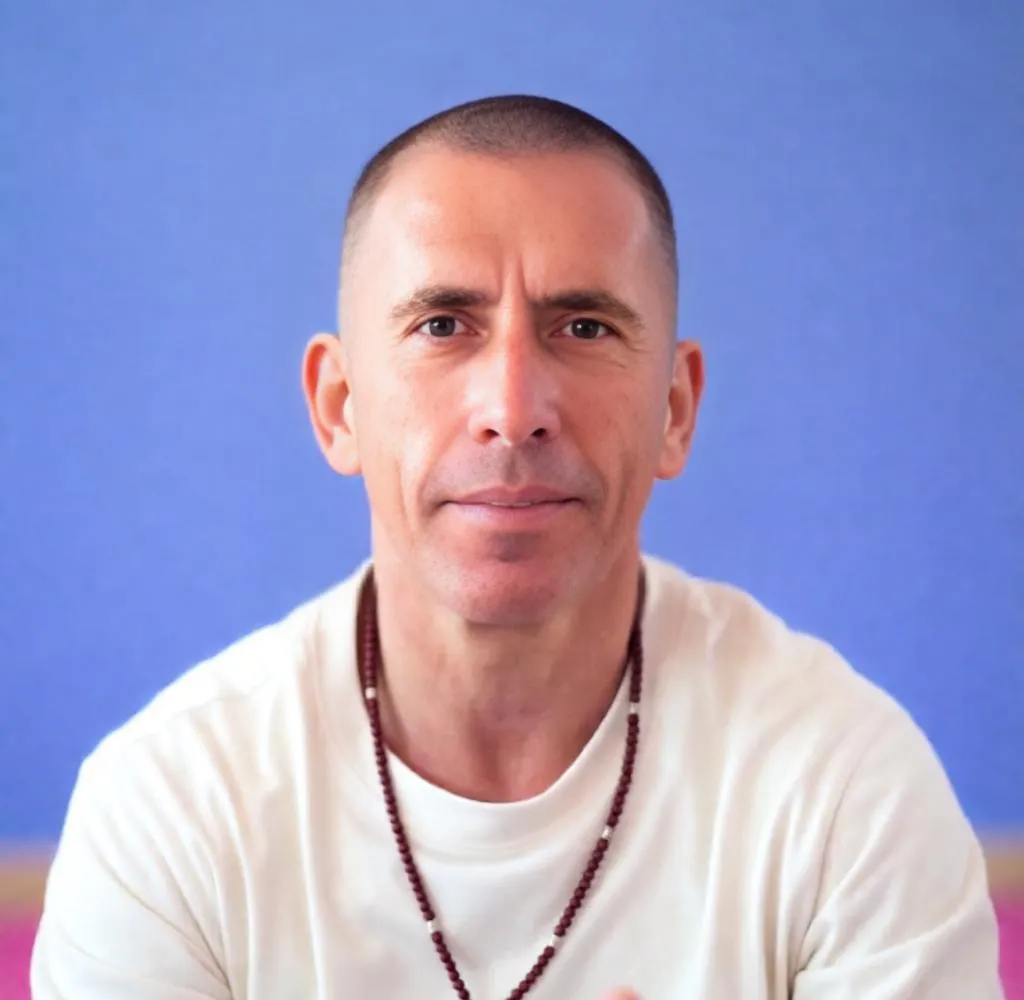
| 30. Change hairstyle to buzz cut with bald side part keep same face pose background lighting and colors ultra realistic clean finish
|
 |
Longer styles for men:
| Prompt | Output |
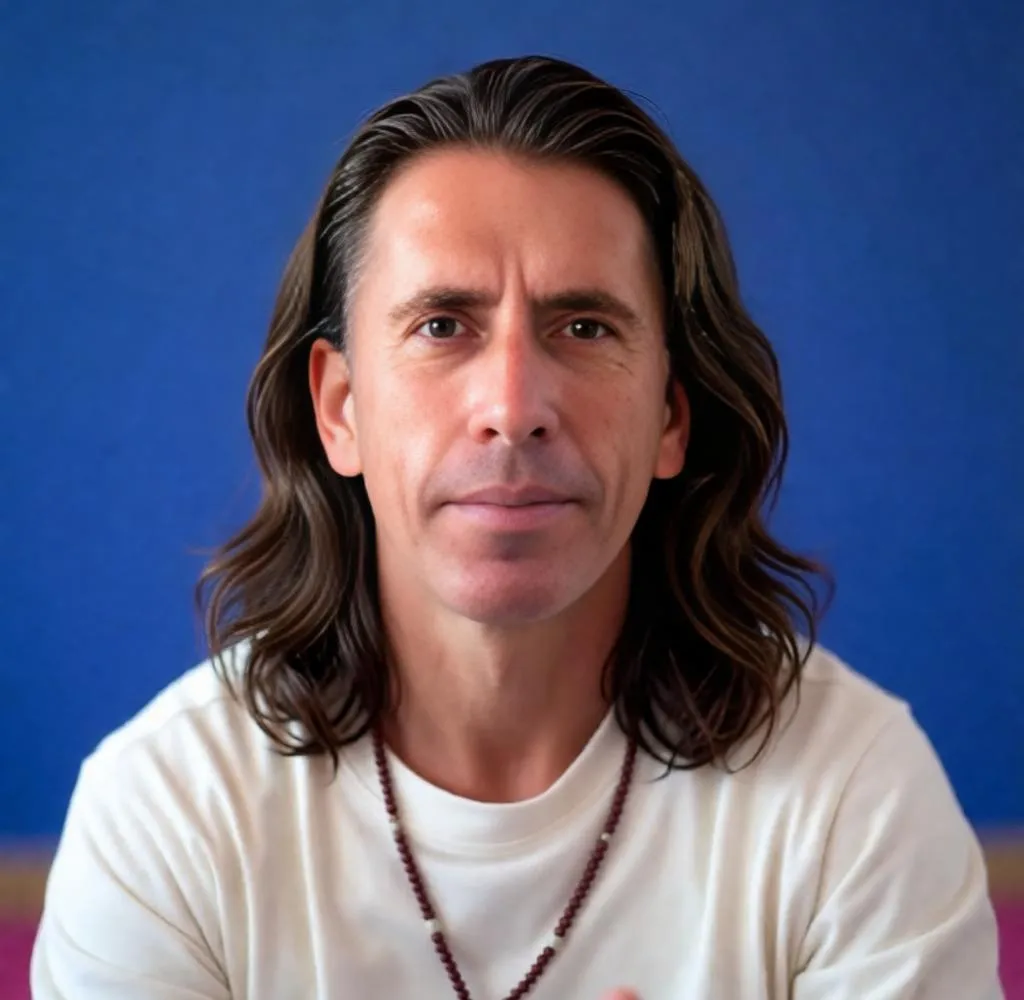
| 31. Change hairstyle to medium long wavy hair brushed back keep same face pose background lighting and colors ultra realistic wave detail
|
 |
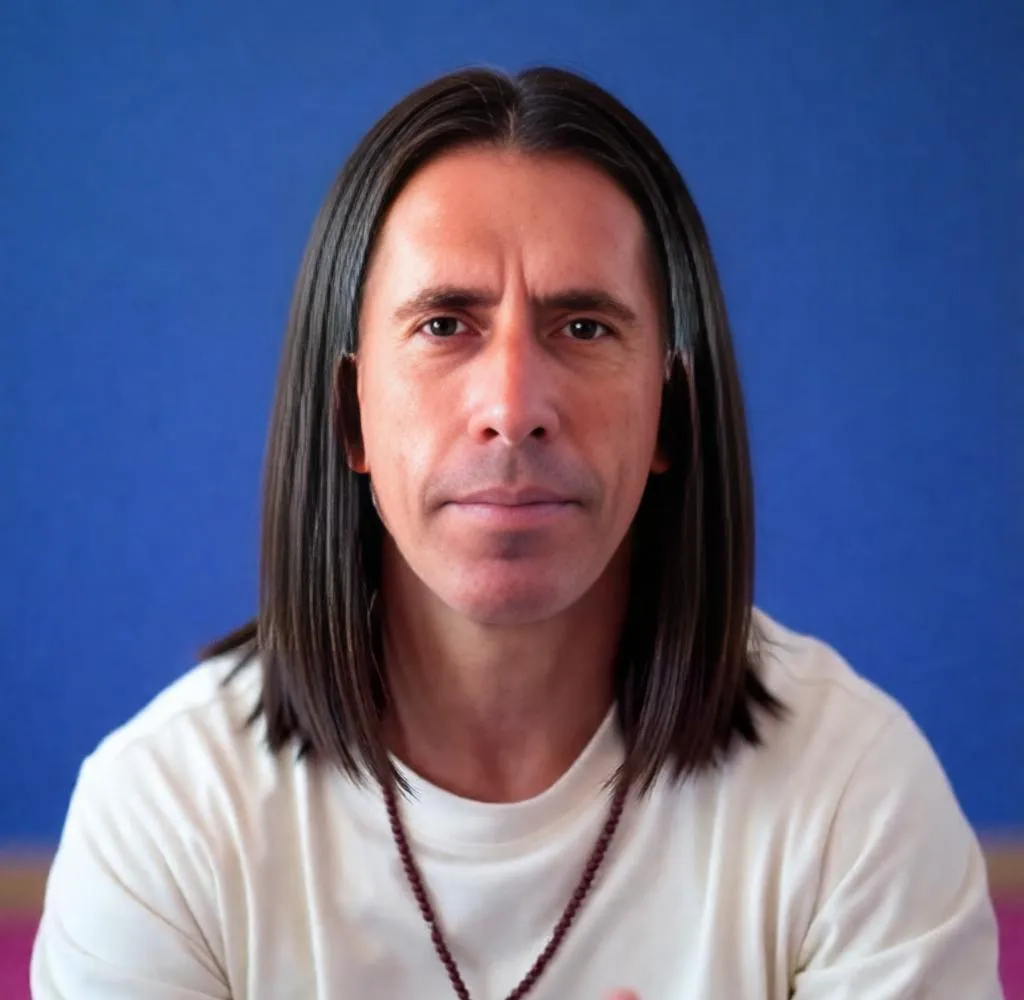
| 32. Change hairstyle to shoulder length straight hair natural fall keep same face pose background lighting and colors ultra realistic smooth strands
|
 |
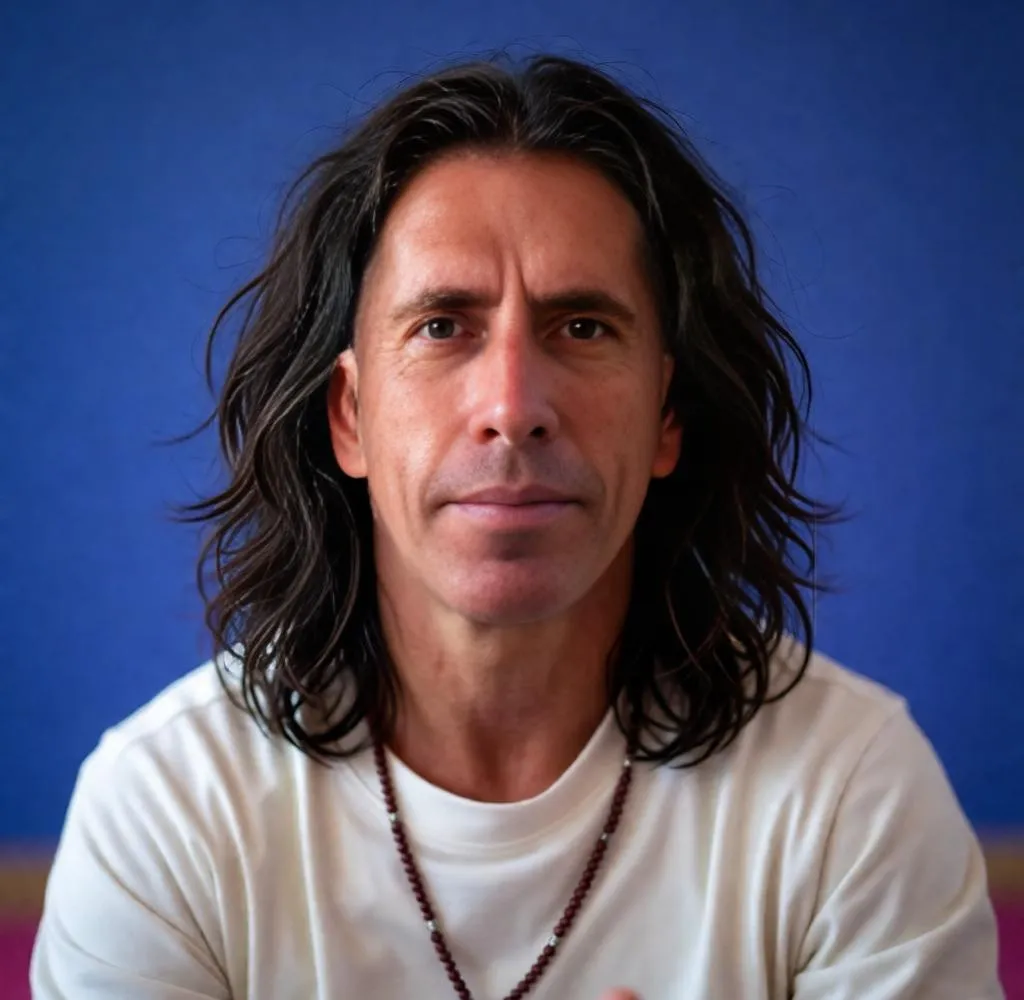
| 33. Change hairstyle to long layered hair slightly messy keep same face pose background lighting and colors ultra realistic texture
|
 |
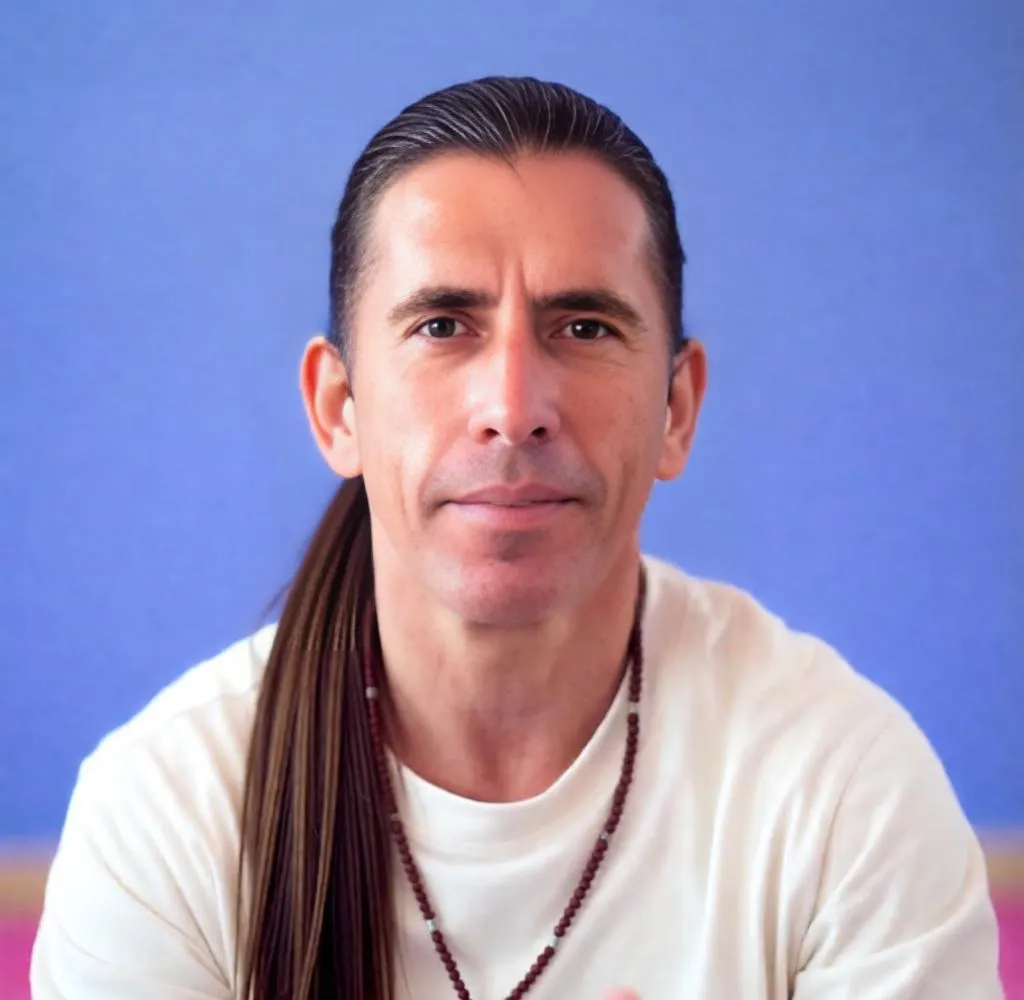
| 34. Change hairstyle to long tied back ponytail neat finish keep same face pose background lighting and colors ultra realistic hairline detail
|
 |
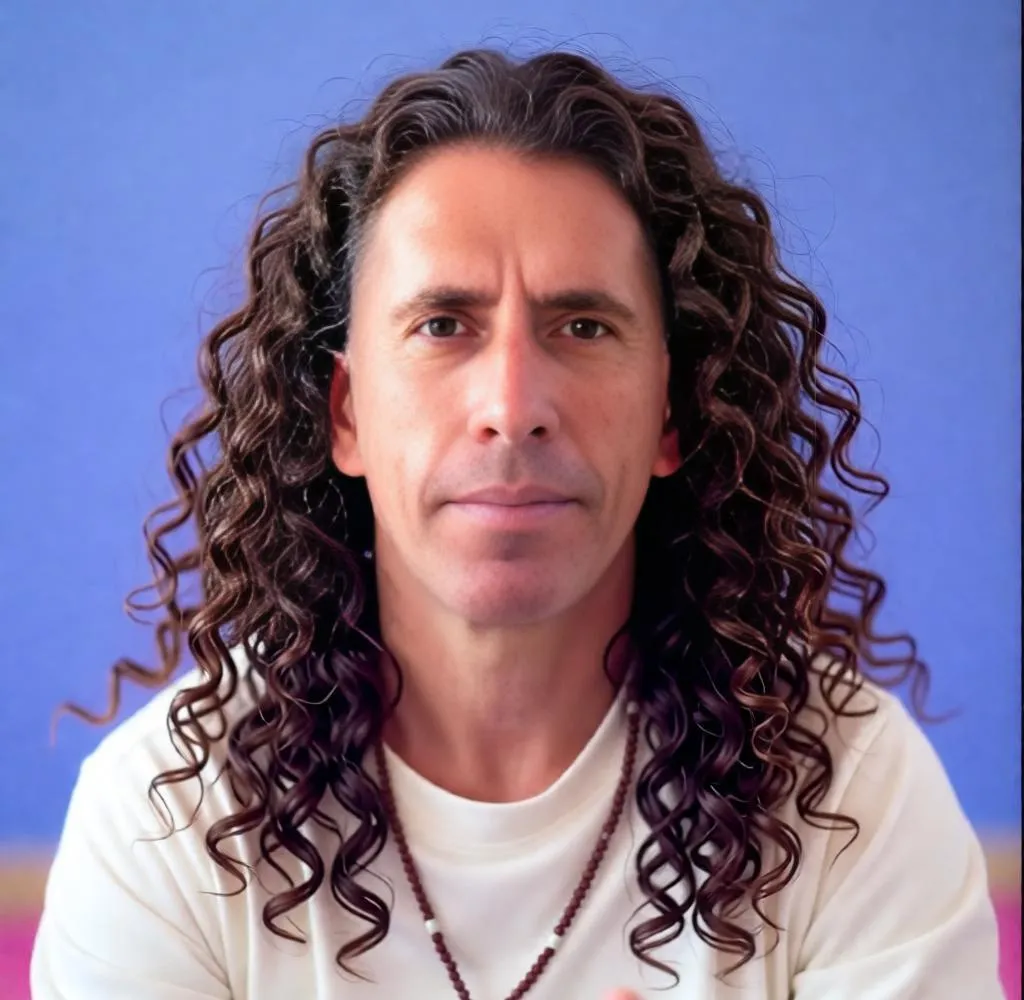
| 35. Change hairstyle to long curls loose and natural keep same face pose background lighting and colors ultra realistic curl pattern
|
 |
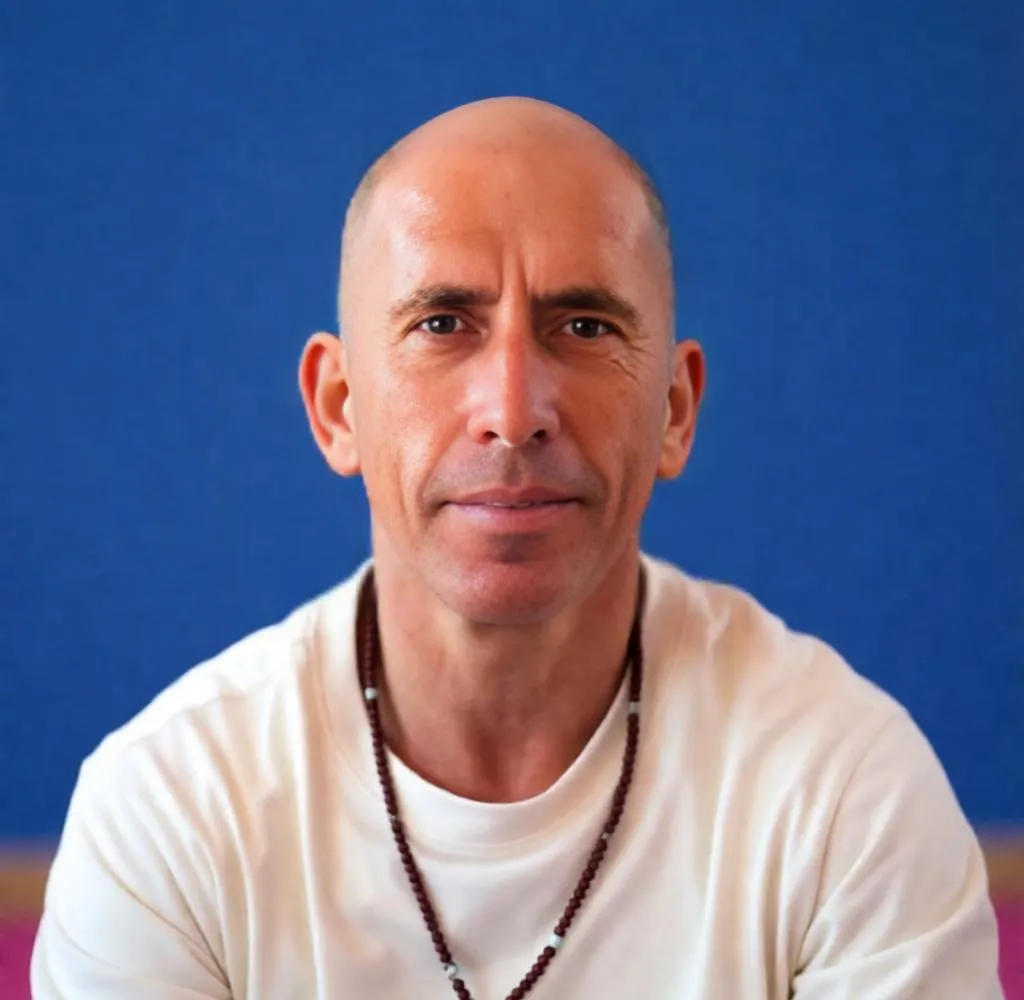
| 36. Change hairstyle to fully bald clean shaved scalp keep same face pose background lighting and colors ultra realistic skin texture
|
 |
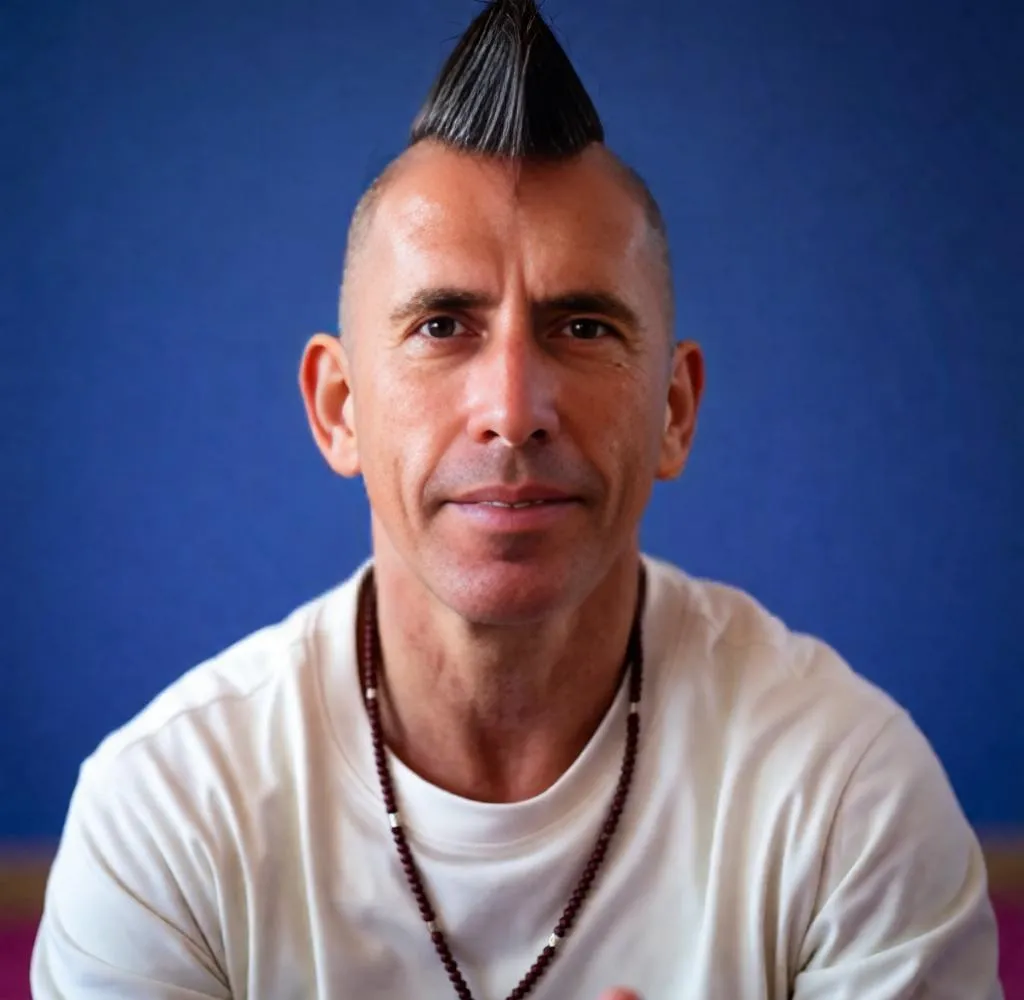
| 37. Change hairstyle to exaggerated mohawk. keep same face pose background lighting and colors ultra realistic but stylized
|
 |
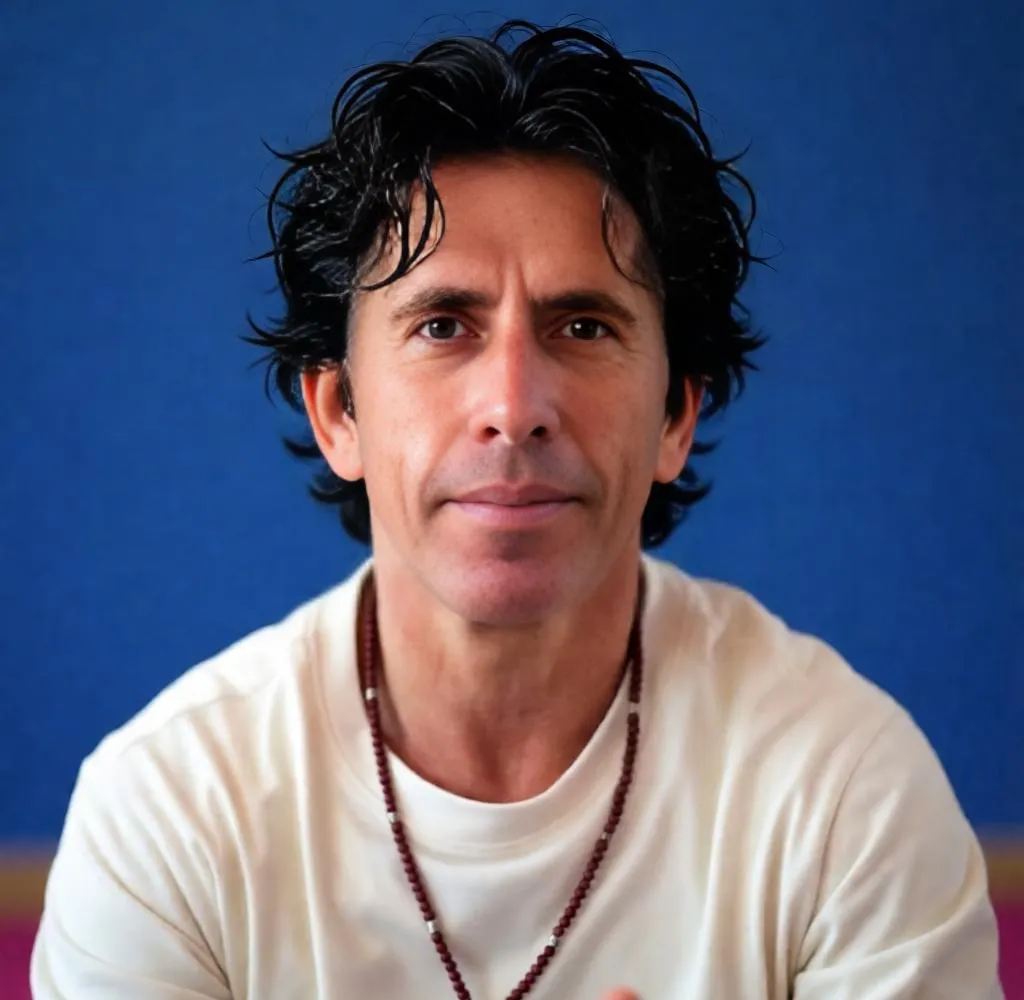
| 38. Change hairstyle to hyper realistic, natural messy hair with black tone keep same face pose background lighting and colors ultra realistic color depth
|
 |
Hair color for men:
| Prompt | Output |
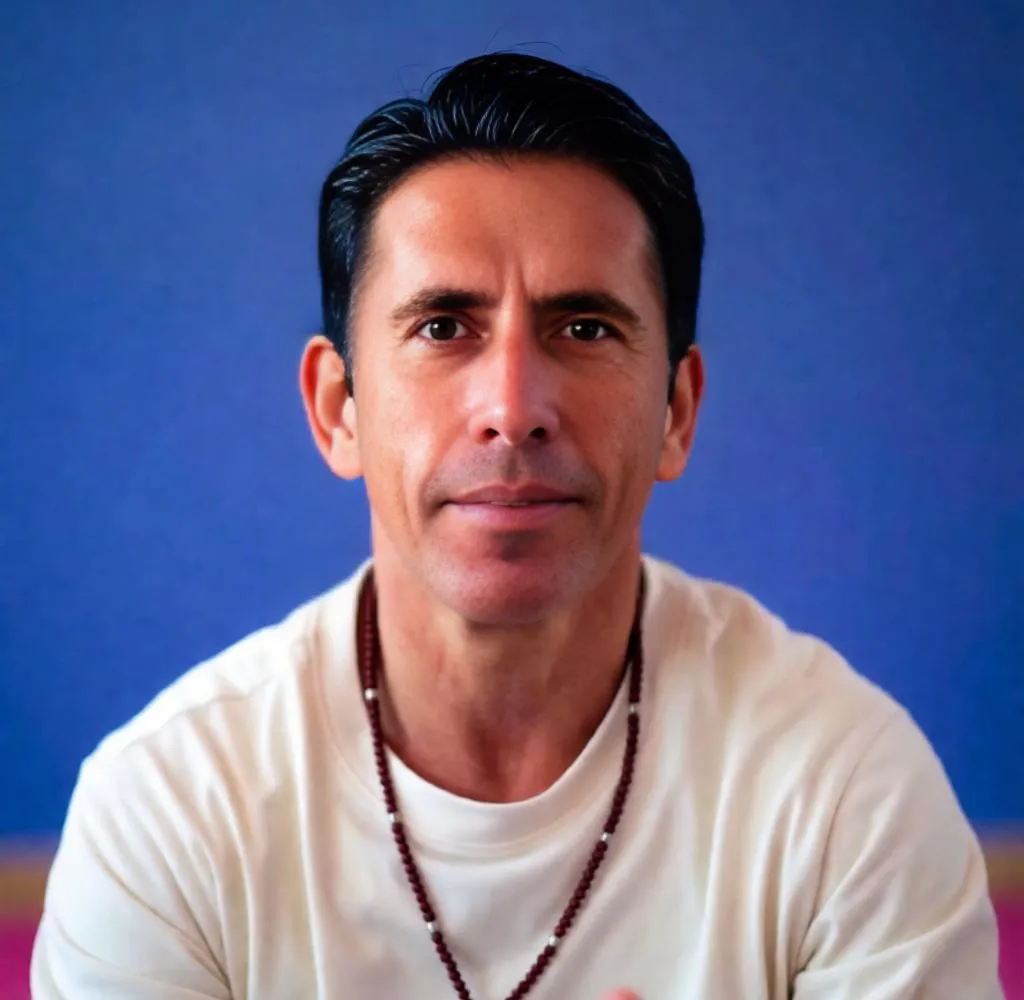
| 39. Change hairstyle to same style with deep black tone keep same face pose background lighting and colors ultra realistic color depth
|
 |
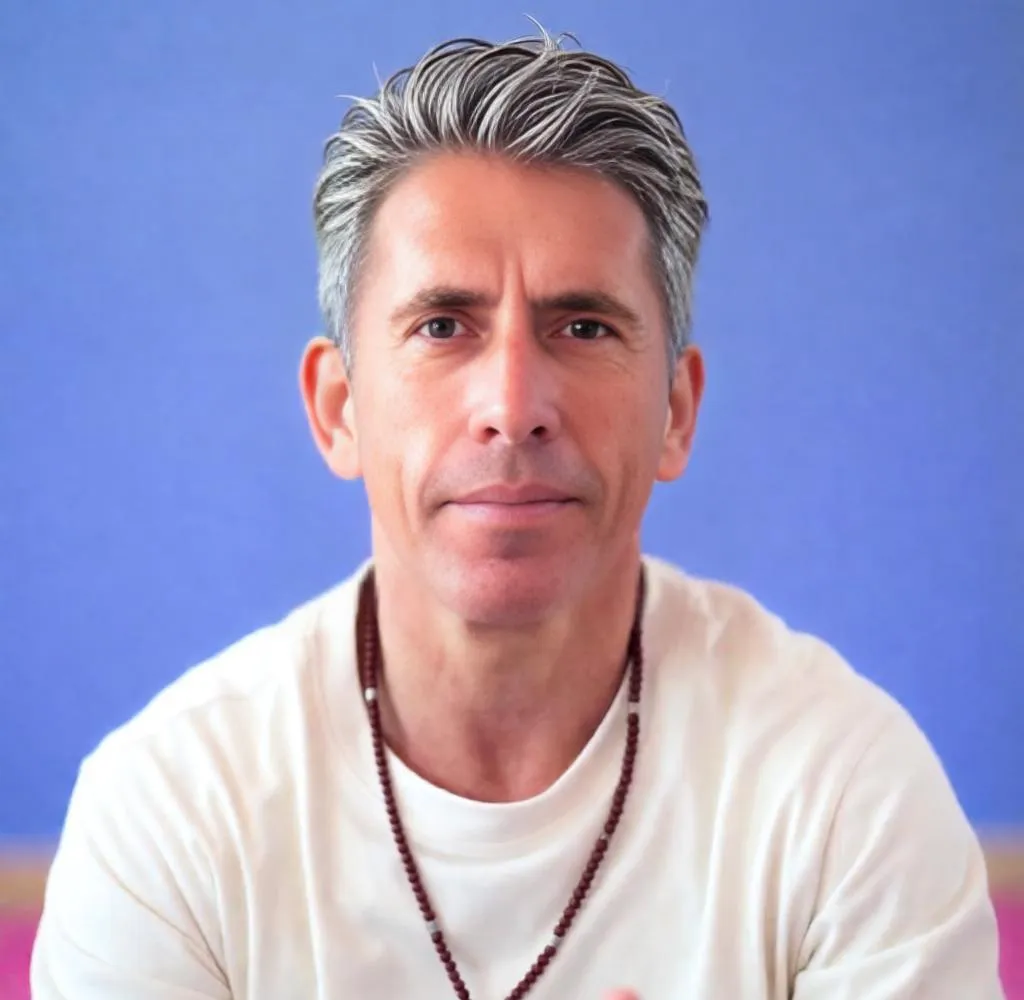
| 40. Change hairstyle to same style with salt and pepper grey mix keep same face pose background lighting and colors ultra realistic blending
|
 |
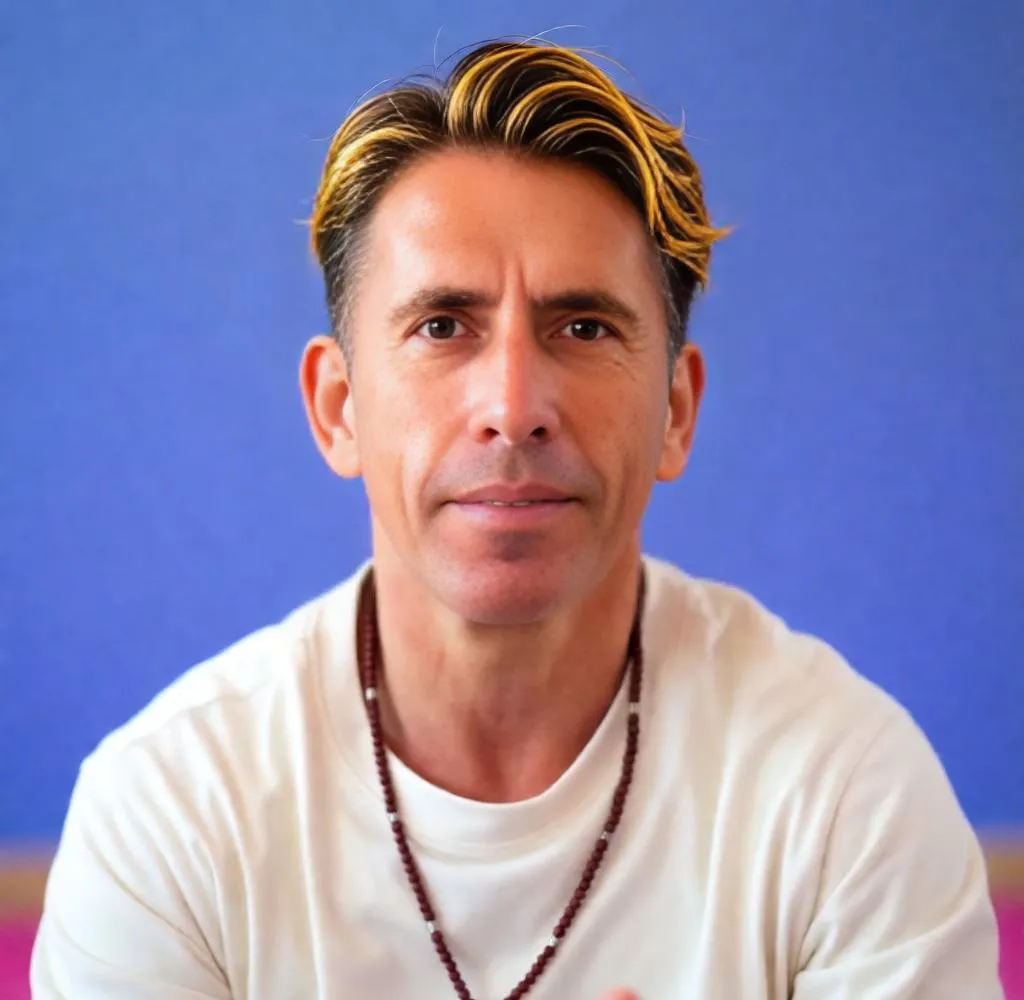
| 41. Change hairstyle to same style with golden brown highlights keep same face pose background lighting and colors ultra realistic tone
|
 |
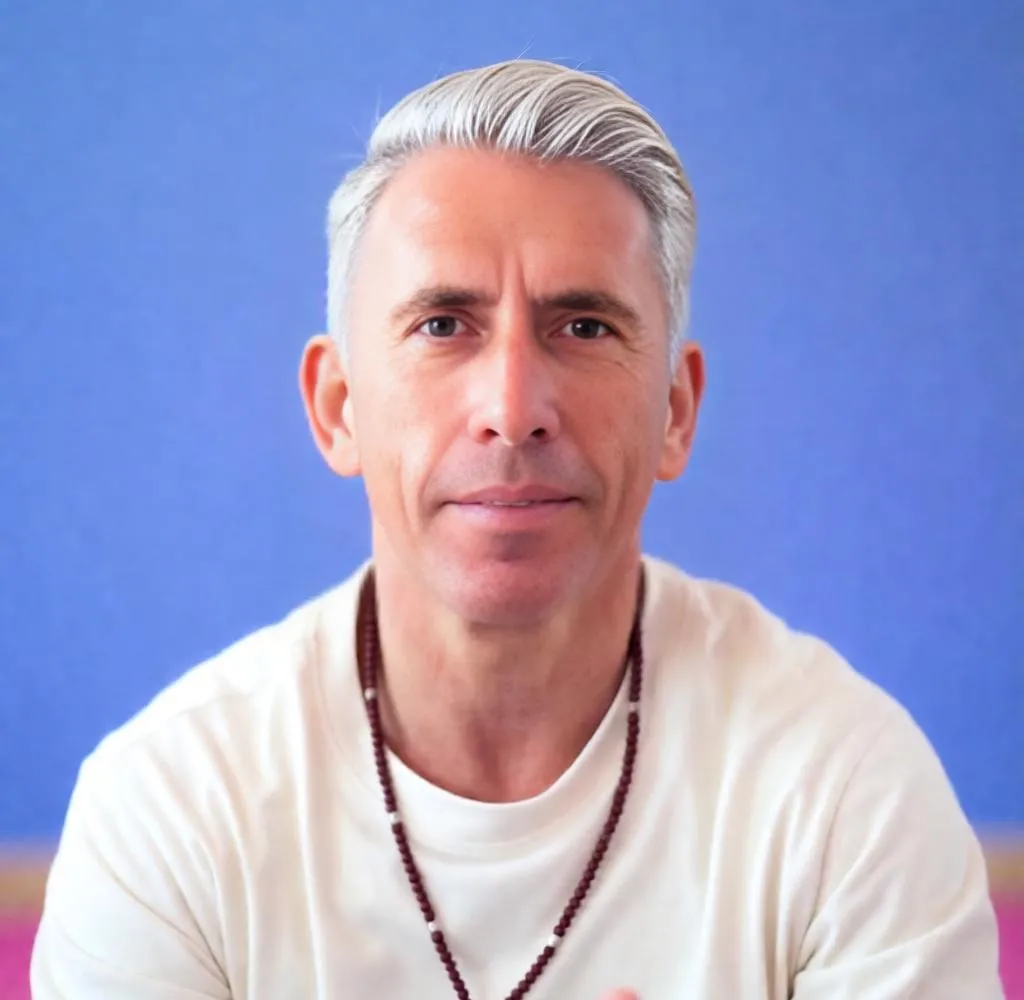
| 42. Change hairstyle to same style with platinum blonde tone keep same face pose background lighting and colors ultra realistic brightness
|
 |
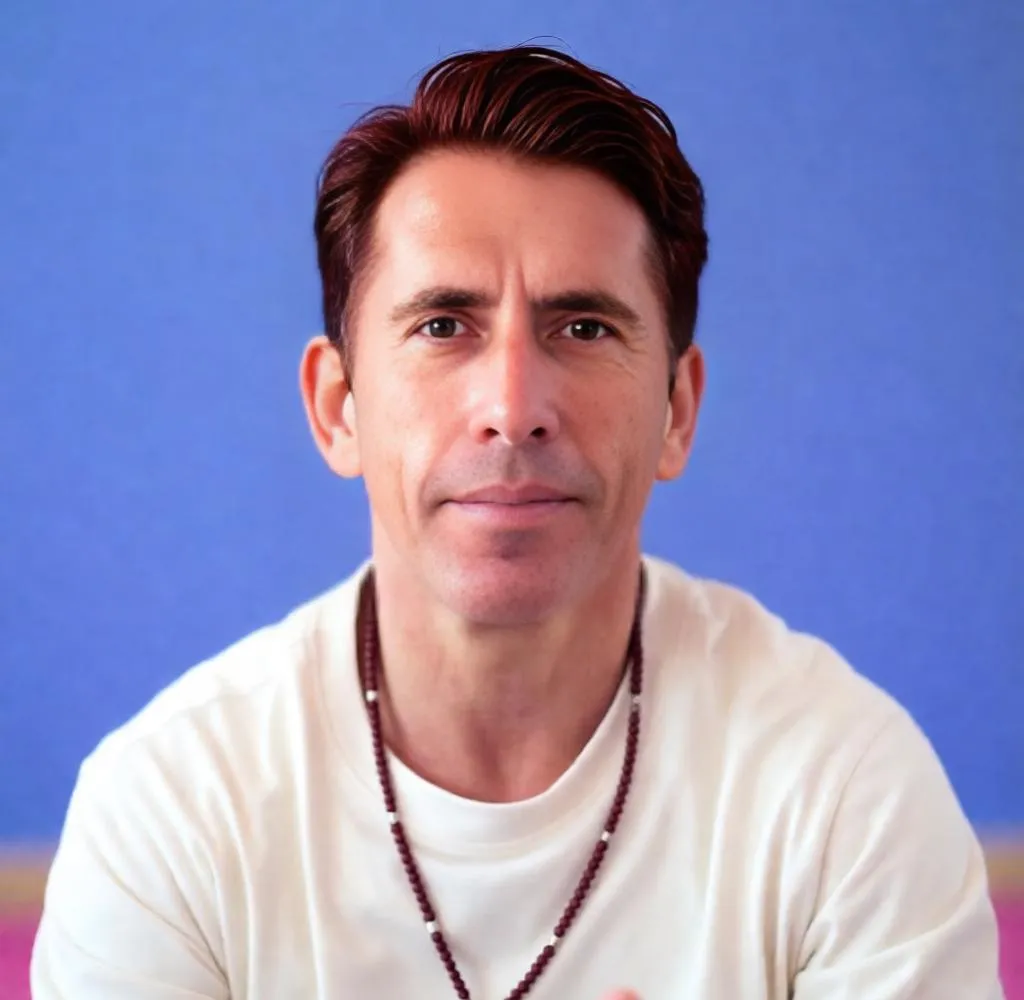
| 43. Change hairstyle to same style with dark auburn tone keep same face pose background lighting and colors ultra realistic richness
|
 |
3×3 Hairstyle Style Grid Prompt
Want to compare multiple looks on the same face? Use this prompt in LightX:
| Prompt | Output |
| 44. Generate a 3×3 grid of hairstyle transformations on the same portrait. Row 1: pixie, bob, lob. Row 2: loose waves, tight curls, sleek straight. Row 3: updo, low bun, braids. Consistent lighting, same face, realistic portrait rendering.
|
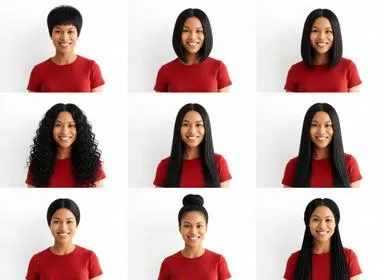 |
Great for content creation, mood boards, or comparing options before a salon visit.
Related: How to Edit Hair in Photos
How to Write Better AI Hairstyle Prompts
The formula is simple:
[Cut name] + [Length] + [Texture] + [Color with tone] + [Finish] + [Context]
Weak prompt: curly hair
Strong prompt: Type 3A spiral curls, shoulder length, rich chocolate brown, frizz-free definition, diffuser-dried, natural portrait lighting
Things to always include:
- Cut or style name — pixie, wolf cut, taper fade, French twist.
Named styles give the AI a clear anchor. - Length — cropped, jaw-length, shoulder, mid-back.
Vague length = unpredictable output. - Texture — sleek, wavy, coily, wispy, textured.
This changes everything. If you wanna keep your hair texture same mention “ oo chage in hair texture” - Color tone — Change hair color with not just “blonde.” Say “warm honey blonde” or “icy ash blonde.”
- Finish — matte, glossy, natural, wet-look, diffused.
- Context — editorial, everyday, professional, casual. Helps LightX match the mood of the result.
Tips to Get the Most Realistic Results
Start with a clean, front-facing photo. Even lighting and a neutral background help the AI focus on your face and hair. Avoid heavy shadows or side angles for best results.
Use real hairstyle names. “Wolf cut,” “curtain bangs,” “Edgar cut” — these are recognized style references. Named styles produce more accurate outputs than descriptive-only prompts.
Match the prompt to your natural texture. If you have thick, coily hair, include that in the prompt. LightX renders more realistic transformations when the base and target textures are contextually connected.
Refine one element at a time. If the color is right but the cut is off, just change the cut descriptor in your next prompt. Changing everything at once makes it hard to know what’s working.
Run 2–3 variations. The same prompt can produce slightly different outputs each time. Generate a few and pick the one that lands closest to what you want.
Add specificity, not length. “Warm honey balayage with face-framing highlights, glossy finish” beats a 40-word paragraph. Precise beats verbose.
Wait — Is using AI to change your hairstyle… catfishing?
Short answer: absolutely not. And honestly, the question is kind of hilarious.
Catfishing is pretending to be someone you’re not — fake identity, fake life, fake everything. Trying on a pixie cut virtually is just… trying on a pixie cut. That’s it. That’s the whole thing.
Using LightX to preview a hairstyle is the digital version of holding up a wig in the mirror — except the result looks a lot more realistic and you don’t have to awkwardly walk through a costume shop to do it.
Now, if you’re using an AI-generated photo of yourself with floor-length platinum waves on a dating app when your actual hair is a week-old bun — that’s a conversation for another day. But experimenting with your look, getting inspired, figuring out what suits you? That’s not catfishing. That’s just being a person who cares about how they look.
Use LightX freely. Try the pixie. Go platinum. See what curtain bangs do for your face. No one is being deceived — you’re just doing your research.
Conclusion
The difference between a hairstyle you love and one that misses is usually in the prompt. The more clearly you describe what you want — cut, texture, color, finish, context — the closer LightX AI Hairstyle Generator gets to your actual vision.
Use the 40+ prompts in this guide as your starting point. Paste them into LightX, tweak for your hair type and face shape, and generate. Whether you’re planning your next salon visit, building content, or just curious what a pixie cut would look like on you — your answer is a few seconds away.
Try LightX AI Hairstyle Generator now — free to use, no download required.
Frequently Asked Questions
How do I know which hairstyle suits my face shape?
Upload your photo to LightX and try a few styles. Seeing it on your actual face is faster and more accurate than any guide.
Can I try different hair colors too?
Yes. Just add the color to your prompt. Include the tone (warm, cool) and technique (balayage, full color, highlights) for the most realistic result.
Can LightX AI prompts work for Indian hair types and textures?
Absolutely. Just describe your natural hair in the prompt “thick straight hair,” “coarse wavy texture,” “high-density natural black” and LightX will render more accurate, true-to-texture results.
Can creators use these prompts for social media content?
Yes, and it works really well. Before/after transformations, style inspiration grids, and tutorial thumbnails all perform well.
What photo works best on LightX?
Front-facing, good lighting, hair away from the face if possible. The cleaner the input, the cleaner the output.
Get on WhatsApp
New image & Video workflow everyday