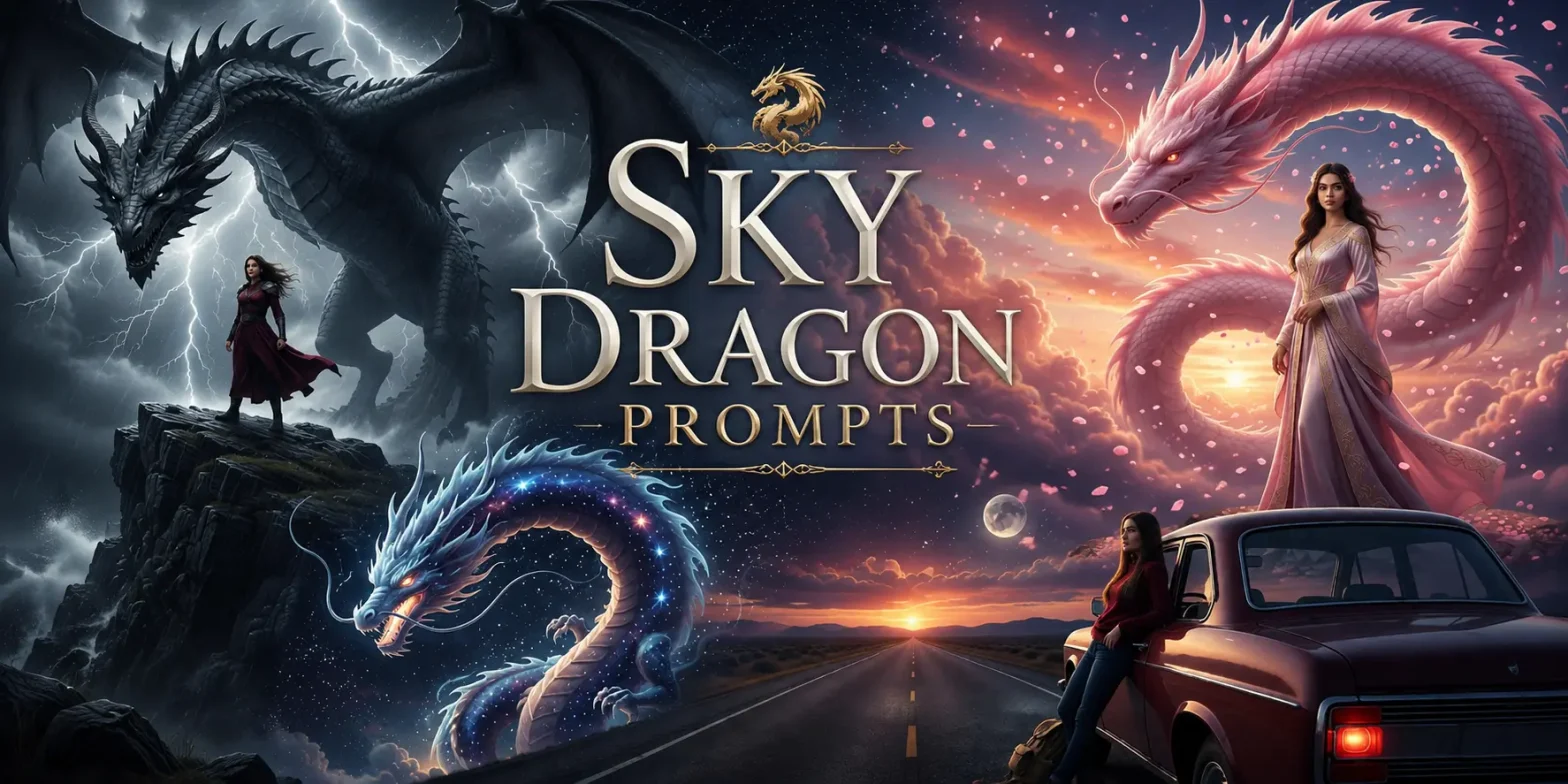
If you’ve scrolled through Instagram lately, you’ve probably stopped at one — a sweeping sky, a massive dragon coiling through storm clouds, and a lone figure standing below like they’ve walked out of a fantasy film. That’s the sky dragon AI photo editing trend, and it’s everywhere right now.
 Get on WhatsApp
New image & Video workflow everyday
Get on WhatsApp
New image & Video workflow everyday
In this guide, you’ll get everything you need to create it yourself: copy-paste ready prompts, a step-by-step walkthrough, the best photo types to use, and pro tips to make yours stand out in the feed.
What Is Sky Dragon AI Photo Editing?
Sky dragon AI photo editing is a prompt-driven technique where you upload a real photo into an AI tool like LightX (with image generation) and instruct it — through a detailed text prompt — to transform the sky into a cinematic fantasy scene with a large dragon made of clouds, mist, or fire. You can generate realistic dragons with AI to your photo.
The key elements that make this edit work:
- A large, dramatic sky that dominates the frame
- A dragon rendered from natural elements (clouds, mist, fire, smoke)
- Cinematic color grading — typically deep blue, amber, or stormy tones
- A small human subject in the foreground, creating epic scale contrast
- Consistent lighting so the dragon feels like it belongs in the photo
No Photoshop. No manual compositing. Just the right prompt and a solid base photo.
Why This Trend Has Taken Over Social Media
The sky dragon edit is going viral for a few converging reasons — and understanding them will actually help you create better content.
Fantasy aesthetics have mass appeal. Creating fantasy art or mythical creatures for audiences raised on anime, MCU films, and dragon-universe series (you know the ones) are primed to engage with fantasy visuals. When that fantasy is you standing in it, the emotional pull doubles.
It looks impossibly real. When done right, there’s no seam, no tell. The dragon appears to be in the photo — not pasted on top. That “wait, is this real?” reaction is exactly what drives saves and shares.
It’s now accessible to beginners. AI tools have lowered the technical barrier completely. If you can type a prompt and upload a photo, you can produce a result that looks like it came from a VFX team.
Instagram’s algorithm rewards it. Highly detailed fantasy images tend to get longer watch times and more saves — both signals that push content to wider audiences. Several creators have reported reels featuring this edit going from a few hundred to tens of thousands of views.
The Best Photos for This Edit
Not every photo will work equally well. The edit performs best when:
Sky visibility is high. At least 40–60% of the frame should be sky. Low-angle shots, open fields, rooftops, and roads stretching to the horizon are ideal.
Subject is full-body and small in frame. The contrast between a large dragon and a small human figure is what creates the cinematic scale. Tight portraits won’t give the AI enough sky to work with.
Lighting is consistent and dramatic. Golden hour lighting, overcast skies, and pre-storm light work especially well because AI tools can blend into those tones naturally.
Outfit and pose carry attitude. Dark clothing (black, deep navy, charcoal) reads better against bright sky tones. Strong stances — arms crossed, looking away, slight downward head angle — suit the mood of the edit.
Resolution is high. Low-quality or compressed photos limit what the AI can produce. Use the best quality image you have.
How to Create a Sky Dragon AI Photo Edit — Step by Step
Adding dragon and replacing sky is done through prompts; the tool does all the generative filling itself. All you have to do is:
- Upload your photo directly into the chat.
- Paste your prompt. Copy one of the prompts from the section below and paste it into the message field alongside your photo.
- Review and refine. If the dragon placement feels off or the color grading doesn’t match, Use the “change with AI” button and mention a follow-up prompt like: “Adjust the dragon to be larger and positioned higher in the sky. Keep everything else the same.”
- Download and post. Save the highest resolution version available. For Reels, crop to 9:16 with resize if needed. Or, upscale for print-ready photos in seconds.
Sky Dragon AI Photo Editing Prompts — Copy & Paste Ready
Use these directly with LightX image to image tool by uploading your photo alongside the prompt. Each set is designed for a specific visual style.
Cinematic Cloud Dragon Prompt
Best for: full-body shots, dramatic skies, overcast or golden hour lighting.
Prompt 1: The Sleeping Sky Dragon

Use the reference photo only for my face and identity. Transform me into a lone adventurer standing in a vast grassland beneath an overcast sky. The clouds above form the shape of a gigantic sleeping dragon stretching across the horizon, its face, horns, and body emerging naturally from the cloud layers. The dragon appears ancient and peaceful, blending seamlessly into the atmosphere like a rare weather phenomenon. Soft sunlight breaks through the clouds creating dramatic rays around its form. Wind moving through clothing and hair, cinematic scale, atmospheric depth, realistic cloud formations, ultra-detailed photography, photorealistic, IMAX quality, no CGI, no cartoon, no illustration.
Prompt 2: The Dragon Gateway
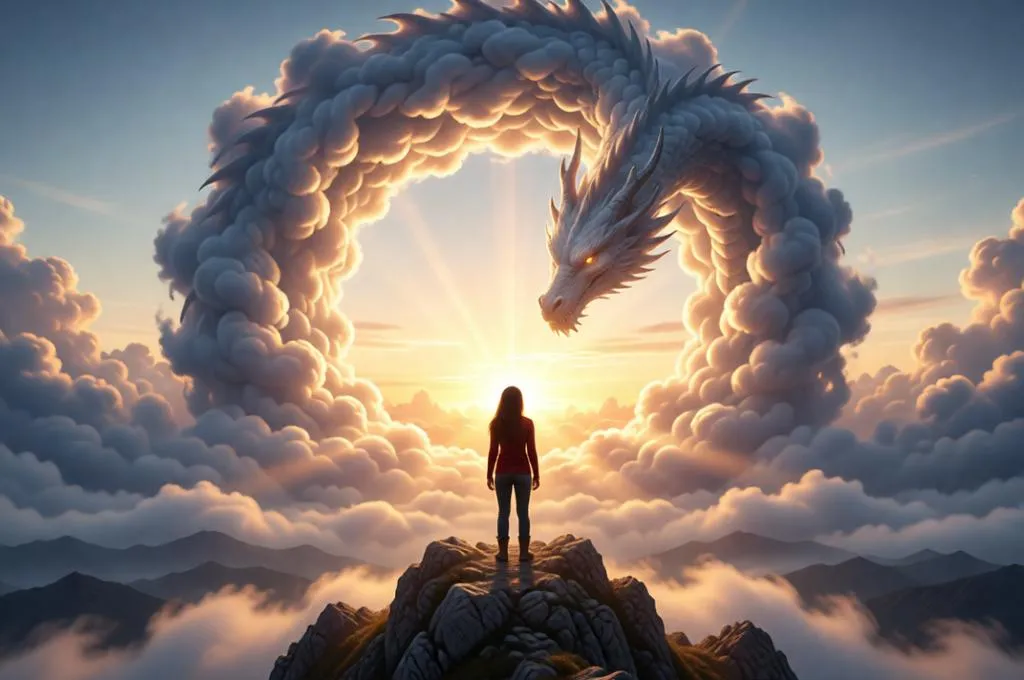
Use the reference photo only for my face and identity. Transform me into a traveler standing on a mountain ridge at sunrise. Above me, a colossal dragon made entirely of clouds forms a giant circular arch in the sky, creating a natural gateway of mist and vapor. The dragon’s body curves across the heavens while sunlight pours through the center of the ring. The clouds interact naturally with the dragon’s shape, creating realistic atmospheric perspective and depth. Epic fantasy realism, dramatic scale, cinematic lighting, photorealistic weather phenomenon, ultra-detailed cloud textures, HDR, masterpiece.
Sunset Dragon Prompt
Best for: golden hour shots, warm-toned outfits, road or open-field backgrounds.
Prompt 3: Sitting Over Clouds
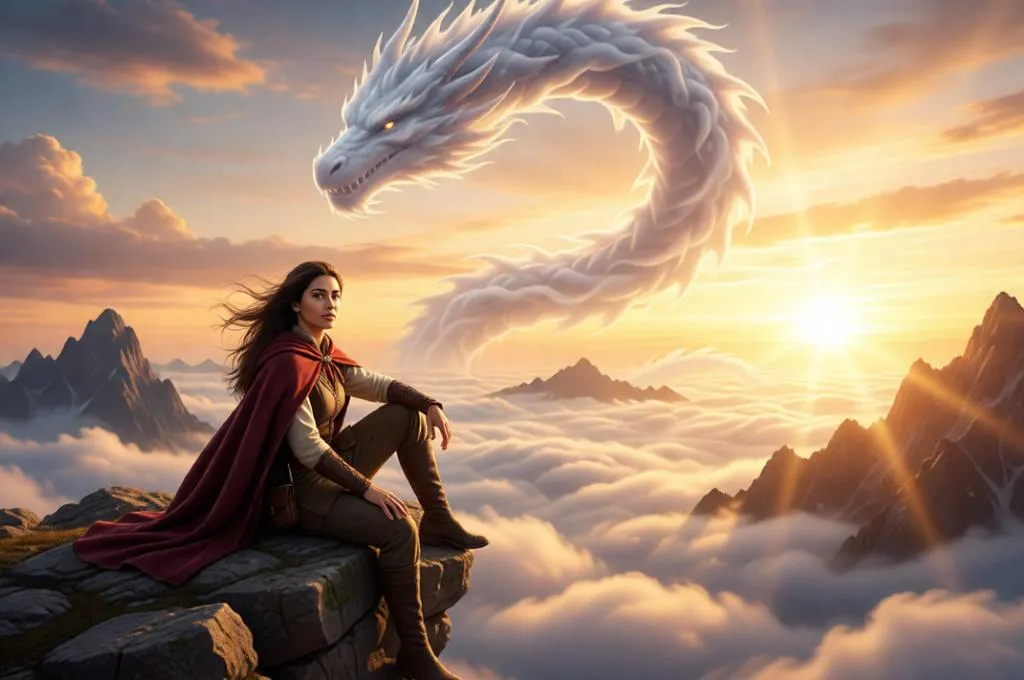
Use the reference photo only for my face and identity. Transform me into a cinematic fantasy explorer sitting on a rugged mountain cliff high above the clouds during golden hour. Long windswept hair, realistic medieval-inspired cloak and traveler’s clothing, relaxed confident expression, natural seated pose. Surrounding landscape filled with dramatic mountain peaks emerging through a vast sea of clouds. Above me, a colossal celestial dragon formed entirely from clouds, mist, and atmospheric vapor coils through the sky. The dragon must appear naturally sculpted from the clouds, blending seamlessly into the atmosphere with soft cloud textures and realistic scale. Warm sunset light, volumetric god rays, atmospheric depth, realistic cloud density, epic fantasy photography, ultra-detailed, photorealistic, cinematic composition, IMAX quality, realistic lighting, HDR, masterpiece, no CGI, no cartoon, no illustration, natural weather phenomenon. Keep face unchanged.
Prompt 4: Phoenix Dragon Sunset

Use the reference photo only for my face and identity. Transform me into a wanderer walking through a golden wheat field at sunset. Above the horizon, a majestic dragon formed from glowing sunset clouds and golden vapor rises from the fading sun. Its body appears woven from sunlight, clouds, and warm atmospheric haze. The dragon stretches across the sky as birds fly around it. Warm orange and pink tones, cinematic backlighting, volumetric sun rays, realistic cloud density, dreamy fantasy photography, ultra-realistic, photorealistic, natural atmospheric phenomenon, HDR, masterpiece.
Dark Storm Dragon Prompt
Best for: attitude poses, dark outfits, low-angle shots.
Prompt 5: Thunder King Dragon
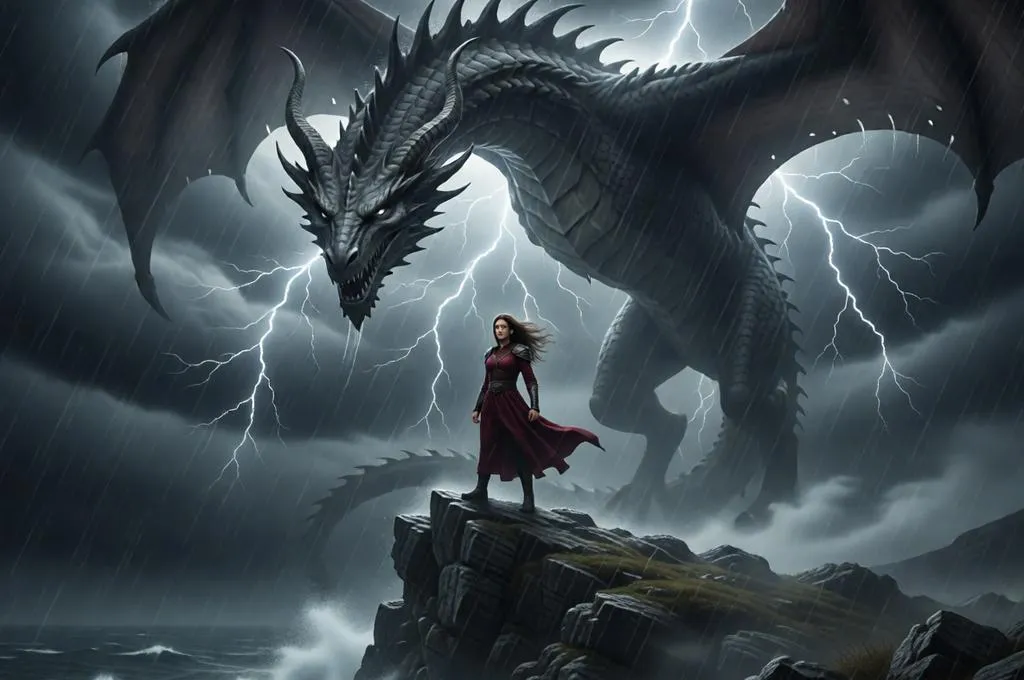
Use the reference photo only for my face and identity. Transform me into a powerful figure standing on a cliff during a violent storm. Above me, an enormous dragon emerges from thunderclouds, its body formed entirely from storm systems, rain curtains, and swirling cloud masses. Occasional lightning briefly reveals parts of its face and horns hidden within the darkness. Strong wind, dramatic low-angle composition, realistic storm lighting, atmospheric fog, cinematic weather photography, ultra-realistic, photorealistic, dark fantasy realism, no CGI.
Prompt 6: Eye of the Storm Dragon
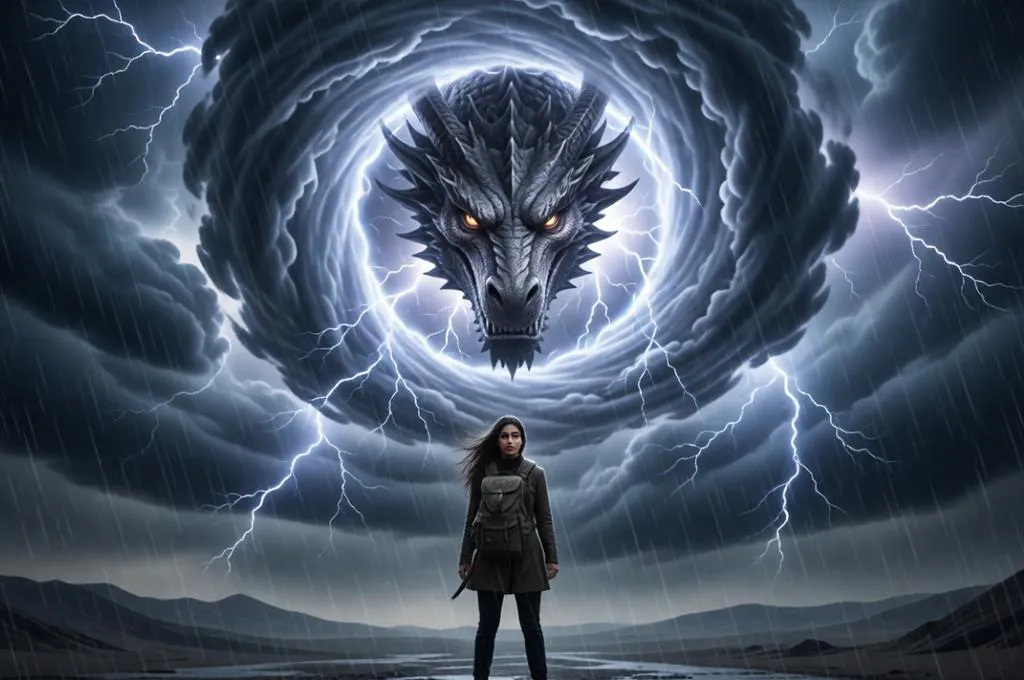
Use the reference photo only for my face and identity. Transform me into a mysterious traveler standing at the center of a storm. Massive rotating clouds create a giant vortex overhead. Within the eye of the storm, a colossal dragon face becomes visible through the cloud formations. Lightning illuminates the dragon’s features while rain and mist fill the scene. Moody cinematic atmosphere, realistic weather effects, dramatic contrast, storm photography, ultra-detailed, photorealistic, epic scale.
Road Scene Dragon Prompt
Best for: road-background shots, wide landscape frames.
Prompt 7: Endless Highway Dragon

Use the reference photo only for my face and identity. Transform me into a traveler standing in the middle of an empty desert highway stretching endlessly toward the horizon. Far above, a gigantic cloud dragon follows the road’s direction across the sky, its serpentine body extending for miles through the clouds. The dragon appears naturally formed from the atmosphere, creating a breathtaking sense of scale. Wide cinematic landscape, realistic cloud formations, dramatic perspective, golden-hour lighting, ultra-realistic photography, atmospheric depth, HDR, masterpiece.
Prompt 8: Dragon Over Route Zero
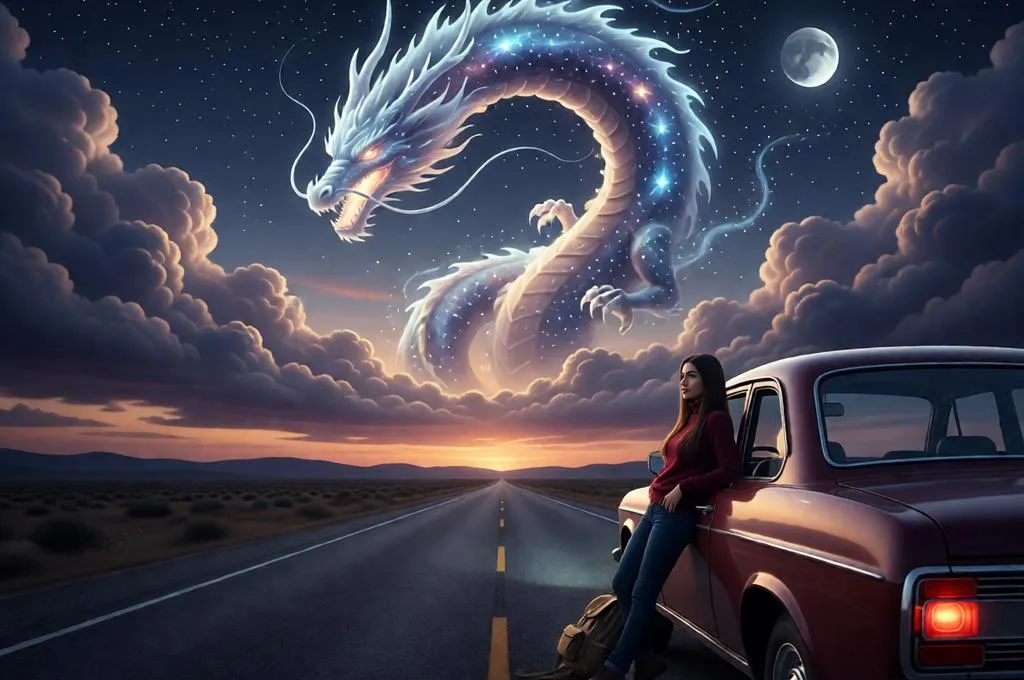
Use the reference photo only for my face and identity. Transform me into a lone road-trip explorer leaning against a vintage vehicle on an isolated highway at dusk. A massive celestial dragon made from clouds and starlit mist coils above the road, guiding toward the distant horizon. Soft twilight colors, realistic cloud textures, subtle moonlight, cinematic road movie aesthetic, photorealistic fantasy, atmospheric realism, ultra-detailed, epic scale.
Fantasy Portrait + Dragon Prompt
Best for: female subjects, aesthetic/editorial-style photos, pastel or dark moody tones.
Prompt 9: Moon Goddess Dragon

Use the reference photo only for my face and identity. Transform me into a celestial queen standing beneath a giant full moon. Flowing ethereal gown, elegant pose, glowing silver jewelry. Behind me, a majestic dragon formed from moonlit clouds and shimmering mist coils around the moon like a guardian spirit. Soft silver-blue lighting, dreamy atmosphere, magical realism, cinematic portrait photography, ultra-detailed, photorealistic, editorial fashion quality, masterpiece.
Use the reference photo only for my face and identity. Transform me into a celestial queen standing beneath a giant full moon. Flowing ethereal gown, elegant pose, glowing silver jewelry. Behind me, a majestic dragon formed from moonlit clouds and shimmering mist coils around the moon like a guardian spirit. Soft silver-blue lighting, dreamy atmosphere, magical realism, cinematic portrait photography, ultra-detailed, photorealistic, editorial fashion quality, masterpiece.
Prompt 10: Cherry Blossom Dragon

Use the reference photo only for my face and identity. Transform me into an elegant fantasy heroine standing beneath floating cherry blossom petals at twilight. A gigantic dragon formed from pink clouds, mist, and drifting petals emerges across the sky behind me. The dragon appears delicate yet powerful, blending naturally into the pastel clouds. Soft cinematic lighting, romantic fantasy atmosphere, editorial fashion photography, ultra-realistic textures, atmospheric depth, photorealistic, luxury magazine quality, masterpiece.
Mistakes That Ruin the Edit
Even with a strong prompt, a few common errors will break the illusion.
Dragon scale is too small. A small dragon reads as decorative, not cinematic. Always specify “colossal,” “massive,” or “dominating the sky” in your prompt. Scale is everything.
Too much glow. Over-illuminated edges and excessive lens flare look artificial. Keep glow subtle — specify “soft” or “realistic atmospheric glow” rather than “glowing intensely.”
Cluttered or busy backgrounds. City skylines, tree canopies, and indoor shots fight against the AI’s ability to transform the sky cleanly. Use clean, open backgrounds.
Mismatched lighting. If your photo was taken in flat noon light but your prompt asks for a sunset dragon, the AI will struggle to unify the two. Match the lighting condition of your photo to your dragon type — storm prompts for overcast days, sunset prompts for golden hour shots.
Low-quality base photo. Compressed, blurry, or heavily filtered photos don’t give the AI enough information to work with. Start with the best quality image you have.
Tips That Actually Make Your Edit Go Viral
These are the small choices that separate forgettable from screenshot-worthy.
Wear dark outfits. Black, deep grey, navy, and burgundy create strong contrast against bright and dramatic skies. Light outfits can blur into the sky in confusing ways.
Keep yourself small, sky big. The more sky visible in your base photo, the more space the dragon has to live in. Frame yourself in the lower third of the shot.
Ask for consistent lighting in your prompt. The single biggest tell in AI edits is mismatched light direction. Specify where the light is coming from: “light source from the upper left, matching the original photo’s lighting.”
Add a caption that plays into the fantasy. Captions like “they said dragons weren’t real” or “new boss just dropped” align with the image’s mood and drive engagement. Storytelling in the caption turns a cool edit into shareable content.
Use Reels, not just static posts. A slow zoom-in on the dragon followed by a reveal of the full scene performs significantly better as a Reel than as a static image. Use CapCut or similar tools to animate the still.
Post between 7–9pm. That’s when engagement on fantasy and aesthetic content peaks on Instagram, particularly for South Asian and UK-based audiences.
Try It and Make It Yours
The sky dragon AI photo editing trend is one of the most accessible, high-impact things you can do with a photo right now. You don’t need editing skills. You don’t need expensive software. You need a decent photo, a LightX account, and the right prompt. The tool offers 5 free credikts daily so you can generate everyday for free.
Start with the cinematic cloud dragon prompt — it works for the widest range of photos. Refine from there. The more you experiment with variations, the more your own creative voice will come through.
Pick your best sky photo, copy a prompt, and see what happens.
Get on WhatsApp
New image & Video workflow everyday