If your social media is filled with videos of people in workplaces, making short videos with their coworkers. The coworkers are seen grooving on the song Uptown Funk by artists Mark Ronson and Bruno Mars. The retro styled flawless choreography that needs to be energetic and dramatic at the same time. So, learn how to make Uptown Funk AI video trend. This globally recognized song, Uptown Funk Reels trend is something other than the ordinary.
 Follow Us for Daily Trends
Get new prompts and creative ideas every day.
Whether it is a video starring yourself or you are recreating it for a friend or partner, this step by step dance routine will show you how to master the Uptown funk AI dance video in just minutes. With only image-to-video structure, you can make your content blossom online.
What Is The Uptown Funk AI Video Trend?
The concept
The concept is brilliant and amazing. Taking a classic old song and turning it into a retro street performance. Overlaying the Mark Ronson and Bruno Mars hit song with groovy steps and energetic Gen Z vibe. This 15 second masterpiece features a sharp and confident choreographed song that makes your shoulders pop.
How this trend started
The trend made a big impact online. Netizens on X, TikTok and Instagram were sparking the reels of this song out of curiosity. The AI CEO dance clips and the fictional character lineups are very popular. There are pre-made templates and presets that you can use directly for the video.
Why it spreads
This taps straight into the psychological sweet spot of shareable and trendy content. The humor, customization and surprise elements align well with this. Seeing your boss, your college roommate, or your pet execute professional street-dance choreography with total deadpan seriousness is instantly viral material. It feels like an insider joke packaged inside a popular music video.
What You Need To Make This Video
Before you get into the whole creating process, make sure you have all your assets to ensure a smooth making process:
1. High quality Photos: Just choose a clean cut, front facing image with a well lit photo.
2. Characters: Choose who will stay where in the video, for example: assign reference image 1 to character 1.
3. Platform Tools: Familiarize yourself with the AI models and tools to use.
Step By Step Guide To Make Uptown Funk AI Video
Depending on the platform or the look that you want to get; you can build your clip using our presets and templates or can customize the prompts. Here is the complete breakdown of this:
Using Pre-defined Template
Step 1: Choose the character of the dancer or dancers (Person 1, Person 2 and Person 3). Put an image of the person, celebrity or pet who you want in the video. Select your persona and upload clear front-facing portraits.
- For a Solo Video: Pick one crisp photo of yourself. The generator will create a replica to replace on the video.
- For a Duo Video: Select two clear, well-lit photos of you and your friend (or partner, pet). Photo 1 features the person on the right side of the video. Photo 2 features the person on the left
- For More than two people: Select three clear, well-lit photos of you and your friends (or partner, pet). Photo 1 features the person who is in the middle of the video. Photo 2 features the person who is at the left side and Photo 3 is for the person on the right side.
Step 2: Background, outfit and prompt. Select the background you want. Get a background setting (dance floor, office space, restaurant) and where you are seen shooting this video. Apply stylistic things to align your outfit with the theme.
Step 3: Choose appropriate resolution and aspect. Select the layout that suits your project. Choose from 9:16 to ensure proper optimization.
Using Reference to Video (with driving video)
- Go To Reference to Video: Navigate to LightX’s video platform’s reference or motion-transfer tool.
- Step 1: Define your Characters: Establish clear visual profiles of the people in the video.
- Step 2: Use Video Reference and Replace Faces: If you own or have a source driving video (such as the Uptown Funk video). Configure that as your video reference. Write a precise prompt to replace the faces and models. For example, replace person 1 who is singing with reference image 1 and copy the same dance steps and hand movements as shown in the video.
Using Reference to Video without driving video
- Step 1: Define your Character. Establish clear visual profiles for your video character.
- Step 2: Generate using prompts if there is no driving video. If you don’t have a reference video, generate the whole effect using a detailed prompt. Clearly specify your parameters. Check out the Image to Video Generator for more relevant details.
1. Define character image outfits, makeup & style
Detail the specific wardrobe pieces such as party clothes, elite clothes, shirt or pants or an expensive tuxedo, statement jewellery, makeup and hair styling.
2. Define scene background, lighting, camera
Specify the shot uses a ultra wide angle camera motion with bright light and natural ambience with perfect motions attached to it.
3. Define how the character is interacting or acting (along with motion)
Explicitly outline the dancing timing, steps and actions such as dancing during a specific time or moment.
Use This Prompt Directly
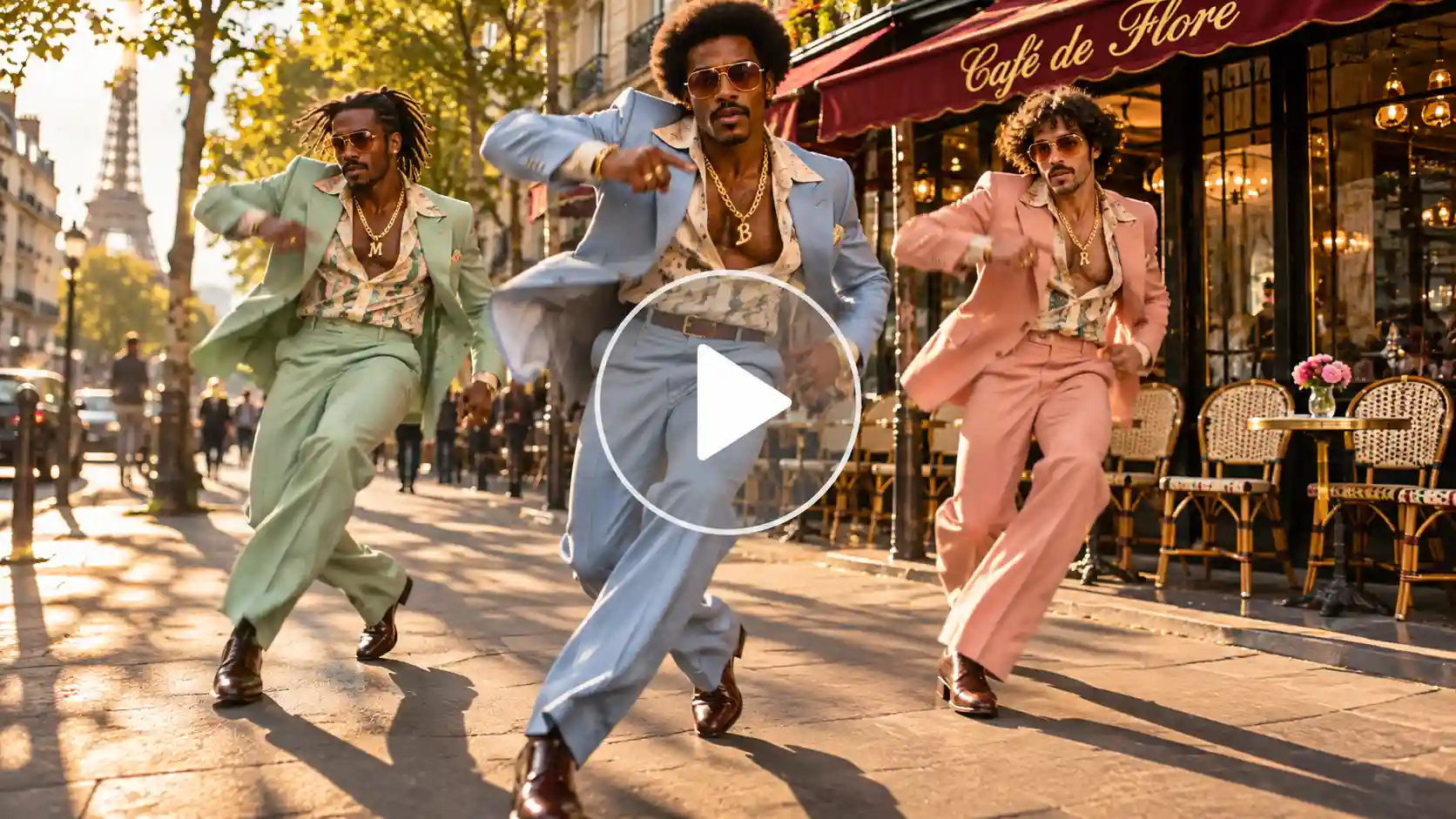
Core Subject & Setting: A cinematic, wide-angle tracking shot of a three-person street dance crew performing a synchronized, high-energy routine on a sun-drenched urban avenue outside a chic Parisian cafe. The lighting is warm golden hour sunlight casting sharp, dramatic shadows on the pavement, with soft lens flare pulsing through the camera lens.
Characters & Styling: three stylish individuals dressed in sharply tailored, pastel-colored 1970s retro suits (mint green, soft peach, baby blue, butter yellow, and lavender). They wear slick dress shoes, retro sunglasses, and customized gold chains. Their posture exudes total confidence, sharp charisma, and effortless rhythm.
Choreography & Movement (Beat-Synchronized):
0:00 – 0:03: The camera tracks backward as the crew steps forward in unison, executing a sharp, synchronized shoulder-pop on the primary beat. The lead dancer in the center snaps their fingers toward the lens.
0:03 – 0:08: A dynamic low-angle dolly shot captures a synchronized footwork sequence: swift side-steps, heel-clicks, and a sharp pivot.
0:08 – 0:15: The crew dynamically transitions into a classic final pose: leaning back together, adjusting their jacket lapels with deadpan expressions, while the camera executes a rapid 360-degree orbital sweep around them.
Cinematography & Technical Specifications: Shot on 35mm anamorphic lens, shallow depth of field with a softly blurred urban background. Ultra-photorealistic resolution, hyper-detailed skin textures and fabric weaves (silk and wool blends), crisp motion blur on fast limb movements, steady mechanical gimbal motion, vibrant color grading with rich contrast and saturated warm tones. Music-video style editing pacing with crisp timing.
Also read: How To Make Aura Farming Video
Ways to Remix New Trends
To make your content stand out from the rest of the competitors, Uptown Funk Reels trend has many creative ideas:
- Friends Crew: Capture your inner circle recreating and making their popstar fantasies come true with zero dance practice.
- Couples & Partners: Make a romantic and playful duet where two or more people own the pavement.
- Sports Team Dance: Transform your local football, basketball, or cricket squad into a well lit street-dance crew.
- Fictional Characters: Make anime, movies, games and more characters come to life with an uptown funk AI video.
- Pet Version: Place your cat or dog in the centre stage for an instant viral comedy series.
- Office Team: Make a culture by turning your department heads into a high group dance AI video.
Viral Ready Uptown Funk Video
1. Catching Viewers attention in the first 3 seconds of the video is very crucial. The video must feature its most related moment in the first three seconds. Do not use unwanted things in the video opening.
2. Optimize mobile viewpoints according to your needs. Always make your final input in 9:16 aspect ratio as you’ll need to post them in different aspect ratios.
Trending Audios are key. Ensure the beat of the song hits the video in loops or in starts.
Keep your captions short and punchy. Use the text that’s needed.
Mistakes You Need To Avoid
- Never use a dim, blurry or low resolution video. Take your clear images in a well-lit environment.
- Do not ignore lightning inconsistencies. Mixing a harsh indoor flash photo with an outdoor midday portrait can break the perfect photo.
- Overlooking copyright and disclosure. Use a platform for lyrics audio and built-in template to keep your content from being muted. And be transparent about utilizing AI.
Conclusion
The viral uptown funk AI video camera proves that you no longer need to rely on anyone else to get your content done. No professional cameramen, editors or background setups needed. By using AI image to video tools, a handful of clear images, and a healthy dose of creativity, you can capture attention, and join top tier social media influencers. Just pick your characters, use high resolution images, and start making your digital timeline today.
FAQs
- What kind of photo works best?
A well lit and clear photo works best for this type of video.
- What resolution should I export the video in?
You should export the video in 9:16 aspect ratio.
- What file formats and sizes can I upload?
You can upload WebP, PNG and JPEG formats. There are no file size limitations on LightX.
- How long can the video be?
The video can be 15 seconds long.
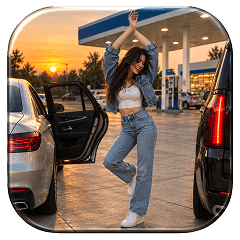 Gas Up the Trend ⛽🔥
Create your own gas station trend in seconds.