Have you ever spent hours trying to design a school poster, only to feel like something was still missing? Whether it’s for a science exhibition, Sports Day, a cultural event, or an awareness campaign, creating a poster that looks attractive and grabs attention isn’t always easy.
 Get on WhatsApp
New image & Video workflow everyday
Get on WhatsApp
New image & Video workflow everyday
That’s where school poster prompts make things simple. Instead of starting with a blank page, you can describe your idea, and AI tools like LightX will turn it into a creative poster in just a few seconds. It’s a quick and easy way to create posters for any school event, no design experience needed.
In this blog, I will share the best school poster prompts, show you how to write effective prompts, and give you practical tips to create eye-catching posters that students, teachers, and parents will love.
What Makes a Good School Poster Prompt?
A good school poster prompt gives AI clear instructions to create a poster that matches your idea.
- Define the Theme
Mention the purpose, such as Sports Day, Science Exhibition, Reading Week, or Annual Function.
- Mention the Target Audience
Specify who it’s for, like elementary, middle, high school, college students, teachers, or parents.
- Add Text & Layout Instructions
Include details like a bold headline, event information, readable fonts, space for the school logo, and an A4 vertical layout.
- Describe the Image Style
Choose a style such as cartoon, minimalist, vintage, 3D, flat illustration, or watercolor to guide the AI’s design.
School Poster Prompt Ideas by Category ( Copy – Paste )
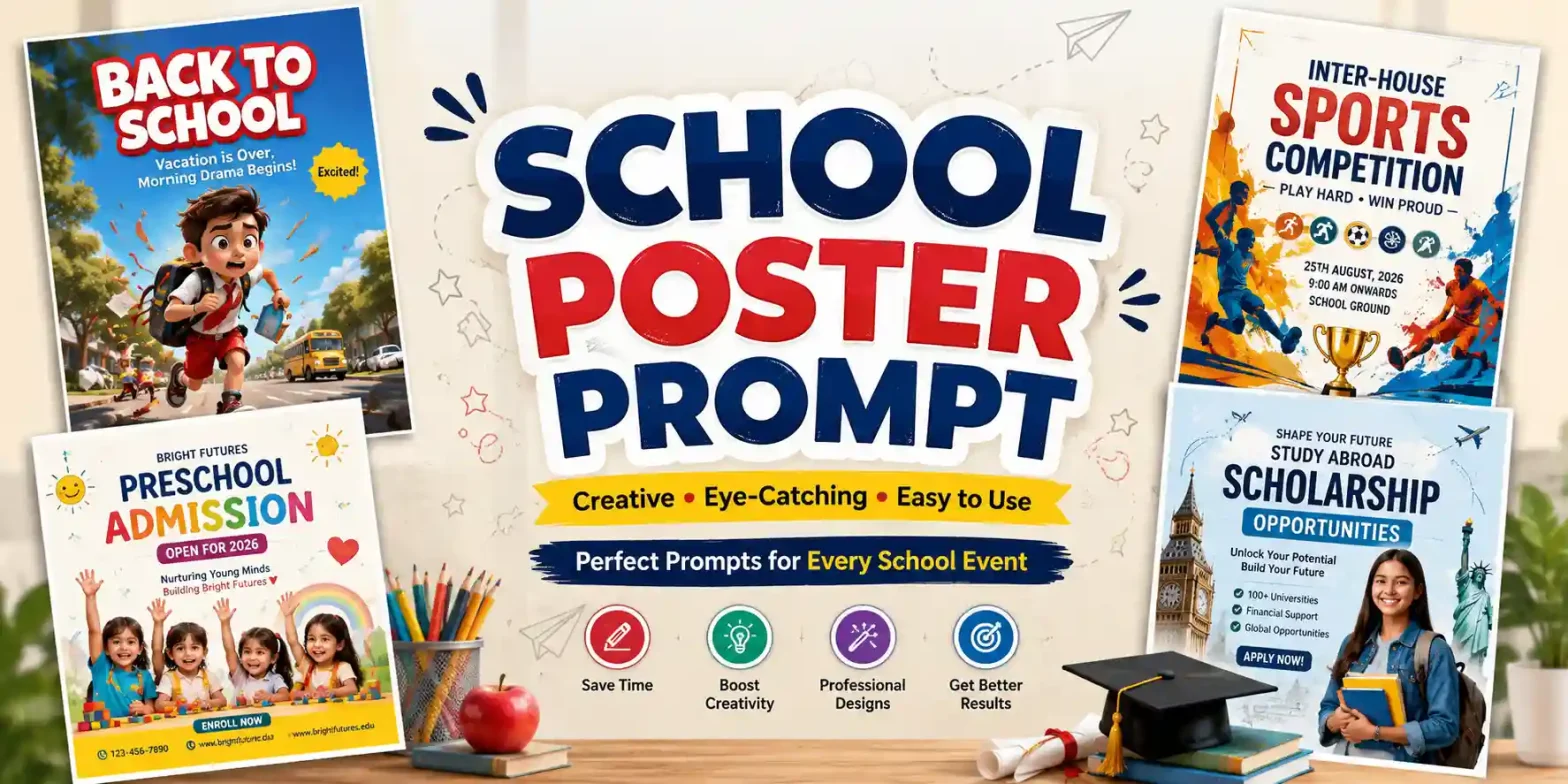
Here are the top school poster prompts you can simply copy and paste into LightX to create stunning educational, awareness, event, festival, campaign, and competition posters in seconds.
Note: These prompts are a great starting point. For the best results, customize them by adding your own event details, school name, colors, or design preferences to match your needs.
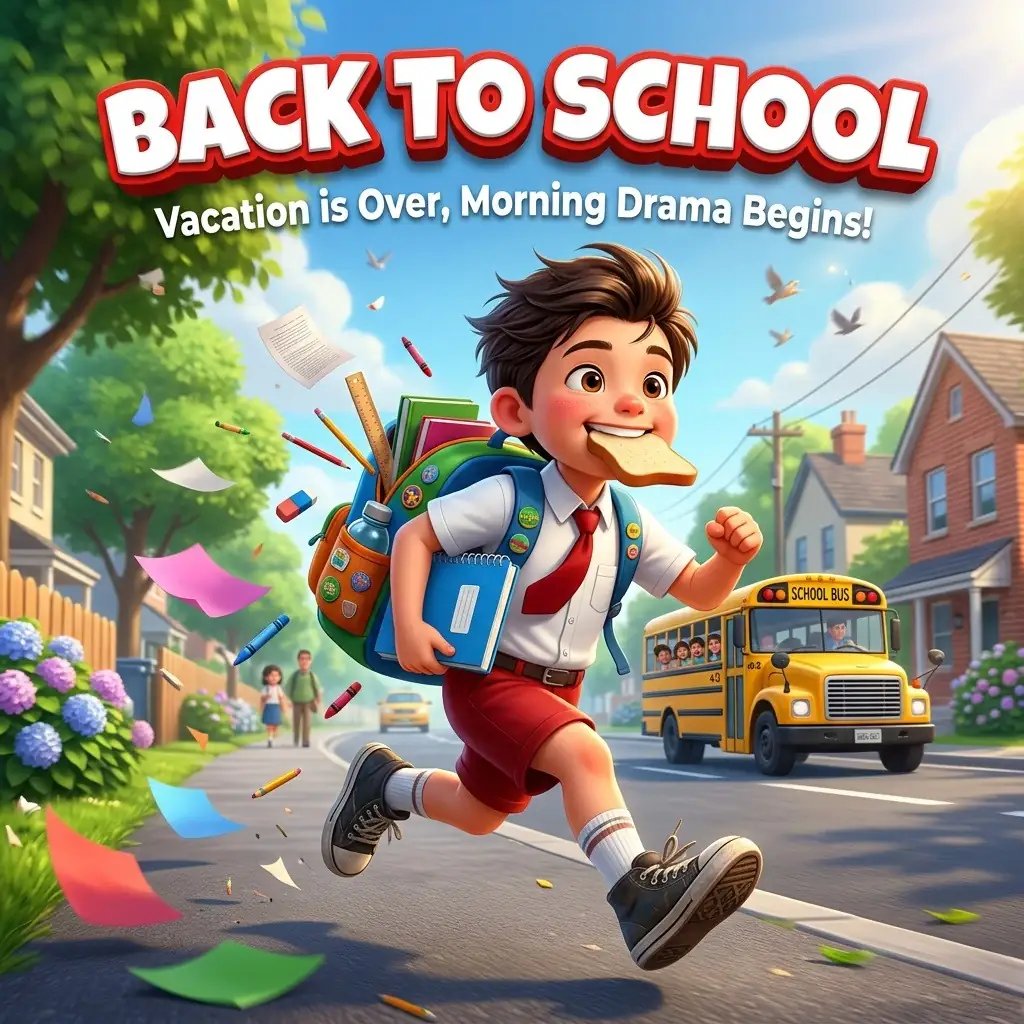
Prompt 1 :
A cute 3D cartoon-style schoolboy happily running fast down a sunny suburban street on the first day of school, wearing a white short-sleeve school shirt, a red tie, red shorts, white socks, and black sneakers. He carries a colorful backpack stuffed with books and stationery, holds a notebook and a water bottle, and has a slice of bread in his mouth with a cheerful, excited, and determined expression. He is smiling brightly while rushing to school. Pencils, a ruler, an eraser, papers, and other school supplies fly around him, creating a strong sense of motion. A yellow school van follows in the background. Bright morning sunlight, blue sky, lush green trees, soft cinematic lighting, shallow depth of field, vibrant colors, dynamic low-angle perspective, highly detailed Pixar-inspired 3D character, glossy textures, expressive face, playful atmosphere. Add a large bold 3D headline at the top reading “BACK TO SCHOOL” in white letters with a thick red outline and shadow. Below it, place the subtitle “Vacation is Over, Morning Drama Begins!” in clean white text. Vertical poster, ultra-high quality, sharp focus, polished promotional artwork, energetic composition, professional advertising design.
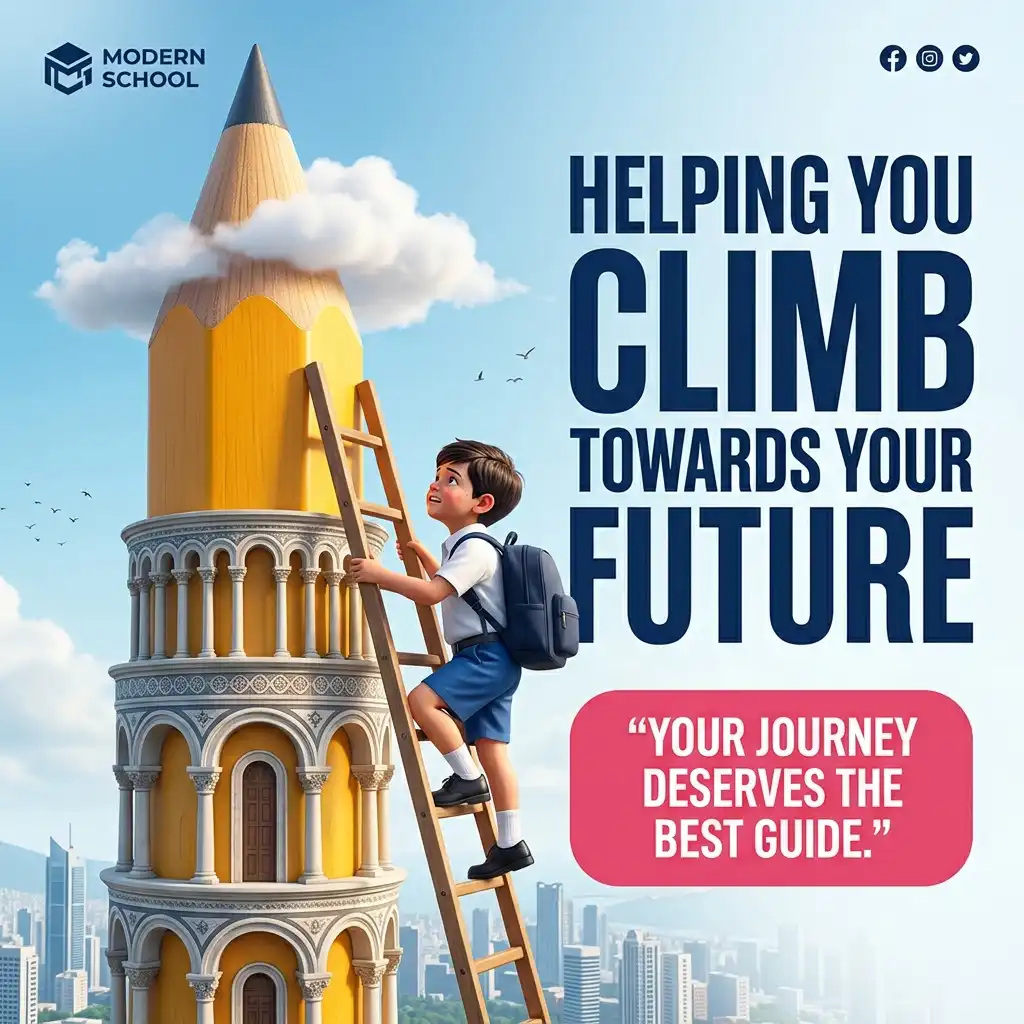
Prompt 2:
A motivational education poster featuring a young schoolboy climbing a tall wooden ladder leaning against a giant sharpened yellow pencil designed like a monumental tower with detailed architectural arches inspired by the Leaning Tower of Pisa. The boy wears a white school shirt, blue shorts, black shoes, white socks, and a dark blue backpack, looking determined as he climbs toward the pencil tip. Bright blue sky with soft white clouds, one cloud wrapping around the pencil, birds flying in the distance, and a modern city skyline below. Clean composition with the pencil on the left and large typography on the right. Add a bold headline in dark blue: “HELPING YOU CLIMB TOWARDS YOUR FUTURE”, with “CLIMB” and “FUTURE” in extra-large block letters. Below, place a rounded pink quote box with “YOUR JOURNEY DESERVES THE BEST GUIDE.” Add a modern school logo placeholder in the top-left corner and small social media icons in the top-right. Ultra-realistic 3D render, cinematic lighting, vibrant colors, sharp details, inspirational advertising poster, vertical 4:5 composition.
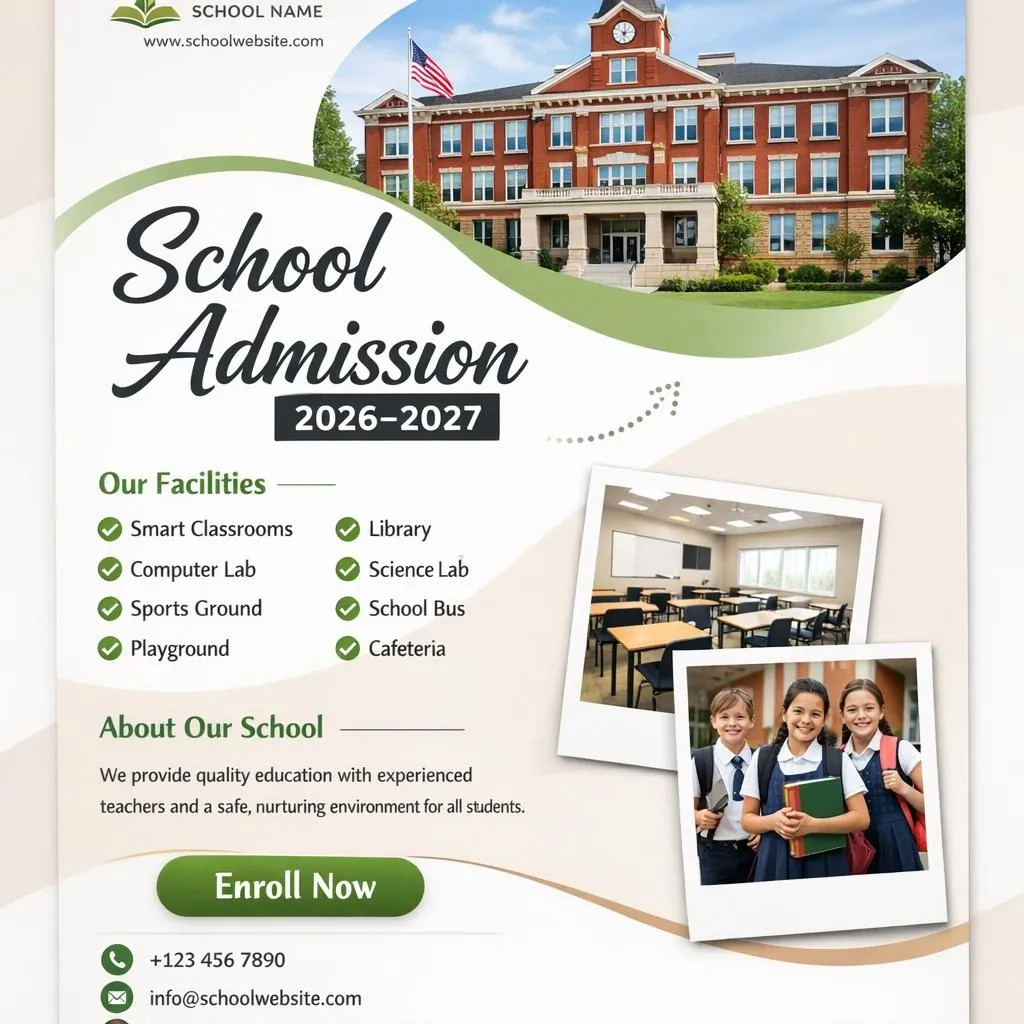
Prompt 3 :
Create a modern school admission flyer with a clean white background and soft beige accents. Place a large photo of a beautiful red school building at the top inside a curved frame. Add a simple school logo and website in the top left. Create a large headline with “School Admission” in elegant black letters and “2026–2027” inside a bold black rectangle. Add a curved green shape behind part of the title for a modern, dynamic design. Include a simple dotted arrow graphic pointing upward. On the left, add a section titled “Our Facilities” with green check icons and the items: Smart Classrooms, Library, Computer Lab, Science Lab, Sports Ground, School Bus, Playground, and Cafeteria. Below it, add an “About Our School” section with short placeholder text describing quality education, experienced teachers, and a safe learning environment. At the bottom right, place two overlapping Polaroid-style photo frames, one showing a modern classroom and the other showing happy school children in uniform carrying books and backpacks. Add a prominent “Enroll Now” button and a contact section with phone, email, and website icons. Use a minimal layout, professional design, realistic photography, soft natural lighting, subtle shadows, clean modern typography, white, green, and beige color palette, premium educational branding, high-quality print-ready design, vertical A4 flyer, ultra-detailed, sharp focus, polished promotional artwork.
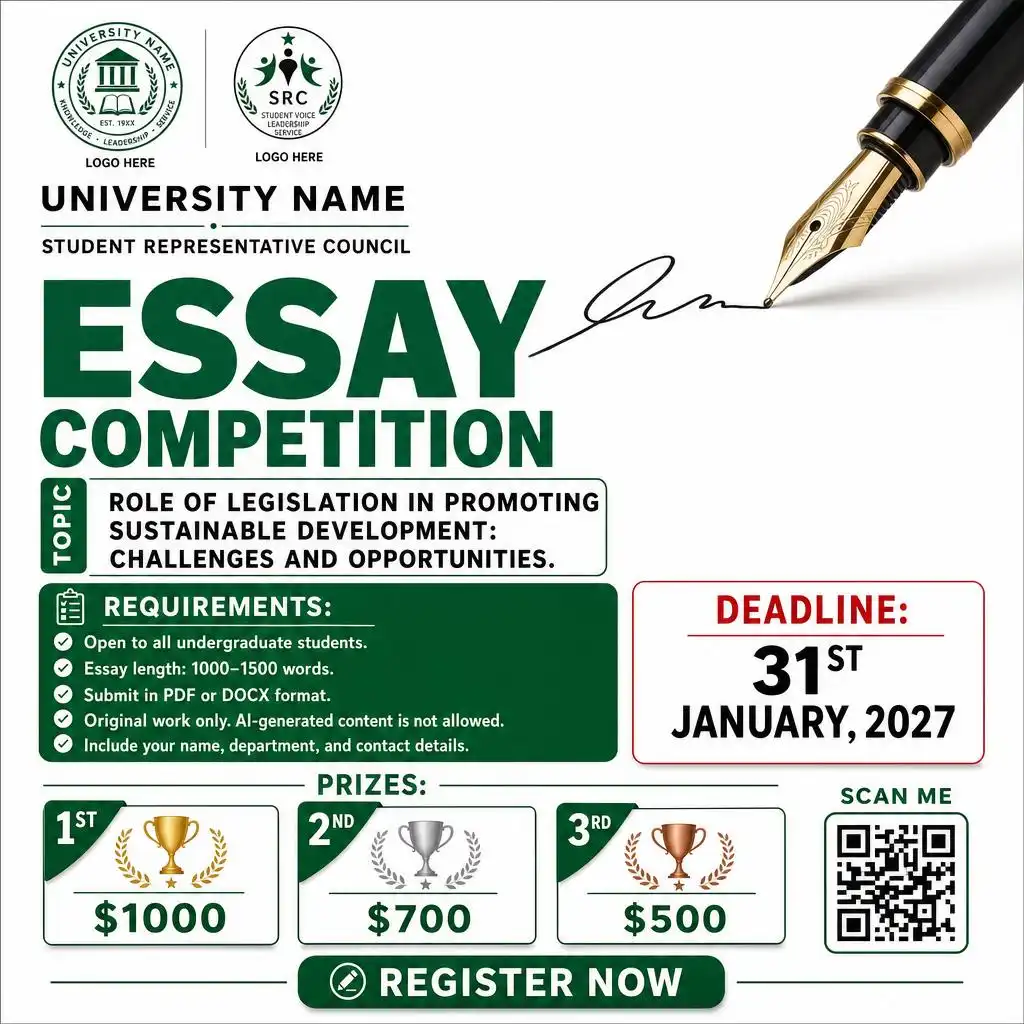
Prompt 4 :
Create a modern essay competition poster with a clean white background and a simple academic design. Place a large realistic fountain pen in the top right, drawing a black signature line across the page. Add two small organization logo placeholders in the top left. Below the logos, write “UNIVERSITY NAME” and “STUDENT REPRESENTATIVE COUNCIL”. Create a bold green headline with “ESSAY” in very large letters and “COMPETITION” below it. Add a small vertical green label reading “TOPIC” beside the topic section. Display the topic as “ROLE OF LEGISLATION IN PROMOTING SUSTAINABLE DEVELOPMENT: CHALLENGES AND OPPORTUNITIES.” Below, add a green information box with the heading “REQUIREMENTS:” and bullet points: “Open to all undergraduate students.”, “Essay length: 1000–1500 words.”, “Submit in PDF or DOCX format.”, “Original work only. AI-generated content is not allowed.”, “Include your name, department, and contact details.” On the right, create a white box with the red heading “DEADLINE:” followed by “31ST JANUARY, 2027” in large bold letters. At the bottom, add “PRIZES:” with three prize boxes labeled “1ST”, “2ND”, “3RD” and prize amounts “$1000”, “$700”, “$500”. Place a QR code placeholder in the bottom right with “SCAN ME” above it. Add a green button at the bottom reading “REGISTER NOW”. Use green, red, black, and white colors, clean typography, professional layout, soft shadows, realistic print-ready design, vertical A4 poster.

Prompt 5 :
Create a powerful social awareness poster for “WORLD DAY AGAINST CHILD LABOUR” with a clean white background. In the center, show the back view of one child divided into two halves by a vertical white line. The left half shows a child laborer wearing torn dirty clothes, carrying heavy bricks on the shoulder, with a construction site background. The right half shows the same child wearing a clean school uniform, carrying a blue backpack and holding colorful books and pencils, with a school building background. Keep the left side dusty and dull, and the right side bright and hopeful. Add a logo placeholder at the top with the tagline “Your Tagline Here”. Below it, write the large headline “WORLD DAY AGAINST CHILD LABOUR” with “CHILD LABOUR” in bold red. On the left, write “A CHILD SHOULDN’T BE EARNING IN THE FIELD,” with “EARNING” in red. On the right, write “A CHILD SHOULD BE LEARNING IN THE DESIRED FIELD.” with “LEARNING” in red. At the bottom, add the message “SAY NO TO CHILD LABOUR. SAY YES TO EDUCATION.” with “CHILD LABOUR” and “EDUCATION” in red. Below it, write “EVERY CHILD DESERVES THE RIGHT TO LEARN, GROW, AND DREAM.” Modern NGO campaign style, realistic photo manipulation, clean typography, high-quality vertical A4 poster.
Prompt 6 :
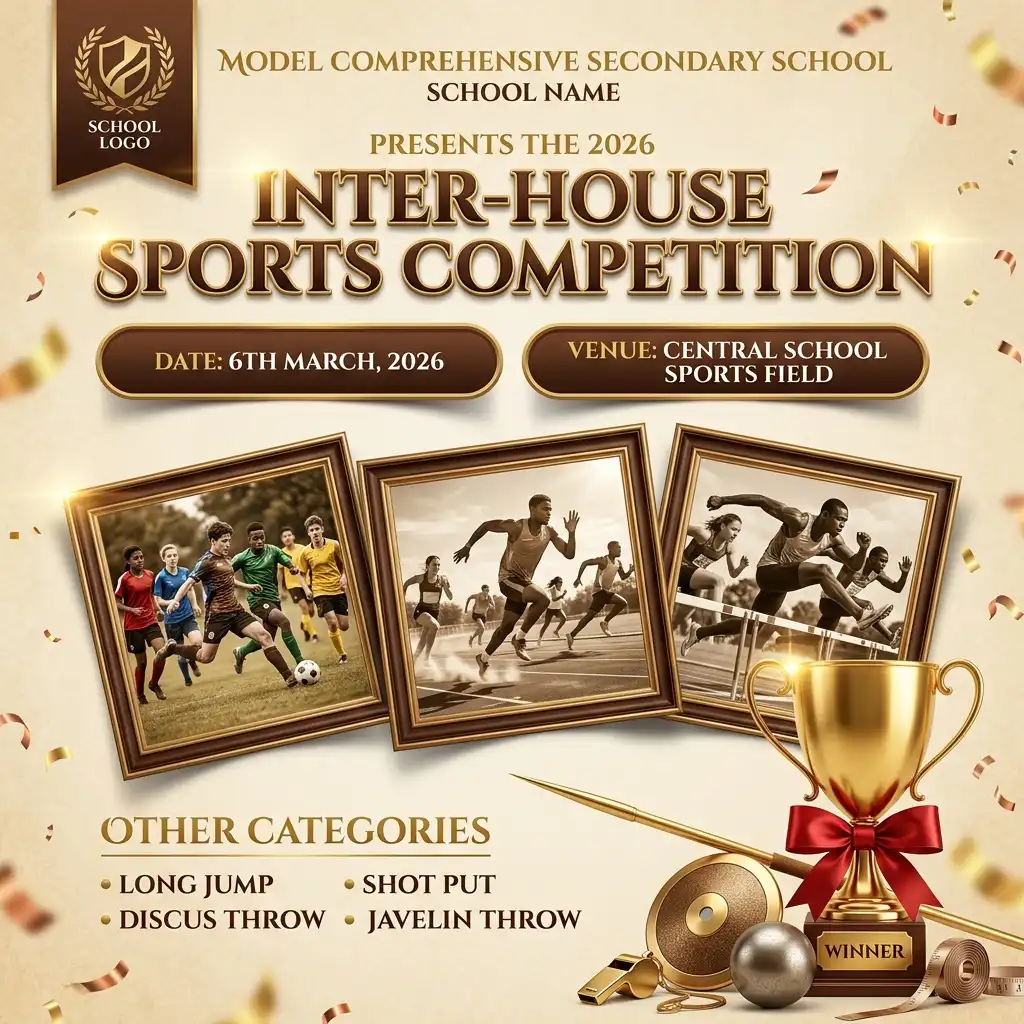
Create a premium inter-house sports competition poster with a warm beige background, elegant brown and gold color theme, and a festive sports design. Add a school logo placeholder at the top left. At the top center, write “MODEL COMPREHENSIVE SECONDARY SCHOOL” and below it “SCHOOL NAME”. Under that, write “PRESENTS THE 2026” followed by a large bold title “INTER-HOUSE SPORTS COMPETITION”. Add two brown rounded banners with “DATE: 6TH MARCH, 2026” and “VENUE: CENTRAL SCHOOL SPORTS FIELD”. Below, place three tilted photo frames showing students playing football, running on a track, and sprinting. Add a section titled “OTHER CATEGORIES” with bullet points “LONG JUMP”, “SHOT PUT”, “DISCUS THROW”, and “JAVELIN THROW”. At the bottom right, place a large golden winner trophy with a red ribbon labeled “WINNER”, alongside a javelin, discus, shot put ball, whistle, and sports equipment. Add subtle confetti and light effects around the edges. Use clean bold typography, realistic sports photos, soft shadows, high-quality print-ready design, and a vertical A4 layout.
Prompt 7 :
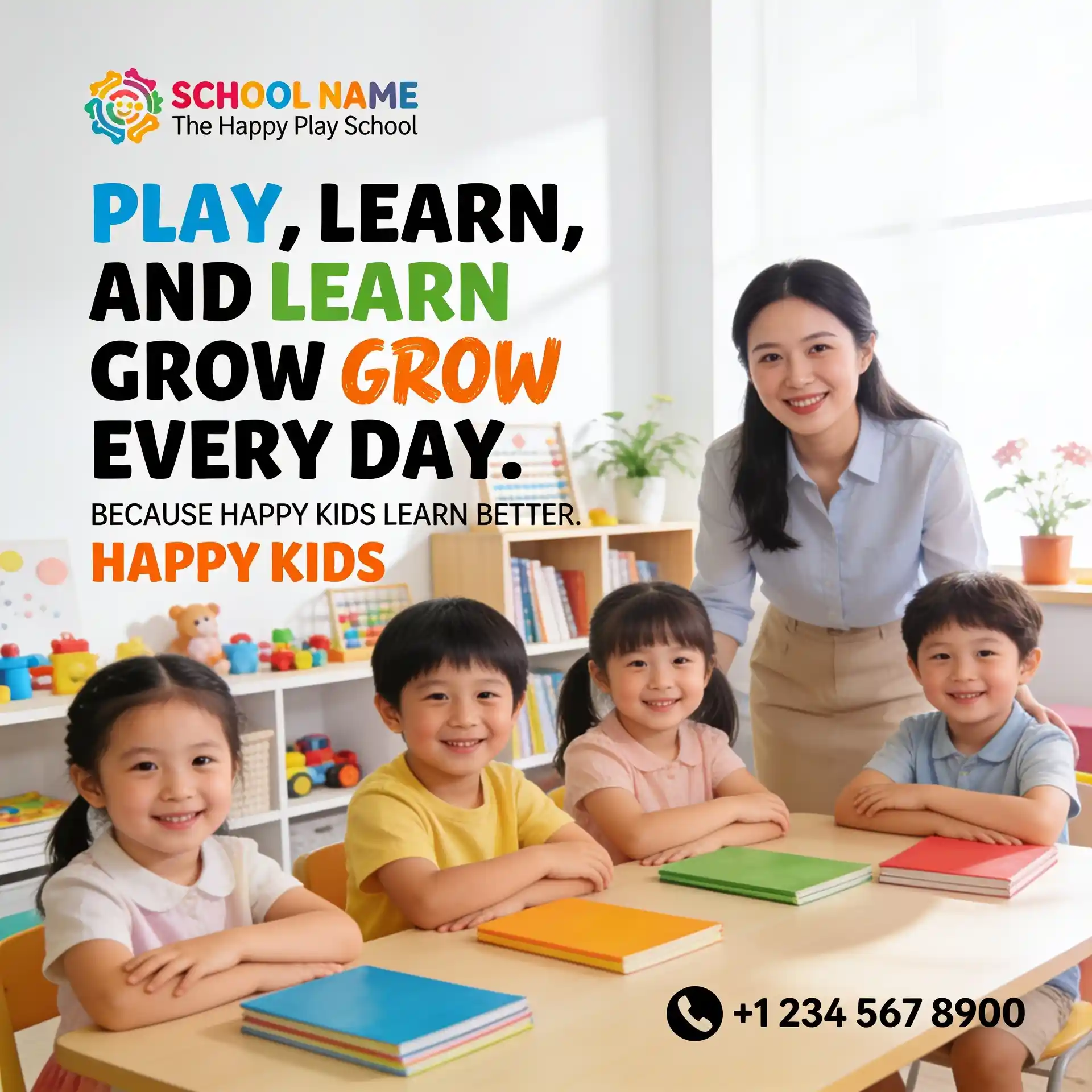
Create a bright and cheerful preschool admission poster with a clean white background and soft pastel colors. Place a colorful preschool logo placeholder at the top left with the school name “SCHOOL NAME” and the tagline “The Happy Play School”. Add a large playful headline “PLAY, LEARN, AND GROW EVERY DAY.” Make “PLAY” blue, “LEARN” green, and “GROW” orange in a fun handwritten font, with “AND” and “EVERY DAY.” in bold black. Below, add the text “BECAUSE HAPPY KIDS LEARN BETTER.” with “HAPPY KIDS” in orange. Show a bright modern classroom with happy preschool children sitting at desks, smiling, listening to the teacher, and colorful books on the tables. Add shelves with toys, books, plants, and educational decorations in the background. Use soft natural sunlight and a warm, welcoming atmosphere. At the bottom right, add a phone icon with “+1 234 567 8900” as a contact number. Clean layout, realistic photography, soft shadows, premium preschool advertisement, high-quality print-ready vertical A4 poster.
Prompt 8 :
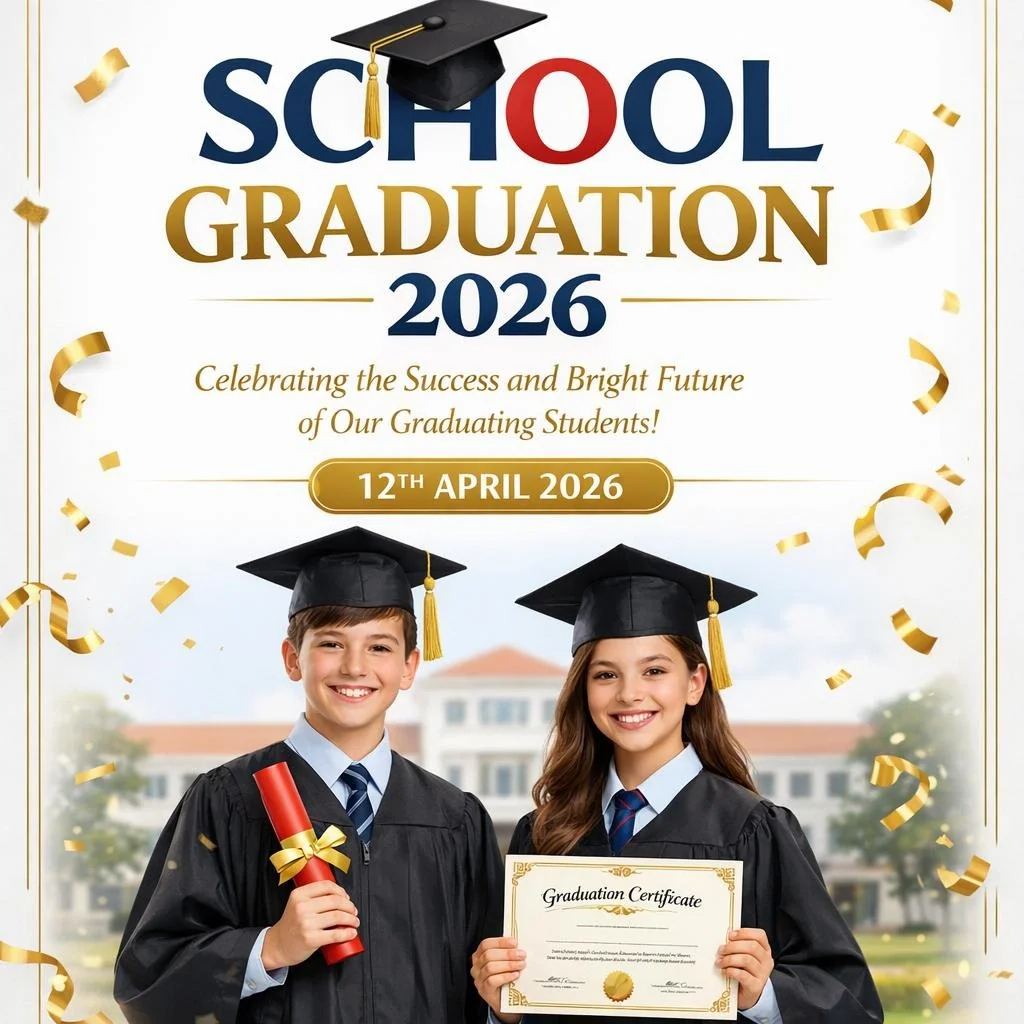
Create a modern school graduation ceremony poster with a clean white background and elegant gold accents. Add a logo placeholder at the top left with the text “ACADEMY” and the tagline “Elevate Your Aspirations”. At the top right, add a location pin icon followed by “ABC HOUSE, KUPPAM”. Create a large modern headline “SCHOOL GRADUATION” with “2026” below it. Replace the letter “O” in “SCHOOL” with a red circle and place a black graduation cap with a gold tassel on top. Below the title, write “Celebrating the Success and Bright Future of Our Graduating Students!”. Add a gold rounded rectangle containing “12TH APRIL 2026”. At the bottom, show a smiling schoolboy and schoolgirl wearing black graduation gowns and mortarboard caps over their school uniforms. One student holds a red diploma tied with a gold ribbon while the other proudly displays a graduation certificate. Add a softly blurred school building in the background. Include floating gold confetti, ribbons, and celebratory elements around the poster. Use a white, gold, blue, and red color scheme, clean modern typography, realistic photography, soft natural lighting, premium school event invitation style, elegant composition, high-quality print-ready design, vertical A4 layout, ultra-detailed, sharp focus, professional promotional artwork.
Prompt 9 :
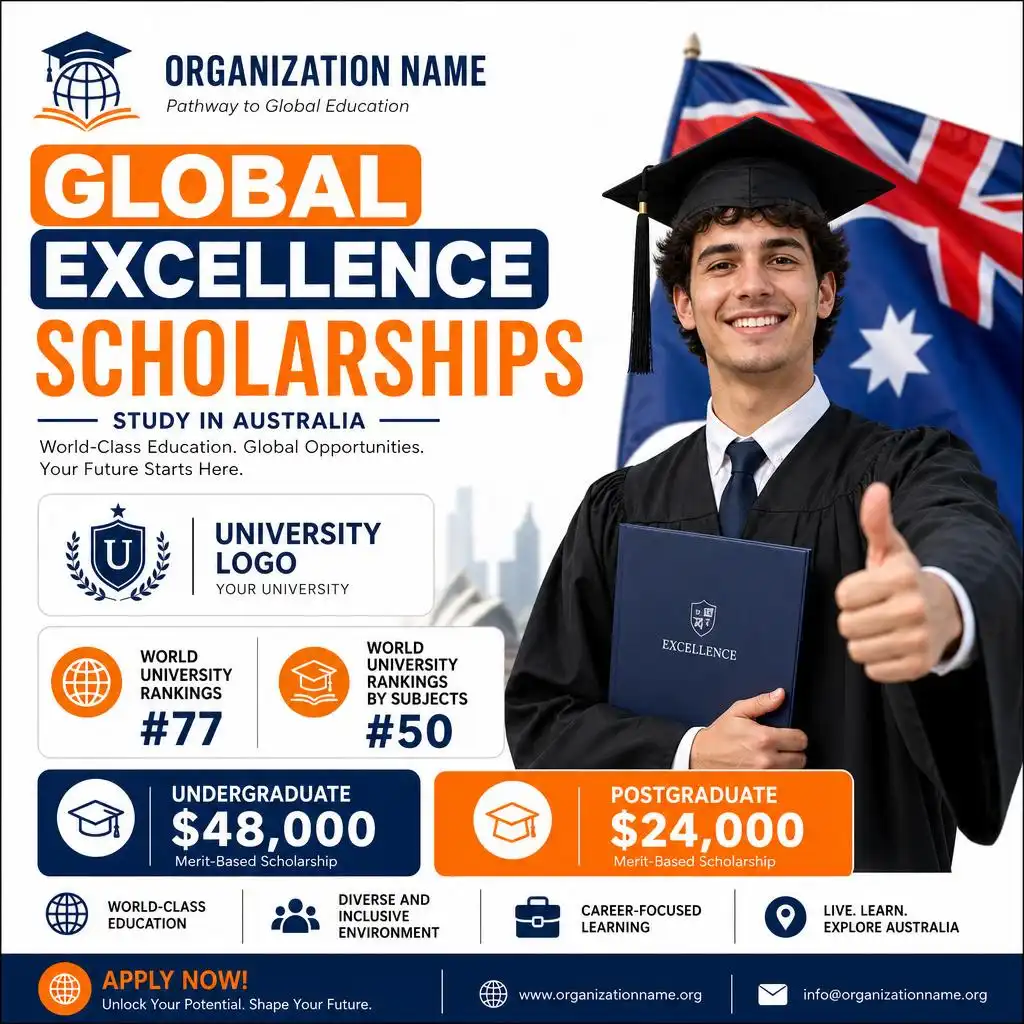
Create a modern scholarship promotion poster with a clean white background and blue and orange accents. Add a logo placeholder at the top left with the text “ORGANIZATION NAME” and the tagline “Pathway to Global Education”. Create a large bold headline with “GLOBAL” in an orange rounded box, “EXCELLENCE” in a dark blue rounded box, and “SCHOLARSHIPS” in large orange letters. On the right, show a smiling graduate wearing a black graduation gown and cap, giving a thumbs-up while holding a folder. Place a large Australian flag behind the graduate. On the left, add a university logo placeholder and two ranking cards with the text “WORLD UNIVERSITY RANKINGS #77” and “WORLD UNIVERSITY RANKINGS BY SUBJECTS #50”. Below, add two colored information boxes: “UNDERGRADUATE $48,000” and “POSTGRADUATE $24,000”. Use blue, orange, white, and black colors, clean modern typography, realistic photography, soft shadows, premium education advertisement, high-quality print-ready design, vertical A4 poster.
Related blog: Logo Animation Video Prompts
School Poster Design Prompts with Your Own Image
If you want to create a school poster using your own photo or image, simply use these school poster design prompts. Upload your image, copy and paste the prompt into LightX, and customize it to match your needs.
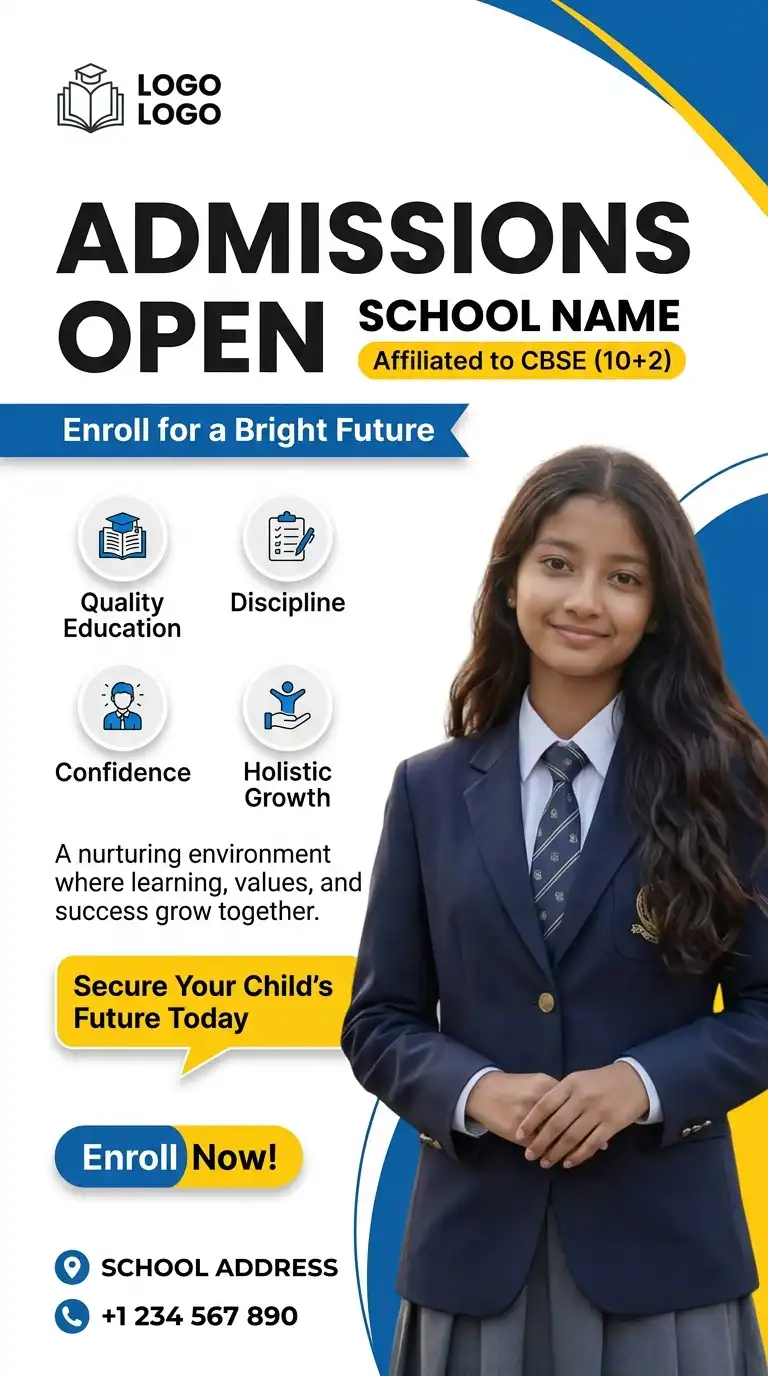
Prompt 10 :
Use the uploaded photo as the main student in this design. Place the user’s photo on the right side, replacing the original student while keeping the same pose, natural facial expression, realistic lighting, and school uniform. Match the skin tone, hairstyle, perspective, and shadows so the result looks natural. Create a modern school admission poster with a clean white background and blue and yellow accents. Add a school logo placeholder at the top left. At the top, write “SCHOOL NAME” and below it “Affiliated to CBSE (10+2)” inside a small yellow rounded box. Create a large bold headline “ADMISSIONS OPEN”. Below it, add a blue ribbon with “Enroll for a Bright Future”. Add four circular feature icons with the labels “Quality Education”, “Discipline”, “Confidence”, and “Holistic Growth”. Below, write “A nurturing environment where learning, values, and success grow together.” Add a yellow callout box with “Secure Your Child’s Future Today”. Place a large blue and yellow “Enroll Now!” button near the bottom right. Add a location icon with “SCHOOL ADDRESS” and a phone icon with “+1 234 567 890” at the bottom. Keep the same clean layout, blue and yellow color scheme, modern typography, soft shadows, curved graphic elements, premium school advertisement style, realistic photo editing, and high-quality vertical A4 poster.
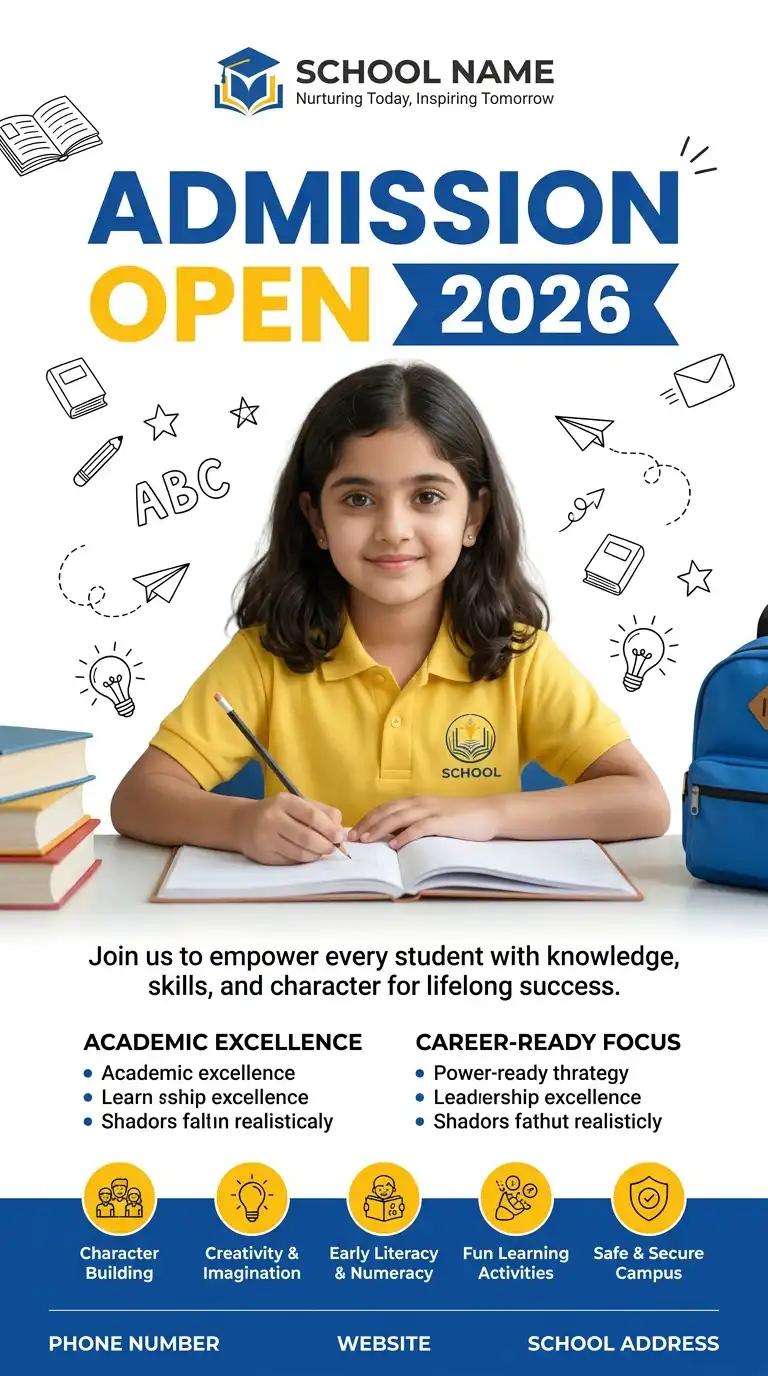
Prompt 11 :
Use the uploaded photo as the main student in this poster. place the original child with the user’s photo while keeping a natural smile, realistic lighting, matching perspective, and a yellow school polo shirt with a school logo. Place the child sitting at a desk, writing in an open notebook with a pencil. Match the face, hair, skin tone, shadows, and proportions for a realistic edit. Create a modern school admission poster with a white background and blue and yellow colors. Add a school logo placeholder at the top with “SCHOOL NAME” and “Nurturing Today, Inspiring Tomorrow”. Add a large headline “ADMISSION OPEN 2026”, with “ADMISSION” in blue, “OPEN” in yellow, and “2026” inside a blue ribbon. Add simple education doodles like books, stars, ABC, paper planes, and light bulbs. Below, write “Join us to empower every student with knowledge, skills, and character for lifelong success.” Add two sections titled “ACADEMIC EXCELLENCE” and “CAREER-READY FOCUS” with short bullet points. At the bottom, add icons labeled “Character Building”, “Creativity & Imagination”, “Early Literacy & Numeracy”, “Fun Learning Activities”, and “Safe & Secure Campus”. Add stacked books on the left, a blue school backpack on the right, and a footer with “PHONE NUMBER”, “WEBSITE”, and “SCHOOL ADDRESS”. High-quality, realistic, premium vertical A4 school admission poster.
<p style=”text-align: center;”></p>
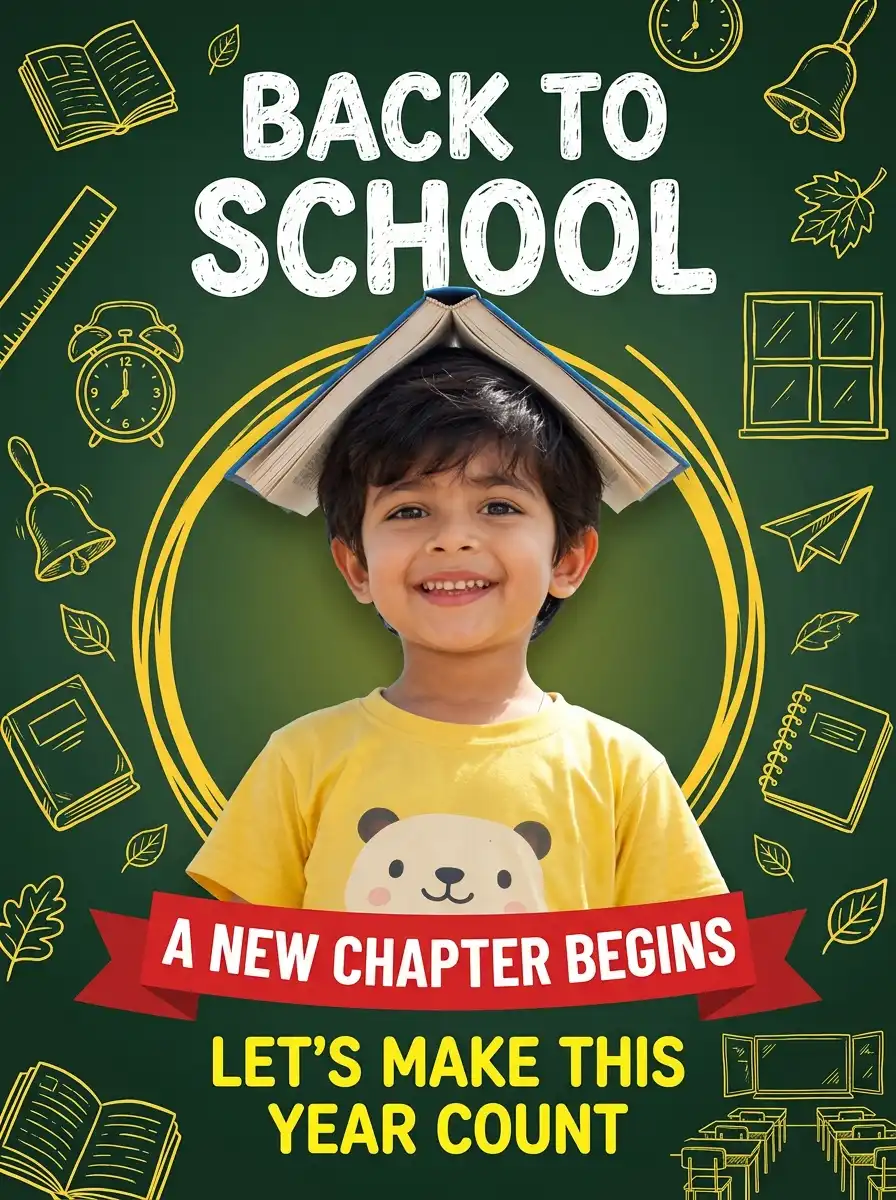
Prompt 12 :
Use the uploaded photo as the main child in this design.while keeping a natural smile, realistic lighting, matching angle, and soft shadows. Add an open blue book on the child’s head like a roof. Match the face, hair, skin tone, and proportions for a seamless edit. Create a fun “BACK TO SCHOOL” poster with a dark green chalkboard background. Surround the design with hand-drawn yellow school doodles, including books, ruler, clock, bell, leaves, windows, paper plane, notebook, and classroom sketches. Place a large yellow abstract circle behind the child for contrast. At the top, write “BACK TO SCHOOL” in large white playful letters. Near the bottom, add a red ribbon banner with “A NEW CHAPTER BEGINS” in bold white text. Below the banner, write “LET’S MAKE THIS YEAR COUNT” in bright yellow. Use a warm color palette, clean layout, modern typography, realistic photo editing, soft lighting, premium school campaign style, high-quality vertical A4 poster.
How to Use These Prompts in LightX
Using these school poster prompts in LightX is quick and beginner-friendly.
Step 1: Open the LightX Text to Image tool.
Step 2: Choose the AI model you want to use, such as Nano Banana, ChatGPT, Wan, or Seedream, depending on your preferred style and output.
Step 3: Copy and paste your chosen school poster prompt into the prompt box. You can also customize it by adding your school name, event details, preferred colors, or design style.
Step 4: Click Generate. Once your poster is ready, make any edits if needed, then download it in high quality for printing or sharing online.
There are other tools which you can also explore :
- Free Online Poster Maker
- AI Medical Poster Generator
- AI Product Poster Maker
- Make Free Announcement Posters and Flyers
Tips to Get the Best HD Results
Creating great AI posters is easy when your prompt is detailed.
- Use clear and readable fonts for every heading and body text.
- Choose age-appropriate colors based on your audience.
- Keep your message short and easy to understand.
- Mention the poster style, colors, layout, and illustrations in your prompt.
- Leave space for your school logo and important event details.
- Specify “high resolution,” “HD,” or “print-ready” for better quality.
- Review the poster before downloading to make sure all text is clear and correctly placed.
Manual vs AI School Poster Creation: Which Is Better?
| Manual Design | AI School Poster Creation |
| Takes more time to design | Creates posters in seconds |
| Requires design skills | Easy for beginners |
| You build everything from scratch | AI generates complete designs from a prompt |
| Editing every element can be slow | Quickly regenerate or modify designs |
| May require expensive design software | Fast and cost-effective with AI tools like LightX |
If you need posters regularly for school events, AI is a faster and more convenient option while still allowing you to personalize the final design.
Related blog: Prompts for Product Advertisement
Common Mistakes to Avoid
Even the best AI tools need clear instructions. Avoid these common mistakes:
- Writing prompts that are too short or too vague.
- Forgetting to mention the target audience.
- Adding too much text to the poster.
- Using fonts that are difficult to read.
- Choosing colors with poor contrast.
- Leaving out important event information like date or venue.
- Not mentioning the desired layout or poster style.
- Downloading low-resolution images for printing.
Conclusion
Creating attractive school posters doesn’t have to be difficult. With well-written creative school poster prompts, you can generate professional-looking designs in just a few minutes. Whether you’re designing for classroom activities, competitions, awareness campaigns, or college events, AI helps you save time while producing creative, high-quality posters.
Simply choose a prompt, customize it for your event, and let LightX turn your ideas into eye-catching posters that students, teachers, and parents will love.
Get on WhatsApp
New image & Video workflow everyday