If your Instagram account is suddenly overrun with dogs and cats in spooky, zombie-style flash mobs just in time for Halloween, you are looking at the viral pet Thriller dance trend. This one has taken over Reels and TikToks, featuring pets standing on two legs and making an iconic choreography under halloween-themed street lamps. Learning how to make pet thriller dance AI video clips is the new way to join the halloween craze without needing anything more.
 Create the Viral Hotel Lobby Trend 🎵🔥
Upload your image and transform it into a viral music video.
Create the Viral Hotel Lobby Trend 🎵🔥
Upload your image and transform it into a viral music video.
What Is The Pet Thriller Dance Trend?
The pet thriller dance trend is a type of trending video where an AI video generator makes an iconic, cinematic and trendy zombie choreography by just using your pet’s photo.
- Format: 9:16 aspect ratio is typically the one to go for. The video sets animals in a moody mist filled halloweeny dancing under the street lamps and jack o’lanterns. This sets the right ambience for the Halloween spirit.
- Why It Spreads: The video combines the internet’s love for dogs, cats and animals with the trending dance clips. This is a nostalgic pop culture reference. Because the final output looks surprisingly cohesive and shareable.
- Not Real: People watching these videos often already know that this isn’t a real video. No animals were dressed up for this video. Making it even more comedic and dramatic to watch.
How To Make a Pet Thriller Dance AI Video
Using a Pre-defined Template
Step 1: Choose the character for the image.
Upload one clear photo of your cat, dog, or any pet you want in the video.
Step 2: Select the pet thriller template.
Pick the template so the AI automatically adds the clothes, makeup and halloween touch in the end.
Step 3: Change the background using prompts.
You can keep the classic dancing on the street video, customize it with prompts such as street maps, fog, halloween and spooky vibes in the scene.
Step 4: Choose the appropriate resolution and aspect ratio.
Select vertical 9:16 for TikTok, Instagram Reels and YouTube Shorts.
Step 5: Click Generate, then download the final video.
Your pet thriller dance AI video will usually be ready in a 10–15 second vertical format.
If you want to make a video from scratch, use our Image to Video Tool.
Using Reference to Video (Step-by-Step)
Step 1: Go to the Reference to Video Tool.
Step 2: Define your character.
Upload one clear photo of your cat, dog, or another pet. Make sure the face, fur color, and markings are clearly visible.
Step 3: If you own a pet thriller AI video, add it as the video reference.
Upload the reference clip and write a prompt to replace the pet in it. For example:
“Replace the pet in the video with the pet in my reference image while keeping the exact dance and steps attached, add halloween aesthetics like fog, lamps and spooky vibes.”
Step 4: If you don’t have a driving video, create the whole effect with a prompt.
Be clear about the look, setting, and action. In your prompt, you can mention:
Character: Pet photo, breed, fur color, markings, expression, and style. For example, “a cat dancing on the street in a leather jacket”.
Scene: Street, midnight, dark night, spooky ambience, streets and lanterns.
Action: An exact same dance sequence of three animals that are in the reference images dancing in sync on the beat in a skeleton paws and trendy thriller song.
What You Need Before You Start
Before hopping on your desktops to make this video, you need to make something clear.
1. Clear High Resolution Photo: You need a sharp image of your pet. A full body pet photo where your pet is looking at the camera. Try to avoid blurry and unclear images.
2. AI Video Generator: Choose LightX for the best results. This image-to-video platform will cleanly transfer motions on the screen.
3. Aspect Ratio Setting: lock your frame, your screens seamlessly for reels, shorts and TikToks.
Copy-and-Paste Prompts
If you are using a text to video tool, make sure to copy and paste these prompts directly into your generator and use a detailed descriptive guide to get the best results.
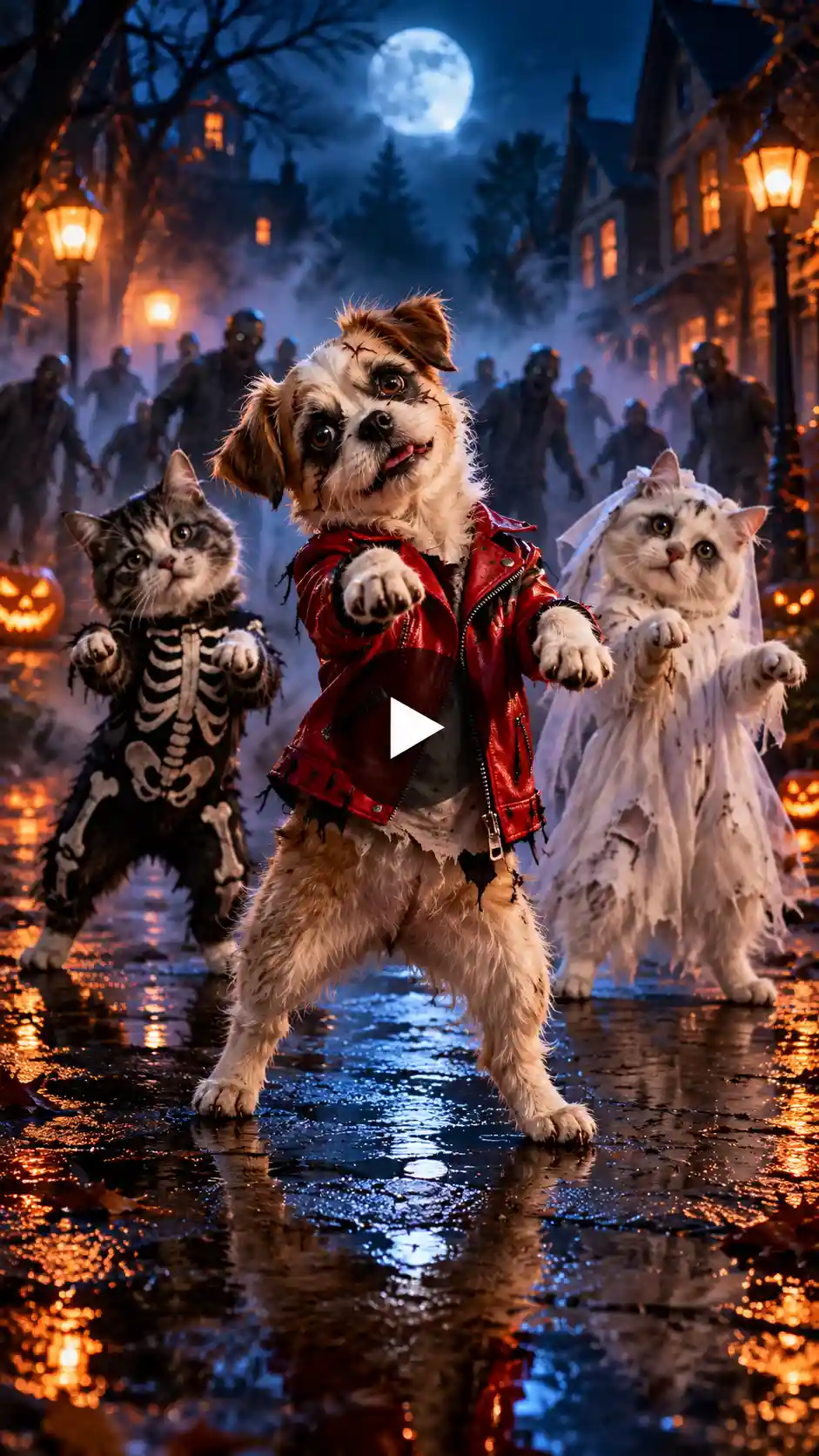
Prompt:
A vertical 9:16 cinematic video of a cute dog standing upright on its hind legs on a wet street with two other animals in the same position, at midnight, wearing a miniature red leather jacket and halloween makeup. The pet performs a stylized zombie dance routine with claw-like front paws and a synchronized head roll. The background features thick fog, glowing street lamps, flickering jack-o’-lanterns and a hazy zombie crowd shuffling under moody cinematic lighting. High detail, smooth motion, photorealistic fur texture.
Pet Thriller Dance Trends To Try
1. Classic night street scene: Recreate the classic dancing routine by three animals on the street at midnight. Use fog and street lamps, wet street lighting and backdrops.
2. Graveyard Flash Mob: Place your dancing pet in front of the old tombstones in a graveyard and jack o lanterns under a moonlight.
3. Living Room Spooky Party: Transform a cozy home into a haunted place with floating candles, cobwebs, bloody wine and fun indoor decorations for the Halloween pet video.
Tips for Best Results
1. Watch the lighting: Make sure you upload a source photo that has natural lighting. No heavy shadows or cast offs on the image. This makes sure of the fact that AI maps the facial features perfectly.
2. Keep The Frame Wide: Make sure to choose a framing option that keeps the entire animal’s body in clear view. This way the motions will be smooth with rapid dance movements.
3. Regenerate The Beat: AI motion models can sometimes make small glitches at first, do not hesitate to regenerate the clip if needed. Although if you use LightX then you won’t have to regenerate the videos as we have the best AI models to make them.
Conclusion
The viral pet thriller dance trend is one of the most entertaining ways to stand out in this spooky season. By just uploading a single shot of your pet, you can get an entire video that’s just fun to watch. Get ready to turn your furry little friends into viral online heartthrobs. Make the superstar in them come to life this Halloween.
FAQs
- What kind of photo works best?
A well lit clear and front facing image works best for this video.
- What resolution should I export the video in?
You can choose from 480p, 720p and 1080p resolution.
- What file formats can I upload?
You can upload JPEG, PNG and WebP files on the AI tool.
- How long can the video be?
Each video can be up to 10- 30 seconds long.
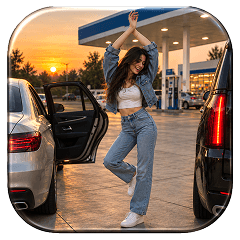 Gas Up the Trend ⛽🔥
Create your own gas station trend in seconds.
Gas Up the Trend ⛽🔥
Create your own gas station trend in seconds.