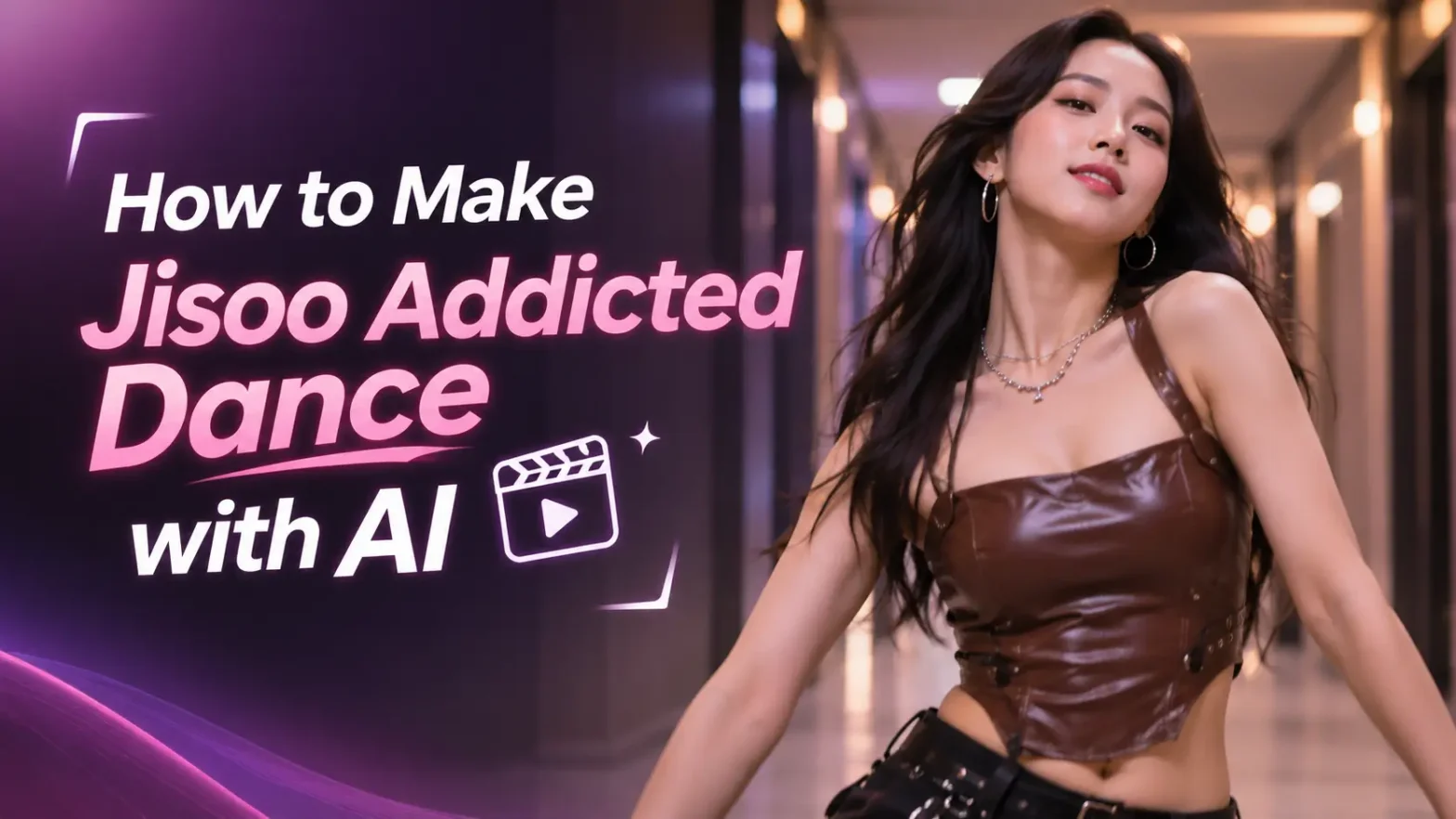
A K-pop fan or not, the trend we have for you today is unskippable. If you have seen the Jisoo Addicted Dance trend all over TikTok and Instagram, you already know what I’m talking about. Here’s why everyone wants to know how to make Jisoo Addicted Dance with AI. The trend comes from Rosé and Jisoo’s viral hallway dance to Jisoo’s single “Addicted”. And with such a variety of AI tools and models now you can recreate the same energetic, K-pop-style dance from just one or two photos.
 Follow Us for Daily Trends
Get new prompts and creative ideas every day.
Social media feeds are moving at a lighting bolt speed now. The latest K-pop craze has officially taken over all forms of social media. Whether you want to jump on the phone from any part of the world, the Jisoo Addicted Dance video AI classic is one of the best. And has AI made this all even better? Why wait for the world to catch up with the trend, just make a Viral Jisoo dance AI video that looks like it came straight from a professional music video set.
So with us you’ll get to know what the trend is, how to create a Jisoo Addicted Dance AI video, the best Jisoo dance AI prompts and how to combine it with the latest trends in the market. Also know how to make your clip look natural enough to post as a viral Jisoo dance AI video.
What Is the Jisoo Addicted Dance Trend?
The Jisoo Addicted Dance trend began when Rosé posted a TikTok with Jisoo on October 31. They were seen dancing in a hallway to Jisoo’s new single “ADDICTED.” By November 1st, the original clip had already crossed roughly 15.5 million views and 4.8 million likes. Hence, making it one of the fastest-moving K-pop AI dance trends of 2026.
The hype also kicked off when BLACKPINK’s Jisoo dropped her highly awaited solo promotions for her new hit track. The fans were caught in awe and millions of people worldwide were surprised with the promotional social media video.
The original video and the song
The original format features Rosé and Jisoo dancing together in a hallway, with sharp, playful movements. This matches the beat of the song “ADDICTED.” The video’s fun way comes from the two popstar’s chemistry. The confident K-pop performance energy builds up to the simple but memorable choreography.
The trend is also called the Chaesoo Dance AI trend because it centers on Rosé and Jisoo as a pair. Many creators recreate it with two people, friends or partners. While others place themselves in the role of the dancer wearing the brown leather top. Jisoo starts the clip, turning her head sharply in sync with the beat which is kind of her signature move. Then Rosé suddenly pops into frame with her signature blonde hair to match her step-for-step.
The track features a pulsing, addictive beat accompanied by sharp hand movements, well planned head turns and Gen Z styling.
Key dance moves and format
Creators love this duo dynamic (Chaesoo dance challenge AI) and the clever post and trending manner often styled like casual backstage phone recording, giving people the Behind-the-scenes effect.
The Jisoo Addicted Dance AI format usually includes:
- A short portrait video typically around 15 seconds.
- Two dancers standing side by side or trading the spotlight
- Sharp arm movements, shoulder pops, hip sways & steps.
- A confident, camera-facing performance style
- A hallway, studio, or simple indoor background so the dancers remain the focus.
- Fast cuts or continuous motion that follows the beat of “ADDICTED.”
The reason it spreads so quickly is that it is easy to understand, visually catchy, and highly adaptable. You can recreate it solo, with a friend, with a partner, or even as a Chaesoo dance challenge AI version using two photos. It checks all the boxes. And combines the elite K-pop star power, a catchy new song and a visually manipulating layout that provokes the person to watch it on repeat.
Also read: How To Make Choosin Texas Emo Remix Video
Why Make Jisoo Addicted Dance with AI?
You do not need to learn the actual choreography to join this Trending Jisoo Addicted Dance AI video. Our image to video can replace your photo, match the movement, dance and style, and make a ready-to-post content for you.
No need to learn the dance
Traditional dance trends require practice. The timing, space and often multiple takes are hard to learn as a beginner. You can easily make this complex K-pop routine dance video effortlessly without learning a single step. With an image to video AI tool, the AI handles everything. The choreography, motion timing and camera movement for you. LightX describes its AI dance generator as a tool that takes a picture, identifies the thing and builds dance movements around it.
Works with just 1 photo or 2 for a duo
For a solo Jisoo dance AI video from photo, upload one clear photo of yourself. For a duo version, upload two photos one for each person. LightX’s AI video generator supports both single-photo and duo-photo and multiple photos. Most platforms only give a single upload option to make a Jisoo dance AI video from image-to-video tool.
Perfect for Newbies
You do not need any editing experience, dance training or tool handling experience. The basic step is to upload a photo. Choose a dance style or prompt, generate and then download. LightX outlines this exact simple process for its AI dance video generator. No time taking process, no rendering time waste, no editing needed or any professional motion transfer knowledge is required.
Prerequisites to Begin
Here’s a list of necessary requirements before making your AI Make Jisoo Addicted Dance video.
- A single clear image for solo video recording or two images if recording in pairs.
- An image which captures face, body, arms and legs.
- Bright light preferably natural or indoor lighting.
- A picture with high resolution without any blur and filters applied.
- Optional Jisoo Addicted Dance AI prompt for image-based video maker.
- Vertical adjustment of screen 9:16 for platforms like TikTok, Instagram Reels, and YouTube Shorts.
- It is beneficial if your AI tool has a motion reference video of the current trend.
Tip: LightX recommends full-body photos where the head, arms, and legs are visible. This is because the AI uses that image to build accurate movement. Its reference-to-video tool also supports multiple reference images, prompts, model selection, aspect ratio, resolution and audio settings.
How to Make Jisoo Addicted Dance with AI Using LightX
LightX is the best choice because it has both an AI dance video generator and a Reference to Video tool. The dance video maker can produce a dancing video using a one photograph, while the reference to video makes it possible to describe the characters, upload images, create instructions, and control the video format.
Step 1: Access the AI dance or image-to-video tool
Visit LightX and access the AI Dance Video Generator or Image to Video tool. The dance video maker has the knack for converting a still photo into a dancing video, while Image to Video is better at handling prompts.
To make a more authentic Jisoo Addicted Dance AI, choose the Reference to Video tool. In case you have a reference video or want to describe the choreography in greater detail. According to LightX, this tool allows one to upload five photos and gives one the option to explain the scene, action, conversation, lyrics, or melody.
Step 2: Upload your image or more than one images
Upload one clear and nice photo for a single version. For a duo AI dance generator, upload two separate photos for the two dancers.
Use photos that:
- The face is visible and natural
- The body is not cut off or distorted
- The outfit and posture are clear and balanced
- The background is simple
- There are no heavy shadows or extreme angles
LightX recommends clear, well-lit photos because blurry faces can confuse the AI and create hallucinations in the videos.
Step 3: Choose solo or duo mode
Choose solo mode if you want to really establish yourself into the trend. Choose duo mode if you want to recreate the Rosé and Jisoo-style two-person video clip. It is more casual and fun-loving.
For a duo, clearly identify each person in your prompt, such as:
- Person 1 on the left
- Person 2 on the right
- Both dancers perform K-pop choreography in sync
This helps the AI understand who should perform which movement. You can also specify this in the prompts. For ex: Person 1 does the head turning step. Person 2 does the hair flip routine.
Step 4: Add the Jisoo Addicted Dance AI prompt
If you are using a template, select the closest available dance style. If you are using a prompt-based workflow, paste a detailed Jisoo dance AI prompt describing the outfit, hallway setting, camera angle, and choreography.
A strong prompt should include:
- The number of dancers
- Their positions
- The dance moves.
- The background.
- The lighting.
- The camera style.
- The aspect ratio.
- The overall mood.
Step 5: Select the video settings
Choose the aspect ratio to 9:16 vertical. Keep the video length to 10 – 15 seconds. Choose the resolution from 480p, 720p or 1080p.
Lyrics & Audio: Add the “ADDICTED” sound in your editing app if the generator does not include licensed audio. Make sure there are no copyright issues while uploading the main song. You can also modify the lyrics of the song using prompts.
Step 6: Generate the video
Click Generate and wait for the clip. The tool will replicate your photo, apply the choreography, and give you a short dance video. LightX describes this process as uploading a photo, choosing a style and generating a clip that moves on the beat.
LightX’s trend guides commonly recommend downloading the final clip and sharing it directly to TikTok, Instagram Reels, YouTube Shorts, or WhatsApp Status for best results.
Prompts That You Can Directly Use
Prompt for Duo Video
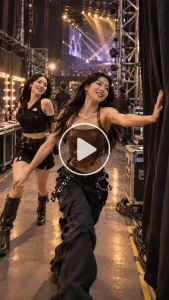
Create a vertical 9:16, 15-second photorealistic K-pop dance video. Two stylish young women stand side by side in a modern warmly lit hallway, facing the camera. Person 1 wears a brown leather top and black pants; Person 2 wears a chic black outfit. They perform a high-energy synchronized dance inspired by Jisoo’s “ADDICTED”: sharp shoulder pops, rhythmic arm waves, confident hip sways, quick side steps, playful head tilts, and a strong final pose. The camera stays at chest height with a slight handheld movement. Both dancers remain consistent with their reference photos, with realistic facial features, natural body motion, clean choreography, vibrant lighting, and cinematic depth of field.
Prompt for Solo Version
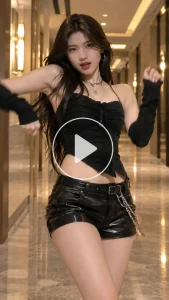
Turn the person in the uploaded photo into a confident K-pop dancer performing the viral Jisoo Addicted Dance in a warmly lit hallway. Use sharp shoulder movements, rhythmic arm waves, side steps, hip sways, and a strong final pose. Keep the face, hairstyle, and outfit consistent with the reference photo. Vertical 9:16, realistic motion, cinematic lighting, high-energy K-pop performance style.
Ways To Create A Realistic Video
- Pay Attention to the Lighting: Dark and blur images produce inaccuracies in motion mapping. Use bright images for successful AI tracking of image properties.
- Choosing the Right Dress: Avoid complex dresses because the AI will be confused by stiff and loose clothes. Stiff outfits create more accurate transitions.
- Mind the Aspect Ratio: Always use a 9:16 aspect ratio so your video is designed for platforms, such as TikTok, Instagram and YouTube Shorts.
More K-Pop Trends We Have Covered
The Jisoo Addicted Dance AI trend is only one of many K-pop and viral dance clips you can make with AI. We have also covered trends such as the Gangnam Style trend, along with other image-to-video dance challenges that work well on TikTok, Instagram Reels, and YouTube Shorts.
Other popular AI dance trends include:
- Gangnam Style AI dance trend
- Storm Dance AI video
- BbY WOW dance AI video
- Alors on Danse AI video
- Mi Chico AI dance video
- Irish dancer walk AI trend
Final Words
The Jisoo Addicted Dance AI trend is one of the easiest ways to create a stir in the video industry in 2026. With one perfect photo for a solo clip or two photos for a duo version, you can use an AI dance generator, add a detailed Jisoo Addicted Dance AI prompt, generate a new video and post it to Reels or stories.
FAQs
- What kind of photo works best?
A clear base image that looks natural and well lit will work best. - What resolution should I export the video in?
For a video for phones and reels, 480p or 720p works best. - What file formats and sizes can I upload?
You can upload WebP, JPEG and PNG format images. There is no limit to the file size you can upload. - How long can the video be?
The video can be up to 30 seconds long.
 Get on WhatsApp
New image & Video workflow everyday