All through this week, you must have seen the growing trend of ‘I Wanna Love You’ AI Video. The popular song by Akon and Snoop Dog has apparently become a new trend. This video has taken social media by storm. No wonder they appear in all the following forms. Like at the office, near animals, such as a super adorable dog or cat, and even at home shooting a hilarious make-up video, making singing and performing classic R&B songs easier.
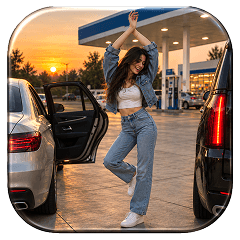 Gas Up the Trend ⛽🔥
Create your own gas station trend in seconds.
Gas Up the Trend ⛽🔥
Create your own gas station trend in seconds.
What Is The I Wanna Love You AI Video Trend?
As for the I Wanna Love You AI Video trend, it is based merely on an audio track by Akon and Snoop Dogg released in 2006 under the title of ‘I Wanna Love You’. Many trends have emerged due to this particular song, however, this one mainly relies on AI video content.
The Format of The Video
The video format is simple yet different. The I Wanna Love You method allows users to create their own selfie-style video shot in vertical format with the phone held at their arm’s length. A character of the video appears in front of the camera singing the song right from the beginning. In about a minute the performer will begin leaning back.
Trending With Humans & Pets
The human versions of the selfies may be amusing. But the phenomenon really took off when the creators brought their idea to start featuring animals. All at once, it became the most popular thing on the Internet, and all the users decided to make their cats ‘sing’. Some most amazing creations of AI video making are in these videos thus turning their cats and funny dogs into R&B stars.
What Makes This Phenomenon So Popular
The reason for the spread of the trend lies in its absurdity. The juxtaposition between the simple background (such as an ordinary living room or kitchen) and the complex artistic performance creates a humorous effect. In addition, it is effective, straightforward, and designed for being watched in a loop.
How To Make I Wanna Love You AI Video
Depending on the platform or the look that you want to get; you can build your clip using our presets and templates or can customize the prompts. Here is the complete breakdown of this:
Using Pre-defined Template
Step 1: Choose the character of the singer (Person 1) who you want to film. Select your persona and upload clear front-facing portraits.
Step 2: Background, outfit and prompt: Select the background you want. Get a background setting (your living room, backyard, office, basketball court) and where you are seen shooting this video. Apply stylistic things to align your outfit with the theme.
Step 3: Choose appropriate resolution and aspect: Select the layout that suits your project. Choose from 9:16 to ensure proper optimization.
If you want to make a video from scratch, use our Image to Video Tool.
Using Reference to Video (with driving video)
Go To Reference to Video. Navigate to LightX’s video platform’s reference or motion-transfer tool.
Step 1: Define your Characters. Establish clear visual profiles of the people in the video.
Step 2: Use Video Reference and Replace Faces: If you own or have a source driving video (such as the I wanna love you clip). Configure that as your video reference. Write a precise prompt to replace the faces and models. For example, replace person 1 who is singing with reference image 1.
Using Reference to Video without driving video
Step 1: Define your Characters. Establish clear visual profiles for your video character.
Step 2: Generate using prompts if there is no driving video. If you don’t have a reference video, generate the whole effect using a detailed prompt. Clearly specify your parameters. Check out the Image to Video Generator for more relevant details.
Define character image outfits, makeup & style
Detail the specific wardrobe pieces such as party clothes, elite clothes, shirt or pants or an expensive tuxedo, statement jewellery, makeup and hair styling.
Define scene background, lighting, camera
Specify whether the shot uses a front facing selfie frame in the camera in a basketball court, or an alleyway. Change the background according to your preferences.
Define how the character is interacting or acting (along with motion)
Explicitly outline the lip syncing timing, steps and actions such as singing or dancing during a specific time or moment.
Copy & Paste This Prompt
Getting the AI to understand the exact choreography of the I Wanna Love You AI lip sync trend can be tricky. Use a descriptive, single-shot prompt to guide the model:
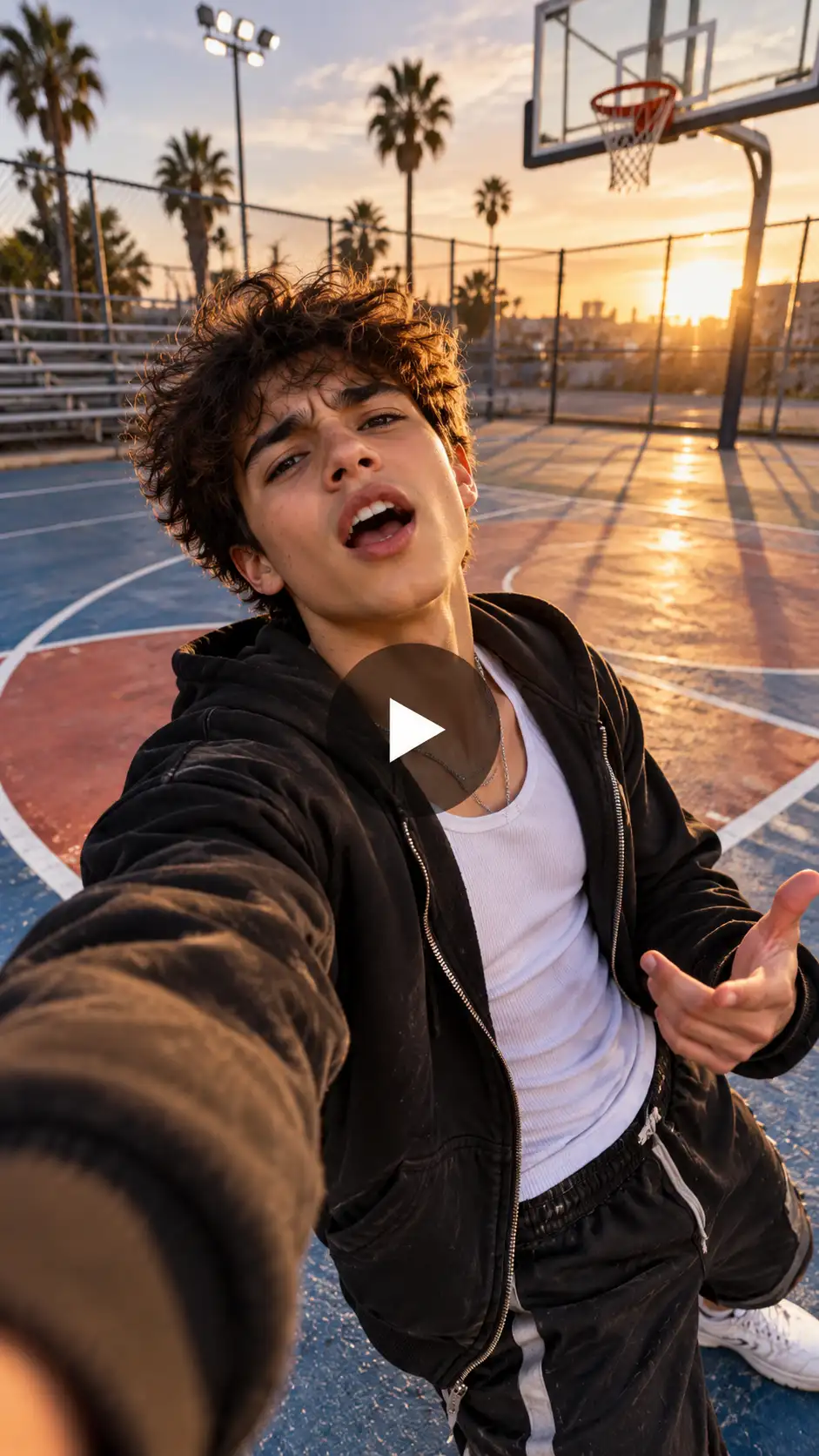
Prompt:
“A vertical 9:16 selfie-style video shot in one continuous take. The subject from the uploaded photo holds the camera at arm’s length, looking directly into the lens. The subject’s mouth moves in sync to a dramatic song, swaying slightly. Midway through, the camera tilts upward as the subject executes a slow, exaggerated backward lean, belting lyrics straight up into the lens with intense expression, before snapping back upright and giving a playful final wave.”
Related blog: How To Make The Puerto Rican Mami Dance Duo AI Trend
What You Need Before You Start
Jumping into the I Wanna Love You Instagram trend? It doesn’t require a green screen, a professional camera or any video editing background. However, a little preparation goes a long way in ensuring your final clip looks clean rather than cursed.
- A Clear, High-Resolution Photo: Your source image is everything. Choose a front-facing portrait or pet photo. The face is well-lit, unobstructed, and looking directly at the camera.
- An AI Video Generator:You will need an image-to-video AI platform or dedicated trend effect generator. It must support motion control and facial animation.
- The Audio Track: While some generation tools bundle a sample melody, you will want to pull the official licensed track directly. Make sure there are no copyright issues.
Ways to Remix the Trend
- Once you master the basic format, you can branch out into different forms to keep your audience entertained:
- The Pet Takeover: Swap out humans entirely and focus on the funny pet video demand. Turn a cute-looking cat into a full on popstar diva.
- Office Persona Parody: Use a professional headshot from LinkedIn to create a corporate funny lip sync where your work persona sings about heartbreak over spreadsheets.
- Group Dynamic Reactions: While the trend works best solo, experimenting with pets wearing tiny bow ties or funny hats adds an extra layer of humor to the final cut.
Recommendations for a Natural-Looking Video
Although AI video technology is advancing, there are several tools one needs to keep in mind to get results without a hitch.
- Make Use of Photos of the Front View. Any profile photos or photos where the subject is not facing the camera do a poor job with facial recognition and make the mouth movements look unnatural.
- Select the Right Backgrounds. Any photos with patterns in the background can trouble the physics engine when creating and tilting the video.
- Go for a Vertical Format. This is a nice add-on to your process of taking 9:16 shots as wide shots will cause the illusion of real smartphone videos.
Final Thoughts
The ‘I Wanna Love You’ AI lip-synching craze shows that people are fond of combining nostalgia with comedic and harmless humor. Whatever you are doing, whether it`s making a popular video with your face in it or trying to make my cat sing in an AI video in a group chat, just take one photo and use LightX for inspired creativity. Just simply pick a picture that you like, use an AI-video creator, and enjoy watching your feeds being astounded with praises and engagement.
FAQs
- What kind of photo works best?
A well lit clear and front facing image works best for this video.
- What resolution should I export the video in?
You can choose from 480p, 720p and 1080p resolution.
- What file formats and sizes can I upload?
You can upload JPEG, PNG and WebP files on the AI tool. There is no size limit for uploading files.
- How long can the video be?
Each video can be up to 10- 30 seconds long.
 Create the Ceiling Fan Trend 🪭
Upload your image and reveal a new look with every spin.
Create the Ceiling Fan Trend 🪭
Upload your image and reveal a new look with every spin.