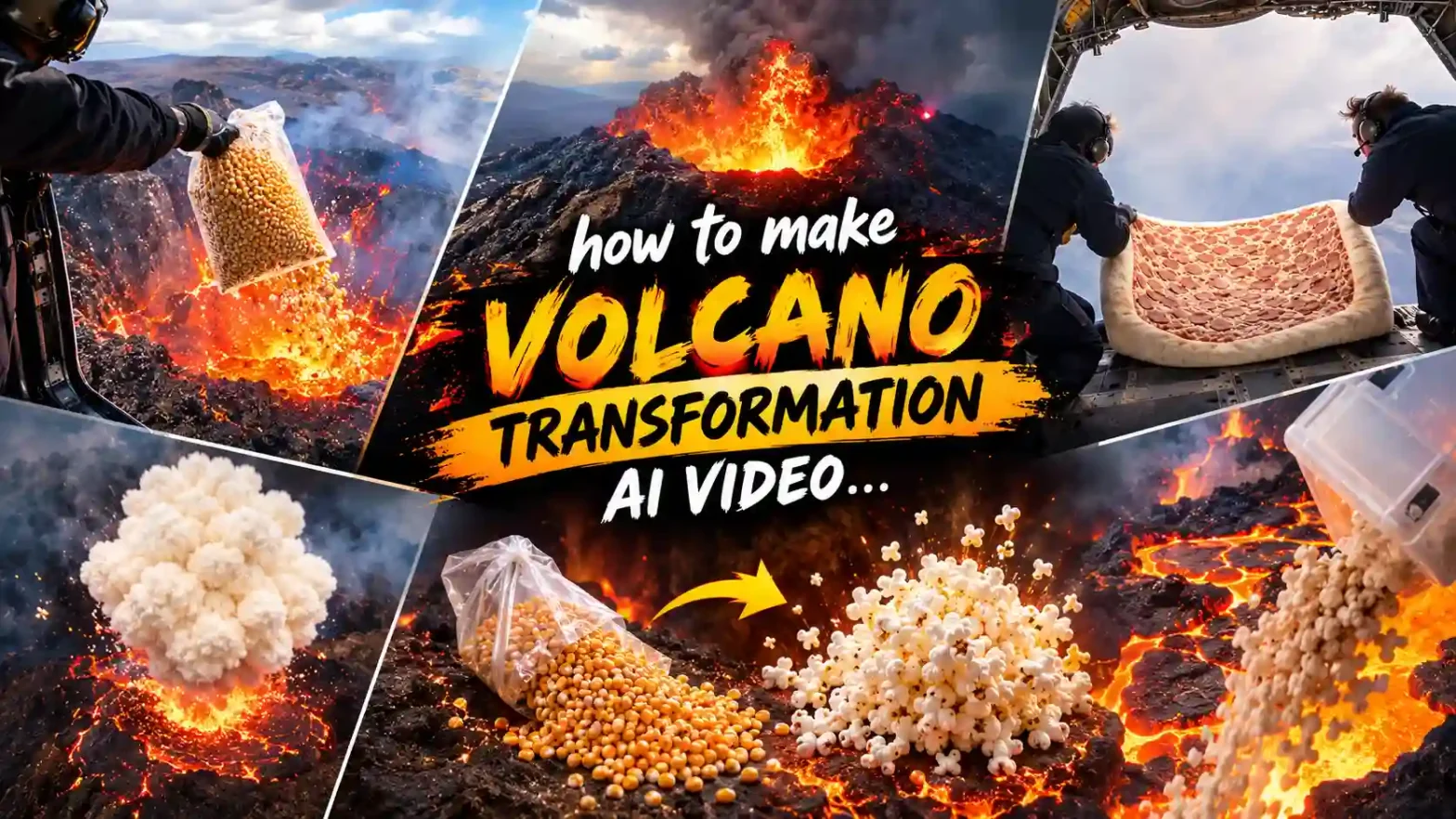
Have you seen the helicopter-over-a-volcano trend on Reels? Someone hangs over a glowing volcano and drops a bag of corn kernels, a bucket of fried chicken, or a block of ice into the lava. Then everything erupts: the corn bursts into popcorn, the chicken turns into a food storm, and the ice sends a huge cloud of steam into the cabin. That’s the volcano transformation AI video trend.
 Create the Roadster Ramp Trend 🏎️
Upload your image and create a thrilling backward car jump off a ramp.
Create the Roadster Ramp Trend 🏎️
Upload your image and create a thrilling backward car jump off a ramp.
The best part is that you don’t need any editing skills or a big setup to recreate it. With LightX, you just need one photo and a prompt to create your own version in minutes.
What is the Volcano Transformation AI Video Trend?
This AI video trend (also called the volcano drop AI video or lava experiment video) blew up in 2026. The basic idea is simple and addictive: someone leans out of a helicopter and throws anything into the molten lava below. The object hits the lava and instantly transforms in a wild, exaggerated way.
The most popular version is the volcano popcorn AI video — drop corn kernels in a volcano and watch a huge popcorn explosion shoot back up and flood the helicopter. Creators also go crazy with fried-chicken volcano videos, chocolate volcano eruptions, ice-and-lava videos, colorful paint volcano eruptions, and all kinds of volcano food video AI ideas.
These clips feel cinematic and almost real. Most of the biggest ones are pure AI-generated using photo-to-video AI or text-to-video AI tools. People love them because you can throw anything into a volcano and get a totally different lava transformation effect every time. That’s why the Instagram Reels volcano trend and similar videos keep spreading so fast.
Stepwise Guide on How to Create a Volcano Transformation AI Video
Using a Pre-defined Template
Step 1: Choose the character for the image. Upload one clear photo of yourself, a friend, or anyone you want in the helicopter.
Step 2: Choose the template you like. You can also change the input and output using prompts. For example, describe what you drop into the lava and what comes out, or set the scene as “helicopter interior looking down at glowing lava”.
Step 3: Choose the right resolution and aspect ratio (select vertical 9:16).
Step 4: Click Generate, then download the final video.
Using Image to Video tool
Step 1: Open the Image to Video tool.
Step 2: Upload a clear photo of yourself, your partner, friends, or family.
Step 3: Give the Prompt
Add a volcano video prompt describing the action. Mention what you are dropping into the lava(input) and what comes out of the volcano (output).
For example: dropping corn kernels, fried chicken, ice, or paint into the lava, and getting popcorn, a food explosion, steam, or a colorful paint eruption. You can also describe the helicopter view, glowing red-orange lava, and the big transformation effect.
You can also change the input and output, such as:
- Corn kernels → popcorn
- Fried chicken → food explosion
- Ice block → steam cloud
- Paint → colorful paint eruption
Step 4: Choose your preferred AI video model, such as Kling 3.0, Veo 3.1, Veo 3.1 Fast, or Wan 2.7.
Step 5: Click Generate and let AI turn your photo into a personalized volcano transformation video.
Step 6: Download your video and share it as an Instagram Reel, Story, YouTube Short, TikTok video, or WhatsApp Status.
If you do not need to upload the image, you can simply make it by giving text prompts with a text-to-video tool.
Sample Prompt and Structure to Follow for Volcano Transformation AI Video
Here’s a strong volcano transformation AI video prompt you can copy and tweak. Just change the object you drop and the reaction you want.
Prompt example:
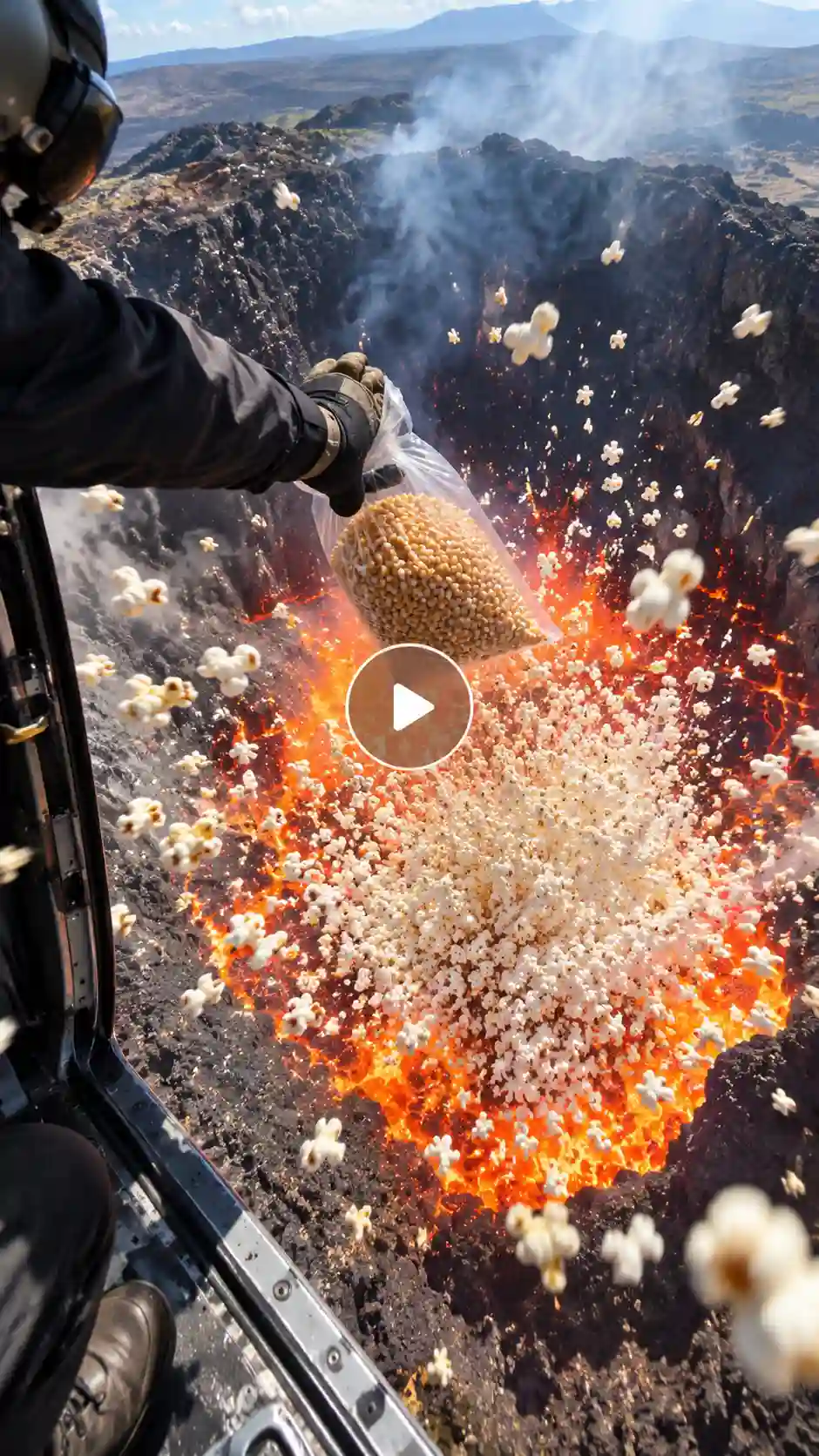
Cinematic handheld POV from inside an open helicopter door, looking straight down at a massive active volcano crater filled with bubbling, glowing red-orange molten lava. Bright daylight with strong natural sunlight, slight haze and heat distortion rising from the lava, dark volcanic rock walls, thin smoke drifting upward. A person in dark protective gear and gloves leans firmly out of the doorway, holds a large clear plastic bag packed with golden unpopped corn kernels, and deliberately drops it. The bag falls quickly, hits the lava surface, and instantly bursts open. Thousands of white popcorn kernels explode violently upward in a dense, swirling storm, flying back into the helicopter cabin within seconds, filling the frame and covering the floor and person. Continuous slight camera shake from the helicopter, realistic motion blur on the falling bag and flying popcorn, natural lighting with strong reflections from the lava, ultra-realistic details, vertical 9:16, 10–15 seconds.
You can easily swap the object:
- Block of ice → ice and lava video with huge steam
- Chocolate or paint → chocolate volcano eruption or colorful paint volcano eruption
Keep the same structure: helicopter view + clear drop action + dramatic lava transformation effect. That formula is what makes these clips so watchable.
What You Will Get in the Videos
Your finished AI volcano eruption video will usually look like this:
- Length: 10 to 15 seconds — perfect for quick scrolls
- Shape: Vertical 9:16 (made for TikTok, Instagram Reels, and YouTube Shorts)
- Setting: Realistic helicopter interior hovering over glowing lava
- Action: Someone drops an object, the lava reacts instantly, and the transformation fills the screen
- Camera style: Handheld, slightly shaky POV that feels real
- Overall feel: Surprising, satisfying, and a little chaotic — exactly like the original viral volcano transformation AI video clips
In short, one photo or one prompt turns into a ready-to-post volcano drop AI video.
Tips for the Best Results
- Use a clear photo with good lighting if you want your face in it. Simple clothes look more natural.
- Be clear in your prompt. Say exactly what you’re dropping and what should come out — like a popcorn storm or a big steam cloud.
- Always choose vertical 9:16 so it fits perfectly on TikTok, Reels, and Shorts.
- Try different things. Corn kernels, fried chicken, ice, paint… the more creative, the better.
- Add a trending sound when you post. Something with a whoosh and popcorn pops works great.
- Keep the background simple so the lava and the reaction stay the main focus.
- Test a few different tools. Some handle flying popcorn and fast action better than others.
Related blog: How to Make a Bottle Kick Challenge Video with AI
Conclusion
The viral video trend is super fun & still growing fast in 2026. If you want a classic volcano popcorn AI video, a volcano food video, or something completely original, you only need one photo & a good prompt.
This volcano lava AI video easily grabs the attention of viewers. You can easily join the trend with LightX. Go try it and throw anything into a volcano and watch the magic happen.
FAQs
What kind of photo works best for a volcano AI video?
A clear photo with good lighting and your face looking straight at the camera works best. Simple clothes and a clean background help a lot.
How long does generation take?
Most videos are ready in under a minute.
How can I keep the person’s face consistent?
Use the same clear photo every time and mention “keep the same face” in your prompt.
How long does the video take to generate?
It usually takes less than a minute.720p resolution may take up to 15 minutes.
 Create the Floating Fall Trend
Upload your image and create a cinematic floating fall effect.
Create the Floating Fall Trend
Upload your image and create a cinematic floating fall effect.