Ever seen a Mercedes video on Reels or Shorts and thought, “How did they shoot that?” The smooth drive, low-angle camera shot, glossy reflections, and luxury ad feel can now be created with AI.
 Get on WhatsApp
New image & Video workflow everyday
Get on WhatsApp
New image & Video workflow everyday
You do not need a Mercedes, a professional camera setup, or hours of video editing. Start with a car photo and a detailed Mercedes car AI video prompt describing how you want the car, camera, and scene to move.
With LightX, you can turn your Mercedes photo into a cinematic AI car video directly, without jumping between different tools. Whether you want a night drive, highway shot, luxury commercial, or dramatic car reveal, your prompt can set the whole scene.
Why are cinematic car AI video prompts going viral?
A Mercedes already has the luxury look. Add motion, cinematic lighting, and the right camera angle, and a simple car photo can suddenly feel like a scene from a premium car commercial.
- It has that premium ad look: Smooth camera moves, dramatic lighting, reflections, and close-up shots can give the video a polished Mercedes commercial feel.
- It makes people stop scrolling: A moving car, headlight reveal, fast highway shot, or dramatic entrance is naturally more eye-catching than a still car photo.
- It fits short-form content perfectly: These quick cinematic scenes work well for Instagram Reels, YouTube Shorts, and other vertical video platforms.
- Car enthusiasts can get creative: You can imagine your Mercedes on a rainy city street, mountain road, racetrack, highway, or almost any scene you want.
- You don’t need a full car shoot: No camera crew, moving rig, special location, or expensive production setup. A car photo and a good AI video prompt can be enough to get started.
Trending car AI video prompt Ideas
Here, you’ll find realistic and viral AI car video prompts all in one place. Just copy and paste your favorite prompt into any AI tool, like LightX, and start creating.
Girls’ Mercedes driving shots
1. Girl driving a Mercedes through Paris at sunrise
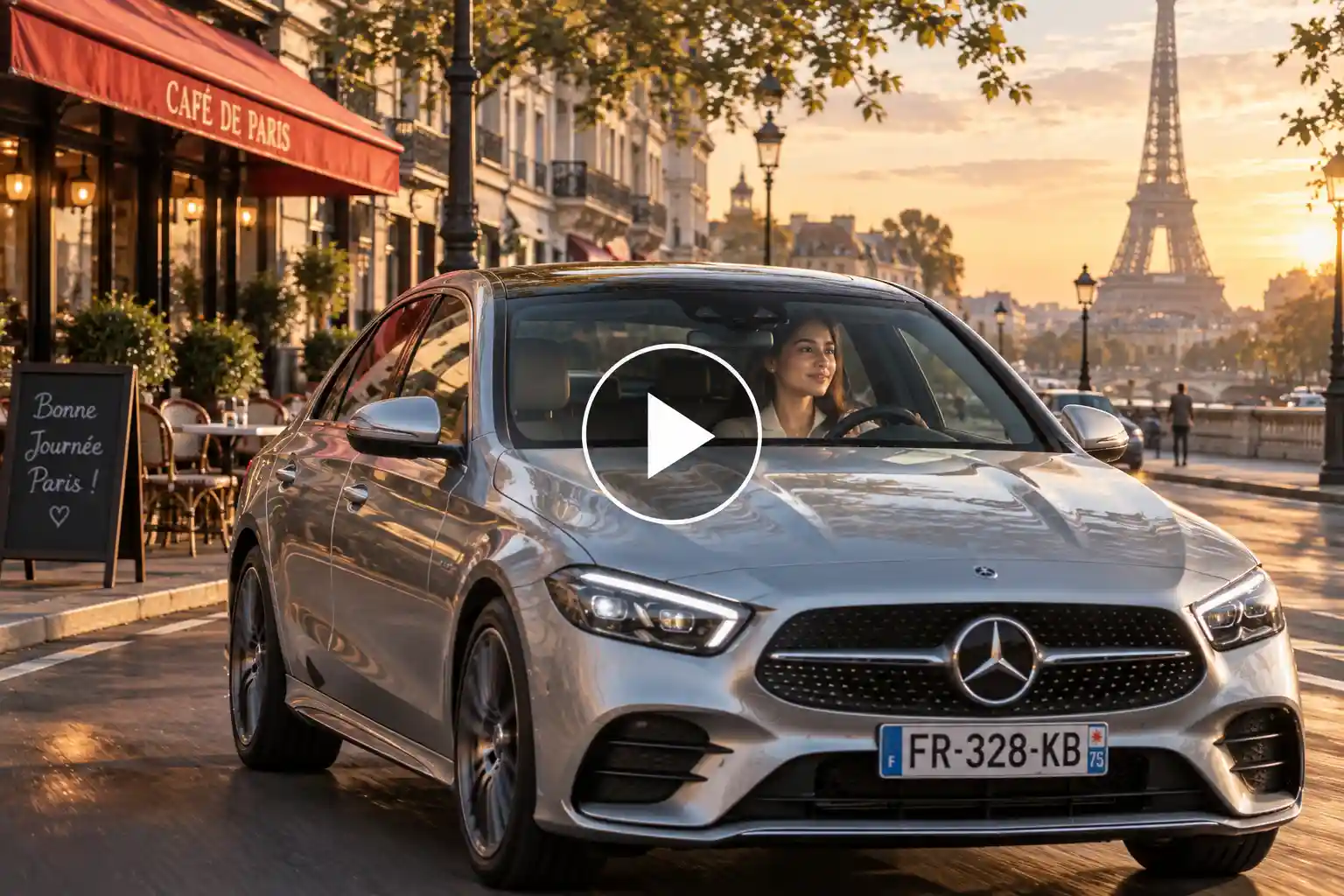
Use the woman from the uploaded photo as the main character and preserve her exact recognizable facial identity, facial structure, eyes, nose, lips, skin tone, hairstyle, age, and natural appearance throughout the video. Create a realistic early-morning Mercedes drive through Paris. Place her naturally in the driver’s seat of a silver Mercedes-Benz with correct body proportions and realistic seating position. Open with a DSLR-style camera mounted near the front passenger window, capturing a medium side-profile shot of her driving while soft sunrise light enters through the windshield. Her hands make small, believable steering movements and her eyes remain naturally focused on the road. Cut to an exterior curb-level shot as the Mercedes approaches and passes close to the camera, revealing realistic wheel rotation and suspension movement. Continue with a rear three-quarter tracking shot as she drives along a quiet boulevard with classic Parisian buildings, cafés, trees, and the Eiffel Tower appearing naturally in the distance. End with a long-lens shot of the Mercedes moving away through the morning street. Use natural DSLR exposure, shallow depth of field, authentic 35mm lens character, subtle handheld micro-movement, realistic focus transitions, soft motion blur, natural skin texture, physically accurate reflections, tire contact, glass reflections, and real shadows. Avoid artificial beauty effects, warped hands, changing facial features, floating wheels, excessive lens flare, CGI surfaces, or game-like visuals. The final result should feel like a real luxury lifestyle video filmed by an automotive videographer in Paris.
2. Girl driving a Mercedes on a rainy Seoul street
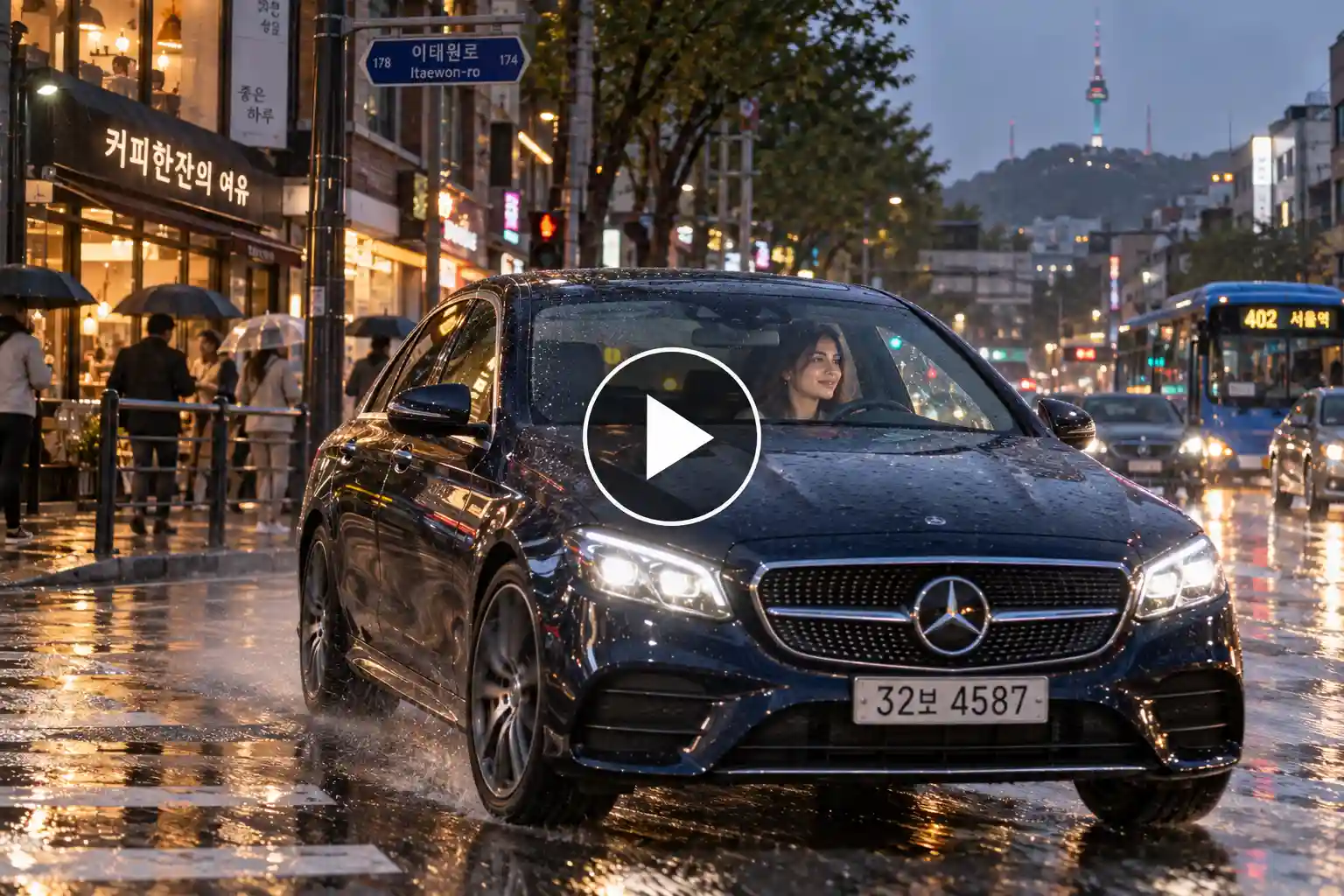
Use the woman in the uploaded photo as the exact character reference. Keep her face, hairstyle, skin tone, age, facial proportions, and recognizable identity consistent in every frame. Place her inside a dark blue Mercedes-Benz driving through a realistic Seoul neighborhood on a rainy evening. Start from outside the vehicle with a DSLR camera positioned low beside a wet pedestrian crossing. The Mercedes enters the frame from the background, turns smoothly toward the camera, and passes across the frame while its headlights reflect naturally on the wet asphalt. Cut to a tight over-the-shoulder interior shot from behind the driver, showing part of her face in the rear-view mirror while her hands naturally control the steering wheel. Windshield wipers move at a believable speed and raindrops remain visible on the glass. Transition to a front three-quarter rolling shot filmed from another moving vehicle, with Korean storefronts, buses, pedestrians carrying umbrellas, and normal traffic appearing naturally in the background. Finish with a static telephoto shot as she drives beneath an underpass and disappears into evening traffic. Use realistic DSLR footage with a 50mm photographic look, shallow but believable depth of field, natural autofocus breathing, subtle camera shake, authentic rain, tire spray, wheel rotation, suspension response, reflections, motion blur, and restrained city colors. Do not create a cyberpunk look. No face morphing, plastic skin, distorted car geometry, fake neon glow, floating vehicle, or CGI appearance.
Boys’ Mercedes driving shots
3. Man driving a Mercedes through an alpine tunnel
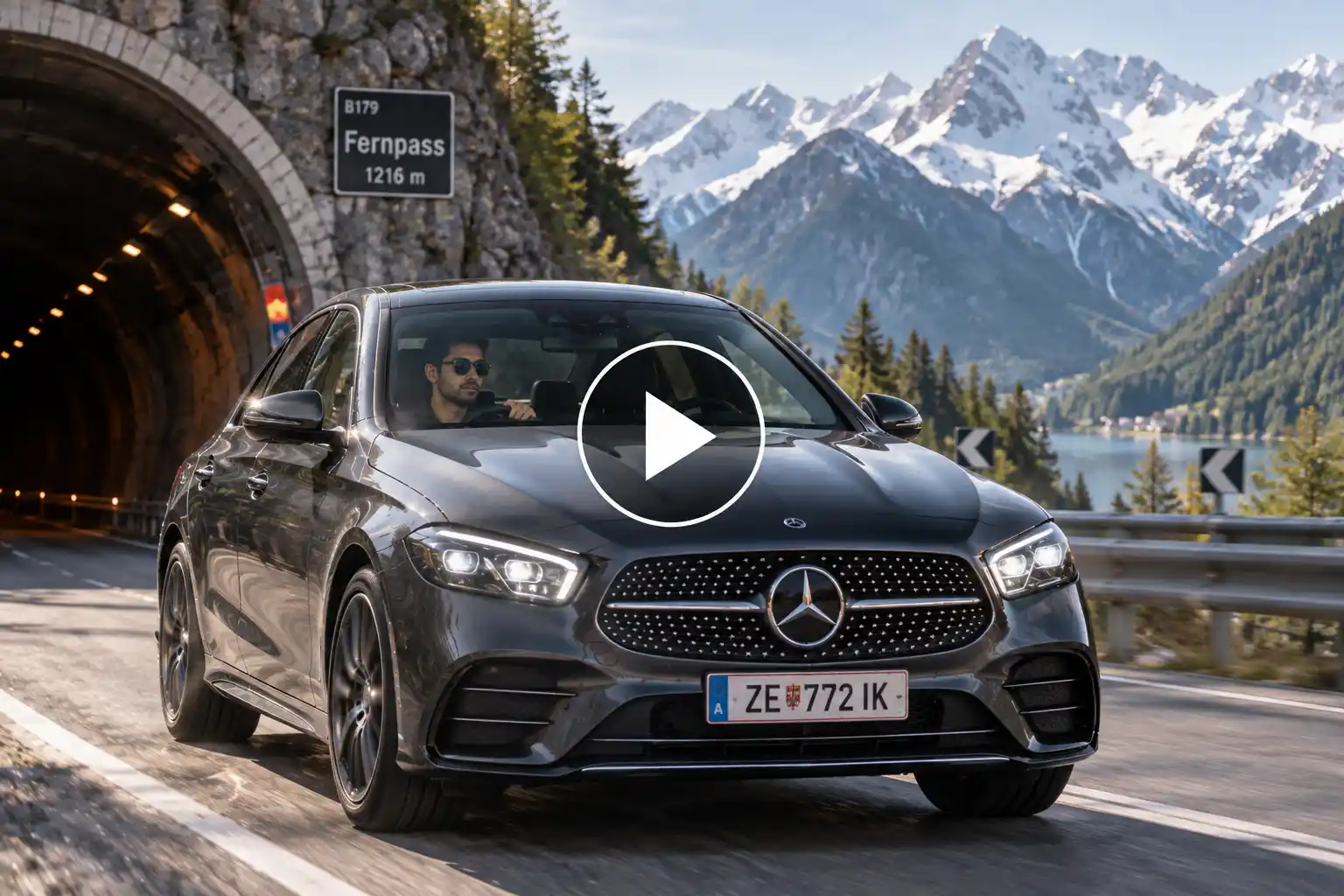
Use the man from the uploaded photo as the main driver. Preserve his exact facial identity, facial structure, eyes, nose, lips, skin tone, hairstyle, age, and recognizable appearance. Place him inside a graphite Mercedes-Benz traveling along a realistic mountain road in the Austrian Alps. Begin with a stationary DSLR camera positioned just outside the entrance of a mountain tunnel. The Mercedes emerges from the darker tunnel into bright natural daylight, creating a realistic exposure adjustment as the camera follows it with a smooth pan. Cut to a hood-mounted perspective looking through the windshield, clearly showing the man driving naturally without altering his face. His hands make a gentle steering correction as the road bends. Transition to a high roadside shot looking diagonally downward as the Mercedes travels around a sweeping mountain curve surrounded by rocky slopes, pine trees, guardrails, and distant snow-covered peaks. Finish with a low rear shot close to road level as the car accelerates gradually uphill and moves away. Use a realistic DSLR 35mm look, natural dynamic range, subtle autofocus adjustment, true-to-life shutter motion, mild sensor grain, realistic highlights on metallic paint, physically accurate wheel rotation, tire grip, body roll, suspension response, glass reflections, and road shadows. Keep the driving confident but safe and believable. No impossible speed, drifting, changing Mercedes design, face distortion, fake mountains, oversaturated scenery, artificial camera movement, or 3D-rendered appearance.
4. Man driving a Mercedes through Mumbai at dawn
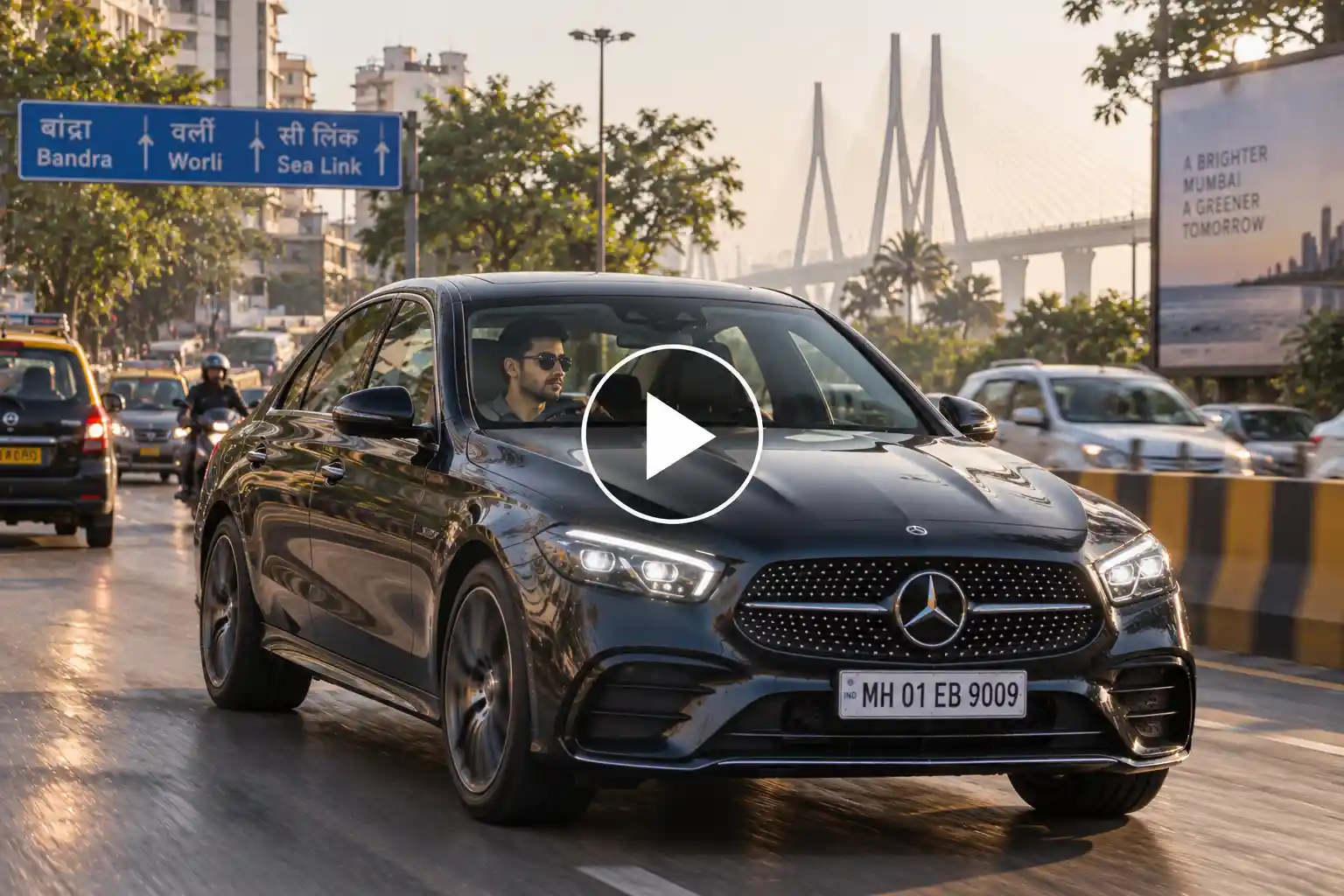
Use the uploaded man as the exact character reference and keep his recognizable face, hairstyle, skin tone, facial features, age, and overall appearance unchanged. Create a grounded, realistic Mercedes driving sequence in Mumbai shortly after sunrise when the roads are beginning to get busy. Start with a DSLR camera placed inside the Mercedes near the center console, using a slightly wide lens to capture the man in a front three-quarter driving view. He checks the side mirror briefly, looks back toward the road, and naturally turns the steering wheel while moving through traffic. Cut to a static street-level shot from the opposite side of the road as the Mercedes passes through the frame among normal cars and taxis. Then use a rear-facing tracking camera from a vehicle ahead, showing the Mercedes following naturally through a broad city road with flyovers, trees, buildings, road signs, and morning traffic. Finish with a close telephoto side shot through the driver’s window, keeping the man’s face naturally visible for a moment before the car moves ahead. Use realistic Indian road conditions without making the scene chaotic. Capture the sequence like professional DSLR documentary-lifestyle footage with natural 35mm and 70mm lens characteristics, real morning exposure, subtle camera vibration, believable focus pulls, natural skin detail, realistic reflections, accurate wheel movement, braking, suspension, and road contact. Avoid glamorized CGI lighting, warped traffic, incorrect driving position, face changes, unnatural hands, excessive blur, or floating vehicles.
Action & motion Mercedes shots
5. Mercedes carving through a Norwegian fjord road
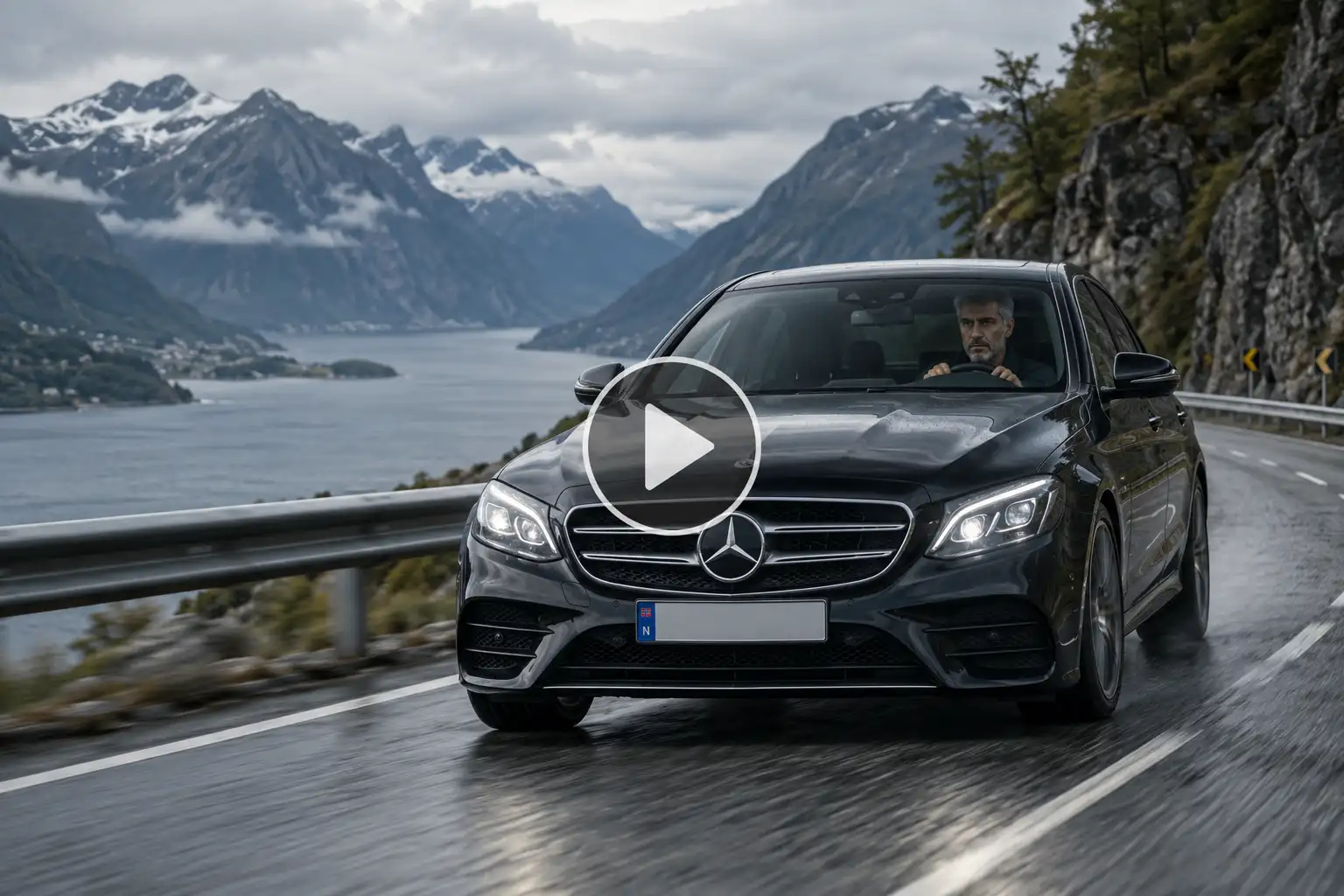
Use the person from the uploaded image as the driver and preserve their exact recognizable face, skin tone, hairstyle, age, and identity whenever visible. Create a dynamic but realistic automotive sequence on a winding road beside a Norwegian fjord during an overcast afternoon. Start with a distant DSLR telephoto shot from across the water, compressing the landscape as the Mercedes appears small in frame and travels along the cliffside road. Cut dramatically to a camera placed extremely low near the road edge as the Mercedes enters a bend and sweeps past the lens, showing the front grille, rotating wheel, tire sidewall, and suspension working naturally through the curve. Transition to a side-mounted rolling shot positioned near the rear wheel, keeping part of the Mercedes body in frame while the road surface moves rapidly underneath. Briefly cut inside to a tight shot of the driver’s hands turning the steering wheel and their focused face visible beyond it. End with a wide elevated shot from a safe mountainside viewpoint as the Mercedes follows the road beside dark blue water and steep rocky mountains. Use real DSLR automotive cinematography with a mix of 85mm telephoto compression and 24mm low-angle perspective, natural cloudy exposure, restrained colors, realistic shutter blur, subtle sensor grain, accurate focus, physical body roll, tire grip, wheel rotation, suspension travel, and changing reflections. The vehicle must remain firmly connected to the road. No drifting, impossible acceleration, fake speed ramps, fantasy mountains, warped wheels, changing driver identity, CGI paint, or video-game appearance.
6. Mercedes crossing a desert road during a sandstorm approach
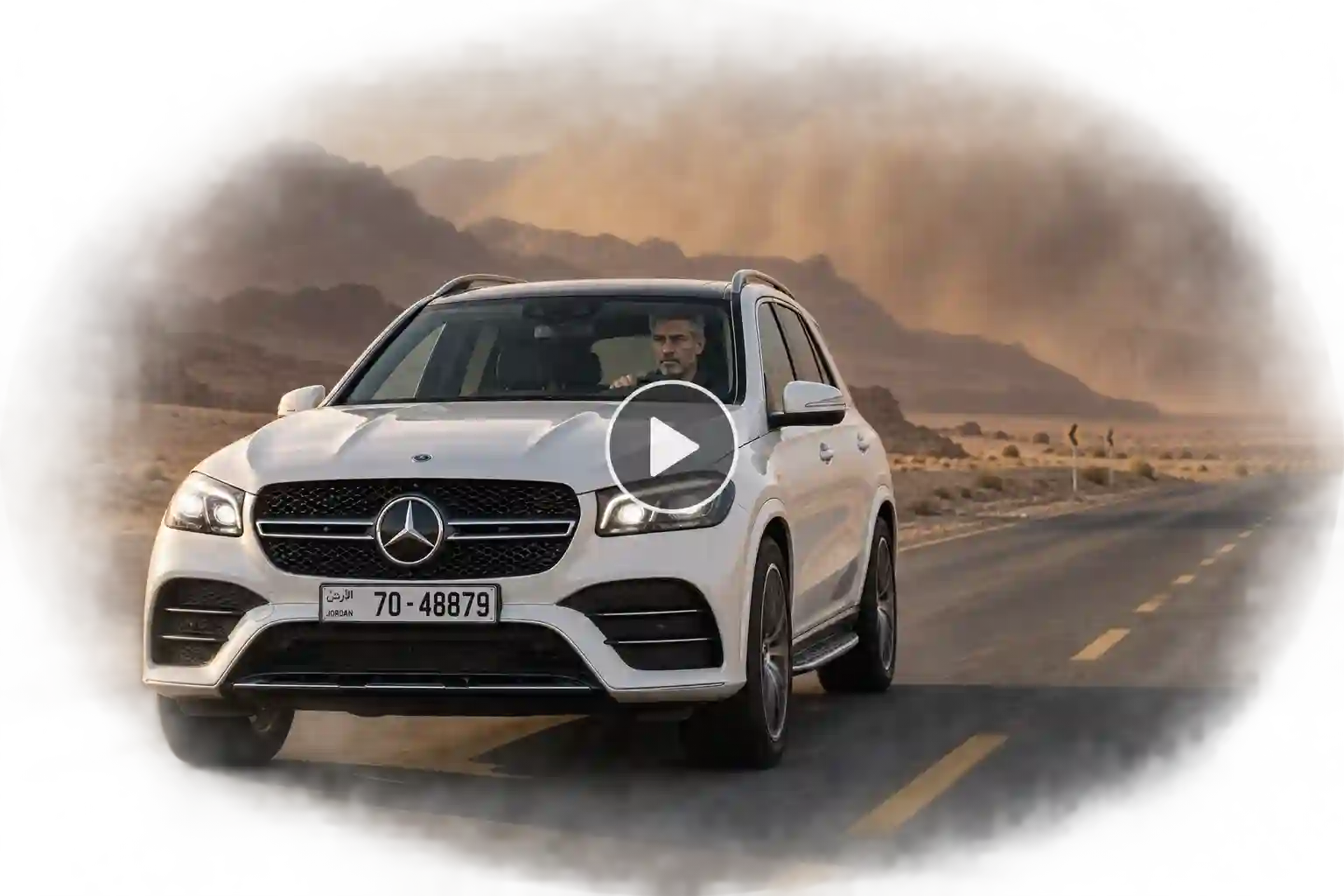
Use the uploaded person as the driver while keeping their exact face, facial proportions, skin tone, hairstyle, and recognizable identity unchanged. Place them in a white Mercedes-Benz traveling across a realistic desert highway in Jordan during late afternoon, with a distant wall of windblown sand approaching the landscape but not dangerously engulfing the vehicle. Begin with a long-lens DSLR shot from far ahead of the road, showing heat haze and the Mercedes approaching through the vast open landscape. Cut to a front-wheel close-up from a tracking vehicle, capturing realistic tire rotation, tiny road vibrations, wheel reflections, and suspension movement. Move to an interior shot from the rear passenger seat looking diagonally toward the driver and windshield. The person remains calm, holds the steering wheel naturally, and looks toward the road while warm desert light moves across their face. Transition outside to a parallel side-tracking shot where the Mercedes travels against rocky desert formations and blowing dust in the distance. End with a rear wide shot as the car continues toward a clearer section of highway. Shoot it like a real DSLR automotive documentary using natural 70-200mm compression for distant shots and a 35mm lens inside the vehicle. Include realistic heat distortion, restrained dust, true road shadows, natural exposure, physical wheel rotation, tire contact, body vibration, glass reflections, motion blur, and subtle camera shake. No dramatic disaster scene, dangerous driving, fake dust explosion, face morphing, floating car, impossible physics, excessive orange grading, or CGI look.
Showroom & car reveal shots
7. Private underground Mercedes reveal in Berlin
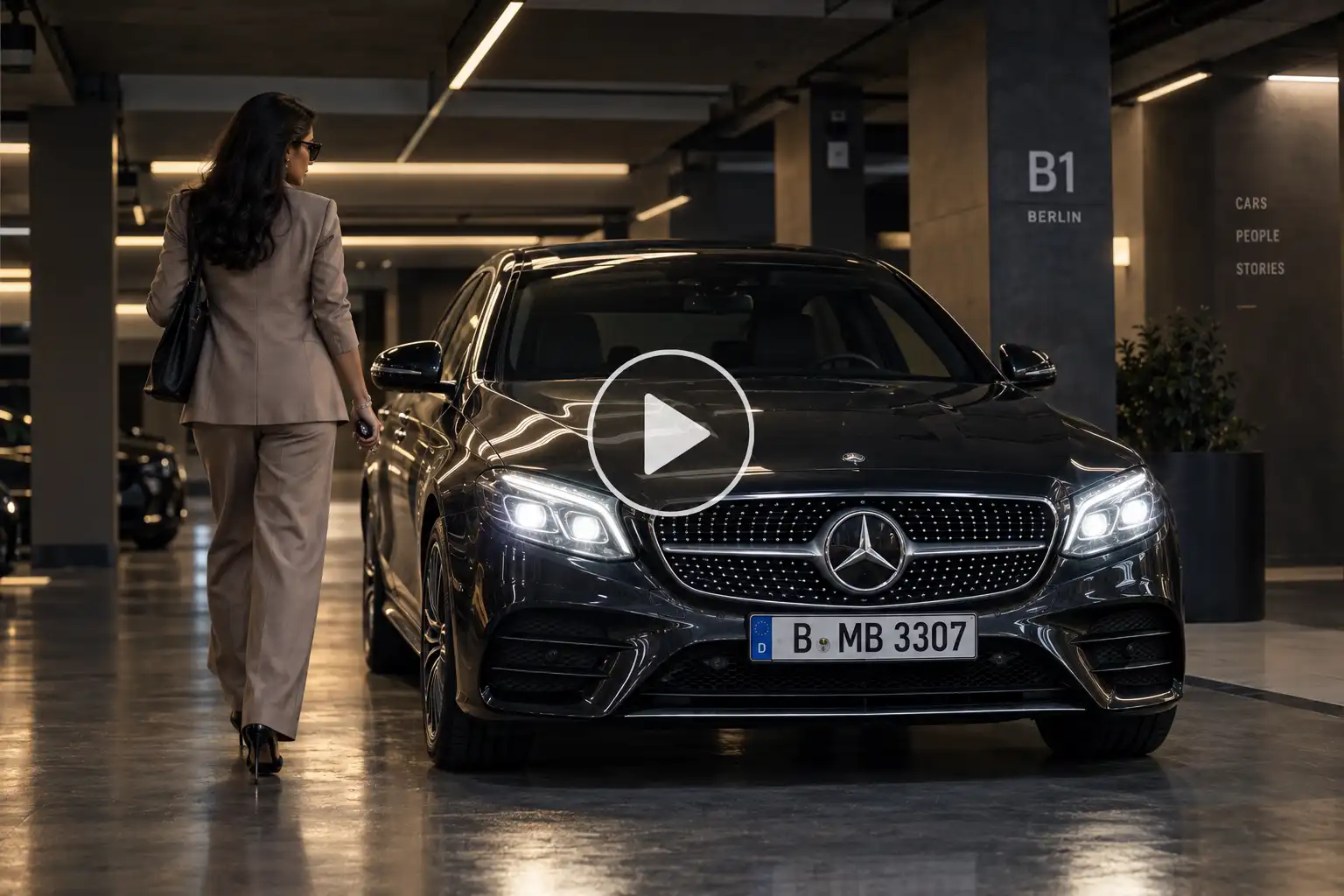
Use the person from the uploaded photo as the main character and preserve their exact recognizable identity, facial features, hairstyle, skin tone, age, and natural appearance. Create an elegant Mercedes reveal inside a modern private underground parking gallery in Berlin. The Mercedes begins mostly hidden in shadow beneath clean architectural ceiling lights. Start with a DSLR camera behind the person at waist height as they walk toward the parked car, with their natural walking motion and reflection appearing subtly on the polished concrete floor. Cut to a very low front-center camera angle focused on the Mercedes grille as the person approaches from the side and unlocks the vehicle. The headlights illuminate gradually and expose the front body lines without artificial flashes. Move to a slow handheld three-quarter orbit around the front corner while the person opens the driver’s door and sits naturally inside. Cut to a tight shot through the open door showing their hand settling on the steering wheel and their recognizable face in profile. Finish with a symmetrical wide shot as the Mercedes starts, rolls slowly forward, and leaves its parking position. Use premium DSLR commercial cinematography with realistic 24mm architectural perspective, 50mm portrait shots, shallow depth of field where appropriate, natural autofocus transitions, real reflections, accurate LED lighting, subtle sensor texture, and believable indoor exposure. Preserve correct hands, doors, wheels, badges, glass, and vehicle proportions. No spinning platform, smoke effects, flashy transitions, changing face, impossible reflections, plastic surfaces, or CGI showroom look.
8. Mercedes reveal at a historic Italian villa
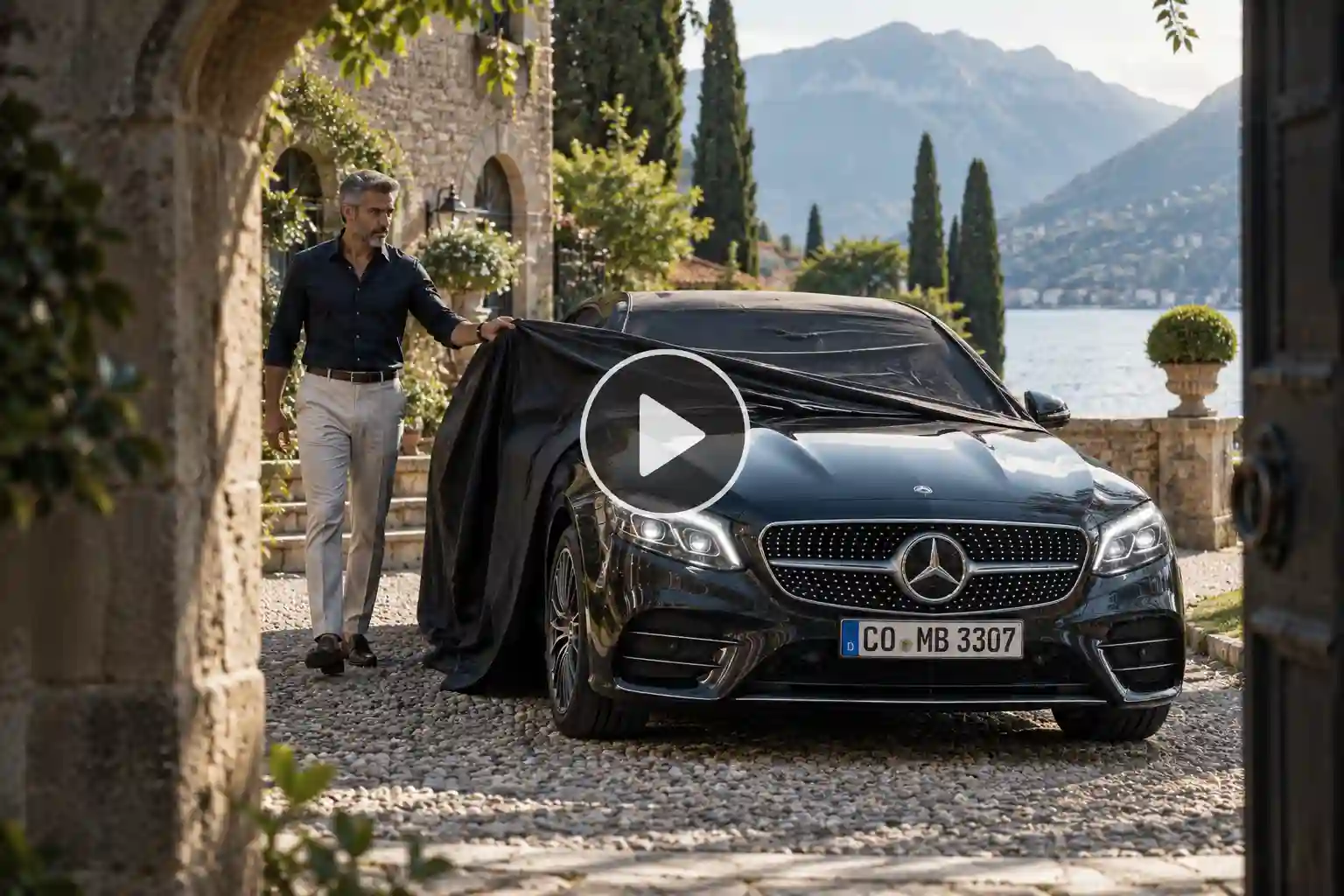
Use the uploaded person as the exact character reference, keeping their facial identity, skin tone, hairstyle, age, proportions, and natural appearance consistent. Create a refined Mercedes reveal in the courtyard of a historic Italian villa near Lake Como during soft morning light. Begin with an unusual DSLR shot through an open stone archway, using the architecture as a natural foreground frame. A covered Mercedes sits in the center of the courtyard while the person walks toward it. Cut to a close waist-level shot of their hands taking hold of the fabric cover. They pull it backward in one smooth, physically believable movement, gradually revealing the grille, hood, windshield, roof, and rear of the Mercedes. Do not make the cover disappear magically. Transition to a slow diagonal camera move from the rear quarter toward the side profile while the person walks around the newly revealed car and gently touches the door handle. Show a close-up of the side mirror unfolding and another shot of the headlights turning on. Finish with a wide static composition showing the person standing naturally beside the complete Mercedes against the villa courtyard, stone walls, greenery, and distant lake. Capture it with a premium full-frame DSLR look using 35mm establishing shots and 85mm detail shots, natural morning highlights, authentic shallow depth of field, realistic fabric physics, subtle camera operator movement, true paint reflections, accurate shadows, and detailed materials. No artificial spotlight, smoke, stage effects, warped architecture, face alteration, disappearing objects, excessive gloss, or 3D-rendered appearance.
Close-up & detail Mercedes shots
9. Mercedes driver preparation detail sequence
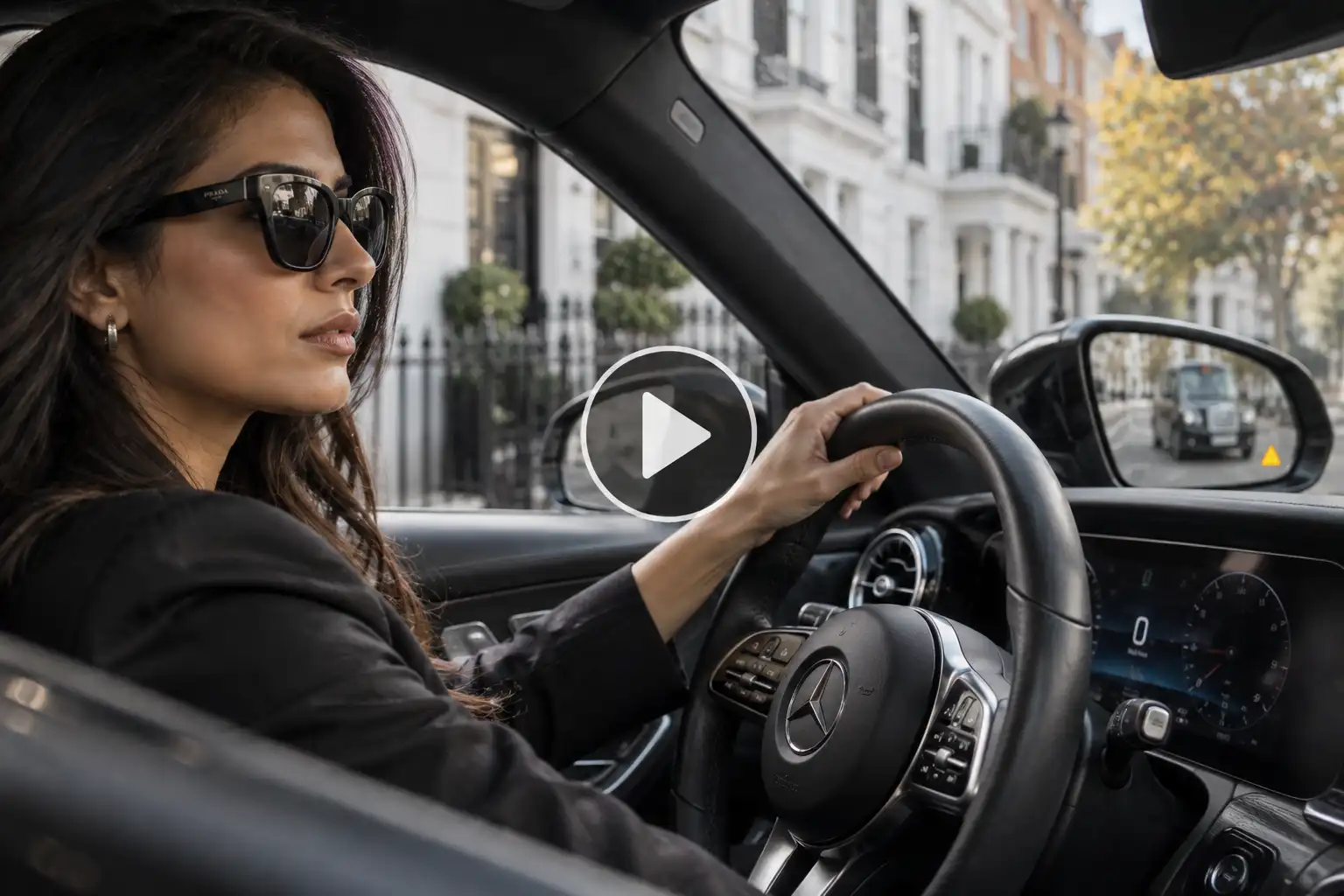
Use the person from the uploaded photo and preserve their exact recognizable identity, skin tone, facial features, hairstyle, age, and appearance. Create a sophisticated detail-focused sequence showing the moments before they drive a Mercedes from a quiet modern residential street in London. Do not begin with a full-car beauty shot. Start with a DSLR macro-style close-up of the person’s hand reaching for the real Mercedes door handle; capture natural skin texture, metal reflections, and the small movement of the handle. Cut to a camera placed low inside the footwell as the person enters and settles naturally into the driver’s seat. Show a close shot of the seat belt being pulled across and clicking into place with correct hand interaction. Transition to an 85mm close-up of their hand resting on the Mercedes steering wheel, then rack focus from the steering-wheel emblem to their recognizable face in the background. Show their finger naturally interacting with a steering-wheel control, followed by a close view of the side mirror as they check it before moving. End outside with a tight shot focused only on the front wheel as the Mercedes begins rolling forward and exits frame. Use authentic full-frame DSLR footage with 85mm and macro lens characteristics, shallow depth of field, natural focus breathing, subtle handheld motion, realistic leather, metal, glass, stitching, fingerprints, skin texture, shadows, and reflections. Every interaction must follow real physical movement. No extra fingers, warped controls, changing logos, fake dashboard elements, altered face, overly perfect surfaces, or CGI rendering.
10. Mercedes fuel-stop cinematic detail story
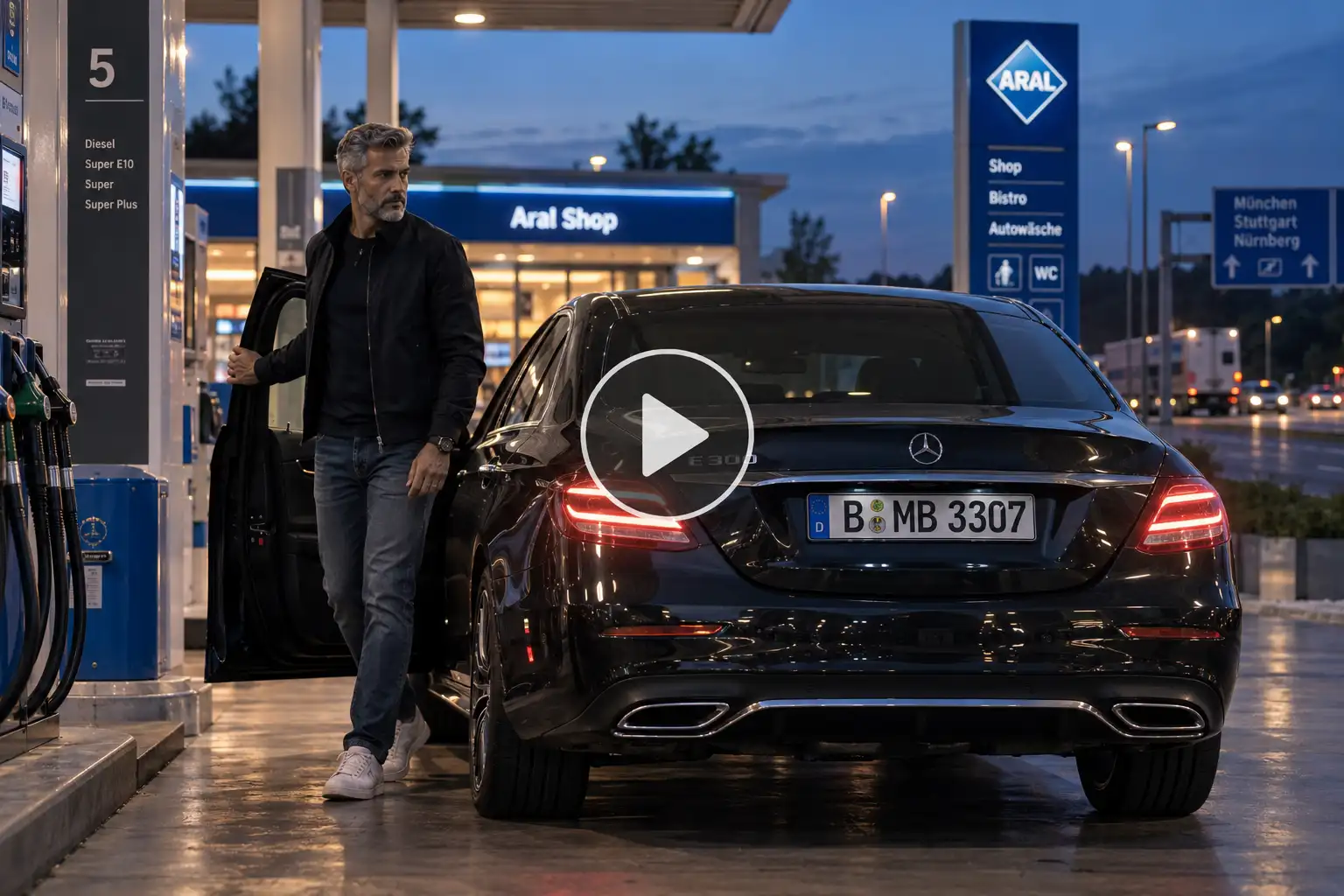
Use the uploaded person as the main character and preserve their exact facial identity, facial proportions, skin tone, hairstyle, age, and recognizable appearance. Create a realistic cinematic Mercedes sequence at a clean highway service station in Germany during blue hour. Focus on unusual details rather than standard driving shots. Open with a compressed DSLR telephoto view through foreground petrol-station structures as the Mercedes slowly enters and stops beside the pump. Cut to a tight rear-quarter close-up showing the brake light glowing and the wheel coming to a complete natural stop. Switch to a shoulder-height camera behind the person as they open the driver’s door and step out, maintaining realistic body movement and correct interaction with the vehicle. Show a shallow-depth-of-field profile shot as they stand beside the Mercedes, with their face sharp and the car softly visible behind them. Move to detailed shots of the wheel, rear light, metallic paint, window reflections, and their hand closing the door. After the stop, show them returning naturally to the driver’s seat. Finish with a ground-level static camera behind the car as the Mercedes pulls away from the station and merges toward the highway. Shoot with a realistic DSLR aesthetic using 70-200mm compression, 50mm portraits, and a 24mm ground-level final shot. Use genuine blue-hour exposure, practical station lighting, subtle sensor grain, realistic focus pulls, natural skin texture, accurate wheel rotation, suspension settling, reflections, shadows, and motion blur. Avoid commercial studio lighting, fake lens flares, warped hands, face changes, floating wheels, unrealistic vehicle movement, or CGI surfaces.
How to Create a Car Video on LightX
- Step 1: Open the Image to Video tool on LightX.
- Step 2: Upload a clear photo of your Mercedes and enter your favorite Mercedes car AI video prompt. Describe the car’s movement, camera angle, location, lighting, and overall mood.
- Step 3: Choose your preferred AI video model, such as Kling 3.0, Seedance, Veo 3.1, Veo 3.1 Fast, or Wan 2.7.
- Step 4: Click Generate and let AI turn your Mercedes photo into a realistic, cinematic car video.
- Step 5: Download your Mercedes AI video and share it as an Instagram Reel, YouTube Short, car edit, or other social media content.
Related blogs: Bike AI Prompts
How to get a premium, ad-like result
A good car video is not just about making the wheels move. The little details are what give it that premium commercial feel.
- Be clear about the camera: Try terms such as low-angle tracking shot, smooth side tracking, slow push-in, or close-up detail shot.
- Give the car a natural action: Instead of simply saying “car driving,” describe it cruising slowly, accelerating smoothly, taking a turn, or pulling up at an entrance.
- Set the lighting: Golden hour, soft showroom lighting, rainy night reflections, or early morning light can completely change the mood.
- Keep the movement believable: Avoid adding too many actions and camera movements to one short scene. Simple movement often looks more realistic.
- Add real-world details: Natural reflections, realistic wheel rotation, subtle motion blur, road shadows, and believable suspension movement can help the scene feel less artificial.
Create your own cinematic car video
Your car does not need to stay parked in a photo. With the right Mercedes-Benz AI video prompt
prompt, you can imagine it cruising through city streets, speeding along a highway, arriving at a luxury hotel, or appearing in your own ad-style scene.
Start with a clear car photo, describe your dream scene, and let LightX turn the idea into motion.
Ready to see your car in action? Try LightX Image to Video and create your own cinematic car AI video.
FAQs
Can I use this prompt for other car brands too?
Yes, just replace Mercedes with the car brand and model you want.
Will the AI change my car’s color or model by mistake?
It can sometimes happen. Mention the exact car model and color clearly to get better results.
What image format and resolution work best as a reference?
Use a clear, high-quality JPG or PNG image for the best results.
Is there a limit to how many times I can regenerate the video?
You can regenerate it based on the credits available in your LightX account.
Get on WhatsApp
New image & Video workflow everyday