Did Everyone on LinkedIn Secretly Book a Photographer?
 Get on WhatsApp
New image & Video workflow everyday
Get on WhatsApp
New image & Video workflow everyday
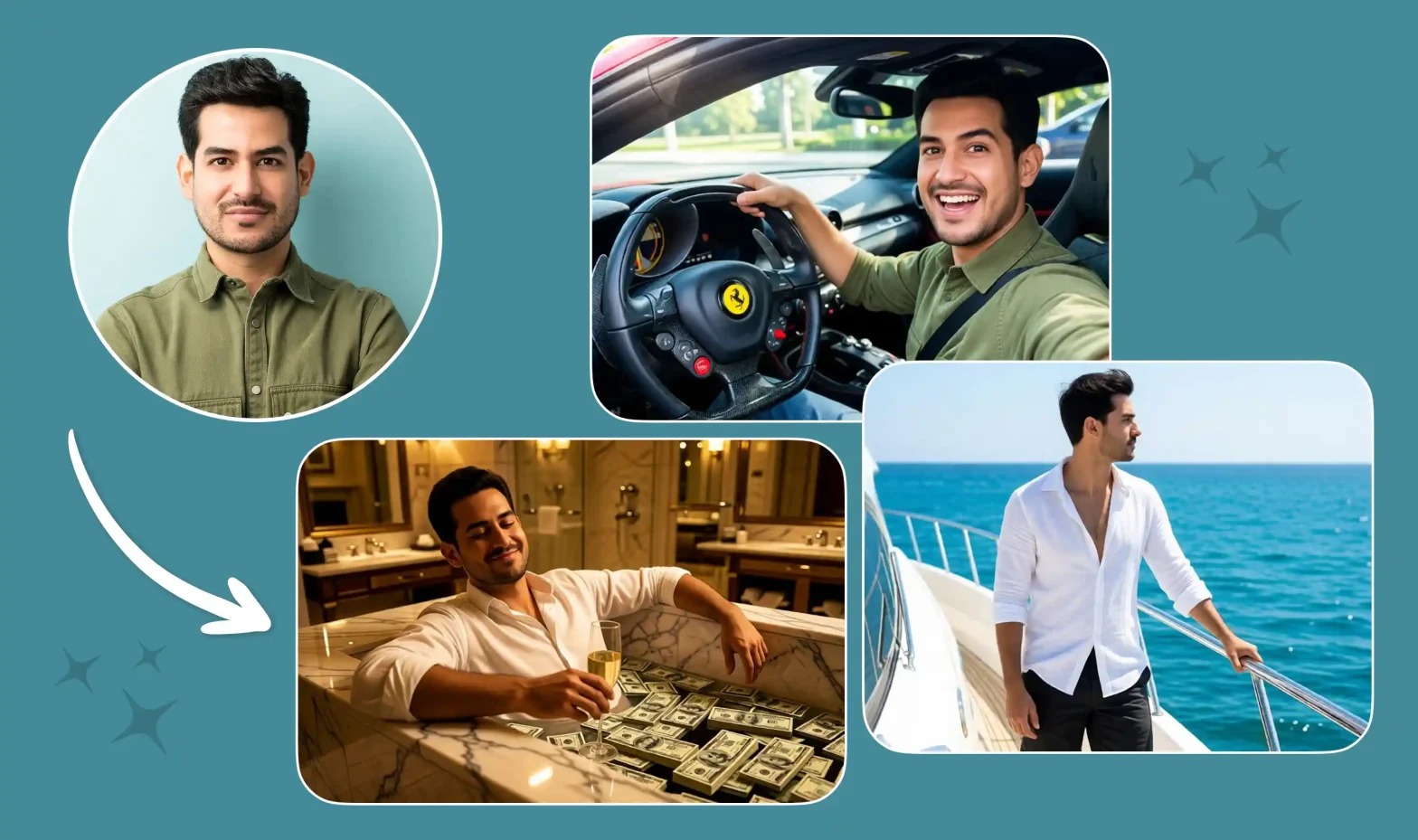
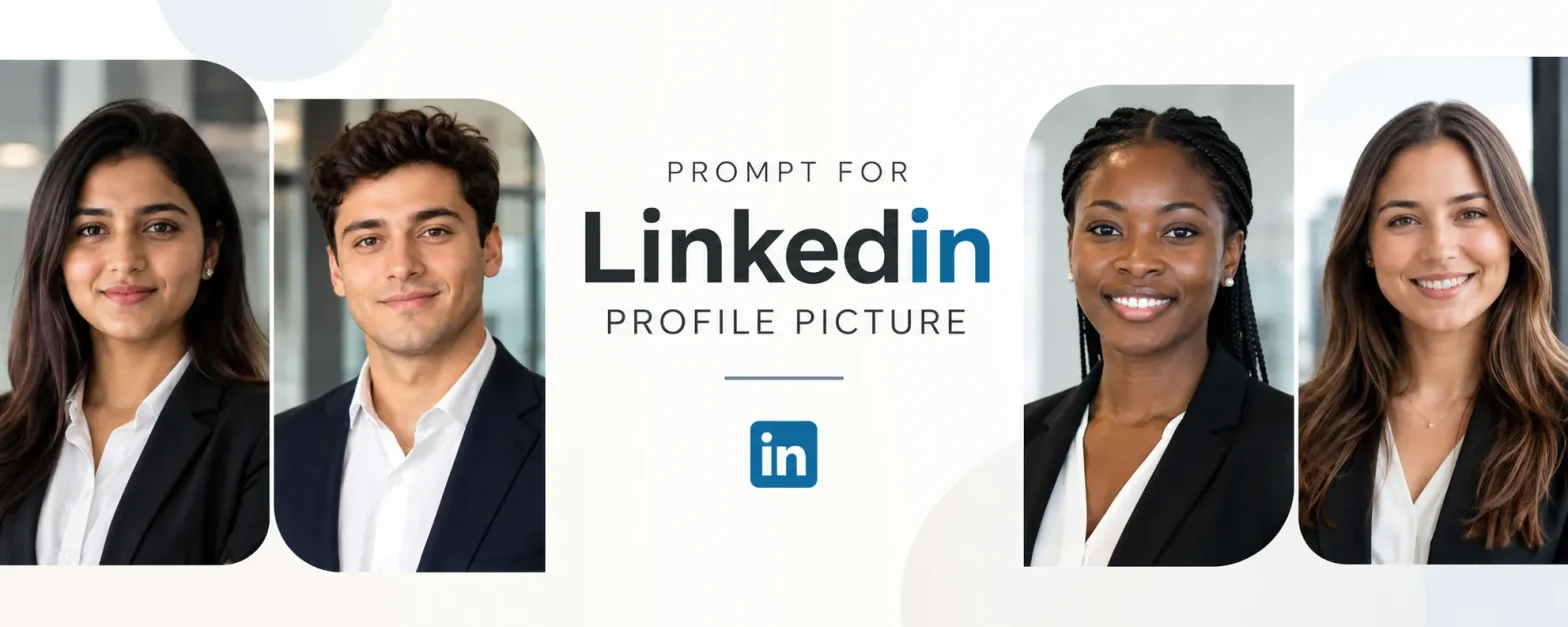
Scroll through LinkedIn lately, and it feels like everyone suddenly has a $500 headshot. The lighting looks great, the background is clean, and every photo feels polished.
But many of these pictures didn’t come from a studio. They started as regular selfies.
With the right prompt for a LinkedIn profile picture, AI can turn a simple photo into a professional headshot in minutes. The real challenge is making sure it still looks like you, not an overly perfect AI version.
So, what makes the difference? It comes down to the details you give AI.
In this blog, you will get everything you need for a perfect LinkedIn picture, the best prompts for a LinkedIn profile picture, along with easy tricks & tips.
What actually makes a good prompt for a LinkedIn profile picture
| What to Include | What to Specify | Why It Matters |
| Attire | Business formal, business casual, blazer, shirt, etc. | Helps match the photo to your profession and personal brand. |
| Background | Neutral, office, soft gray, white, or blurred | Keeps the focus on your face and gives the photo a clean look. |
| Lighting | Soft studio lighting or natural window light | Makes your face look clear and natural without harsh shadows. |
| Framing | Head and shoulders, centered, eye-level | Creates the classic professional headshot look that works well on LinkedIn. |
| Expression | Confident, friendly, approachable, natural smile | Helps the photo feel professional without looking stiff or forced. |
| Skin & Details | Natural skin texture, realistic hair and facial details | Prevents the overly smooth, “AI-generated” look. |
| Image Style | Photorealistic, natural, professional | Tells AI to create a realistic photo rather than a stylized portrait. |
| Aspect Ratio | Square (1:1) | Makes the image easier to crop and use as a LinkedIn profile picture. |
Best ChatGPT prompt for a LinkedIn profile picture
If you already have a selfie you like, upload it to ChatGPT and use this prompt to give it a more professional look without changing who you are.

Copy-paste prompt:
Using my uploaded selfie as the reference, create a photorealistic LinkedIn profile picture while keeping my face, skin tone, hairstyle, and natural features recognizable. Use soft studio lighting, a clean neutral background, and professional business-casual attire. Frame the photo from the chest up at eye level with a relaxed, confident expression. Keep natural skin texture and realistic facial details. Avoid heavy retouching, artificial-looking skin, or changes to my facial structure. Create a polished professional headshot in a square 1:1 format.
Why this works: It gives ChatGPT clear directions for the lighting, background, attire, framing, expression, and overall finish while asking it to stay close to your real appearance.
Best Gemini (Nano Banana) prompt for a LinkedIn profile picture
For Gemini, start by uploading a clear selfie. This Gemini prompt for a LinkedIn profile picture focuses on improving the photo rather than reinventing the person in it.

Copy-paste prompt:
Transform my uploaded selfie into a realistic professional LinkedIn headshot. Preserve my identity, facial features, skin tone, hairstyle, and natural proportions. Use flattering studio lighting with a simple neutral background and clean business-casual clothing. Keep the pose natural, with a friendly and confident expression, and frame the image from the chest up. Maintain realistic skin texture, hair details, and natural shadows. Do not over-smooth the face, reshape facial features, or add logos, badges, text, or unnecessary accessories. Use a photorealistic style and square 1:1 composition.
Why this works: The prompt tells Gemini what to improve and, just as importantly, what not to change, helping the final image feel professional without looking overly AI-generated.
Prompts by look and audience
The best LinkedIn photo doesn’t have to mean a suit against a gray wall. Your industry, role, and personal brand can all shape the look. Choose the style that feels closest to how you want to show up professionally.
Classic Corporate Headshot Prompt

Best for: Consultants, managers, lawyers, HR professionals, accountants, and corporate roles.
Copy-paste prompt:
Use my uploaded selfie as the identity reference and create a polished corporate LinkedIn headshot. FACE LOCK: keep my identity exactly the same—preserve my facial structure, face shape, eyes, eyebrows, nose, lips, jawline, skin tone, age, hairline, hairstyle, and all recognizable features. Do not beautify, reshape, slim, age, de-age, or replace my face. Dress me in a tailored navy or charcoal blazer with a simple professional shirt or top. Place me against a soft warm-gray studio background with subtle depth. Use balanced studio lighting with a large soft key light, gentle fill, realistic catchlights, and natural facial shadows. Frame from the upper chest upward at eye level with relaxed shoulders, direct eye contact, and a calm, approachable expression. Keep real pores, fine lines, hair strands, and natural skin texture. Photorealistic 85mm portrait photography, shallow depth of field, sharp eyes, natural color grading, square 1:1. No text, logos, badges, plastic skin, distorted clothing, or artificial facial symmetry.
2. Modern Tech Professional Prompt

Best for: Developers, product managers, engineers, data scientists, UX professionals, and tech leaders.
Copy-paste prompt:
Transform my uploaded selfie into a modern LinkedIn portrait for a tech professional. FACE LOCK: preserve my exact real-world identity and facial geometry. Keep my eyes, nose, lips, jawline, skin tone, age, hairstyle, hairline, facial hair if present, and natural facial proportions unchanged. Dress me in elevated smart-casual clothing, such as a clean crew-neck top or open-collar shirt with a minimal jacket. Place me near a large window in a contemporary workspace with glass, soft architectural lines, and distant office details naturally blurred. Use daylight as the main light source, creating soft highlights on one side of my face and realistic gentle shadows on the other. Capture a relaxed, confident expression rather than a formal pose. Chest-up composition, eye-level camera, 50mm lens look, realistic depth of field, true-to-life skin and hair detail, square 1:1. Avoid fake screens, neon effects, logos, text, badges, futuristic backgrounds, excessive smoothing, or any change to my face.
3. Startup Founder Personal Branding Prompt

Best for: Founders, entrepreneurs, agency owners, coaches, and independent professionals.
Copy-paste prompt:
Turn my uploaded photo into a premium founder-style LinkedIn portrait that feels confident, warm, and personal rather than traditionally corporate. FACE LOCK: I must remain immediately recognizable as the same person. Preserve my exact facial features, proportions, skin tone, age, hair, and distinguishing characteristics without beautification or facial reconstruction. Place me in a sophisticated workspace with warm wood, glass, soft daylight, and subtle background activity blurred into natural bokeh. Style me in a refined open-collar shirt, knit top, or understated blazer with no visible branding. Use warm window light from the side with soft fill and realistic shadow falloff. Let my posture feel relaxed, with shoulders slightly turned toward the camera and a genuine, subtle smile. Capture natural skin texture, expression lines, individual hair strands, and realistic fabric detail. High-end personal-brand photography, 85mm lens look, chest-up crop, warm but natural color grade, shallow depth of field, square 1:1. No fake luxury items, logos, badges, text, over-retouching, or facial changes.
4. Finance & Consulting Trustworthy Headshot Prompt

Best for: Financial advisors, bankers, analysts, consultants, insurance professionals, and client-facing roles.
Copy-paste prompt:
Create a refined LinkedIn headshot from my uploaded selfie with a trustworthy, composed, and credible feel. FACE LOCK: preserve my exact identity, including facial structure, natural asymmetry, eyes, nose, mouth, jawline, skin tone, age, hairstyle, hairline, and facial hair if present. Never modify my face to make it more symmetrical or conventionally attractive. Dress me in a dark tailored jacket with a crisp light shirt or professional top. Use a deep neutral background with a subtle gradient rather than a flat white backdrop. Light the portrait with soft Rembrandt-inspired studio lighting—gentle directional light across the face with controlled, realistic shadows and subtle catchlights. Keep the expression composed but friendly, with direct eye contact and a slight natural smile. Use an 85mm portrait-lens look, upper-chest crop, crisp facial detail, subtle background separation, realistic skin texture, and square 1:1 framing. No glamour retouching, fake lapel pins, company marks, text, distorted accessories, or waxy skin.
5. Creative Professional Editorial Prompt

Best for: Designers, marketers, writers, photographers, content creators, and creative directors.
Copy-paste prompt:
Using my uploaded selfie, create an editorial-style LinkedIn portrait that feels creative, intelligent, and professional without looking traditionally corporate. FACE LOCK: keep my real face completely unchanged. Preserve my facial structure, proportions, skin tone, age, eyes, nose, lips, jawline, hair texture, hairstyle, and every recognizable feature from the original image. Style me in a textured overshirt, structured jacket, knit top, or other tasteful smart-casual clothing in muted earthy tones. Place me against an interesting but minimal architectural background with soft shapes, warm neutral colors, and natural depth. Use directional window light from approximately 45 degrees, allowing soft shadow on one side of the face for dimension. Position me slightly off-center rather than perfectly symmetrical, with a relaxed posture and thoughtful, approachable expression. Photorealistic editorial photography, 50mm lens look, shallow depth of field, subtle film-like tonal character without artificial grain, realistic skin and hair, square 1:1. No dramatic fashion styling, props, text, logos, surreal effects, or face modification.
6. Bright Minimal LinkedIn Headshot Prompt

Best for: Recruiters, educators, healthcare administrators, customer success professionals, and people-focused roles.
Copy-paste prompt:
Transform my uploaded selfie into a bright, welcoming professional LinkedIn headshot. FACE LOCK: preserve my identity exactly as shown in the source photo. Do not alter my face shape, features, skin tone, age, hairstyle, hairline, or natural proportions. Keep all unique facial characteristics intact. Dress me in simple business-casual clothing in soft neutral tones. Use an off-white or very light warm-gray background with subtle natural texture rather than pure digital white. Create soft high-key studio lighting that evenly illuminates my face while retaining gentle shadows around the jaw and hair for realistic depth. Give me a warm, genuine expression with natural eye contact and relaxed shoulders. Keep makeup, if present, natural and preserve pores, fine lines, hair texture, and normal skin variation. Head-and-shoulders crop, eye-level perspective, 70–85mm portrait look, clean natural exposure, square 1:1 composition. Avoid blown-out skin, over-whitened teeth, excessive smoothing, fake accessories, text, logos, or facial alteration.
7. Outdoor Natural-Light Professional Prompt

Best for: Architects, real estate professionals, sustainability professionals, consultants, and approachable personal brands.
Copy-paste prompt:
Use my uploaded selfie to create a professional LinkedIn portrait photographed outdoors during soft early-morning or late-afternoon light. FACE LOCK: my identity must remain unchanged. Preserve the exact face shape, eyes, brows, nose, lips, jawline, skin tone, age, hair, and all distinguishing details from my original photo. Dress me in polished smart-casual clothing with clean lines and understated neutral colors. Place me in front of modern architecture with greenery in the distance, keeping the background strongly blurred so it feels professional rather than like a travel photo. Use soft natural side light with realistic highlights, gentle shadows, and believable light interaction between my face, clothing, hair, and environment. Give me a comfortable upright posture with a friendly, confident expression. Photorealistic environmental portrait, 85mm lens look, natural bokeh, realistic skin texture, accurate colors, chest-up crop, square 1:1. No artificial sun flare, fake skyline, text, logos, excessive HDR, beauty filters, or facial modification.
8. Warm Coffee-Shop Personal Brand Prompt

Best for: Freelancers, writers, strategists, coaches, consultants, and remote professionals.
Copy-paste prompt:
Turn my uploaded photo into a relaxed but polished LinkedIn personal-brand portrait taken in an upscale modern café or quiet coworking lounge. FACE LOCK: retain my exact identity and facial geometry, including my natural skin tone, age, facial proportions, hairstyle, hairline, and every recognizable feature. Do not beautify or reinterpret my face. Dress me in refined smart-casual clothing such as a textured jacket, overshirt, knit top, or simple professional shirt. Place me near a large window with warm interior details, wood textures, and soft practical lights blurred far behind me. Use natural window light across my face with gentle shadow falloff and subtle warm ambient light in the background. Keep my pose relaxed and upright, looking toward the camera with an easy, confident expression. Photorealistic lifestyle-business photography, 50mm lens look, shallow depth of field, natural skin texture, realistic fabric detail, square 1:1 crop. Keep cups and background objects subtle and anatomically correct. No fake laptop text, brand logos, artificial décor, excessive orange tones, or facial changes.
9. Dark Studio Executive Portrait Prompt

Best for: Senior executives, speakers, business owners, leadership consultants, and high-level personal brands.
Copy-paste prompt:
Create a sophisticated dark-studio LinkedIn portrait from my uploaded selfie with a confident executive presence. FACE LOCK: preserve my real identity with zero facial reconstruction. Keep my exact face shape, eye shape, nose, lips, jawline, skin tone, age, hairstyle, and natural asymmetry. Dress me in a dark structured jacket or premium business-casual outfit with subtle fabric texture. Use a deep charcoal studio background with gentle tonal separation between my hair, shoulders, and backdrop. Light my face with a large directional softbox from one side and subtle fill from the opposite side, creating depth without harsh dramatic shadows. Pose me with shoulders slightly angled, chin natural, direct eye contact, and a calm, self-assured expression. Preserve pores, expression lines, and natural skin variation. High-end editorial executive portrait, 85mm lens look, crisp eyes, controlled contrast, subtle cinematic depth, chest-up square 1:1 composition. No black-crushed details, dramatic movie effects, fake watches, badges, text, logos, beauty retouching, or facial changes.
10. Contemporary Soft-Gray Recruiter-Friendly Prompt

Best for: Job seekers and professionals who want one versatile LinkedIn photo that works across almost any industry.
Copy-paste prompt:
Transform my uploaded selfie into a timeless, recruiter-friendly LinkedIn profile picture that feels natural, capable, and approachable. FACE LOCK: use my uploaded face as the fixed identity reference. Keep my exact facial anatomy, skin tone, age, eye shape, eyebrows, nose, lips, jawline, hairstyle, hairline, facial hair if present, and all distinguishing features unchanged. Do not slim, beautify, reshape, age, de-age, or make my face more symmetrical. Dress me in clean, modern business-casual attire with solid neutral colors and no visible branding. Use a softly textured light-gray background with enough tonal variation to look like a real photography studio. Create flattering diffused studio lighting with a soft key light, gentle fill, natural catchlights, and believable shadows. Frame me from the chest up with comfortable posture, direct eye contact, and a natural smile that feels friendly but professional. Preserve pores, fine lines, skin variation, flyaway hairs, and realistic clothing texture. Photorealistic 85mm headshot photography, sharp eyes, true-to-life color, subtle depth of field, square 1:1. No logos, text, badges, fake jewelry, plastic skin, over-whitened teeth, or identity changes.
Turn any selfie into a LinkedIn-ready photo in under a minute
Step 1: Upload your photo
Open the LightX Image-to-Image tool and upload one clear, well-lit selfie where your face is properly visible.
Step 2: Add your LinkedIn photo prompt
Describe the professional look you want, including your outfit, background, lighting, framing, and expression. You can also copy any of the LinkedIn profile picture prompts above and use them directly.
Step 3: Choose an AI model
Pick from available AI models like Seedream, ChatGPT, Nano Banana, or FLUX based on the style and result you want for your professional headshot.
Step 4: Generate & download
Click Generate, review your results, and choose the LinkedIn photo that looks the most natural and professional while still looking like you. Download it and add it to your LinkedIn profile.
You may also like these LightX AI tools:
- Create LinkedIn Profile Picture Online
- AI LinkedIn Headshot Generator Online
- Online Photo Resizer for LinkedIn
Related blog: Passport-Size Photo Prompts
5 mistakes that make AI LinkedIn photos look fake
AI can give you a great LinkedIn photo, but small details can quickly give away that it was generated. Before using your headshot, take a closer look for these common mistakes:
| Mistake | What to Look For |
| Fused hands or fingers | If your hands appear in the frame, check for missing, joined, or oddly shaped fingers. |
| Waxy skin | Skin that looks too smooth or shiny can make your face feel more like a 3D character than a real person. |
| Mismatched lighting | Your face, hair, clothes, and background should look like they were photographed under the same light. |
| Too much smoothing | Heavy retouching can remove natural skin texture and even change the way you normally look. |
| Strange badges or logos | AI may add random text, company badges, or distorted logos to clothing. Remove them unless they’re accurate. |
A quick check before uploading your photo can make a big difference. If something looks slightly unusual when you zoom in, others may notice it too.
Related blog: AI Outfit Prompts
Conclusion
You don’t need to get every detail right on the first try. Start with a selfie you like, choose the look that fits your profession, and see what works for you.
If you’d rather skip copying prompts between different AI tools, you can try them directly in LightX’s headshot tool. Upload your selfie, pick the style you want, and turn it into a LinkedIn-ready headshot without making the process complicated.
The goal is simple: look professional, but still look like yourself.
FAQs
What size should a LinkedIn profile picture be?
LinkedIn recommends a square profile photo, ideally 400 × 400 pixels or larger.
Will the AI photo actually still look like me?
Yes, if you use a clear selfie and ask AI to keep your natural facial features.
How many selfies should I upload for the best result?
Just one clear, well-lit selfie is enough to create your LinkedIn profile picture.
Will recruiters think it’s fake or hurt my credibility?
A natural-looking AI photo is less likely to be distracting, but avoid changing your appearance so much that you look different in real life.
Can I use the same photo for other things, like Zoom or a resume?
Yes, you can use the same professional headshot for Zoom, your resume, portfolio, email profile, and other work platforms.
Get on WhatsApp
New image & Video workflow everyday