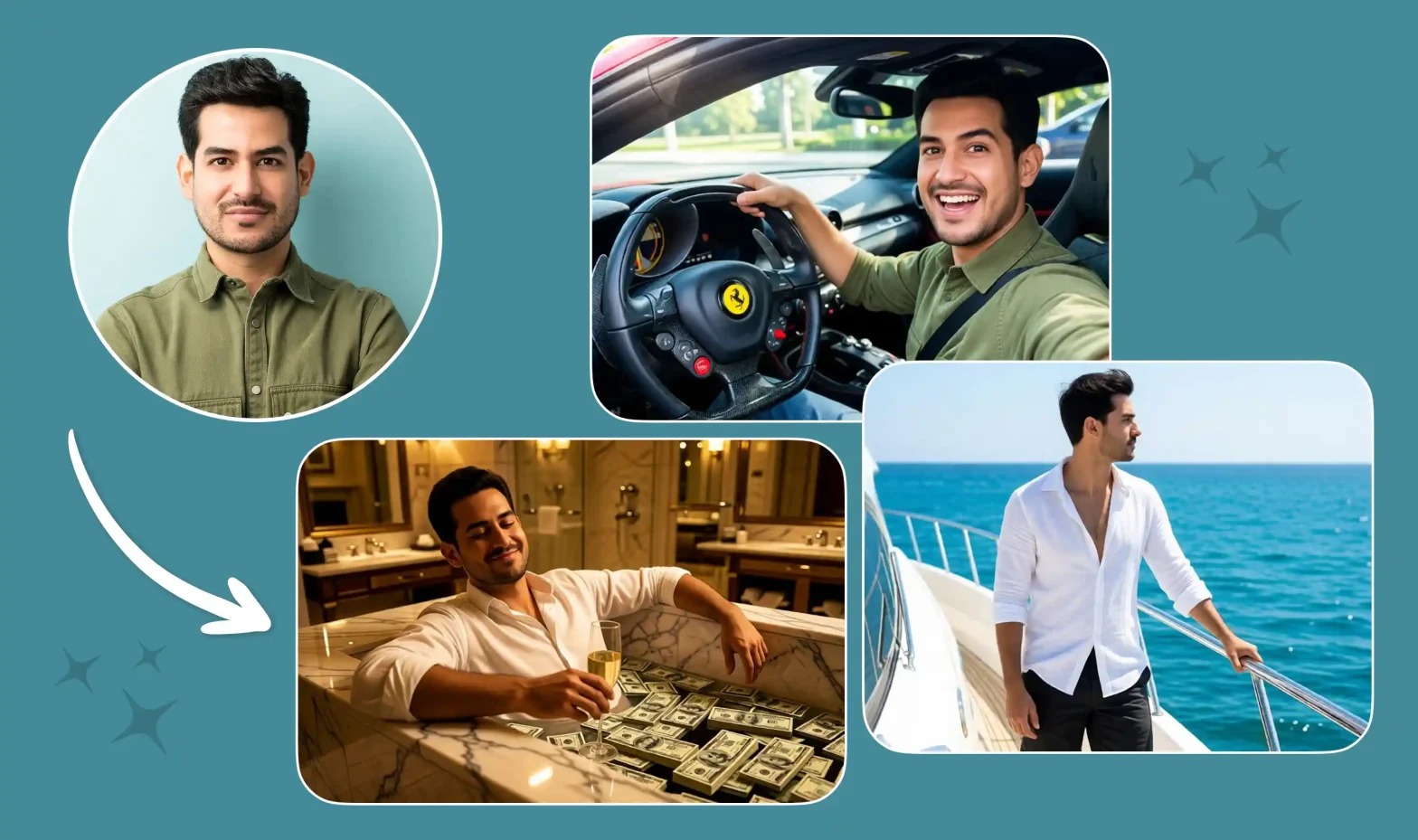
AI tribute videos are having a moment. What used to take hours in an editing app, stitching photos, adding music, timing transitions, can now be built from a single photo and a well-written prompt.
 Get on WhatsApp
New image & Video workflow everyday
Get on WhatsApp
New image & Video workflow everyday
If you don’t know how to write tribute video prompts, this blog is for you.
It covers how to do it, some prompt ideas, tips, and how to pick the right AI tool for the job. So hang in there, by the end, you’ll be able to write one yourself.
Let’s start with what actually goes into a good prompt.
The 6 Ingredients Every Tribute Video Prompt Needs
Before you write a single word, decide these 6 things. Skip one, and the AI starts guessing, and it usually guesses generic stuff.
1. The Intention
First, and the most important. Why you’re making this video. Mother’s Day, a birthday, in memory of someone, a farewell. This one line tells the AI what kind of tribute it’s building before it reads anything else. It gives the AI a lot of perspective, and even if you miss a few details here and there, the AI can still land close to what you want.
2. The Subject
Who’s is this tribute video for. It’s the person you uploaded the photo of.
- The Person: Your main subject. A parent, a coworker, a pet, a whole team. AI doesn’t understand the relationship of the uploaded photo, so name the person and your relationship with them in the prompt box.
- The Feeling: Every tribute has an emotional core. Grateful, nostalgic, proud, a little tearful. This is the one people skip most, and it’s the one that decides the message.
- The Action: What the subject is actually doing. Waving, laughing, walking toward the camera, blowing out candles, hugging someone. This is what turns a photo into a video. Skip it, and the AI just leaves your subject standing there, doing nothing.
- The Expression: The face carrying the emotion. Smiling through tears, a proud grin, a quiet nostalgic look. Pair this with The Action so the moment feels alive. A person “smiling” and a person “smiling through tears” are two completely different videos.
- (Optionally) Outfits: What the subject is wearing. A graduation gown, a jersey, a favorite blue cardigan. Not essential, but it helps the AI avoid generic clothing that doesn’t match the moment.
3. The Scene
Where the moment happens and what it looks like.
- The Backdrop: Where does this moment live. A classroom, a backyard, a hospital hallway, a stadium, or just plain background.
- Lighting: Easy to overlook, but it sets the entire mood. Golden-hour warmth, soft daylight, a dim candle-lit glow all tell a different emotional story, even with the same subject and backdrop.
- The Aesthetic: The whole cinematic, vintage grain, soft glow, black and white. This is honestly the detail that changes the output more than anything else on this list. (Subjective opinion, but a strong one: don’t skip this one.)
4. The Camera
How the shot is framed, how it moves, and how scenes connect.
- Angle: Angle decides how intimate or grand the moment feels. Eye-level, low angle looking up, over-the-shoulder, close-up on the face.
- Movement: This is what makes the camera feel like it’s telling a story. Zoom in, slow pan, gentle dolly forward, static shot.
- Transitions: This is what connects one moment to the next. Fade to white, cut on a smile, cross-dissolve between clips.
5. The Text
What’s written on screen. Names, dates, a short message, a quote, captions under old photos. This is often the most personal part of a tribute video.
- On-screen message: A name, date, or short line (“In loving memory of…”, “Happy Retirement, Ms. Campbell”).
- Captions: Small text under specific photos or clips, adding context (a year, a place, a name).
6. The Sound
What carries the pace and mood.
- Music, Dialogue: Piano, strings, acoustic guitar, emotional background music or upbeat. Even a dialogue or voiceover line works here, a quote, a toast, a few words someone actually said. Say what kind of sound carries the moment, and the AI paces the cuts to match it.
Prompting in the Right Order: Good vs Bad Prompt
Once you know your 6 ingredients, order matters more than word count. A 40-word prompt in the right sequence beats a 100-word prompt thrown together.
Lead with intention → then subject → then everything else
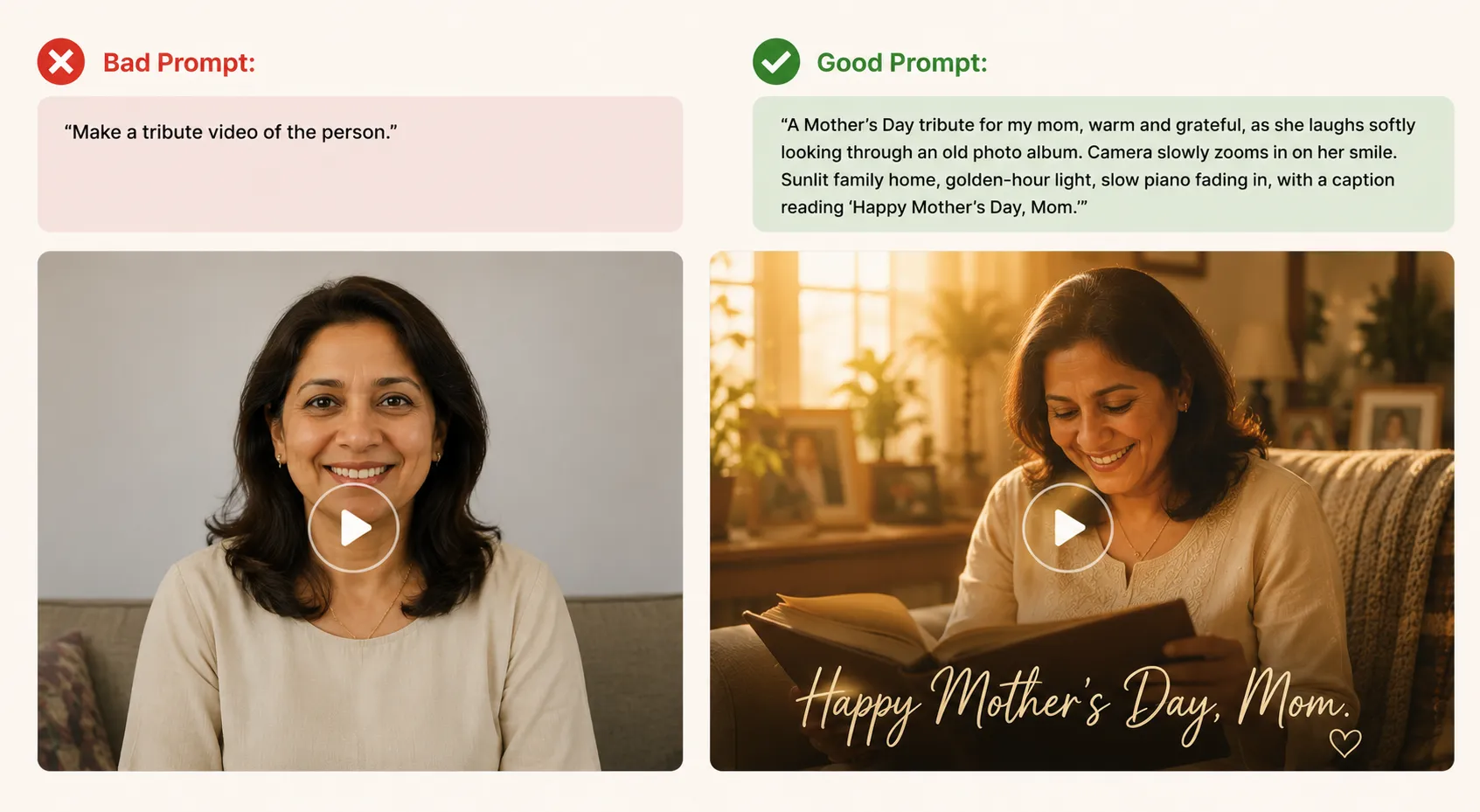
Bad Prompt: ✗ “Make a tribute video of the person.”
Good Prompt: ✓ “A Mother’s Day tribute for my mom, warm and grateful, as she laughs softly looking through an old photo album. Camera slowly zooms in on her smile. Sunlit family home, golden-hour light, slow piano fading in, with a caption reading ‘Happy Mother’s Day, Mom.'”
Same idea. Completely different output.
Tips to Get the Most Out of Your Prompts
Beyond order and elements, a few things carry real weight:
1. Specificity > adjectives
“Nice lighting” tells the AI nothing. “Golden-hour light through a window” does. Vague adjectives (beautiful, special, nice) are dead weight, concrete details are what actually move the output.
2. Contradicting instructions biggest red flag
“A joyful but somber tribute” confuses the model, it has to pick one and often picks neither well. Pick one emotional lane and let the other details (lighting, pace, music) do the nuance instead of stacking conflicting mood words.
3. Length: enough, not everything
A prompt can be too short (vague) or too long (the AI loses track of what matters most). Aim for one solid paragraph. Everything from your 6 categories, but in sentences, not a list.
4. Consistency across elements
Scene, action, and mood need to agree. A “solemn memorial” with “upbeat pop music and fast zoom cuts” fights itself. Every ingredient should point the same emotional direction.
5. Concrete verbs and nouns
Example 1: Action (verb)
✗ “showing emotion”
✓ “waving goodbye”
Example 2: Setting (noun)
✗ “cozy setting”
✓ “sunlit kitchen”
The more filmable a word is, the better the AI can act on it.
6. Treat the first try as a draft, not final
Even a well-built prompt sometimes needs a second pass, adjusting one detail (pace, lighting, camera move) after seeing the first output.
Personal tip: run your first draft on a cheaper, faster AI image-to-video tool before committing credits to your final generation. It’s a low-cost way to test if your prompt reads the way you meant it to, before spending on the premium tools.
Choosing the Right AI Model for Tribute Video
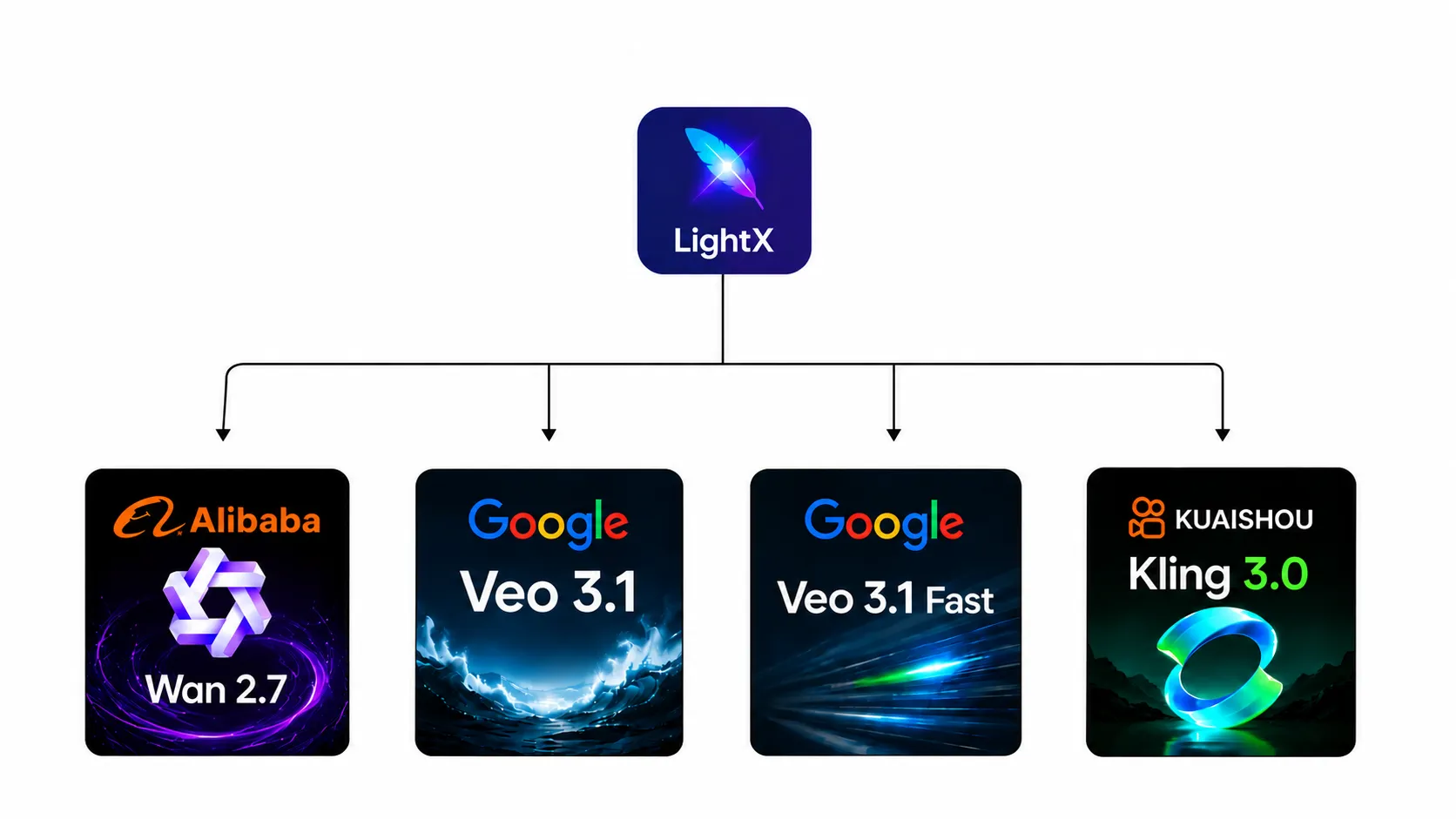
On LightX, you don’t need to jump between platforms for this. We give you direct access to Alibaba’s Wan 2.7, Google’s Veo 3.1, Veo 3.1 Fast, and Kuaishou’s Kling 3.0, all in the same workflow.
| Model | Cost | Speed | Quality | Best For |
| Veo 3.1 Fast | Cheapest | Fastest | Good | Testing your prompt before the final run |
| Wan 2.7 | Low-mid | Mid | Solid, flexible | Balanced speed, cost, and creative control |
| Kling 3.0 | Mid-high | Fast | Excellent, sharp motion | Fast turnarounds without sacrificing quality |
| Veo 3.1 | Highest | Slower | Filmmaker-level, best audio | Your final, polished tribute video |
How to Generate a Tribute Video With AI
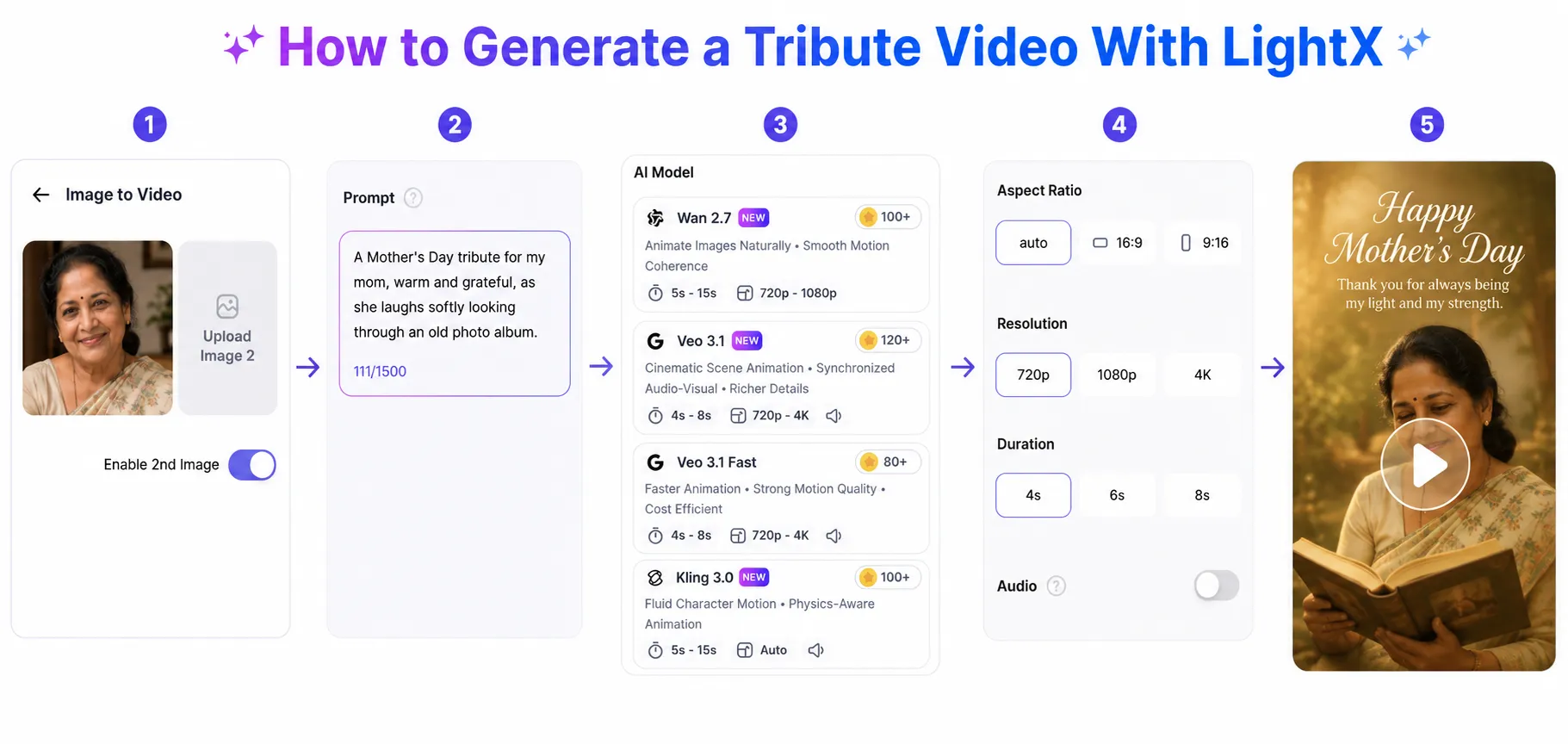
Now that your prompt is ready, here’s is the step-by-step tribute video prompt guide.
- Open Image to Video
- Upload your photo in JPG or PNG.Toggle “Enable 2nd Image” if you want a scene change.
- Type your prompt into the Prompt box or copy paste from the given ideas.
- Choose your AI model from Wan 2.7, Veo 3.1, Veo 3.1 Fast, or Kling 3.0.
- Set parameters like aspect ratio, resolution, duration, or enable audio from dropdown
- Click Generate
- Download in MP4 format
- Share to group chat, Instagram, or straight to the person who inspired it.
That’s eight steps between you and a video someone’s going to watch with a smile.
12 Tribute Video Prompt Ideas You Can Copy Paste
Here are some of the best AI tribute video prompt examples, built using the formula above, ready to copy, tweak, and make your own.
1. Memorial Tribute Video Prompt
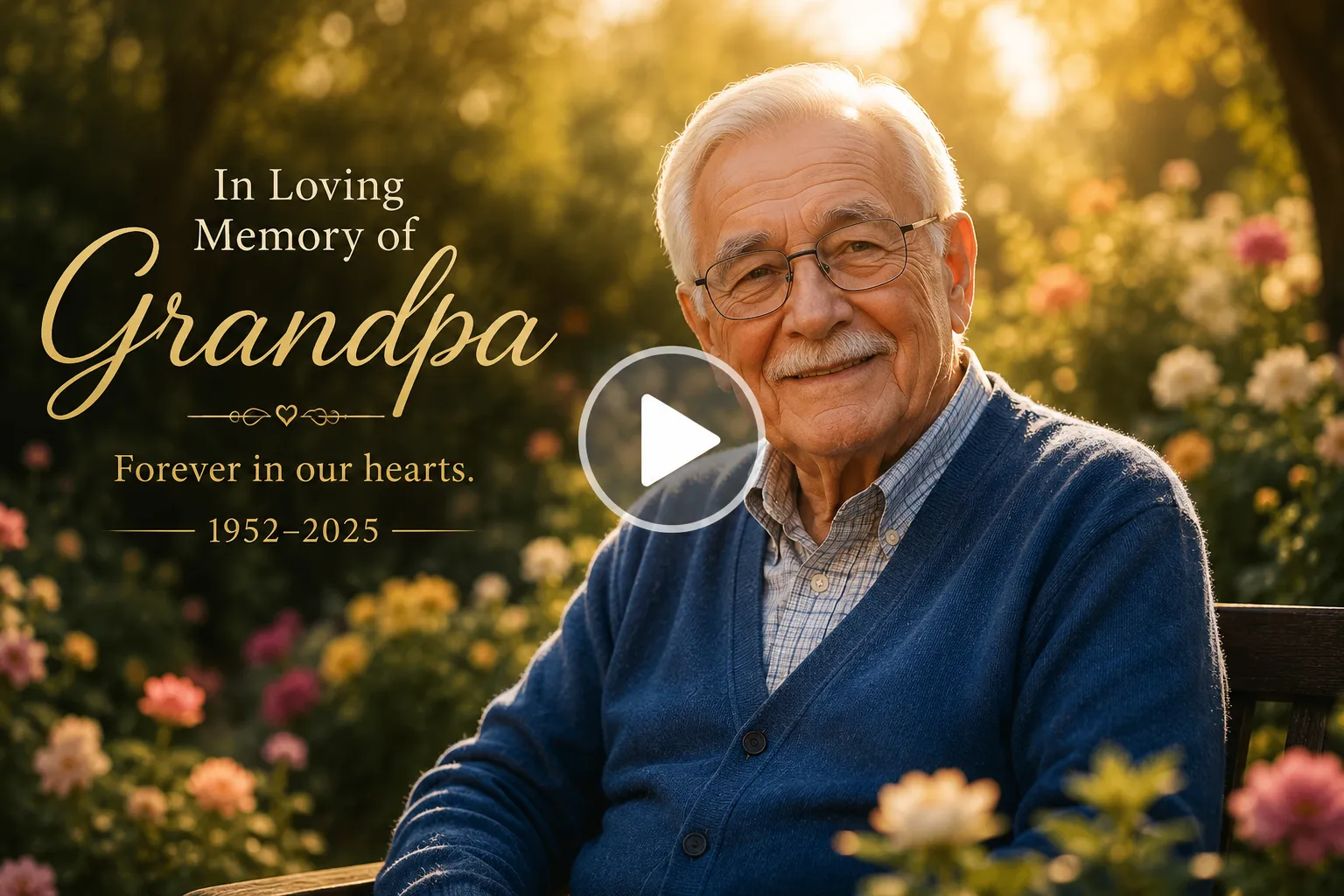
Create a heartfelt memorial tribute video in loving memory of my beloved grandfather. The uploaded photo is of him. Honor his life with warmth, gratitude, and peaceful remembrance. He slowly looks toward the camera with a gentle smile, glances down as if reflecting on cherished memories, then looks back with kind eyes, smiling softly through emotion. Dress him in his favorite blue cardigan. Place him in a peaceful flower garden during golden hour with blooming flowers, soft trees, and warm sunlight filtering through the leaves. Create a cinematic, dreamy aesthetic with subtle film grain, shallow depth of field, and soft glowing highlights. Begin with a medium shot, slowly dolly toward his face, transition into close-ups, then gently orbit around him using smooth cross-dissolves and fade-to-white transitions. Display elegant text reading “In Loving Memory of Grandpa” followed by “Forever in our hearts.” Add a small caption reading “1952–2025.” Use soft piano with delicate strings and birds singing in the distance. Include a gentle voice-over saying, “Your kindness, wisdom, and love continue to guide us every day. Though you are gone, your memories will forever remain in our hearts.
2. Birthday Tribute Video Prompt
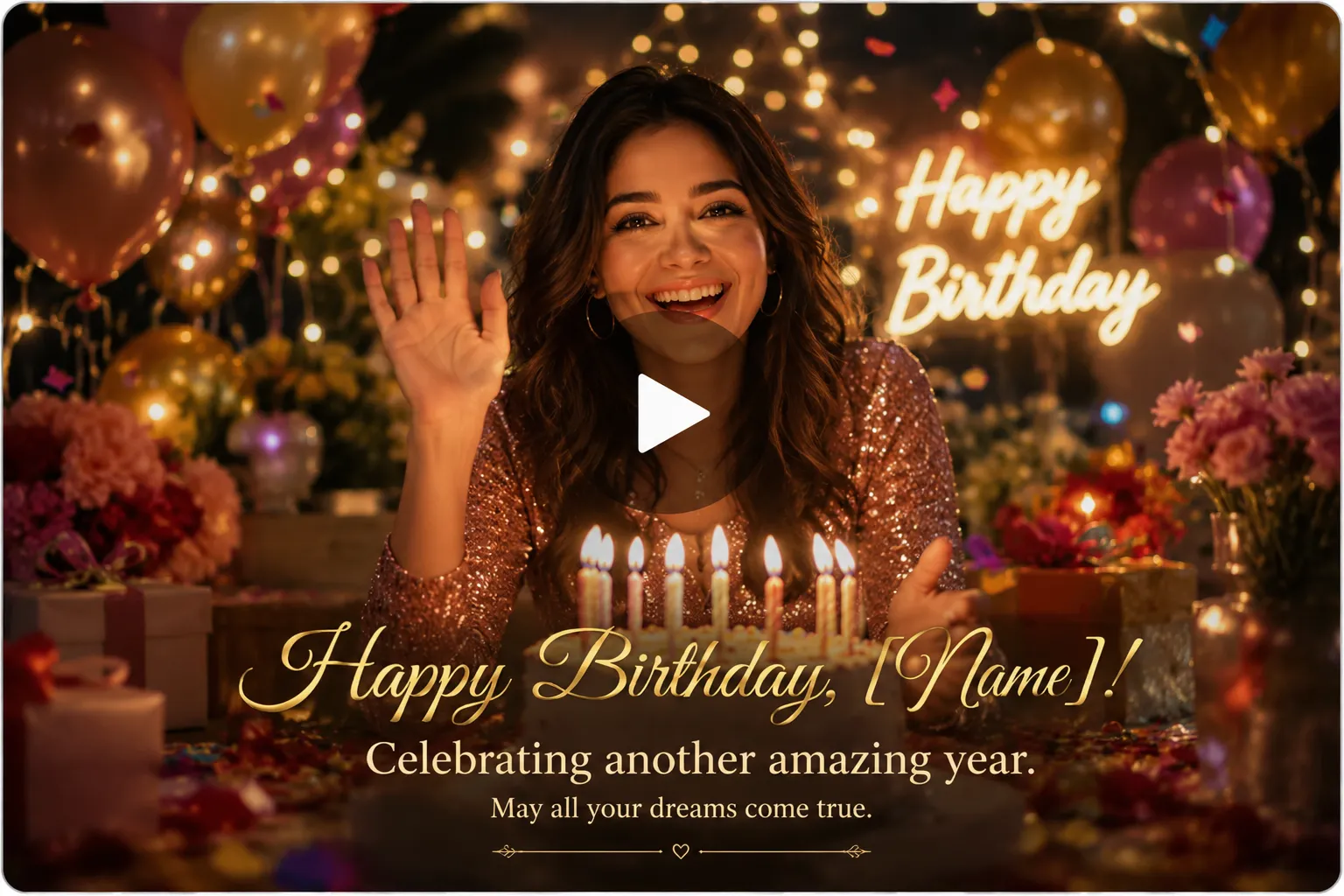
Create a joyful birthday tribute video celebrating my best friend. The uploaded photo is of them. Make the video feel cheerful, heartfelt, and full of gratitude for another wonderful year of life. They smile brightly at the camera, wave with excitement, laugh naturally, clap their hands, then lean forward to blow out birthday candles before looking back with a grateful smile. Their expression changes from excitement to genuine laughter and heartfelt appreciation. Dress them in a stylish party outfit with vibrant colors. Set the scene at a beautifully decorated birthday celebration with balloons, fairy lights, flowers, gifts, confetti, and a large birthday cake. Use warm ambient lighting with colorful decorative lights and soft background bokeh to create a festive cinematic atmosphere. Begin with a wide establishing shot, slowly push toward the subject, transition into expressive close-ups, and use smooth handheld movement with seamless match-cut transitions. Display elegant text reading “Happy Birthday, [Name]!” followed by “Celebrating another amazing year.” Add a small caption saying “May all your dreams come true.” Use upbeat acoustic guitar, piano, light percussion, laughter, and applause. Include a warm voice-over saying, “Happy Birthday! Today is all about celebrating the incredible person you are. May your days ahead be filled with happiness, good health, unforgettable memories, and endless reasons to smile.
!” followed by “Celebrating another amazing year.” Add a small caption saying “May all your dreams come true.” Use upbeat acoustic guitar, piano, light percussion, laughter, and applause. Include a warm voice-over saying, “Happy Birthday! Today is all about celebrating the incredible person you are. May your days ahead be filled with happiness, good health, unforgettable memories, and endless reasons to smile.’ text=”Try this Prompt” query=”toolName=image2video&tab=video-tools&imgUrl=” deeplink=””]
3. Wedding Anniversary Tribute Video Prompt
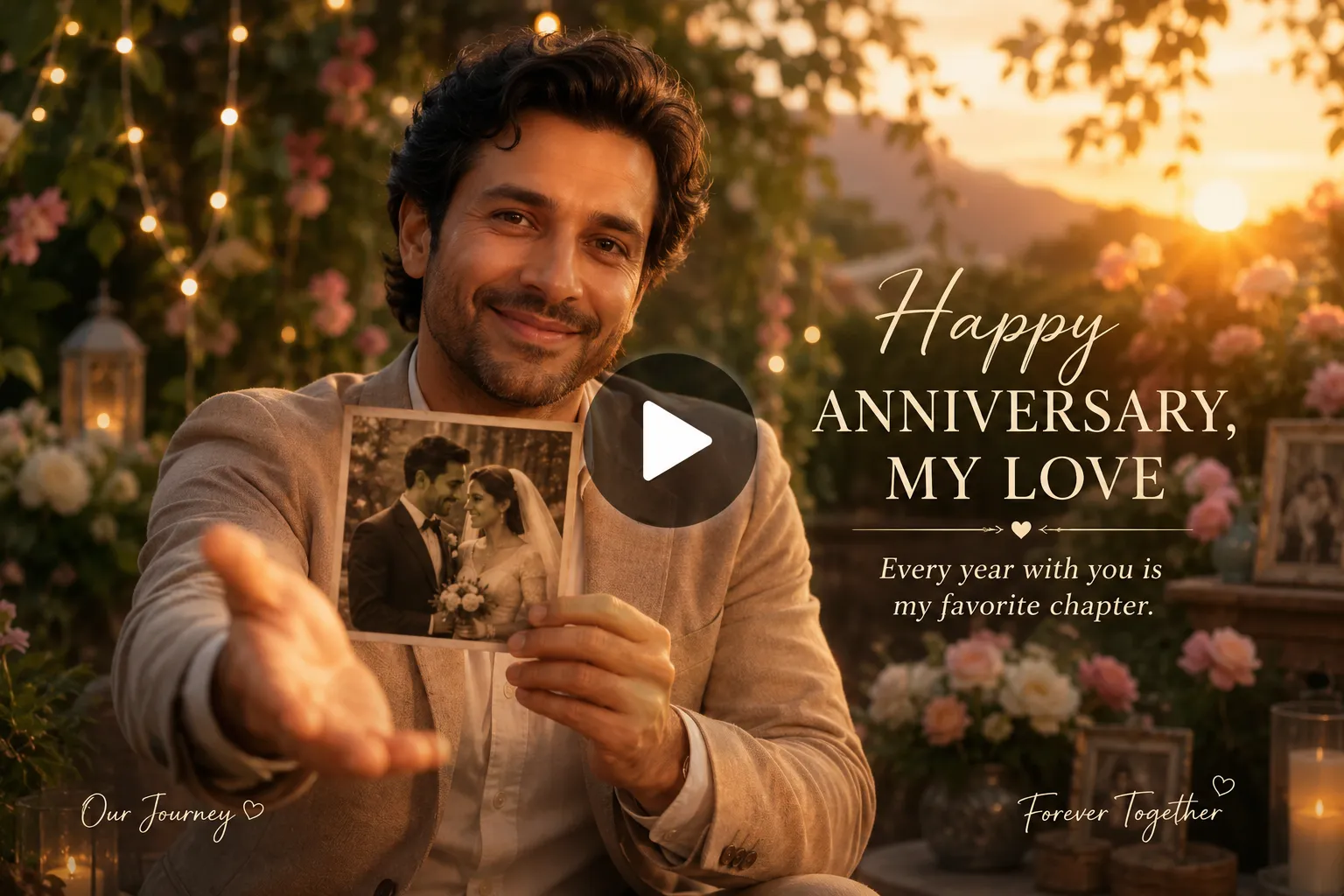
Create a romantic wedding anniversary tribute video celebrating the beautiful journey I share with my spouse. The uploaded photo is of my husband/wife. Make the video feel timeless, intimate, and filled with gratitude for the love we’ve built together. The subject looks toward the camera with a warm smile, gently holds an old wedding photograph, softly laughs while remembering cherished moments, then reaches out as if inviting me to join them before smiling lovingly once more. Their expression naturally changes from nostalgic reflection to joyful happiness. Dress them in elegant semi-formal attire inspired by our anniversary celebration. Place them in a peaceful garden during golden hour with blooming flowers, fairy lights, and a glowing sunset. Use a cinematic aesthetic with warm color grading, soft bloom, creamy bokeh, and subtle vintage film grain. Start with a wide shot before slowly dollying closer into intimate close-ups, then create gentle orbiting camera movement with smooth cross-dissolves between moments. Display elegant text reading “Happy Anniversary, My Love” followed by “Every year with you is my favorite chapter.” Add small captions such as “Our Journey” and “Forever Together.” Use romantic piano, acoustic guitar, and orchestral strings. Include a heartfelt voice-over saying, “Every moment we’ve shared has made life more beautiful. Thank you for your love, your kindness, and every memory we’ve created together. I’d choose you again, every single time.
4. Retirement Tribute Video Prompt
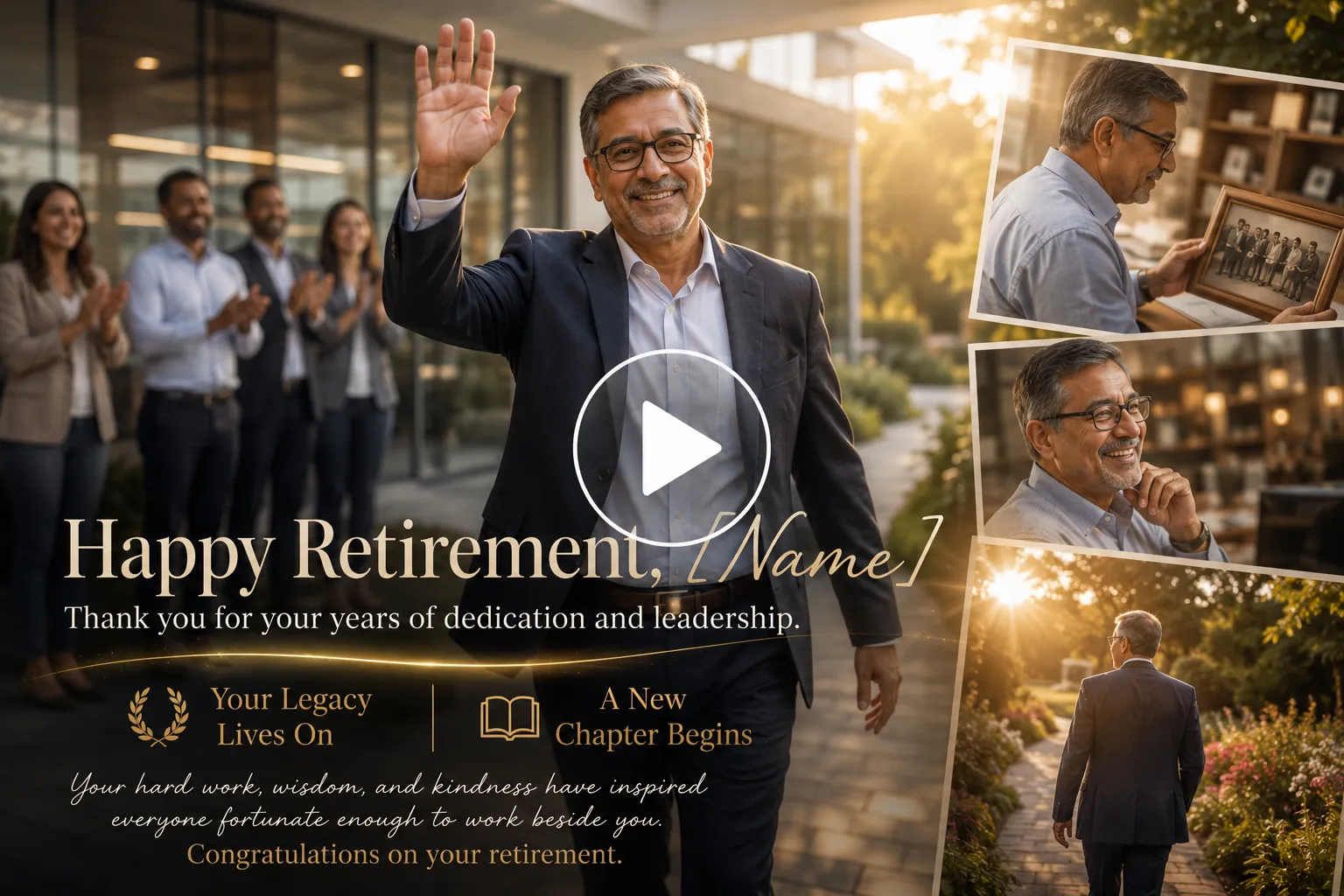
Create an inspiring retirement tribute video honoring my colleague’s incredible career and lifelong dedication. The uploaded photo is of the retiree. Celebrate their achievements with pride, gratitude, and optimism for the exciting journey ahead. They confidently walk toward the camera, warmly wave to colleagues, pause to admire old workplace photographs, laugh while remembering memorable moments, then look into the camera with a proud, grateful smile. Their expression evolves from thoughtful reflection to genuine happiness and excitement for the future. Dress them in professional business attire that reflects their career. Set the scene in a bright modern office transitioning into a peaceful outdoor garden symbolizing a new beginning. Use warm afternoon sunlight, soft natural lighting, cinematic color grading, and subtle film grain for an elegant, inspirational look. Begin with a wide office establishing shot, slowly track alongside the subject, move into expressive close-ups, and transition with gentle fade-through-light effects. Display elegant text reading “Happy Retirement, [Name]” followed by “Thank you for your years of dedication and leadership.” Add smaller captions including “Your Legacy Lives On” and “A New Chapter Begins.” Use uplifting piano, acoustic guitar, and gentle orchestral music. Include a voice-over saying, “Your hard work, wisdom, and kindness have inspired everyone fortunate enough to work beside you. Congratulations on your retirement.
” followed by “Thank you for your years of dedication and leadership.” Add smaller captions including “Your Legacy Lives On” and “A New Chapter Begins.” Use uplifting piano, acoustic guitar, and gentle orchestral music. Include a voice-over saying, “Your hard work, wisdom, and kindness have inspired everyone fortunate enough to work beside you. Congratulations on your retirement.’ text=”Generate Using This Prompt” query=”toolName=image2video&tab=video-tools&imgUrl=” deeplink=””]
5. Mother’s Day Tribute Video Prompt
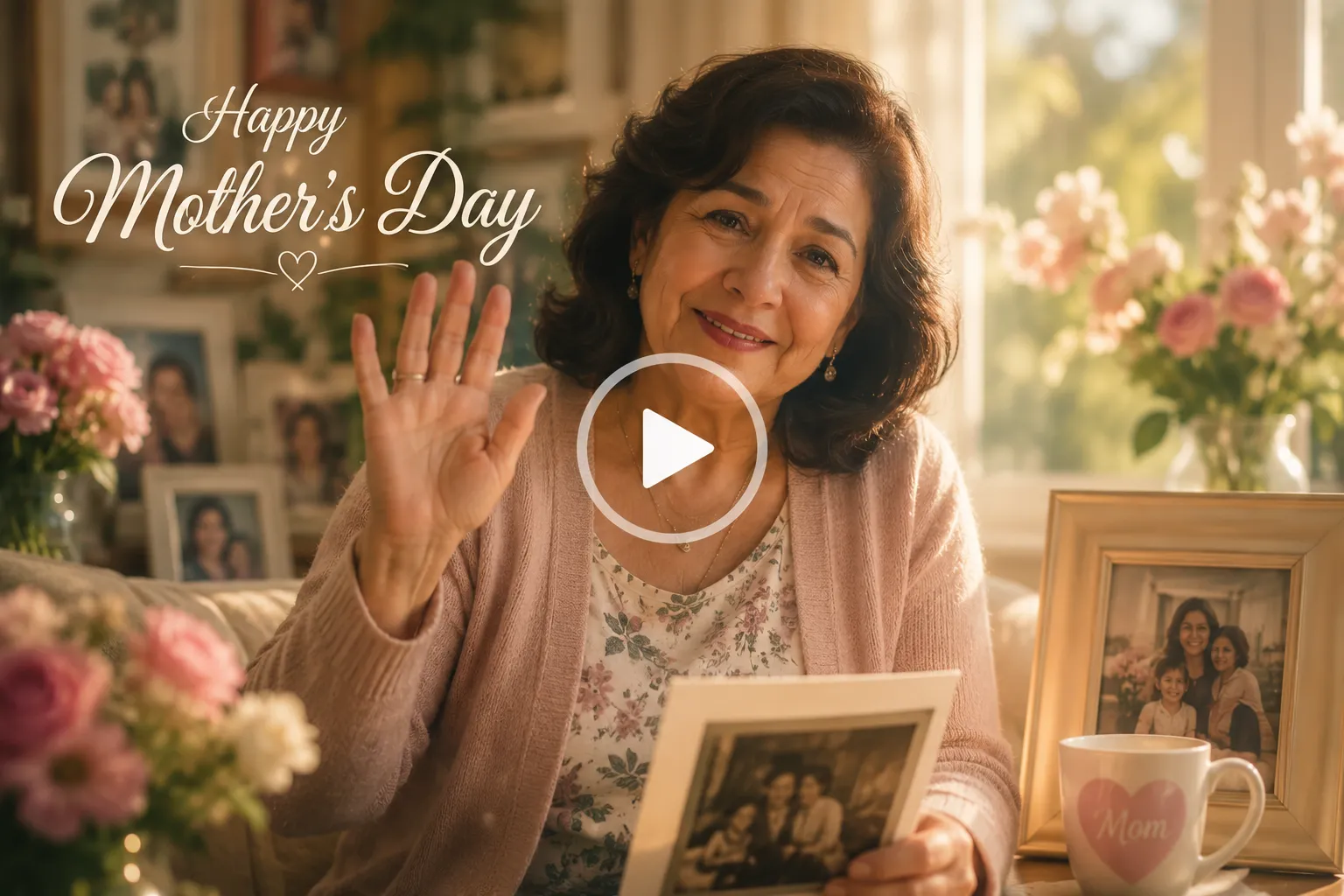
Create a heartfelt Mother’s Day tribute video celebrating my mom and thanking her for her endless love, strength, and sacrifices. The uploaded photo is of my mother. Make the video warm, emotional, and filled with gratitude. She smiles gently toward the camera, waves affectionately, looks down at an old family photo with a nostalgic smile, softly laughs while remembering precious moments, then looks back with happy eyes that shine with pride and unconditional love. Her expression naturally changes from thoughtful reflection to joyful warmth. Dress her in her favorite comfortable outfit, such as a pastel cardigan or elegant floral dress. Place her in a cozy home filled with fresh flowers, family photographs, and warm morning sunlight streaming through large windows. Create a warm film look with soft golden lighting, natural colors, dreamy glow, shallow depth of field, and subtle film grain. Begin with a wide establishing shot before slowly dollying closer into expressive close-ups, using gentle pans and smooth cross-dissolve transitions. Display elegant text reading “Happy Mother’s Day”, Use soft piano, acoustic guitar, and delicate strings. Include a heartfelt voice-over saying, “Mom, your love has been my greatest gift and your strength has always inspired me. Thank you for believing in me, standing beside me, and filling every chapter of my life with warmth. Happy Mother’s Day. I love you more than words can ever express.
6. Father’s Day Tribute Video Prompt
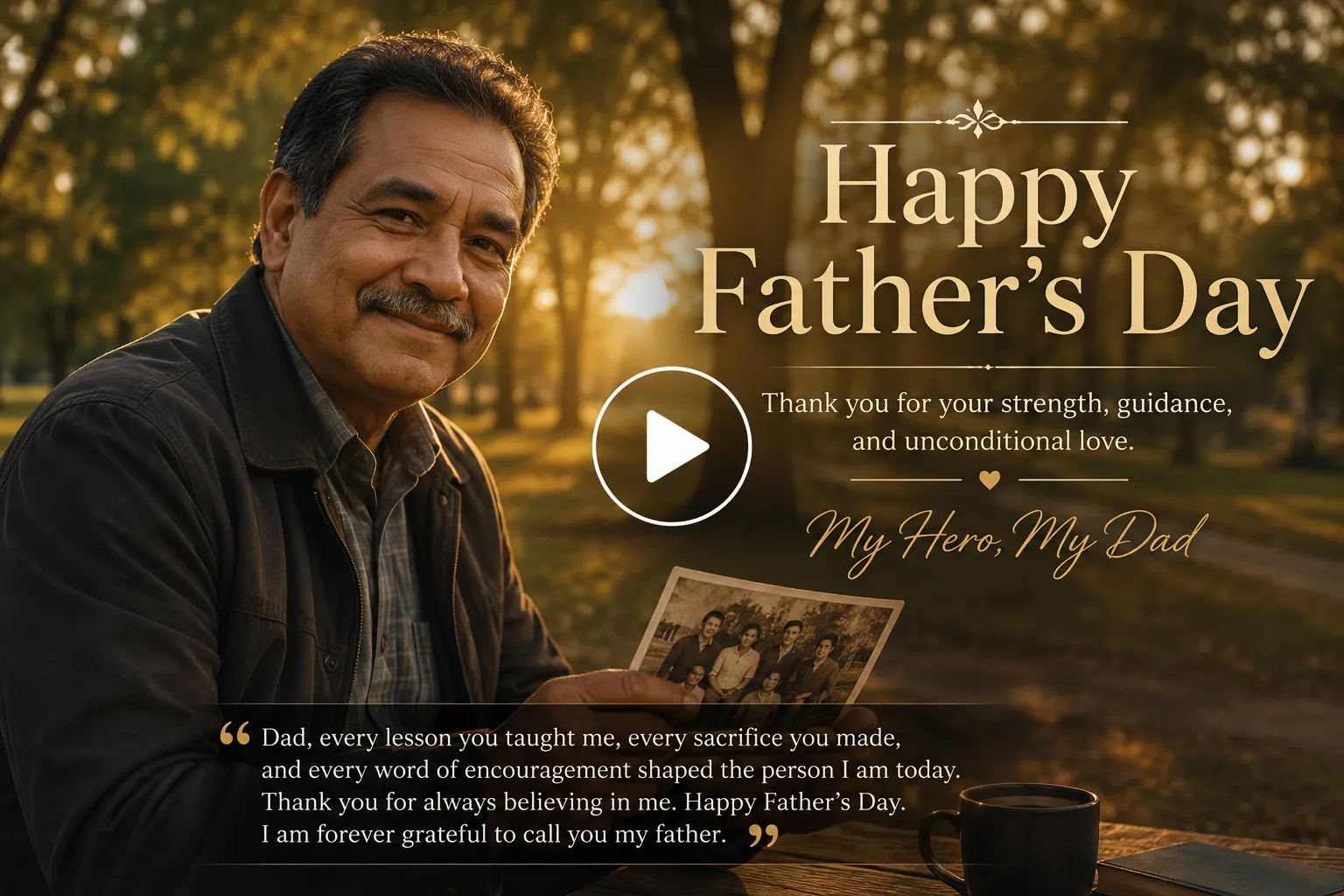
Create an emotional tribute video for Father’s Day tribute video honoring my dad for his love, guidance, and unwavering support. The uploaded photo is of my father. Make the video inspiring, proud, and deeply personal. He smiles confidently toward the camera, adjusts his jacket, waves warmly, looks at an old family photograph with a proud smile, then looks back with kind eyes that reflect wisdom and strength. His expression gradually changes from quiet reflection to genuine happiness and pride. Dress him in his favorite casual shirt or classic jacket that represents his personality. Place him outdoors during golden hour in a peaceful park with tall trees, warm sunlight, and a gentle breeze. Create a cinematic look with rich warm tones, soft bloom, natural colors, shallow depth of field, and subtle film grain. Open with a wide landscape shot, slowly track toward him, transition into close-ups of his expressions, then finish with smooth orbiting camera movement and gentle fade transitions. Display elegant text reading “Happy Father’s Day” followed by “Thank you for your strength, guidance, and unconditional love.” Add a small caption saying “My Hero, My Dad.” Use emotional piano, acoustic guitar, and orchestral strings. Include a voice-over saying, “Dad, every lesson you taught me, every sacrifice you made, and every word of encouragement shaped the person I am today. Thank you for always believing in me. Happy Father’s Day. I am forever grateful to call you my father.
7. Teacher Appreciation Tribute Video Prompt
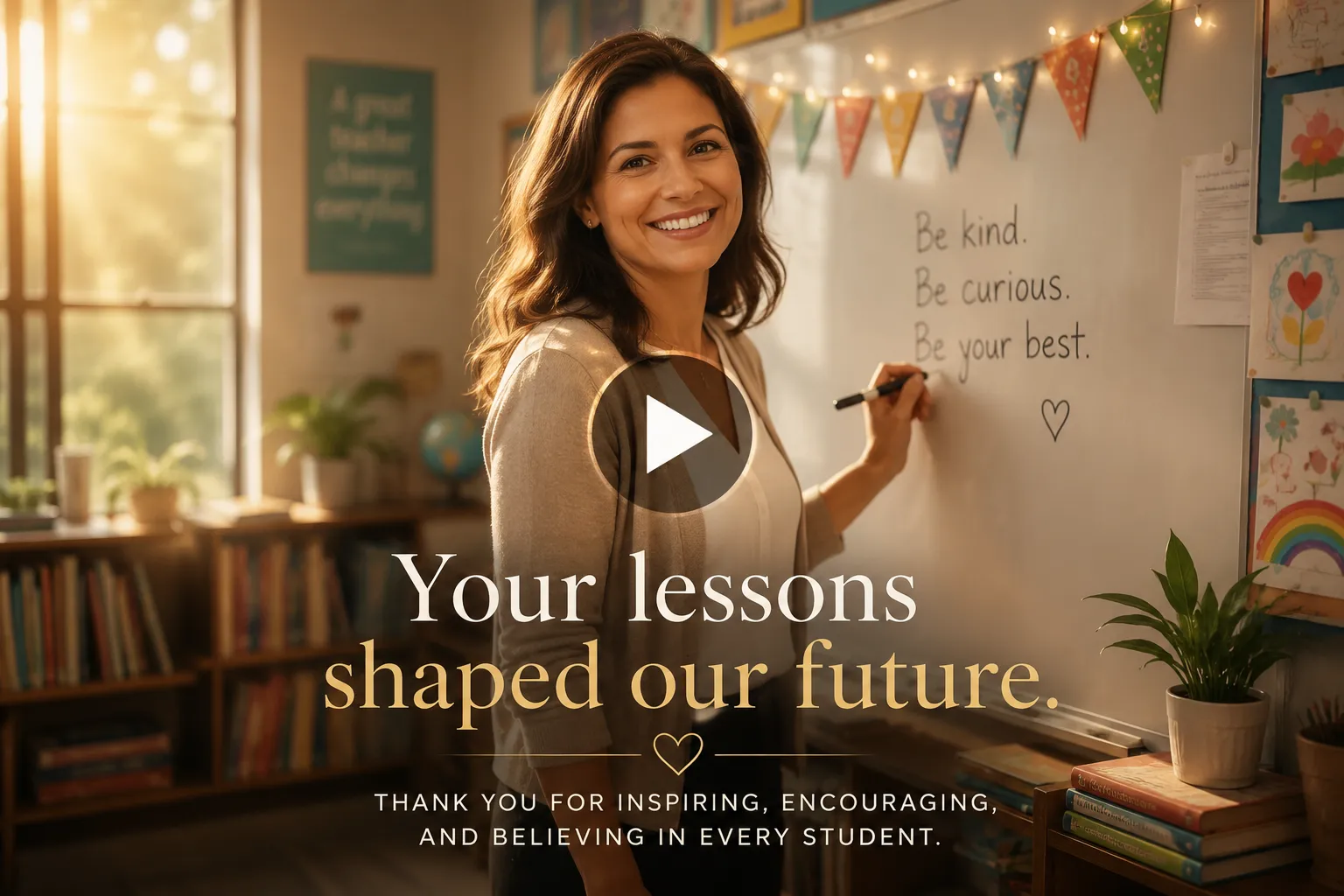
Create a heartfelt teacher appreciation tribute video celebrating my favorite teacher for their dedication, patience, and lasting impact. The uploaded photo is of my teacher. Make the video inspiring, respectful, and filled with gratitude. The teacher smiles warmly toward the camera, gently waves, writes a few words on a classroom whiteboard, looks around the classroom with pride, then looks back with a kind smile reflecting years of encouragement and wisdom. Their expression naturally changes from thoughtful reflection to joyful pride. Dress them in professional classroom attire that suits their personality. Set the scene inside a bright classroom filled with books, student artwork, chalkboards, and warm afternoon sunlight entering through large windows. Create a cinematic aesthetic using soft natural lighting, warm color grading, subtle film grain, and gentle background bokeh. Begin with a wide classroom shot, slowly dolly toward the teacher, transition into close-ups of their smile and classroom details, then use smooth cross-dissolves throughout the video. Display elegant text reading “Your lessons shaped our future.” Use uplifting piano, acoustic guitar, and soft orchestral music. Include a heartfelt voice-over saying, “Thank you for believing in every student, inspiring curiosity, and teaching lessons that reached far beyond the classroom. Your patience, kindness, and dedication will always be remembered. You truly made a difference in our lives.
8. Friendship Tribute Video Prompt
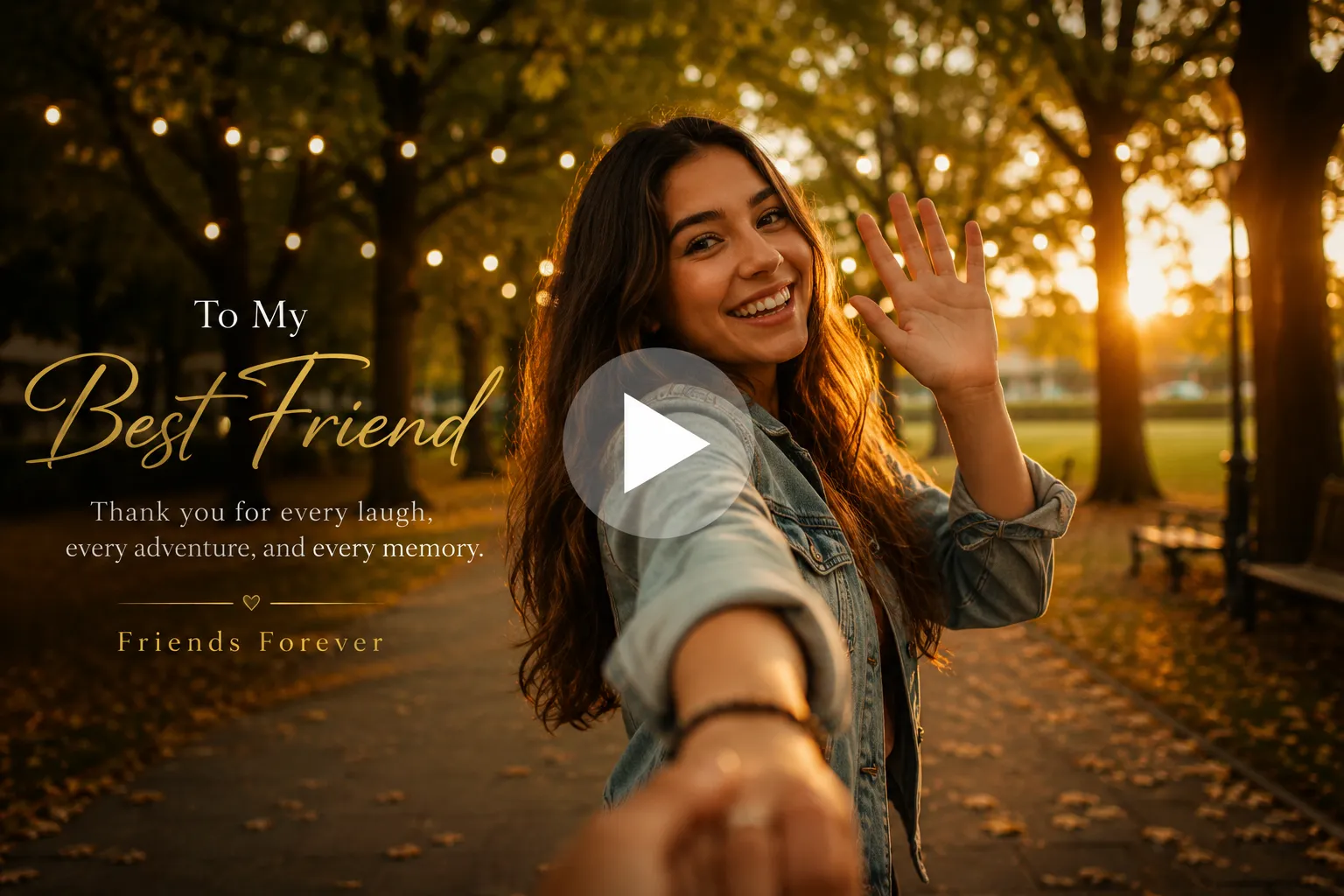
Create a heartfelt friendship tribute video celebrating my best friend and the unforgettable memories we’ve shared together. Make the video joyful, nostalgic, and filled with appreciation for years of laughter, adventures, and unwavering support. They smile brightly toward the camera, wave enthusiastically, laugh naturally, look around as if remembering fun moments together, then look back with a warm smile that reflects trust and happiness. Their expression gradually changes from playful excitement to heartfelt gratitude. Dress them in their favorite casual outfit that reflects their personality. Set the scene in a beautiful park during golden hour with tree-lined paths, fairy lights, autumn leaves, and soft sunlight creating a warm, inviting atmosphere. Create a realistic film quality with vibrant colors, soft glow, natural skin tones, subtle film grain, and creamy background bokeh. Begin with a wide establishing shot, slowly dolly toward the subject, transition into expressive close-ups, then use smooth handheld movement with gentle cross-dissolves between moments. Display elegant text reading “To My Best Friend” followed by “Thank you for every laugh, every adventure, and every memory.” Add a small caption saying “Friends Forever.” Use upbeat acoustic guitar, piano, and light percussion.
9. Graduation Tribute Video Prompt
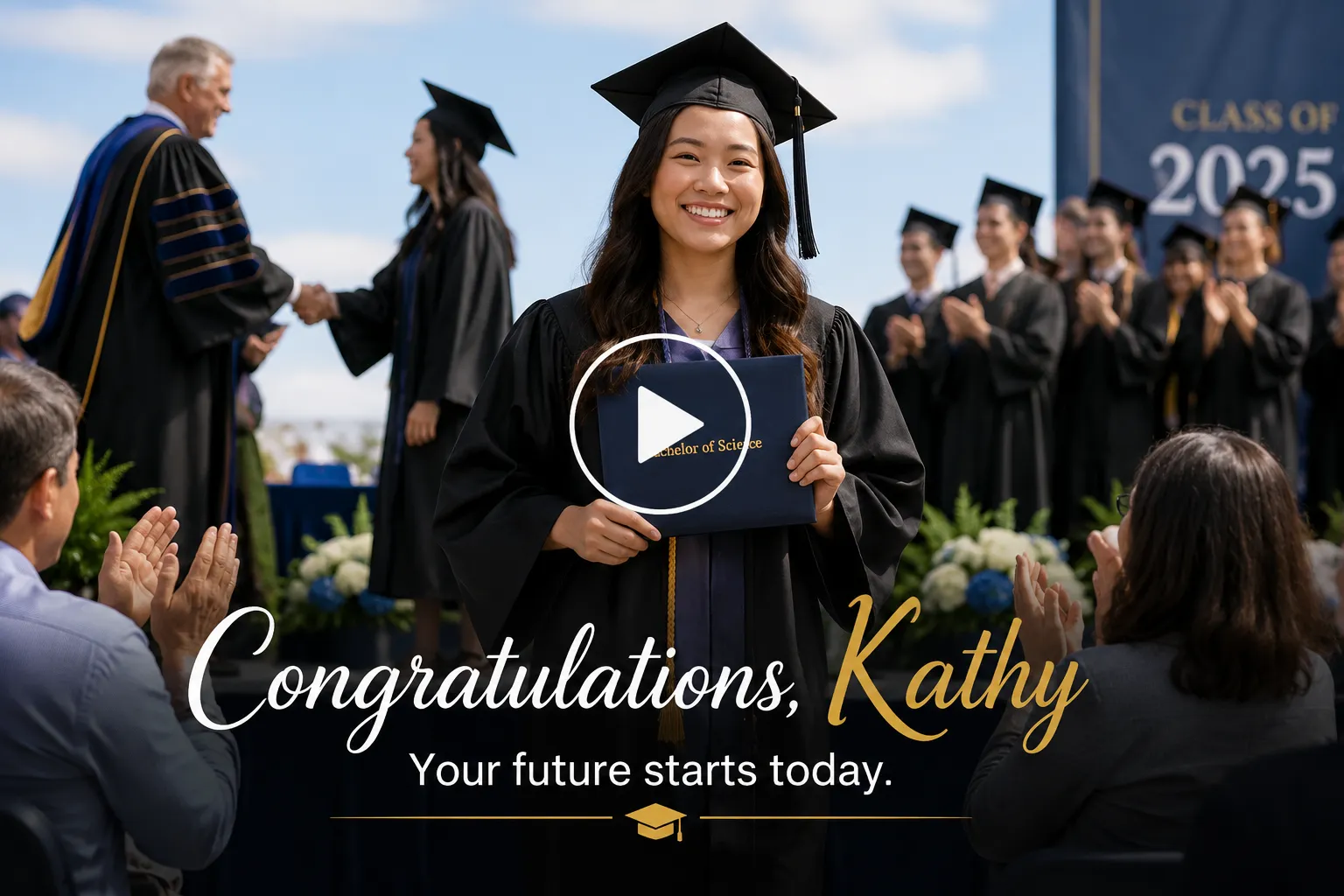
Create a graduation tribute video celebrating my daughter’s hard work, dedication, and achievement. The uploaded photo is of the graduate. Make the video feel joyful, proud, and inspiring. The graduate smiles confidently, walks forward after receiving their diploma, briefly shakes hands with the presenter, proudly holds the degree certificate, waves toward family, then looks back at the camera with a grateful smile. Their expression naturally changes from excitement to pride and happiness. Keep the graduation gown, cap, and diploma consistent with the uploaded photo. Place the scene at a school or university graduation ceremony on a bright sunny day with clean natural daylight, blue skies, soft shadows, classmates in graduation gowns, teachers, family members applauding, and a simple graduation stage. Use a realistic documentary-style aesthetic with natural colors, crisp daylight, and authentic movement. Avoid cinematic lighting, golden-hour tones, dramatic color grading, film grain, or visual effects. Begin with an eye-level medium shot, gently move forward as the graduate walks, transition into natural close-ups of the diploma and smiling face, then end with a wider celebration shot using smooth cuts and subtle cross-dissolves. Display “Congratulations, Kathy,” followed by “Your future starts today.” Use uplifting piano, gentle applause, and ambient crowd sounds with a voice-over: “Congratulations on this incredible milestone
10. Sports Tribute Video Prompt

Transform the uploaded photo into a realistic sports celebration video while preserving the identities, clothing, trophy, stadium, and overall composition. The three rugby champions naturally come to life, exchanging joyful smiles and quick glances with one another as they celebrate together. They tighten their arms around each other’s shoulders, slightly lift and tilt the championship trophy, laugh naturally, nod with excitement, and briefly raise the trophy together before bringing it back down. Their expressions evolve from proud smiles to genuine laughter, capturing the feeling of winning a hard-fought championship. Add subtle body movement, realistic breathing, blinking, natural head turns, and small hand adjustments to create authentic human motion. Keep the celebration candid and unscripted rather than exaggerated. The stadium remains at night under bright white floodlights with a softly blurred crowd in the background. Add gentle crowd movement, occasional camera flashes, a few pieces of confetti drifting through the air, and subtle stadium ambience without overwhelming the scene. Use clean cinematic sports coverage with realistic colors, natural lighting, shallow depth of field, and smooth handheld broadcast-style camera movement. Begin with a medium shot, slowly push in toward the players, finish with a close-up of the smiling team holding the trophy together, creating a genuine championship moment.
11. Pet Memorial Tribute Video Prompt
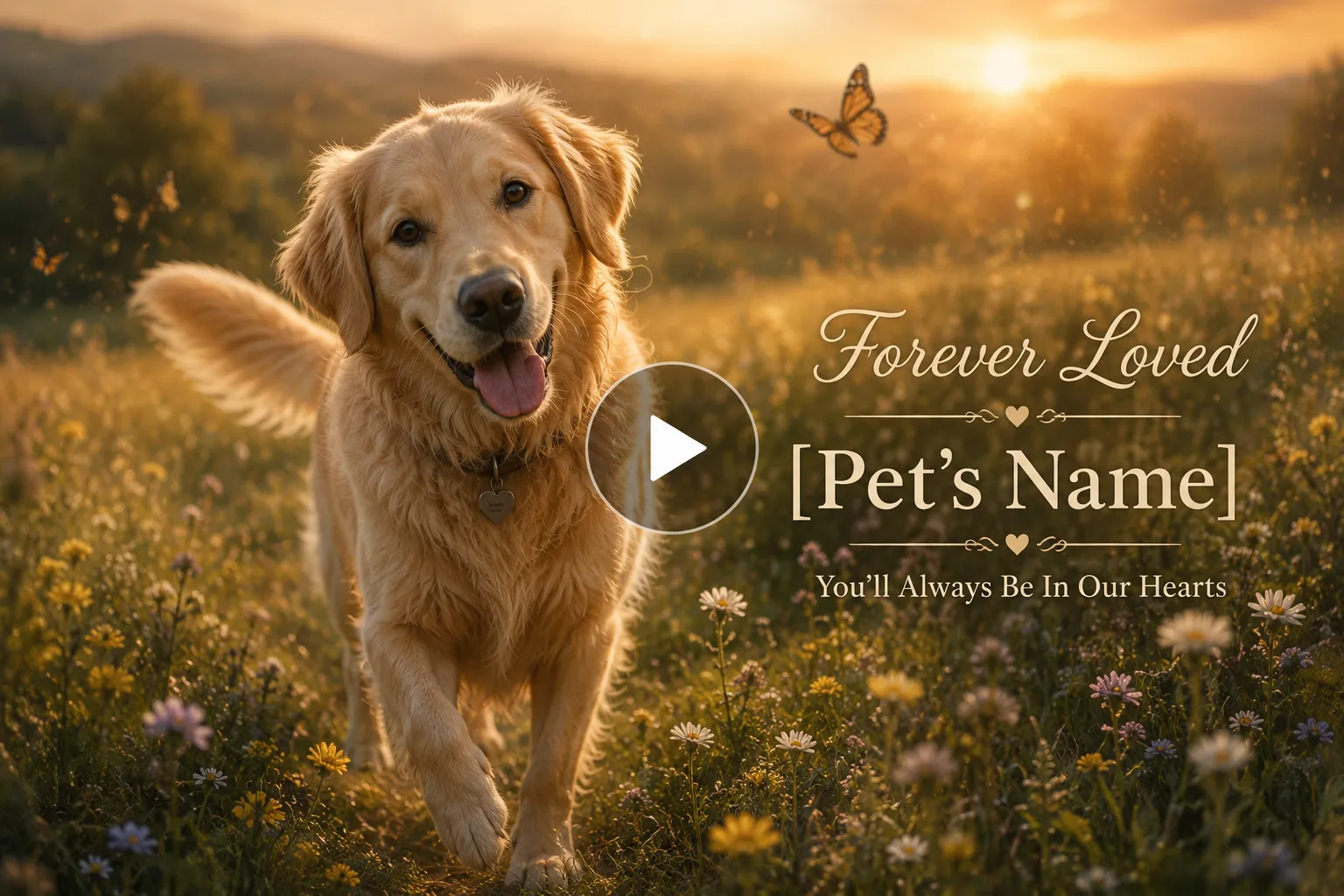
Create a touching pet memorial tribute video celebrating the beautiful life of my beloved pet. The uploaded photo is of my dog/cat. Make the video peaceful, loving, and comforting while focusing on joyful memories instead of sadness. My pet happily looks toward the camera, gently tilts their head, playfully wags their tail or softly purrs, takes a few joyful steps forward, then peacefully sits while looking into the distance with calm, loving eyes. Their expression feels playful, gentle, and full of unconditional love. Keep their natural fur colors and appearance exactly as in the uploaded photo. Place them in a peaceful meadow during golden hour with wildflowers, soft grass, butterflies, and warm sunlight creating a serene atmosphere. Create a dreamy cinematic aesthetic with soft glow, warm color grading, subtle film grain, floating dust particles, and shallow depth of field. Begin with a wide landscape shot, slowly dolly toward the pet, transition into intimate close-ups, then finish with gentle orbiting camera movement and slow fade-to-white transitions. Display elegant text reading “Forever Loved” followed by “[Pet’s Name]” and “You’ll Always Be In Our Hearts.” Use soft piano, gentle strings, birdsong, and light wind ambience.
” and “You’ll Always Be In Our Hearts.” Use soft piano, gentle strings, birdsong, and light wind ambience.’ text=”Try this Prompt” query=”toolName=image2video&tab=video-tools&imgUrl=” deeplink=””]
12. Family Tribute Video Prompt
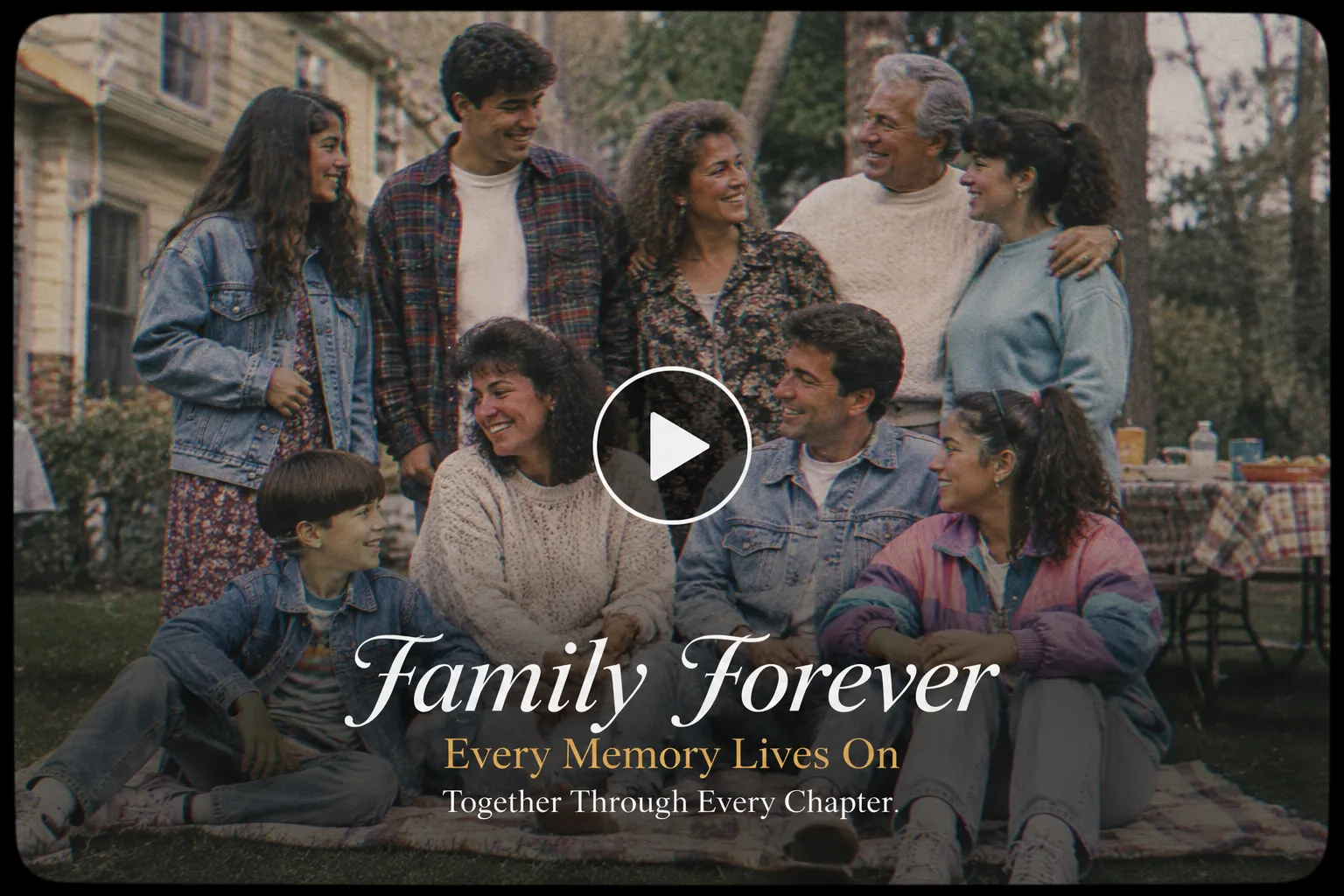
Create a cinematic tribute video celebrating the love, laughter, and lifelong memories shared by my family. Make the video nostalgic, heartfelt, and reminiscent of cherished home videos from the late 1980s and early 1990s. Family members naturally smile at one another, laugh together, exchange warm glances, gently wave toward the camera, walk side by side, and share candid interactions. Their expressions evolve from quiet nostalgia to genuine joy and affection. Dress everyone in authentic 90s fashion with denim jackets, oversized sweaters, flannel shirts, bell-bottom or relaxed-fit jeans, vintage sneakers, printed dresses, and retro accessories. Place them in a quiet neighborhood street, backyard picnic, or local park that feels like a treasured family memory. Use soft overcast daylight or diffused evening light with muted, slightly faded colors, avoiding golden or yellow tones. Create the look of a vintage 90s film using subtle analog grain, faded color grading, low contrast, gentle bloom, soft motion blur, and a scanned 35mm or VHS aesthetic. Start with a wide handheld shot, slowly move closer, transition into intimate close-ups, and connect scenes with gentle pans and cross-dissolves like an old camcorder recording. Display “Family Forever” followed by “Every Memory Lives On.” Add “Together Through Every Chapter.” Use nostalgic acoustic guitar, soft piano, ambient birds, and distant children’s laughter.
Related: AI Family Photo Prompts to Try
Common Mistakes to Avoid
1. When Uploading
Three examples of common AI photo upload mistakes: an unlabeled group photo, a blurry image, and a prompt that doesn’t match the uploaded photo.
- Using a group photo without saying who’s who: If multiple people are in the frame, the AI doesn’t know which one to focus on unless you specify. For example: “mother on the extreme left, then son and daughter on the right.”
- Using a low-quality or blurry photo: The AI needs a clear enough shot of the face and body shape to keep the person recognizable once they start moving. Doesn’t need to be a DSLR photo, just clear enough to match.
- Uploading a photo that doesn’t match your prompt: A solo photo paired with a group-scene prompt forces the AI to invent people it wasn’t given.
2. When Prompting
Three unique portraits transformed into matching red-sweater, bokeh-background results using the same AI prompt.
Reusing the same prompt across different photos: A prompt built for one photo (lighting, pose, background) often doesn’t translate to a different photo without adjusting the details to match.
3. When Generating
Phone and TV mockups showing incorrect video aspect ratios, with a horizontal Mother’s Day video in an Instagram Story and a vertical Mother’s Day video on a widescreen TV.
Ignoring aspect ratio for where it’ll be shared: A vertical video made for Instagram Reels or Stories looks wrong on a wide screen at an event, and vice versa.
Wrapping up
A good tribute video prompt isn’t complicated. It’s six ingredients, in the right order: intention, subject, scene, camera, text, and sound. Skip one, and the AI fills the gap with a generic guess. Include all six, in the right sequence, and you get a video that actually feels like the moment you meant to capture.
Once you’ve got the formula down, the rest is just picking the right model for the job, cheap and fast for testing, cinematic and polished for the final cut. On LightX, all of that lives in one place, so you can go from a rough idea to a finished tribute video without switching tools halfway through.
Frequently Asked Questions
1. Can I create a tribute video from old photos?
Yes. The tool animate old photos easily. Upload the old photo as your subject image, and mention its age or condition in your prompt.
2. How long should a tribute video be?
Most tribute videos work well between 5 and 15 seconds. Shorter clips are great for social media, longer ones give you room for a full moment, like blowing out candles or a slow camera pan across a room.
3. Can I add background music to an AI tribute video?
Yes. In the Sound part of your prompt, describe the music mood you want, soft piano, upbeat acoustic guitar, orchestral strings. If you want talking photos or a voiceover, write it out in quotes, like “Happy Birthday, we love you.” and the face will animate accordingly. Sound effects don’t need to be mentioned separately, the AI generates them automatically based on what’s happening in the scene.
4. What video style works best for a tribute video?
Depends on the occasion. Cinematic and warm-toned works well for emotional tributes like memorials or retirements. Bright and documentary-style suits celebratory ones like birthdays or graduations. Vintage grain fits nostalgic family tributes.
5. Can I customize the camera angles and transitions in an AI tribute video?
Yes. Just describe them in your prompt, angle (close-up, wide shot), movement (zoom, pan, dolly), and transitions (fade, cross-dissolve) are all things you can specify directly, as covered in the Camera section above.
Get on WhatsApp
New image & Video workflow everyday