
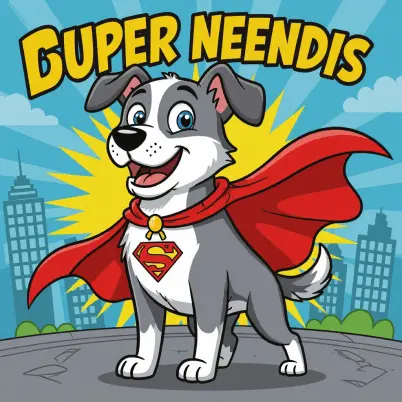
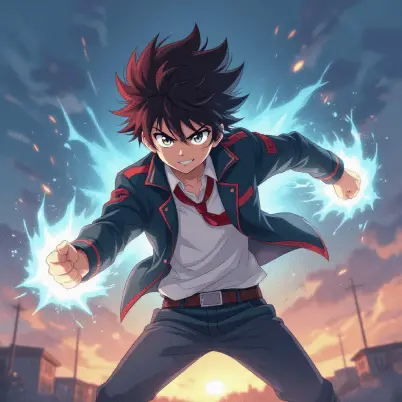
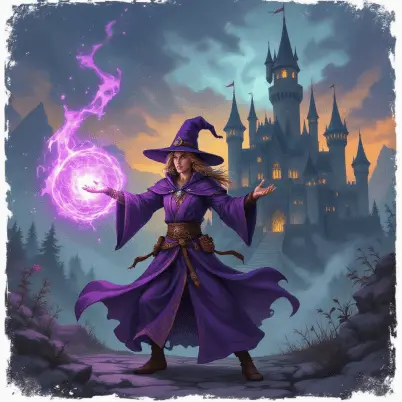
Explore different characters’ style inspirations

How to build AI characters?
Enter your input
Choose the "Text-to-Image" option and describe your character in the prompt box.
Set parameters
Choose AI model and resolution of the image.
Generate and download
Click Generate to get the final image, create variations, or download your image in JPEG or PNG format.
Create a unique AI character with text prompts
Type out the character you want and describe exactly how it should look. Go fully realistic, cartoon, or anywhere in between. Generate a full character or just a face, whatever your idea calls for.

Pick the AI model that matches your character
We've integrated multiple AI models right into this tool. Pick based on what you're going for.
• Flux Image: realistic, detailed characters
• Seedream: stylized, artistic cartoon looks
• Nano Banana: consistent face across generations
• GPT Image: precise, prompt-accurate results
• Wan: animated, motion-ready concepts

Create characters in any style
See your imagined characters come to reality by describing the characters you wish to create in detail, including appearance, personality, and style. Generate from classic, DnD, Disney, 3D, to modern chibi, comic book style, minimal cartoon, retro, and more.
Just mention details like:
• Age, gender, and occupation: Define who your character is.
• Appearance: Full control over the character's body shape and facial features.
• Style and accessories: Customize outfits, hair, and the details for the final touch.

Perfect aspect ratios for every platform
You can edit the details of your generated characters in real time! Whether you want to add something to the generated image, change a specific detail, or remove a specific part from the image, just click on the ‘Change with AI’ button to do further editing. For example, if you generated a cartoon character wearing a cap and want to change its color, simply type “change cap color red to beige” and only the color will change, leaving the rest intact.

Easy edit for your AI creations
You can edit the details of your generated characters in real time! Whether you want to add something to the generated image, change a specific detail, or remove a specific part from the image, just click on the ‘Change with AI’ button to do further editing. For example, if you generated a cartoon character wearing a cap and want to change its color, simply type “change cap color red to beige” and only the color will change, leaving the rest intact.

Turn yourself into an AI character in one click
LightX not only generates AI characters from text, but you can also create AI character from image. Just upload your clear image and choose from presets. Turn selfies into realistic characters of anime, fantasy, punk, sci-fi, and more. AI analyzes facial features well and quickly turns your regular image into a personalized AI character. Instantly.

Bring generated characters to life
Your character doesn't have to stay a still image. Turn it into a video in cinematic details. With physics accurate motion and expressions. Watch your character breathe, blink, and talk. Powered by Veo 3.1, Veo 3.1 Fast, Kling 3.0, and Wan 2.7.

Use Cases of AI Character Generator
✔ Entrepreneurs and startups: Generate AI characters for packaging, apps, and branding.
✔ Aspiring artists: Discover different art styles, get creative ideas to build a strong portfolio.
✔ Storytellers and writers: Design AI characters for book covers, stories, comics, and manga.
✔ Game developers and animators: Get unique character images for mobile games, creative work, and more.
✔ Content creators and marketers: Social media, ads, promotion, and thumbnails can be more creative to attract more audience.

Frequently Asked Questions
Discover more tools


