

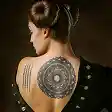



How to remove tattoos from photos with AI?
Upload your photo
Upload a photo in JPEG or PNG format.
Enter prompt
The prompt “remove tattoo” is already added. Click Generate to proceed. You can edit the prompt for a specific area or tattoo.
Download
Download the edited image to your device.
Magically erase tattoos or scars like they were never there
Got a tattoo you don’t want to see in your photos? LightX makes it easy to erase tattoos as if they never existed.
✔ Remove an ex’s name, random designs, or even multiple tattoos effortlessly.
✔ Works well, even on low-quality photos.
✔ Generates skin behind the tattoo and gives a flawless, realistic finish.

Why remove tattoos from your photos?
✔ Keeps the focus on your face or attire without distractions.
✔ Creates a professional headshot look for resumes and job applications.
✔ Showcases your best self in portfolios or client presentations.
Get more creative with the tattoos
LightX AI isn’t just a tattoo removal photo editor—it’s perfect for getting creative with them too! You can replace unwanted designs with new ones or even generate tattoos if you don’t have any. Want more convenience? Download the LightX app, available for both iOS and Android, and remove tattoos on the go!
AI Features that set LightX apart
✔ Delivers quick and reliable results in one go.
✔ Interface that is easy to use even for beginners.
✔ Securely handles your uploaded images.
✔ API support that easily integrates with your business tools.
Frequently Asked Questions
Yes, with AI image to image, you can swap your tattoo for a new design. Just type a description of the tattoo you want, and let the AI do the rest!