



How to remove object from an image?
Upload
Drag and drop or choose the photo into the cleanup tool in JPEG or PNG format.
Select
Paint over the objects you want to remove. Don’t worry about the messy markings—the AI will smartly detect edges.
Remove
Click on "Remove" to erase objects. Use the brush again to remove more elements, or Download the cleaned-up photo to your device in the desired format.
Removes clutter, keeps the background
LightX's AI remove object tool presents a revolutionary mechanism that lets you to erase an unwanted object from any photo. Edit out distracting clutter with the least effort and impeccable precision. With a mere selection, the algorithms smartly detect edges and remove objects, keeping your background intact. Watch every attention-stealing object or element fade away with LightX’s object remover online tool.

For polished product photos on ecommerce
Eliminate any unwanted objects that might overshadow your products, whether distracting or aesthetically unnecessary. This tool is perfect if you want to list your products on Amazon or other websites. Removing objects from around the product gives your product photos the clarity and focus that's required for eCommerce!

De-clutter property photos like a pro
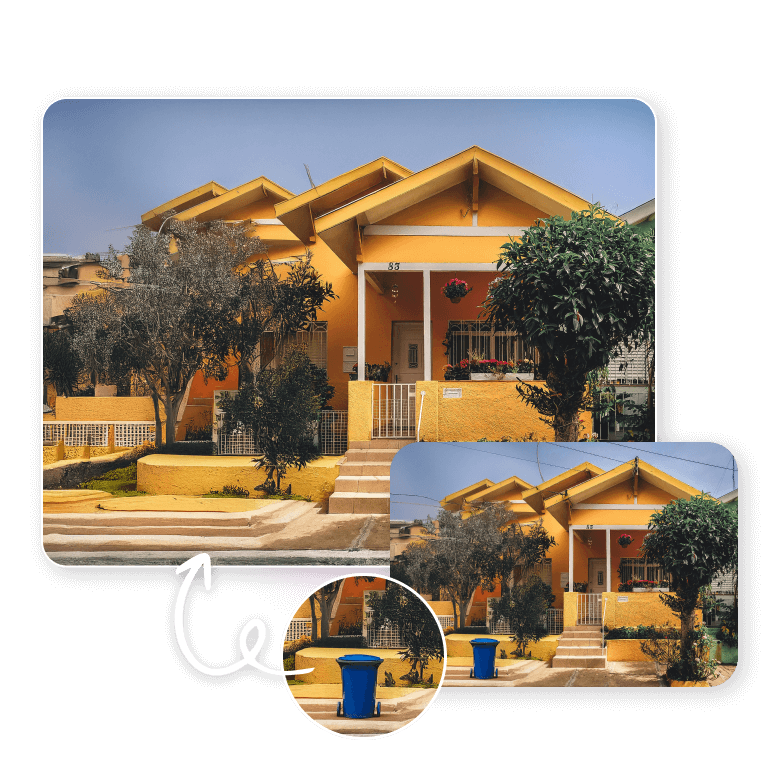
Worry no more about reshooting property photos due to clutter. Easily remove objects like unattractive furniture, trash cans, power lines, parked cars, etc. This feature will make your property photos so versatile that you can use them on flyers, marketing materials, brochures, ads, and websites.
Post distraction-free photos on social media

Features that make it the best tool
• A free, easy, and fast object remover.
• Gives precision control with the Brush and Erase tools.
• Real-time preview to undo or redo edits.
• Realistic, high-resolution outputs every time.
• Secure processing of every photo.
• Added feature of replacing object with other elements.

Do further enhancements with one tool
Besides removing objects, LightX has a full photo editing suite right at your fingertips. Download the LightX app for iOS and Android for the best editing experience. Enhance your images by removing photobombers, tattoos, and even watermarks and Texts in seconds.

Frequently Asked Questions
Yes, the tool is AI-integrated, so the AI smartly understands the content, no matter what kind of image you bring, whether it's a landscape or a portrait.


