




How to open eyes in a photo?
Upload Your Photo
Choose a JPEG or PNG photo, whether solo or group, using the Face Expressions tool. Make sure your face is clearly visible for accurate editing.
Select Eyes
Go to the Eyes section and use the Blink slider to adjust eye openness. Slide left to open, right to close. The slider controls how much the eyes change.
Save Your Image
Click on Apply, then Download to save the final image to your device.
Blinked in the best shot? No more retakes
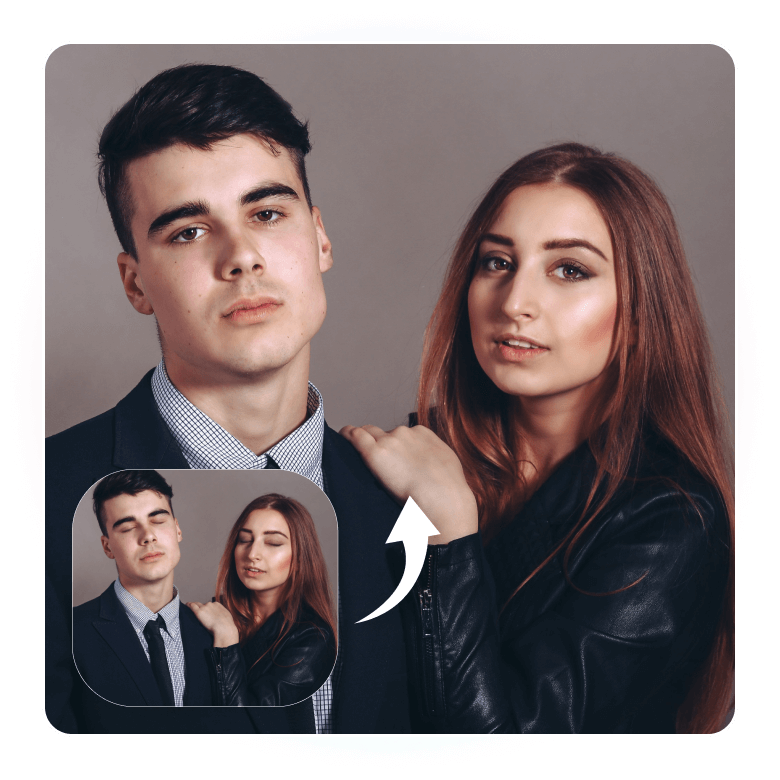
Don’t compromise your best photo by retaking it and risking that the new one won’t be as good. Whether your eyes are partially or fully closed, LightX’s AI Eye Opener can fix them in just 3 seconds, as if you never blinked at all. No manual editing required. Just adjust the eye-opening intensity with a slider, and you're done. It’s fast, effortless, and made for everyone.
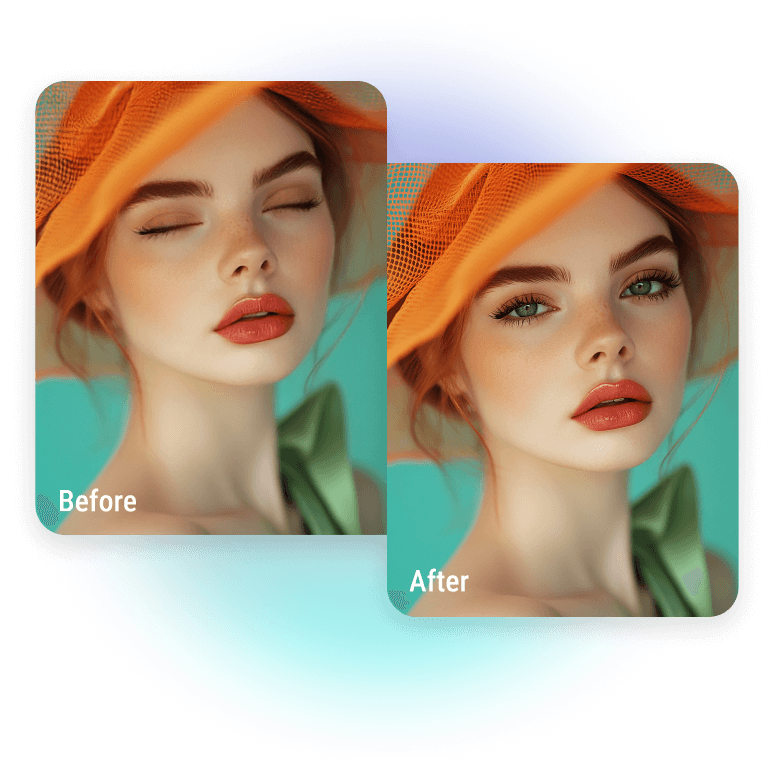
Opens eyes naturally, doesn’t create new ones
Most AI tools generate random eyes that rarely match your real features. LightX does it differently. It detects your actual eye shape and face structure to open your eyes naturally and not replace them. The results you get look very natural, like they were never edited.
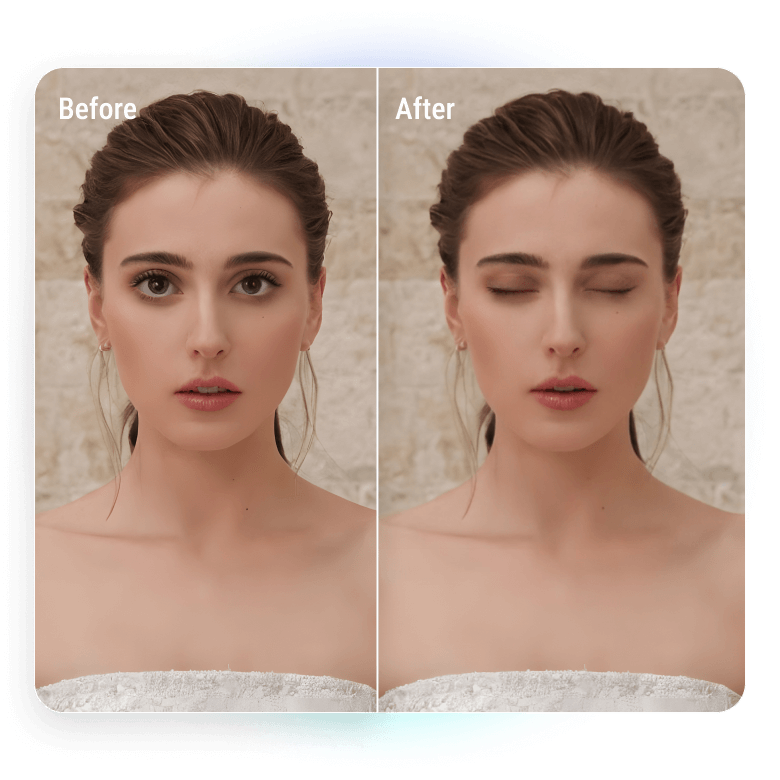
Features that do the hard work for you
• Multi-Face Support – Works on solo or group photos.
• Automatic Eye Detection – Finds closed eyes instantly, with no manual editing or prompts.
• Adjustable Slider – Control how open the eyes appear.
Fix every important moment
• Restore old photos: Fix closed eyes in scanned or old family photos.
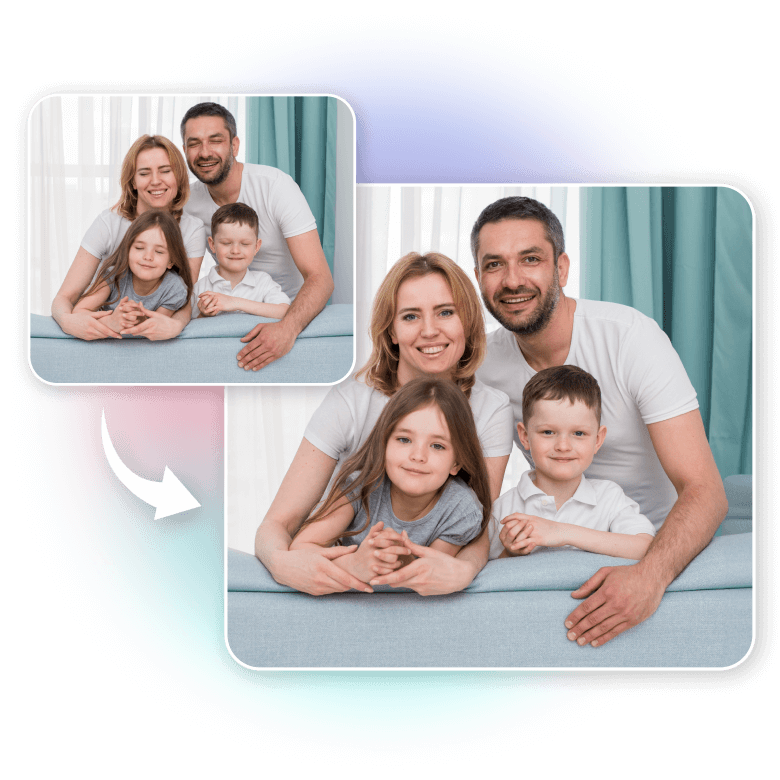
• Kids: Open eyes in fast moments where kids blinked.
• Graduation Photos: Salvage once-in-a-lifetime shots with natural eye fixes.
• Wedding Photos: Fix closed eyes in group or candid wedding shots.
• Family vacations: Can’t retake the memory? Just fix the blink.
Fix any flaws on the go
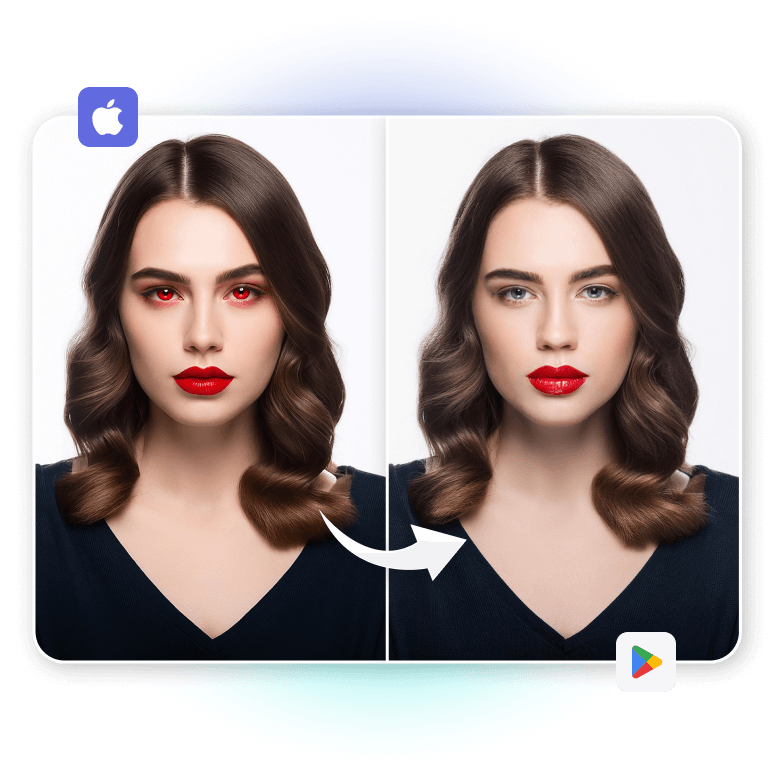
LightX has a free app on both the App Store and Google Play Store, so you can edit close eyes anytime, anywhere, right from your phone. Try other editing features to fix eye flaws in photos:
• Whiten eyes for a brighter, fresher look
• Remove red eyes caused by flash
• Change eye color naturally with one tap
• Remove objects from eyes like glare, shadows, or reflections
Everything you need to fix eye flaws — fast, easy, and on your fingertips.
Frequently Asked Questions
Currently, the tool is designed to detect and open human eyes only. It does not work on pet photos at the moment, but we’re exploring support for animals in future updates.