
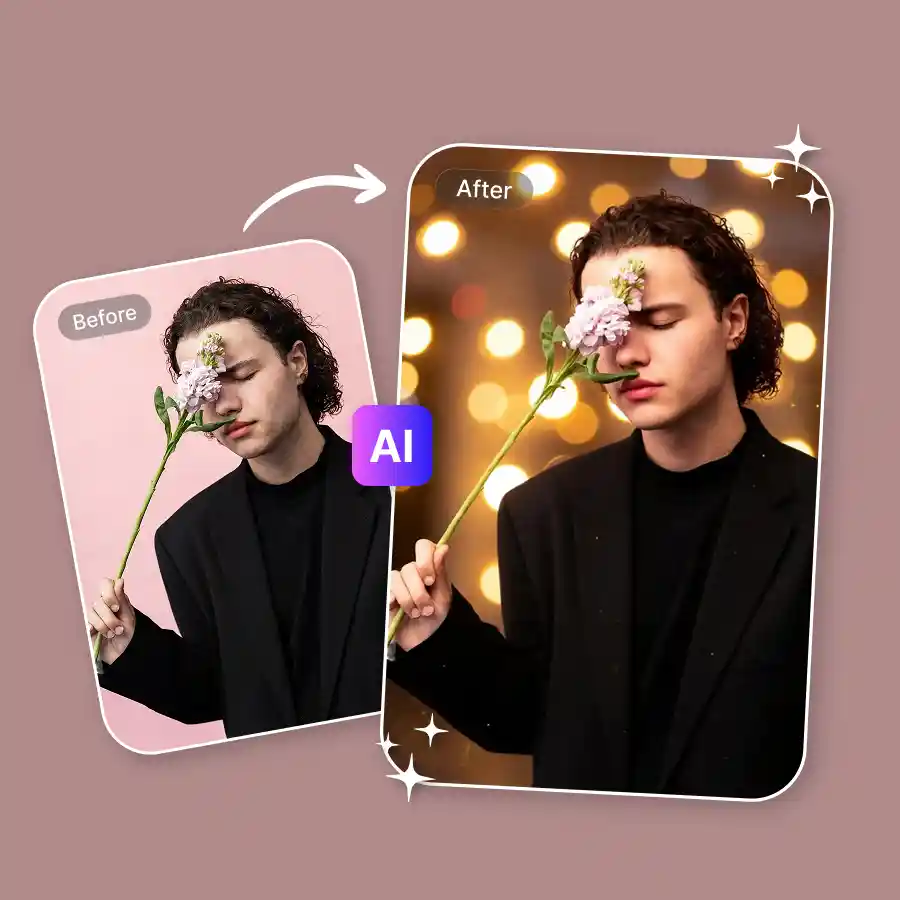
How to Add Bokeh Effect to Your Photo
Upload your photo
Upload any JPEG, PNG, or WEBP.
Generate your bokeh
Prompt is pre-set and ready. If you want something specific, edit the prompt before hitting Generate.
Download or refine
Download in high resolution or adjust blur intensity, bokeh shape, or light color with the Change with AI button.
Two types of bokeh with one tool
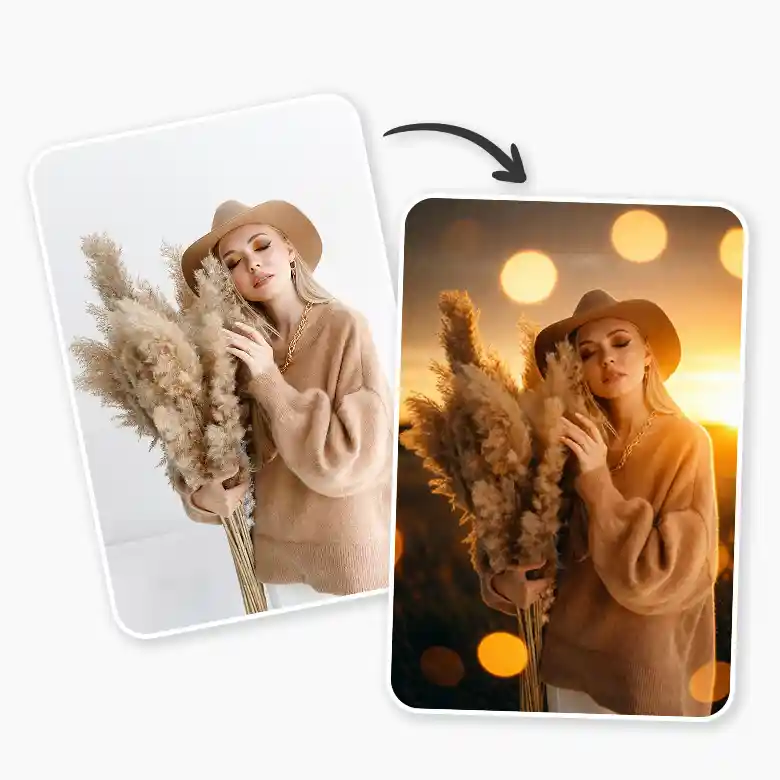
1. Background blur bokeh: Make your subject the star of the show. The AI identifies the subject automatically and keeps it sharp while softening everything behind it. Like, this was shot on a wide aperture lens, not edited on a phone.
2. Bokeh light effect: Add floating orbs of light into the scene. Fairy lights, Christmas lights, sun bokeh, night bokeh, heart bokeh — describe the type, color, and placement, and our tool generates them naturally.
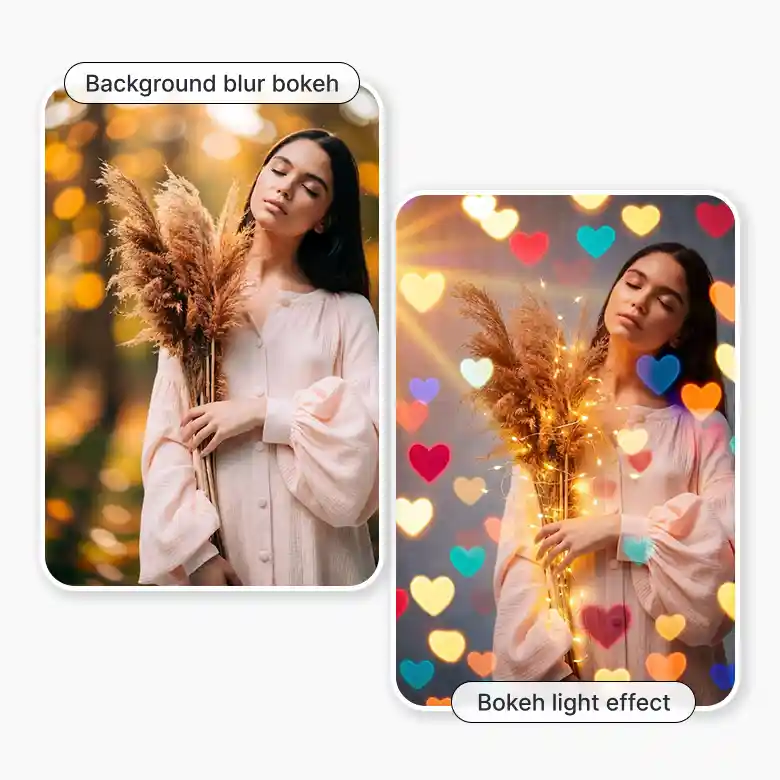
Bokeh portraits that look like DSLR shots
Phone cameras struggle with background separation. LightX fixes that. The AI reads the subject, sharpens it, and applies a soft bokeh background effect that gives portraits that depth of field. It will look like it was captured with a DSLR. Try applying that to portraits, selfies, headshots, or full-body shots.
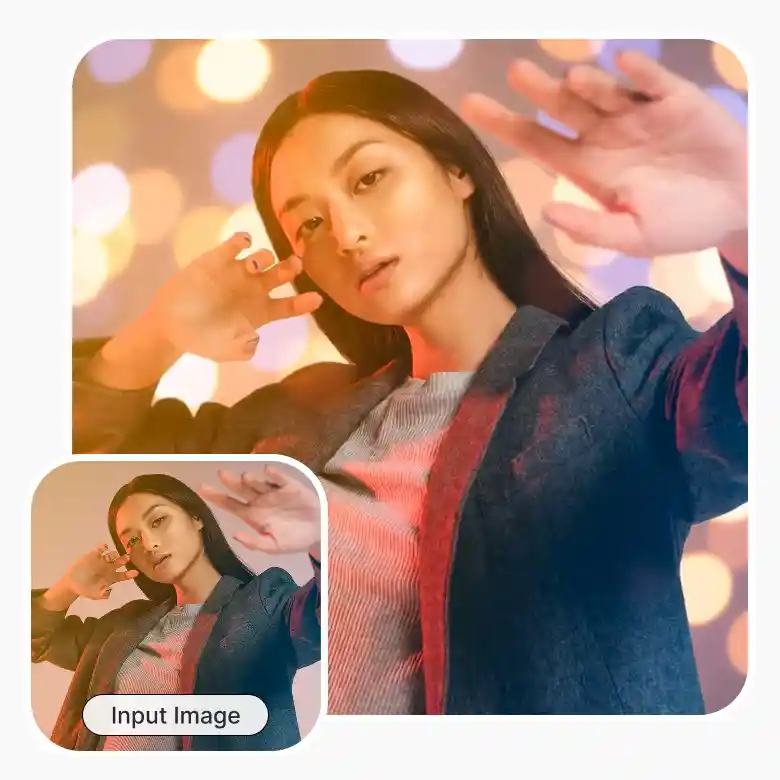
Add bokeh lights to any scene
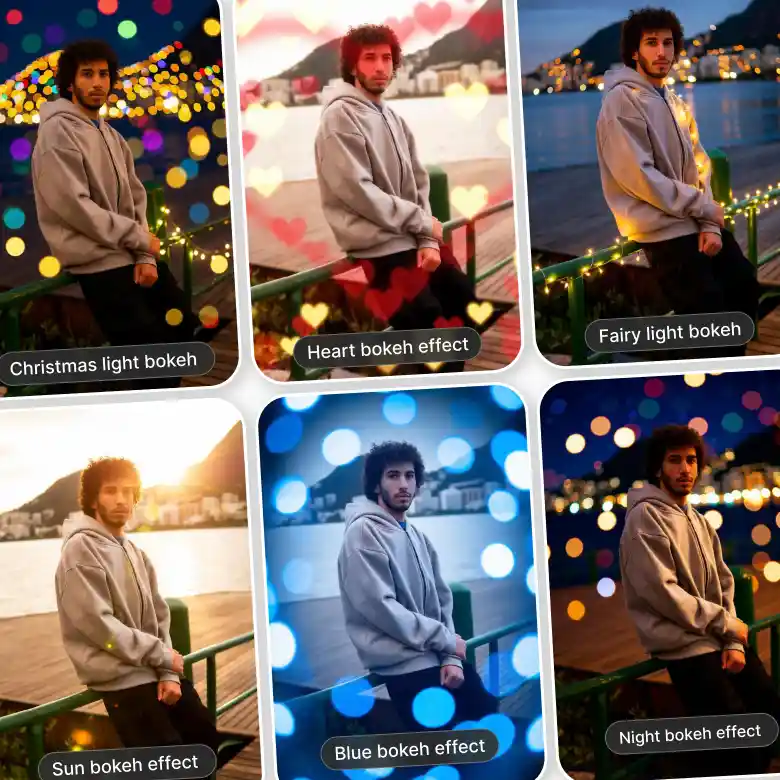
Not just background blur. Add actual bokeh lights into your photo. Just mention these words in the prompt box:
• Fairy light bokeh
• Christmas light bokeh
• Heart bokeh effect
• Sun bokeh effect
• Night bokeh effect
• Blue bokeh effect
Specify color, size, shape, density, and placement in the prompt. The AI places them where they make sense in the frame.
Film bokeh & lens bokeh for analog lovers
Give photos a look of shooting through a vintage lens. Our tool gives a beautiful analog feel with irregular orbs in warm tones. Combine with grains and give a complete retro makeover to portraits, group photos.
Works on every type of photo
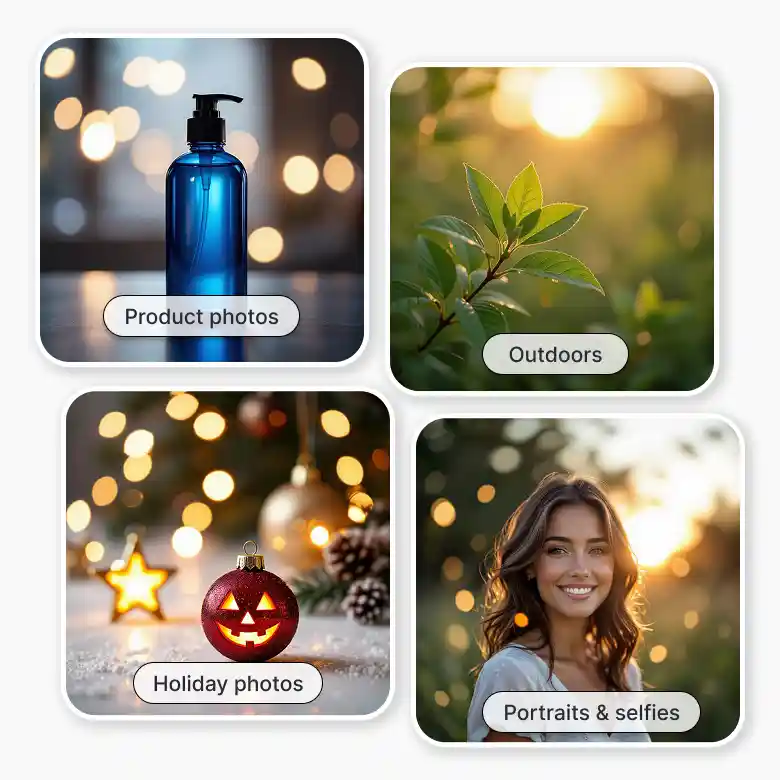
1. Portraits & selfies: Separate background, sharpen subject, and add soft bokeh blur
2. Product photos: Isolate the product with a clean bokeh background for e-commerce or ads
3. Night & low-light shots: Turn ambient lights into dreamy night bokeh
4. Holiday photos: Make photos aesthetic by adding bokeh to your Christmas, Halloween, and Diwali decor lights.
5. Indoors: Add a blue bokeh effect to look like editorial photography
6. Outdoors: add bokeh to the sun or green bokeh effect through the leaves
Complete lighting & editing suite
Take your bokeh aesthetic further with LightX's full editing suite:
• Denoise for a cleaner or more textured film look
• Unblur images and texts to recover sharp detail without losing the soft analog feel
• Remove unwanted shadows and glare before layering your light leak
This gives you a complete set of everything you need in one place without switching tabs.
Frequently Asked Questions
Discover more tools


