


How to use the straight teeth filter online
Upload your photo
Choose a clear, front-facing photo showing your smile in JPEG, PNG, or WebP format.
Apply the teeth alignment prompt
Our prompt is already loaded. Edit it for a subtler fix, a full alignment, or gummy smile correction.
Download your result
Generate and save your new photo, ready to post.
Straighten teeth in photo before you post
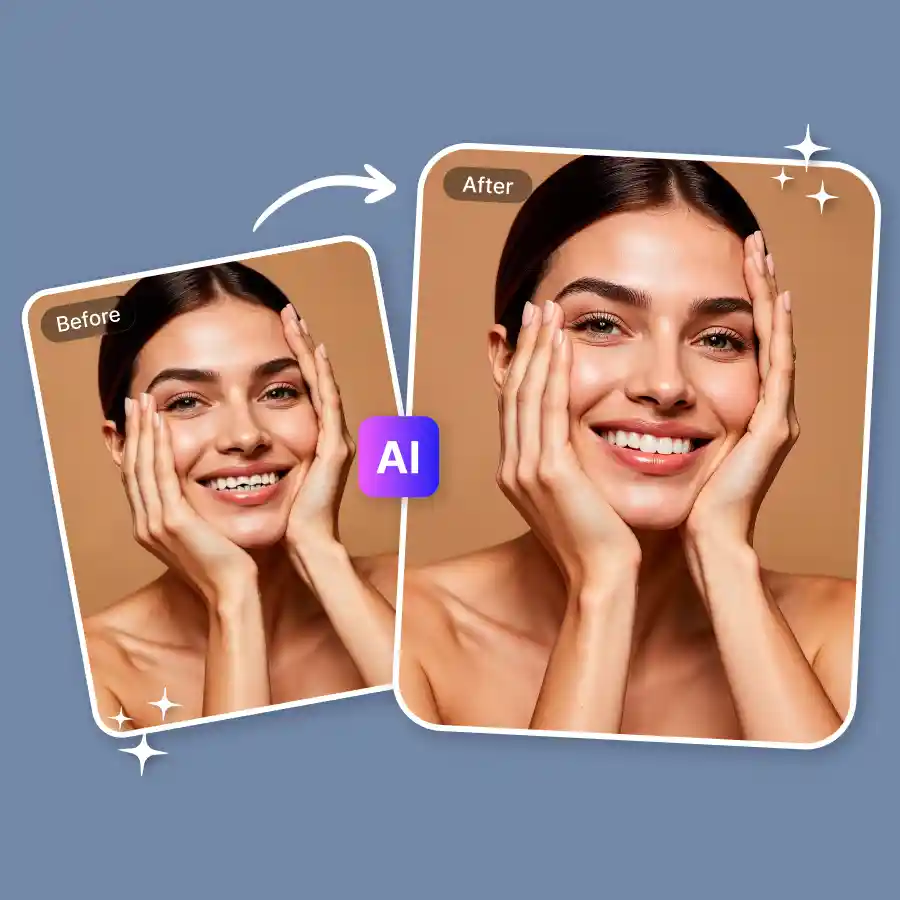
There's a difference between a polite closed-mouth smile and one where you actually show teeth. Our straight teeth filter online gives you the confidence to smile big in a photo, crooked teeth, a gap, whatever's been holding you back, fixed enough that you'd actually want that photo to be the one you post. The tool edits your teeth with AI and fixes gaps, misalignment, crowding, uneven length, and overbite appearance. All of this happens naturally, no manual editing, just prompt, generate, and post.
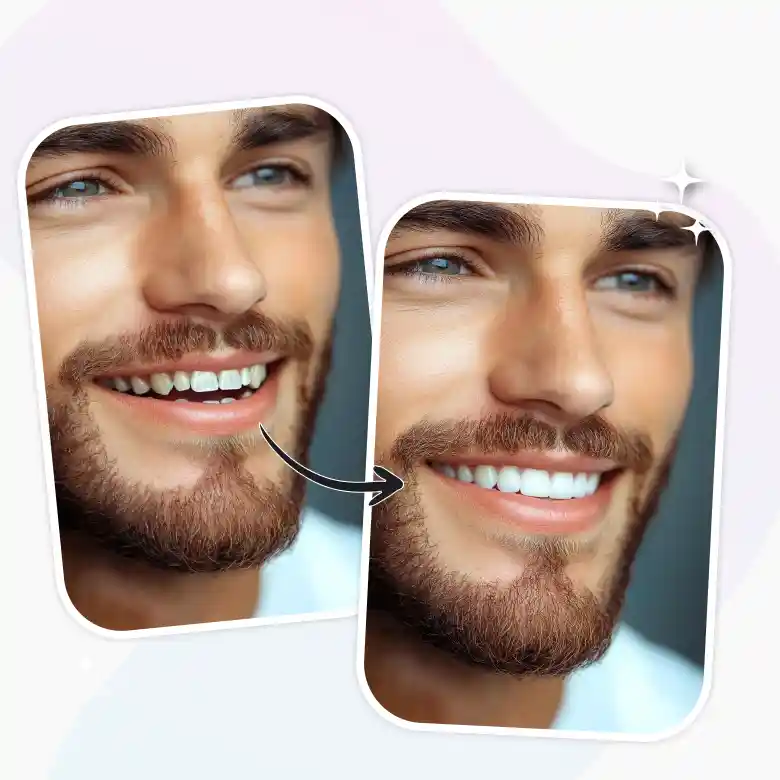
Natural teeth alignment, nothing else touched
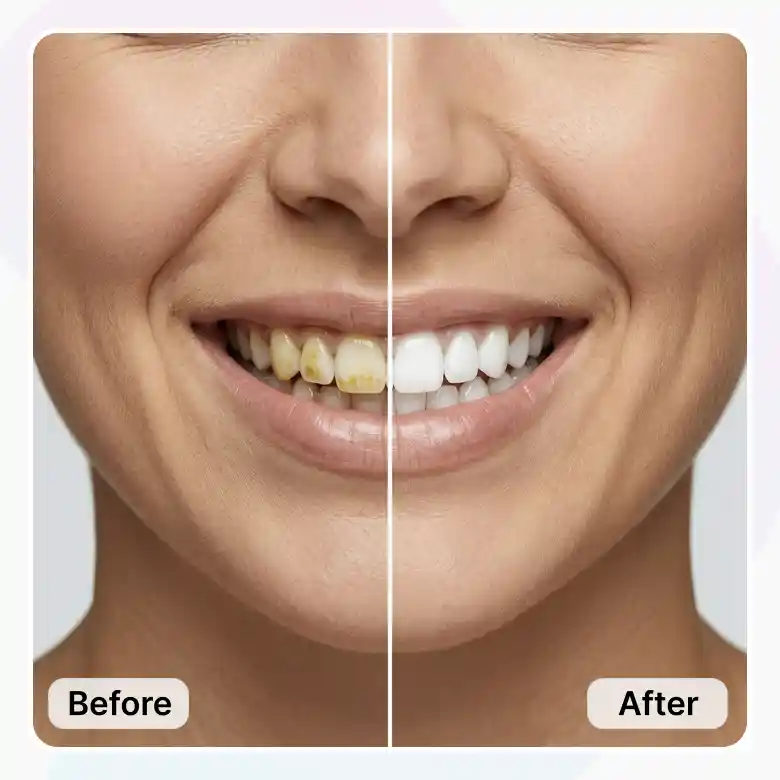
Teeth alignment, gaps, and color are the only things this tool changes. Your face shape, expression, skin, and the rest of the photo stay exactly as they were uploaded, so the result reads as a real photo rather than an obvious edit.
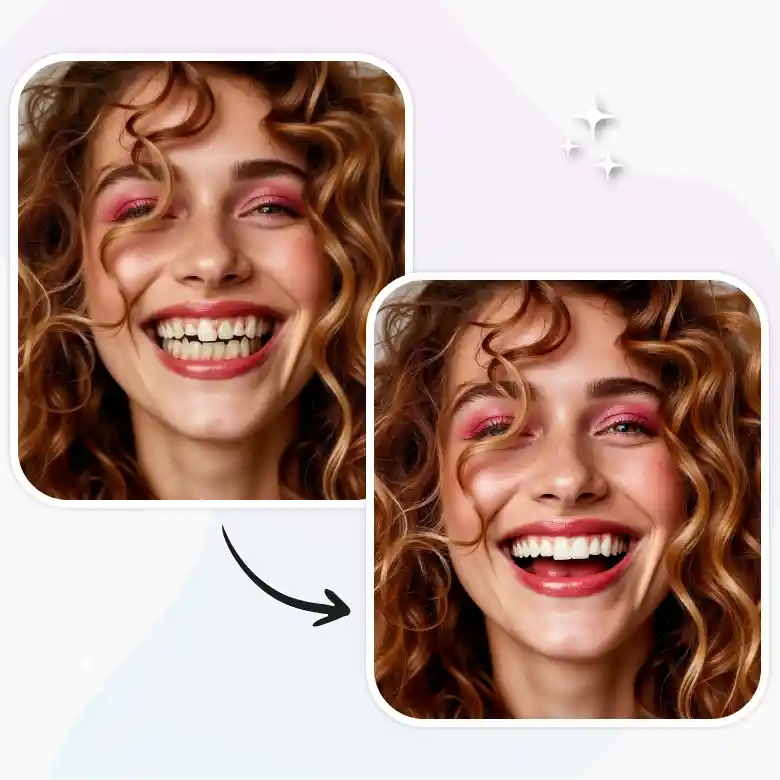
Gummy smile correction and teeth gap filler AI
Some smiles get held back by one specific thing, a gummy smile, a visible gap between the front teeth. Instead of avoiding photos where you're smiling, describe what you want fixed and the AI straight teeth filter adjusts just that: lip position for a gummy smile, or spacing for a gap.
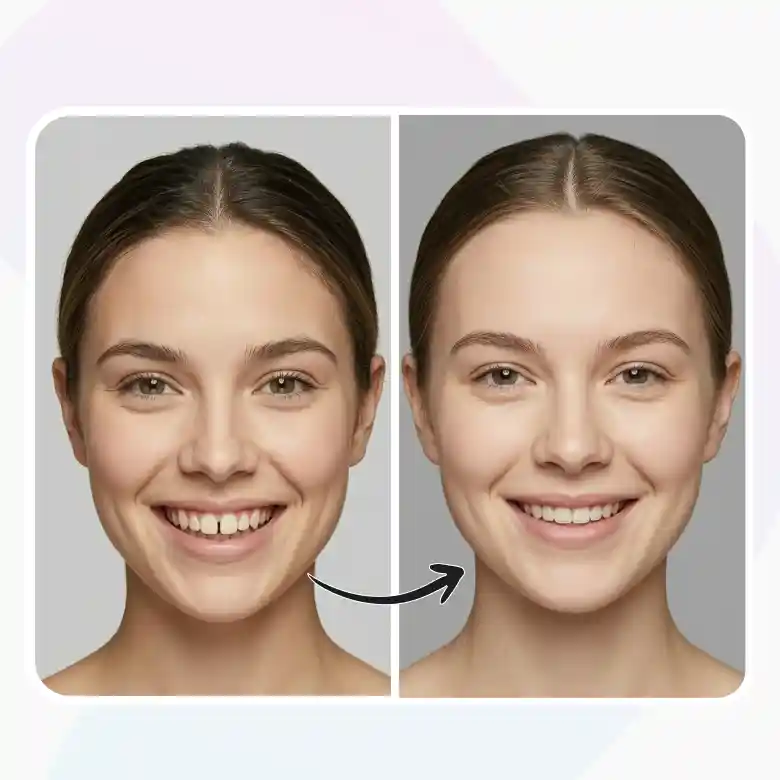
Invisalign simulation: preview your smile before treatment
Wondering what your face would actually look like with straight teeth, before booking a consultation or committing to aligners? This gives you that answer on your own photo, not a stock example, so you know what you're deciding on before spending money on it.
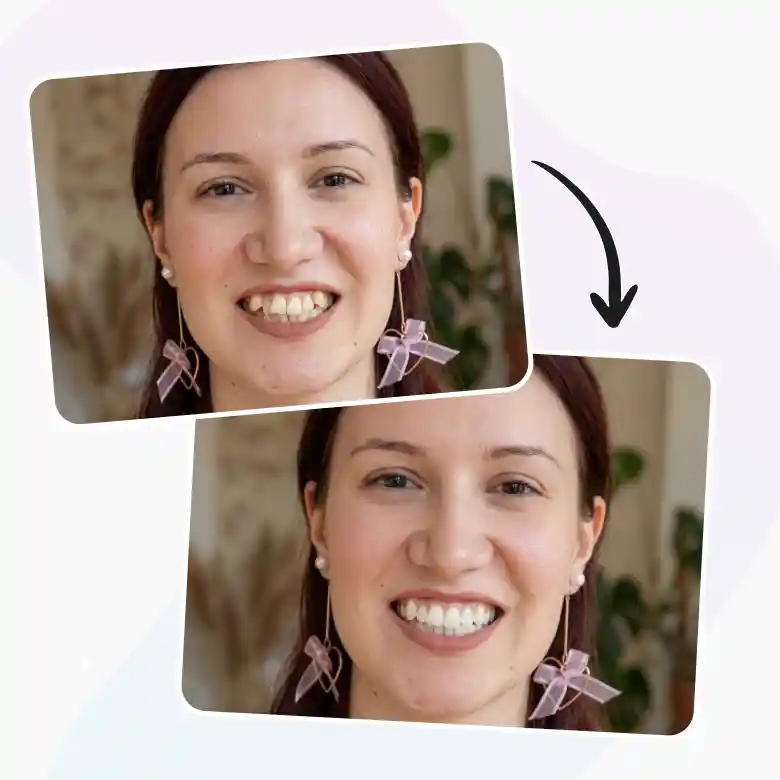
Straight teeth filter for dental consultations
Dentists and cosmetic clinics use tools like this too, to show a patient a possible result during a conversation about treatment options. It's a visual reference for that discussion, not a diagnosis or a guarantee of outcome.
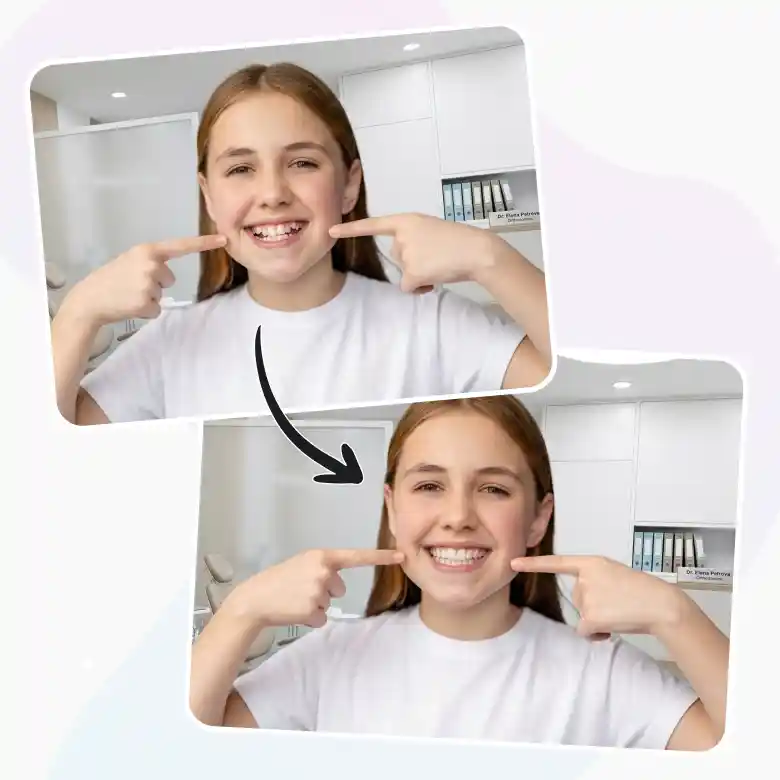
What this AI straight teeth filter gets right
• Editable prompt for alignment, whitening, or gummy smile adjustment
• Choice of AI models
• Teeth and smile area adjusted, rest of face untouched
• Fast turnaround, no editing skills needed
• Works on mobile and desktop
More dental aesthetics edits to try
Alignment is one part of a smile edit. The same prompt-based teeth straightening app also handles:
• Stains or discoloration: try our teeth whitening photo editor
• Chips or cracks: try our teeth flaws removal tool
• Decay marks: try our teeth decay removal tool
Frequently Asked Questions
Discover more tools


