
Supporting companies of various types and sizes
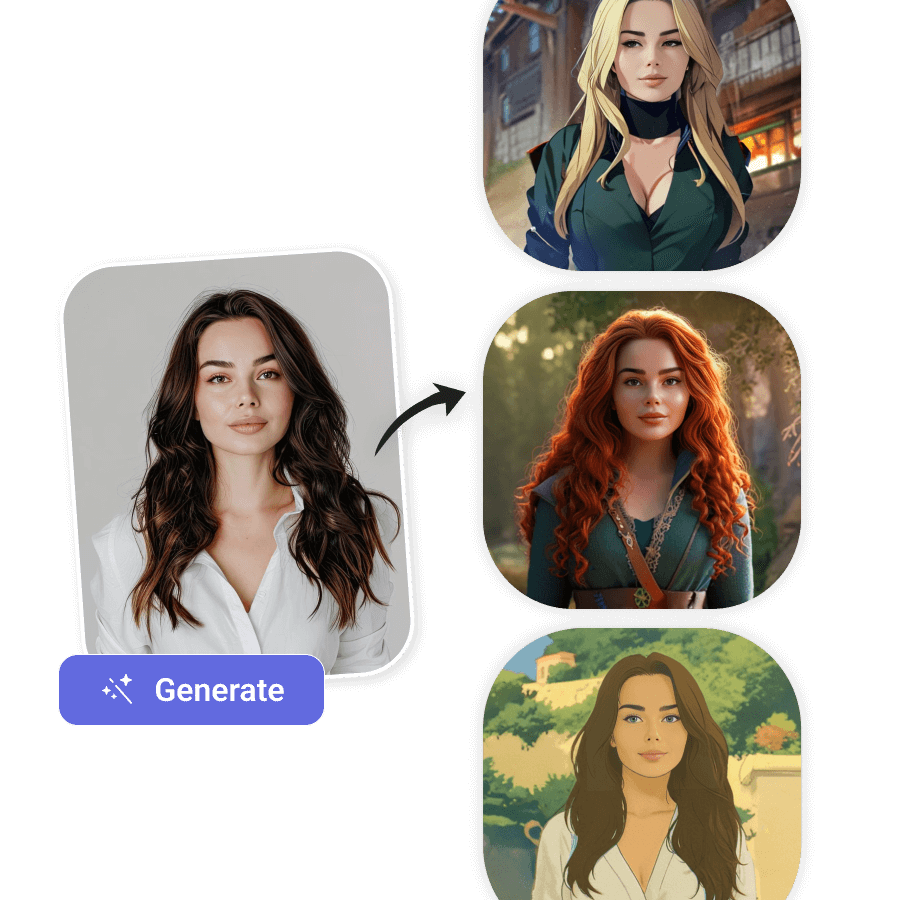
Offer your users a feature to generate trendy images of themselves.
import requests
import json

# API endpoint URL
url = "https://api.lightxeditor.com/external/api/v2/aifilter"

# Request headers including your API key
headers = {
"Content-Type": "application/json",
"x-api-key": "<enter x-api-key>"
}

# JSON payload with image URLs and prompt
payload = {
"imageUrl": "enter Image Url",
"styleImageUrl": "enter style Image Url ",
"textPrompt": "enter text prompt"
}

# Send POST request
response = requests.post(url, headers=headers, data=json.dumps(payload))

# Print status and response body
print(response.status_code)
print(response.text)
const fetch = require('node-fetch');  // Only needed if you are using Node.js

const url = 'https://api.lightxeditor.com/external/api/v2/aifilter';
const headers = {
'Content-Type': 'application/json',
'x-api-key': '<enter x-api-key>'
};

// Body payload
const body = {
imageUrl: 'enter Image Url',
styleImageUrl: 'enter style Image Url ',
textPrompt: 'enter text prompt'
};

// Send POST request
fetch(url, {
method: 'POST',
headers: headers,
body: JSON.stringify(body)
})
.then(res => {
console.log('Status code:', res.status);
return res.text();
})
.then(text => console.log('Response body:', text))
.catch(err => console.error('Request error:', err));

}
import Foundation

// Prepare URL and request
let url = URL(string: "https://api.lightxeditor.com/external/api/v2/aifilter")!
var request = URLRequest(url: url)
request.httpMethod = "POST"

// Set headers
request.setValue("application/json", forHTTPHeaderField: "Content-Type")
request.setValue("<enter x-api-key>", forHTTPHeaderField: "x-api-key")

// Build JSON body
let json: [String: Any] = [
"imageUrl": "enter Image Url",
"styleImageUrl": "enter style Image Url ",
"textPrompt": "enter text prompt"
]
request.httpBody = try! JSONSerialization.data(withJSONObject: json, options: [])

// Send request
let task = URLSession.shared.dataTask(with: request) { data, response, error in
// Print status code
if let httpRes = response as? HTTPURLResponse {
    print("Status code:", httpRes.statusCode)
}
// Print response body
if let data = data, let body = String(data: data, encoding: .utf8) {
    print("Response body:", body)
}
// Print any error
if let err = error {
    print("Error:", err)
}
}
task.resume()
import okhttp3.MediaType.Companion.toMediaType
import okhttp3.OkHttpClient
import okhttp3.Request
import okhttp3.RequestBody.Companion.toRequestBody
import okhttp3.Response
import org.json.JSONObject


fun main() {
val client = OkHttpClient()
val url = "https://api.lightxeditor.com/external/api/v2/aifilter"
val mediaType = "application/json".toMediaType()

// JSON payload as a raw string
val json = """
    {
        "imageUrl": "enter Image Url",
        "styleImageUrl": "enter style Image Url ",
        "textPrompt": "enter text prompt"
    }
""".trimIndent()
val body = json.toRequestBody(mediaType)

// Build request with headers
val request = Request.Builder()
    .url(url)
    .post(body)
    .addHeader("Content-Type", "application/json")
    .addHeader("x-api-key", "<enter x-api-key>")
    .build()

// Execute and print response
client.newCall(request).execute().use { response ->
    println("Status code: ${response.code}")
    println("Response body: ${response.body?.string()}")
}
}
  Method- Post
curl --location 'https://api.lightxeditor.com/external/api/v2/aifilter' \
--header 'Content-Type: application/json' \
--header 'x-api-key:<enter x-api-key>' \
--data '{
"imageUrl": "enter Image Url",
"styleImageUrl": "enter style Image Url ",
"textPrompt": "enter text prompt"
}'
Choose your plan
Explore a variety of pricing plans designed to meet your unique requirements. Find the perfect fit and start today.
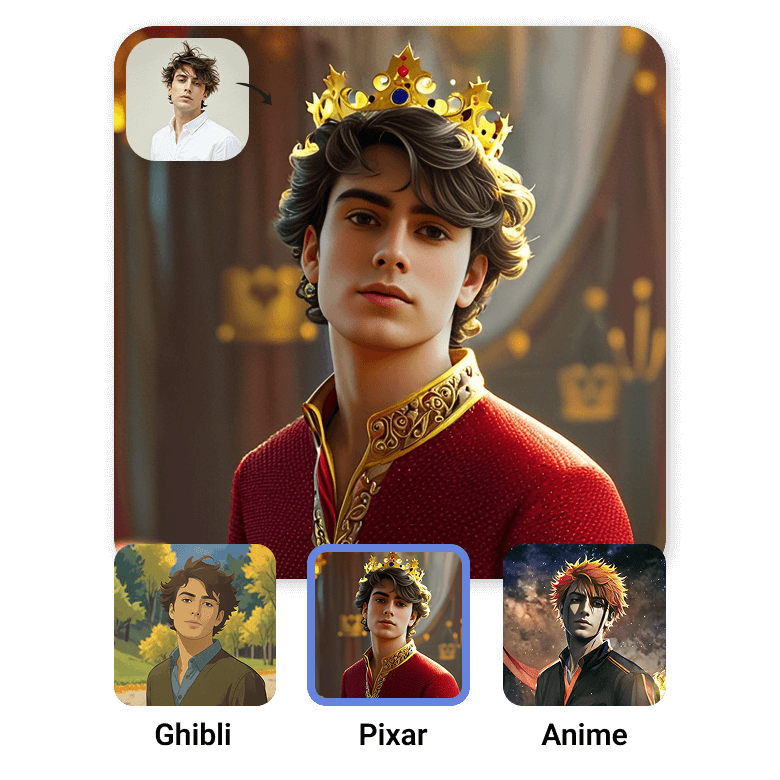
AI cartoon, Disney Pixar, Ghibli, anime filters
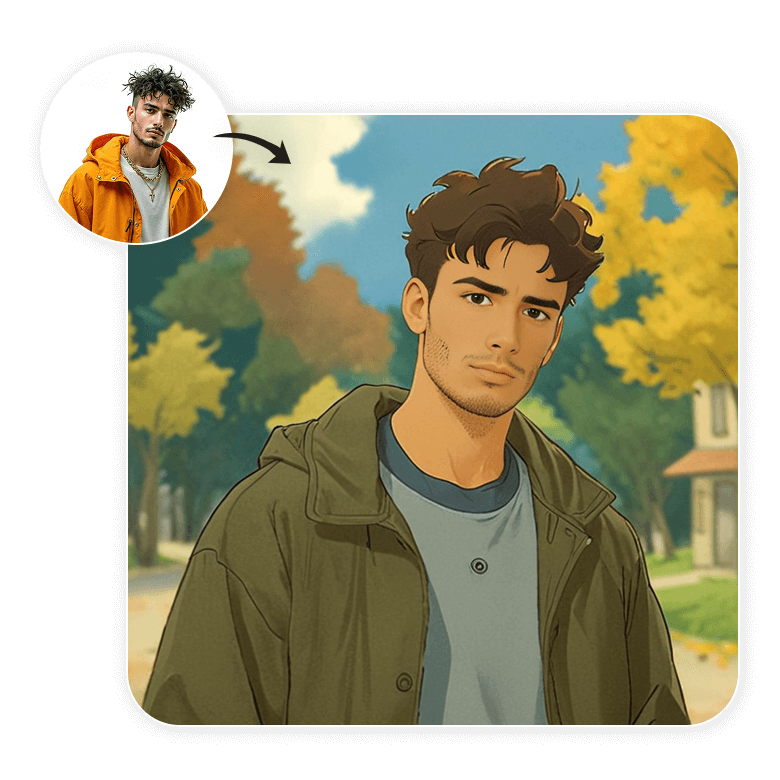
The LightX Filters API is the fastest way to create viral filter trends on your app or website. Integrate the LightX AI Filter API to give your users a fun feature that lets them generate popular styled images of themselves. Each filter accurately replicates the look of these styles and generates a new image based on the user's photo.

Maintains the input image’s composition and pose
These filters will change the look of your photo while still keeping it realistic. It will generate all the styles mentioned above, while still preserving your original appearance, and deliver high-resolution outputs and realistic transformations.
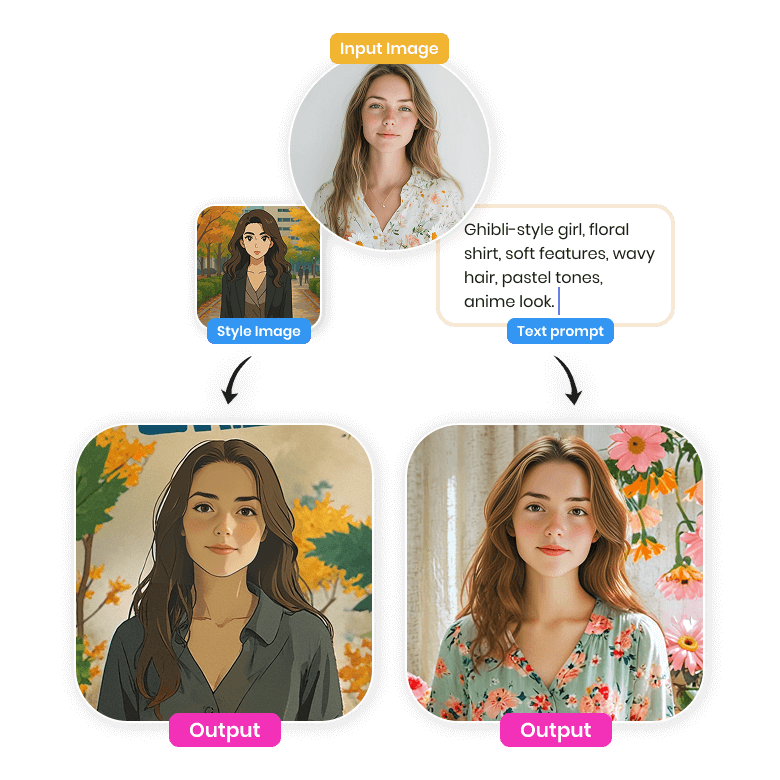
Three-way input: Image upload, text prompt or style reference
This API uses a three-parameter input system. By providing a style reference, you can create any trending filter currently on the market. Additionally, the text prompt feature allows you to customize the filter to match your brand’s colors and tone.
How to set up?
Easy to set up, this API requires minimal coding experience and can be integrated quickly by generating an API key and following the detailed steps in the documentation.
Data privacy
User privacy is of our utmost importance! That’s why we do not store any data or use it for training purposes. All user inputs are automatically deleted after 24 hours, and the generated outputs are never saved.

Start with Free Credits
Get started with LightX APIs today! Receive 25 free credits instantly on API signup – no credit card required
Frequently Asked Questions
The maximum output resolution is 1024x1024 pixels.
Still Unsure? Allow Us To Assist You!
Write to us and we'd love to understand your requirements